SharePoint is Microsoft’s versatile platform designed to help organizations manage documents, collaborate seamlessly, and automate complex business processes. Its flexibility is both a major strength and a challenge—building SharePoint solutions from scratch often demands significant time, planning, and resources.
When we talk about SharePoint enterprise solutions or SharePoint business solutions, we mean more than just the platform’s out-of-the-box features. This includes both built-in capabilities and third-party extensions that address a wide range of business needs—from content management and corporate portals to workflow automation.
The goal of this article is to explore the spectrum of SharePoint solutions available for modern businesses, provide guidance on effective implementation, highlight best practices, and show how a standard SharePoint solution can be enhanced with ready-made products from VirtoSoftware.
What SharePoint Solutions Are and How They’re Used
Before diving into the details, it’s important to understand that SharePoint solutions are not one-size-fits-all. Organizations implement them in various ways depending on business goals, team size, and IT complexity. From lightweight SharePoint business solutions that streamline everyday tasks to robust SharePoint enterprise solutions that power large-scale corporate operations, the platform offers a spectrum of possibilities. Understanding what these solutions are—and where they fit—is the first step toward designing an environment that truly drives productivity and collaboration.
👉To dive deeper into SharePoint’s native capabilities and how they can be extended, check out our overviews:
- SharePoint Features and Capabilities for Teams and Businesses
- How to Use SharePoint: Steps, Setup, and Best Practices
- What Is Ensemble SharePoint? Guide to Features and Use
Defining SharePoint solutions
👉What is the SharePoint solution? At its core, a SharePoint solution is a specially designed component, a set of components, an application, or a configuration package that extends the standard functionality of SharePoint to address specific business needs. These solutions are tailored to solve real-world challenges, turning a standard SharePoint environment into a fully-fledged business tool.
Areas and types of SharePoint solutions
SharePoint solutions cover a broad spectrum of business tasks, allowing organizations to leverage the platform not just for data storage but as a comprehensive business solution. Key application areas include:
- Document management and collaboration: Centralized libraries, version control, shared access, and streamlined workflows.
- Corporate portals and intranets: Platforms for employee interaction, information sharing, news feeds, and internal communications.
- Data storage and knowledge management: Structured data, advanced search capabilities, and organized repositories.
- Integration with Microsoft Teams and Microsoft 365 services: Seamless connection across productivity tools to enhance collaboration and workflow automation.
Common types of SharePoint solutions include:
- Business process automation: Solutions that automate workflows—document approvals, request handling, surveys, and notifications.
Example: Automatically triggering an approval workflow when a new document is uploaded to a specific library.
- Enhancing intranets and portals: Solutions for creating dynamic, visually appealing corporate portals: event calendars, news feeds, staff organizers, and internal social networking components. A user-friendly interface is critical to ensure employees actively adopt and engage with these tools.
- Advanced document and data management: Solutions that go beyond standard SharePoint libraries: metadata management, advanced search, archiving systems, and version control. This is especially valuable for organizations where data management is central to business operations.
👉For teams building intranets, portals, or rich content hubs, VirtoSoftware’s SharePoint Content Management guide is a must-read — it explains how native SharePoint becomes a full ECM (Enterprise Content Management) system.
Enterprise vs. business solutions
SharePoint enterprise solutions are typically large-scale, comprehensive, and designed for organizations with complex IT requirements and extensive integrations. They support:
- Large-scale corporate portals
- ERP/CRM integrations
- Complex workflow automation
- Flexible access controls
- Management of large datasets
In contrast, SharePoint business solutions are more focused on addressing specific team or departmental needs in small and medium-sized businesses. They usually provide:
- Team workspaces
- Document storage and libraries
- Basic workflow automation
- Streamlined, practical tools for day-to-day operations
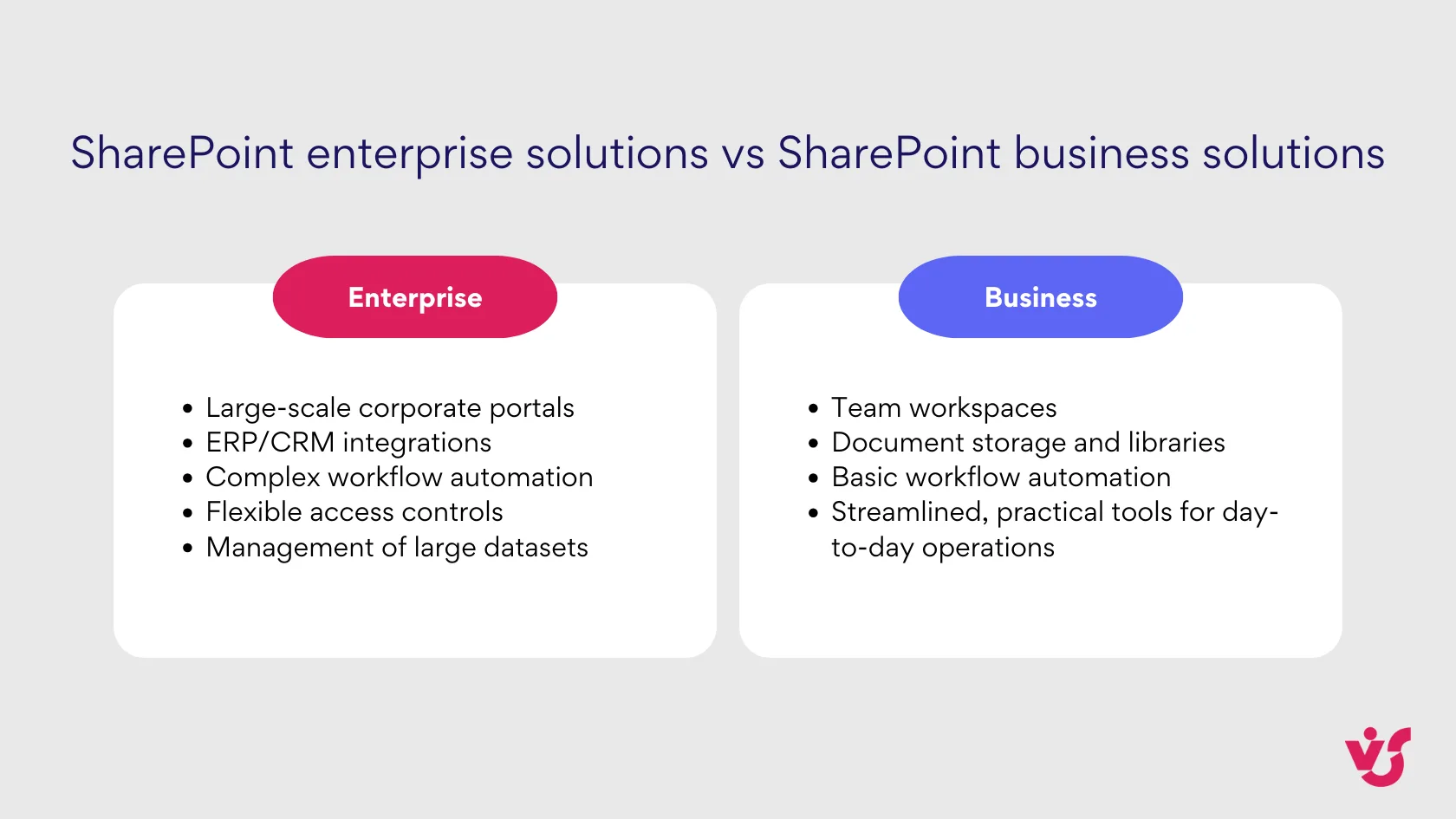
Both types of solutions—SharePoint enterprise solutions and SharePoint business solutions—play a crucial role in maximizing the platform’s value, but the scope, complexity, and scale differ according to organizational needs.
Explore VirtoSoftware Use Cases
Implementing SharePoint Solutions
Implementing SharePoint solutions is where strategy meets technology. While the platform offers an impressive toolkit out of the box, transforming it into a truly efficient business environment requires planning, configuration, and adoption. Whether your organization is introducing SharePoint business solutions to streamline everyday tasks or deploying complex SharePoint enterprise solutions that integrate with broader systems, success depends on a structured and thoughtful rollout process.
Step-by-step implementation of SharePoint solutions
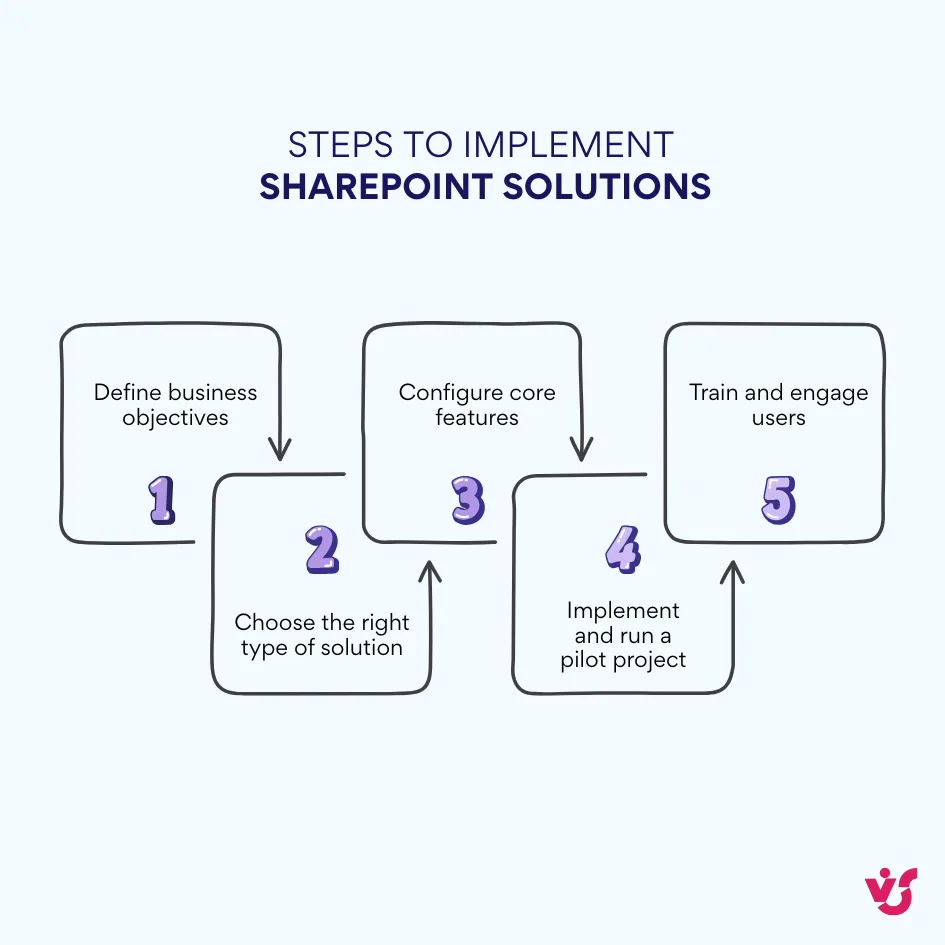
Implementing SharePoint solutions requires a strategic, step-by-step approach. Whether you’re deploying a lightweight SharePoint business solution or rolling out a full-scale SharePoint enterprise solution, success starts with clarity — knowing exactly what you want the system to achieve.
Step 1:Define business objectives
The first step is identifying your organization’s key challenges and goals. Ask yourself:
- Where is centralized document storage most needed?
- Which processes can be automated — such as vacation requests, contract approvals, or feedback workflows?
- Do you need an employee portal or a project-specific team site?
Each goal should be linked to a tangible business scenario, ensuring your SharePoint solution is rooted in real operational needs rather than abstract features.
Step 2. Choose the right type of solution
Depending on your business complexity and IT resources, there are several paths to take:
- Built-in SharePoint functionality — document libraries, lists, calendars, and basic workflows — is perfect for simple, task-specific use cases.
- Power Automate and Power Apps can extend capabilities with advanced automation and custom forms.
- Ready-made solutions from partners, such as VirtoSoftware’s SharePoint solutions, provide robust, pre-tested tools for workflow automation, process management, and enhanced collaboration — without starting from scratch.
The choice ultimately depends on your budget, IT expertise, and the depth of your business requirements.
Step 3. Configure core features
Once scenarios are defined and tools selected, it’s time to configure the foundation of your SharePoint solution. Set up:
- Document libraries with metadata, version control, and clear folder structures.
- Calendars for event management and scheduling.
- Permissions and roles to properly separate access between departments or user groups.
This stage lays the structural “skeleton” of your solution — the framework everything else will build on.
Step 4. Implement and run a pilot project
Every strong SharePoint enterprise solution begins with a pilot. Testing in a limited environment allows you to assess usability, scalability, and potential issues before full deployment.
During the pilot, evaluate:
- Interface usability and adoption potential
- Correct permission configurations
- System performance and integration with other Microsoft 365 services
- Employee readiness to use the platform in daily operations
The pilot phase also helps identify which additional SharePoint business solutions may be needed for automation, analytics, or process monitoring.
Step 5. Train and engage users
Even the best SharePoint solutions can fail if users aren’t engaged. Training should focus on practical, everyday scenarios: uploading and editing documents, collaborating on shared files, searching for information, and managing team calendars. Make sure employees clearly see the simplicity and benefits of the platform. User adoption is the cornerstone of long-term success.
Best practices for implementing SharePoint solutions
Successful deployment of SharePoint solutions comes down to thoughtful planning and continuous iteration. Here are key best practices to follow:
☑️Start with clear objectives. Define what business problems you’re solving before touching any configuration.
☑️Leverage ready-made templates and partner solutions. Don’t reinvent the wheel — use proven tools and SharePoint enterprise solutions from trusted vendors to save time and reduce risks.
☑️Implement in stages. Start small with core functionality, then expand to more complex scenarios as user confidence grows.
☑️Prioritize user training and support. Empower employees to fully utilize the system and keep engagement high.
☑️Ensure access control and security. Proper governance is critical for compliance and trust.
👉 Strong security is not an afterthought — check VirtoSoftware’s detailed SharePoint Security Guide for Safe Collaboration.
A successful rollout always balances built-in capabilities with partner extensions. The standard SharePoint solution covers fundamental needs like document management, lists, and calendars — but as processes grow in complexity, organizations often need custom workflows or third-party tools.
The optimal approach? Combine SharePoint’s native functionality with ready-to-use SharePoint business solutions and SharePoint enterprise solutions to create a flexible, scalable environment that grows with your company’s needs.
Automating Business Processes with SharePoint
Automation has become one of the strongest use cases for SharePoint solutions, helping organizations streamline operations, eliminate repetitive manual tasks, and build a more predictable, error-resistant workflow. Whether you’re deploying lightweight SharePoint business solutions for team-level efficiency or scaling to full SharePoint enterprise solutions, automation is where the platform delivers tangible, measurable impact.
At its core, SharePoint automation reduces manual steps, minimizes human error, and accelerates routine processes that typically slow teams down. Many everyday tasks can be automated directly within a SharePoint solution, including:
- Document routing and approval workflows
- Vacation, business-trip, or request submissions
- Alerts, notifications, and reminders
- Data collection through structured forms
SharePoint includes built-in workflow capabilities, but these native tools often fall short for organizations with complex or high-volume scenarios. This is where choosing the right automation approach becomes crucial.
Comparison of SharePoint automation approaches
| Approach | Advantages | Drawbacks | Best For |
| Built-In SharePoint features + Power Automate | ☑️Included in Microsoft 365 ☑️Flexible and widely supported ☑️Good for mid-level workflows | ⚠️Complex configuration for advanced scenarios ⚠️Requires workflow expertise ⚠️Governance can get messy at scale | Organizations needing standard automation without extra licensing |
| Custom development | ☑️Full customization ☑️Precise logic tailored to business processes ☑️Deep integration with external systems | ⚠️High development & maintenance costs ⚠️Long implementation time ⚠️Requires ongoing support and documentation | Enterprises with highly specific or mission-critical automation needs |
| Third-party solutions (e.g., VirtoSoftware) | ☑️No coding required ☑️Fast deployment & high ROI ☑️Advanced automation capabilities ☑️Scalable for both business & enterprise levels | ⚠️Additional licensing ⚠️Depends on vendor ecosystem | Companies wanting robust automation without custom-code complexity |
In light of Microsoft retiring classic alerts, Virto Alerts & Reminders App becomes a powerful part of SharePoint automation, letting you send HTML‑templated notifications, reminders, and escalations without building custom flows. See the detailed comparison of alert‑retirement and Virto’s recommended replacement in VirtoSoftware’s guide.
Explore VirtoSoftware Apps

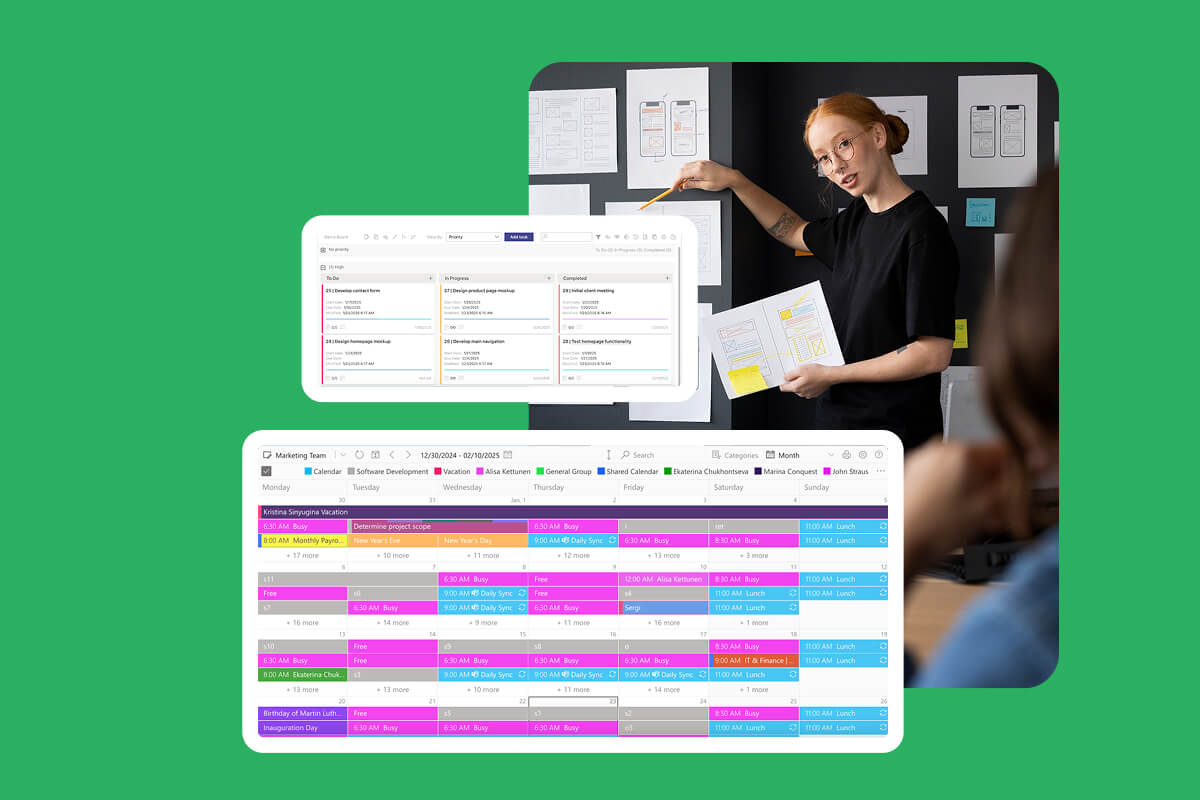
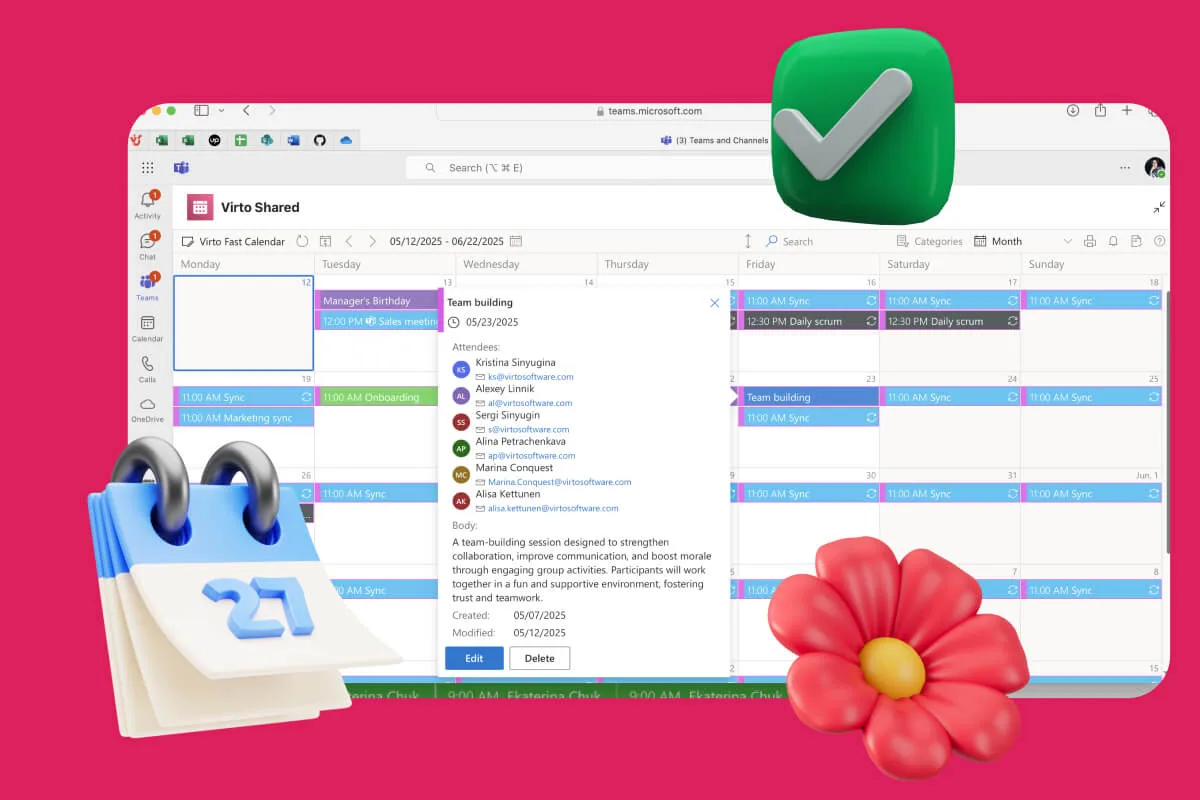
Virto Calendar
Consolidate events from SharePoint, Exchange, Google, and more into one calendar view for simplified planning.

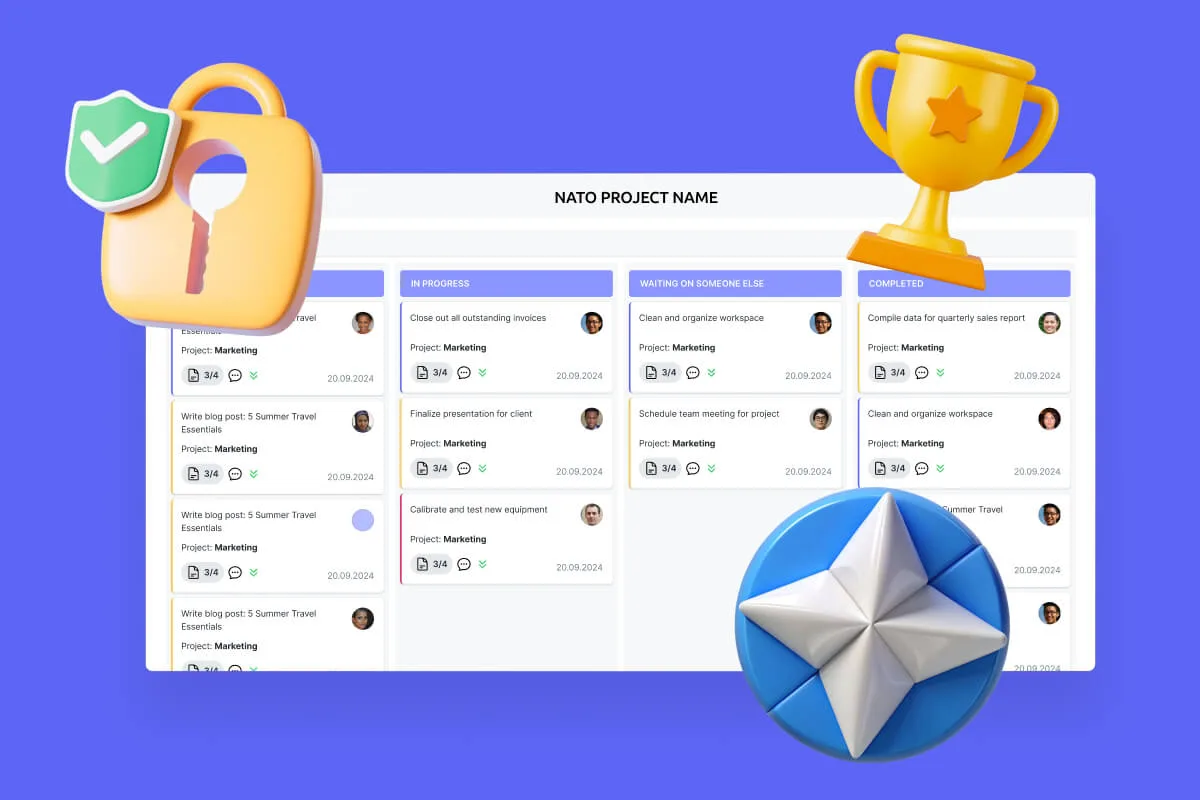
Virto Kanban Board
This tool transforms team collaboration through visual task management for consistent stage-by-stage progress.

Virto Alerts & Reminder
Integrated within your daily tools like Microsoft Teams, the app ensures you stay ahead of all tasks and meetings.
Ready-Made SharePoint Solutions from VirtoSoftware
When organizations begin implementing SharePoint solutions, they quickly discover that the platform’s standard features don’t always cover their full range of business needs. At some point, nearly every company needs deeper automation, richer interfaces, or more flexible tools — especially when scaling from simple SharePoint business solutions to full SharePoint enterprise solutions.
One path is to build custom SharePoint applications.But custom development comes with significant challenges:
- It requires a dedicated team of developers, architects, and administrators.
- Every custom feature must be maintained, updated, and monitored.
- Any error in custom code can impact the stability of the entire SharePoint environment.
- Costs are high — often prohibitively so for mid-sized companies.
For many organizations, this approach becomes too resource-intensive. That’s why ready-made SharePoint solutions have become a practical and scalable alternative: they deliver advanced functionality instantly — without a single line of code.
Ready-made SharePoint solutions from VirtoSoftware
VirtoSoftware provides a portfolio of pre-built, deeply tested tools that extend SharePoint’s capabilities and close the gaps companies typically face during implementation. These solutions are available for both Microsoft 365 and SharePoint On-Premises.
For Microsoft 365 (SharePoint Online)
- Virto Calendar App — advanced event and schedule management
- Virto Kanban Board App — visual task management with drag-and-drop workflow stages
- Virto Gantt Chart App — project planning, timelines, and progress tracking
- Virto Alerts & Reminders App — automated alerts, reminders, and escalations
- Virto Forms App — no-code form creation for data collection and request processing
For SharePoint On-Premises
- Virto Workflow Automation Web Part — workflow automation without PowerShell or custom scripts
- Virto Workflow Status Monitor Web Part — visual monitoring of workflow progress and statuses, part of a Workflow Automation Web Part now.
- Virto Calendar Web Part — advanced calendar management for portals and intranets
Custom development vs. ready-made solutions: how they compare
In a custom development scenario, controlling business processes requires building a dedicated application with unique logic. That means long development cycles, multiple testing rounds, ongoing maintenance, and dependency on specialists.
In a ready-made VirtoSoftware product, that same scenario is solved instantly: an administrator gets a functional, visual tool that automates the process — without writing or maintaining code.
Example: How Virto Kanban Board automates a workflow
Take the Virto Kanban Board App as an example of a ready-made SharePoint solution in action:
- Task creation
A new task is added to the board through a simple form — no coding, no custom UI. - Movement through stages
Tasks are moved across stages (To Do → In Progress → Review → Done) using intuitive drag-and-drop actions. - Automatic notifications
As tasks move between stages, team members receive alerts or reminders powered by Virto’s automation features. - Completion and reporting
Once tasks are completed, managers can view progress, bottlenecks, and workload distribution at a glance.
This replaces what would otherwise require a custom-coded workflow, a custom interface, and custom notification logic — all of which would need ongoing support.
Benefits of using VirtoSoftware’s SharePoint solutions
Organizations adopting VirtoSoftware’s ready-made apps gain several clear advantages:
✅Significant development time savings — no need to build features from zero
✅Fewer errors — solutions are tested, optimized, and supported by experts
✅Simple implementation and scalability — ideal for both SharePoint business solutions and SharePoint enterprise solutions
✅Focus on business, not maintenance — teams can automate processes without managing custom code
VirtoSoftware delivers exactly the type of ready-made SharePoint solutions organizations need to get maximum value from the platform — without the risks and costs of custom development.
The product portfolio covers every major area highlighted in this guide: automation, intranet enhancements, data and document management, and more, offering a truly comprehensive and scalable approach.
Conclusion
SharePoint solutions today go far beyond simple file storage. They form a powerful ecosystem that covers a full spectrum of business needs—from document management to end-to-end process automation—transforming your platform from a basic repository into a true engine of business operations. This is exactly why many organizations rely on SharePoint enterprise solutions and SharePoint business solutions as the backbone of their digital workplace.
The choice between custom development and ready-made products becomes critical for efficiency, implementation speed, and ROI. Custom development offers full flexibility but demands time, expertise, and long-term investment. Ready-to-use SharePoint solutions, on the other hand, enable faster adoption, lower ownership costs, and predictable scalability.
This is where VirtoSoftware products unlock the full potential of SharePoint. They deliver ready-made solutions for Microsoft 365 and On-Premises that streamline administration, reduce resource load, and eliminate the need for deep technical knowledge. With rapid deployment, reliability, and dedicated support, VirtoSoftware tools help you get more from your SharePoint environment — effortlessly.
If you’re looking to enhance, extend, or modernize your SharePoint setup, trying these solutions in real workflows is the best place to start.
Official Microsoft resources:
More expert insights from VirtoSoftware: