If you’ve ever had to explain what is digital workplace to someone outside the tech bubble, you know it’s far more than a slogan. A real digital workplace definition comes down to one thing: creating a flexible, efficient environment where people can work seamlessly across tools, devices, and locations.
A modern digital workplace platform pulls communication, collaboration, process automation, and knowledge management into a single ecosystem. Instead of juggling fragmented systems, digital workspace management brings structure, consistency, and clarity to the daily flow of work. For anyone building on SharePoint, this is familiar territory—you’re already shaping the digital workplace technology that underpins everything from workflows to content governance.
This article cuts through the noise to explain clearly what is a digital workplace, how it works, and why it matters. We break down the core components of digital workspaces, outline the real digital workplace benefits for users and IT teams, and explore the technologies that keep the whole system running. You’ll also get digital workplace examples from real organizations and insights into the digital workplace services and digital workplace platforms that help companies build a truly effective, scalable digital environment.
Start here with more insights into collaboration: Workplace collaboration Tools: Comparison, Examples and Best Practices
What Is a Digital Workplace — Essence, Components, and Key Characteristics
👉What is a digital workplace? A digital workplace is an integrated digital environment that brings together technology, people, and processes into a unified ecosystem. It provides seamless access to information, tools, and communication channels from anywhere, on any device. When we talk about what is digital workplace in a practical sense, we’re describing a system where work is no longer bound to a desk, a local drive, or a corporate phone line.
A true digital workplace platform isn’t just a bundle of disconnected apps. It’s a cohesive, interoperable architecture designed to support workflows, streamline collaboration, and ensure that employees can interact, share knowledge, and drive projects forward in one consistent environment. For IT teams and SharePoint developers, this is the foundation of a modern digital workplace service—not just the tooling, but the structure holding everything together.
Compared to a traditional office, the difference is stark. Classic workplaces anchor employees to physical infrastructure: desktops, LAN folders, on-prem servers, and internal telephony. A digital workspace, by contrast, removes these constraints. It enables remote, synchronous, and asynchronous work using cloud apps, digital communication channels, and globally accessible services. This shift is one of the biggest digital workplace benefits organizations gain—especially those navigating hybrid and distributed work models.
It’s also important to distinguish digital workplace from digital workspace.
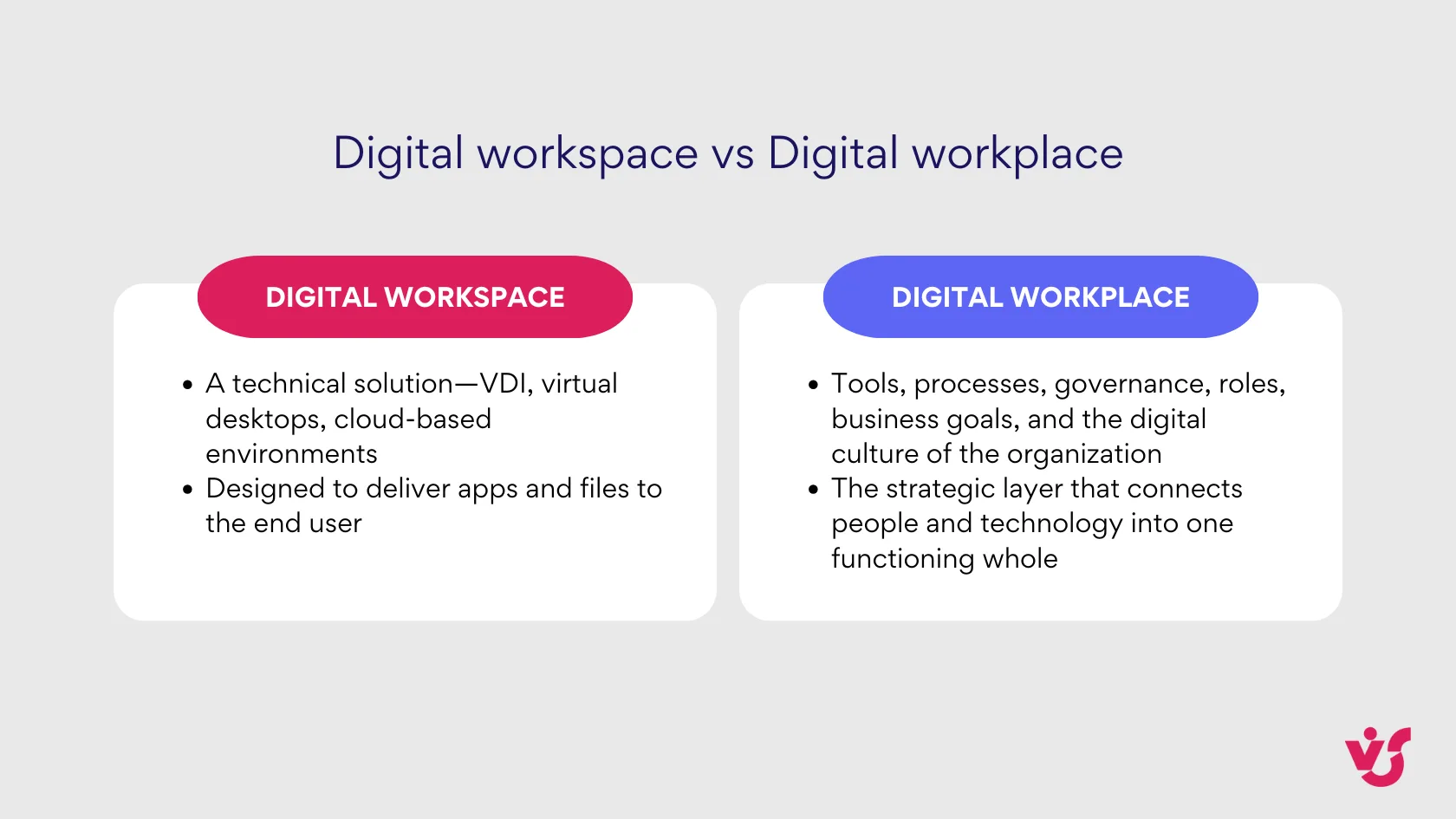
This is why any accurate digital workplace definition must refer not only to the tools, but to the policies, collaboration patterns, automation, and experience that bind them together.
Key components
A modern digital workplace is built on several tightly integrated building blocks:
| Component | Why it matters |
| Cloud applications & access from anywhere | Cloud tools deliver mobility and flexibility—the backbone of all modern digital workplaces. Microsoft 365, Google Workspace, Dropbox, Zoom, and similar platforms ensure that employees can connect to their environment from any device, anywhere in the world. |
| Communication tools | Communication forms the connective tissue of every digital workplace platform. Teams, Slack, enterprise messengers, and voice/video tools keep distributed teams aligned and able to respond quickly. Without them, there’s no operational rhythm. |
| Collaboration tools | Documents, shared calendars, task boards, project rooms—this is where the real work happens. SharePoint and Microsoft Teams, for example, offer co-authoring, project hubs, shared repositories, and structured team workspaces that define many digital workplace examples across industries. |
| Process automation & task management | Automation is essential to any scalable digital workplace technology. Tools like Power Automate, Trello, Jira, or Virto Kanban App orchestrate approvals, reminders, routing, and day-to-day operational flows, reducing the manual load on teams. |
| Security, access control & compliance | A secure digital workplace service requires MFA, role-based permissions, encryption, monitoring, and governance. Azure AD, Microsoft Compliance Center, and SIEM integrations form the backbone of secure digital workspaces and ensure that the environment meets regulatory and organizational requirements. |
Characteristics of a digital workplace
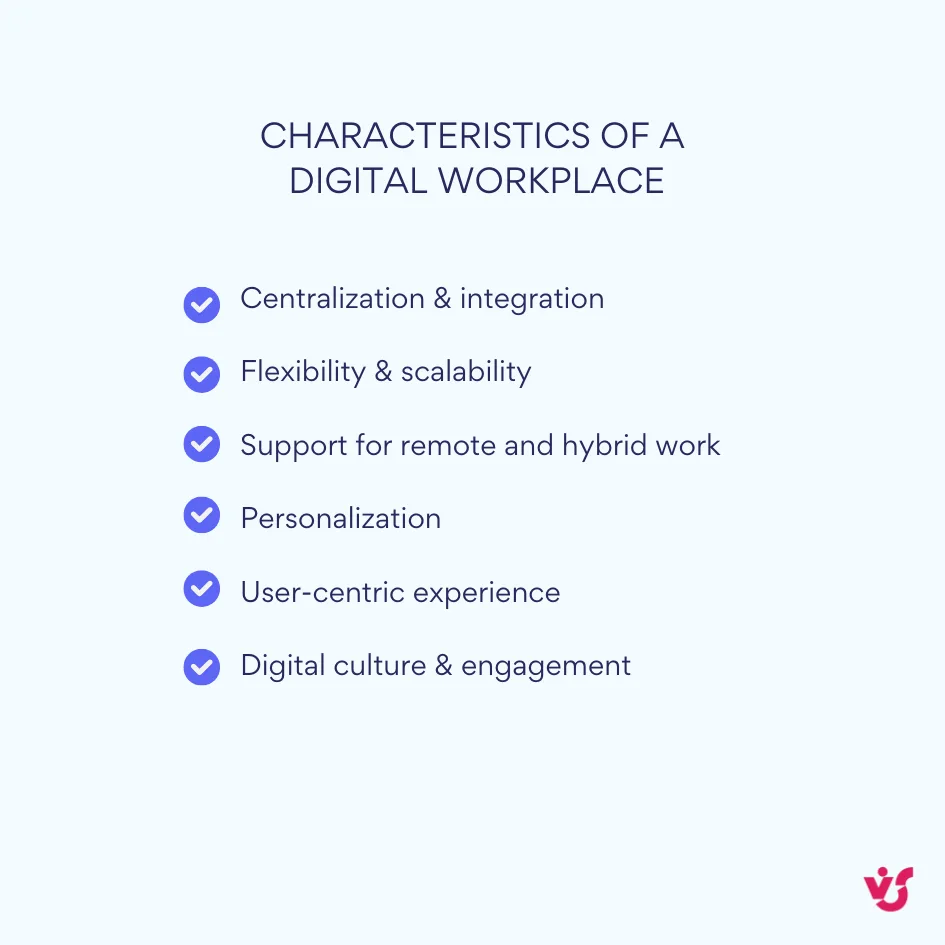
A fully mature digital workplace has several defining characteristics:
- Centralization & integration: everything—from communication to content—is unified. Users don’t hop between scattered systems; instead, they work within one cohesive digital environment.
- Flexibility & scalability: a digital workplace scales as the company grows. You can onboard users, add apps, modify access policies, and adjust roles without heavy IT overhead.
- Support for remote and hybrid work: whether employees are at home, in the office, or on the move, digital workplace platforms provide consistent, secure access from any device.
- Personalization: a strong digital workspace management model ensures that each employee sees the tools, workflows, and resources relevant to their role—nothing more, nothing less.
- User-centric experience: a unified login, intuitive UI, mobile support, and smart notifications make daily work smoother and more efficient.
- Digital culture & engagement: a well-built digital workplace strengthens internal communication, learning channels, feedback loops, and overall engagement—fueling a healthier digital culture.
Support for Innovation: modern digital workplace services enable organizations to adopt AI assistants, analytics, and emerging tools quickly and safely. Innovation no longer requires long deployments—just thoughtful integration.
Read more: What is Digital Workplace Microsoft and How To Use It Effectively
The Benefits of a Digital Workplace for Organizations
A well-designed digital workplace fundamentally reshapes how teams operate, collaborate, and innovate. When organizations invest in a cohesive digital workplace platform, they unlock measurable improvements in productivity, engagement, and operational efficiency. Below are the core digital workplace benefits that matter both to employees and IT leadership.
| Benefit area | Description | How it supports a digital workplace |
| Higher productivity & employee engagement | Employees get fast access to tools, information, and colleagues. Less time is wasted searching for data or switching between apps. Clear processes reduce frustration and improve engagement. | A well-integrated digital workplace platform removes friction, supports real-time collaboration, and strengthens engagement across hybrid teams. |
| Flexible work: home, office, hybrid | Work is no longer tied to a physical location. Everything is available online—from documents to workflows. Especially valuable for hybrid and remote teams. | Modern digital workspaces enable uninterrupted access to apps and communication channels from any device, anywhere. |
| Faster processes & decision-making | Automation, shared workflows, and integrated apps allow teams to complete approvals, track progress, and make decisions quickly. | Automation tools in the digital workplace (Power Automate, Jira, Virto Kanban App) streamline repetitive tasks and accelerate delivery cycles. |
| Unified environment for knowledge & communication | Documents, tasks, messages, discussions, and meeting notes live in a single ecosystem instead of scattered across different systems. | A cohesive digital workplace service reduces duplication, prevents data loss, and strengthens knowledge sharing inside teams. |
| Centralized user & data management (IT benefit) | IT manages identities, permissions, licenses, and security policies from a single place (Teams Admin Center, SharePoint Admin Center, Azure AD). | A core advantage of digital workplace platforms, improving governance, consistency, and control across large or distributed organizations. |
| Lower infrastructure costs | Cloud services reduce dependency on physical hardware and on-prem maintenance costs. Scaling requires no new servers or expensive equipment. | Cloud-first digital workplace technology simplifies scaling and cuts operational overhead. |
| Scalable business growth | Fast onboarding for new employees, consistent access to tools, and easy role-based configuration support organizational growth. | Effective digital workspace management ensures roles, permissions, and apps scale smoothly as teams expand. |
| Enterprise-grade security & compliance | Built-in compliance with GDPR, HIPAA, and other standards. Centralized security policies manage encryption, access, and auditing. | Modern digital workplace platforms enforce consistent security across all digital workspaces and user interactions. |
Digital Workplace Platforms — Technologies and Integrations
👉What is a digital workplace platform? A digital workplace platform is the technological foundation of a modern digital workplace. It brings together communication, document management, task management, and knowledge-sharing tools into one cohesive ecosystem. A digital work platform isn’t just a single app—it’s the integration of multiple interconnected solutions working seamlessly as a unified environment.
For example, Microsoft 365 combined with Teams, SharePoint, and Power Platform forms a complete digital workplace platform, enabling employees to:
- Work remotely, in the office, or in a hybrid setup
- Exchange information quickly and efficiently
- Co-author documents and manage files collaboratively
- Track and manage tasks and projects
- Access data from any device
- Automatically trigger and monitor business processes
Key technologies and platforms
Before diving into individual tools, it’s important to understand that a digital workplace platform is more than a collection of apps—it’s an interconnected ecosystem. The effectiveness of a digital workplace service depends on how these technologies work together to support collaboration, knowledge sharing, automation, and communication. When each component—from messaging and document management to analytics and workflow automation—integrates seamlessly, the organization benefits from a unified, efficient, and flexible digital workspace.
Microsoft 365 and Teams as the core
Microsoft 365 provides a wide range of tools—from Office apps to corporate email, cloud storage, and task management. Teams acts as the communication hub of the digital workplace, combining chat, calls, meetings, and document collaboration into a single interface. This integration makes Teams the backbone of many digital workplace examples.
SharePoint for content and knowledge management
SharePoint is a critical component of any digital workplace platform, offering document storage, team sites, intranets, and centralized knowledge management. It enables organizations to manage access rights, organize information efficiently, and create cohesive workspaces for teams.
More insights: SharePoint Content Management: Features, Benefits & Best Practices
Power platform for task automation
Power Platform (Power Automate, Power Apps, Power BI) empowers organizations to automate workflows, build custom apps without coding, and generate analytical insights. These tools enable scenarios such as automated reminders, approval flows, deadline notifications, and reporting—all without relying on developers.
Other popular platforms
- Google Workspace: Cloud-based productivity tools like Docs, Sheets, and Meet
- Notion: All-in-one knowledge management, project tracking, and note-taking
- Slack & Zoom: Communication platforms widely used for hybrid and remote teams
Integration of сomponents
Integration is at the heart of an effective digital workplace platform. The more seamless the interaction between components, the less fragmentation and manual effort exist. For instance:
- Tasks created in Teams can automatically trigger Power Automate flows
- Files can be stored and updated in SharePoint without duplication
- Notifications and approvals are streamlined, reducing errors and increasing transparency
Integration improves efficiency and usability by reducing app-switching and making processes understandable and manageable. In an ideal digital workspace, all data and actions are accessible within a few clicks, regardless of device or location.
Example: The combination of Teams + Planner + SharePoint + Outlook allows employees to receive tasks, discuss them in chat, attach documents, and schedule meetings—without leaving the ecosystem and without losing information.
Additional solutions from VirtoSoftware
A robust digital workplace platform shouldn’t just integrate services; it should adapt to a company’s unique processes. That’s where VirtoSoftware tools extend the capabilities of Microsoft 365 and SharePoint:
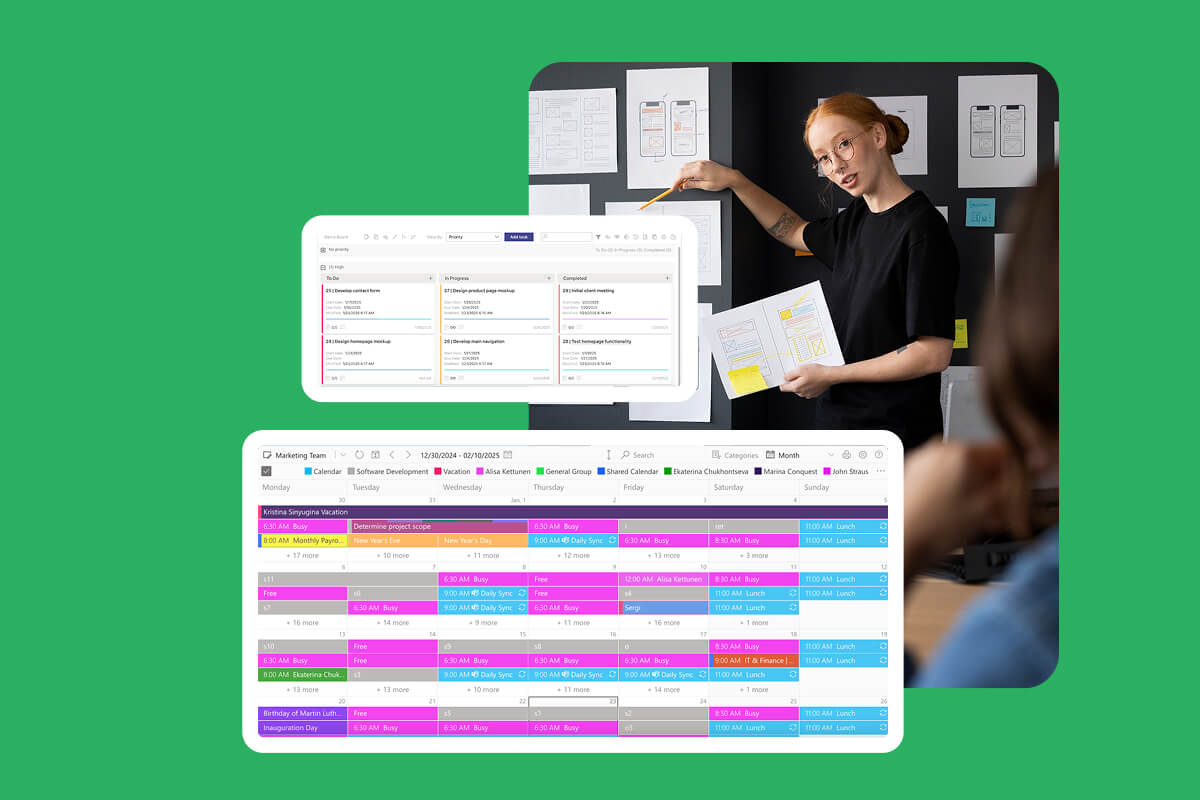
- Virto Calendar App — Visual planning for work and project calendars, with sharing and Teams integration
- Virto Alerts & Reminders App — Automatic reminders via email, Teams, or push notifications
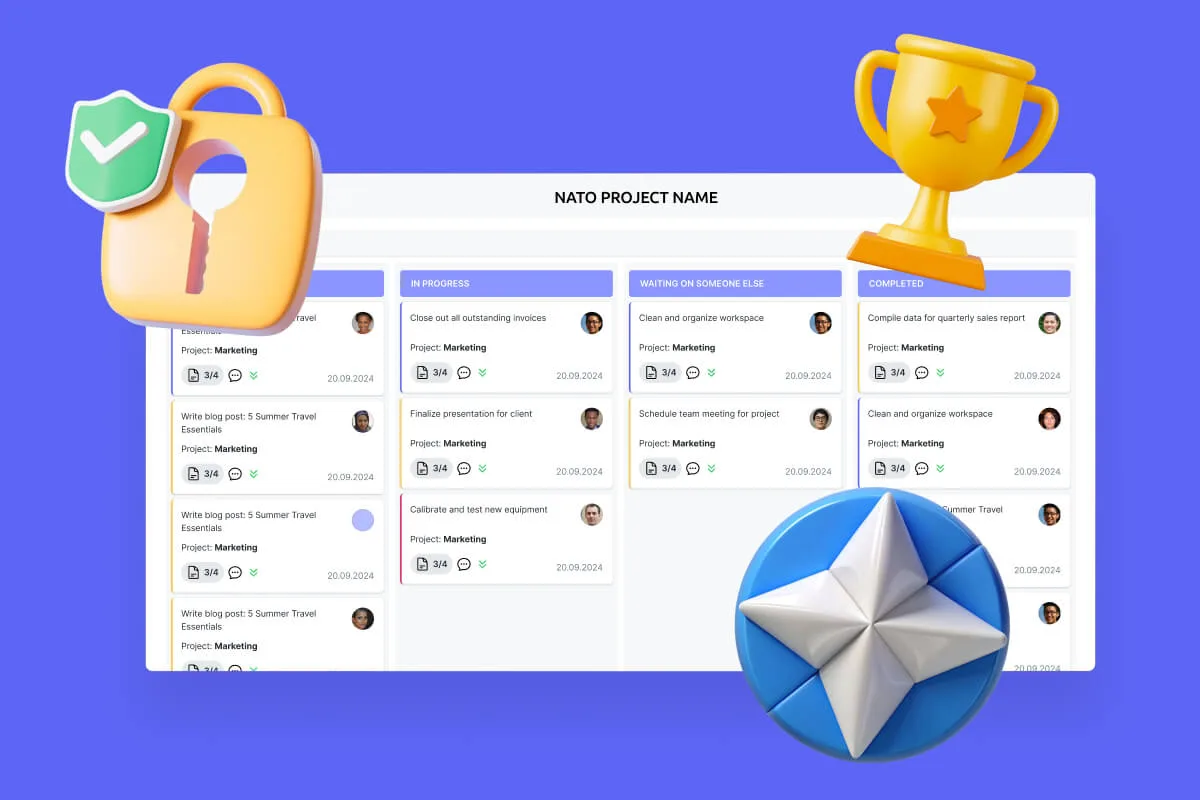
- Virto Kanban Board App — Visual task management in a Kanban-style board
- Virto Polls for Teams — In-app surveys and polls for Teams
- Workflow Automation Web Part — Automate complex SharePoint processes without code
These tools enhance the standard digital workplace services by adding visual calendars, automated reminders, Kanban boards, polls, and workflow automation.
Explore VirtoSoftware Apps
Virto Calendar
Consolidate events from SharePoint, Exchange, Google, and more into one calendar view for simplified planning.
Virto Kanban Board
This tool transforms team collaboration through visual task management for consistent stage-by-stage progress.
Virto Alerts & Reminder
Integrated within your daily tools like Microsoft Teams, the app ensures you stay ahead of all tasks and meetings.
Managing the Digital Workplace
A modern digital workplace doesn’t manage itself. Behind every smooth, secure, and productive environment stands structured digital workspace management — the backbone that keeps your digital workplace platform running like a well-oiled machine.
Because digital workspaces bring together communication, collaboration, data, automation, and team workflows, management becomes essential. Without it, even the best digital workplace technology turns into scattered apps and chaotic processes.
This section explains what a digital workplace requires in daily operations and who is responsible for maintaining it.
What digital workspace management includes
User & access management
An efficient digital workplace platform centralizes dozens of tools and services, which makes user and access control a top priority. Administrators create accounts, assign roles (user, moderator, guest), and configure permissions across applications, sites, documents, and shared resources.
A core principle across all digital workplace services is least privilege — giving each employee access only to what they truly need. This ensures security, reduces data risks, and keeps the digital workplace scalable and predictable.
Security & compliance policies
Security sits at the heart of every mature digital workplace definition. Especially in regulated industries, organizations must enforce consistent and transparent security practices. These policies typically include:
- multi-factor authentication
- access management for apps and data
- encryption
- DLP (data loss prevention)
- activity monitoring
- document lifecycle rules
These controls allow a digital workplace to meet internal compliance requirements and global standards like GDPR, HIPAA, or ISO. This is one of the essential digital workplace benefits businesses expect from modern platforms.
Device support & work scenarios
A powerful digital workplace platform supports work across devices and locations. Employees use laptops, tablets, and smartphones in offices, at home, or in hybrid setups — and they expect the same seamless experience everywhere.
To achieve this, companies rely on:
- Mobile Device Management (MDM)
- automatic device configuration
- session protection and device lock policies
- offline access options
This creates a true digital workspace where employees stay productive regardless of their location. It’s one of the clearest digital workplace examples of how technology directly shapes work culture.
Analytics, usage insights & engagement
Analytics are a key part of digital workspace management. Leadership and administrators need to understand how teams actually use their digital workspaces:
- Which apps bring the most value?
- How actively do employees collaborate?
- Where do bottlenecks appear?
- Which departments interact most?
These insights help optimize workflows, adjust training, reallocate licenses, and increase overall productivity. Tools like Microsoft Viva Insights or Microsoft Teams Admin Center exemplify digital workplace service features that support smarter decision-making.
The role of administrators
Managing a digital workplace requires clearly defined responsibility. Typically, IT teams and system administrators handle configurations, support, monitoring, and scaling. In larger organizations, management is divided among specialists:
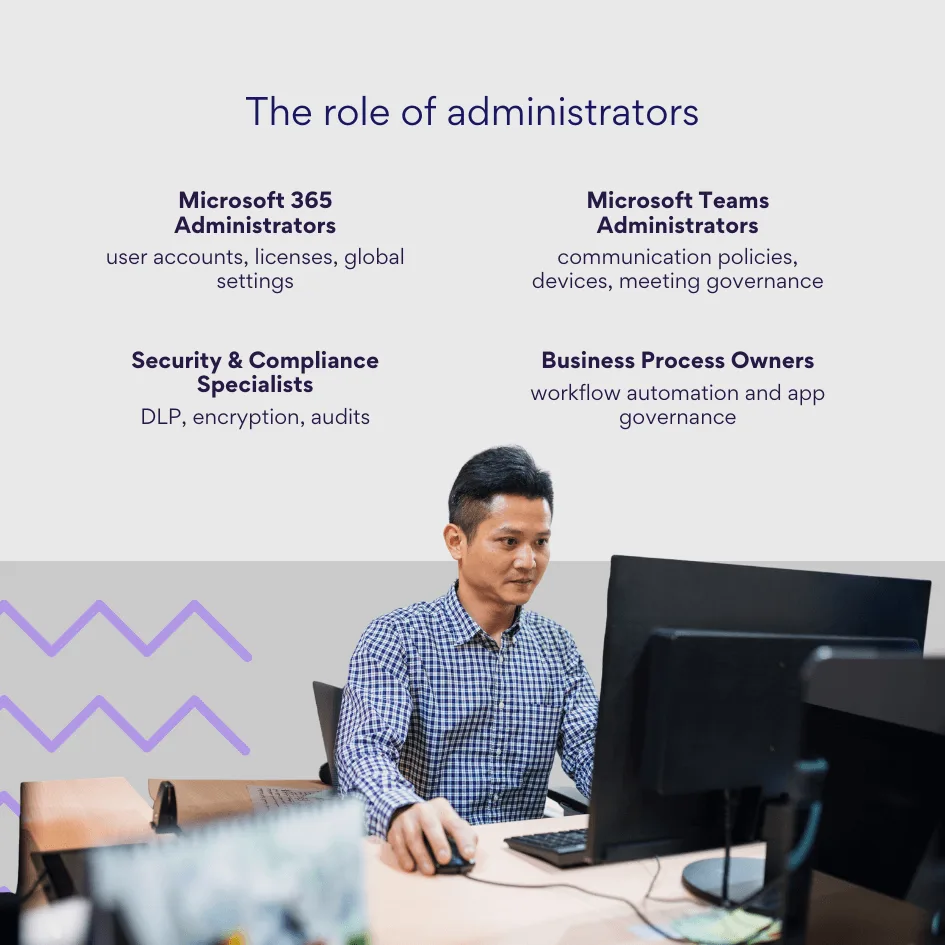
Access rights and policies should be reviewed at least quarterly. However, during rapid scaling, mergers, new projects, or policy updates, reviews should happen immediately.
Best practices include:
- regular access audits
- removing inactive accounts
- monitoring guest and external access
- adopting a Zero Trust security model
Key tools for digital workspace management
- Microsoft 365 Admin Center — centralized control for users, apps, licenses, and security across the environment
- Microsoft Teams Admin Center — fine-tuned management for Teams usage, communication rules, devices, and analytics
Real-World Digital Workplace Examples
Understanding what a digital workplace looks like in practice is just as important as understanding the digital workplace definition itself. Below are several real-world digital workplace examples showing how organizations of different sizes and industries structure their digital workspaces, integrate tools, and use digital workplace technology to support daily operations.
Enterprise-scale digital workplace on Microsoft 365
A large enterprise typically builds its digital workplace platform around Microsoft 365. Teams, Outlook, SharePoint, OneDrive, Planner, and Power Automate form a unified ecosystem where employees access everything through a single hub — Microsoft Teams.
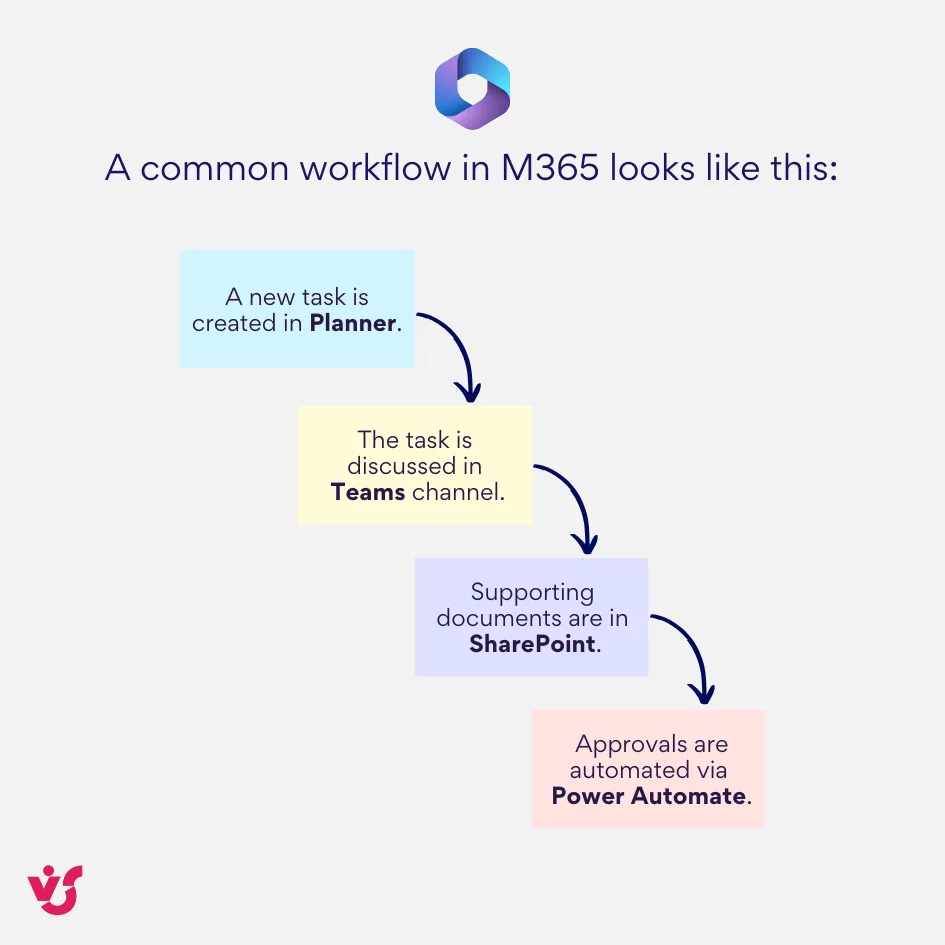
This is precisely what a digital workplace delivers: one interface, interconnected apps, and zero context switching. For IT departments, management is centralized. The Microsoft 365 Admin Center handles provisioning, access permissions, security policies, and analytics — a textbook example of efficient digital workspace management and one of the core digital workplace benefits for enterprises.
Explore Our Use Cases

A flexible startup workspace using Google Workspace, Slack & Notion
Startups often gravitate toward lightweight yet powerful digital workplace services like Google Workspace, Slack, and Notion. This setup creates a lean, adaptive digital workspace with almost no overhead.
Here’s a typical scenario:
- Gmail and Google Docs handle communication and day-to-day collaboration.
- Google Meet supports video calls with clients and distributed team members.
- Notion becomes the all-in-one knowledge hub — task trackers, documentation, shared notes, and content co-editing.
- Slack channels streamline quick communication and async updates.
This kind of digital workplace platform is ideal for smaller teams with minimal IT staffing. It’s one of the clearest digital workplace examples where simplicity and speed outweigh complex governance requirements.
Digital workplace for hybrid work models
Hybrid workforces rely heavily on a well-orchestrated digital workplace that keeps employees connected from any location.
A typical hybrid day looks like this:
- The employee joins the daily stand-up from home via Teams.
- Project documentation lives in SharePoint, accessible from any device.
- Meetings and planning are coordinated through Outlook and shared calendars.
- Automated reminders or deadline alerts sent via Power Automate help maintain structure and reduce manual follow-up.
This use case illustrates what a digital workplace should provide: consistency, mobility, and a frictionless transition between home, office, and mobile scenarios — key components of today’s digital workplace technology.
Extending the standard digital workplace with additional solutions
Many organizations need more than the out-of-the-box features offered by major digital workplace platforms. They extend their digital workspaces with specialized tools — and this is where Virtosoftware often steps in.
A typical enhancement scenario on Microsoft SharePoint might include:
- Virto Calendar App for visual project planning and shared team calendars.
- Virto Kanban Board App for intuitive task coordination.
- Virto Workflow Automation Web Part for streamlined approvals and no-code processes.
- Virto Notifications & Reminders App for automated alerts in email or Teams.
- Virto Polls for Teams for quick feedback collection and internal decision-making.
These additions upgrade a standard digital workplace service into a tailored, process-aligned environment. They solve real business challenges like improving planning visibility, centralizing task oversight, and enhancing internal communication.
For organizations with unique workflows or visual requirements, this kind of extension is invaluable — a perfect example of how digital workplace technology becomes adaptive rather than rigid.
Specialized digital workplaces across industries
Different sectors rely on their own variations of digital workplace platforms, shaped by operational specifics, compliance demands, and daily workflow patterns.
Healthcare: A unified digital workplace supports doctors, nurses, and administrators with integrated scheduling systems, secure document workflows, and immediate access to patient data — all under strict compliance and access controls.
Construction: Distributed teams work through Teams, share large files via SharePoint or cloud storage, collaborate with field engineers through video calls, and manage tasks via kanban boards. This setup keeps onsite and office teams aligned despite physical distance.
Education: Schools and universities rely on Microsoft 365 or Google Workspace to manage classes, assignments, schedules, and collaboration. Students and teachers co-edit documents, attend virtual sessions, and use automated workflows to streamline academic processes.
These scenarios illustrate the versatility of digital workplace technology — a single concept adapted to entirely different fields, all built on the foundation of cohesive digital workplace services.
Conclusion
A modern digital workplace is no longer a “nice-to-have” — it has become an operational cornerstone for organizations that want to stay flexible, productive, and resilient. By unifying people, processes, and technology into a single cohesive digital workspace, companies create an environment where employees can collaborate, share knowledge, automate routine tasks, and work seamlessly from any location.
The examples throughout this article demonstrate how real organizations implement effective digital workspaces using Microsoft 365, Google Workspace, and extended digital workplace services such as the solutions provided by Virtosoftware. Whether it’s enterprise-scale collaboration, lightweight startup workflows, hybrid models, or industry-specific scenarios, the right combination of digital workplace technology unlocks measurable improvements in communication, efficiency, governance, and scalability.
Microsoft 365 remains one of the strongest foundations for building a secure, flexible, and high-performing digital workplace platform. When enhanced with Virtosoftware products — from visual calendars and kanban boards to automated reminders and custom workflow tools — the platform becomes even more powerful and tailored to the organization’s real processes.
For companies beginning this journey, the best path forward is a practical one:
start by analyzing your current workflows, identify the friction points, and build your digital workplace step by step. Rely on proven tools like Microsoft 365 and ready-made Virtosoftware solutions to accelerate implementation, reduce complexity, and create a digital environment that grows with your business.
A well-designed digital workplace is not just a set of tools — it’s the foundation of a smarter, faster, more connected organization.
Your further read: