


Introduction
A company intranet is an internal digital platform that connects employees, processes, and corporate resources in one secure space. In simple terms, it’s a modern digital workplace where teams communicate, collaborate on projects, share documents, access information, and strengthen company culture.
The need for a business intranet is more relevant than ever. With hybrid work models, distributed teams, and the growing demand for digital services, organizations are actively investing in corporate intranet solutions. A well-structured intranet portal improves communication, streamlines workflows, and helps employees stay engaged and productive.
In this article we will explore:
- what a corporate intranet is and why businesses need it;
- different company intranet solutions and business intranet software;
- real-life intranet examples and best practices to demonstrate how organizations build effective portals.
The goal of this article is to show that a modern company intranet is not just an internal site but a vital part of digital transformation strategies. From best company intranet examples to flexible employee intranet software, we will look at practical ways to design and improve your own platform.
This article is the first in a series on the topic of company intranets, where we will break down tools, examples, and strategies step by step.
Company Intranet: Role, Purpose, and Functions
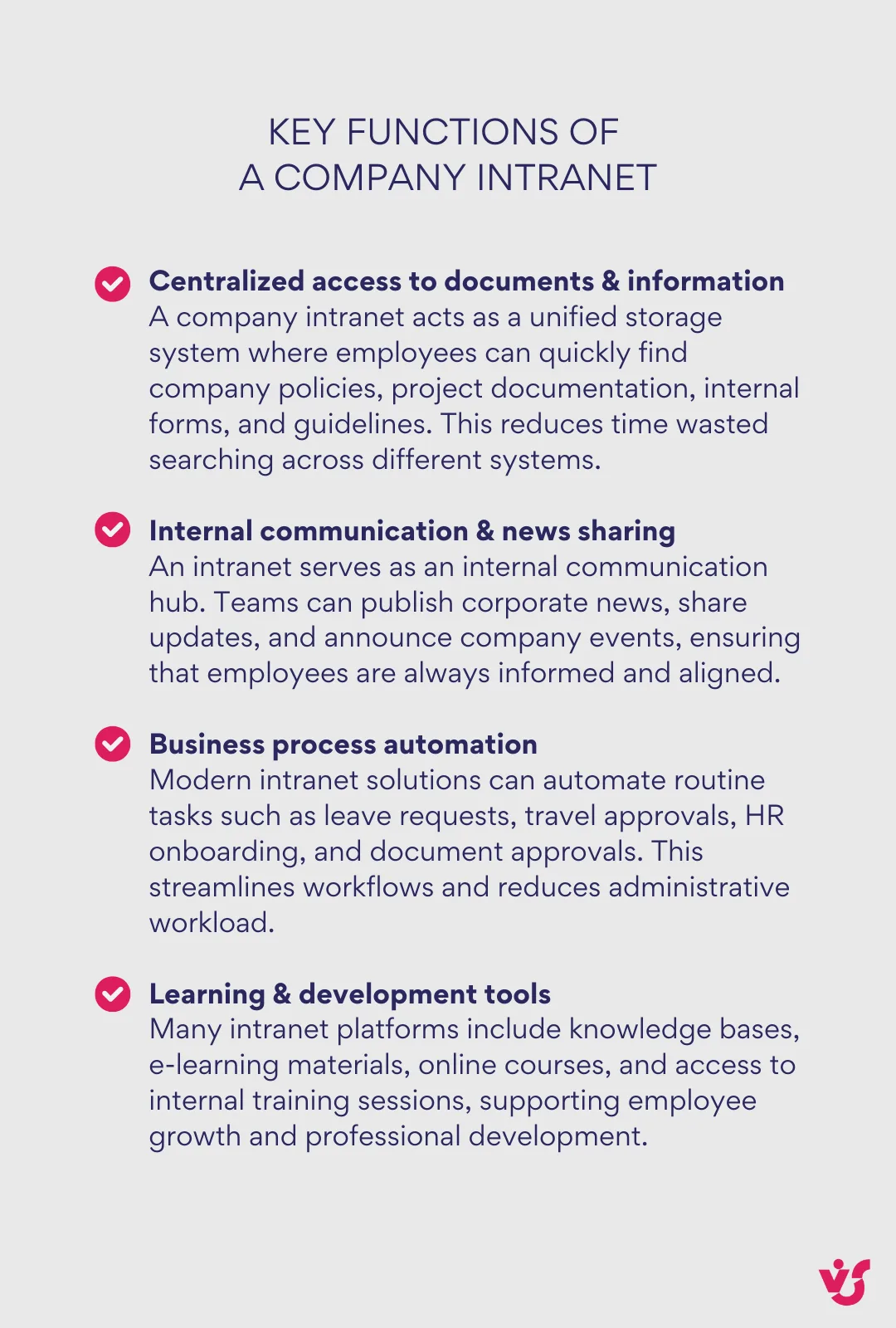
The main goal of a company intranet is to serve as a single entry point into the corporate digital environment. It brings together all the essential services, tools, and information that employees need for their work. Instead of switching between multiple apps and platforms, staff can use one space to access resources, connect with colleagues, and track daily tasks.
Key Functions of a Company Intranet
The Role of Intranet for Businesses
A corporate intranet is not only a tool, but also a strategic asset. It delivers value by:
- Providing centralized access to information: An intranet consolidates critical company information, documents, and resources into a single, easily accessible digital space. This eliminates information silos, reduces time wasted searching for data, and makes sure employees have the latest, most accurate materials at their fingertips.
- Reducing communication delays and aiding faster decision-making: with real-time communication, announcements, and updates, an intranet accelerates information flow across departments. This improved flow allows for quicker responses, more agile decision-making, and alignment on business priorities.
- Supporting and strengthening corporate culture: In today’s increasingly distributed and hybrid workforces, a digital intranet space fosters connection and engagement among employees. It provides not just business information but also social tools, recognition programs, and areas for sharing achievements and company values, helping create a cohesive organizational identity.
- Improving collaboration and workflow efficiency: Modern intranets offer collaboration spaces, task management, and process automation that streamline workflows. Employees can co-author documents, participate in discussions, and track projects — all within the intranet — boosting overall productivity and teamwork.
- Facilitating knowledge management and continuous learning: An intranet serves as the company’s digital knowledge repository, capturing best practices, training materials, and institutional knowledge. This promotes continuous learning and skill development across the organization.
Core Requirements of a Modern Intranet
When evaluating different business intranet solutions, companies should make sure the platform meets certain requirements:
- Accessibility from any device, with integration to Microsoft 365 or Google Workspace;
- A possibility to search across all content and documents;
- Flexible permission management and security settings;
- An intuitive interface with customization options to fit company branding;
- Expandability with apps, plug-ins, and modules.
A tailored solution allows scalability, efficiency, and relevance for both small teams and large enterprises.
Building a Corporate Intranet
When planning a company intranet, one of the first questions businesses face is the choice of platform. Should you use a specialized intranet product, extend existing tools, or integrate an enterprise suite? Below we explore the main solutions and their pros and cons.
Specialized Intranet Platforms
Dedicated intranet platforms such as Interact, Happeo, LumApps, and Unily are popular SaaS solutions designed specifically for building employee intranet portals.
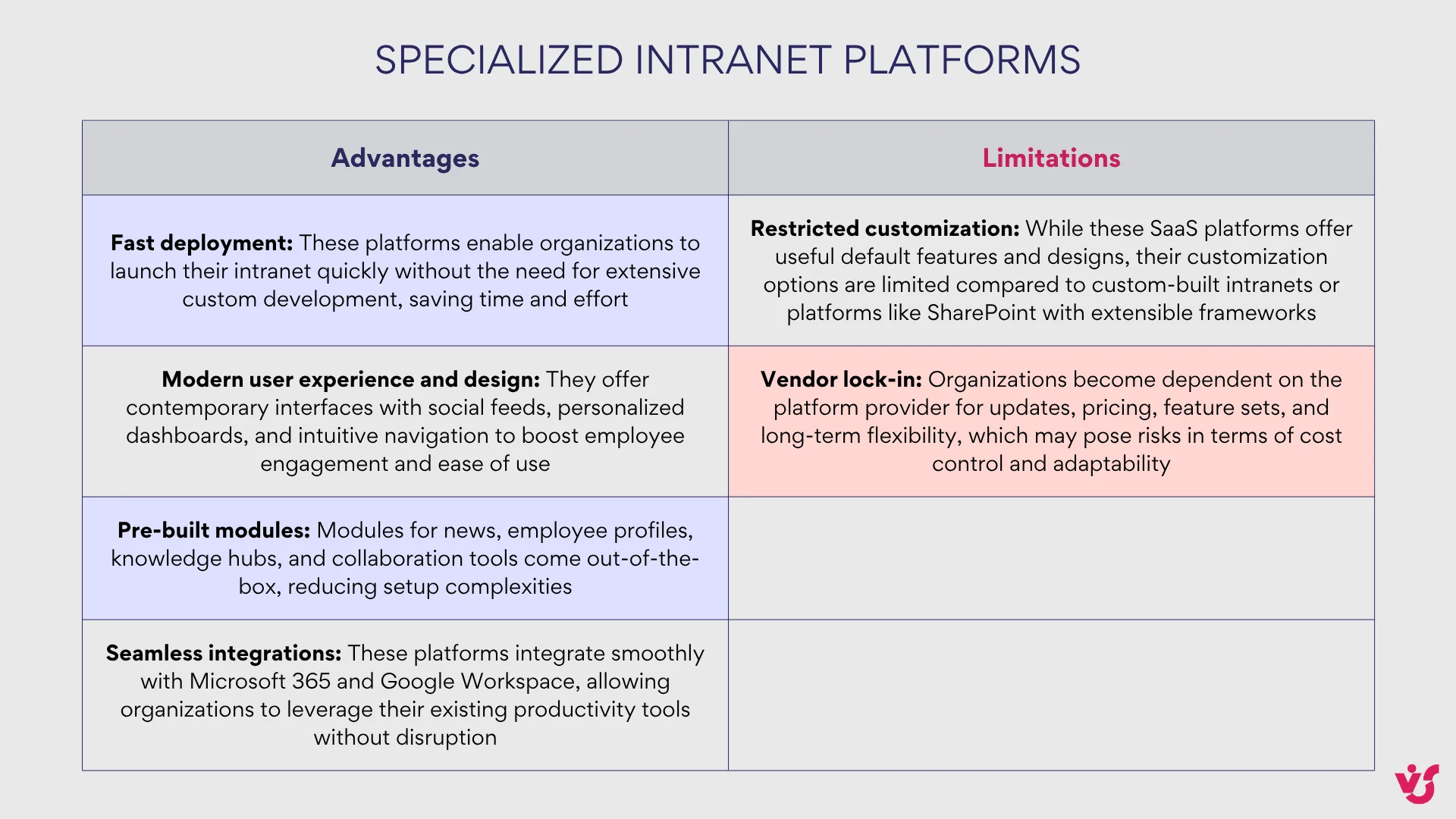
Pricing: For example, Interact charges approximately $8 per user per month, billed annually, with a free trial available. Pricing for others like Happeo, LumApps, and Unily is usually comparable but can vary based on user count and required modules. It is advisable to ask for a custom quote.
Collaboration Platforms Extended to Intranet
Another approach is extending existing collaboration platforms into a full corporate intranet.
- Microsoft SharePoint
SharePoint is one of the most widely used foundations for building company intranets, particularly in large global enterprises. With both SharePoint Online (cloud) and on-premises options, it can support intranet projects of any complexity. SharePoint intranets are designed for deep customization, integration with Microsoft Teams, and automation of workflows. Pricing varies by Microsoft 365 license, typically from $5 to $20 per user/month depending on a plan and add-ons. Learn how to plan an Intelligent SharePoint Intranet >>> - Google Workspace
While less feature-rich in terms of intranet modules, Google Workspace provides a solid foundation for small and medium-sized businesses. A simple intranet can be built around Google Drive, Google Sites, and Gmail—ensuring quick access to documents, file sharing, and core communication tools. Plans start around $6 to $18 per user per month. - Atlassian Confluence
Primarily used as a knowledge base, Confluence can also serve as a lightweight company intranet example. It excels in documentation management and collaborative editing, but for broader intranet functionality, additional integrations are required. Pricing begins at approximately $5 per user per month, scaling down for larger teams.
This path is attractive to businesses already invested in collaboration ecosystems like Microsoft or Google, as it minimizes onboarding and uses existing tools.
Enterprise Suites with Intranet Capabilities
Some enterprise solutions provide broader digital workplace platforms that come with built-in intranet.
- Workplace from Meta
Focused on internal social networking and employee engagement. Its strengths include chat, groups, and mobile-first communication, but it lacks advanced document management or workflow automation. Pricing starts at roughly $4 per user per month, with discounts for large enterprises.
Important update: Meta has announced that Workplace will be discontinued in 2026. The platform will continue operating as usual until August 31, 2025. From September 1, 2025, it will enter a read-only mode allowing users to access and download existing data, with complete shutdown scheduled for June 1, 2026. Meta recommends migration to Workvivo by Zoom as its preferred alternative.
- Slack (with integrations)
Slack serves as the communication core for many organizations. With the right add-ons and integrations, it can cover aspects of an intranet, though it is not a full-fledged company intranet solution on its own. Pricing ranges from $6 to $15 per user per month, depending on plan. - Bitrix24
A sophisticated suite combining CRM, HR tools, and communication modules. It is popular in certain regions thanks to its all-in-one approach, but can feel overwhelming and complex for organizations that only require an employee intranet portal. Bitrix24 offers a freemium plan and paid subscriptions from about $39 per month for small teams to enterprise plans with custom pricing.
The pros of enterprise suites: they integrate multiple business functions into one platform and reduce app fragmentation. The downside: they may lack the focus and usability of specialized company intranet software, requiring careful evaluation.
Examples of the Best Company Intranets
What is an example of an intranet? A company intranet varies widely depending on organizational needs but generally acts as a centralized digital workplace platform. Below are several real-world company intranet examples from different industries illustrating different core purposes and designs.
HR Portals
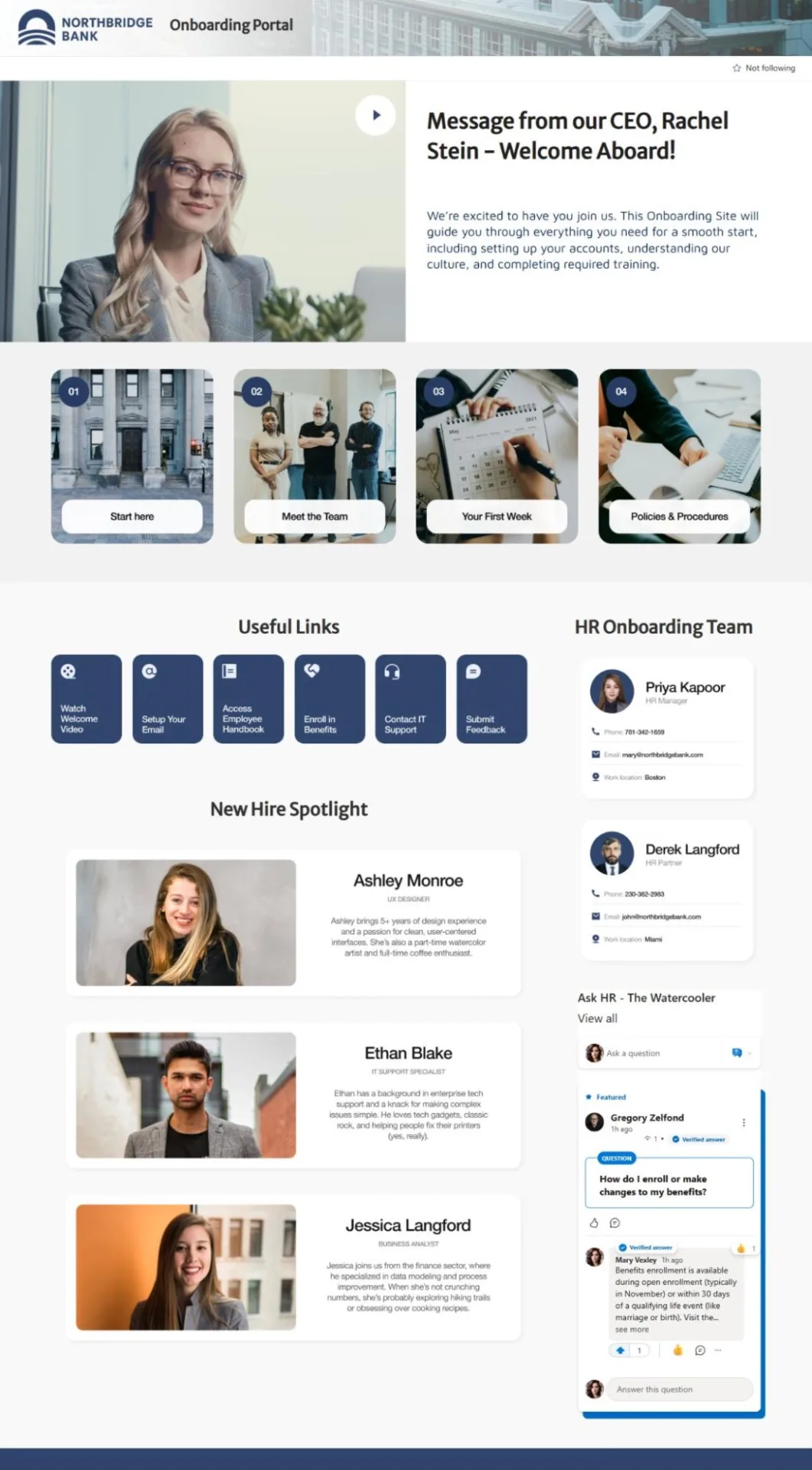
- NorthBridge Bank operates a comprehensive onboarding portal that centralizes all essential information for new hires, including HR policies, procedural tasks, and welcoming resources. This intranet provides a smooth start for employees by consolidating everything they need to begin their journey in one user-friendly space.
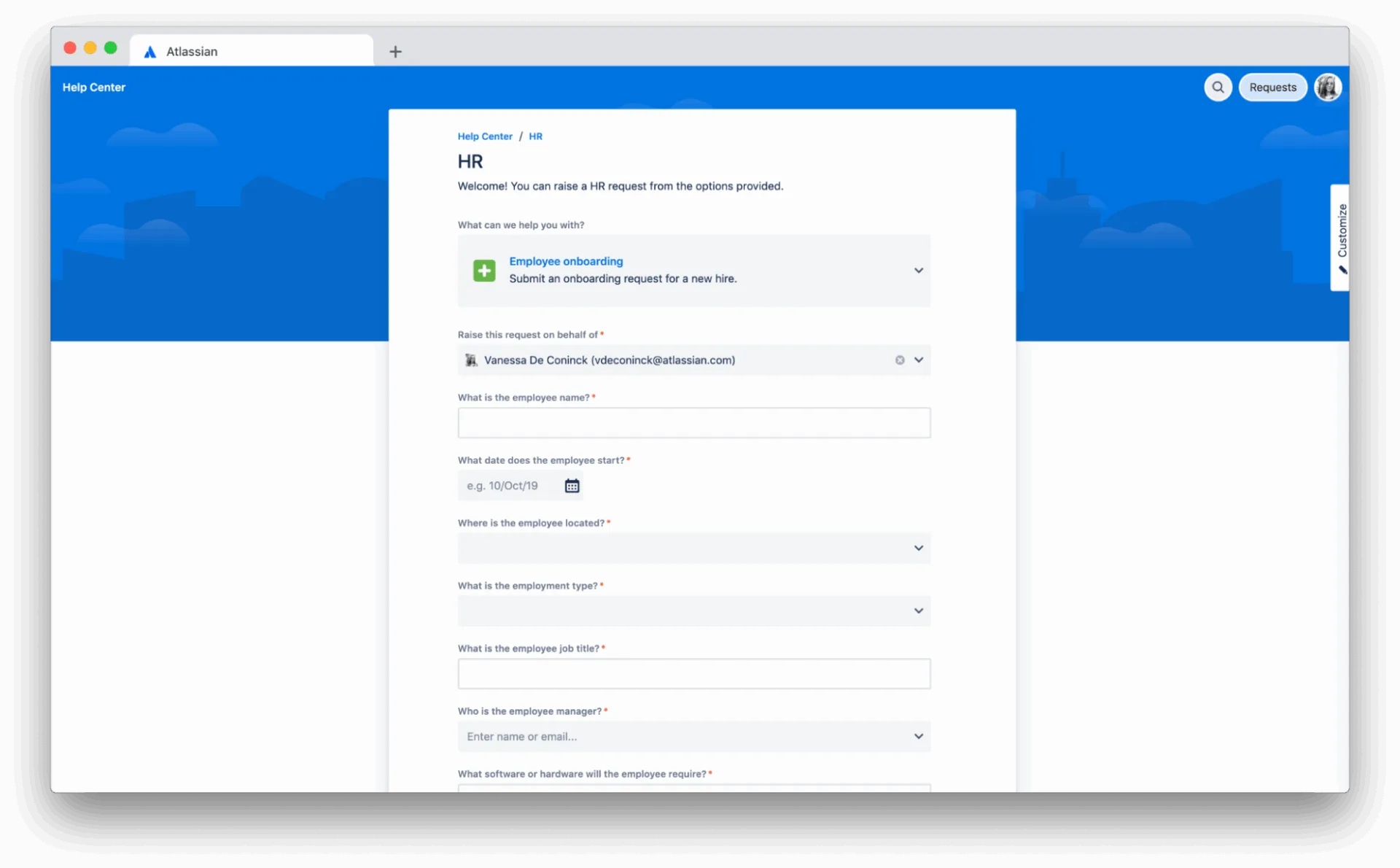
- AppDynamics doubled its headcount in two years and scaled efficiently using Jira Service Management. Their company intranet automates onboarding and offboarding workflows, connecting multiple departments like HR and IT into a smooth, sequenced flow. This automation reduces manual work, maintains consistency, and supports scalable growth while improving service delivery across the organization.
Project hubs
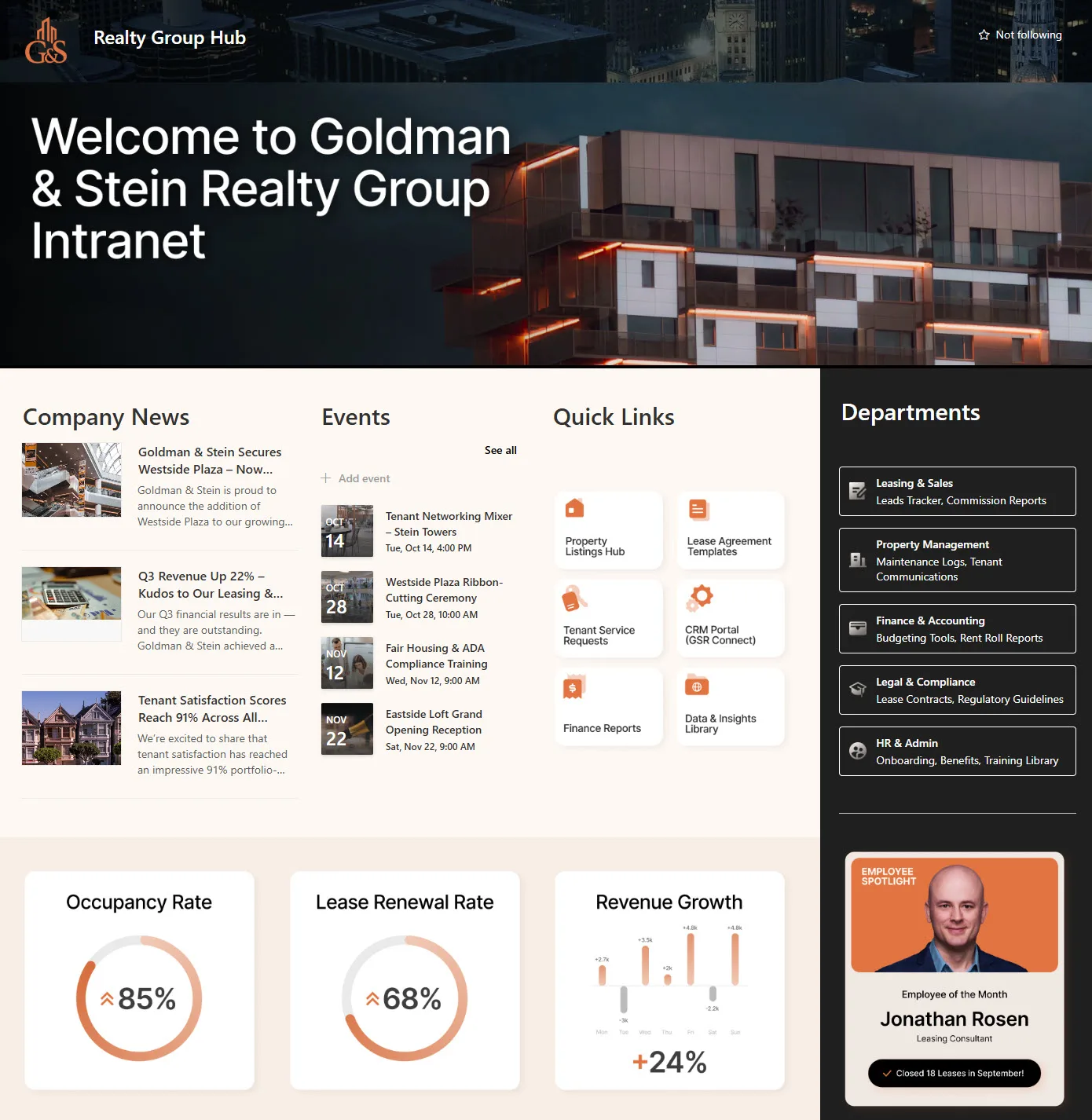
- Realty Group Hub is a SharePoint-based company intranet tailored to the real estate industry. It unites property management, sales, operations, and document repositories into a single platform. This intranet ensures seamless access to news, tools, and resources, enhancing coordination across all departments of the firm.
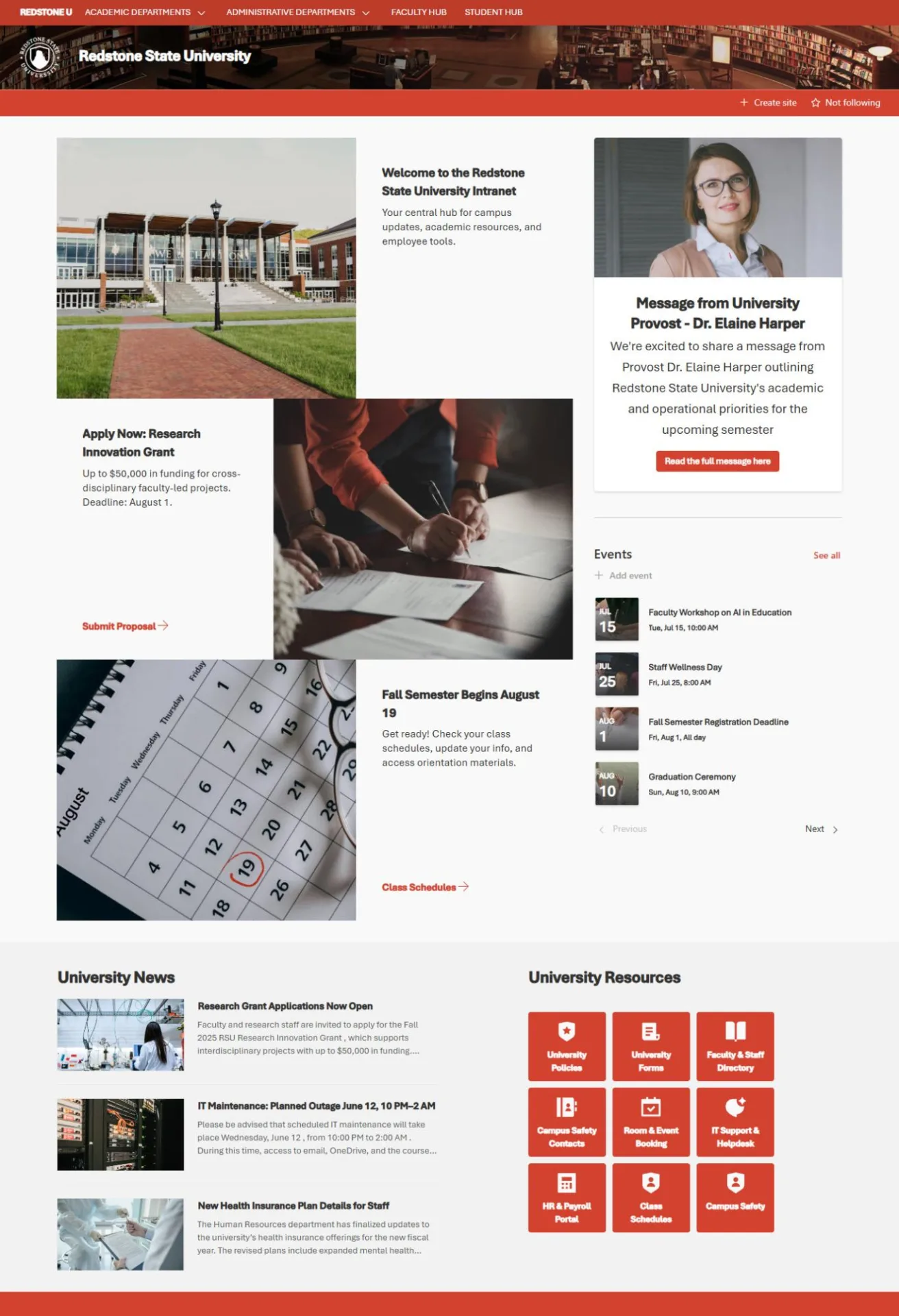
- Redstone State University employs a centralized SharePoint hub that connects academic and administrative department sites. This company intranet provides students, faculty, and staff with quick access to essential resources and tools. Serving as an integrated digital campus portal, it streamlines communication and resource sharing across the entire university community.
Knowledge centre
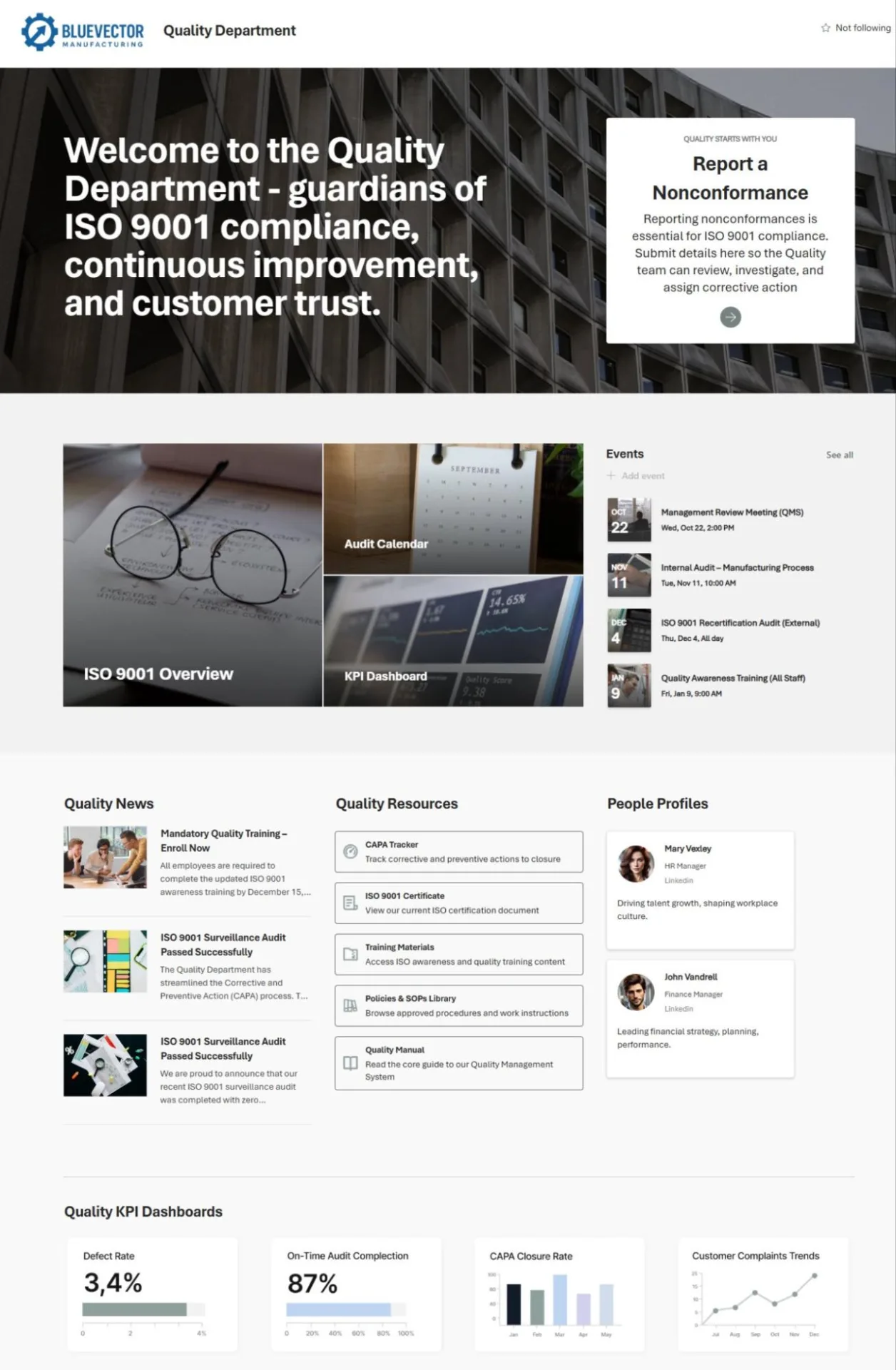
- Bluevector Manufacturing uses a Quality Hub intranet focused on continuous improvement initiatives. This portal centralizes incident tracking, audit reports, standards, forms, metrics, and training materials. It helps quality assurance teams work better by giving them quick access to important quality management information, making it easier to follow rules and improve operations.
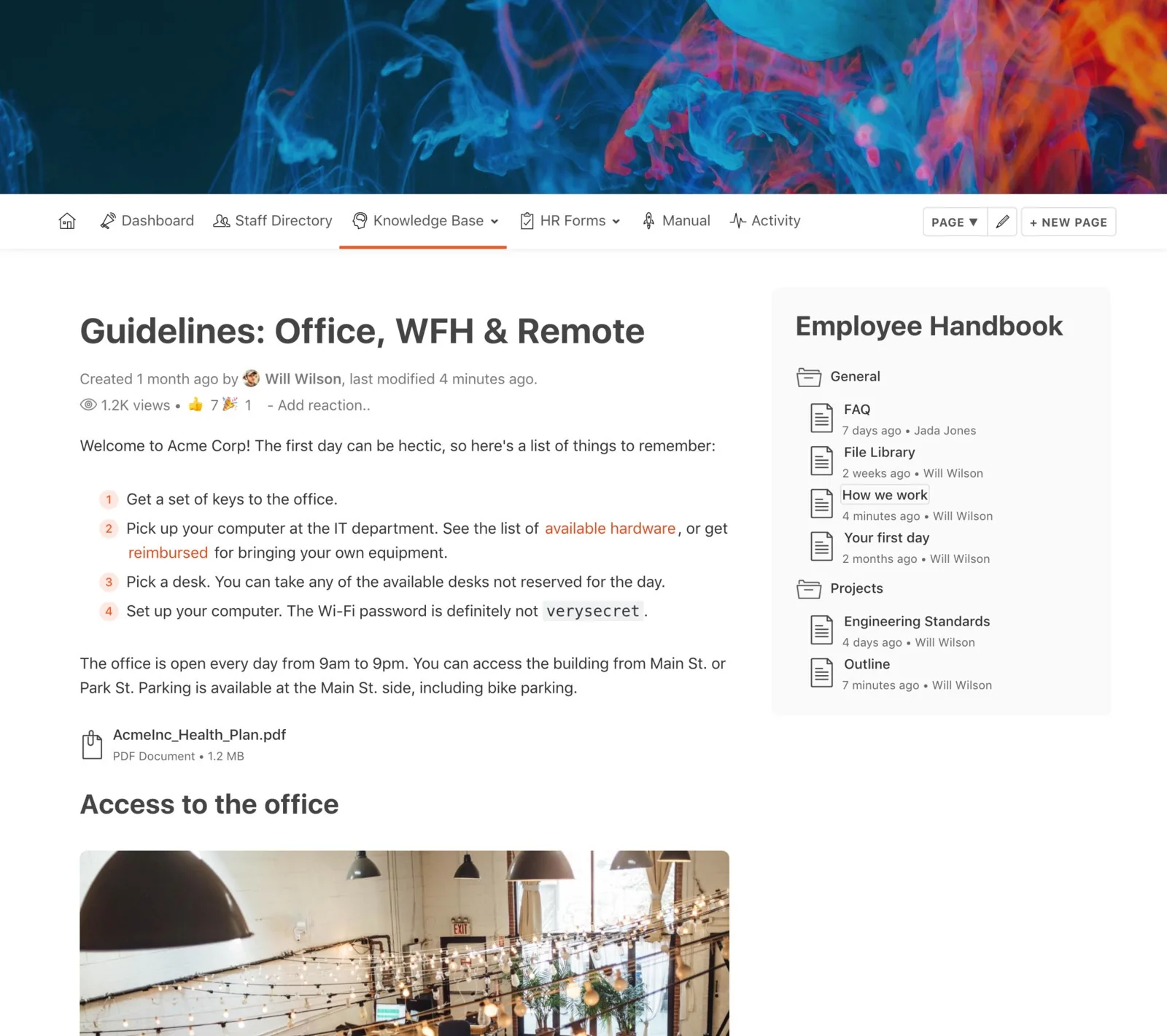
- Knowledge base for SMB. This intranet is built on Slack and Papyrs. It combines Slack’s real-time messaging with Papyrs’ easy-to-use wiki and knowledge base features, providing a simple, organized platform for company news, employee handbooks, HR forms, and collaboration. Its lightweight design makes it perfect for small teams needing a cost-effective and scalable intranet.
Key Takeaway
The best company intranets across industries and regions share these features:
- Clean, user-friendly interfaces
- Automation of routine tasks and workflows
- Centralized access to documents, communication, and tools
They serve as essential digital workplaces, adapted to the unique needs of HR, project teams, knowledge workers, or company-wide communication.
Why Companies Choose SharePoint
Many companies select SharePoint as their intranet platform due to several key advantages:
- Deep integration with Microsoft 365
SharePoint works seamlessly with popular Microsoft apps like Teams, Outlook, and OneDrive, enabling smooth collaboration and communication across the organization. - Flexible deployment options
It supports both cloud-based (SharePoint Online) and on-premises installations, allowing companies to choose the setup that best fits their infrastructure and compliance needs. - Customization and scalability
SharePoint can be tailored to specific business requirements and easily grows with the organization, supporting both small teams and large enterprises. - High security and access control
It meets strict security standards, offering detailed permission settings and governance to protect sensitive data and ensure compliance.
Despite these benefits, the standard SharePoint out-of-the-box experience may not fully cover all business needs:
- Basic web parts primarily cover common scenarios like news, documents, and calendars.
- Companies expanding their intranet often encounter gaps, lacking advanced tools such as enhanced calendars, project visualization, and automated workflows needed for more complex business processes.
For these reasons, many organizations complement SharePoint with third-party add-ons or custom development to build advanced business intranet solutions.
Enhancing SharePoint with VirtoSoftware Solutions
Standard SharePoint provides a solid foundation, but to create a fully functional intranet that meets all business requirements, additional modules are often necessary.
VirtoSoftware has specialized for over 15 years in developing web parts and applications for SharePoint, especially for on-premises company intranets. Their tools help transform SharePoint into a comprehensive platform for managing tasks, projects, and business processes.
Key VirtoSoftware products include:
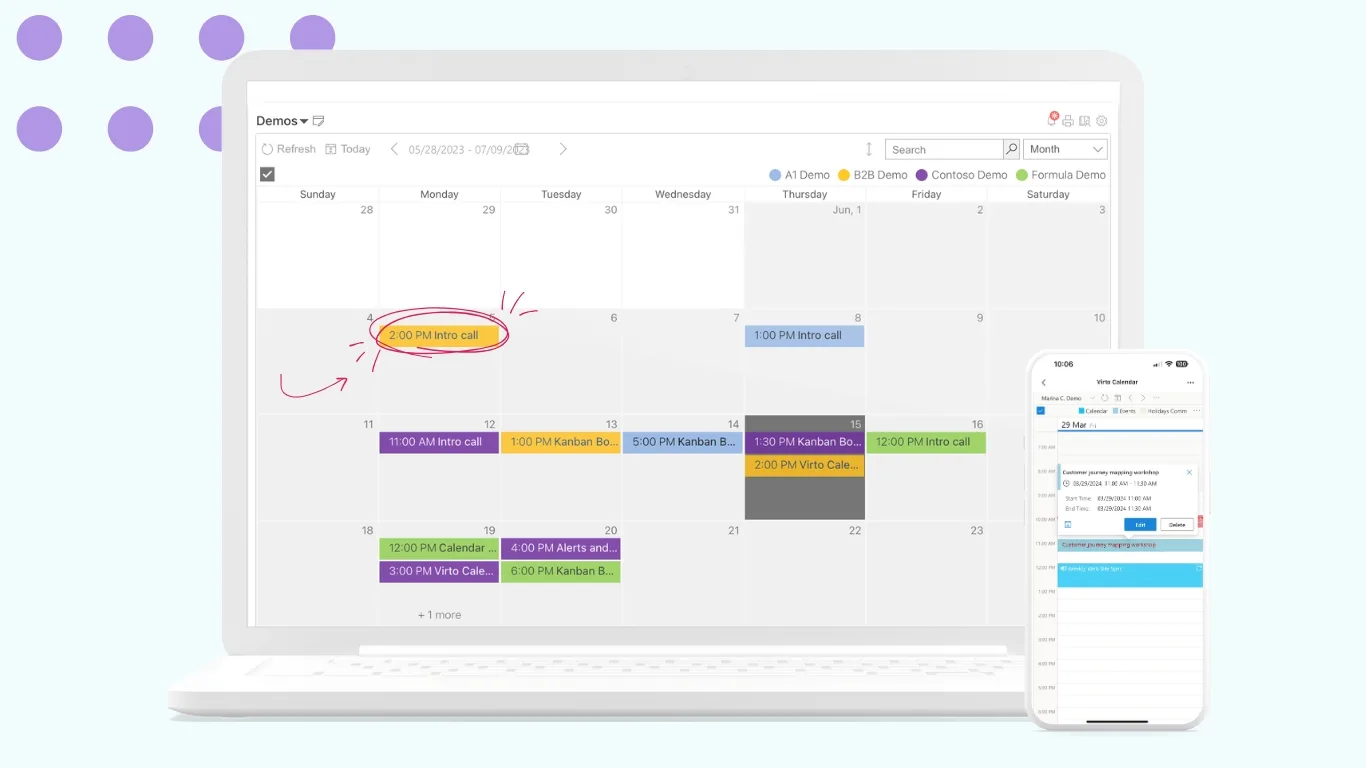
- Virto Calendar Web Part. This advanced calendar solution offers features such as merging multiple calendars into one, creating group calendars for teams or departments, and color-coding to easily distinguish events and schedules. It greatly improves visibility and scheduling management within SharePoint, making it ideal for HR portals and company-wide event planning.
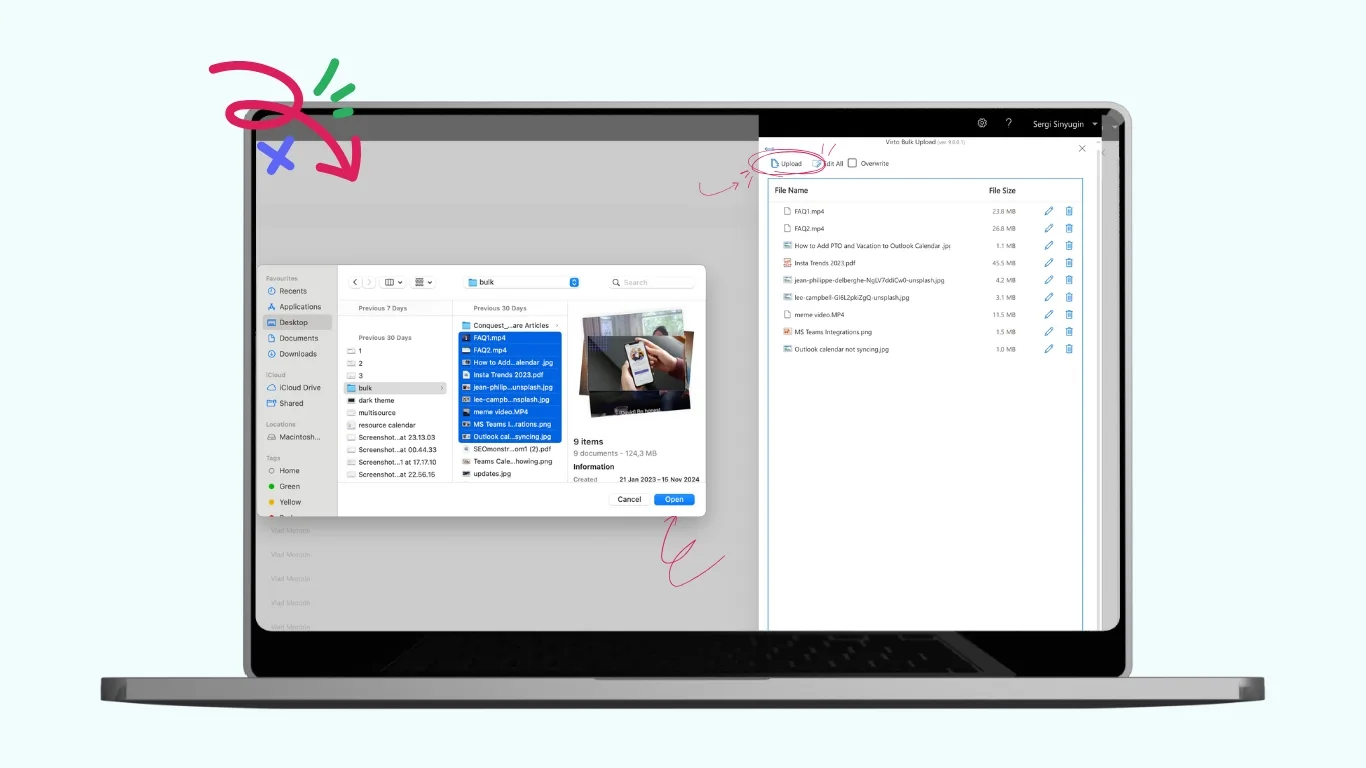
- Virto Multiple File Operations. A powerful tool designed for bulk document management in SharePoint. With it, users can upload, download, delete, copy, move, check-in, approve, and edit multiple files simultaneously. With drag-and-drop support and configurable file size limits, it dramatically reduces repetitive tasks and improves efficiency, while maintaining SharePoint security and compliance.
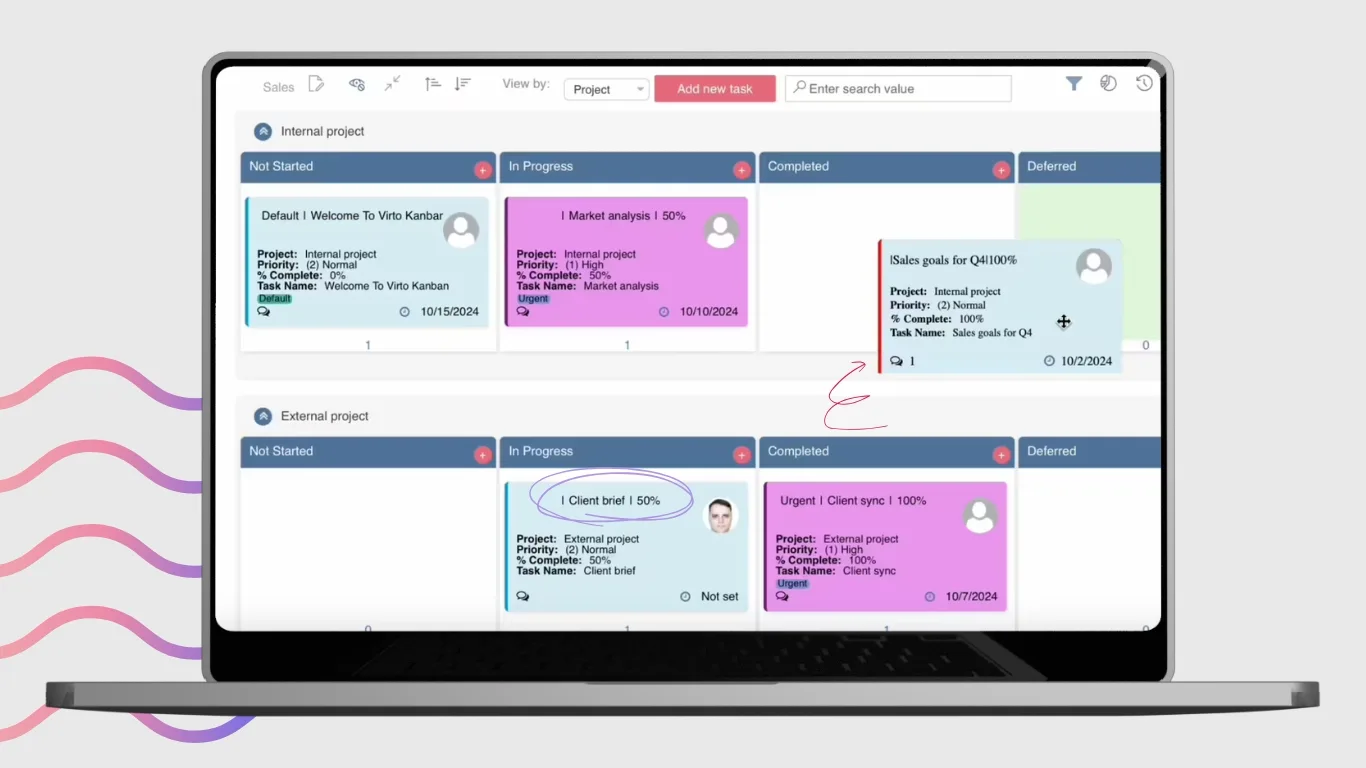
- Virto Kanban Board Web Part. This web part transforms lists of tasks into visually organized, drag-and-drop Kanban boards. Users can easily track task status, assign priorities, and use swimlanes and filters for better workflow visualization. It enhances task and project management directly in SharePoint.
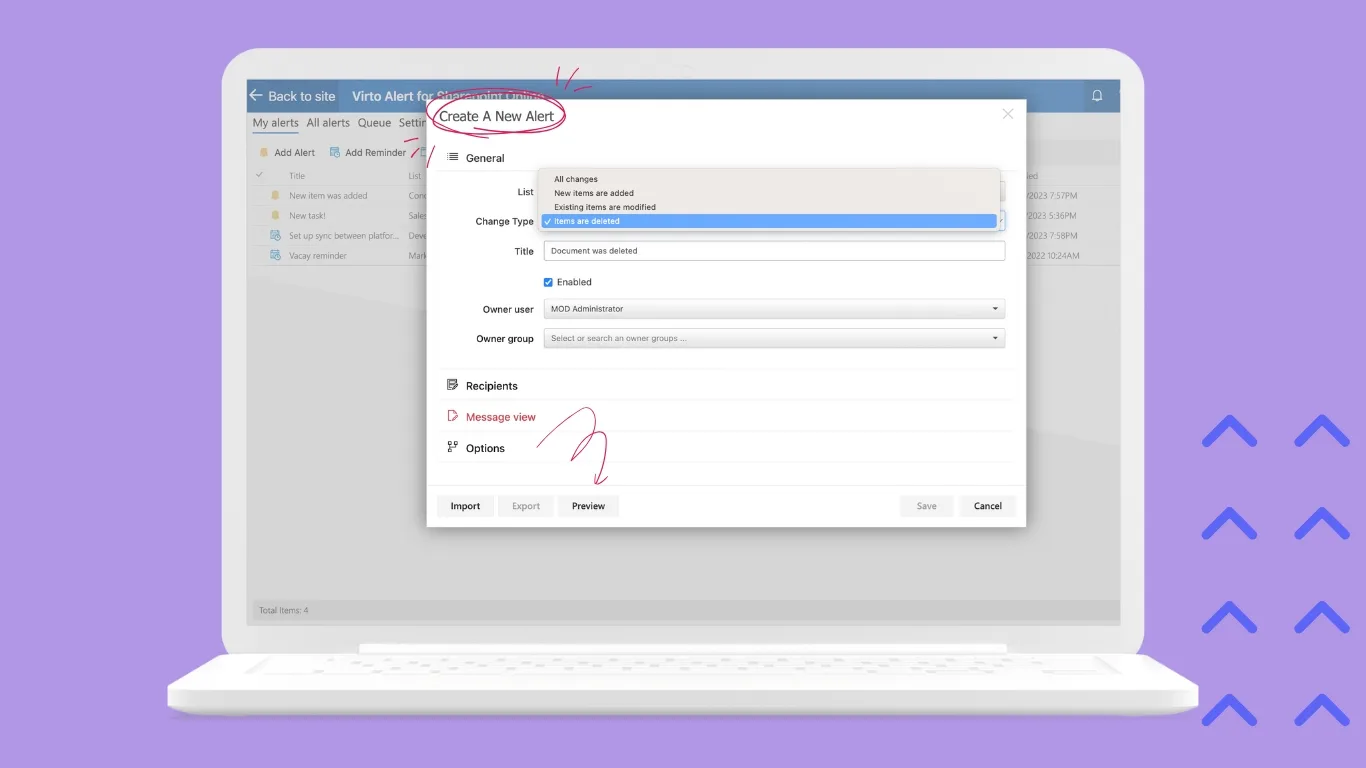
- Virto Alerts & Reminders. A flexible notification system allowing setting up automated alerts and reminders based on events, dates, or task status changes. It helps teams stay informed and meet deadlines without manual follow-up.
Use case scenarios demonstrate how these tools can improve different types of intranets:
- Employee Intranet Portal for HR and Internal Communications
Virto Calendar and Virto Alerts & Reminders help manage events, training schedules, and policy updates, ensuring that employees stay informed and engaged. - Corporate Intranet Solutions Focused on Task Management
Virto Kanban Board Web Part organizes tasks and projects visually, facilitating workflow tracking, priority assignment, and collaboration across departments. - Document-Intensive Intranets
Virto Multiple File Operations streamlines bulk document processing—uploading, downloading, copying, and managing large volumes of files efficiently while maintaining security. - Project Collaboration and Resource Availability
Virto Kanban Board Web Part helps project teams visualize tasks and milestones, improving project planning, resource allocation, and delivery tracking. - Workflow Automation & Business Process Optimization
Virto Workflow Activities and Status Monitor enable automated task routing, status tracking, and approvals, reducing manual effort and accelerating business processes. - Event and Meeting Coordination
With Virto Calendar's group calendars and color-coding features, organizations can schedule interdepartmental meetings and events more effectively, avoiding conflicts and improving participation. - Compliance and Certification Tracking
Virto Alerts & Reminders support compliance by sending automated reminders for regulatory deadlines, certification renewals, and audit preparation tasks. - Document-heavy intranets benefit from Virto Multiple File Operations, which enables bulk uploading, downloading, copying, and managing multiple documents simultaneously, significantly improving document handling efficiency.
Explore Our Use Cases for Modern Business
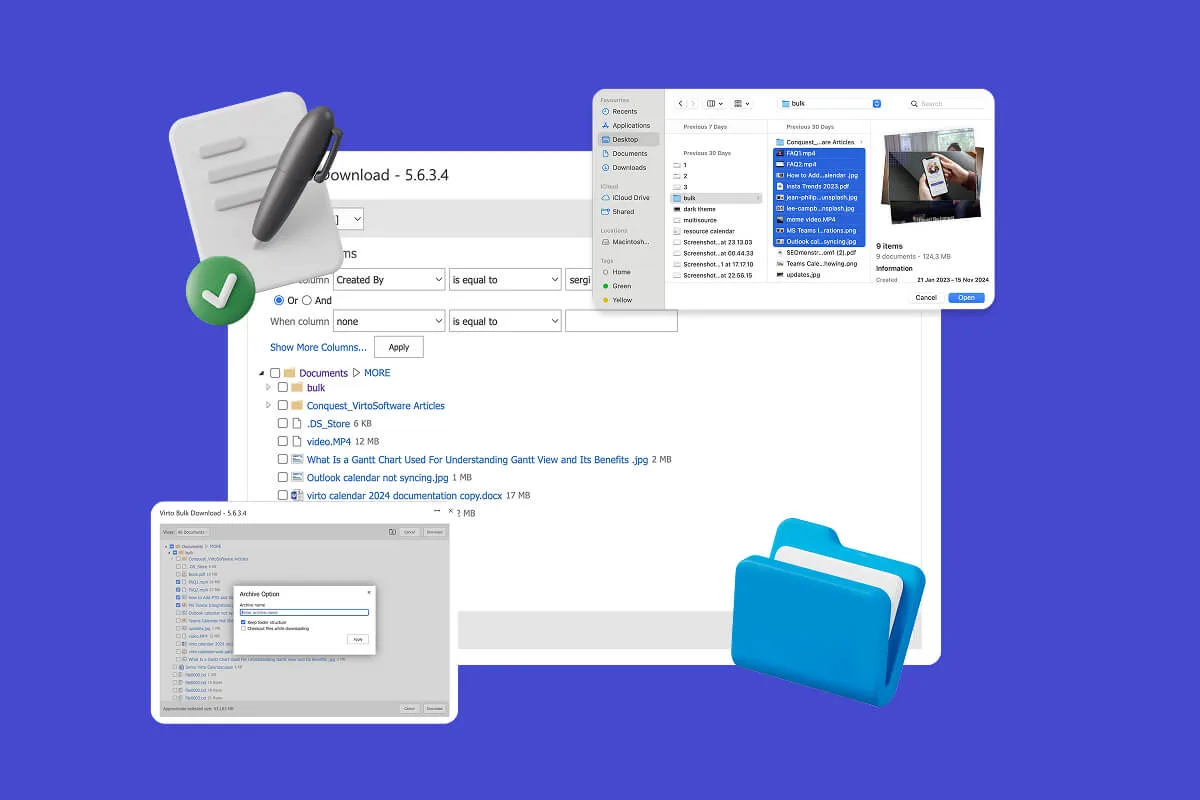
Multiple File Management
Built for high-compliance organizations, Virto’s tool helps you use SharePoint to share files securely, automate file approval workflows, and manage multiple files in bulk—without scripting or IT help.
Learn more about Multiple File Management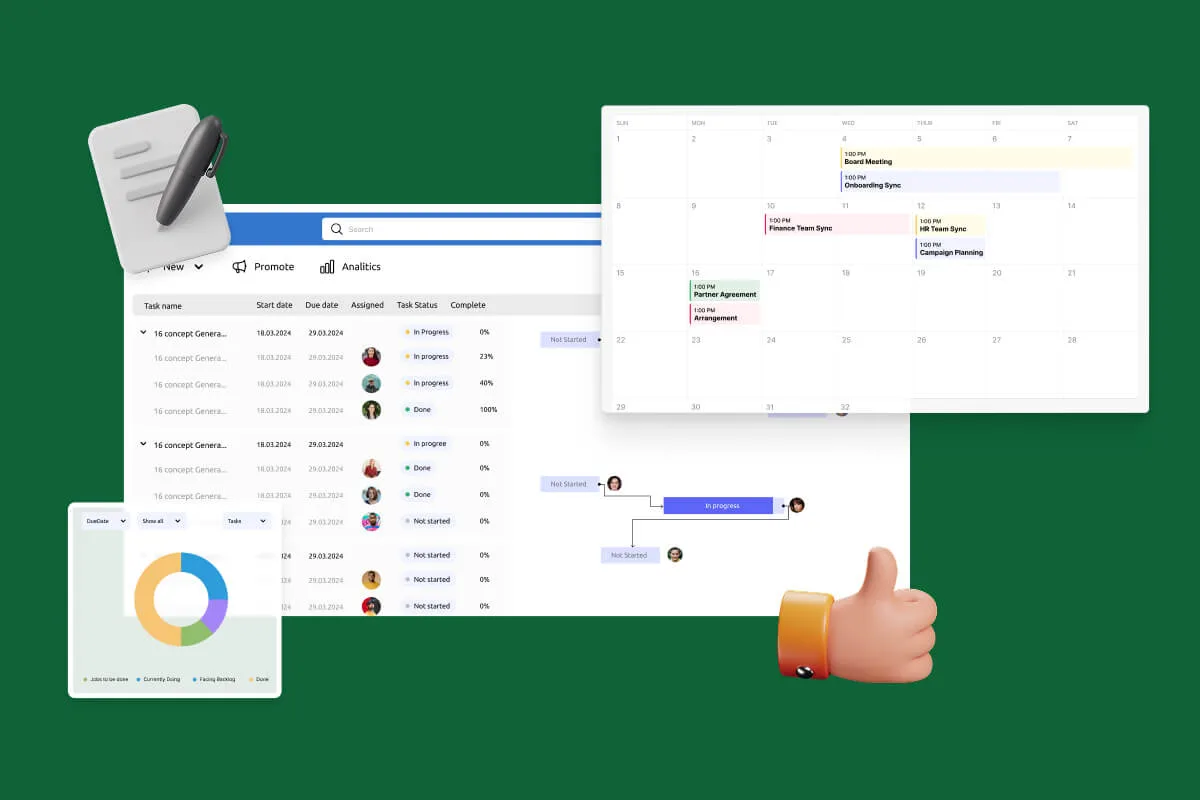
Notifications Automation for Government
Designed for government, legal, and finance teams, Virto automates compliance monitoring workflows and ensures every task and policy deadline is met—without manual tracking.
Learn more about Notifications Automation for Government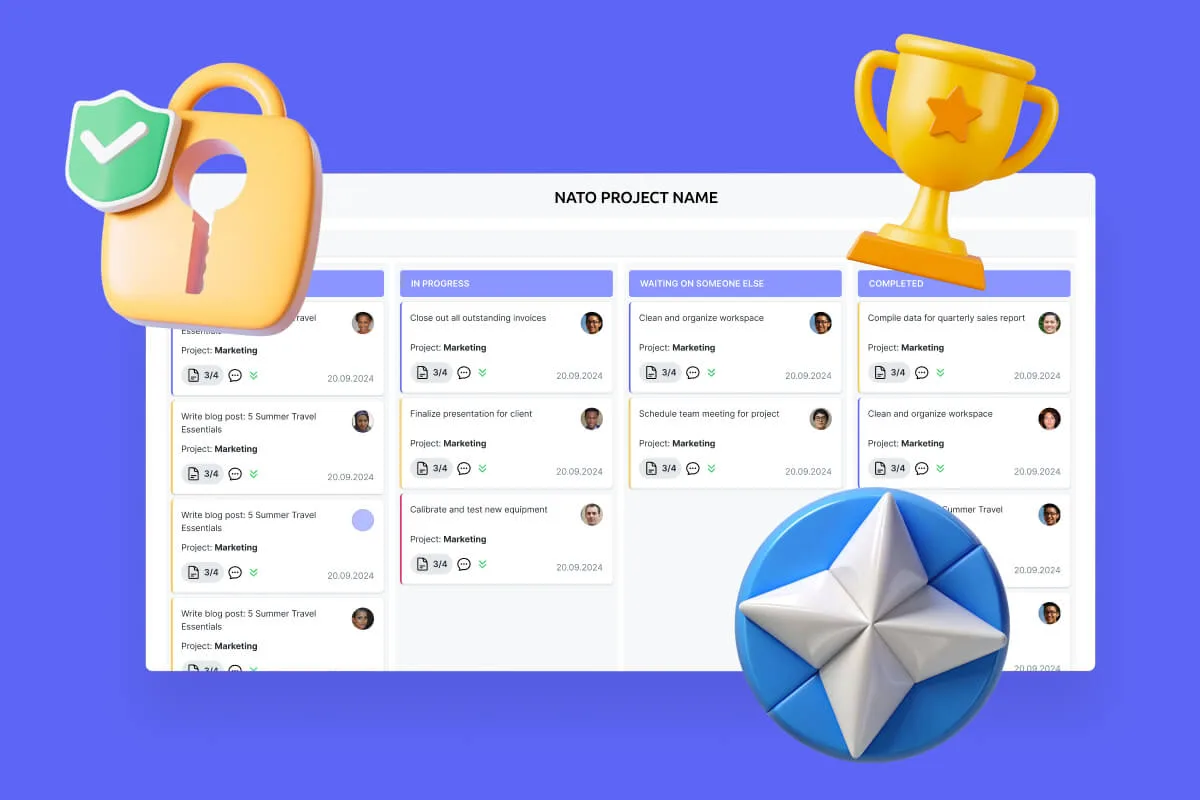
Secure Productivity for IGOs
Transform your secure project management, enhance mission coordination, and get your security and compliance features running like clockwork with VirtoSoftware's NATO-tested secure productivity solutions.
Learn more about Secure Productivity for IGOsConclusion
A company intranet is a crucial part of a business's digital ecosystem, serving as the central platform for communication, collaboration, and information management. It unifies employees, systems, and data into one accessible environment, boosting productivity and streamlining operations.
Company intranets can be built on a variety of platforms, but Microsoft SharePoint has become the de facto standard in the enterprise segment. This is thanks to its comprehensive integration with Microsoft 365 (Teams, Outlook, OneDrive), flexible deployment options both in the cloud and on-premises, high customization capabilities, and robust security controls meeting enterprise compliance demands.
However, to fully unlock SharePoint’s potential, especially in complex on-premises environments, companies often enhance their portals with specialized web parts and applications. VirtoSoftware offers a rich ecosystem of modules that expand SharePoint’s capabilities. These tools turn a basic corporate site into a powerful productivity center equipped to manage calendars, projects, workflows, notifications, document operations, and task boards.
Continue reading: