Introduction
Managing student admissions is one of the most resource-intensive operations in universities and colleges. Each year, institutions process thousands of applications, verify countless documents, and communicate with prospective students. When handled manually, these tasks consume enormous amounts of time and often lead to errors and delayed responses—all of which can negatively affect an institution’s reputation and applicant experience.
Admissions automation helps educational institutions improve the accuracy and transparency of every stage in the process. By digitizing document management and speeding up workflows, automation transforms how universities interact with applicants—making the process more efficient.
The goal of this article is to explore how modern tools and technologies—particularly Microsoft 365 and SharePoint—empower universities to take their admissions management to a new level of efficiency and trust.
What Is Admissions Automation
Admissions automation refers to the use of digital technologies and workflow systems to improve time‑consuming tasks throughout the student admissions process—from collecting applications to issuing final decisions. These systems integrate all stages of admissions into a unified, automated framework that connects application intake, document verification, notifications, decision routing, and collaboration.
Within a university context, admissions automation involves application processing, automated eligibility checks, and algorithm‑driven decision support that help evaluators assess candidates faster. A key element of these solutions is the use of Decision Rules—automated criteria that verify whether applicants meet minimum grades, required documentation standards, and quota limits.
Typical tasks that can be automated include:
- Application collection and validation: The system automatically checks document completeness, data accuracy, and compliance with requirements.
- Automatic eligibility verification: The platform compares candidate data such as GPA, exam scores, and required subjects with program admission criteria, automatically flagging non‑compliant submissions.
- Application intake and sorting: Submitted applications are automatically distributed by faculty, region, etc.
- Document review and approval: Files are routed for verification to academic offices or designated experts based on program type.
- Application routing: The system directs applications to the appropriate department or staff member depending on program specialization or other parameters.
- Communication and notifications: Applicants automatically receive status updates, interview invitations, and deadline reminders.
- Interview scheduling: Integration with institutional calendars for automated interview planning and scheduling of available time slots.
- Archiving and record management: Decisions, documents, and communication logs are securely stored in a centralized repository—such as a SharePoint library—for future access and auditing.
- Analytics and reporting: Dashboards and reports summarize application statuses and admission statistics to support informed management decisions.
This kind of automation makes the entire process more transparent for all stakeholders, reducing human errors, minimizing redundant tasks, and making the data flow consistent between departments.
Practical Examples of Admissions Automation
Many universities are already benefiting from admissions automation. Below are several examples of how automation works in real educational practice:
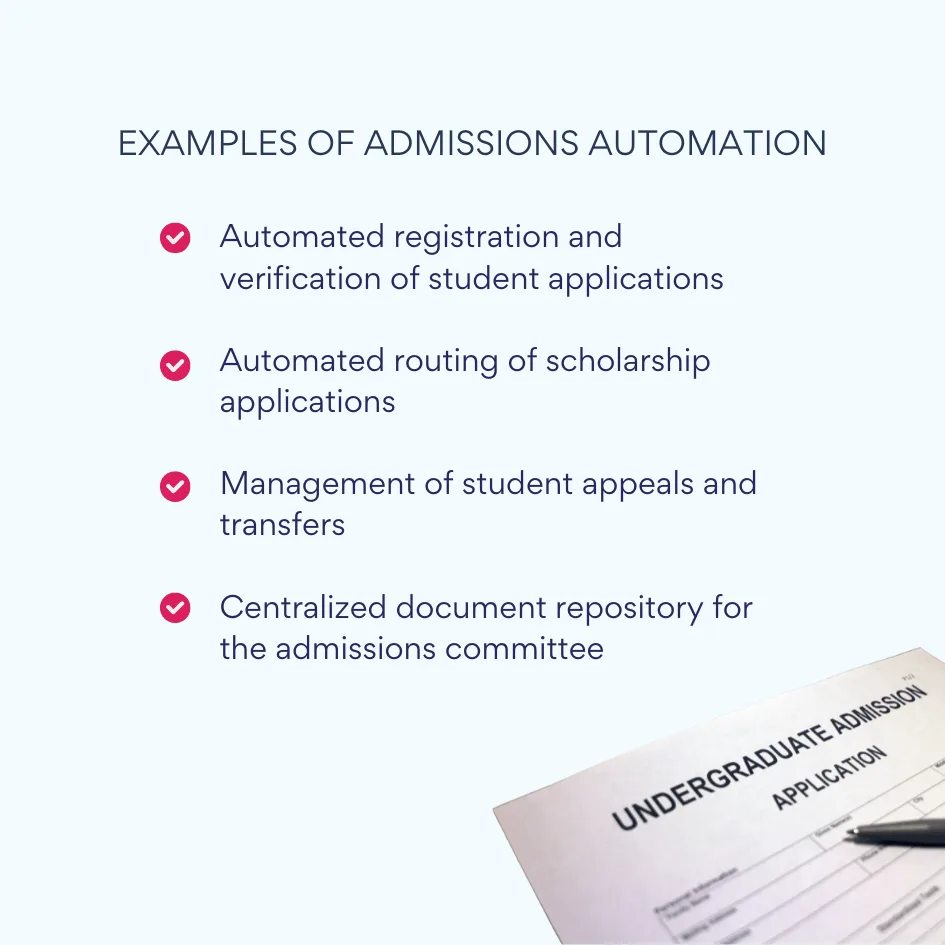
1. Automated registration and verification of student applications
When applicants submit their forms online, the system immediately validates the information provided—checking document completeness, verifying uploaded files, and comparing data against program-specific requirements. This eliminates missing or incorrect submissions and notify applicants instantly about any issues that need correction.
2. Automated routing of scholarship applications
In institutions offering funding sources, automation tools classify and route scholarship applications to the right department based on predefined rules such as applicant performance, financial need, or program of study. This speeds up decision-making and ensures rules-based allocation of scholarships.
3. Management of student appeals and transfers
Automated workflows simplify how appeals (e.g., admission re-evaluation or grade reconsideration) and interdepartmental transfers are handled. Each request is logged, assigned to the reviewer, and tracked through completion, providing visibility of case progress. Applicants can see their request status in real time without needing to contact administrators.
4. Centralized document repository for the admissions committee
All applicant records, evaluation results, and correspondence are stored in a centralized storage system—often built on platforms like SharePoint. Authorized staff can access, share, and update admission-related files within a structured workspace, for version control and compliance with data security standards.
These automated practices not only speed up day-to-day admissions operations but also improve accuracy, and create a consistent institutional record. Over time, universities adopting such systems experience measurable improvements in processing speed, staff workload reduction, and applicant satisfaction metrics.
The Role and Benefits of Admissions Automation in Higher Education
Admissions automation has become an integral part of the digital transformation strategies for modern universities. As higher education institutions face increasing volumes of applications and growing expectations from students, the ability to process data transparently has become a competitive advantage. Automation allows universities to scale their admissions process while maintaining quality and compliance standards.
By automating admissions, universities strengthen collaboration across departments—admissions offices, IT teams, faculties, and accounting. Instead of relying on manual exchanges, all participants operate within a unified digital environment where information flows automatically, and every step is recorded for traceability.
The key benefits of admissions automation for universities include:
- Speed and scalability
Automation allows institutions to process up to five times more applications without increasing staff members. Workflows that previously took days can now be completed in minutes, so that universities can handle peak seasons with ease. - Accuracy and compliance
Built-in validation rules eliminate data entry errors and missing documents. Each decision is logged, creating a transparent audit trail that ensures institutional accountability and compliance with data protection standards. - Resource optimization
By automating repetitive tasks, admissions teams can focus on strategic activities such as applicant counseling, international student support, and enrollment marketing campaigns. - Transparency for applicants
Applicants can track their application status in real time through digital portals, reducing anxiety and boosting trust in the institution’s fairness. - Improved communication
Automation centralizes messaging and notification flows, providing a single communication hub for both staff and applicants. This reduces email overload and makes sure that all stakeholders always have access to the same information. - Faster decision turnaround
Automated data verification and decision routing significantly shorten response times. Universities can issue admission decisions more quickly, an essential factor in attracting top candidates and staying competitive in the education market.
Together, these advantages highlight that admissions automation is not only a technical upgrade—it’s a strategic investment in institutional growth and quality assurance.
Tools and Technologies for Admissions Automation
Universities today can choose from a wide range of tools for admissions automation—from specialized education CRMs to flexible platforms. The ideal solution depends on each institution’s infrastructure, scale, and priorities.
When selecting automation tools, universities typically focus on several criteria:
- Integration with existing institutional systems such as CRM, LMS, and ERP platforms.
- Support for digital forms and application templates.
- Flexible rule-based routing and automated data validation.
- Built-in tools for notifications, tracking, and analytics.
Check Out VirtoSoftware Apps for Admissions Automation

Virto Calendar
Consolidate events from SharePoint, Exchange, Google, and more into one calendar view for simplified planning.

Virto Alerts & Reminder
Integrated within your daily tools like Microsoft Teams, the app ensures you stay ahead of all tasks and meetings.

Virto Workflow Automation App
Enhance SharePoint Online with 80+ no-code workflows for streamlined processes.
Common Types of Admissions Automation Solutions
Workflow automation software
Platforms such as Microsoft Power Automate or Nintex allow universities to design and manage workflows without heavy coding. They enable automatic data routing, notifications, and document approvals.
- Advantages: low total cost of ownership, efficient use of existing Microsoft data infrastructure, and flexible logic customization.
- Limitations: may require initial configuration and administrative support.
Cloud-based education CRMs
Solutions like Salesforce Education Cloud or Ellucian streamline the entire student journey—from inquiry to enrollment—using marketing and lead management capabilities.
- Advantages: powerful automation of communication flows and personalized applicant tracking.
- Limitations: high cost of implementation and limited integration with internal ERP or Student Information Systems (SIS).
SharePoint and Microsoft 365 extensions
No-code and low-code tools built within the Microsoft ecosystem give universities great flexibility in creating internal process automation without large IT investments. These solutions can handle everything from document management to approval routing and applicant communication in a single environment.
- Advantages: flexible customization, seamless integration with familiar Microsoft apps, and minimal need for IT development.
- Limitations: advanced processes may require expert setup; capabilities can differ between on-premises and online deployments.
Why Microsoft 365 & SharePoint Are the Optimal Foundation
Solutions built on Microsoft 365 and SharePoint deliver the highest efficiency, as they unify document storage, communication, and workflow automation in one digital workspace.
Key reasons include:
- Integrated ecosystem: SharePoint serves as the central repository for applications, documents, and reports; Teams provides real-time collaboration among admissions and faculty staff; and Power Automate functions as the engine that routes workflows and triggers notifications.
- Security and compliance: The Microsoft 365 environment already meets global data protection standards, making it a trusted choice for managing sensitive data.
- Flexibility without coding: Admissions teams can easily build, adjust, and scale workflow rules using Microsoft Power Platform tools—no advanced programming required. This makes it possible to tailor processes to each program or department while maintaining consistency university-wide.
Extending Admissions Automation with Microsoft 365, SharePoint, Virto Workflow Activities, and Virto Calendar
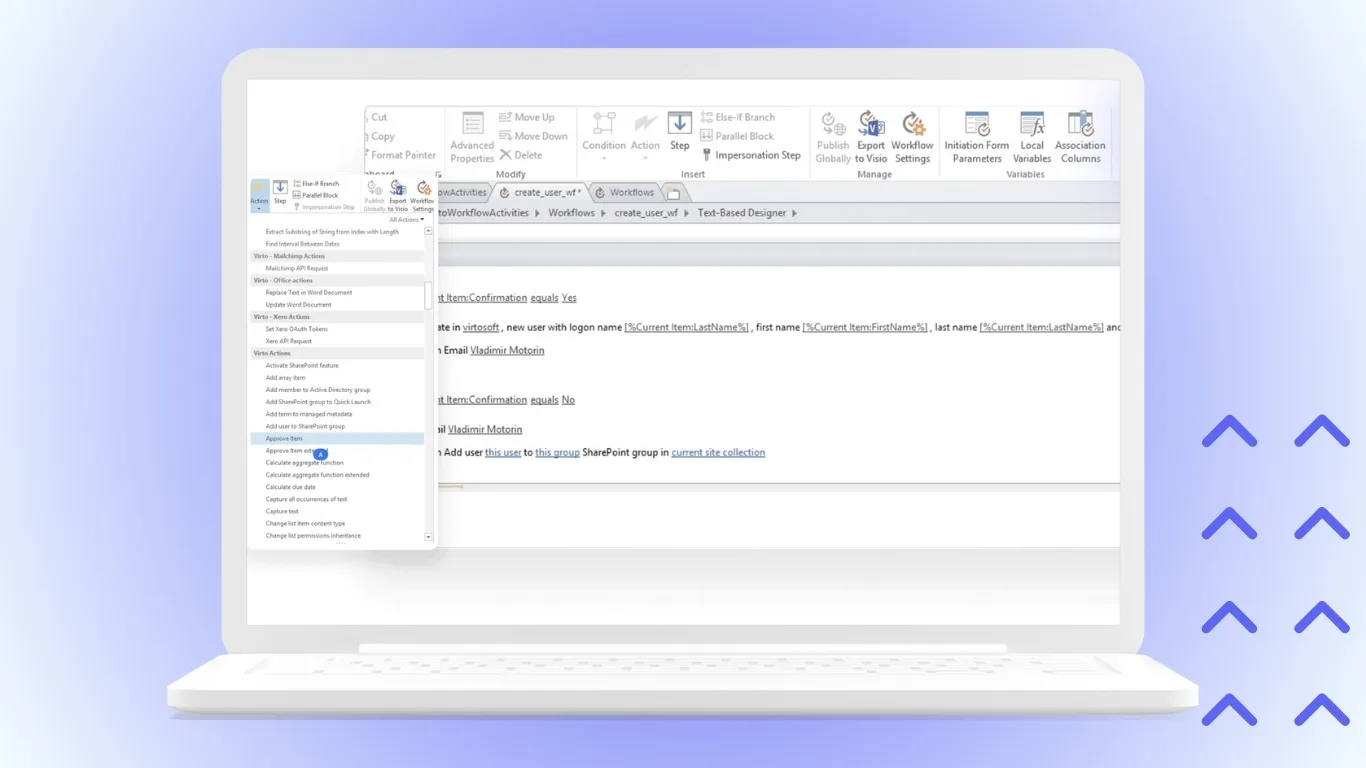
For universities aiming to build advanced admissions automation, integrating Microsoft 365 and SharePoint tools with extensions such as Virto Workflow Activities delivers significant added value. Complex workflows like multi-step document approvals, conditional routing, and multi-department coordination—often challenging to implement with standard Power Automate—are greatly simplified with Virto’s extensive library of ready-made workflow actions. This allows rapid development, transparent process management, and effortless scaling in both SharePoint On-Premises and Online environments.
Virto Workflow Activities for Microsoft 365
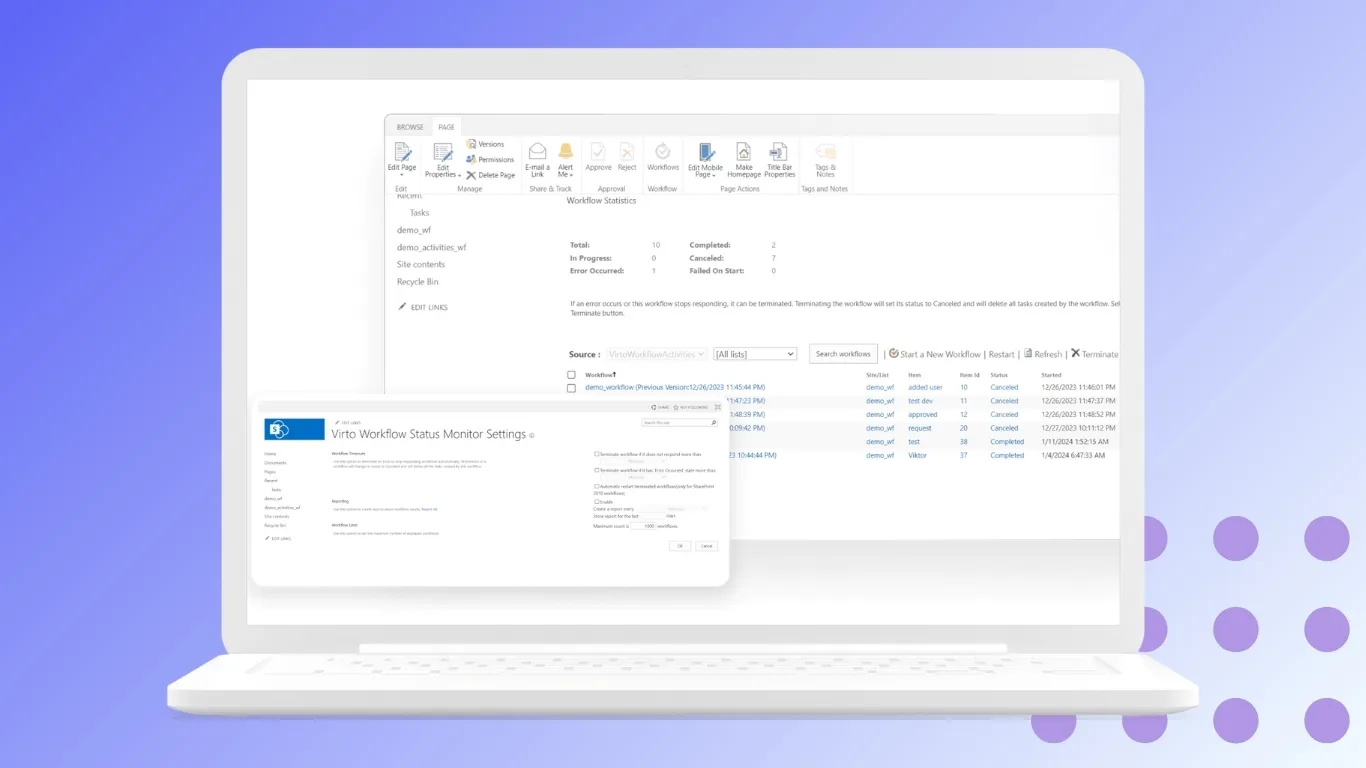
Virto Workflow Activities for SharePoint Online empowers universities to automate the entire application processing lifecycle. It supports multi-stage approvals, advanced custom data validation, dynamic decision rules, and automatic candidate notifications. Equipped with an intuitive visual designer, admissions staff can build no-code workflows tailored to institutional needs, fostering accuracy and consistency without relying heavily on IT resources.
Virto Workflow Activities Extensions for SharePoint Designer 2010/2013/2016
For universities operating SharePoint On-Premises, Virto Workflow Activities Extensions remove the complexity of custom coding by providing out-of-the-box workflow components. They maintain rich support for complex logic, document routing, and approval hierarchies—allowing admissions teams to maintain full control over every process step, even in legacy infrastructures.
Virto Calendar for Microsoft 365 and SharePoint
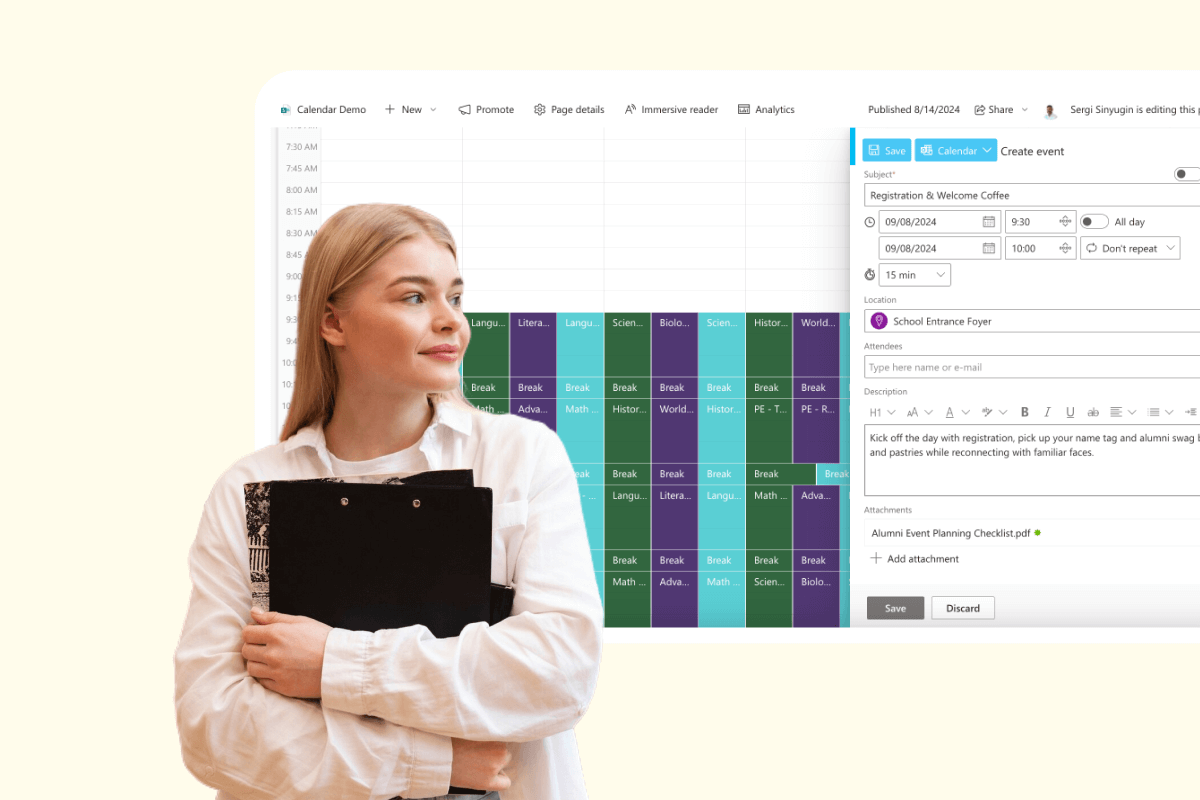
Effective time and resource management is crucial, especially during the high-pressure admissions period. Virto Calendar overlays schedules across shared SharePoint lists, Outlook calendars, Exchange meeting rooms, Planner tasks, and iCal or other online calendars into a single, color-coded view. This facilitates coordination of applicant interviews, committee meetings, faculty availability, and deadline tracking—all within a user-friendly interface.
- Admissions, academic, finance, and scholarship teams gain visibility into daily, weekly, or monthly schedules and can switch views easily, including task and Gantt charts, to optimize planning and avoid conflicts.
- Integration with Microsoft Teams allows users to create, join, and manage events directly within team channels, ensuring smooth communication and timely notifications for all stakeholders.
- This calendaring solution minimizes missed appointments, improves collaborative scheduling, and supports a professional admission process.

Example Scenarios Using Virto Products for Admissions Automation
- Automated routing of student applications
Applications are dynamically assigned to appropriate faculty members, departmental staff, or scholarship committees based on program, location, or applicant type. Real-time notifications are triggered each time an application status is updated or an action is required, ensuring timely review and decisions. - Scheduling and managing applicant interviews
Virto Calendar integrates data from SharePoint, Outlook, Teams, and other calendars to provide a unified scheduling experience for interviews. Both applicants and reviewers can quickly find available slots, book meetings, and receive automatic reminders, significantly reducing missed appointments and streamlining the interview process. - Coordinating the review and approval of academic and financial documents
SharePoint workflows powered by Virto Workflow Activities facilitate multi-level approvals and document checks. Routing rules and decision gates ensure each document meets compliance criteria before final admission decisions are made, while all actions are logged for transparency and quality assurance. - Consolidating application data, workflows, and analytic dashboards
Virto extensions support centralized data storage and real-time dashboard reporting in SharePoint. Administrators and management gain instant access to up-to-date processing metrics, workflow statuses, and bottleneck analytics, enabling continuous workflow optimization and strategic planning. - Automated scholarship application processing
Scholarship submissions are routed for eligibility checks, scoring, and committee approvals—all automated by Virto Workflow Activities. Status notifications keep applicants informed, and workflow dashboards track volumes and outcomes for reporting. - Student appeals and exceptions handling
Digital forms for appeals or special cases are managed through automated Virto workflows, which capture, assign, and track each submission through to resolution, guaranteeing fair and consistent handling. - Collaborative scoring and ranking of applications
Multiple reviewers assess applicants using structured scoring and commenting in SharePoint; Virto workflows consolidate and route aggregated scores to admissions managers, supporting transparent, data-driven selections. - Automated onboarding task management
Virto Calendar schedules orientation sessions, document delivery deadlines, housing placements, and other onboarding steps, linking events to newly admitted students with reminders for both participants and staff. - Cross-department workload balancing
Workflow logic monitors team and department application loads, automatically redistributing tasks and reviewers to maximize throughput and avoid processing delays during peak periods. - Compliance auditing and reporting
Every action, review, and decision is logged in SharePoint and surfaced in Power BI dashboards, supporting regulatory audits and institutional accreditation requirements. - Multi-campus or program coordination
Customized workflows route applications to specific campuses or academic programs, unifying decentralized admissions processes while maintaining consistency and oversight. - Integration with external verification providers
Automated Virto workflows connect to external agencies for credential verifications or background checks, embedding results in application files and advancing workflow stages as needed.
👉 Discover Virto Calendar for Education >>>
Discover VirtoSoftware Use Cases for Admissions Automation


Step-by-Step Guide to Implementing Admissions Automation
Successfully launching admissions automation involves a well-structured approach focused on understanding current processes, selecting the right tools, and making sure your team is ready. Below is a proven step-by-step plan:
1. Analyze the existing admissions process
- Map out every stage of your current admissions workflow, from application receipt to final decision, and identify pain points, and duplicated manual tasks that slow progress.
2. Identify automatable stages
- Pinpoint areas that are repetitive or prone to error, such as document verification, status notifications, and multi-level approvals, as prime candidates for automation.
3. Select the automation platform
- Choose a platform like Microsoft 365 and SharePoint, enhanced with Virto Workflow Activities and Virto Calendar, to ensure flexibility, scalability, and seamless integration with institutional systems.
4. Configure workflows
- Set up automated approval routes, application forms, conditions for notifications, and rules for routing, adapting templates as needed for different faculties or programs.
5. Train staff and set up quality control
- Provide thorough training for admissions, academic, and IT staff on the new system and establish quality checks to verify process performance and employee readiness.
6. Continual improvement through analytics and feedback
- Use built-in analytics—such as Power BI dashboards tracking processing times and bottlenecks—and ongoing user feedback to iteratively refine and optimize workflows.
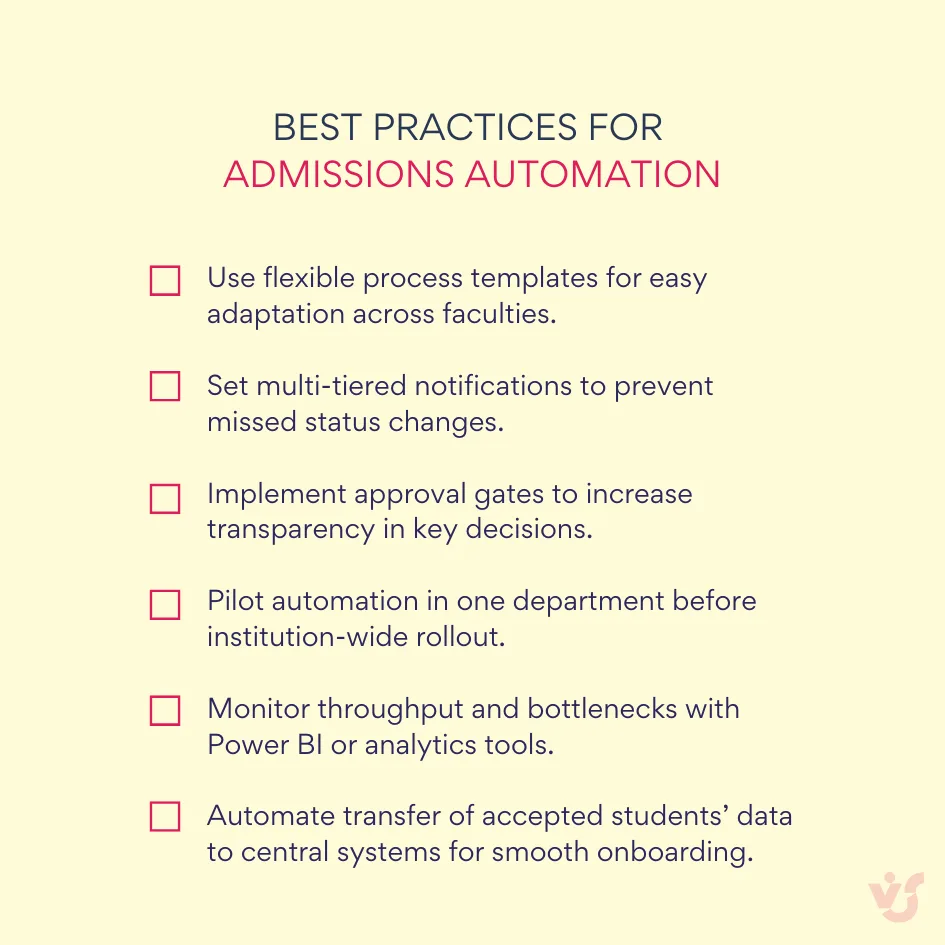
Adopting these steps and best practices ensures a smooth, effective transition to admissions automation, improving speed, accuracy, and applicant experience while preparing your institution for future growth and digital transformation.
Conclusion
Admissions automation improves the university enrollment process, evolving it from a slow manual operation into a highly efficient digital system. By digitizing applications and automating verification checks, institutions dramatically reduce administrative workload and minimize errors, while providing a superior applicant experience.
Platforms like Microsoft 365 and SharePoint allow universities to implement enterprise-grade automation without complex programming. These solutions provide a secure and compliant backbone for managing sensitive student data. With Virto Workflow Activities for Microsoft 365 and Virto Workflow Activities Extensions for SharePoint On-Premises, institutions can quickly deploy logic, decision rules, and approval workflows tailored to their needs—enabling every stage of the admissions process to be monitored and scaled for years to come.
An essential component of this digital transformation is effective scheduling and time management, where Virto Calendar becomes invaluable. Virto Calendar overlays events from shared SharePoint lists, Outlook, Teams, and third-party calendars, delivering a unified view of all meetings, interviews, and key deadlines. This way admissions staff and faculty are always on the same page, appointments are never missed, and applicants receive timely notifications.
All together, these tools empower universities to:
- Process more applications in less time, scaling effortlessly during seasonal peaks.
- Provide data accuracy, transparent records, and full audit trails, meeting compliance standards.
- Coordinate across multiple departments—admissions, academic, finance, and IT—through integrated communication and scheduling.
- Provide real-time updates and a transparent experience for applicants, boosting satisfaction and trust.
With Microsoft 365, SharePoint, Virto Workflow Activities, and Virto Calendar, admissions offices are equipped to adapt rapidly in a changing educational landscape—supporting applicant engagement, and operational agility for the future.