






virto-shared-calendar-icon

NEW Virto Shared Calendar

Understand Our Core Solutions

Flexible solutions fit your work at any scale for managing projects, programs, teams and processes
with a fully Microsoft-native tools.
Product hero banner

Explore our top categories

Our solutions allows teams to focus on executing tasks, projects, and processes efficiently and achieve shared goals
at scale in Microsoft 365 and On-Premises ecosystems.

Unify teams, tools, and work with our SharePoint On-Premises solutions.

☆ Top
Kanban_Boardgreen
4.7 (120+ reviews)
Streamline task management: Visualize projects with color-coded boards for efficient workflow tracking.
Workflow_Extensions_Kit
4.9 (100+ reviews)
Enhance SharePoint with 270+ no-code workflow activities for easy, customized automation.
☆ Top
Multiple_file_operations
4.6 (50+ reviews)
Execute a wide array of file actions—upload, download, delete, copy, move, check-in, approve, and edit.

Revolutionize your Microsoft Teams with our best-in-class solutions.

☆ NEW
Shared calendar
5 (200+ reviews)
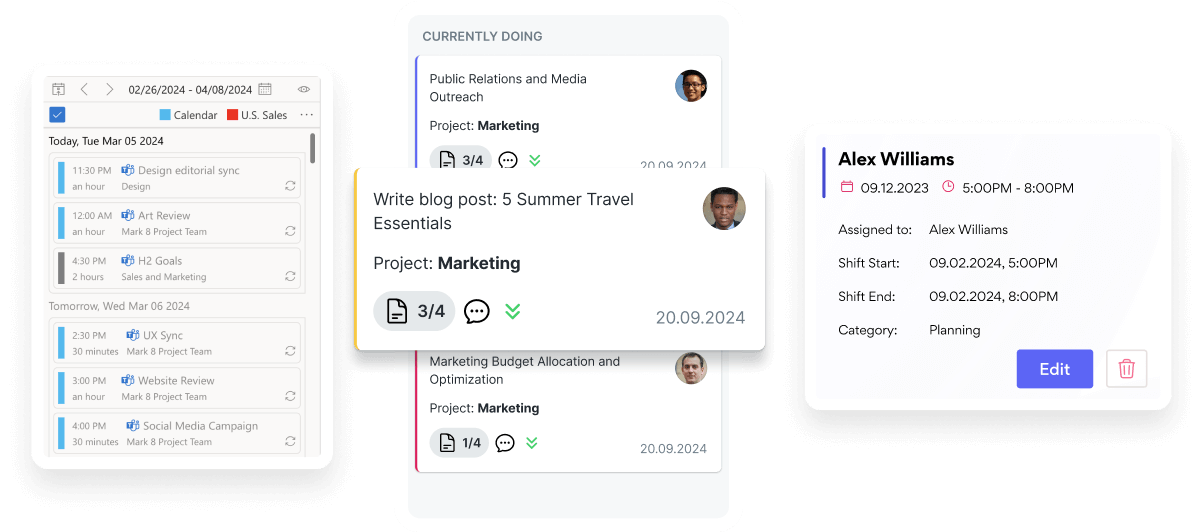
Virto Shared Calendar is a standalone web app and Microsoft Teams-integrated solution designed for simple event management with tagging, color-coding, and anonymous sharing.
☆ Top
Virto Calendar
4.9 (based on 60 reviews)
Maximize efficiency with this calendar app, featuring comprehensive scheduling and customizable views.
☆ Top
Kanban_Boardblue
4.9 (70+ reviews)
Boost team productivity with Virto Kanban for Teams: a seamless, efficient task & project management tool.

Explore business solutions that will transform your SharePoint Online. 

☆ Top
SharePoint Calendar Overlay pink
4.9 (based on 60 reviews)
Consolidate events from SharePoint, Exchange, Google, and more into one calendar view for simplified planning.
☆ Top
Kanban Board pink
4.6 (50+ reviews)
This tool transforms team collaboration through visual task management for consistent stage-by-stage progress.
Update Coming
Gantt Chart for SharePoint Online
4.9 (70+ reviews)
Crafted for clarity and control, it offers a comprehensive timeline view that keeps your project checkpoints aligned.

Bundles

Drive growth and impact with our enterprise-level work management bundles both in Microsoft 365 and On-Premises.

Virto One License

Virto ONE License offers over 15 Web Parts, enabling non-technical users to efficiently manage files, content, passwords, and workflows. This all-in-one solution allows quick, independent problem-solving without administrative delays.

bundle virto one license products

Virto One Cloud

Virto ONE Cloud provides a set of essential Microsoft 365 tools to boost your company’s productivity. With a single purchase, gain access to a suite of products optimized for SharePoint Online and receive expert support with just one click.

bundle virto one cloud

Microsoft 365 Environment

Complete Control Over Your Infrastructure
VirtoSoftware apps can be deployed directly within your existing Azure subscription linked to Microsoft 365, giving your organization full control over the application environment and data storage. Your data stays entirely within your infrastructure, ensuring compliance and data security. 

Integrations

Connect to the tools your teams use the most so everyone works seamlessly in one place.

Success and support

Help Center icon

Help Center

Get your questions answered by our global support team of VirtoSoftware product experts, available 24/7/365.

Knowledge Base icon

Knowledge Base

Your comprehensive hub for all information and user guides related solutions tailored for Microsoft 365 and SharePoint On-Premise.

Data Security icon

Data Security

We build our solutions with you in mind to give you control and visibility over access, data, and security.

Talk to our team

Need clarity on our app’s suitability for you? Set up a quick call with us or chat via Microsoft Teams chat to explore its potential for your needs.

Download and extract the zip file to a folder on your SharePoint server
Run Setup.exe under SharePoint administrator account and follow the simple wizard

Request your 14-day trial. 

Download the Latest Version

Choose your SharePoint product version:

Need any help? – email us at support@virtosoftware.com

Please select the SharePoint version that your organization uses to proceed
with the checkout.

Please select the SharePoint version that your organization uses to proceed
with the checkout.

Download and extract the zip file to a folder on your SharePoint server
Run Setup.exe under SharePoint administrator account and follow the simple wizard

Request your 14-day trial. 

Download Free 30-day Trial

Choose your SharePoint version

Product version:

Need any help? – email us at support@virtosoftware.com

Charts

Important: You’re just a few clicks away from exploring our app. Before you start the installation process, make sure to read instructions. This will prevent from possible technical issues in the future

If you will need further technical help for installation or configuration please contact our support team at support@virtosoftware.com

Pop up alert
Important: You’re just a few clicks away from exploring our app. Before installing, please read the instructions to avoid potential technical issues.

If you will need further technical help for installation or configuration please contact our support team at support@virtosoftware.com

Download and extract the zip file to a folder on your SharePoint server
Run Setup.exe under SharePoint administrator account and follow the simple wizard

Request your 14-day trial. 

Download Free 30-day Trial

Choose your SharePoint product version:

Need any help? – email us at support@virtosoftware.com
