Healthcare organizations face mounting pressure to coordinate complex patient journeys while maintaining quality, controlling costs, and meeting strict regulatory requirements. Patient case management software addresses these challenges by centralizing patient information, streamlining clinical and administrative workflows, and enabling real-time collaboration across care teams. These systems have become fundamental infrastructure for clinics, hospitals, insurance companies, and rehabilitation centers where multiple specialists must coordinate around a single patient.
The stakes are high. Medical errors, communication breakdowns, and administrative inefficiencies don’t just waste resources; they directly impact patient outcomes and organizational liability. Case management software provides the coordination layer that traditional electronic medical records often lack, focusing specifically on workflow orchestration, task management, and cross-department communication rather than just clinical documentation.
This article examines the core capabilities that make healthcare case management software effective, compares leading proprietary solutions currently dominating the market, and explores how organizations can build flexible alternatives using Microsoft 365 and SharePoint combined with specialized tools like Virto Alerts & Reminders. For healthcare administrators evaluating their options, understanding both the commercial landscape and alternative approaches proves essential for making informed technology investments.
Healthcare Case Management Software: Key Features and Benefits
Healthcare case management software operates at the intersection of clinical care and administrative coordination. Before examining specific platforms and implementation approaches, we need to establish what these systems actually do and why they’ve become essential infrastructure for modern healthcare delivery. This section breaks down the fundamental concepts, core capabilities, and organizational benefits that define effective case management software.
What is case management in healthcare?
Healthcare case management software functions as an organizational system that helps medical facilities manage patient information, monitor treatment processes, and coordinate activities across departments. Unlike standard electronic health records that primarily store clinical notes, case management platforms emphasize the coordination dimension: who is responsible for what, which tasks require completion by when, and how different care team members communicate about shared patients.
The case management approach treats each patient as part of a continuous process rather than a series of isolated encounters. From the initial consultation through treatment, discharge, and subsequent monitoring, case management software tracks the entire care journey. Many case management solutions work as add-ons or supplements to existing EHR/EMR systems, integrating with clinical records while adding specialized functionality for coordination and task management.
This distinction matters. An EHR might record that a patient needs a follow-up appointment, but case management software ensures someone gets assigned to schedule it, sends reminders as the date approaches, and escalates if the appointment doesn’t happen. The software creates accountability structures around the clinical data.
👉 What’s the difference between medical case management software and health care case management software? There’s no meaningful technical distinction between medical or clinical case management software and healthcare case management software—the terms function as synonyms in practice. Some vendors use “medical” to emphasize clinical aspects like treatment coordination and physician workflows, while others prefer “healthcare” to signal broader applicability across hospitals, insurance companies, rehabilitation facilities, and administrative functions. The difference exists primarily in marketing language rather than functionality.
Core benefits of case management software healthcare
Healthcare organizations implementing case management software report several measurable improvements.
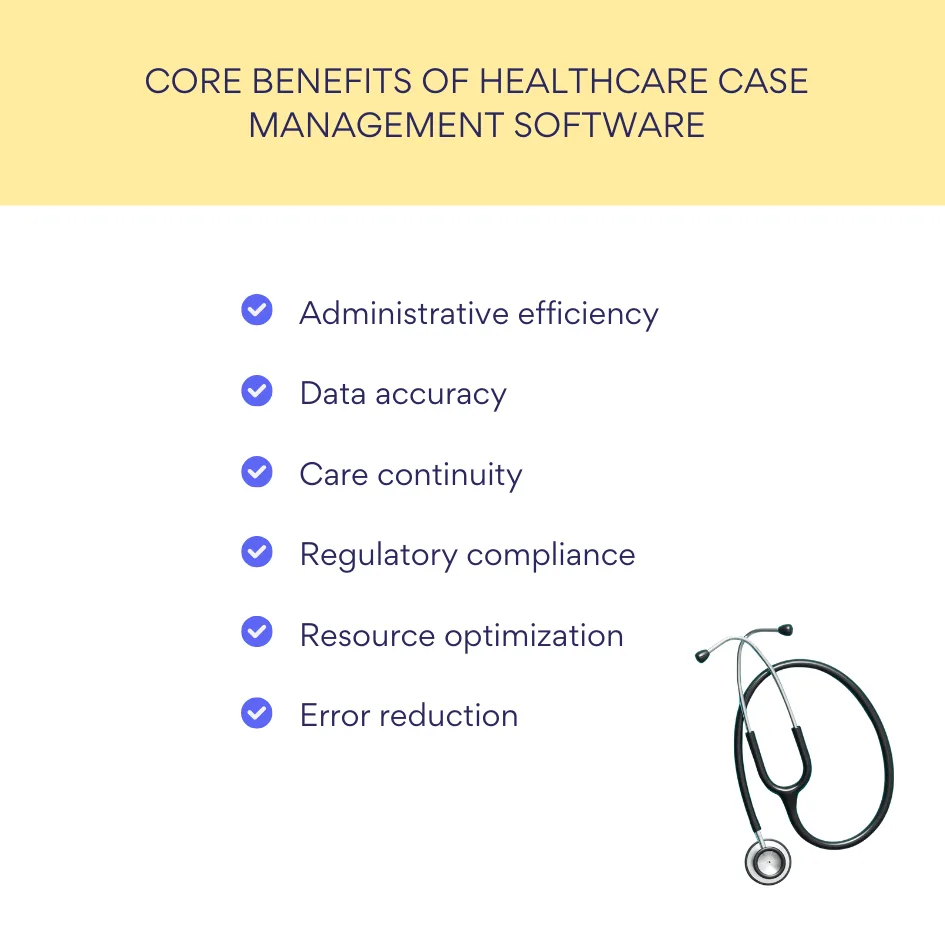
- Administrative burden decreases as automated workflows replace manual coordination tasks. Staff spend less time tracking down information or chasing colleagues for updates because the system handles routing and notifications.
- Data duplication and errors decline when all team members work from a single source of truth. Instead of scattered spreadsheets and email threads, case details live in a centralized database where updates propagate immediately to everyone involved. This consolidation directly supports continuity of patient care, particularly for complex cases involving multiple specialists or treatment phases.
- Regulatory compliance becomes more manageable when case management software maintains audit trails and enforces standardized processes. For U.S. healthcare organizations, HIPAA compliance requires documented procedures for handling protected health information; case management platforms provide the technical controls and logging capabilities that auditors expect to see.
Essential capabilities of case management platforms
Effective patient case management software delivers specific functional capabilities:
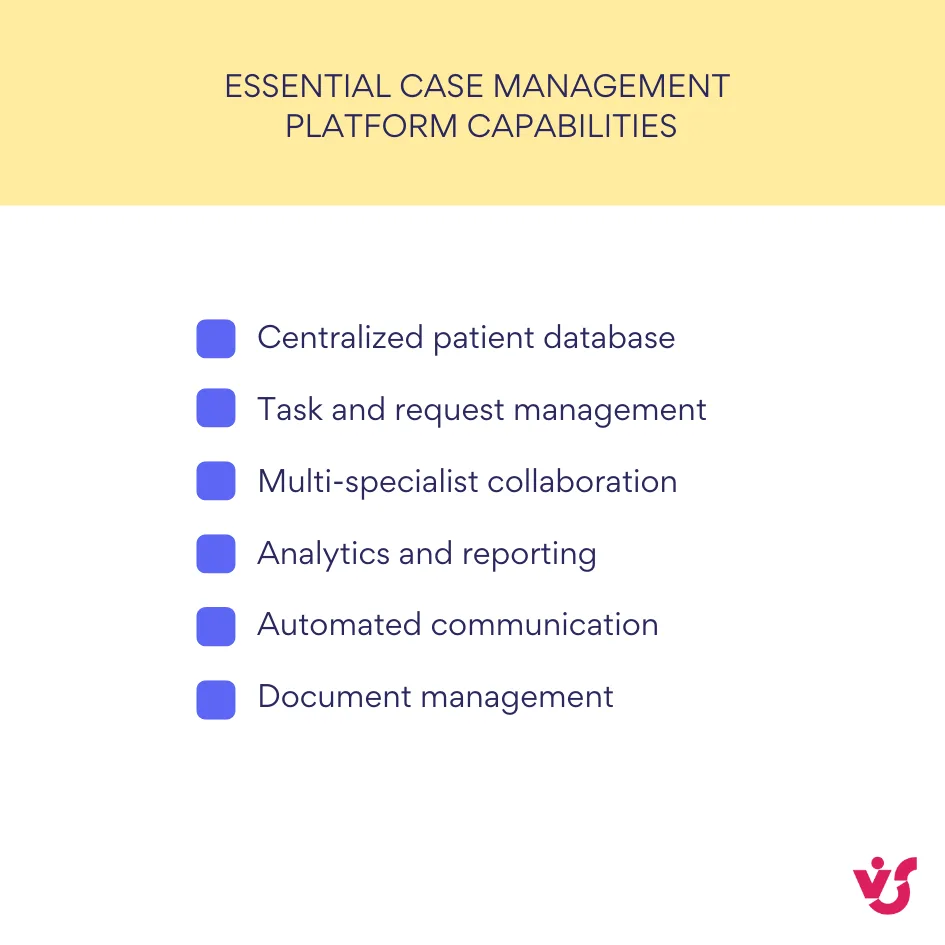
- A centralized patient database serves as the foundation, allowing quick search and filtering across thousands of cases. Healthcare workers need to find relevant information rapidly, whether searching by patient name, diagnosis, attending physician, or case status.
- Task and request management tied to specific cases ensures nothing falls through the cracks. When a doctor orders lab work, the system creates tasks for the phlebotomist, the lab technician, and the physician to review results. Each task carries due dates, assigned owners, and status tracking.
- Collaboration features enable multiple specialists to coordinate around a single case without endless email threads or phone tag. Care team members can view shared timelines, add notes, upload relevant documents, and see what their colleagues have already contributed. This shared context proves particularly valuable for complex cases involving specialists from different departments or even different facilities.
- Analytics and reporting capabilities allow administrators to monitor treatment quality, identify bottlenecks, and optimize resource allocation. Which cases take longest to resolve? Where do delays most frequently occur? Which providers consistently meet their task deadlines? Case management software transforms these questions from guesswork into data-driven analysis.
- Automated notifications and reminders keep all stakeholders informed without requiring manual communication. The system can alert a care coordinator when a patient misses an appointment, remind a physician to renew a treatment plan before it expires, or notify an insurance case manager when documentation comes due. These automated touchpoints reduce human error and improve process reliability.
Best Patient Case Management Software: Overview and Comparison
The healthcare technology market offers numerous case management solutions, each positioning itself differently in terms of complexity, cost, integration capabilities, and deployment models. Organizations evaluating these platforms must weigh not just features but total cost of ownership, vendor stability, and how well each system fits their specific workflows.
| Platform | Primary market | Deployment | Best for | Key challenge |
| Epic Systems | Large hospitals, academic medical centers | On-premises, Cloud, Hybrid | Comprehensive integration across multiple facilities | High cost, complex implementation, extensive training required |
| Oracle Health (Cerner) | Mid-size to large hospitals | On-premises, Cloud, Hybrid | Laboratory and insurance system integration | Customer retention issues, implementation challenges |
| Salesforce Health Cloud | Clinics, private practices, insurers | Cloud (SaaS) | Patient engagement and CRM-focused coordination | Not a replacement for clinical EHR systems |
| Athenahealth | Small to medium ambulatory practices | Cloud (SaaS) | Revenue cycle management with strong support | Limited inpatient capabilities |
Ready-made EHR and health case management software solutions
The proprietary software market consolidates around a handful of vendors that collectively serve the majority of U.S. healthcare facilities. Understanding their positioning, strengths, and limitations helps organizations make informed purchasing decisions or recognize when alternative approaches might better serve their needs.
What is the most used case management software in healthcare?
Market dominance doesn’t automatically equal best fit for every organization. Each major platform brings distinct architectural decisions, pricing models, and operational philosophies. Here’s what healthcare administrators should know about the leading systems.
- Epic Systems dominates the electronic health record market, powering over 250 million patient records across the United States. Designed for large hospital systems, Epic provides comprehensive functionality covering clinical documentation, billing, pharmacy, lab integration, and case coordination. In 2024, Epic added 176 facilities and 29,399 beds, widening its market lead. The platform’s strength lies in its integration depth; every module communicates natively with others, creating a unified system.
However, Epic’s comprehensiveness comes with substantial costs and complexity. Implementation expenses can reach hundreds of millions of dollars for large systems, with Memorial Sloan Kettering reporting a $113.2 million operating loss partly attributed to its Epic implementation. Organizations using Epic must also contend with extensive staff training requirements and a system that critics say was optimized for institutional revenue protection rather than clinical quality or provider experience. The platform’s robust capabilities make it powerful but potentially overwhelming for smaller organizations.
- Oracle Health (formerly Cerner) offers the Cerner Millennium platform, acquired by Oracle in 2022 for $28 billion. This modular EHR solution serves healthcare facilities of various sizes and integrates particularly well with laboratory and insurance systems. Oracle announced plans to release a next-generation EHR in 2025, incorporating AI capabilities, voice navigation, and its Health Data Intelligence platform.
Despite Oracle’s substantial investment, the system has lost 57 unique acute care customers over three years, including 12 larger health systems with more than 1,000 beds. Implementations have faced challenges, including a data breach affecting patient information and problematic deployments that led to staff protests in some international installations. Organizations considering Oracle Health should evaluate both the platform’s technical capabilities and the vendor’s track record for support and successful deployments.
- Salesforce Health Cloud represents a different approach, positioning itself as a customer relationship management solution adapted for healthcare rather than a clinical EHR. Built on Salesforce’s CRM platform and incorporating the company’s Agentforce AI capabilities, Health Cloud focuses on patient engagement, care coordination, and the non-clinical aspects of healthcare delivery.
The platform includes prebuilt skills for tasks like benefits verification, disease surveillance, and clinical trial recruitment. Suitable for clinics, private practices, and organizations prioritizing patient communication, Health Cloud maintains HIPAA compliance while integrating with existing EHR systems rather than replacing them. This positioning makes it accessible for organizations that already use Salesforce products and want to extend their investment into healthcare-specific workflows.
- Athenahealth provides cloud-based EHR, practice management, and revenue cycle management software primarily targeting small to medium-sized ambulatory practices. The company serves approximately 115,000 healthcare providers with its athenaOne platform. Recent updates include AI-enhanced document services, ambient note-taking, and automated clinical summaries designed to reduce documentation burden.
Athenahealth differentiates itself through its network-enabled model and consultative approach to customer support. The company provides free in-person training for organizations with six or fewer physicians and maintains 24/7 support with average wait times under two minutes. For practices that value hands-on guidance and don’t need the enterprise scale of Epic, Athenahealth presents a viable option with strong interoperability features.
👉 Are the solutions discussed in this article applicable to hospital case management? If not, then what are the most popular hospital case management software solutions? The solutions discussed in this article absolutely apply to hospital case management software. Epic and Oracle Health specifically target hospital environments and handle inpatient workflows including bed management, discharge planning, and care coordination across hospital departments. These platforms dominate the hospital market precisely because they address the complexity of inpatient case management where patients interact with numerous specialists, require constant status monitoring, and move through multiple care stages during a single admission.
Comparing systems across key parameters
When evaluating these platforms, healthcare organizations should examine several critical factors:
- Deployment architecture: Epic and Oracle Health support on-premises, cloud, and hybrid deployments. Salesforce Health Cloud and athenahealth operate exclusively as cloud-based SaaS solutions. Cloud deployment reduces infrastructure management but requires trust in the vendor’s security and uptime guarantees.
- Cost structure: Epic typically requires the highest upfront investment, with licensing fees, implementation costs, and ongoing support creating total costs that suit large healthcare systems better than smaller organizations. Oracle Health and athenahealth follow subscription models with varying pricing tiers. Salesforce Health Cloud pricing depends on edition and user count, with costs accumulating as organizations add capabilities. Hidden costs around data migration, custom integrations, and change management often exceed initial estimates.
- User experience: Some users report that charting in athenaOne takes half the time compared to Epic, highlighting differences in interface efficiency. However, ease of use depends partly on familiarity; staff trained on one system often resist switching regardless of objective usability measures.
- Customization: Epic offers extensive customization capabilities but requires specialized technical knowledge. Salesforce Health Cloud provides click-based configuration familiar to Salesforce administrators. Oracle Health’s modularity supports customization, though customer satisfaction with Oracle’s ability to deliver on customization promises has reportedly stagnated.
- Integration capabilities: All major platforms provide APIs and integration tools, but compatibility varies. Epic’s Care Everywhere network facilitates data exchange with other Epic implementations. Athenahealth emphasizes interoperability through its national network. Salesforce Health Cloud integrates readily with other Salesforce products and offers connectors to major EHR systems.
- Security and compliance: All platforms mentioned maintain HIPAA compliance and implement standard healthcare security controls. However, Oracle Health experienced significant data breaches in 2025, compromising patient information including Social Security numbers and medical details. Security track records matter when evaluating vendors.
- Ideal use cases: Epic suits large academic medical centers and health systems requiring comprehensive integration across multiple facilities. Oracle Health targets mid-size to large hospitals and ambulatory surgery centers. Salesforce Health Cloud fits organizations emphasizing patient engagement and care coordination rather than clinical documentation. Athenahealth serves independent practices and small healthcare organizations prioritizing revenue cycle management alongside clinical workflows.
| Cost Factor | Proprietary EHR systems | Microsoft 365 + SharePoint approach |
| Initial investment | $100,000 – $100,000,000+ depending on scale | Minimal if M365 already licensed |
| Implementation | Dedicated vendor teams, 6-24 months | Internal IT or consultants, 1-6 months |
| Training | Extensive formal training programs required | Familiar Microsoft interface reduces learning curve |
| Customization | Vendor-dependent, can require expensive consulting | Direct configuration by internal staff |
| Ongoing costs | Annual licensing, support contracts, upgrades | M365 subscription, optional add-ons like VirtoSoftware |
| Hidden expenses | Data migration, integration, change management | Time investment for initial configuration |
Many organizations find that purchasing expensive proprietary solutions delivers capability beyond their actual needs. Smaller clinics and specialized service providers often require solid coordination tools without the complexity (or cost) of enterprise EHR systems. For these organizations, building flexible alternatives based on platforms they already use presents a practical option.
👉 What about case management tools healthcare? Are there any specific tools that can help in care or case management? Case management tools healthcare and case management software refer to the same category of products—the terms are interchangeable. Care management tools overlap significantly with case management tools but sometimes emphasize different aspects. Care management often focuses more heavily on chronic disease management, population health, and longitudinal patient engagement rather than episodic case coordination. However, most modern platforms handle both functions.
Using Microsoft 365 and SharePoint for Medical Case Management
Organizations already invested in Microsoft 365 possess powerful tools for implementing custom case management solutions. Rather than purchasing additional specialized software, healthcare providers can leverage SharePoint, Teams, Power Automate, and related Microsoft tools to create tailored systems that match their specific workflows.
Why SharePoint suits healthcare case management
SharePoint and Microsoft 365 offer several advantages for healthcare organizations developing internal case management capabilities. Data security and granular access controls meet healthcare requirements; administrators can configure permissions at the site, library, list, folder, and even individual item level. A physician might access all information about their patients while administrative staff see only scheduling and billing details.
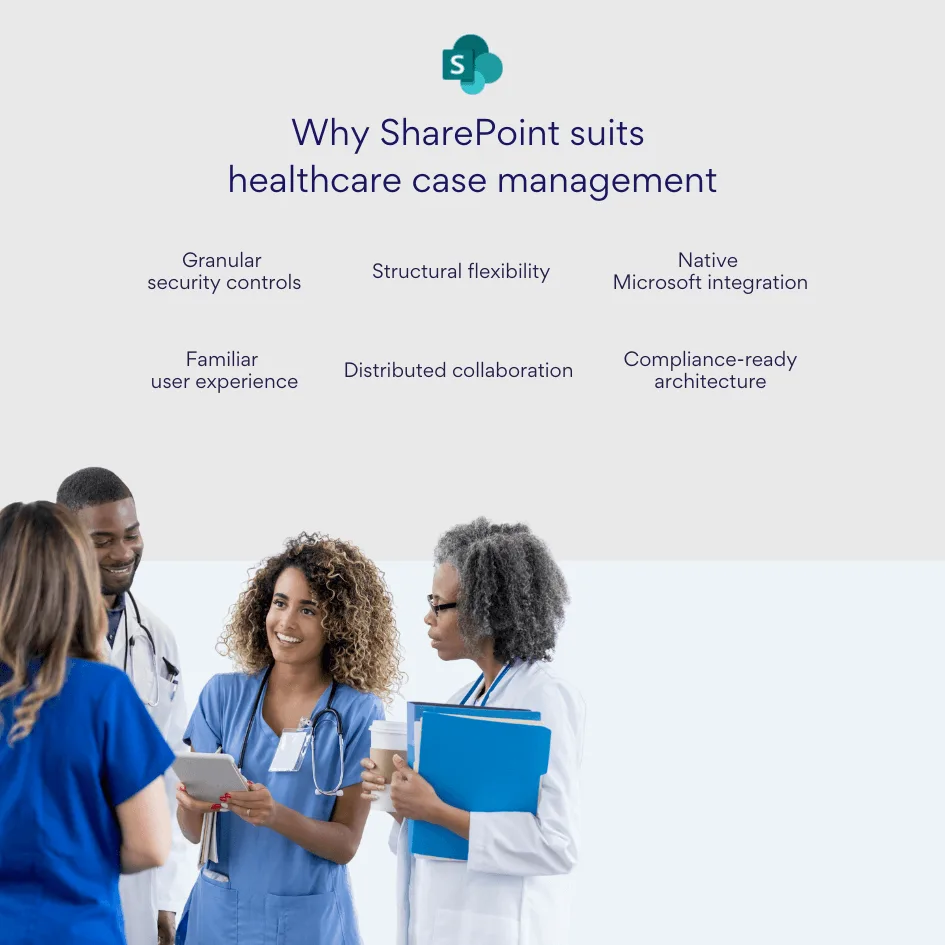
Structural flexibility allows organizations to model their specific processes without forcing workflows into predefined templates. SharePoint lists accommodate custom fields, columns, and views. Document libraries organize files with metadata rather than rigid folder hierarchies. Calendars track appointments and deadlines. These building blocks combine into case management systems tailored to each organization’s unique requirements.
Integration with internal systems provides immediate value. SharePoint sites connect natively to Teams for collaboration, Outlook for email and calendaring, Power BI for analytics, and Power Automate for workflow automation. Staff work within familiar Microsoft tools rather than learning entirely new platforms.
Ease of collaboration across departments and locations makes SharePoint particularly suitable for distributed care teams. Multiple users can edit documents simultaneously, comment on shared plans, and maintain visibility into case progress without email attachments or version confusion.
Implementing case management with SharePoint
Building functional case management on SharePoint requires translating clinical workflows into technical components. The following implementation patterns have proven effective across numerous healthcare organizations. These aren’t theoretical possibilities—they represent tested approaches that balance functionality, maintainability, and user adoption.
Patient and task lists
Healthcare organizations can create SharePoint lists dedicated to patient cases, recording essential parameters such as diagnosis codes, assigned care coordinator, current treatment stage, scheduled appointments, and active tasks. Each list item represents one patient case, with custom columns capturing relevant details. Staff members can filter and sort these lists to find cases requiring immediate attention or matching specific criteria.
Task lists linked to patient cases ensure accountability. When a care coordinator creates a task for an imaging appointment, the system assigns it to the appropriate scheduler with a due date and priority level. Tasks appear in both the SharePoint interface and in Microsoft To Do, giving staff visibility across applications.
Document storage with version control
SharePoint document libraries store all medical records, consent forms, test results, and administrative paperwork related to each case. Healthcare organizations can organize libraries by patient, by document type, or using metadata tags that support multiple organizational schemes simultaneously.
Built-in version control tracks who updated each file and when, creating an audit trail that satisfies compliance requirements. If a question arises about a consent form, administrators can review the complete history of edits and identify exactly when specific language was added or modified.
💡 Learn more about document management in SharePoint in our dedicated guides:
- How to Create and Manage a SharePoint Document Library
- Optimize Your Business with SharePoint Document Management
- Best Practices for SharePoint Document Management, Library, Folder Structure and Security
Responsibility assignment and progress tracking
Each case can link to multiple tasks, such as “schedule follow-up,” “submit insurance claim,” or “complete discharge paperwork.” These tasks display in list or board views, helping coordinators track statuses and deadlines across dozens of concurrent cases. Color-coding by urgency or filtering by assigned owner creates personalized task views for each team member.
| SharePoint component | Healthcare function | Key benefit |
| Lists | Patient records, tasks, appointments | Customizable fields for any case parameter |
| Document Libraries | Medical records, consent forms, test results | Version control and audit trails |
| Calendars | Appointment scheduling, deadline tracking | Integrated with Outlook and Teams |
| Power Automate | Workflow automation, escalations | Eliminates manual routing and follow-up |
| Power BI | Analytics dashboards, performance metrics | Real-time operational insights |
| Teams Integration | Care team collaboration | Context-rich communication channels |
Kanban-style boards visualize case flow through different stages: intake, assessment, active treatment, ready for discharge, closed. Staff drag cases between columns as they progress, providing an at-a-glance view of workload distribution and identifying bottlenecks where cases accumulate.
Notifications and reminders
Native SharePoint alerts notify users when list items change or when specific conditions are met. However, these basic alerts offer limited flexibility. Organizations requiring sophisticated notification capabilities can extend SharePoint with specialized tools, which we’ll examine in detail shortly.
💡 Learn more about SharePoint alerts—including key details on their retirement—in our dedicated article: SharePoint Alerts Retirement: Impact, Risks & Alternatives
Workflow automation
Power Automate creates automated processes that respond to events in SharePoint. When a lab uploads test results to a patient’s document library, Power Automate can automatically notify the ordering physician, add a task to the care coordinator’s list, and update the case status. These automations eliminate repetitive manual steps and reduce the risk that important information gets overlooked.
More complex workflows handle multi-step processes. If a patient misses an appointment, Power Automate might send an initial reminder email, wait 48 hours, send a second reminder if the patient hasn’t responded, and finally notify the care coordinator to attempt phone contact. These escalation sequences run automatically based on predefined rules.
💡 Learn more about SharePoint automation here: SharePoint Automation: Best Practices, Use Cases and Recommended Tools
Advantages over proprietary case management software for healthcare
Building case management capability on Microsoft 365 infrastructure offers distinct advantages:
- Organizations maintain complete control over their data, which remains within their Microsoft tenant rather than stored by a third-party vendor. For healthcare providers handling protected health information, this control simplifies compliance and reduces vendor-related risks.
- The solution scales naturally as the organization grows. Adding new modules, forms, reports, or automation happens incrementally without re-negotiating licenses or facing unexpected cost increases. Small clinics can start simple and expand capability as needs evolve, while larger organizations can deploy sophisticated systems without hitting artificial platform limitations.
- Customization happens without vendor dependency. Internal IT staff or Microsoft consultants can modify SharePoint-based systems directly rather than submitting enhancement requests to a software vendor and waiting for updates. This agility proves valuable when regulations change or when the organization adopts new clinical processes.
Practical scenario
Consider a multi-specialty medical clinic implementing patient management on SharePoint. The clinic creates a site containing several interconnected lists: one for patient cases, one for scheduled appointments, one for pending insurance authorizations, and one for tasks requiring action.
Each patient receives a record with attached documents showing their intake forms, test results, and treatment notes. Tasks assigned to physicians, medical assistants, administrative staff, and insurance specialists all appear in a unified dashboard, with each user seeing their personal responsibilities filtered from the complete list.
Automated workflows send appointment reminder emails three days in advance and again 24 hours before the scheduled time. When lab tests are completed, the system notifies the ordering physician and creates a task to review results within 48 hours. If that task remains incomplete after 72 hours, an escalation notice goes to the department supervisor.
Power BI dashboards connected to these SharePoint lists display real-time analytics: active cases by provider, average time from referral to first appointment, percentage of tasks completed on time, and trends in appointment cancellations. Administrators use these metrics to identify problems and optimize operations.
The Role of Notification Systems in Patient Management
Notifications represent more than a convenience feature in healthcare case management systems. They function as a critical coordination mechanism that keeps complex treatment processes on track across multiple simultaneous cases, each involving several team members with different responsibilities and schedules.
Why automated notifications matter
Automated notifications deliver value across four distinct dimensions, each addressing a specific operational challenge that healthcare organizations face daily. These aren’t minor convenience features—they represent fundamental mechanisms for maintaining quality and safety standards at scale.
Deadline adherence
Healthcare processes operate under strict timelines. Test results require physician review within specific windows. Insurance authorizations expire if not renewed by certain dates. Patients must complete follow-up appointments within defined intervals. Manual tracking of these deadlines across dozens or hundreds of active cases invites oversight.
Automated notifications remove this tracking burden from individual memory and informal reminder systems. The software monitors deadlines continuously and generates alerts at appropriate intervals: advance notice allowing time for action, immediate alerts when something requires urgent attention, and escalation notifications if deadlines pass without response.
Error reduction
Even experienced healthcare professionals managing heavy caseloads occasionally forget small but important tasks. Updating a patient record after a phone consultation, renewing a prescription scheduled to lapse, sending required documentation to a referring physician—any of these tasks might slip through the cracks on a particularly busy day.
Automatic reminders reduce dependence on human memory. The system sends prompts at designated times, converting potentially forgotten tasks into explicit action items that appear in the recipient’s workflow. This systematic approach improves accuracy and consistency across the organization.
Patient engagement
Patients who receive timely reminders about medications, upcoming appointments, and required actions demonstrate better treatment adherence and higher satisfaction. Research indicates that 41% of patients would switch healthcare providers for better digital experiences, making personalized communication increasingly important for retention.
Notification systems enable healthcare organizations to maintain consistent patient contact without requiring staff to manually send individual messages. Appointment reminders reduce no-shows. Medication reminders improve compliance. Post-visit surveys gather feedback while the experience remains fresh. These touchpoints build patient relationships at scale.
Operational risk management
Regulatory compliance in healthcare demands documented adherence to protocols and timelines. When organizations fail to follow required procedures or miss mandatory reporting deadlines, they face potential penalties, litigation exposure, and reputational damage.
Automated notifications create documented evidence that the organization maintains appropriate oversight. If a compliance question arises, administrators can demonstrate that the system sent appropriate reminders to responsible parties, even if those parties failed to act. This documentation supports quality improvement initiatives and provides defensible records in case of audits or legal review.
Common notification use cases
Healthcare case management systems employ notifications across numerous scenarios:
- Physicians receive alerts when new test results arrive, when patients report symptoms requiring attention, or when prescribed medications interact with newly documented allergies. These clinical alerts support timely care decisions and patient safety.
- Patients benefit from appointment reminders sent via email or SMS, medication schedules that prompt adherence, and follow-up instructions after procedures or visits. Educational content delivered through automated systems keeps patients informed about their conditions and treatment plans.
- Care coordinators depend on notifications about missed appointments, approaching case review deadlines, pending insurance documentation, and patients requiring outreach. These alerts ensure coordinators can intervene proactively rather than discovering problems after negative outcomes occur.
- Administrators receive notifications about staff performance metrics, unusual patterns in case handling, system utilization statistics, and compliance exceptions. Management-level alerts support operational oversight and strategic decision-making.
- Insurance and financial departments need notification when prior authorizations approach expiration, when outstanding balances reach defined thresholds, or when billing deadlines for specific payers arrive. Financial notifications ensure revenue cycle efficiency and reduce write-offs from missed submission windows.
| Recipient type | Notification purpose | Timing example | Business impact |
| Physicians | New test results, abnormal values, patient messages | Immediate | Faster clinical decisions, reduced response time |
| Patients | Appointment reminders, medication schedules | 48 hours before, daily at set time | Improved adherence, reduced no-shows |
| Care Coordinators | Missed appointments, approaching deadlines | End of day summary, 3 days before deadline | Proactive intervention, fewer gaps in care |
| Administrators | Performance metrics, compliance exceptions | Weekly reports, immediate for exceptions | Data-driven management decisions |
| Billing Staff | Authorization expirations, submission deadlines | 7 days before expiration | Revenue protection, reduced denials |
Healthcare case management without robust notification capability operates at a significant disadvantage. The coordination complexity inherent in modern medical care requires systematic alerting that scales beyond what human tracking can reliably maintain.
How to Implement a Notification System using VirtoSoftware Solutions
Organizations building healthcare case management solutions on Microsoft 365 can significantly enhance their notification capabilities using specialized tools designed specifically for SharePoint environments. VirtoSoftware provides solutions that extend native SharePoint alerting with healthcare-appropriate features.
VirtoSoftware for SharePoint environments
VirtoSoftware develops Microsoft 365 and SharePoint extensions that address specific business requirements across various industries, including healthcare. Our notification solutions add substantial functionality beyond SharePoint’s built-in alert system.
For SharePoint On-Premises deployments, the Virto Alerts & Reminders Web Part allows administrators to craft alerts, reminders, and notifications for any user or group, with delivery options including email, SMS, or Clickatell messaging. Healthcare organizations using on-premises SharePoint infrastructure can deploy this web part to gain notification capabilities comparable to cloud-based specialized systems while maintaining data within their own infrastructure.
For Microsoft 365 and SharePoint Online, the Virto Alerts & Reminder App provides flexible triggers for patient data changes, centralized notification management for different roles such as physicians, coordinators, and patients, and integration with Teams and Outlook for instant alerts. Organizations can create reminder chains, such as initial notification followed by automatic escalation if no response occurs within a specified timeframe.
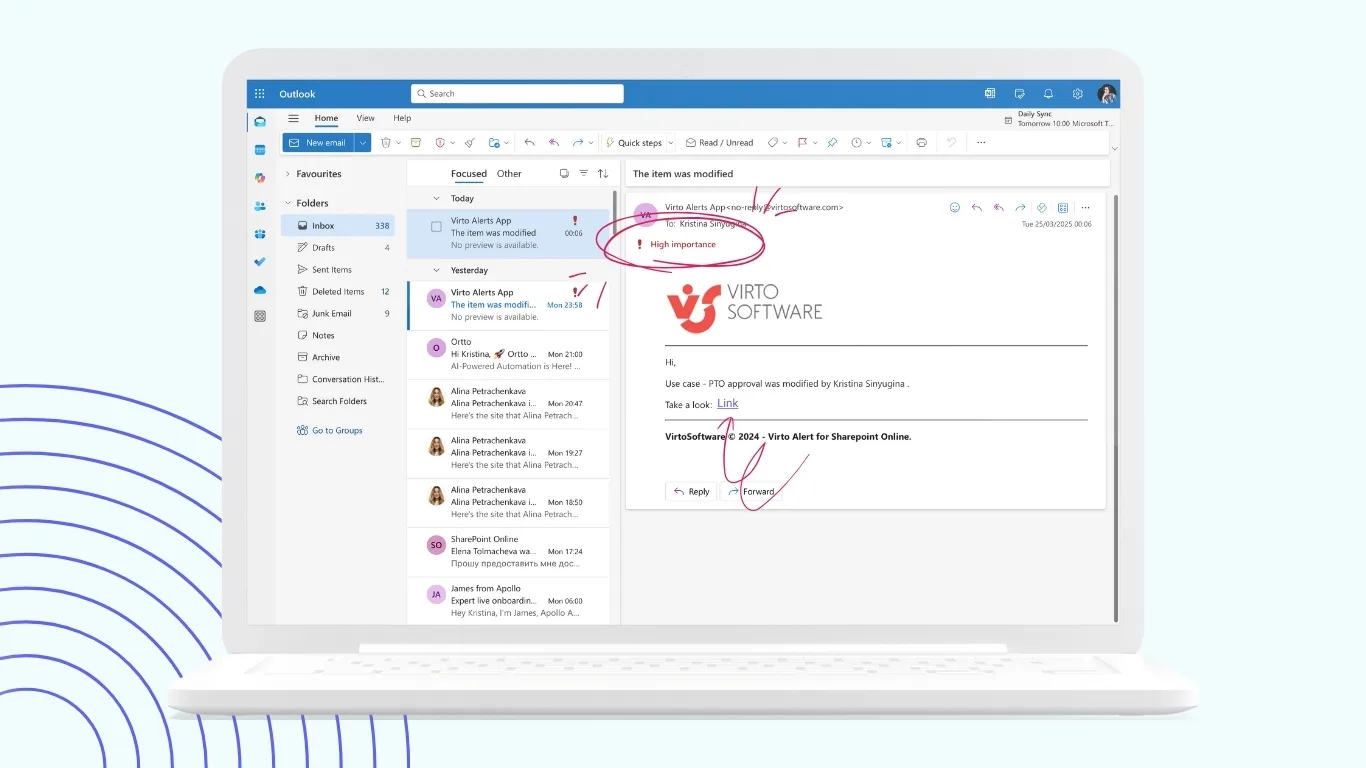
Both solutions support customizable HTML-based email templates, allowing healthcare organizations to brand communications and structure content appropriately for different recipient types. Technical teams can incorporate text styles, images, tables, and dynamic field insertion that automatically populates notification content with current patient information from SharePoint lists.
Improve Your Management with VirtoSoftware
Virto Alerts & Reminder
Integrated within your daily tools like Microsoft Teams, the app ensures you stay ahead of all tasks and meetings.
Alerts & Reminders
Elevate Microsoft Teams with an app for direct notifications and reminders, ensuring team alignment.
Virto Notifications & Alerts
Craft alerts, reminders, or notifications for any user or group, with options for email, SMS, etc.
Notification configuration for healthcare workflows
VirtoSoftware’s alert system distinguishes between alerts (notifications triggered by changes to SharePoint list items) and reminders (notifications based on dates in lists or libraries). This distinction maps well to healthcare use cases.
- Alerts notify relevant parties when specific changes occur: a new patient intake form gets submitted, a test result file uploads to a patient’s folder, a care coordinator updates case status, or an insurance authorization receives approval. Healthcare staff configure which changes trigger notifications and who receives them, creating targeted communication rather than blanket alerts that create notification fatigue.
- Reminders operate based on date fields in SharePoint lists. A treatment plan expiration date can trigger reminders three days in advance, allowing time for renewal. A scheduled appointment can generate patient reminders 48 hours beforehand. These date-based notifications ensure deadline-dependent processes receive appropriate attention.
- Advanced features include conditional logic that sends notifications only when specific criteria are met. For example, a notification might trigger only when a lab result marked “abnormal” uploads to a patient folder, or when a case remains in “pending review” status beyond a defined timeframe. These conditional notifications reduce irrelevant alerts while ensuring critical situations receive immediate attention.
Practical implementation scenario
Imagine a rehabilitation center building a patient case management system on SharePoint. Case managers create a patient list tracking admission date, treatment type, assigned therapist, next assessment date, and discharge planning status. Using Virto Alerts & Notifications, the center implements several automated notifications:
Three days before each assessment due date, the system reminds the assigned therapist to schedule the assessment. If the assessment date passes without a completed assessment record, an escalation notice goes to the therapy supervisor, ensuring nothing gets missed despite busy schedules.
When a patient’s insurance pre-authorization approaches expiration (tracked via a date column), the system alerts the billing department to submit renewal documentation. This proactive notification prevents treatment interruptions due to lapsed authorizations.
When a case coordinator updates a patient’s discharge status to “ready for discharge,” the system automatically notifies the attending physician to complete discharge paperwork, alerts the family liaison to schedule the discharge meeting, and creates tasks for administrative staff to process final billing.
The center also leverages Teams integration, sending alerts directly into department channels. The therapy team channel receives notifications about new patient admissions. The administrative channel gets alerts about pending insurance issues. This integration places notifications within the collaboration tools staff already use throughout their workday.
Explore VirtoSoftware Use Cases


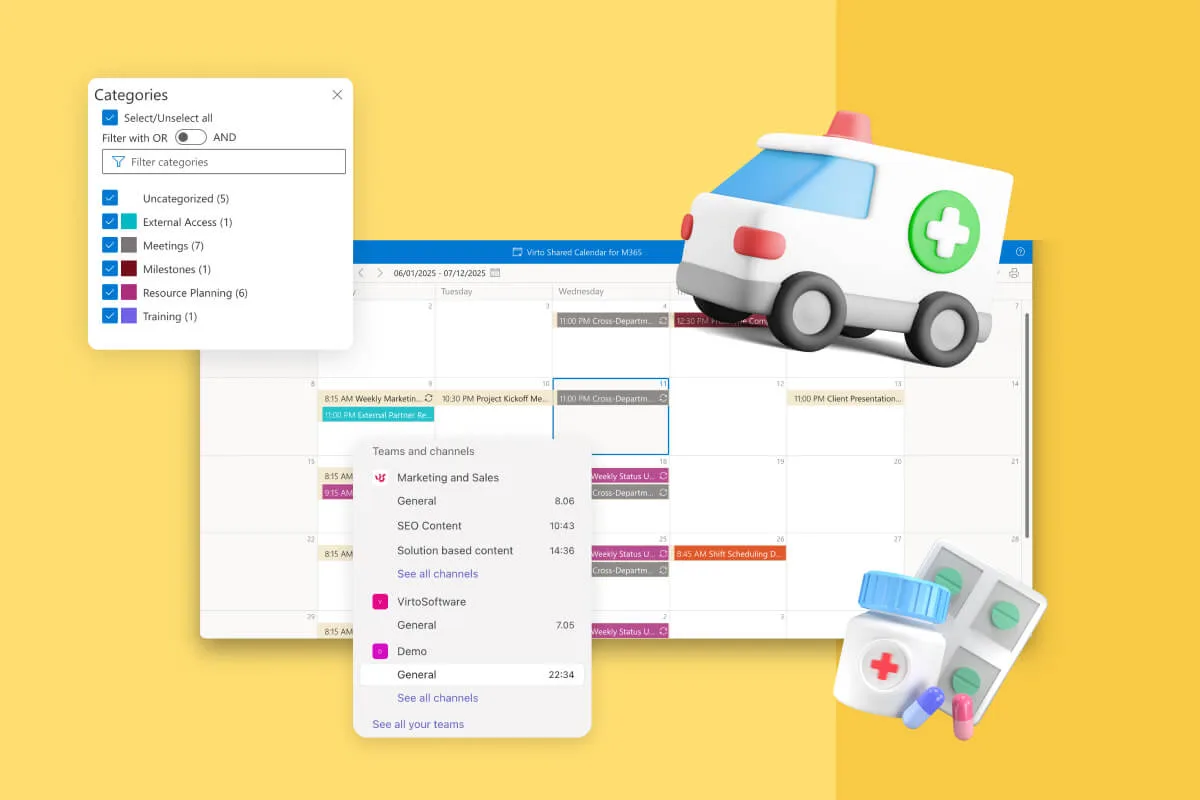
Benefits of VirtoSoftware notification implementation
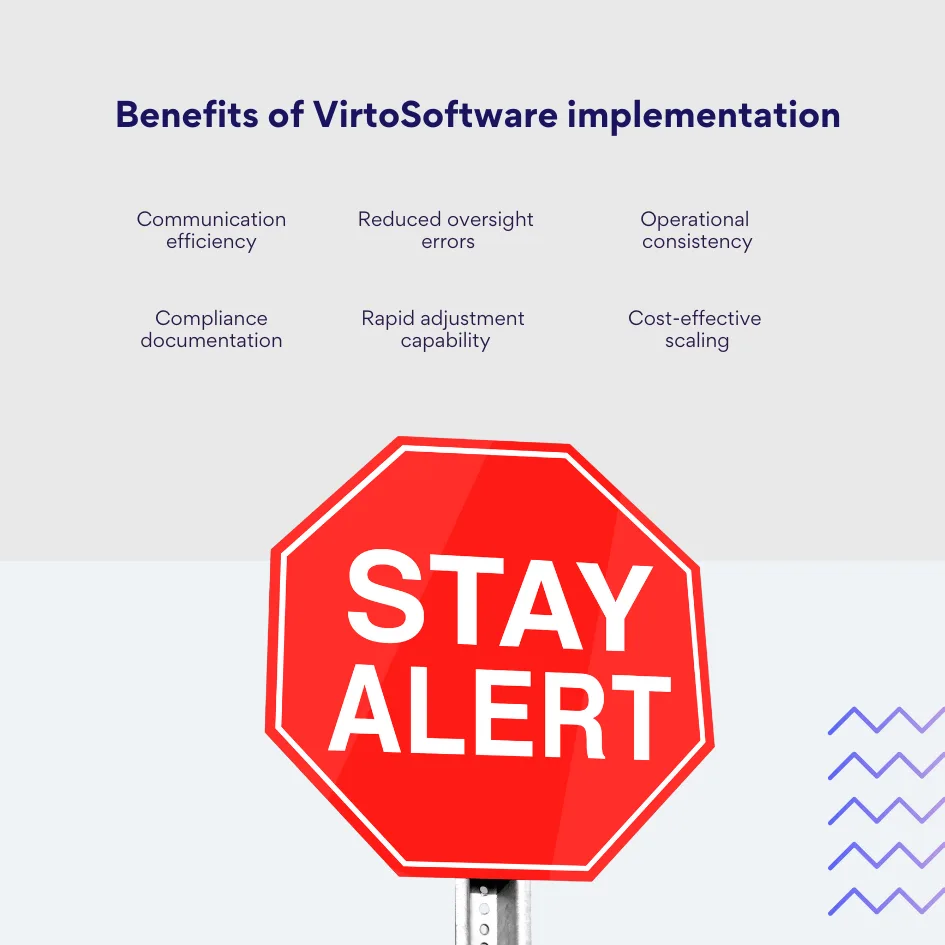
Healthcare organizations implementing Virto notification solutions report improved communication efficiency among medical staff. Information reaches appropriate recipients promptly without requiring manual message composition or distribution list management. Staff spend less time sending routine updates and more time on tasks requiring professional judgment.
Missed deadlines and forgotten tasks decrease measurably when systematic notifications replace human memory. The organization establishes consistent standards for how quickly different situations receive attention, rather than depending on individual practitioners’ personal reminder systems.
Maintaining HIPAA compliance and internal service level agreements becomes more straightforward when notification systems create audit trails showing that appropriate alerts were sent according to defined protocols. Compliance auditors can review notification logs to verify that the organization maintained proper oversight.
Implementation flexibility without requiring developer involvement allows healthcare administrators to configure and adjust notification rules as processes evolve. As the organization learns which notifications prove most valuable and which create noise, adjustments happen quickly through the configuration interface rather than requiring custom code changes.
The combination of SharePoint’s case management capabilities with VirtoSoftware’s enhanced notification features creates practical healthcare coordination systems that scale from small clinics to multi-facility organizations. These solutions provide the functionality many healthcare providers actually need at costs substantially lower than enterprise EHR implementations.
Conclusion on Case Management Software Healthcare
Healthcare organizations face genuine challenges in coordinating complex patient care across distributed teams, multiple specialties, and strict regulatory requirements. Effective case management software addresses these challenges by providing centralized information access, systematic workflow coordination, and automated communication that keeps everyone informed and accountable.
The market offers powerful proprietary solutions like Epic, Oracle Health, Salesforce Health Cloud, and athenahealth, each suited to particular organizational profiles and use cases. Large academic medical centers with substantial resources may find comprehensive platforms like Epic worth their considerable investment. Organizations prioritizing patient engagement might prefer Salesforce’s CRM-oriented approach. Smaller ambulatory practices could benefit from athenahealth’s focused feature set and strong support model.
However, many healthcare providers—particularly specialized services, rehabilitation facilities, and mid-size clinics—can meet their case management needs by leveraging Microsoft 365 infrastructure they already own. SharePoint provides robust foundations for patient data organization, document management, and task coordination. Power Automate adds workflow automation. Teams facilitates collaboration. This integrated Microsoft ecosystem supports sophisticated case management implementations without requiring entirely new software platforms.
Enhanced notification capability transforms basic SharePoint implementations into intelligent coordination systems. Virto Alerts & Reminders and the Virto Alerts and Notifications App add the systematic alerting and reminder features that healthcare coordination demands. Organizations gain the ability to ensure deadlines are met, staff receive timely information, patients get appropriate reminders, and nothing important falls through organizational cracks.
Modern healthcare delivery requires technology that supports rather than hinders clinical work. By building case management solutions on familiar platforms and augmenting them with specialized tools like VirtoSoftware products, healthcare organizations can create systems that genuinely improve their operations. These implementations deliver measurable results: reduced administrative burden, improved compliance, better patient satisfaction, and enhanced care quality.
Test-drive the VirtoSoftware apps: book a demo or launch a free trial from our website.
The choice between purchasing expensive proprietary systems and building tailored solutions depends on each organization’s specific circumstances. What remains constant is the need for effective case management that coordinates complex care processes, maintains information accuracy, and supports the clinical teams serving patients. Organizations that thoughtfully implement appropriate case management technology position themselves to deliver better care more efficiently, meeting both their business objectives and their fundamental mission of patient wellbeing.
As you reflect on these insights, browse additional posts on our blog:
- Clinic Scheduling Software for Busy Healthcare Teams
- Automate Alerts & Reminders for Government and Compliance Workflows
- Virto Calendar: Attorney Scheduling Software
- Enterprise Document Management Software and Systems Guide
- SharePoint Alerts Retirement: Impact, Risks & Alternatives
- Regulatory Compliance Management Software: Overview, Functions, and Selection Guide
- Exploring Compliance Management: Systems, Features, and Use Cases