Managing nurse schedules is far from a trivial task—hospitals operate around the clock, workloads fluctuate, labor regulations must be met, and staff preferences need consideration. Coordinating all of this manually is a recipe for mistakes: overlapping shifts, understaffed units, and frequent overtime can quickly disrupt operations.
This is where nurse scheduling software and nursing scheduling software come into play. By automating shift planning and accounting for everything from regulatory requirements to individual preferences, nurse staffing software and nursing staff scheduling software turn a complex, error-prone process into a streamlined workflow.
Whether you’re exploring software for nurses, scheduling software for nurses, self-scheduling software for nurses, or a fully integrated hospital scheduling software for nursing, modern solutions offer flexibility, reliability, and scalability. A robust nurse scheduling system or nurse staff scheduling software ensures shifts are covered, workloads are balanced, and staff satisfaction is maintained.
In this article, we’ll dive into how the best nurse scheduling software works, explore the key features of nurse staffing softwares, highlight their benefits, and review the solutions available within the Microsoft 365 ecosystem—especially those that integrate seamlessly with SharePoint.
For more insights into healthcare scheduling check:
- Our article on Healthcare Staff Scheduling Software: Complete Guide
- Our use case – Clinic Scheduling Solutions
What Is Nurse Scheduling Software and Why It Matters
Behind every efficient healthcare team lies a well-structured schedule. Yet, in practice, building one can feel like solving a constantly shifting puzzle. Nurse managers have to juggle dozens of variables — from staff qualifications and patient volumes to vacations, overtime limits, and last-minute absences. That’s exactly where nurse scheduling software and nursing staff scheduling software prove indispensable. These digital solutions replace outdated spreadsheets and manual coordination with smart automation that keeps every shift balanced, compliant, and transparent. For IT teams and administrators working within Microsoft 365, integrating such nurse staffing software into existing workflows is the next logical step toward modern, data-driven hospital operations.
Purpose and core functions
Nurse scheduling software (also known as nursing scheduling software, nurse staffing software, or nursing staffing software) is designed to automate one of the most complex operational tasks in healthcare—creating fair, compliant, and efficient shift schedules.
Instead of relying on spreadsheets or manual planning, a nurse scheduling system automatically allocates shifts based on staff availability, qualifications, workload, and personal preferences. When unexpected absences or emergencies occur, the system can instantly suggest replacements, ensuring continuous patient coverage without chaos.
Beyond just scheduling, these platforms monitor working-hour limits and rest periods, helping healthcare facilities stay compliant with labor regulations. For senior nurses and HR teams, nurse staff scheduling software dramatically reduces administrative workload and eliminates the tedious back-and-forth of manual coordination.
Such tools are invaluable for hospitals, clinics, rehabilitation centers, and long-term care facilities—any environment where 24/7 coverage and multi-shift management are a daily reality.
👉Why and what type of software do you need for nurses scheduling? The demand for scheduling software for nurses arises from the complexity of managing large teams, rotating shifts, and regulatory constraints. The best nurse scheduling software solutions provide flexibility, HIPAA compliance, seamless integration with HR, payroll, and communication systems, and easy customization for each organization’s structure and workflows.
Benefits of using nurse scheduling software
The advantages of implementing nursing staff scheduling software go far beyond convenience—they directly impact accuracy, transparency, and staff satisfaction.
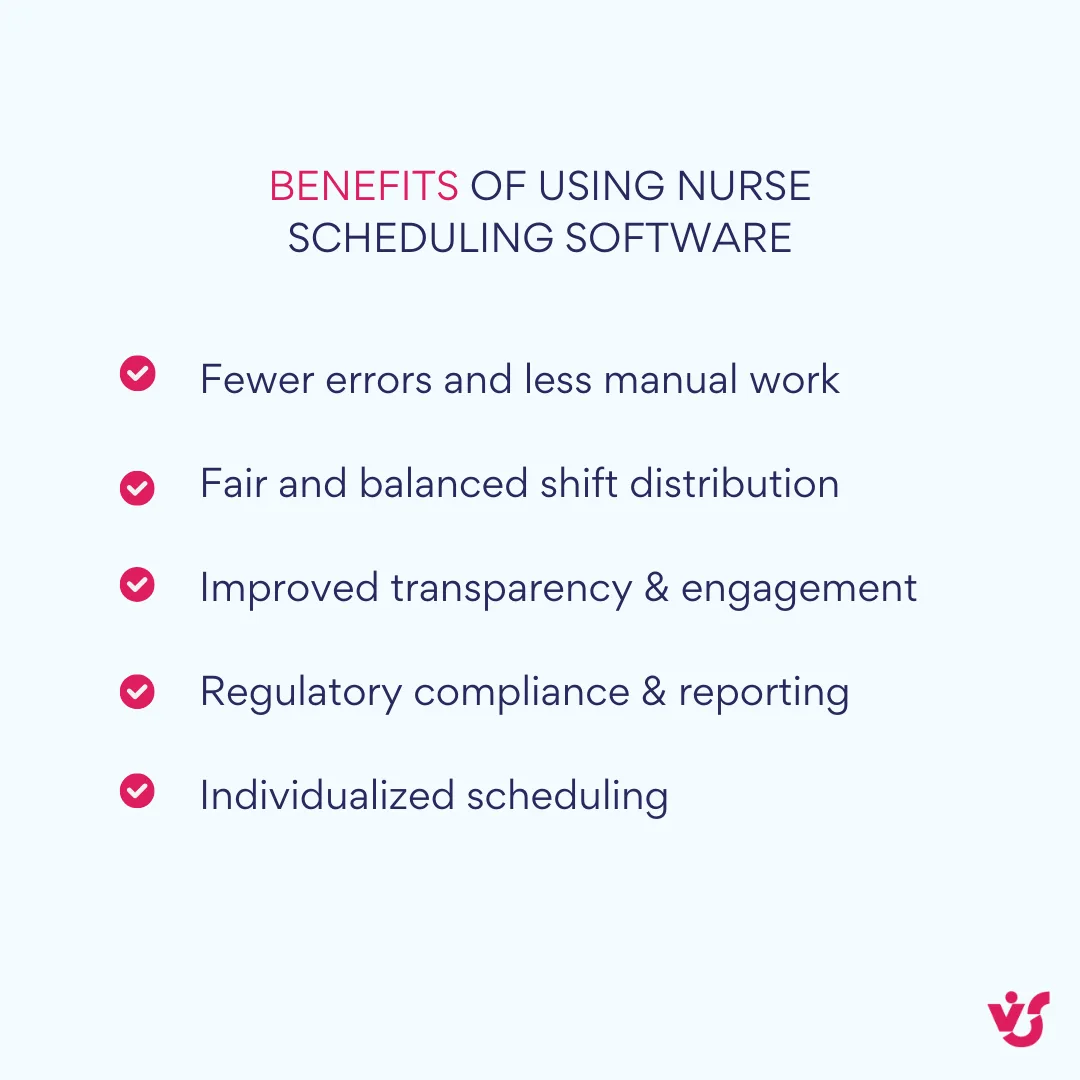
✅Fewer errors and less manual work
Automated validation prevents overlapping shifts, overtime violations, and scheduling conflicts. By removing the human factor, nurse staff scheduling software significantly reduces costly mistakes and compliance risks.
✅Fair and balanced shift distribution
Modern nurse staffing softwares use transparent algorithms to ensure even workload distribution across the team. They can balance experienced and junior nurses on each shift, improving team dynamics and reducing complaints about unfair assignments.
✅Individualized scheduling
Each nurse can set preferences for shifts, days off, and vacation periods. The nurse scheduling system can also track qualifications and certifications to match the right professionals with the right tasks—vital in specialized care units or emergency departments.
✅Improved transparency and engagement
With self-scheduling software for nurses, employees can view schedules in advance, request changes, or swap shifts directly through a web portal or mobile app. This self-service approach enhances communication and fosters collaboration between staff and management.
✅Regulatory compliance and reporting
Hospital scheduling software for nursing automatically enforces rules for shift duration, rest periods, and weekend rotations. Built-in compliance features support healthcare regulations and simplify reporting for audits or internal reviews.
In essence, software for nurses is not just a scheduling tool—it’s a digital backbone that connects HR, compliance, and operational efficiency. When integrated with Microsoft 365 and SharePoint, it becomes part of a larger, data-driven ecosystem that modernizes how healthcare organizations manage their workforce.
Key Features of Nurse Scheduling Software
When choosing or developing nurse scheduling software, it’s essential to understand the core functions that make it effective in a real-world healthcare environment. The best nurse scheduling software goes beyond simply generating a shift table — it automates the entire scheduling process, aligns with compliance rules, and integrates with other enterprise systems inside Microsoft 365.
| Feature | Description | Benefits / Use Cases |
| Automated shift scheduling | Modern nurse scheduling software automatically distributes shifts based on predefined rules, availability, skills, and historical data. It considers who can work nights, who’s on leave, and who’s already assigned elsewhere. | Creates fair, compliant schedules in minutes rather than hours. For example, if a nurse cannot work two consecutive nights, the nurse scheduling system will automatically adjust. |
| Replacements and emergency shift coverage | Nurse staffing software and hospital scheduling software for nursing instantly identify qualified substitutes when absences occur. Proposals are sent to both the candidate and manager for one-click approval. | Prevents coverage gaps in 24/7 facilities, ensuring continuous care. Integrates with Microsoft Teams or SharePoint workflows for real-time coordination. |
| Preferences and constraints management | Nursing staff scheduling software lets nurses indicate preferences (days off, morning shifts, avoiding nights) and tracks qualifications, certifications, and restrictions. | Produces schedules that are efficient and personalized. Improves staff satisfaction and retention by honoring individual needs. |
| Compliance with labor and industry regulations | Nurse staff scheduling software embeds compliance rules into scheduling logic—checking labor laws, rest periods, and certification requirements. | Reduces legal risk and simplifies audits. Exports reports and ensures every shift meets regulatory standards. |
| Notifications and reminders | Scheduling software for nurses delivers automated alerts about shifts, updates, and pending approvals via email, mobile push, or Microsoft Teams. | Minimizes missed shifts and communication errors. Keeps teams aligned and proactive. |
When implemented correctly, nurse staffing softwares unify operations, improve visibility, and foster accountability. Combined with SharePoint and other Microsoft 365 tools, nurse scheduling software evolves from a simple planner into a complete workforce coordination system — one that empowers both management and nursing staff to focus on what truly matters: quality patient care.
Innovative Technologies in Nurse Scheduling Software
Innovation is reshaping how healthcare organizations approach nurse scheduling software. Beyond automated shift assignments and compliance tracking, modern nursing scheduling software now incorporates intelligent features that make schedules more predictive, adaptive, and personalized. From real-time notifications to data-driven workload balancing, these advancements turn nurse staffing software into a proactive tool rather than just a planning system. In the following sections, we’ll explore how AI, machine learning, and mobile-enabled interfaces are driving the next generation of nurse staff scheduling software.
AI and machine learning in modern nurse scheduling solutions
Today’s nurse scheduling software has evolved far beyond static timetables. The new generation of nurse scheduling solutions leverages artificial intelligence (AI) and machine learning (ML) to create more accurate, adaptive, and predictive schedules.
AI-driven nursing scheduling software analyzes historical workforce data — how often specific nurses take night shifts, which months see higher sick leave, and which days typically bring peak patient loads. Based on these behavioral patterns, the nurse scheduling system learns continuously, refining its algorithms to propose smarter and more balanced schedules over time.
For instance, during seasonal outbreaks or vacation periods, AI-powered nurse staffing software can forecast increased workload and automatically generate “reserve schedules” or suggest extending shifts. This predictive modeling helps hospitals and clinics prepare in advance, improving workforce stability and reducing staffing shortages.
Machine learning also enables nursing staff scheduling software to instantly recommend replacements when someone calls in sick. The system evaluates qualifications, certifications, and availability before offering a list of suitable substitutes. Managers can approve the change with a single click via a mobile app — keeping operations smooth even during last-minute disruptions.
By combining AI-based forecasting with real-time data analysis, nurse staff scheduling software makes healthcare operations more resilient and responsive. It turns scheduling from a reactive process into a proactive strategy for workforce optimization — fully aligned with the data-driven philosophy of modern Microsoft 365 environments.
Mobile access and user experience
In healthcare, time is everything — and access to scheduling tools must be instant. That’s why today’s nurse scheduling software is designed with mobility at its core. Modern nurse scheduling tools include dedicated mobile apps or responsive web interfaces that let staff manage their schedules from anywhere, at any time.
These scheduling software for nurses solutions support push notifications, reminders, and even optional integrations with voice assistants for shift alerts or confirmations. From the same interface, nurses can:
- Check upcoming shifts and schedule changes in real time
- Receive alerts about replacement offers or shift swaps
- Confirm participation or request adjustments directly from a smartphone
This level of accessibility not only simplifies communication but also reduces the administrative load on supervisors. It turns traditional nursing staffing software into a living, interactive ecosystem where schedules are dynamic and instantly adjustable.
Many advanced nurse staff scheduling software interfaces also feature built-in chat, video instructions, or feedback modules — allowing continuous collaboration between management and clinical staff. For IT teams, this mobile-first approach means easy integration with SharePoint, Teams, and Power Automate, ensuring that updates flow seamlessly through the Microsoft 365 environment.
Requirements for the Best Nurse Scheduling Software
Choosing the right nurse scheduling software is not just about ticking boxes on a feature list. The ideal solution should reflect the unique workflows of a healthcare organization, comply with regulatory standards, and remain intuitive for both administrators and nursing staff. In practice, the best nurse scheduling software strikes a balance between automation, flexibility, security, and user experience — all while fitting seamlessly into the broader IT ecosystem.
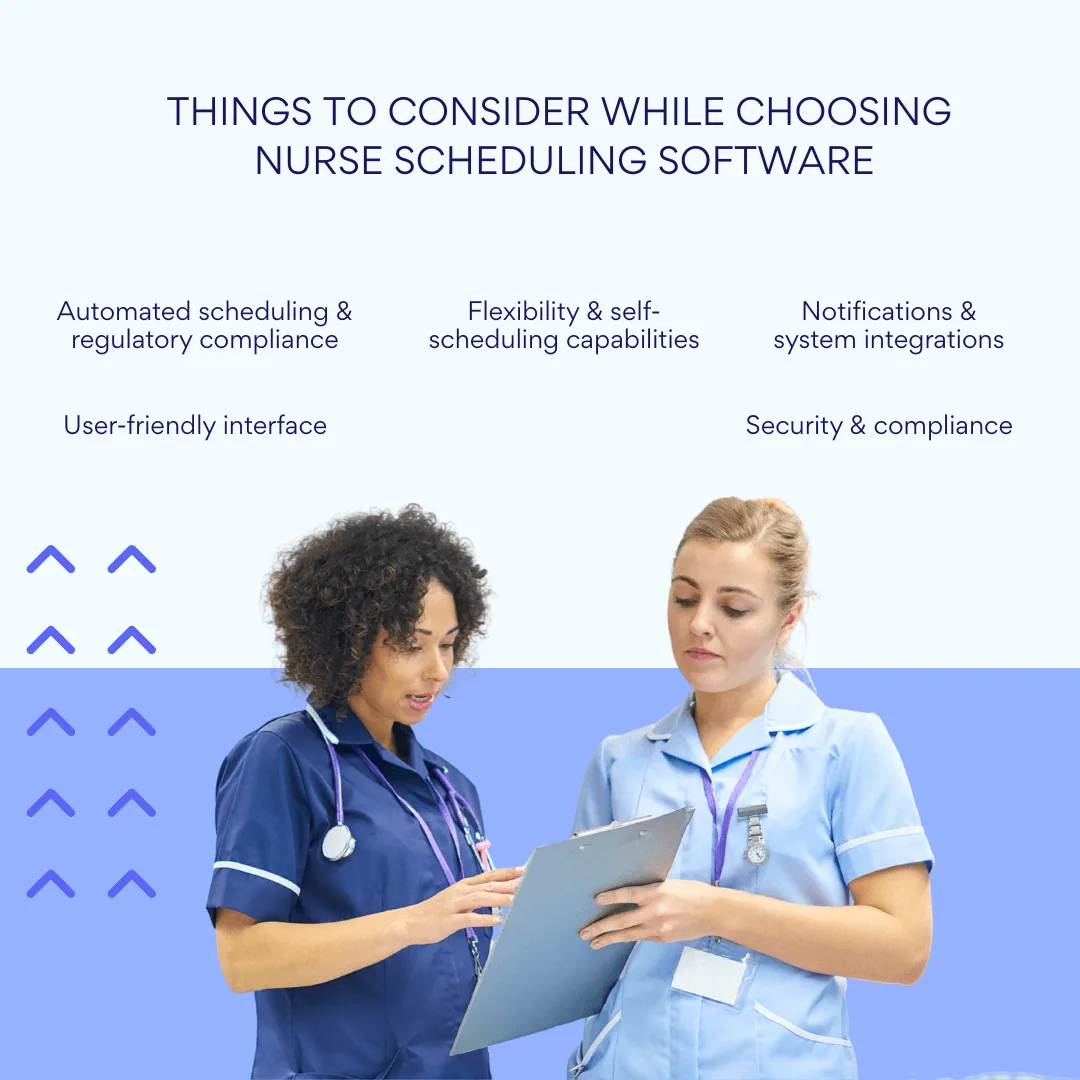
- Automated scheduling and regulatory compliance
A reliable nursing scheduling software solution must automatically generate schedules that account for a wide range of parameters — from staff qualifications and workload distribution to vacations, sick leave, and regulatory limits.
Compliance isn’t optional. The nurse scheduling system should enforce both internal rules and external labor standards, such as:
- Maximum weekly working hours
- Minimum rest periods between shifts
- Required days off and rotation rules
Many advanced nurse staff scheduling software tools also offer built-in templates for specific departments — like intensive care, emergency, or surgical units — enabling fast and compliant planning tailored to each ward’s needs.
By embedding these constraints into automation logic, nurse staffing software helps administrators build fair, compliant schedules with minimal manual effort — saving time while reducing legal and operational risks.
- Flexibility and self-scheduling capabilities
In modern healthcare, flexibility is key. Leading nursing staff scheduling software platforms now support self-scheduling software for nurses, allowing staff to book or request shifts within predefined rules.
This approach empowers nurses to manage their work-life balance more effectively, reducing turnover and increasing engagement. At the same time, administrators retain control over critical staffing requirements, ensuring that patient coverage and compliance are never compromised.
Flexible self-scheduling scenarios — managed through role-based permissions and real-time validation — transform nurse staffing softwares into collaborative tools that align operational efficiency with employee satisfaction.
- Notifications and system integrations
Timely communication is essential in hospital environments. The best nurse scheduling software automatically sends alerts about shift assignments, updates, or replacement requests through multiple channels — including email, push notifications, and Microsoft Teams integration.
Equally important is interoperability. Modern nurse staff scheduling software should integrate smoothly with:
- HRIS (Human Resource Information Systems) for staffing and payroll
- EMR/EHR (Electronic Medical Record systems) for patient-care coordination
- Internal calendars, BI platforms, and analytics tools for performance insights
For organizations running on Microsoft 365, integrating nurse scheduling software with SharePoint, Teams, and Power Automate creates a unified communication and workflow environment — where scheduling updates, approvals, and analytics happen automatically.
- User-friendly interface
The user interface of nursing scheduling software must be intuitive and accessible for everyone — from HR administrators to nurses with limited technical experience.
Mobile compatibility and responsive design are now essential. The best scheduling software for nurses includes visual dashboards, quick action buttons, contextual hints, and multilingual support. Built-in onboarding materials and tooltips help new users adapt quickly, minimizing training time and administrative burden.
A well-designed UI not only improves usability but also boosts adoption across the organization, ensuring that digital scheduling becomes a natural part of daily operations.
- Security and compliance
In the medical sector, data protection is non-negotiable. Any nursing staffing software must meet strict security and privacy standards such as HIPAA (U.S.), GDPR (EU), and ISO 27001, along with any applicable local healthcare regulations.
Core security features should include:
- Multi-factor authentication
- Role-based access control
- Detailed audit logs and activity tracking
Regular updates, data encryption, and vendor support are equally vital. By ensuring compliance and security, healthcare organizations protect sensitive data while maintaining trust across staff and patients alike.
Ultimately, choosing the right nurse scheduling software isn’t only about functionality. It’s about finding a solution that matches your organization’s size, department structure, and existing systems — while supporting your long-term digital transformation goals within Microsoft 365 and SharePoint.
Integrations and Compatibility with Other Systems
Modern nurse scheduling software is no longer just a standalone tool for building shift calendars. Its true power lies in how well it integrates with the broader digital ecosystem of a healthcare organization. Seamless integrations with platforms like calendars, HR systems, analytics tools, and communication hubs make nurse scheduling smarter, faster, and far less prone to human error.
For hospitals and healthcare networks with multiple departments, administrators, and hundreds of staff members, this interoperability is essential. It transforms nursing scheduling software from a basic planning tool into a strategic part of resource and workforce management.
Integration with calendars (Outlook, Google Calendar)
Synchronization with personal and shared calendars allows nurses and administrators to view and manage work schedules directly from familiar platforms. Any updates — such as shift swaps or new assignments — appear automatically, keeping everyone aligned in real time.
For example, when a nurse is assigned a shift, it instantly appears in their Outlook calendar as an event with updated status.
Integration with time & attendance systems
The best nurse staff scheduling software integrates with biometric terminals or digital time-tracking systems to log arrivals and departures automatically. This simplifies payroll calculations, ensures compliance with working-hour regulations, and helps compare scheduled vs. actual hours worked. The system can also detect discrepancies and generate reports for HR or management review.
Integration with ERP and HRIS Systems (SAP, Workday, 1C, etc.)
Connecting nursing staffing software with HR and ERP systems allows automatic synchronization of employee data — qualifications, leave status, or new hires. When a new nurse joins the team or a role changes, the schedule can adjust automatically based on updated parameters. This is especially useful for large hospitals dealing with seasonal fluctuations or frequent staff rotations.
Integration with Microsoft Teams and SharePoint
Embedding schedules directly inside Microsoft Teams makes them instantly accessible to staff. SharePoint can serve as a central hub for schedules, templates, and departmental policies. Integration with the Microsoft 365 environment improves communication, increases engagement, and supports hybrid or distributed teams.
In summary, integration capabilities are a cornerstone of the best nurse scheduling software. By connecting calendars, HR systems, and collaboration tools, healthcare organizations gain a unified, reliable, and data-driven scheduling environment that simplifies administration and empowers nursing teams.
Comparing the Leading Nurse Scheduling Software Solutions
The market for nurse scheduling software has evolved rapidly, offering everything from simple, lightweight tools for small clinics to robust enterprise-grade platforms designed for large hospitals and healthcare networks. Choosing the right solution depends on your organization’s scale, workflows, and ecosystem — especially if you already rely on platforms like Microsoft 365 or have complex compliance requirements.
Below is an overview of several widely used nursing scheduling software options — each catering to different types of healthcare organizations.
Kronos Workforce Scheduler (UKG)
A powerhouse among enterprise-grade nurse staffing software. Kronos (now part of UKG) is built for large hospitals and multi-location medical networks that require deep customization and high compliance standards.
- Supports complex scheduling scenarios, multi-site operations, and rule-based shift generation.
- Seamlessly integrates with ERP, HRIS, and Time & Attendance systems.
- Offers predictive analytics and compliance monitoring.
- Best for: Large healthcare systems and networks.
- Downside: High implementation and maintenance cost.
Shiftboard
Shiftboard offers flexible nurse staff scheduling features for mid-size and large facilities where adaptability and real-time coordination are key.
- Easy-to-use interface with powerful self-scheduling and swap options.Strong focus on notifications, shift trades, and workforce communication.
- Highly scalable and customizable.
- Best for: Hospitals that need balance between automation and flexibility.
Deputy
A lightweight and intuitive scheduling software for nurses, often chosen by small clinics and private practices.
- Simple setup and user-friendly mobile app.
- Covers essential scheduling, time tracking, and notification features.
- Great for quick deployment and minimal training.
- Best for: Smaller healthcare providers or clinics.
- Limitation: Limited advanced functionality for enterprise use.
Virto Calendar App for SharePoint Online & Microsoft 365 / Microsoft Teams
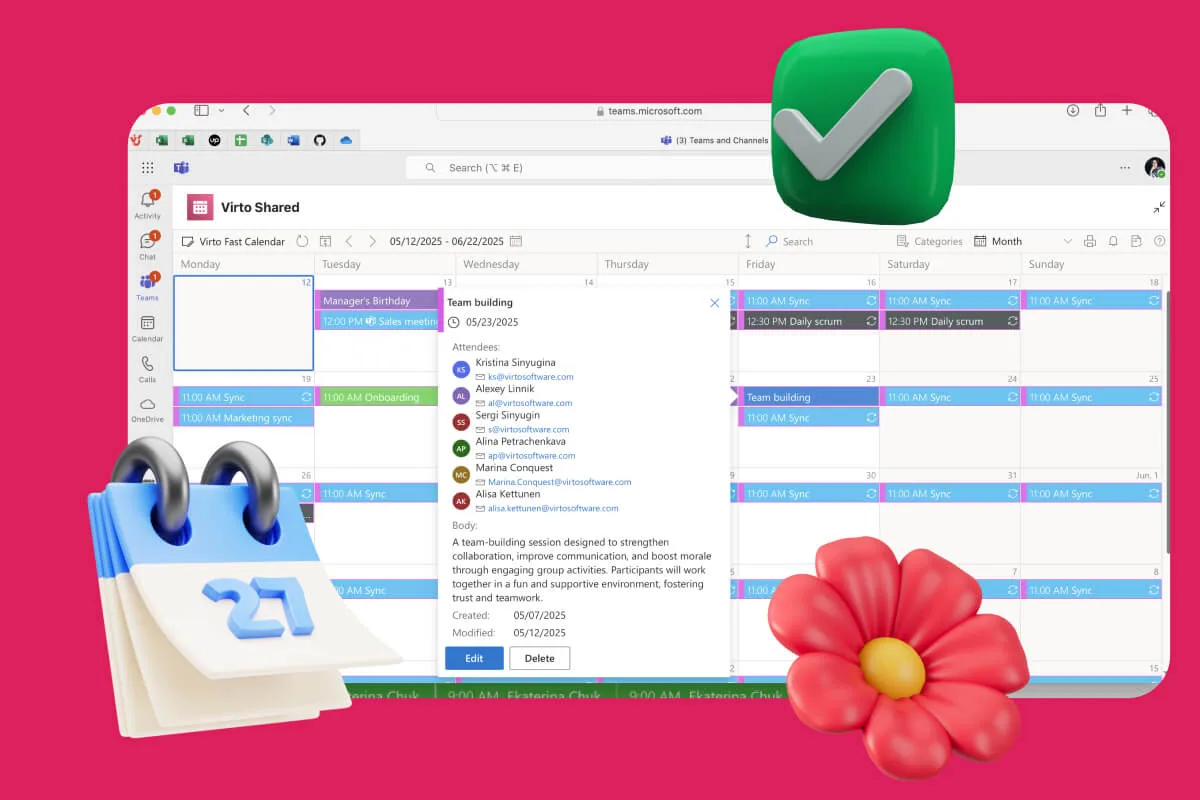
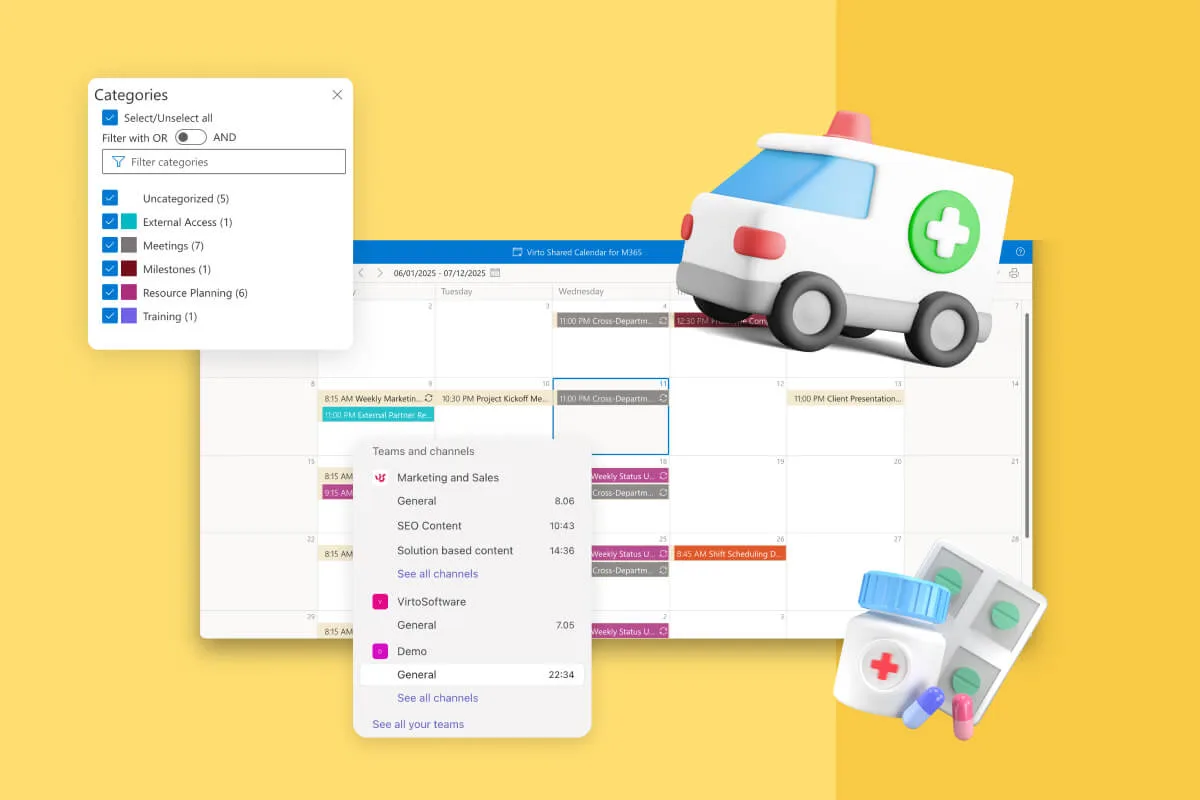
The Virto Calendar App is a flexible nurse scheduling software solution available in two versions — Virto Calendar App for SharePoint Online & Microsoft 365 and Virto Calendar App for Microsoft Teams. Both options are designed to fit seamlessly into the Microsoft ecosystem, allowing healthcare organizations to manage nursing schedules efficiently while maintaining full integration with existing tools.
- The SharePoint Online & Microsoft 365 version provides a centralized scheduling system where administrators can create, edit, and share nurse staff schedules directly within SharePoint. It integrates with Outlook and Power BI, ensuring synchronization, analytics, and compliance.
- The Microsoft Teams version brings scheduling directly into the communication hub — allowing nurses and managers to view, update, and confirm shifts without leaving Teams.
Both versions include notifications, reminders, and collaborative tools to simplify schedule management and improve coordination across departments.
- Best for: Healthcare organizations using Microsoft 365, SharePoint, or Teams as their core communication and collaboration environment.
- Advantage: Two flexible deployment options, fast implementation, deep integration with Microsoft 365, and full scalability for teams of any size.
Comparison table: nurse scheduling software overview
| Solution | Best For | Price Range | Scalability | Integration | Customization | Mobile Access |
| Kronos Workforce Scheduler (UKG) | Large hospitals, healthcare networks | $$$$ | ⭐️⭐️⭐️⭐️⭐️ | ERP, HRIS, T&A, BI tools | ⭐️⭐️⭐️⭐️⭐️ | ✔️ |
| Shiftboard | Mid-size and large hospitals | $$$ | ⭐️⭐️⭐️⭐️ | HRIS, Calendar, BI, Email | ⭐️⭐️⭐️⭐️ | ✔️ |
| Deputy | Small clinics, private practices | $$ | ⭐️⭐️ | Calendar, Payroll | ⭐️⭐️⭐️ | ✔️ |
| Virto Calendar App (SharePoint Online & Microsoft 365 / Microsoft Teams) | Microsoft-based healthcare organizations | $$–$$$ | ⭐️⭐️⭐️⭐️⭐️ | Teams, Outlook, SharePoint, Power BI | ⭐️⭐️⭐️⭐️⭐️ | ✔️ |
When choosing the best nurse scheduling software, it’s essential to consider your organization’s digital infrastructure, the complexity of staffing workflows, and long-term scalability.
For smaller teams, simplicity and cost-effectiveness are key — making tools like Deputy an ideal choice. Mid-size or larger hospitals needing flexible shift management may find Shiftboard a strong fit, balancing automation with self-scheduling capabilities. Enterprise environments with complex compliance requirements often turn to Kronos Workforce Scheduler (UKG) for its deep customization and advanced analytics.
For organizations already embedded in the Microsoft 365 ecosystem, the Virto Calendar App offers a uniquely integrated solution. Healthcare teams can choose between Virto Calendar App for SharePoint Online & Microsoft 365, which provides centralized schedule management with Outlook and Power BI integration, or Virto Calendar App for Microsoft Teams, enabling shift planning, confirmations, and notifications directly within Teams. Both options deliver seamless collaboration, automation, and scalability for nursing staff scheduling — suitable for small clinics as well as large hospital networks.
👉What is the best nurse scheduling software? There is no single answer — the “best” depends on your organization’s size, workflows, and ecosystem:
- Kronos excels in enterprise hospital networks.
- Shiftboard balances flexibility and control for mid-size hospitals.
- Deputy fits small clinics and private practices.
- Virto Calendar App (SharePoint Online & Microsoft 365 / Microsoft Teams) is ideal where collaboration, Microsoft 365 integration, and scalable scheduling are priorities.
Improve Your Nurse Scheduling Software with Virto Apps

Virto Shared Calendar
Virto Shared Calendar is a standalone web app and Microsoft Teams-integrated solution designed for simple event management with tagging, color-coding, and anonymous sharing.
Virto Calendar
Consolidate events from SharePoint, Exchange, Google, and more into one calendar view for simplified planning.
Virto Alerts & Reminder
Integrated within your daily tools like Microsoft Teams, the app ensures you stay ahead of all tasks and meetings.
How to Create Your Own Nurse Work Schedule
In modern healthcare, flexibility and autonomy are no longer bonuses — they’re becoming core expectations. That’s why more and more hospitals and clinics are adopting the self-scheduling model, a system that allows nursing staff to manage their own shifts within established organizational rules. This approach not only improves work-life balance but also increases engagement, reduces scheduling conflicts, and helps build a more transparent and motivated workplace culture.
What is self-scheduling for nurses?
Self-scheduling software for nurses empowers staff to choose available shifts from an open schedule window defined by management. Administrators set key parameters — such as required number of shifts, qualification levels, compliance limits, and department needs — while nurses can then “book” the slots that best fit their availability and preferences.
This system works best in environments with rotating or 24/7 shift structures, such as hospitals, rehabilitation centers, and long-term care facilities. When combined with automation and rule-based restrictions, self-scheduling software for nurses becomes not chaotic, but intelligently flexible — balancing personal choice with operational control.
For instance, using nurse scheduling software like Virto Calendar App for SharePoint Online & Microsoft 365, Kronos, or Shiftboard, nurses can easily select shifts while the system automatically checks for conflicts, overwork, or compliance breaches. It’s a win-win: managers maintain structure and fairness, while nurses gain more control over their time.
How to make your own schedule as a nurse
Creating your own schedule using nurse scheduling software is simple, yet highly efficient when done with intention:
Step 1: Log into your nurse scheduling system (e.g., Virto Calendar App for Microsoft Teams or SharePoint, Kronos, Shiftboard).
Step 2: Review the list of available shifts — typically released by the scheduling manager in advance.
Step 3: Select and book your preferred shifts, keeping in mind balance across day, evening, and night hours, as well as team coverage needs.
Step 4: If needed, send your chosen shifts for approval or request a swap with a colleague directly through the system.
Modern nurse staff scheduling software automatically updates the shared schedule and notifies relevant staff via push alerts or email once a change is confirmed — ensuring transparency and accuracy across the entire team.
Tips for effective self-scheduling
To make the most of self-scheduling and maintain healthy shift patterns, consider the following:
- Balance recovery time: Avoid stacking multiple long or night shifts without adequate rest.
- Coordinate with peers: Communicate with your unit to ensure coverage is even and no shift goes understaffed.
- Use reminders: Enable notifications so you never miss a shift or forget a scheduling deadline.
- Stay compliant: Check the scheduling rules and ensure your selections align with your hospital’s policies — like maximum weekly hours or night shift caps.
Self-scheduling empowers nurses to take ownership of their time while maintaining compliance and operational efficiency. With the right nursing staff scheduling software, hospitals can achieve a balance between flexibility and structure — improving both staff satisfaction and patient care outcomes.
👉How to make your own schedule as a nurse? Use a dedicated self-scheduling software for nurses, such as the Virto Calendar App for SharePoint Online & Microsoft 365, Shiftboard, or Kronos, to view open shifts, select preferred times, and manage your schedule. This digital model gives nurses autonomy while maintaining compliance, balance, and transparency within the staffing process.
Explore Our Use Cases for Nurse Scheduling Software

VirtoSoftware — The Optimal Nurse Scheduling Solution for Microsoft Teams and Microsoft 365
For healthcare organizations already operating in the Microsoft 365 ecosystem, VirtoSoftware offers the most natural and integrated way to manage nurse schedules — the Virto Calendar App. This intelligent nurse scheduling software is available in two deployment options to fit different workflows:
- Virto Calendar App for SharePoint Online & Microsoft 365 – ideal for organizations that rely on SharePoint as their central workspace. It allows administrators to plan, publish, and control nurse schedules directly within SharePoint, with full synchronization to Outlook and Power BI for analytics, compliance, and reporting.

- Virto Calendar App for Microsoft Teams – designed for healthcare teams that work primarily through Teams. It enables shift planning, role-based scheduling, and team coordination right inside the Teams interface — with no need to switch between applications.
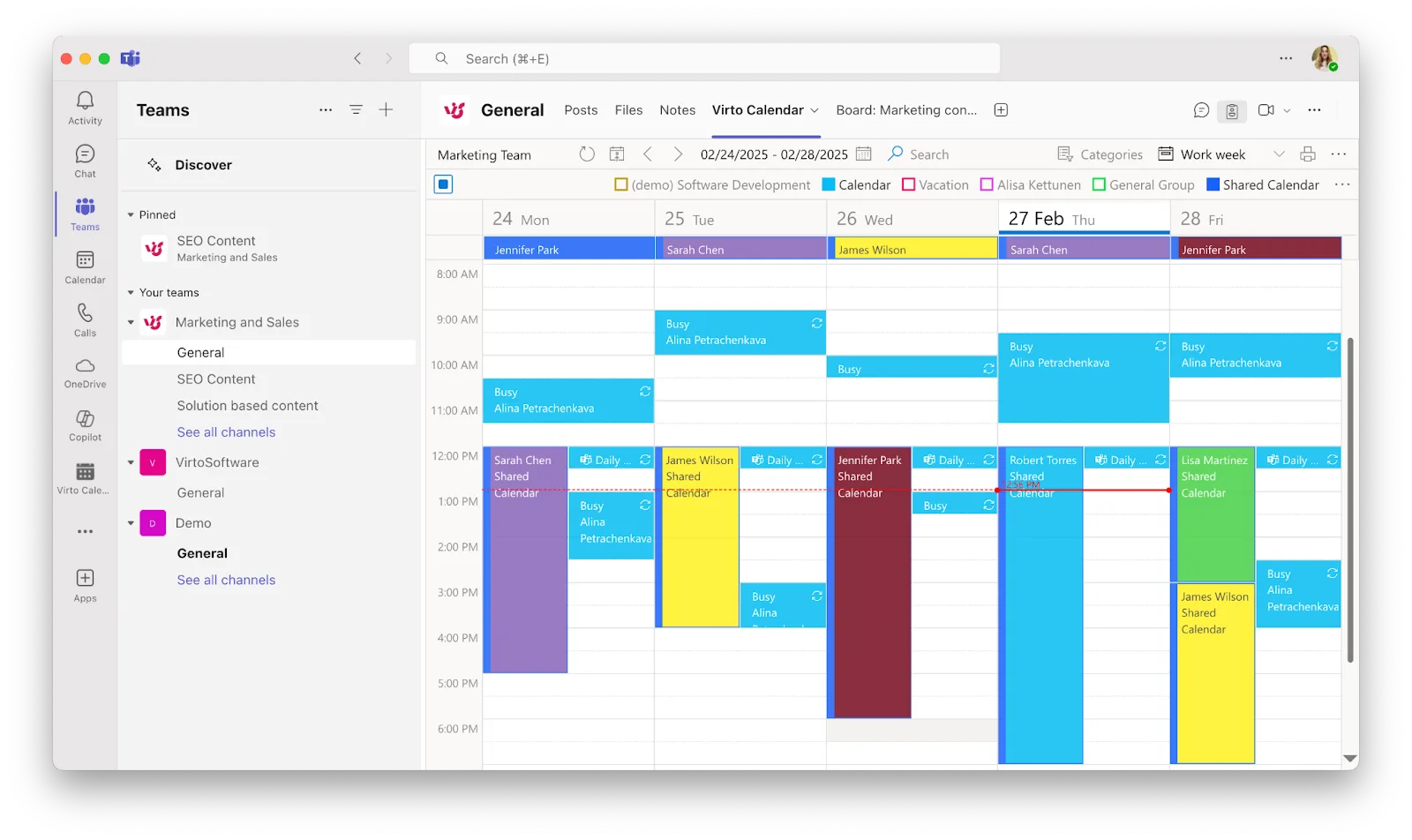
Both versions share the same goal: to simplify and automate nursing staff scheduling while keeping collaboration, communication, and documentation inside the Microsoft environment healthcare professionals already use every day.
How VirtoSoftware boosts nurse scheduling in Microsoft 365
VirtoSoftware’s ecosystem of tools extends beyond scheduling — it connects all elements of daily hospital operations into one seamless digital flow:
✅Shift planning directly in Microsoft Teams or SharePoint – Schedule nurses by department, qualification, or role, ensuring balanced workloads and full compliance with working-hour regulations.
✅Unified calendar visibility – Combine individual and team schedules in a single view, helping staff stay aligned on rotations and availability.
✅Automated alerts and reminders – The Virto Alerts & Reminders App ensures nurses never miss a shift by sending real-time notifications about updates, swaps, or schedule changes.
✅SharePoint integration for documentation – Keep shift policies, contracts, and compliance templates organized and easily accessible in a secure SharePoint repository.
A native Microsoft solution for nurse scheduling
Whether implemented through SharePoint Online & Microsoft 365 or Microsoft Teams, the Virto Calendar App transforms everyday scheduling into a streamlined, automated process. The software integrates seamlessly with existing M365 infrastructure, allowing hospitals and clinics to coordinate shifts, manage resources, and empower nursing staff without relying on third-party tools.
For organizations looking to combine self-scheduling software for nurses, nurse staff scheduling automation, and deep integration with Microsoft services, VirtoSoftware provides the most efficient and scalable approach — helping healthcare teams plan smarter, work faster, and collaborate better.
👉What is the best nurse scheduling software for Microsoft Teams and Microsoft 365? The Virto Calendar App, available for both SharePoint Online & Microsoft 365 and Microsoft Teams, delivers a fully integrated nurse staff scheduling software experience. Combined with The Virto Alerts & Reminders App, it offers automation, compliance, and real-time collaboration — all within the familiar Microsoft environment.
Conclusion
In modern healthcare, automating nurse scheduling is not just about convenience — it’s about ensuring the smooth, efficient, and safe operation of the entire organization. Manual scheduling often leads to errors, uneven workloads, and administrative overload, while automation creates structure, transparency, and consistency.
A reliable nurse scheduling software benefits everyone involved:
- For administrators, it simplifies planning, compliance tracking, and last-minute changes.
- For nurses, it ensures fairness, predictability, and a better work-life balance, allowing them to focus on patient care instead of logistics.
When selecting the right nurse scheduling system, it’s crucial to consider the organization’s scale, existing IT infrastructure, and the preferences of the clinical staff. A flexible, integrated solution will adapt to your workflows — not the other way around.
For healthcare institutions operating within the Microsoft ecosystem, VirtoSoftware offers a clear advantage. The Virto Calendar App (available for SharePoint Online & Microsoft 365 and Microsoft Teams) provides an intuitive, automated scheduling experience directly inside the tools your team already uses. Combined with the Virto Alerts & Reminders App, it keeps every shift visible, every update synchronized, and every nurse informed in real time.By embracing automation with VirtoSoftware, hospitals and clinics can transform their scheduling process into a transparent, data-driven, and collaborative system — one that empowers both management and medical staff to deliver care with confidence and precision.