





New: Virto Calendar App now opens right inside Teams, Outlook and Microsoft 365 Learn more about Virto Calendar App in Teams, Outlook and Microsoft 365→

Comparison

Virto Calendar App vs. the calendars already in Microsoft 365

Outlook, SharePoint and Teams each have a calendar. What each one shows, who sees it, and when one calendar for everyone pays off.

In Microsoft Marketplace: Virto Calendar Overlay

Calendars you already have

  • Outlook and group calendars
  • Room calendars
  • SharePoint lists
  • Planner
  • Teams meetings
  • Google and iCloud feeds
One calendar for everyone On a SharePoint page, in a Teams tab and in the browser

In short

  • Microsoft 365 gives a calendar to each person, each site and each team.
  • Virto Calendar App puts them into one calendar, set up once, that everyone opens.
  • Events stay in Outlook and SharePoint. Everyone keeps their Microsoft 365 rights.

Seven questions, five calendars

Question Outlook shared and group calendars SharePoint calendar and Events web part Teams calendar and channel meetings A spreadsheet Virto Calendar App
Outlook, SharePoint lists and Planner in one view?NoSharePoint lists stay in SharePointNoEvents lists onlyNoOutlook calendars onlyNoTyped in by handYesPlus room, Google and iCloud calendars
Does everyone see the same calendar?NoEach person adds their ownYesSame web part on the pagePartlyChannel meetings onlyYesOne shared fileYesSet up once on a page or tab
A view of the whole year?NoDay to MonthNoA list of upcoming eventsNoDay to MonthPartlyIf you build the gridYesYear, Year Quarter, Flat Year
Recurring events?YesNoNot in the Events web partYesRecurring meetingsNoOne copied row per dateYesAlso in SharePoint lists
Rights for each person?YesThe owner sets each person’s levelYesSite and list permissionsPartlyThe whole team sees channel meetingsNoEditors can change any rowYesMicrosoft 365 rights in each source
Where does it open?OutlookOutlook on the webSharePoint pageTeamsExcelSharePoint pageTeams tabBrowser
Extra cost?Included in Microsoft 365Included in Microsoft 365Included where your plan has TeamsIncluded in Microsoft 365$2,412 a year for 100 users (3-year agreement). 30-day free trial

Microsoft facts checked on Microsoft Support and Microsoft Learn on 23 October 2026. Sources under each calendar below.

See it in the browser

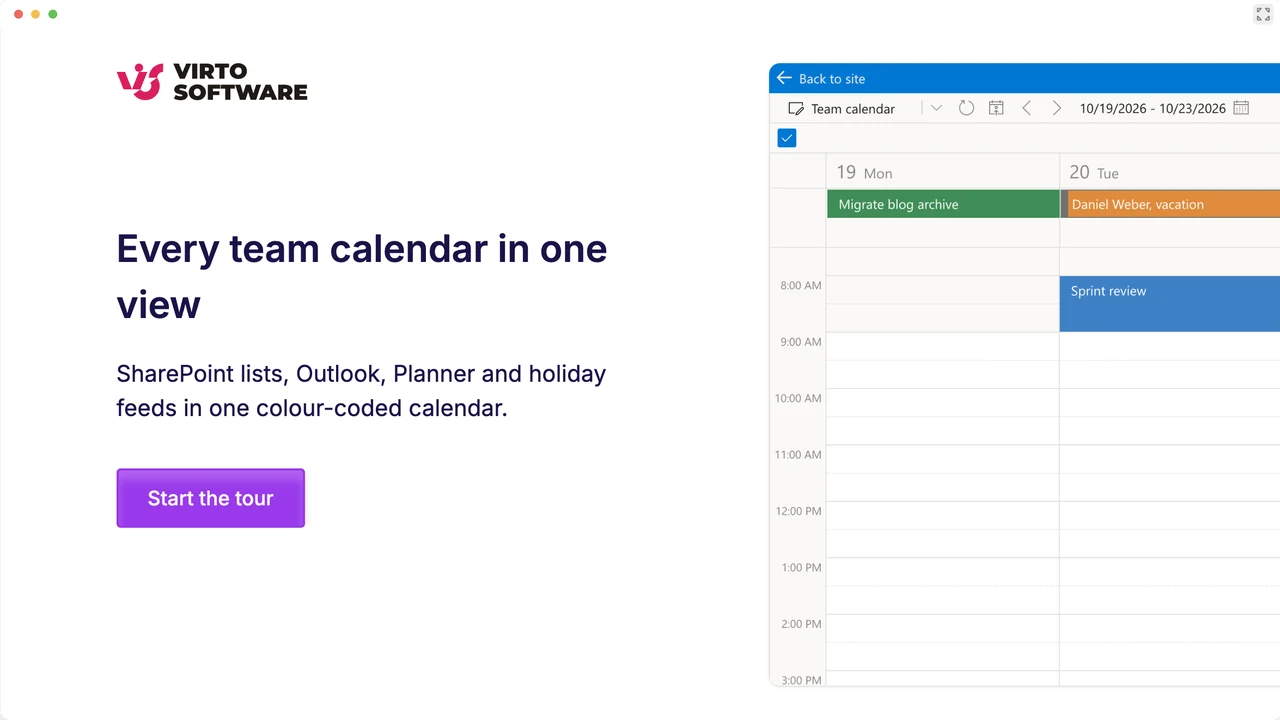
A team calendar made of SharePoint lists, Outlook, Planner and holiday feeds. Nothing to install.

Interactive Demo

Launch Interactive Demo

Calendar by calendar

Outlook shared and group calendars

What it does well:Your own scheduleSharing at the level you chooseGroup calendars for members

Where it stops

  • Each person adds the calendars they want to see
  • Owners set access person by person, from free/busy to delegate
  • Views end at Month
  • Dates in SharePoint lists stay in SharePoint

With Virto Calendar App

  • One calendar, set up once, for everyone
  • Outlook next to SharePoint lists, Planner, Google and iCloud
  • Year, Year Quarter and Flat Year views
  • The same Outlook rights

Microsoft sources:Change how you view your Outlook calendarShare or delegate a calendar in OutlookManage the Microsoft 365 Groups calendar

The SharePoint calendar and the Events web part

What it does well:Events on the intranetEvents lists from up to 30 sitesAny dated list as a calendar

Where it stops

  • Events web part: cards or a compact list, no calendar grid
  • No recurring events in the Events web part
  • Group calendar web part: one group, 10 events, 6 months ahead
  • The classic calendar list stays in classic SharePoint

With Virto Calendar App

  • Lists from any site in one Day-to-Year grid
  • Recurring events included
  • Outlook, group and room calendars alongside
  • Leave requests approved in the calendar

Microsoft sources:Use the Events web partUse the Group calendar web partCreate a calendar view from a listMaximize use of modern lists and libraries

The Microsoft Teams calendar and channel meetings

What it does well:Your Outlook calendar in TeamsColleagues' calendars side by sideChannel meetings for the team

Where it stops

  • Each person picks the calendars they see
  • A channel meeting invites the whole team
  • No categories for channel meetings
  • Views end at Month

With Virto Calendar App

  • One channel tab for the whole team
  • Leave and deadlines next to meetings
  • A Teams meeting from any event
  • Year, Year Quarter and Flat Year views

From mid-December 2026: channel meetings from the Teams calendar and classic Outlook (MC1509796). What changes

Microsoft sources:Get started with the Microsoft Teams calendarView multiple calendars in Microsoft TeamsManage your calendar in Microsoft TeamsSchedule a meeting in Microsoft Teams

A spreadsheet

What it does well:Quick to startEveryone knows itYour own columns

Where it stops

  • Rows, not a calendar
  • Meetings and leave typed in twice
  • A recurring event is a copied row
  • Editors can change any row

With Virto Calendar App

  • Events stay in their sources
  • Edits go back to Outlook or SharePoint
  • Day, Week, Month and Year views
  • Microsoft 365 rights apply

When the calendar you have is enough

  • See when a colleague is free

    Outlook sharing, or Scheduler in Teams

  • One team, its own meetings

    Channel meetings in Teams

  • Next few events on the intranet

    The Events web part

  • A short list of dates

    A shared spreadsheet

When one calendar for everyone pays off

  • Several teams need the same dates
  • Dates live in Outlook, SharePoint and Planner
  • You plan by quarter or year
  • The calendar belongs on the intranet and in Teams

Before you start

Where it runs
SharePoint Online, Teams and the browser, on one license. SharePoint Server: Virto Calendar On-Premises.
Your data
Stays in your Microsoft 365 tenant. The backend runs on Azure (US) and processes events in memory only.
Licenses
One for everyone who opens the calendar, viewers included. Assigned on first open.
Trial
30 days free from Microsoft Marketplace. No free plan. An admin approves the app once.

Questions buyers ask

Does it replace Outlook or the Teams calendar?

No. Outlook and Teams stay as they are. Virto Calendar App shows them together with SharePoint lists and Planner, and edits go back to the source.

Do we have to move our events into it?

No. Events stay where they are; the app reads them there. Nothing to migrate.

Will everyone see the same events?

Everyone opens the same calendar, and each person sees what their Microsoft 365 rights allow.

Who sees what in Virto Calendar App

What changes for channel meetings in December 2026?

Channel meetings can be created from the Teams calendar and classic Outlook (MC1509796), rolling out mid-December 2026 to late January 2027. A channel meeting still belongs to one channel.

Channel meetings from the Teams calendar: what changes

Does it work with SharePoint Server?

No, it runs on SharePoint Online. For SharePoint Server, use Virto Calendar On-Premises.

Virto Calendar On-Premises

Is it certified by Microsoft?

It has Microsoft Publisher Attestation, a self-assessment Microsoft publishes on Microsoft Learn. It does not hold Microsoft 365 Certification.

Security & Compliance

Talk to our team

Need clarity on our app's suitability for you? Set up a quick call with us or chat via Microsoft Teams chat to explore its potential for your needs.