


Training Booked Before the Certificate Runs Out
Training requests, course dates and certificate expiry dates in one SharePoint site: a request form, a board, one calendar, a bulk upload for the scans and reminders before a certificate runs out. Built with the Virto M365 Productivity Kit.



Trusted by Industry Leaders


and over 8,000 businesses worldwide
Five Steps, Five Apps, One Site
Training sessions, training requests and certificates are ordinary SharePoint lists and a document library. Each step is one Virto app on top of them; together the five apps are the Virto M365 Productivity Kit. The screens are from our demo site.
Step 1 · Plan
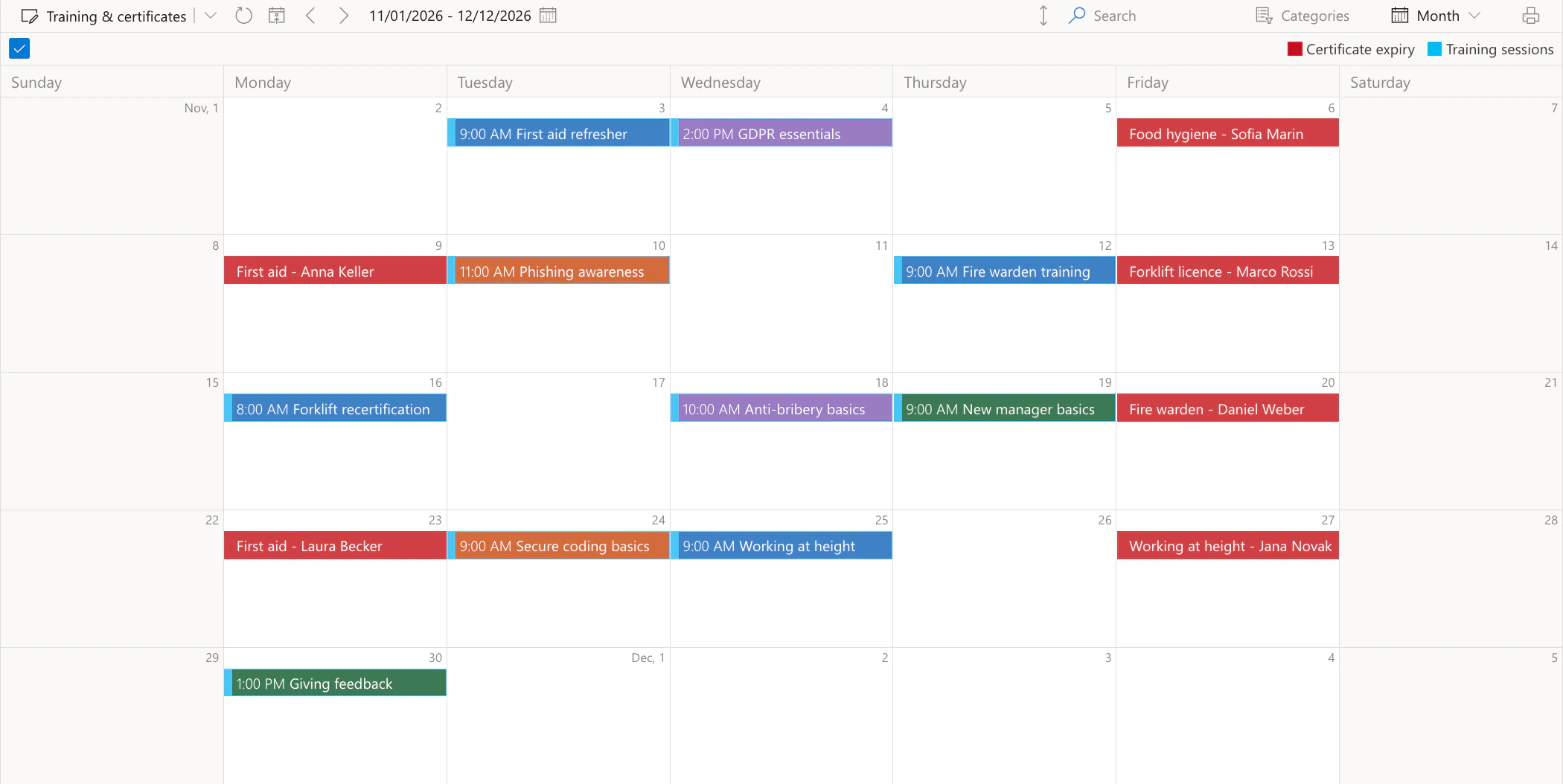
Courses and expiry dates on one calendar
A list and a library, one view
Sessions come from a list and expiry dates from the certificates library; each entry stays an item of its own source, with its permissions.
Colour by category
Sessions take their colour from the Category column: safety in blue, compliance in purple, IT security in orange, leadership in green.
Step 2 · Request
A training request in one short form
Only what the employee knows
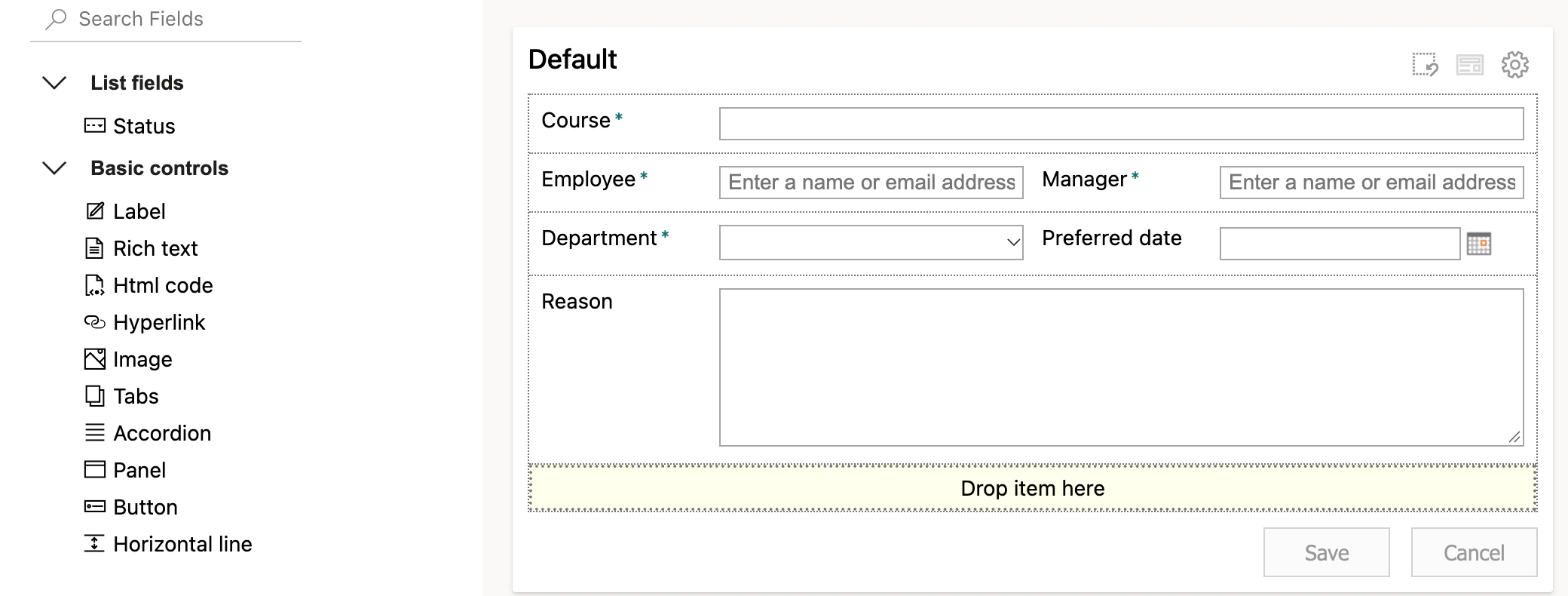
Course, employee, manager, department, preferred date and the reason. A new request starts as Requested.
Published once by an admin
Publishing the form needs a SharePoint admin to allow custom scripts on the site. The setting switches itself off within a day, and the published form keeps working.
Step 3 · Approve
Requests move across a board
Columns are the status
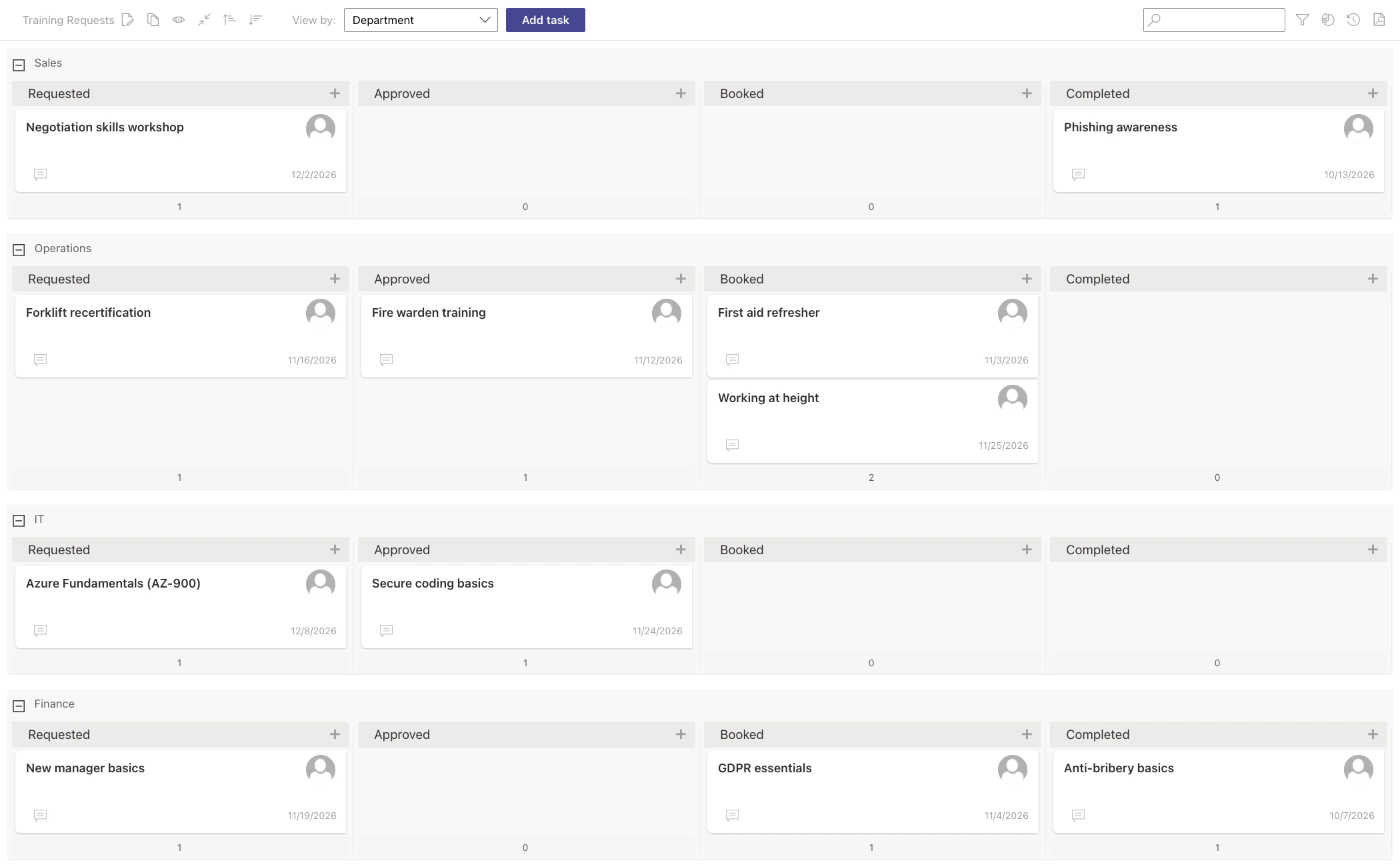
Requested, Approved, Booked and Completed are the Status column of the requests list; moving a card changes it.
A lane per department
Swimlanes come from the Department column, so each manager finds their team's requests in one row.
Step 4 · File
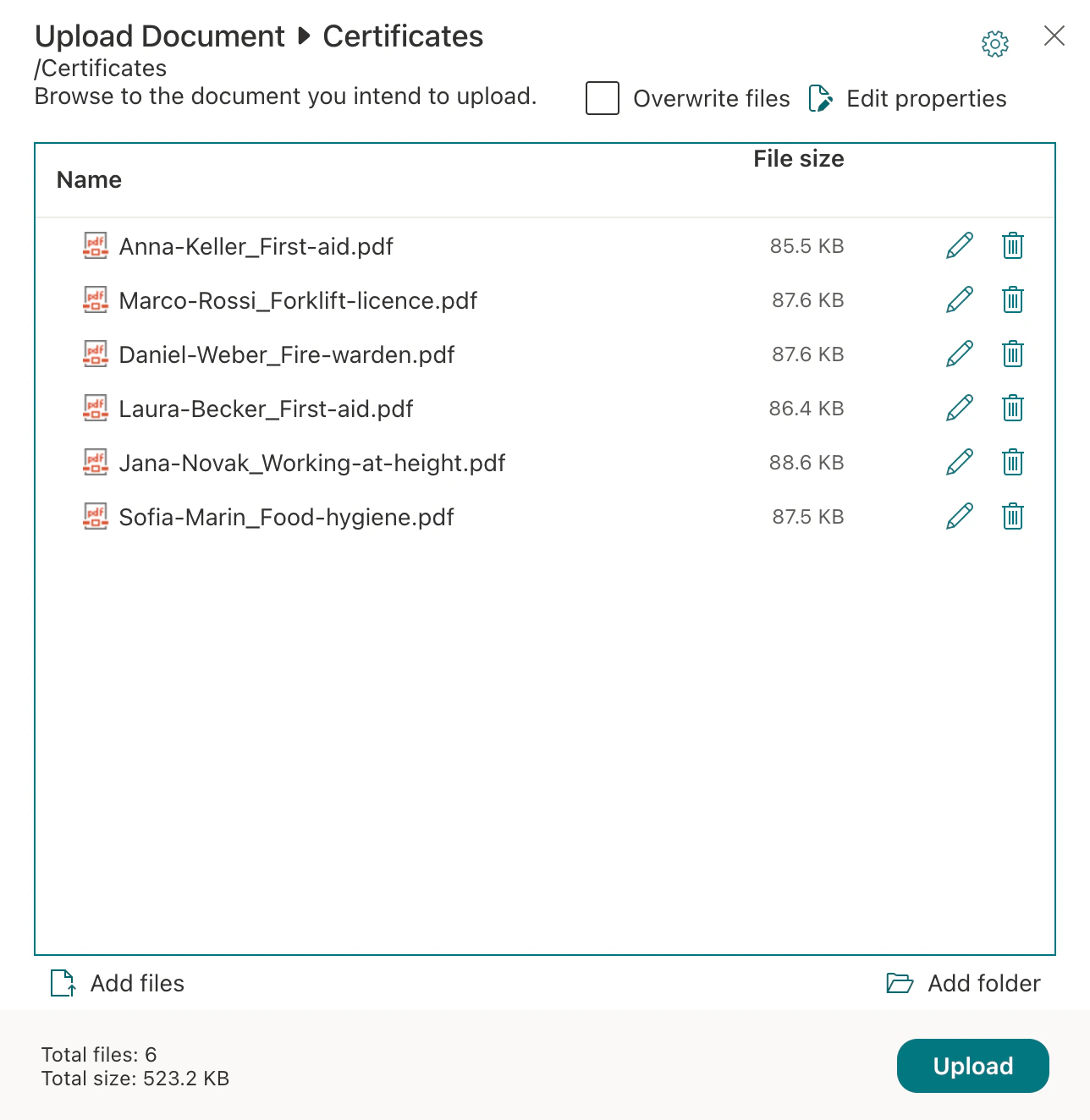
A batch of certificate scans in one upload
The whole batch at once
After a training day, the scans go into the library in one upload, under its versions and permissions.
The expiry date is a column
Employee, Manager and Expiry date are columns of the library, filled in grid view; the calendar and the reminders read them from there.
Step 5 · Remind
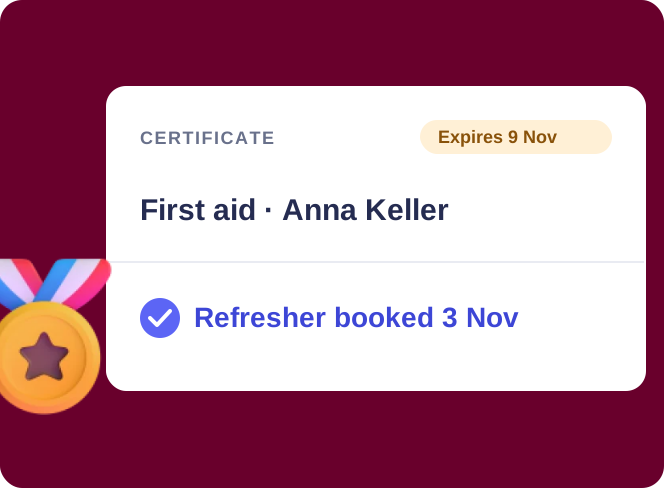
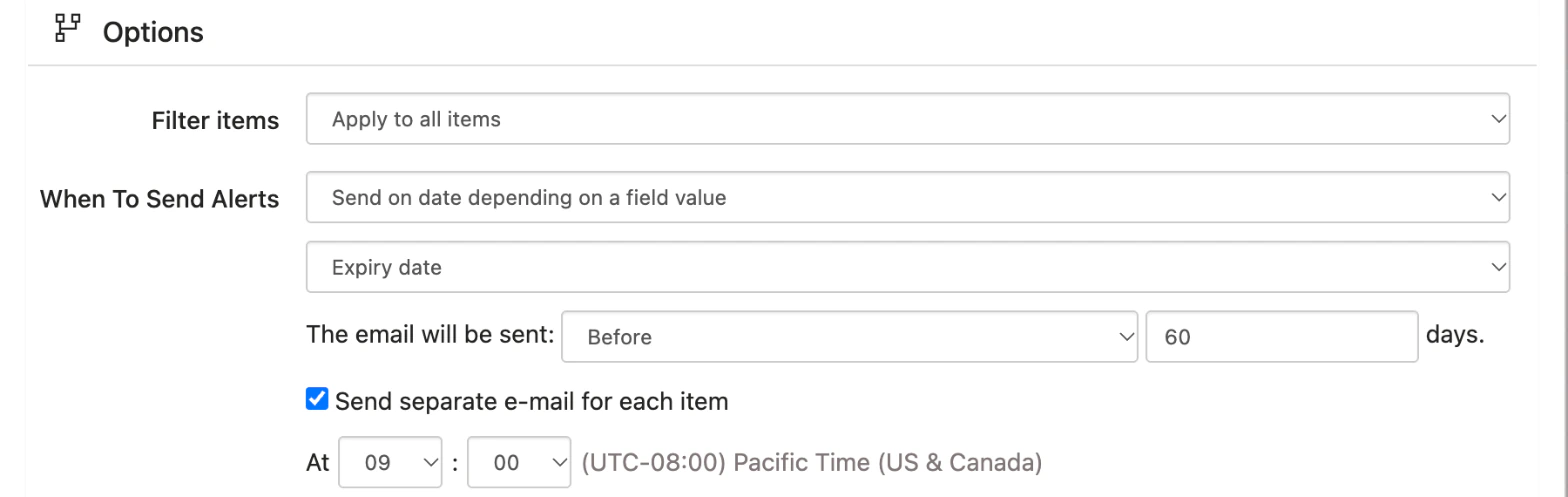
Sixty days before a certificate expires, the employee hears
To the employee, the manager in copy
The rule writes to the person in the Employee column and copies the person in the Manager column, so a new certificate needs no new rule.
Course dates in a Teams channel
A reminder on the sessions list can also post upcoming courses to the channel you choose through a Workflows link.
Key benefits

No separate training system
Sessions, requests and certificates are SharePoint lists and a library your tenant already has. The apps add the calendar, the form, the board, the bulk upload and the reminders.
Reminders built from the record
The rules read the expiry date and the people in each row, so next year's certificates need no new setup.
Expiry dates you can see
The calendar does not flag a missing course by itself. It puts expiry dates next to the sessions, so a certificate with no course before it stands out.
Your data stays in your tenant
Lists, scans and events stay in your Microsoft 365 tenant under your permissions; the apps process them without storing them.
Version history is the record
The library and the lists keep versions, so who uploaded or changed a certificate, and when, is one click away.
Five apps, one subscription
The five apps come together as the Virto M365 Productivity Kit: one quote, one invoice, one renewal date.
What training records need, and what runs them
Sessions sit in one list, certificates in a document library.

The list and the library overlay in one calendar, coloured by category, with a clickable legend; each entry stays an item of its own source.

One form on the requests list with the fields an employee knows; the status is left to the board.

The requests list as a board: columns from Status, lanes from Department, the preferred date on each card.

Bulk Upload puts the whole batch into the Certificates library at once.

Two rules write to the person in the Employee column 60 and 30 days before the expiry date, with the manager in copy.
The kit keeps the requests, the dates, the scans and the reminders. Course content, tests and completion records belong to an LMS.
Virto M365 Productivity Kit
See the whole cycle in your own tenant
Related use cases
Discover our range of use cases to take your planning and coordination to another level
Corporate Training Calendar
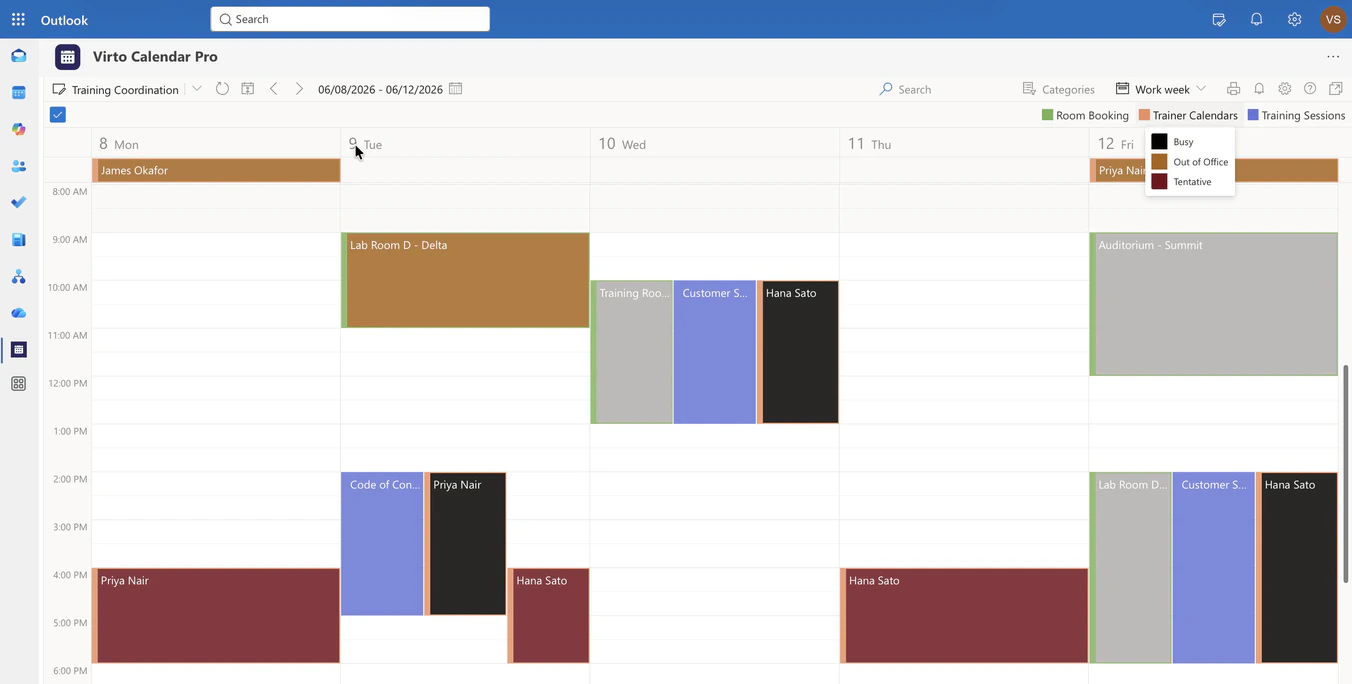
Overlay the training sessions list, room mailboxes and trainer calendars in one Microsoft 365 calendar, so L&D sees whether a session can happen at that time, in that room, with that trainer.
Learn more about Corporate Training Calendar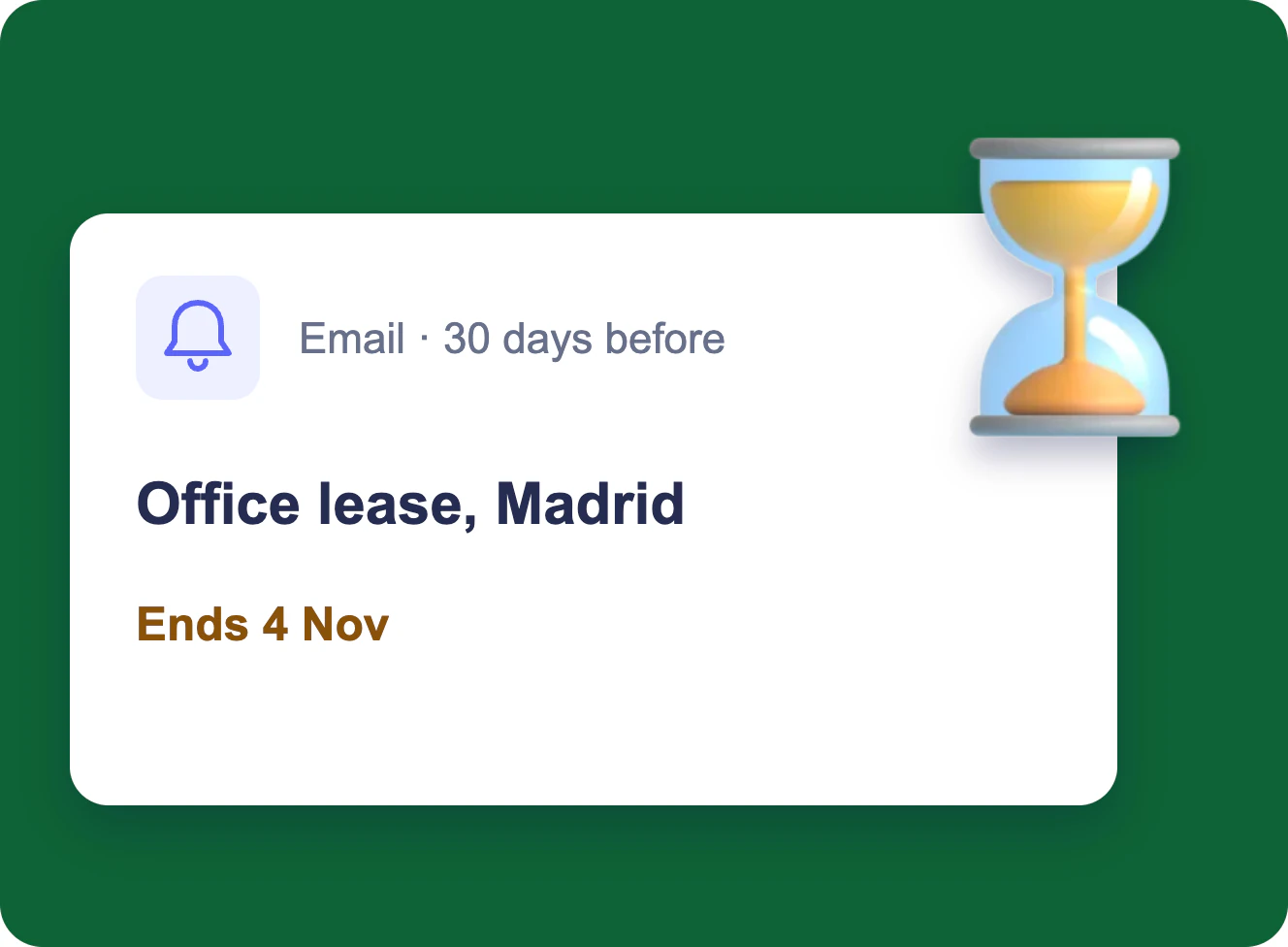
Expiration & Renewal Reminders
Each owner gets an email 90, 60 and 30 days before a contract, certificate or licence ends, and the team lead gets one weekly table — from the SharePoint list you already keep.
Learn more about Expiration & Renewal Reminders
CAPA and Audit Findings in Microsoft 365
One audit finding from the audit plan to a closed record in Microsoft 365: a calendar, a form, a board, an evidence folder and reminders for ISO 9001, 20000-1, 27001 and CMMI, without a separate QMS.
Learn more about CAPA and Audit Findings in Microsoft 365