


One Calendar View. Sixteen Real Business Setups.
Explore 16 governed Microsoft 365 calendar setups for operations, departments, and leadership—each combining the sources teams already own into one useful planning view.



Trusted by Industry Leaders


and over 8,000 businesses worldwide
What Makes a Calendar Setup Useful

A clear decision owner
Each setup begins with who must make a decision: Facilities, HR, PMO, CAB, a regional lead, or an executive office.
Real source combinations
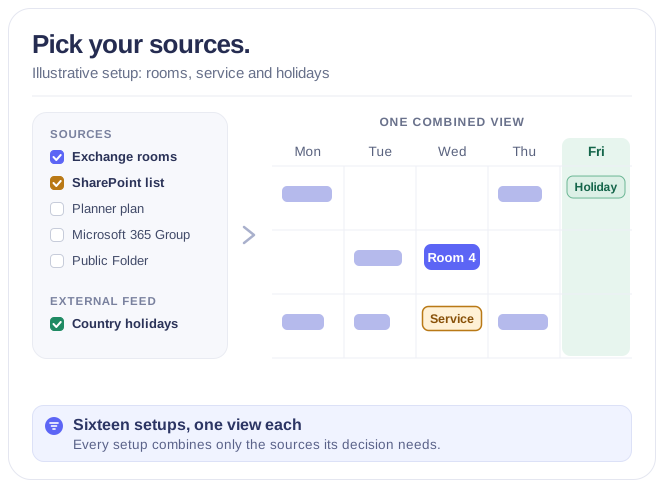
Exchange, SharePoint, Planner, Microsoft 365 Groups, Public Folders, and ICS feeds appear only where their dates create useful context together.
No duplicate system of record
Teams continue working in the calendars and lists they already maintain; the view brings the relevant layers together.
Privacy and permissions first
Use appropriate access, safe aggregation, and selective event detail—especially for people calendars and HR information.
Views are flexible, not the product
Choose the scale that helps the audience act: operational Day or Week, planning Month or Quarter, and governed Flat Year for annual leadership decisions.
Start with a few sources
Begin with the calendars your team already checks and the one decision the view should support; add more sources once that view is in use.
16 Microsoft 365 Calendar Setups
Sixteen source combinations for the decisions Microsoft 365 teams make every day—from shared resources to annual leadership planning.
Meeting Rooms Across Offices
See availability of Exchange room mailboxes from every office in one shared calendar, helping facilities and employees compare spaces and pick a suitable meeting room.
Learn more about Meeting Rooms Across OfficesShared Assets & Maintenance
Overlay Exchange equipment mailboxes with a SharePoint maintenance list, so teams distinguish reservation conflicts from technical unavailability before planning shared asset usage.
Learn more about Shared Assets & MaintenanceTeam Availability
View authorized Exchange user calendar folders side by side with privacy-aware detail levels, giving colleagues shared time context without exposing personal appointment information.
Learn more about Team AvailabilityCross-Department & Regional Calendar
Combine multiple Microsoft 365 Group calendars into one coordinated view of key dates across departments and regions, while each group keeps full ownership of its own calendar.
Learn more about Cross-Department & Regional CalendarIT Change Calendar
Surface changes, releases, freezes, and maintenance windows from multiple SharePoint lists so CAB members see the full picture in one view.
Learn more about IT Change CalendarExternal Dates vs Internal Plan
Overlay authoritative external ICS feeds alongside internal Microsoft 365 Group calendars to compare fixed external dates with your own planning.
Global Leave & Country Holidays
Combine approved SharePoint leave lists with country holiday ICS feeds so HR teams see coverage context without exposing sensitive absence reasons.
Learn more about Global Leave & Country HolidaysPortfolio Delivery Roadmap
Bring selected Planner tasks and SharePoint portfolio milestones together so PMO teams compare delivery dates against governance approval gates.
Marketing Campaign & Launch
View Planner campaign work alongside Microsoft 365 Group campaign calendars to align campaign tasks with fixed webinars, reviews, and launches.
Learn more about Marketing Campaign & Launch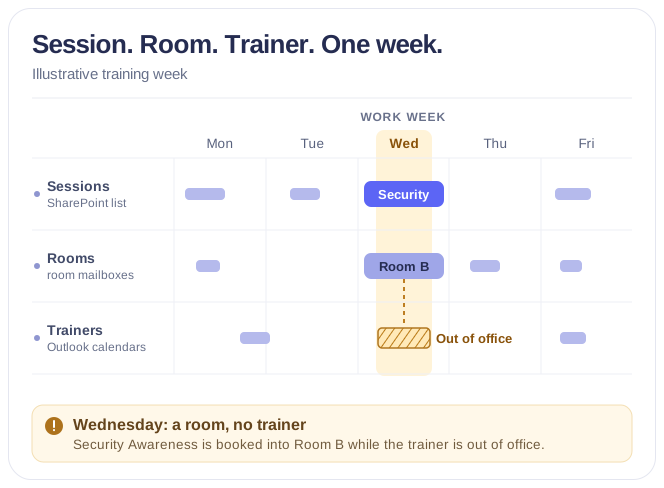
Training Coordination
Coordinate SharePoint training sessions, Exchange room mailboxes, and authorized trainer calendars so L&D teams see session, trainer, and room together.
Learn more about Training CoordinationField Service Resource Board
Combine SharePoint work orders, equipment mailboxes, and authorized technician calendars so operations teams check job, person, and asset alignment.
Learn more about Field Service Resource BoardLegacy Calendar Consolidation
Roll up Exchange Public Folder calendars, Microsoft 365 Group calendars, and SharePoint event lists into a single transition-period view.
Executive Annual Operating Calendar
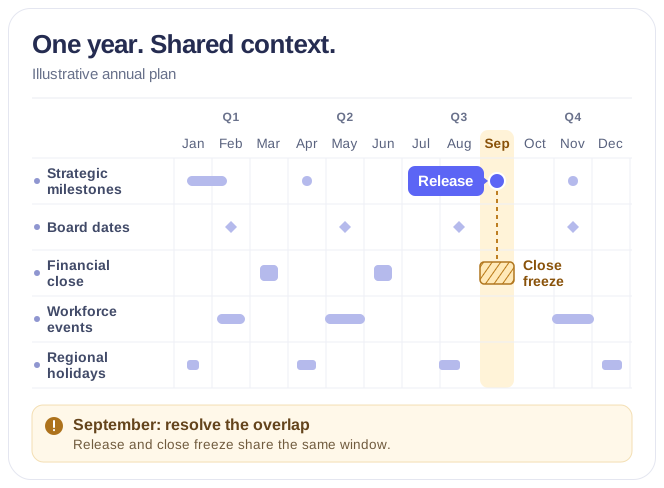
Combine approved strategic SharePoint milestones, selected Planner milestones, and Board, QBR, and executive commitments so CEO and COO see annual strategic-load context in a Flat Year view.
Learn more about Executive Annual Operating Calendar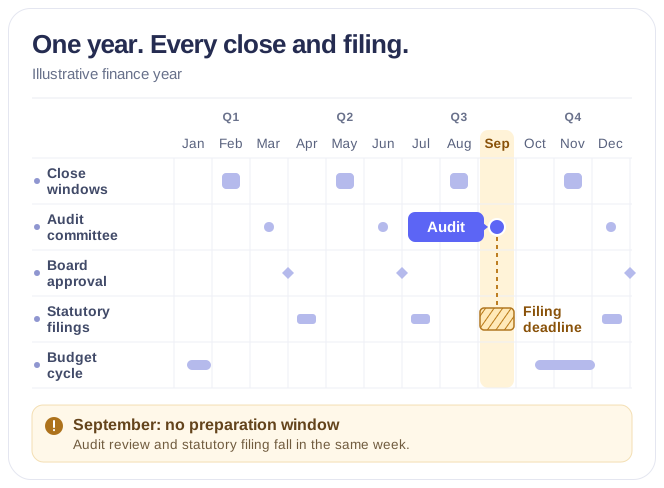
CFO Close, Reporting & Governance
Overlay Finance SharePoint registers, Finance, Board, and Audit Group calendars, and an optional statutory ICS feed so the CFO sees timing and sequence.
Learn more about CFO Close, Reporting & Governance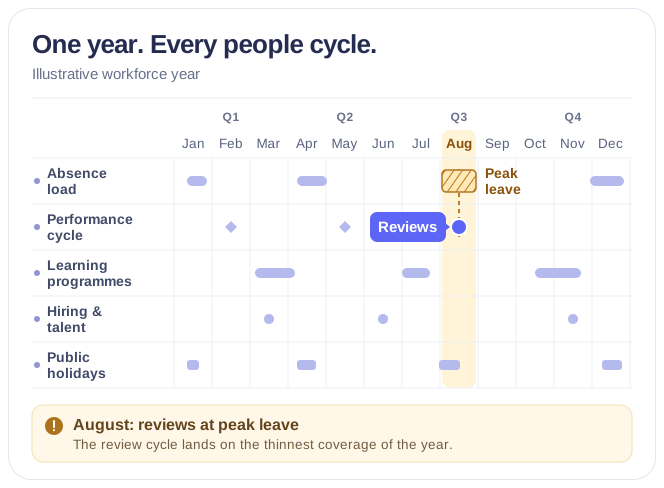
CHRO Workforce Cycle & Capacity
View safely aggregated approved leave, country holiday ICS feeds, and L&D, Talent, and closure Group events for annual capacity context without individual absence reasons.
Learn more about CHRO Workforce Cycle & Capacity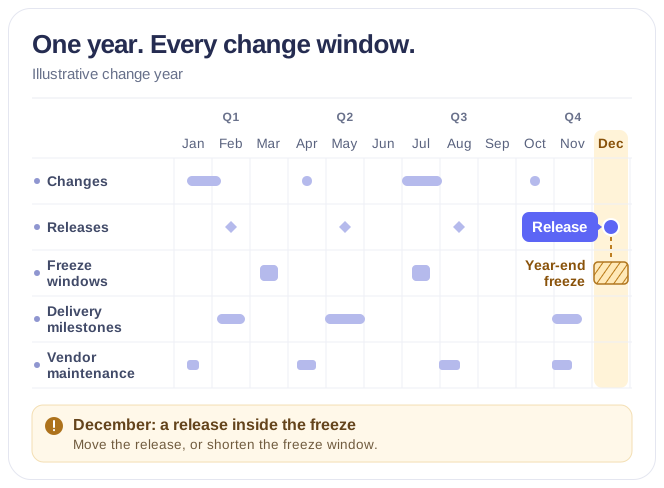
CIO Change, Release & Freeze Risk
Overlay approved SharePoint change and release records, strategic Planner milestones, IT and Product Group calendars, and optional vendor ICS for annual timing context.
Learn more about CIO Change, Release & Freeze RiskTalk to our team
Need clarity on our app's suitability for you? Set up a quick call with us or chat via Microsoft Teams chat to explore its potential for your needs.