


Every Business Unit's Changes and Releases in One View
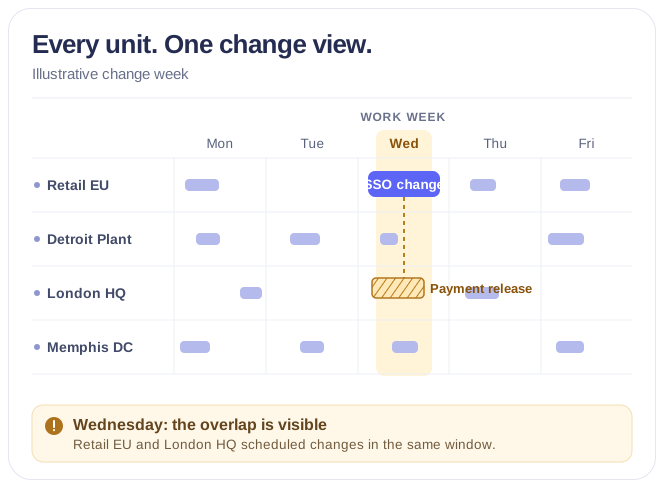
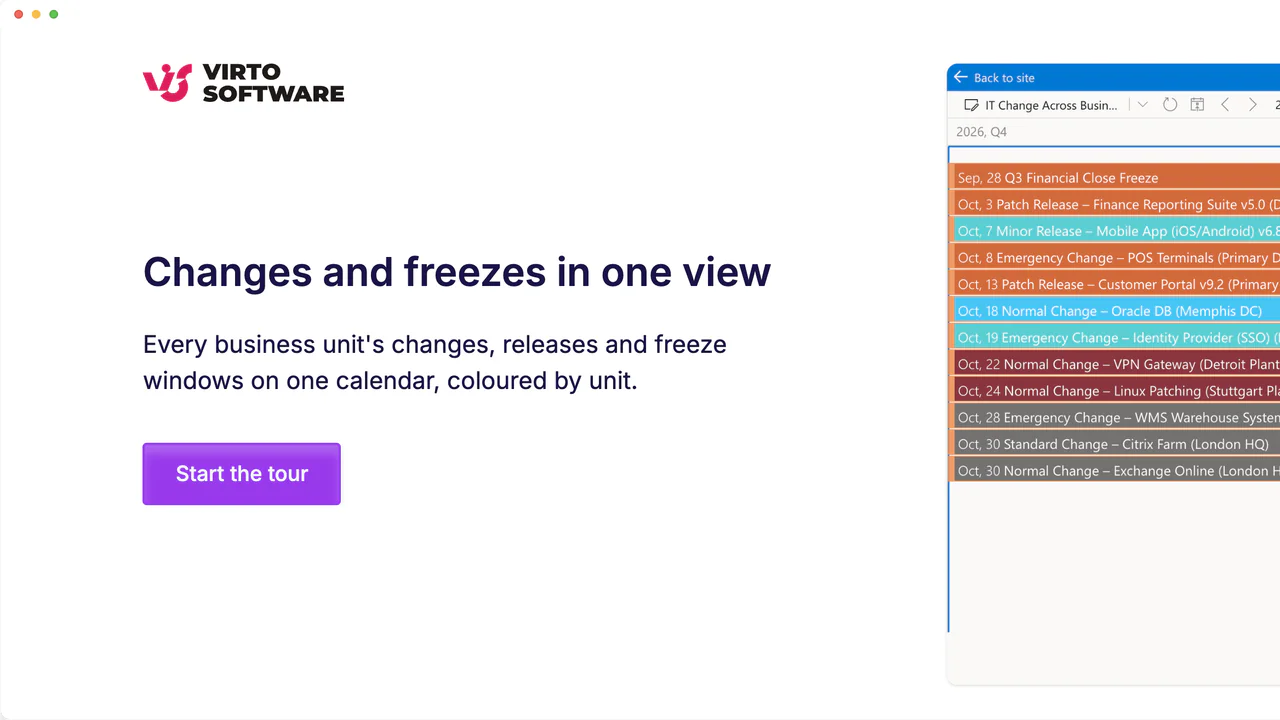
Overlay the change, release and maintenance lists every business unit keeps in SharePoint in one Microsoft 365 calendar, so IT sees colliding windows before they open.



Trusted by Industry Leaders


and over 8,000 businesses worldwide
Launch Interactive Demo
One Change Calendar Across Business Units
Overlay the change, release and maintenance lists your sites already keep in SharePoint — without a consolidated list to maintain, and without moving a single record.
Quarter
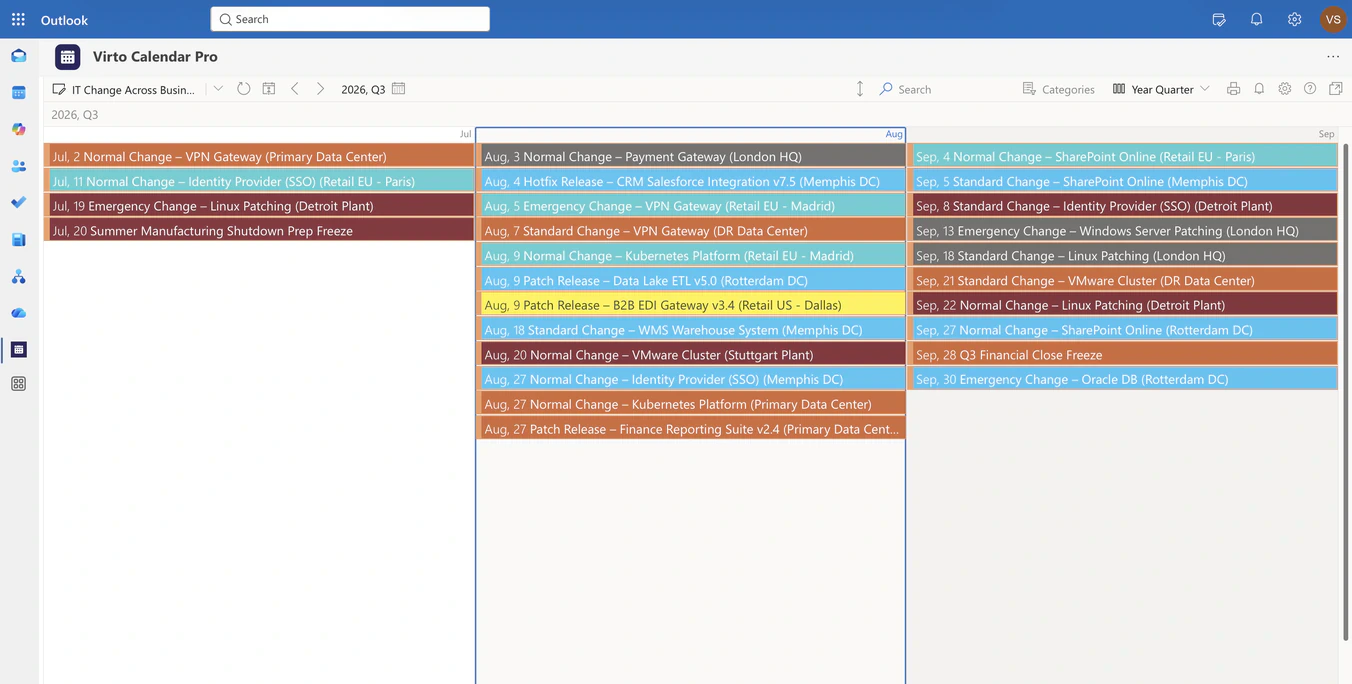
Every business unit's changes in one quarter
One list per unit, one calendar for IT
Each site or business unit keeps its own SharePoint change list — a data center, a plant, a retail region. Virto Calendar App overlays them, so the change manager reads a whole quarter of changes without opening five sites.
The type, the system and the site in every title
Normal, standard and emergency changes, hotfixes and patch releases keep the naming their list already uses, and the affected system and site stay in the title — so a collision can be judged from the list alone.
Colour by source
Every list gets its own colour, so a quarter shows at a glance which unit owns the density, and where two units are working on the same system in the same week.
Week
Where a change lands inside another unit's window
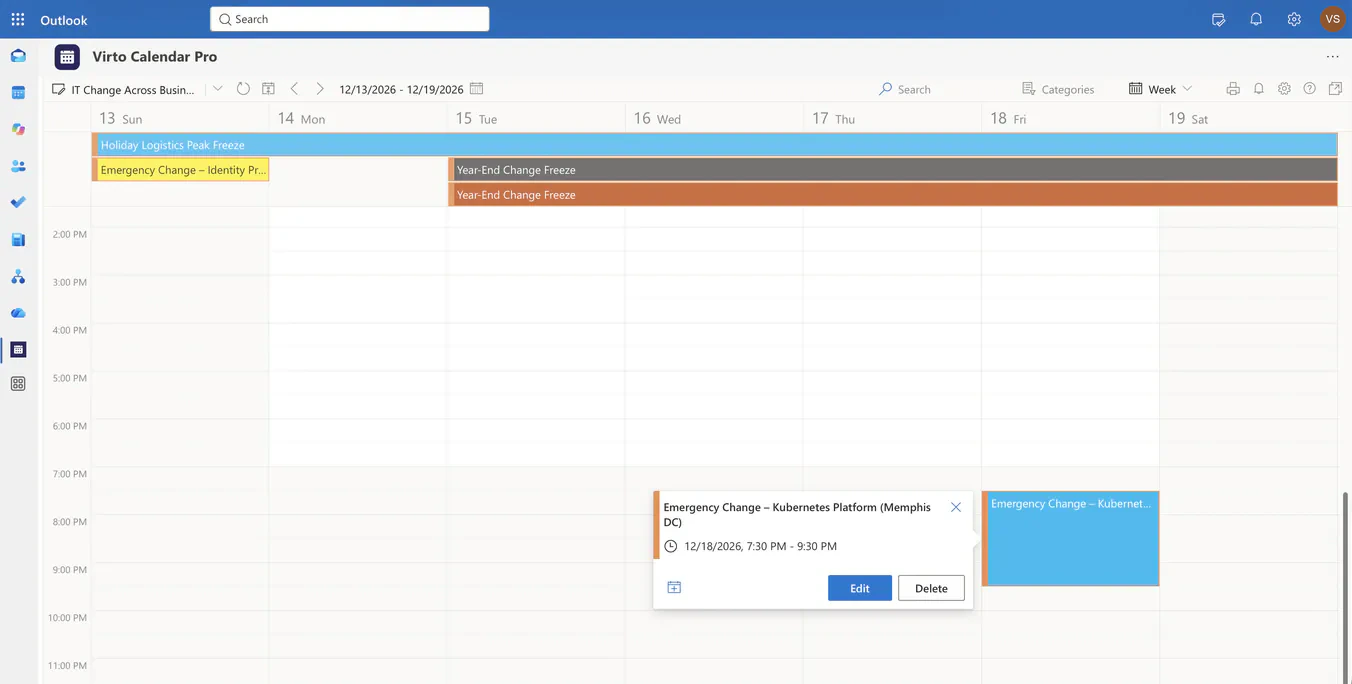
Freeze and maintenance windows as all-day bars
The peak-season window logistics declared and the year-end freezes from two other units are drawn along the top of the week, so a change scheduled into them is read against them — not discovered afterwards.
Emergency changes in context
An emergency change still happens during a freeze. Here it is visible on Sunday against the peak-season window, so the CAB sees which window it entered and whose.
Week to quarter, same sources
Switch from Week to Month or Year Quarter without rebuilding the setup — the lists, the colours and the permissions stay the same at every scale.
Month
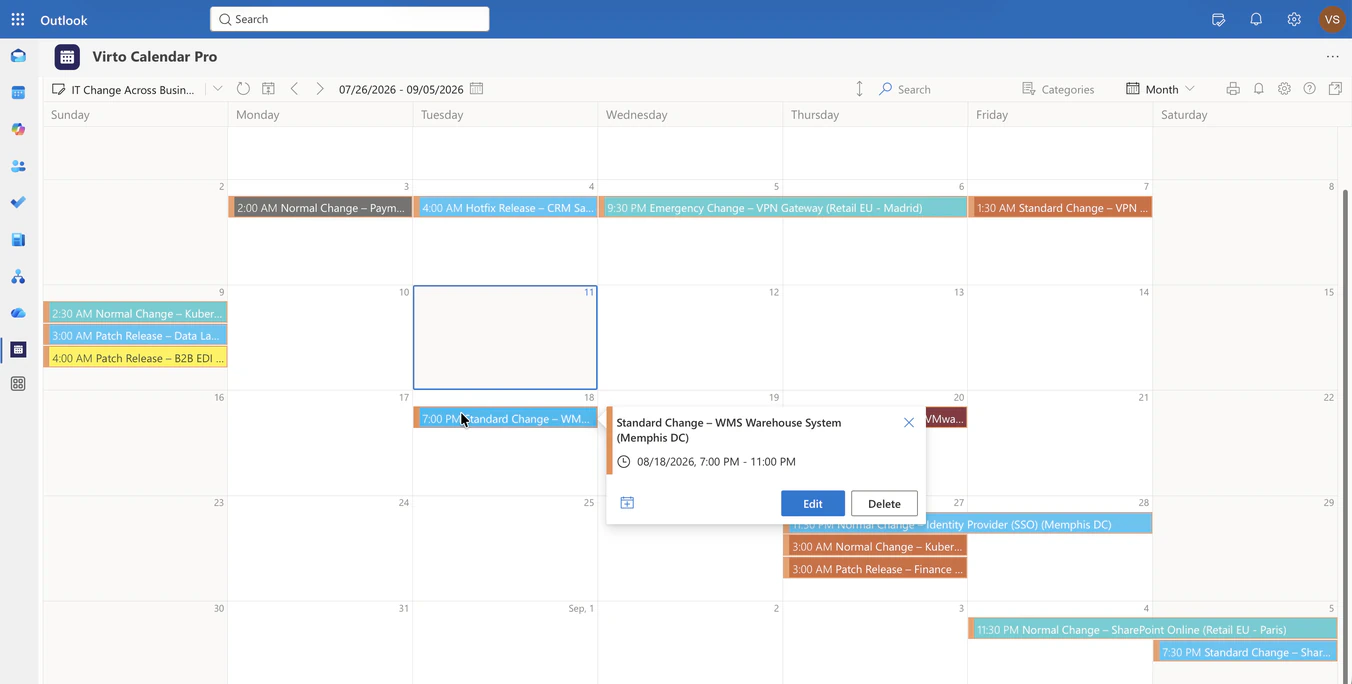
A month of releases across sites
Three units, one Sunday night
A Kubernetes change, a data lake patch and an EDI gateway patch land on the same Sunday from three different lists. In the source sites nobody sees the other two; in the overlay the crowded night is obvious.
Start and end from the list
A change that starts at 9:30 PM and runs past midnight is drawn across both days, because each list maps its own start and end columns to the calendar.
Read-only where it should be
Change records stay in the SharePoint list that owns them. The calendar reads them through the permissions each reader already has — it does not become a second change register.
Key benefits

One view across sites and units
Changes, releases and maintenance windows from every business unit's SharePoint list in one Microsoft 365 calendar — no export, and no consolidated list to keep in sync.
Collisions before the window opens
Two units working on the same system in the same window are visible in Week or Year Quarter while the CAB can still move one of them.
Freeze windows in the same picture
Peak-season, year-end and close freezes are drawn as all-day bars over the same days as the changes scheduled into them.
Each reader's own set of lists
Access to every list is granted per site, so two colleagues opening the same calendar can see different sets of business units. The view is not a company-wide broadcast — it is exactly what each reader is allowed to see.
No second change register
Records, approvals and the CAB workflow stay in the ITSM tool or the SharePoint list that owns them. The calendar only shows when the change happens.
Views for the week and the quarter
Week and Month for the operational picture, Year Quarter for planning — the same lists and colours at every scale.
When Virto Calendar App fits — and when it does not
Each site keeps its own change list, and nobody reads all of them.

Each unit's list is drawn in the same week, coloured by source, so the collision is visible while one of the changes can still move. Use the same app in Microsoft 365 or Microsoft Teams.
Freeze windows are all-day bars over the same days as the changes, so the CAB sees which window the change entered and whose.
Virto Calendar App shows when a change happens. Records, risk assessment, approvals and the CAB workflow stay in the ITSM tool or the SharePoint list that owns them.
Virto Calendar App
Put every unit's changes on one calendar


Related use cases
Discover our range of use cases to take your planning and coordination to another level
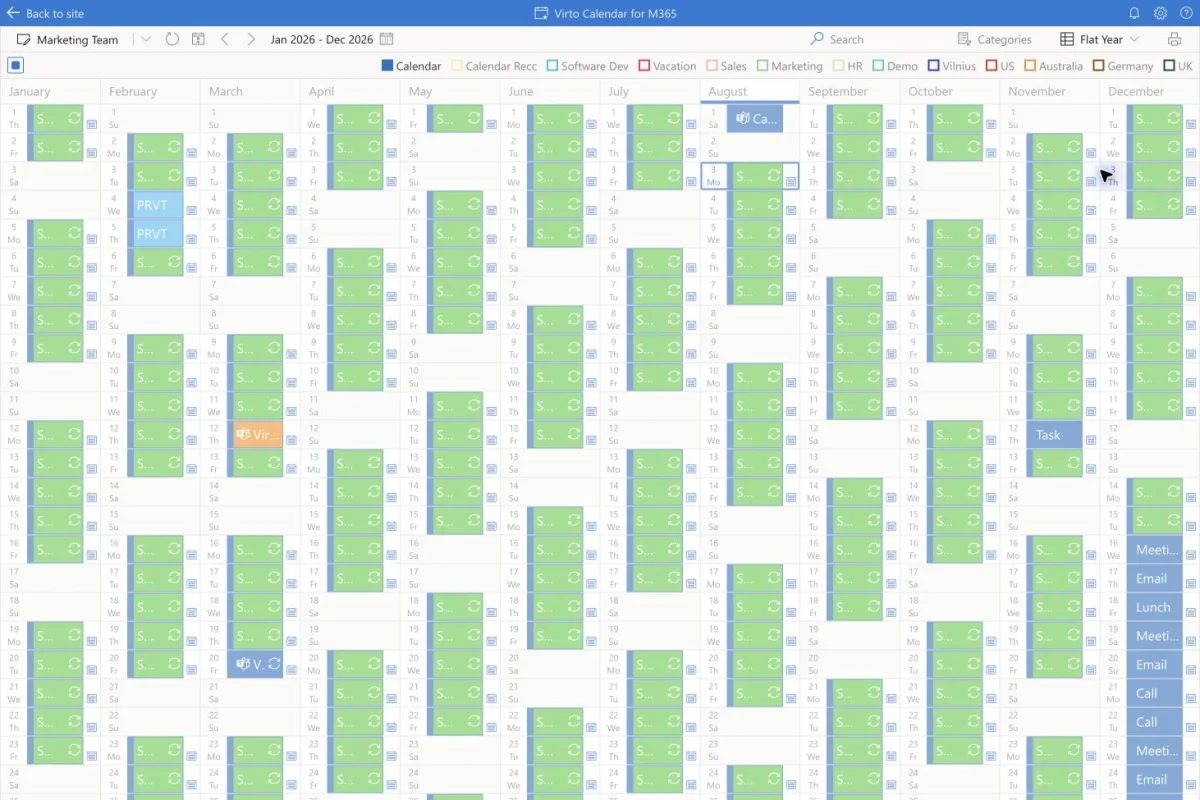
Executive Annual Calendar
Overlay approved strategic milestones, launches, board and QBR dates and annual targets by theme in one live annual calendar for the CEO and COO.
Learn more about Executive Annual Calendar
Rooms & Equipment Calendar
Combine rooms, offices, vehicles and equipment in one Microsoft 365 calendar, with the maintenance jobs and blackout periods that make them unavailable.
Learn more about Rooms & Equipment Calendar
Calendar for Interdepartmental Communication
Sales, Product, Marketing and regional groups keep their own Microsoft 365 Group calendars. Virto Calendar App draws them in one view — Week, Month, Year and Year Quarter — so shared dates and collisions are visible early.
Learn more about Calendar for Interdepartmental Communication