


One Audit Finding, From the Plan to Closure
One audit finding from the audit plan to a closed record, in one SharePoint site and one Teams team. A demo built with the Virto M365 Productivity Kit for an IT and engineering services company that holds ISO 9001, ISO/IEC 20000-1, ISO/IEC 27001 and CMMI Level 3.



Trusted by Industry Leaders


and over 8,000 businesses worldwide
Eight Steps, Five Apps, One Site
Each step is a Virto app or a standard Power Automate flow on top of ordinary SharePoint lists. The screens are from our demo site, and every step shows a different sample item.
Step 1 · Plan
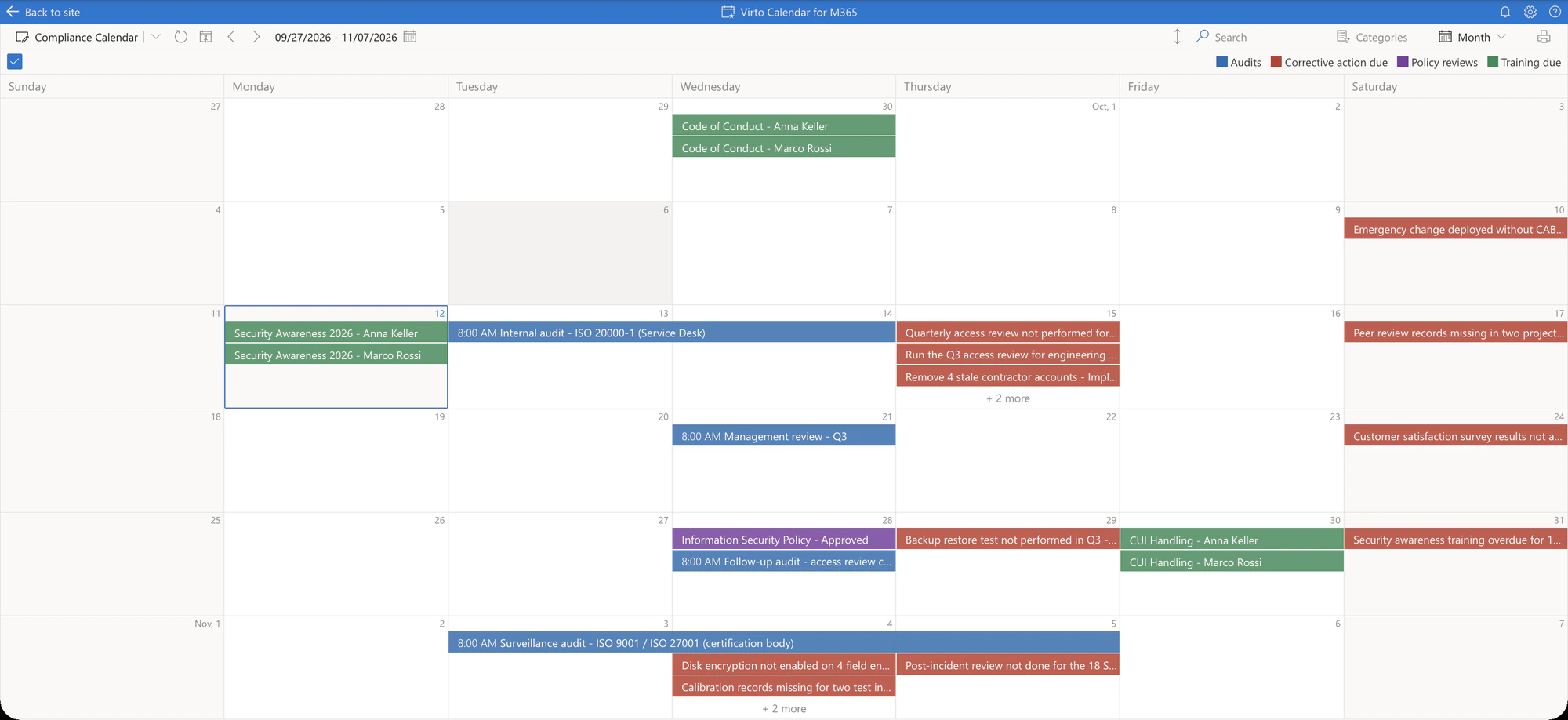
Every compliance date on one calendar
Four lists, one view
Audits, due dates, policy reviews and training come from four lists; each event stays the item of its own list, with its permissions.
Switch a source off
The legend is clickable: audits alone, or everything due before the next surveillance audit.
Step 2 · Record
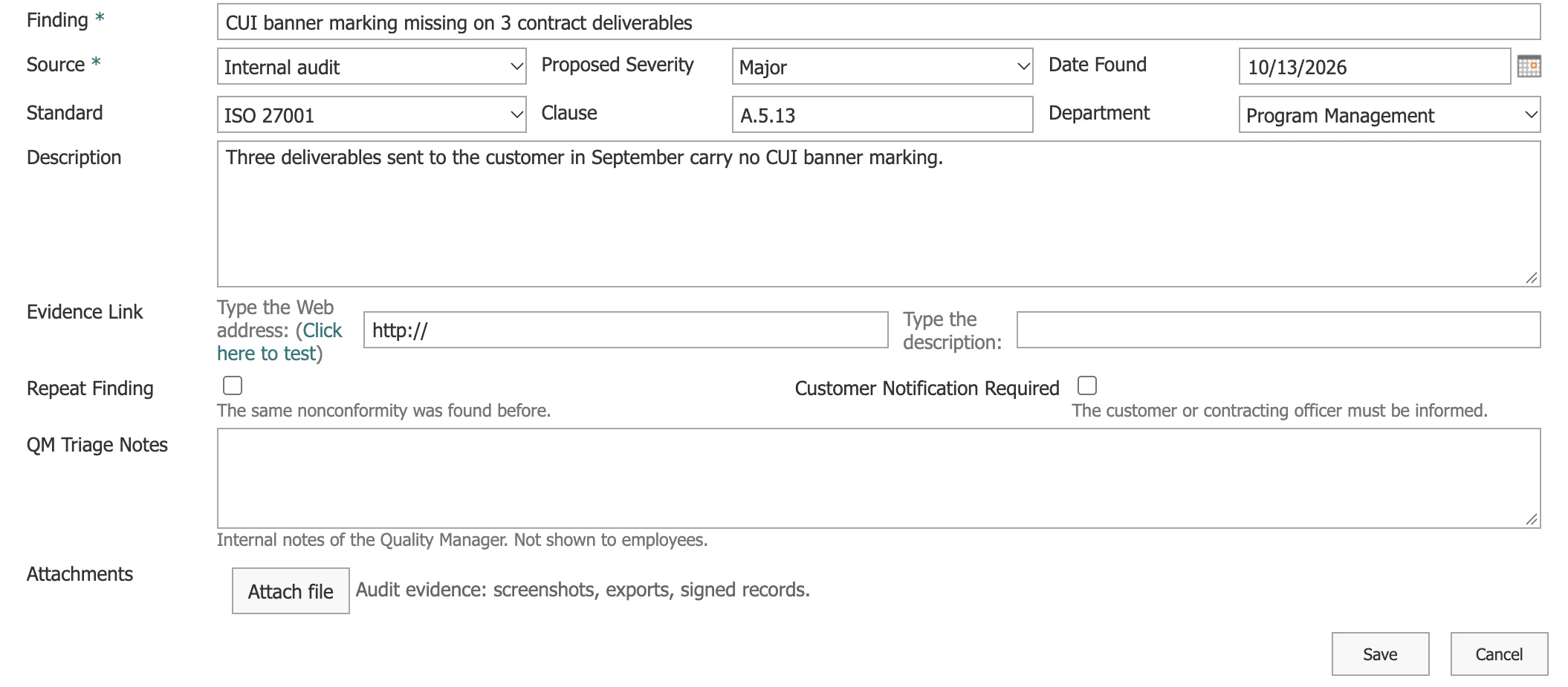
A finding is recorded in under a minute
One form for every finding
Source, standard, clause, department, description and the evidence attached, on an ordinary SharePoint list.
Fields follow the role
Severity and the triage fields are shown to the quality manager only; employees see only the findings they raised.
Step 3 · Notify
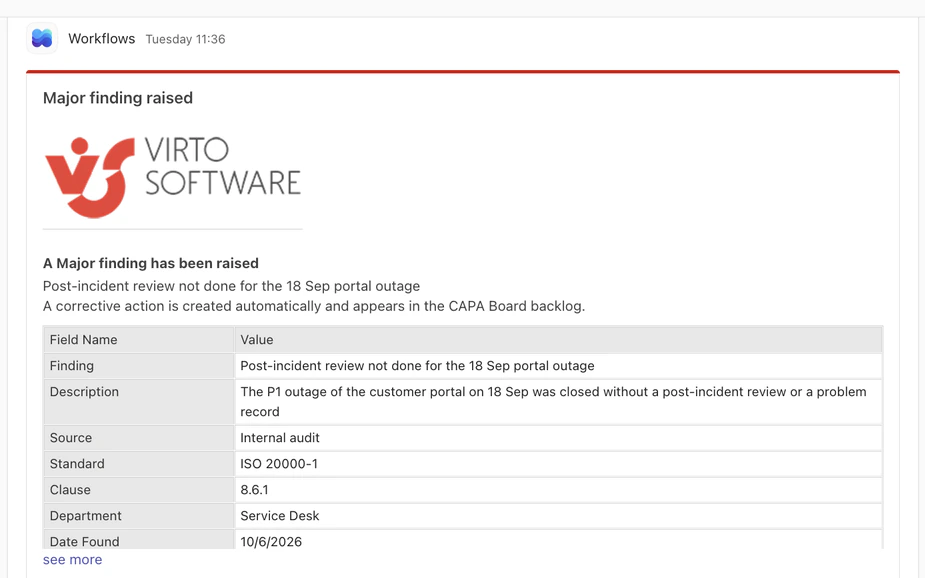
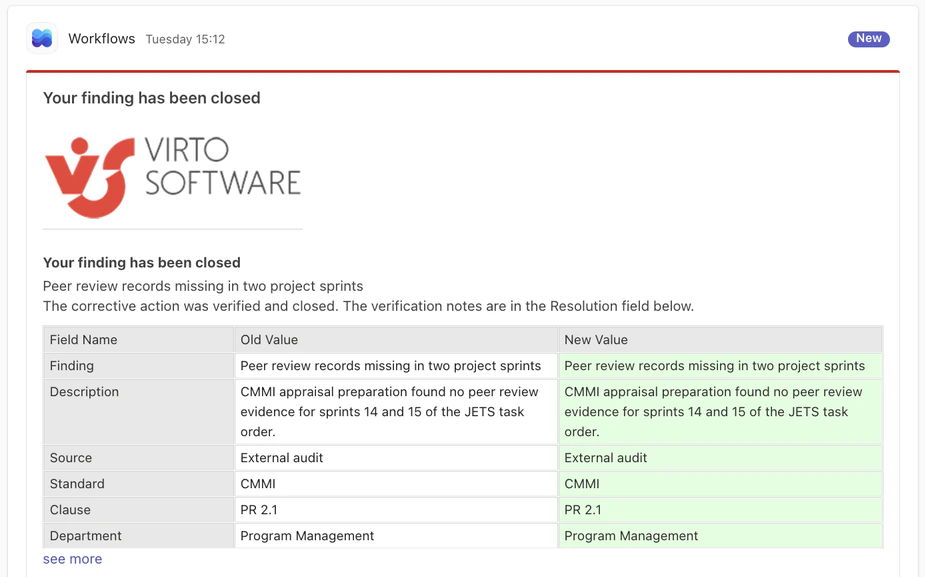
A Major finding reaches the quality team within a minute
A rule with one condition
The alert fires only when the proposed severity is Major; a Minor finding still creates an action, quietly.
Into the channel, with a link
The card arrives through the channel's own Workflows webhook and opens the finding in one click.
Step 4 · Act
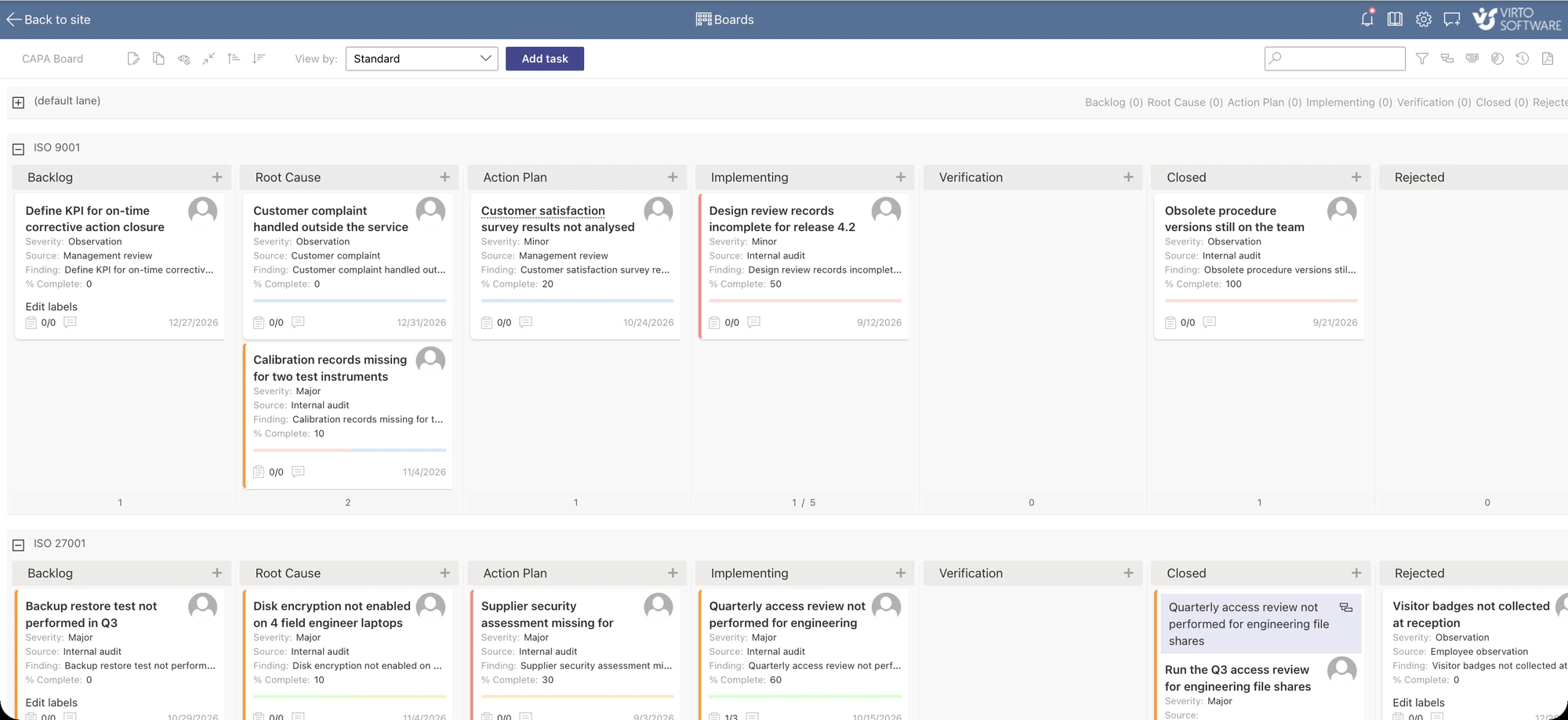
One board for all four standards
Columns are the status
Backlog to Closed is the Status column of the Corrective Actions list, shown as a board.
A lane per standard
Swimlanes come from the Standard column, and a WIP limit of five keeps Implementing focused.
Step 5 · Track
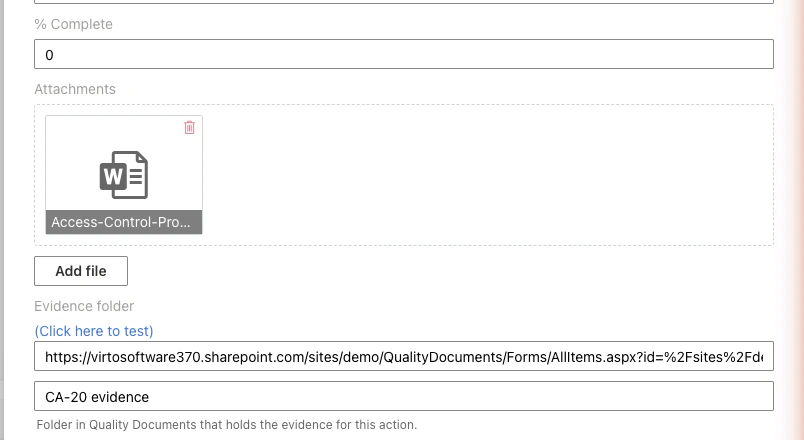
The file from the form is already on the card
No retyping
A standard flow copies the finding into the action, with a due date set by severity: 30 days for a Major finding.
A folder of its own
Each action gets a folder in Quality Documents, and the link sits on the card next to the attachment.
Step 6 · Evidence
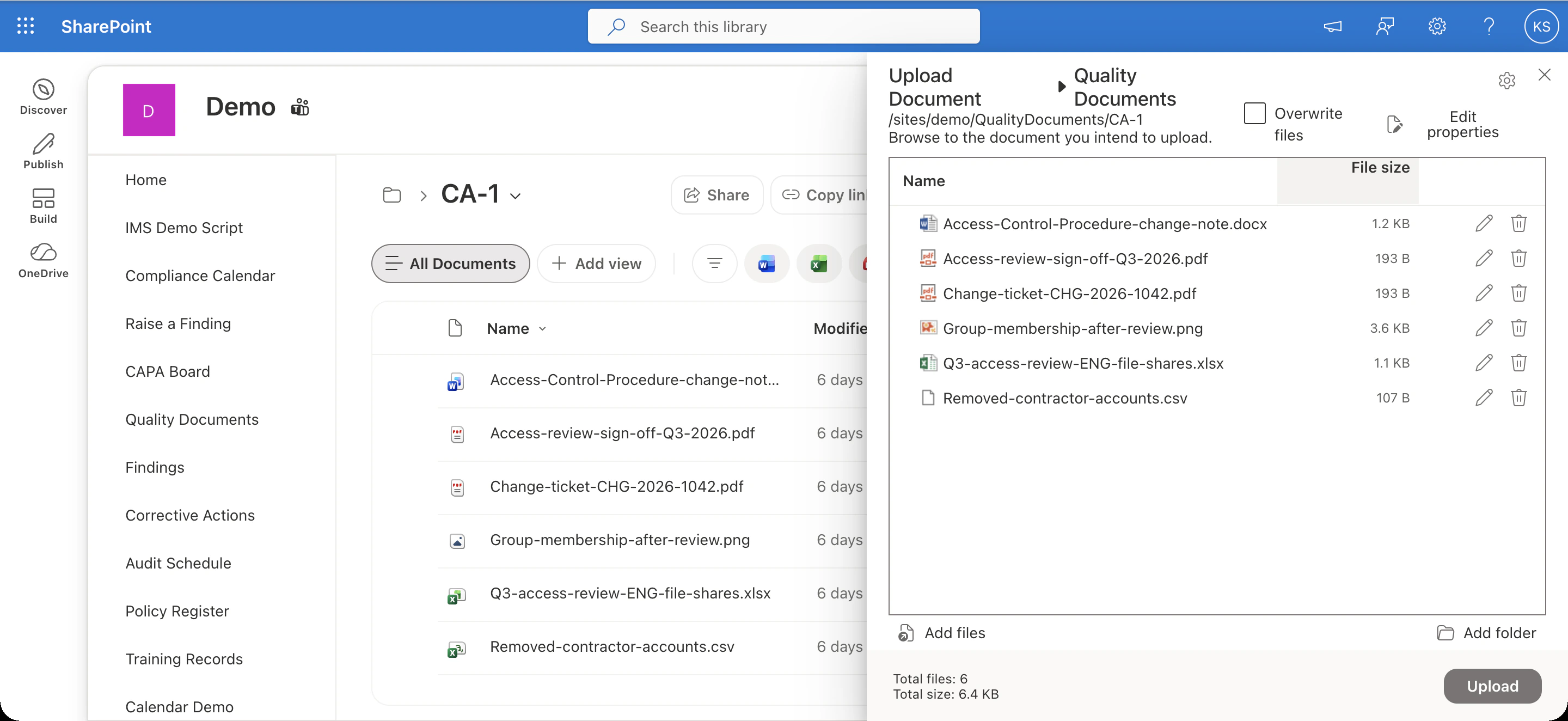
The whole evidence pack in one upload
One click from the card
The Evidence folder link opens the library in the action's own folder.
The whole pack at once
Bulk Upload takes the export, the sign-off, the ticket and the screenshots in one go, with the library's versions and permissions.
Step 7 · Remind
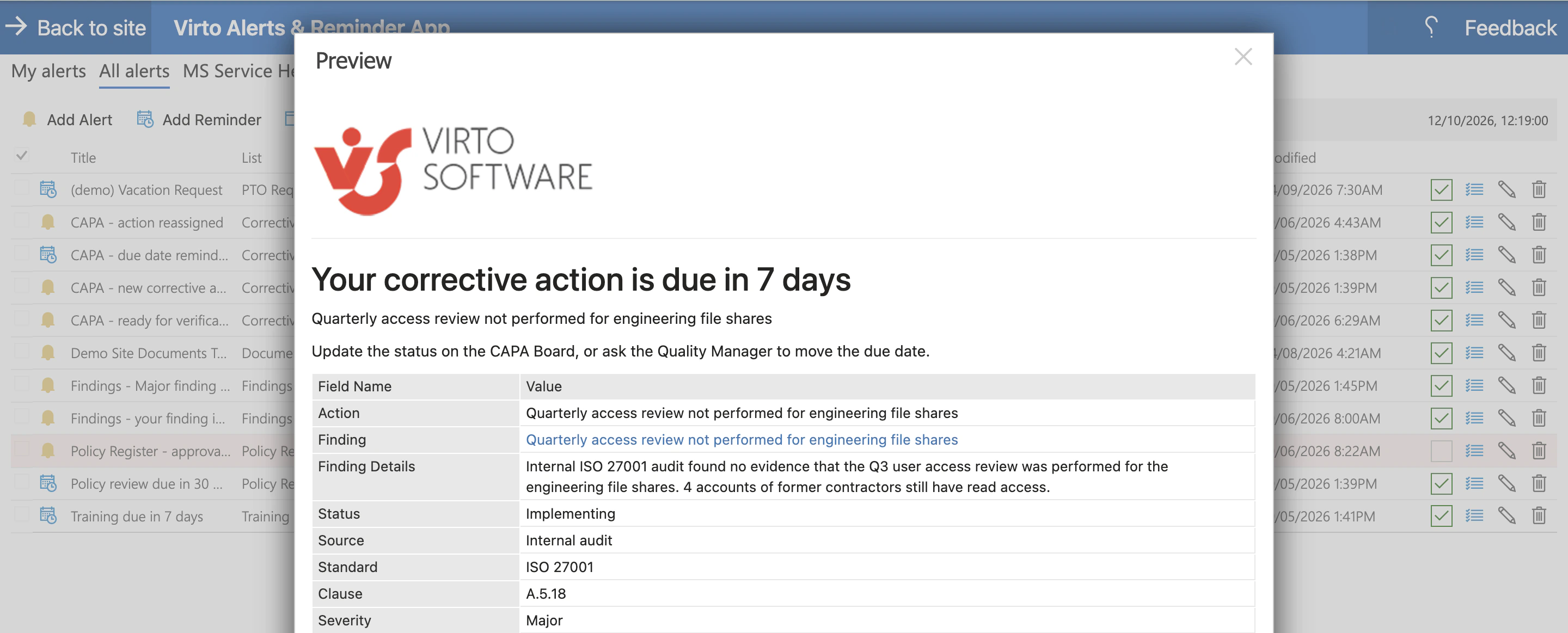
Eight rules, and nobody chases owners by email
Each moment has a rule
Assignment, seven days before the due date, ready for verification, a Major finding, a closed finding, policy reviews, training.
Built from the record
The reminder prints the fields of the action with a link back to it, and Preview shows it before you save.
Step 8 · Approve and close
Verification is the approval step
Moving the card to Closed is the approval
The move belongs to the Quality Manager in the process; a flow then closes the finding and copies the notes into Resolution.
The author hears about it
The person who raised the finding gets an email, a card is posted to the Teams channel, and the version history is the audit trail.
Key benefits

No separate QMS
The whole cycle runs on SharePoint lists, a library and a Teams team your tenant already has. The apps add the calendar, the form, the board, the bulk upload and the notifications.
Standard Power Automate only
The five flows use the standard SharePoint connector. No premium licence is needed for this setup.
Your data stays in your lists
Lists, documents and events stay in your Microsoft 365 tenant with your permissions. For controlled information, keep the notification bodies to status, dates, owner and the item link.
One site for all four standards
ISO 9001, ISO/IEC 20000-1, ISO/IEC 27001 and CMMI share one calendar, one board and one set of rules. The standard is a column, not a separate system.
Version history is the audit trail
Every list and the library keep versions, so who changed what and when is one click away when the certification body asks.
The same apps go further
Correction versus corrective action, plan approval, due-date extensions, effectiveness reviews, document revisions and management-review reports run on the same lists. This walkthrough is the simplified version.
What the cycle needs, and what runs it
Audits, action due dates, policy reviews and training live in four different lists.

The four lists overlay into one colour-coded calendar with a clickable legend; each event stays the item of its own list.

One form on the Findings list, with attachments and fields shown by role; list permissions let employees see only their own findings.

The Corrective Actions list as a board: columns from Status, lanes from Standard, owner, due date, subtasks and the evidence folder on the card.
Bulk Upload and Bulk Delete in the Quality Documents library, one folder per action.

Eight rules send email and Teams cards for each moment of the cycle, built from the record itself.
Five flows on the standard SharePoint connector create the action, write the status back to the finding, assign the analyst at Root Cause, copy the files and create the folder. No premium licence is needed.
The kit records, tracks, reminds and closes. It does not collect acknowledgements or score effectiveness; if that is the requirement, a QMS suite is the answer.
Virto M365 Productivity Kit
See the whole cycle in your own tenant
Related use cases
Discover our range of use cases to take your planning and coordination to another level

Compliance Management Software
See every audit and filing date in one calendar, move remediation tasks across Kanban boards, and email owners before compliance deadlines, all in Microsoft 365.
Learn more about Compliance Management Software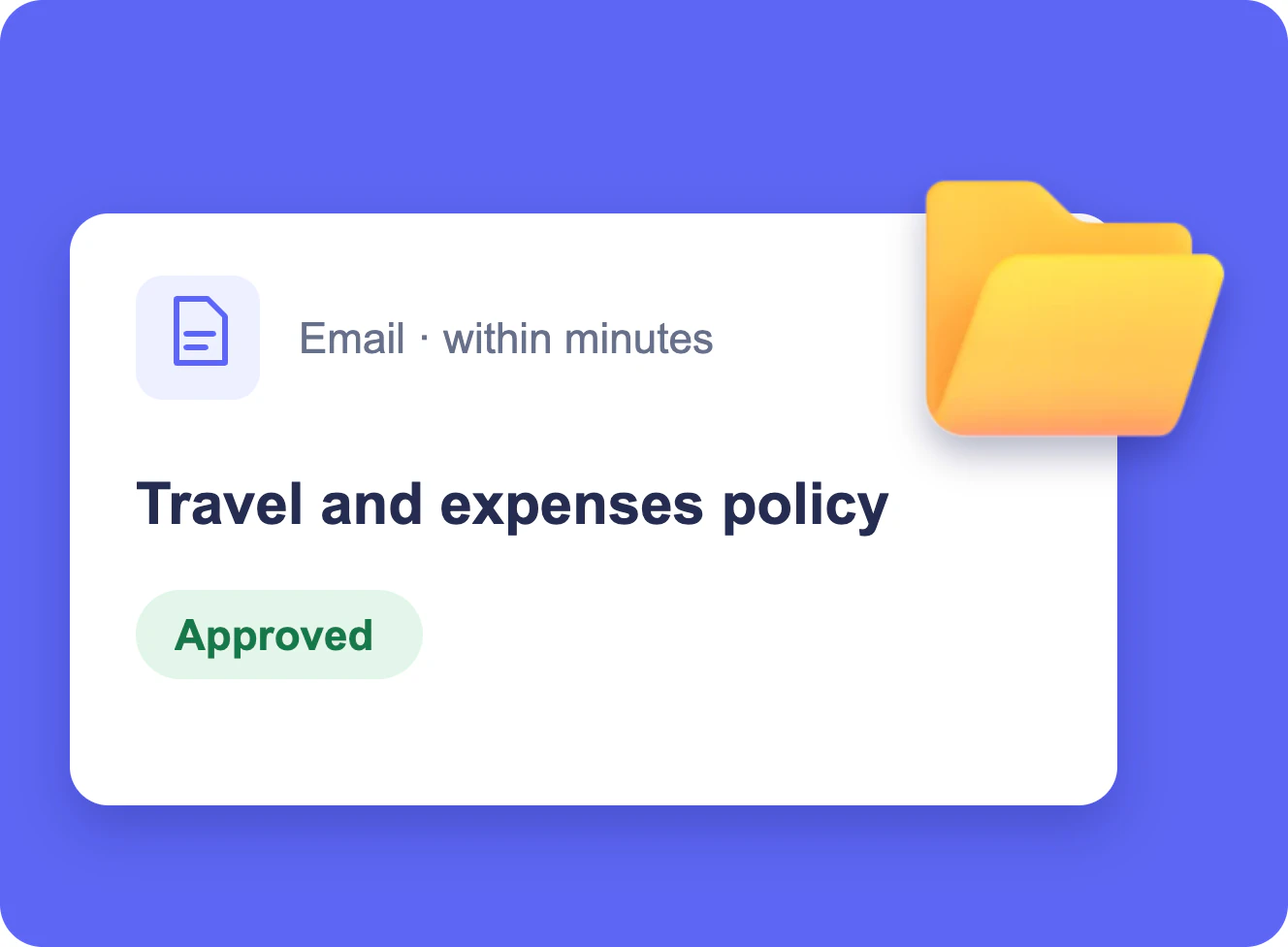
Document Library Change Notifications
When a policy in a SharePoint library is approved, its readers get an email with a link; one folder can have its own rule, and a weekly table lists what changed.
Learn more about Document Library Change Notifications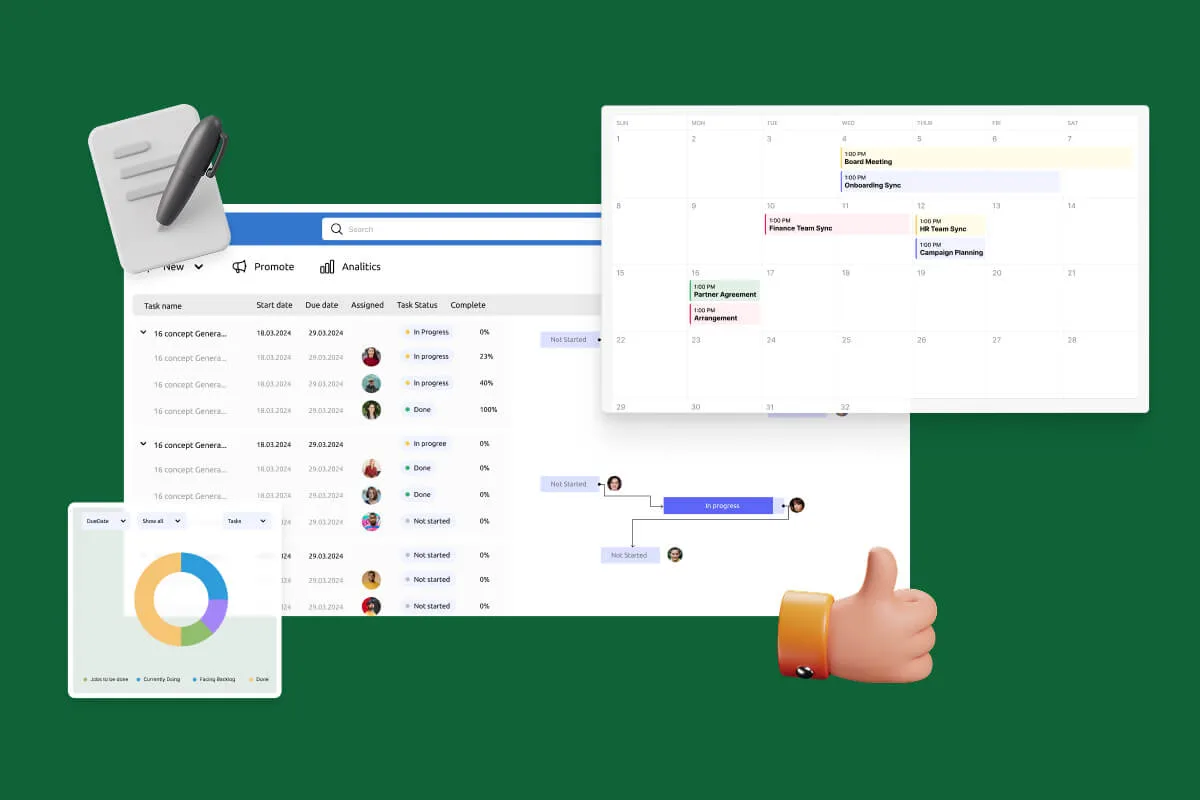
Notifications Automation for Government
For government, legal and finance teams: Virto Alerts & Reminder App sends email and Teams reminders before the deadlines kept in your SharePoint lists and alerts owners when items change.
Learn more about Notifications Automation for Government