


Expiry Dates That Send Their Own Reminders
Keep contracts, certificates and licences in a SharePoint list, and Virto Alerts & Reminder App emails each owner 90, 60 and 30 days before the end date — with one weekly table for the team lead.



Trusted by Industry Leaders


and over 8,000 businesses worldwide
From a Date Column to a Reminder in the Right Inbox
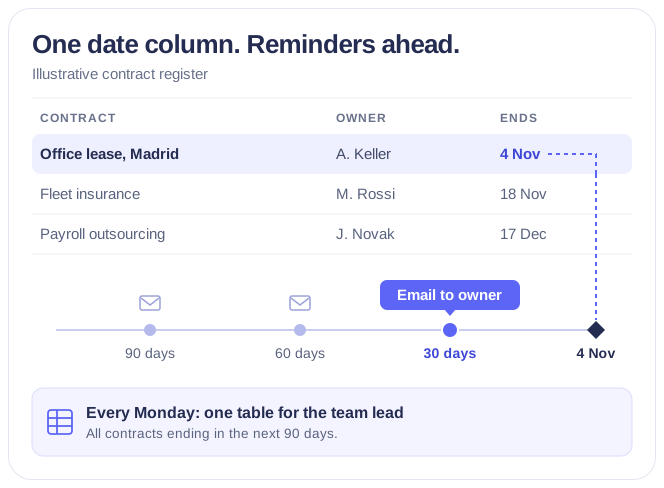
One SharePoint list and four rules: three reminders to the owner of each item and one weekly table for whoever answers for the register.
The rule
A reminder is a date field and a number of days
Counted from your own date column
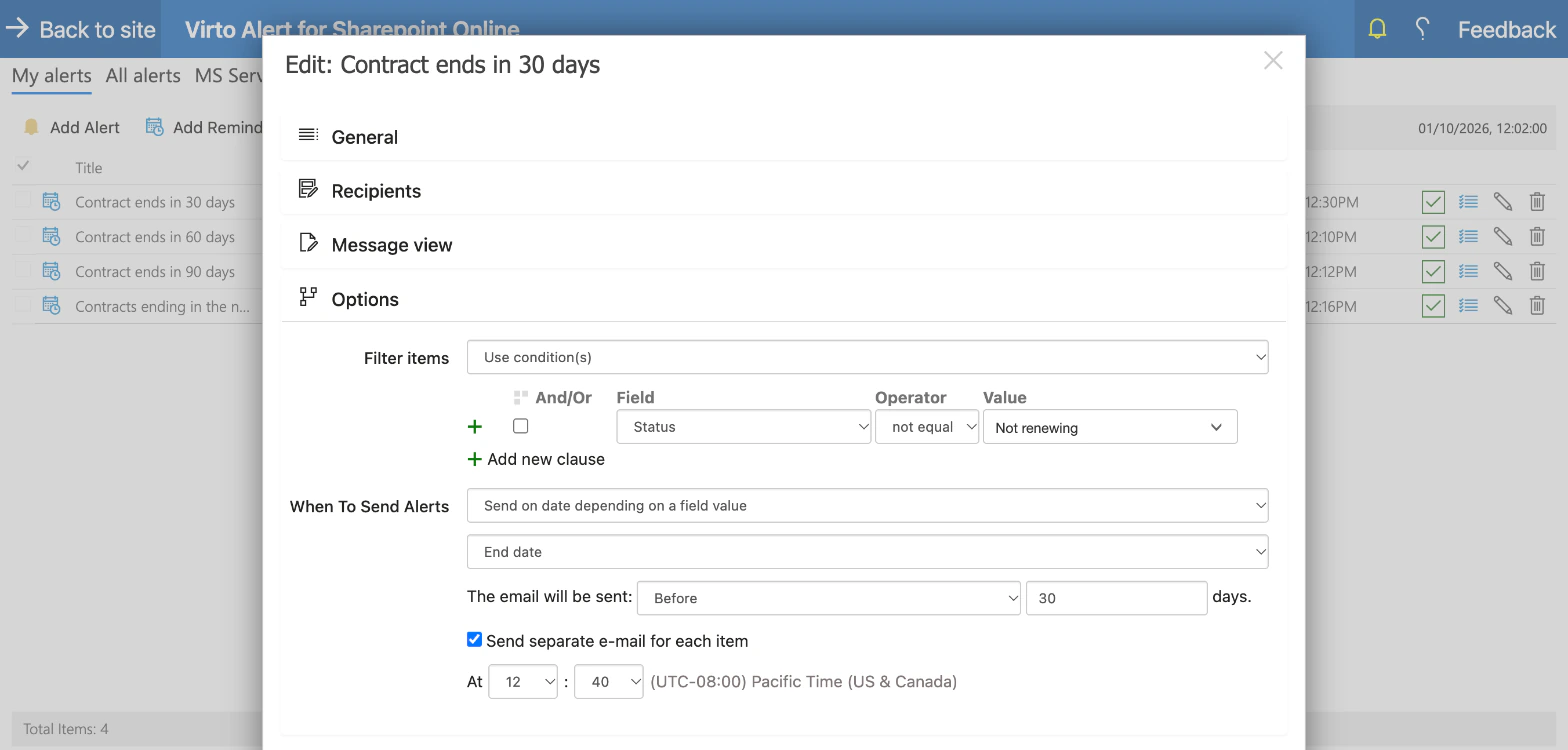
Pick the list, the date field and how many days before or after it the email goes. Three rules on the same End date column cover the 90, 60 and 30-day marks.
Only the items that still need a decision
Conditions filter on the list's columns. Here contracts marked Not renewing are left out, so nobody is reminded about a contract that is already settled.
Sent at the hour you set
Each rule has its own send time, in the time zone chosen in the app settings. A new rule does not send on the day it is created, so set it up at least a day before the first date it should catch.
The recipients
The owner named in the item gets the message
Recipient from a column
The To line is filled from the Owner column of each contract, so one rule serves every owner on the list. A group or a supervisor can be added in copy.
The fields the decision needs
The message carries the values of the item — counterparty, end date, annual value, auto-renewal — and a link back to it in SharePoint.
Your wording, your sender name
Subject, body and sender name are set in the rule. The header and footer — the Virto logo by default — can be replaced with your own.
The weekly table
One table a week for whoever answers for the register
Everything ending in the next 90 days
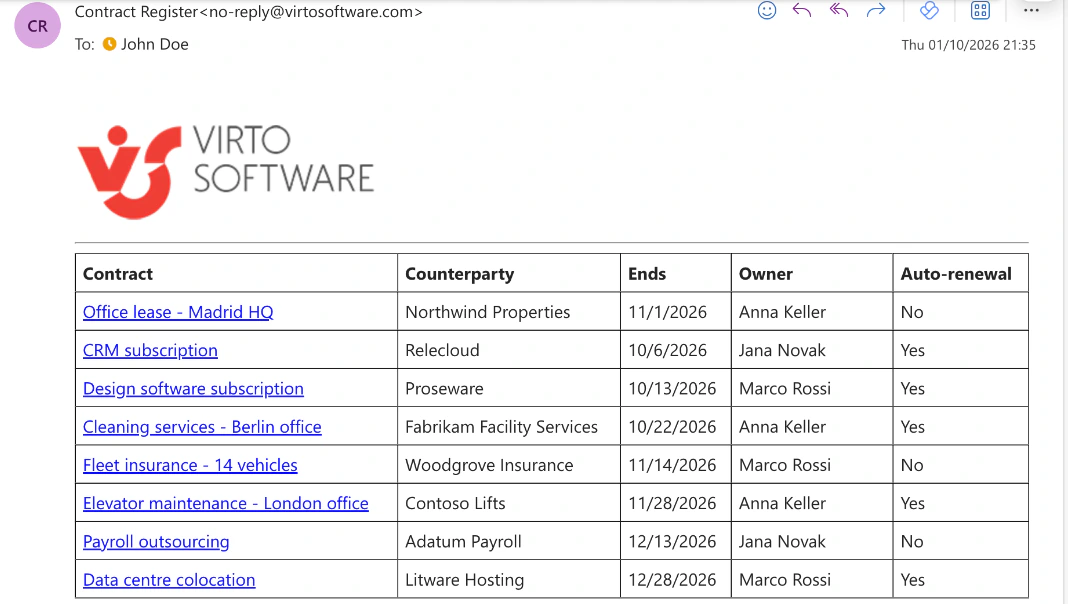
A fourth rule filters the list to items whose End date falls between today and today plus 90 days, and sends the result every Monday at the hour you set.
One email, one table
Eight contracts arrive as eight rows in one message — contract, counterparty, end date, owner, auto-renewal — instead of eight separate emails.
A window that moves with the calendar
The filter is counted from today's date, so next Monday's table drops the contracts that have ended and picks up the ones that have come within 90 days.
Key benefits

As many date rules as the register needs
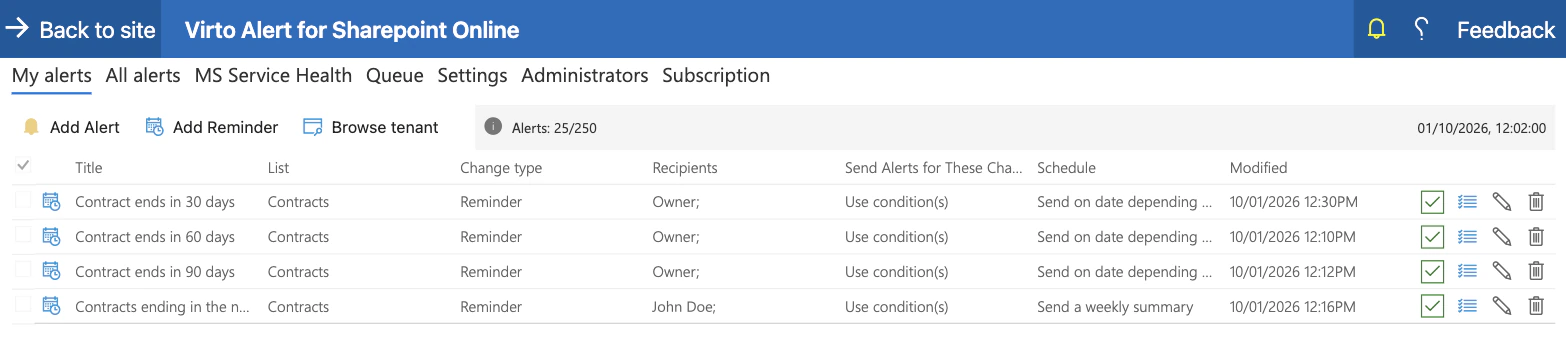
SharePoint's built-in rules allow two "a date approaches" rules on a list or library. The 90, 60 and 30-day reminders and the weekly table here are four rules on one list.
Reminders for a team, not for one person
Set a reminder in Microsoft Lists emails the person who set it. Here the recipient comes from a column of the item, with a group or a manager in copy.
Any list with a date column
Contracts, staff certificates, licences and permits, insurance policies, warranties, subscriptions — the rule reads a date field, whatever the list is about.
Every rule in one place
My alerts lists each rule with its list, recipients and schedule, and the Queue tab shows what has been sent and what is due to go next.
The list stays where it is
The register remains an ordinary SharePoint list in your Microsoft 365 tenant, with the permissions and version history it already has.
Email first, Teams when it fits
A rule can also post to a Microsoft Teams channel through a Workflows webhook. For a table with many columns, email is the format that keeps every column in view.
Which reminder fits which register
Legal or procurement keeps the list; each contract has its own owner and end date.

One set of rules emails each owner 90, 60 and 30 days ahead, and the head of the function gets the weekly table of everything coming up.
HR tracks who holds which certificate and when it lapses.
The reminder goes to the employee named in the item, with HR in copy, a set number of days before the expiry date.
Facilities or operations keeps one row per site or asset.
One rule per notice period on the expiry column, and a weekly table that shows what is coming up across all sites.
It is built in and takes a minute. It emails the person who set it, which suits a personal follow-up rather than a shared register.
Virto Alerts & Reminder App reminds people about dates kept in a list. Negotiation, sign-off and clause tracking stay in the system built for them.
Virto Alerts & Reminder App
Put a reminder on every end date in your list

Related use cases
Discover our range of use cases to take your planning and coordination to another level
Notifications Automation for Government
For government, legal and finance teams: Virto Alerts & Reminder App sends email and Teams reminders before the deadlines kept in your SharePoint lists and alerts owners when items change.
Learn more about Notifications Automation for Government
Compliance & Regulatory Deadlines Calendar
Simplify compliance management with a Microsoft 365 calendar that centralizes deadline tracking, with email and Teams reminders from Virto Alerts & Reminder App.
Learn more about Compliance & Regulatory Deadlines Calendar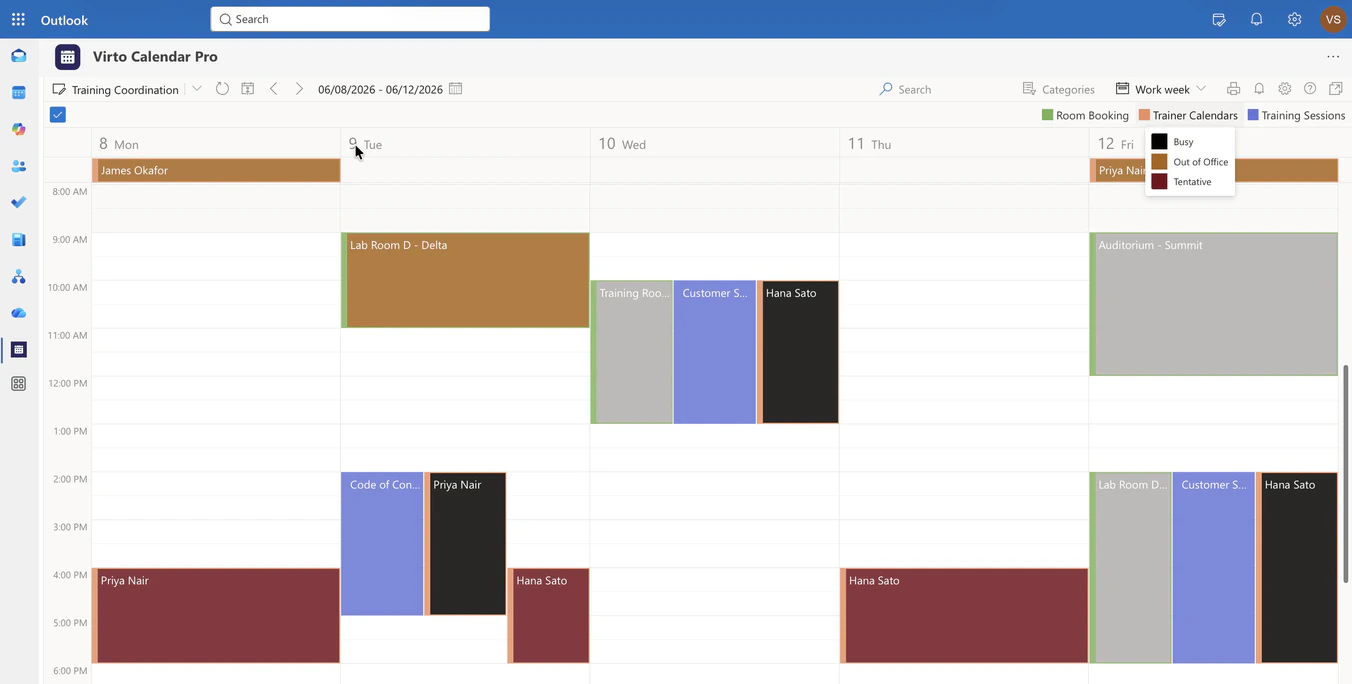
Corporate Training Calendar
Overlay the training sessions list, room mailboxes and trainer calendars in one Microsoft 365 calendar, so L&D sees whether a session can happen at that time, in that room, with that trainer.
Learn more about Corporate Training Calendar