


Session, Room and Trainer in One Calendar
Overlay the SharePoint training sessions list, room mailboxes and trainer calendars in one Microsoft 365 calendar, so L&D sees whether a session can happen at that time, in that room, with that trainer.



Trusted by Industry Leaders


and over 8,000 businesses worldwide
Launch Interactive Demo
Session, Room and Trainer in One View
Overlay the training sessions list your L&D team keeps in SharePoint, the room mailboxes facilities already manages and the trainers' own Outlook calendars — three owners, one week, no second training register.
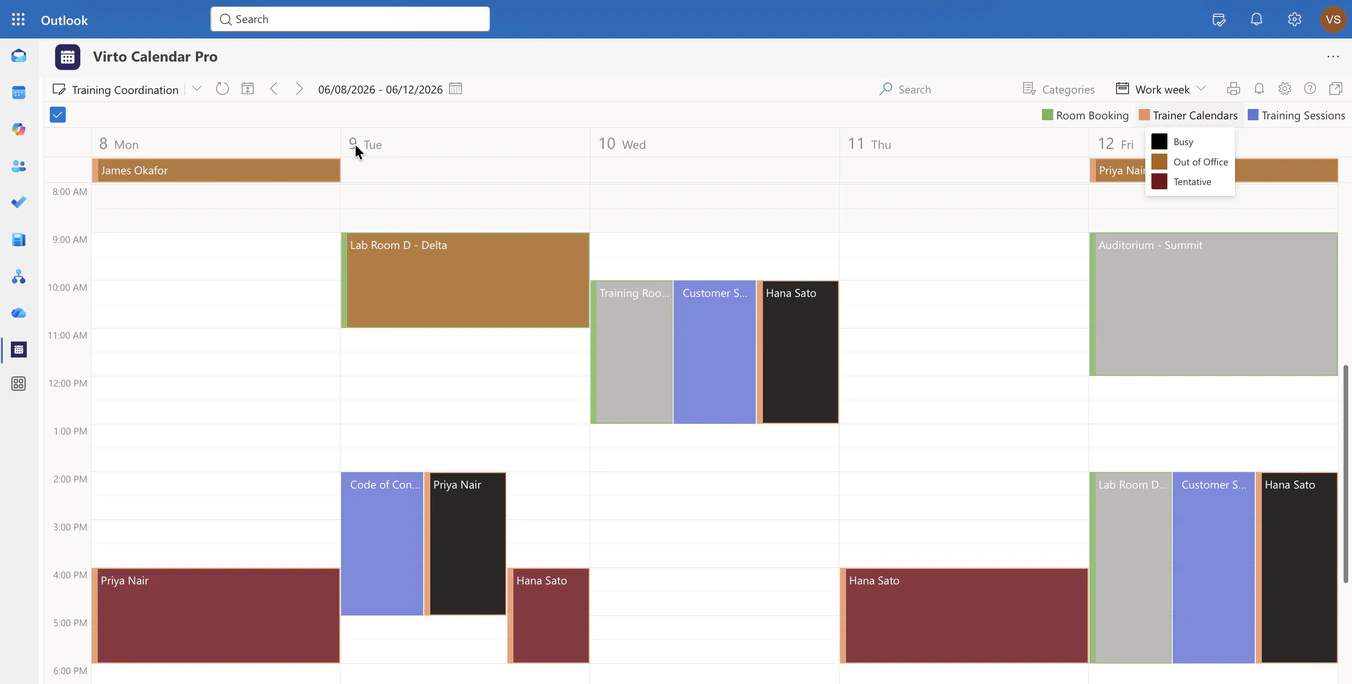
Work Week
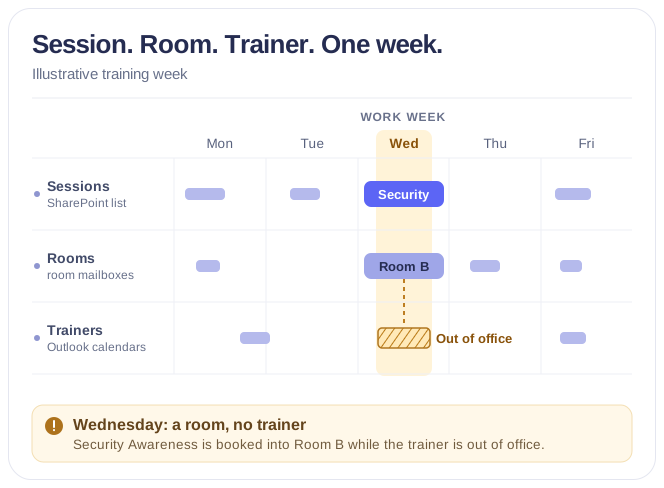
The week a session meets its room and its trainer
Three sources, one column per day
Sessions come from the SharePoint Training Sessions list, rooms from their room mailboxes, trainers from their own Outlook calendars. Each keeps its colour, so a session with a room and a trainer next to it is complete at a glance — and one without is not.
Trainer status read from the calendar
Busy, Out of Office and Tentative come straight from each trainer's calendar; nobody re-types availability. A session planned onto an out-of-office day is visible before it is confirmed.
The room is a booking, not a note
A room shows up because its mailbox holds the booking. If the booking is missing, the session appears without its room — which is exactly what the coordinator needs to see.
Month
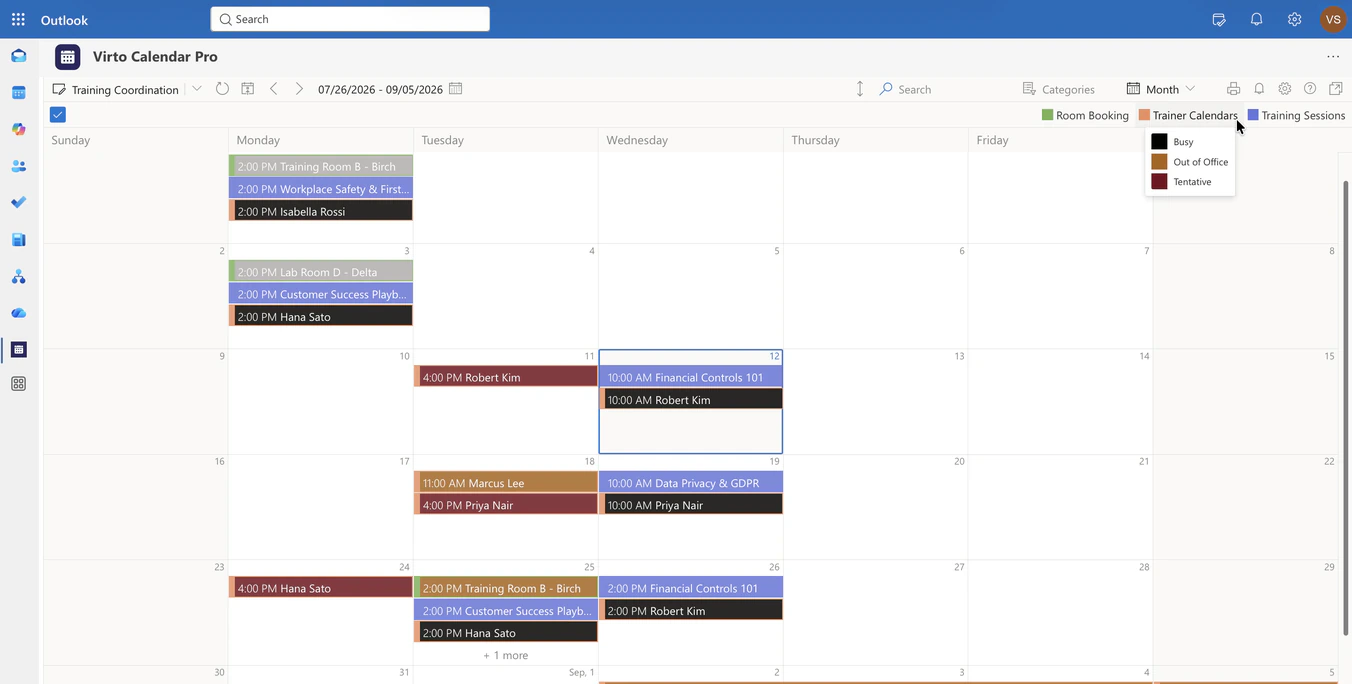
A month of sessions, rooms and trainers
Month for the programme
L&D plans the quarter in Month: which weeks already carry sessions, where a trainer is away for two weeks, where a room is still free.
One stack per session
A session, its room booking and its trainer's entry sit on the same day in three colours, so a stack of three is a session that can happen and a stack of two is a question to answer.
Out of office as a fact of the grid
A trainer's two-week absence is drawn across the days it covers, from their own calendar, so the coordinator does not book them into it.
Task (days)
Every session, room and trainer as a row
A row per resource
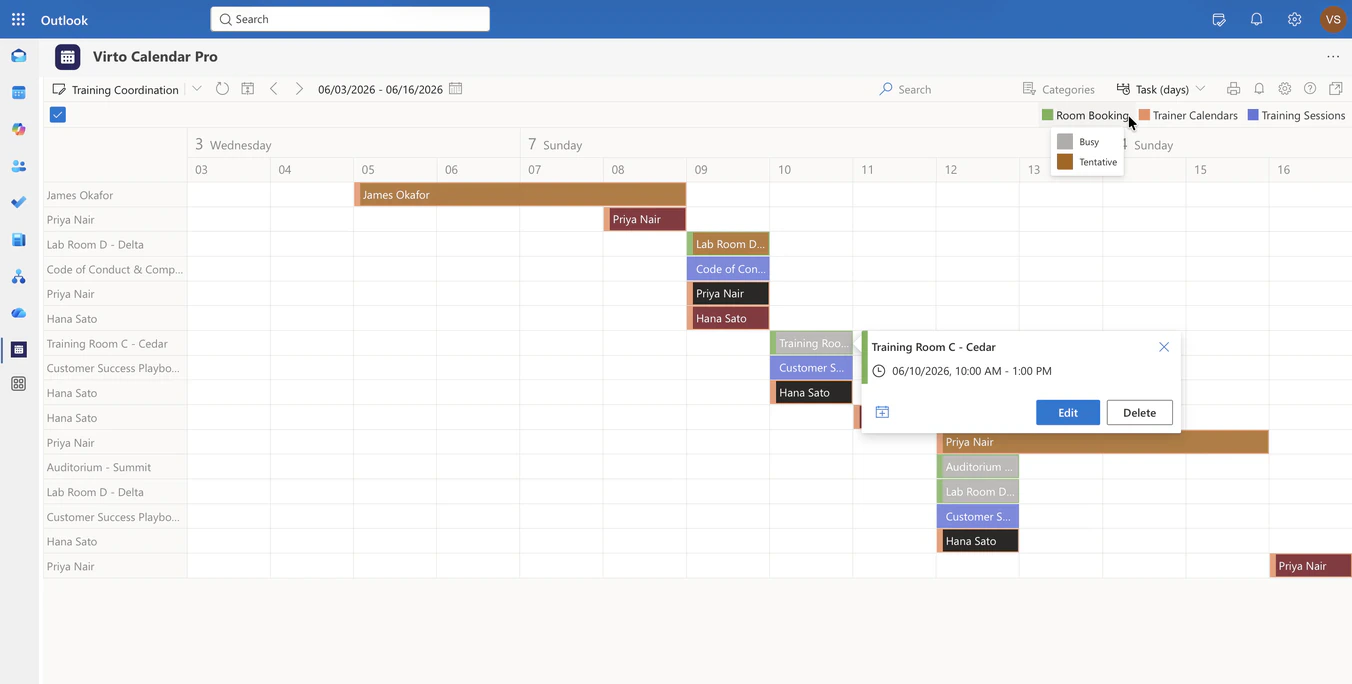
Task (days) turns the same sources into rows: each trainer, each room and each session gets a line, and a day with a session, a room and a trainer is one vertical stack.
Two trainers, one tentative
On 9 June one trainer is busy and the other tentative, read from their calendars. The coordinator sees which of the two to confirm before the room is committed.
Not a learning management system
Enrollment, capacity, attendance and completion stay in the LMS that owns them. Virto Calendar App shows whether the session can happen at that time, in that room, with that trainer.
Key benefits

Session, room and trainer in one week
The SharePoint sessions list, the room mailboxes and the trainers' calendars in one Microsoft 365 view — a session that can happen is a stack of three.
Trainer availability without asking
Busy, Out of Office and Tentative are read from each trainer's own calendar, so the coordinator sees who is free before sending a single email.
Rooms from their mailboxes
A room appears because its mailbox holds the booking. Facilities keeps owning the rooms; L&D only reads them.
Month for the programme, Week for the session
Month shows where the quarter still has space; Work Week shows whether one session has its room and its trainer — same sources, same colours.
No second training register
Sessions stay in the SharePoint list, bookings in the mailboxes, availability in Outlook. Nothing is exported or re-entered.
Permissions from Microsoft 365
Each coordinator sees the rooms and calendars they already have access to; trainers' private appointments stay private.
When Virto Calendar App fits — and when it does not
Sessions sit in a SharePoint list, rooms have room mailboxes, and each trainer keeps their own Outlook calendar.

Session, room booking and trainer status are drawn side by side in the same week, so a session whose room is taken or whose trainer is out of office is visible before it is confirmed. Use the same app in Microsoft 365 or Microsoft Teams.
Each session was planned by a different department.
Both sessions and the trainer's calendar are in one Work Week, so the double booking shows as two stacks on one trainer while one of them can still move.
Virto Calendar App shows whether a session can happen at that time, in that room, with that trainer. Enrollment, capacity, attendance and completion stay in the LMS that owns them.
Virto Calendar App
Put every session, room and trainer on one calendar


Related use cases
Discover our range of use cases to take your planning and coordination to another level
Rooms & Equipment Calendar
Combine rooms, offices, vehicles and equipment in one Microsoft 365 calendar, with the maintenance jobs and blackout periods that make them unavailable.
Learn more about Rooms & Equipment Calendar
Availability Calendar
Virto Calendar App draws every team member's calendar in one Outlook view — busy time, vacations and shared meetings, under the permissions each source already has.
Learn more about Availability Calendar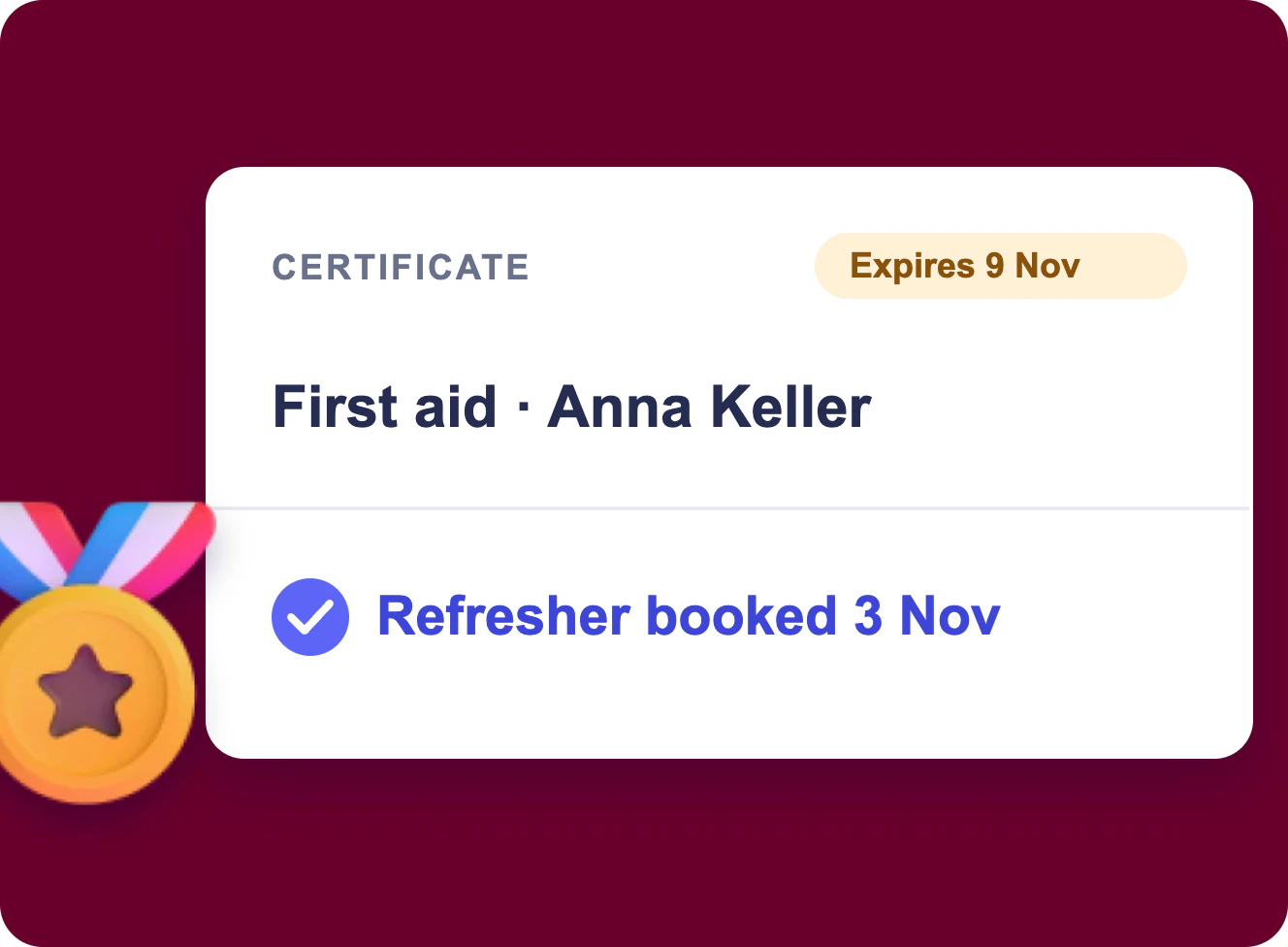
Training and Certification Tracking in Microsoft 365
Training requests, course dates and certificate expiry in Microsoft 365: a request form, a board, one calendar, a bulk upload for the scans and reminders 60 and 30 days before a certificate runs out.
Learn more about Training and Certification Tracking in Microsoft 365