


Every Booking on One Calendar — Inside Your Own Tenant
For commercial real estate services companies whose hosts run client meetings, events and building tours: one booking calendar instead of a Teams channel per booking, with Virto Calendar App running inside the company's own Azure and Microsoft 365 tenant.
Trusted by Industry Leaders


and over 8,000 businesses worldwide
One Booking Calendar, Not a Channel per Booking
The same Virto Calendar App your hosts would see in Microsoft 365 and Teams, built as the company's private app and run on the company's own Azure subscription. The screens show a demo booking calendar in our own test tenant.
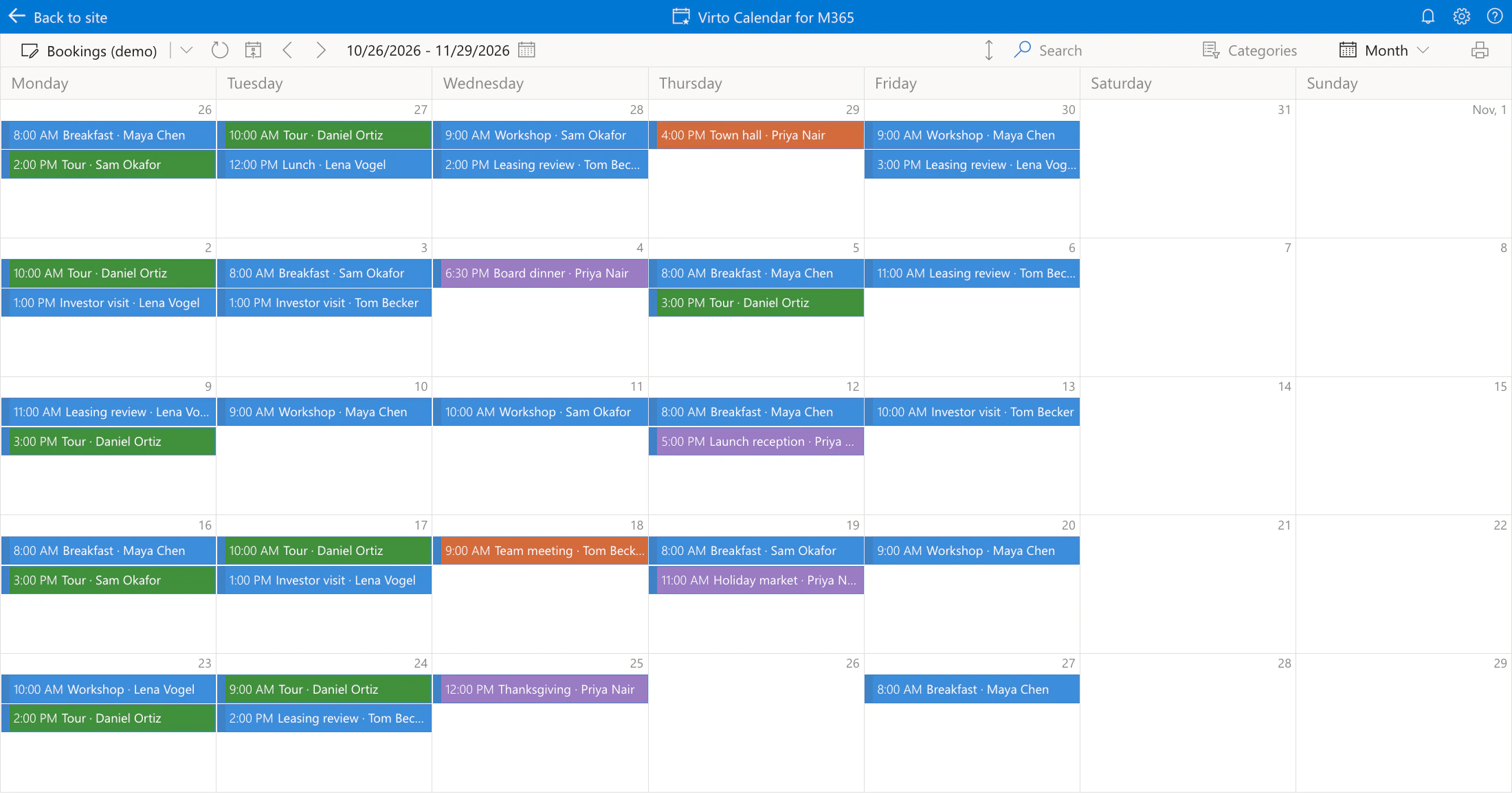
Every booking on one calendar
One list instead of hundreds of channels
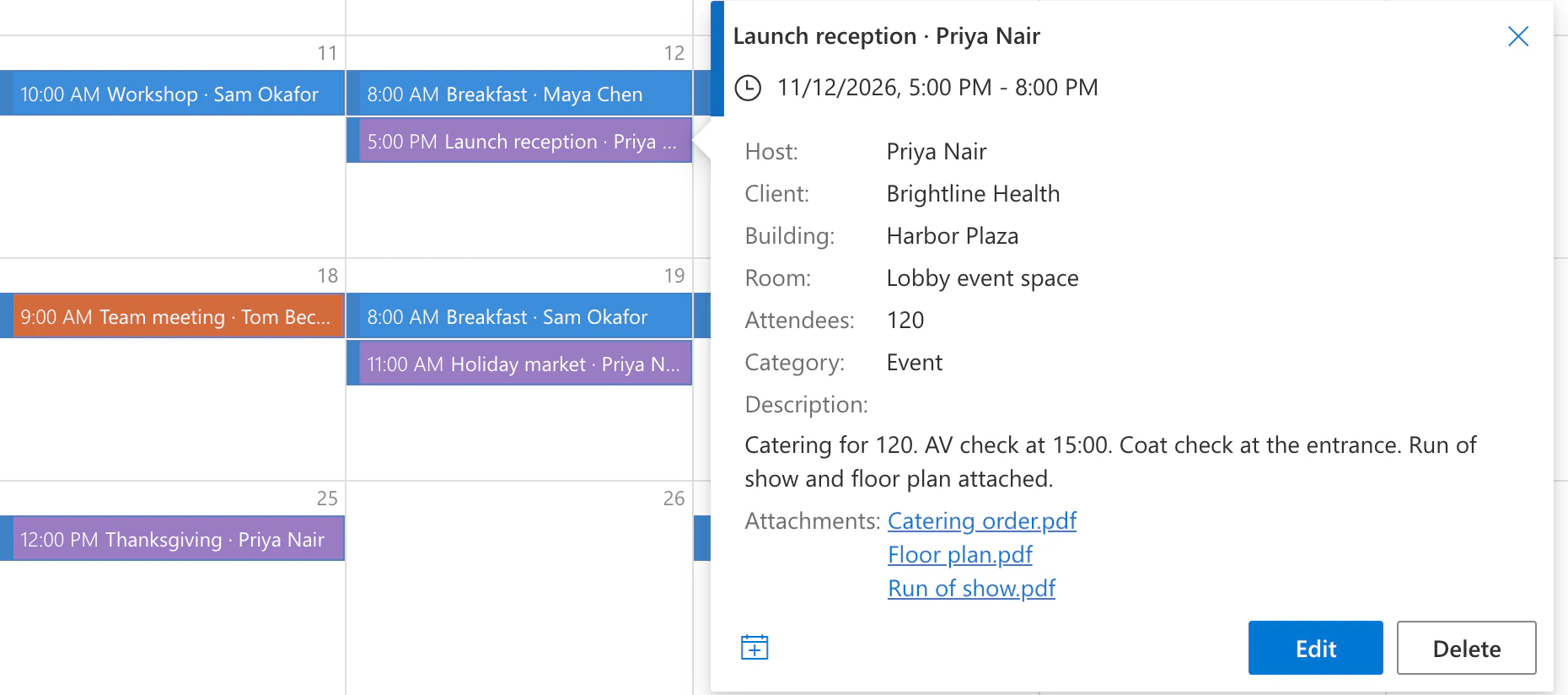
Each booking is one item in a SharePoint list, with its host, client, building, room, attendees and dates, and the calendar draws all of them on one screen.
Coloured by category
Client meetings, events, building tours and internal meetings each get a colour, and the category filter narrows the view to one kind.
Where the hosts already work
The same calendar opens as a tab in Microsoft Teams and as a web part on a SharePoint page.
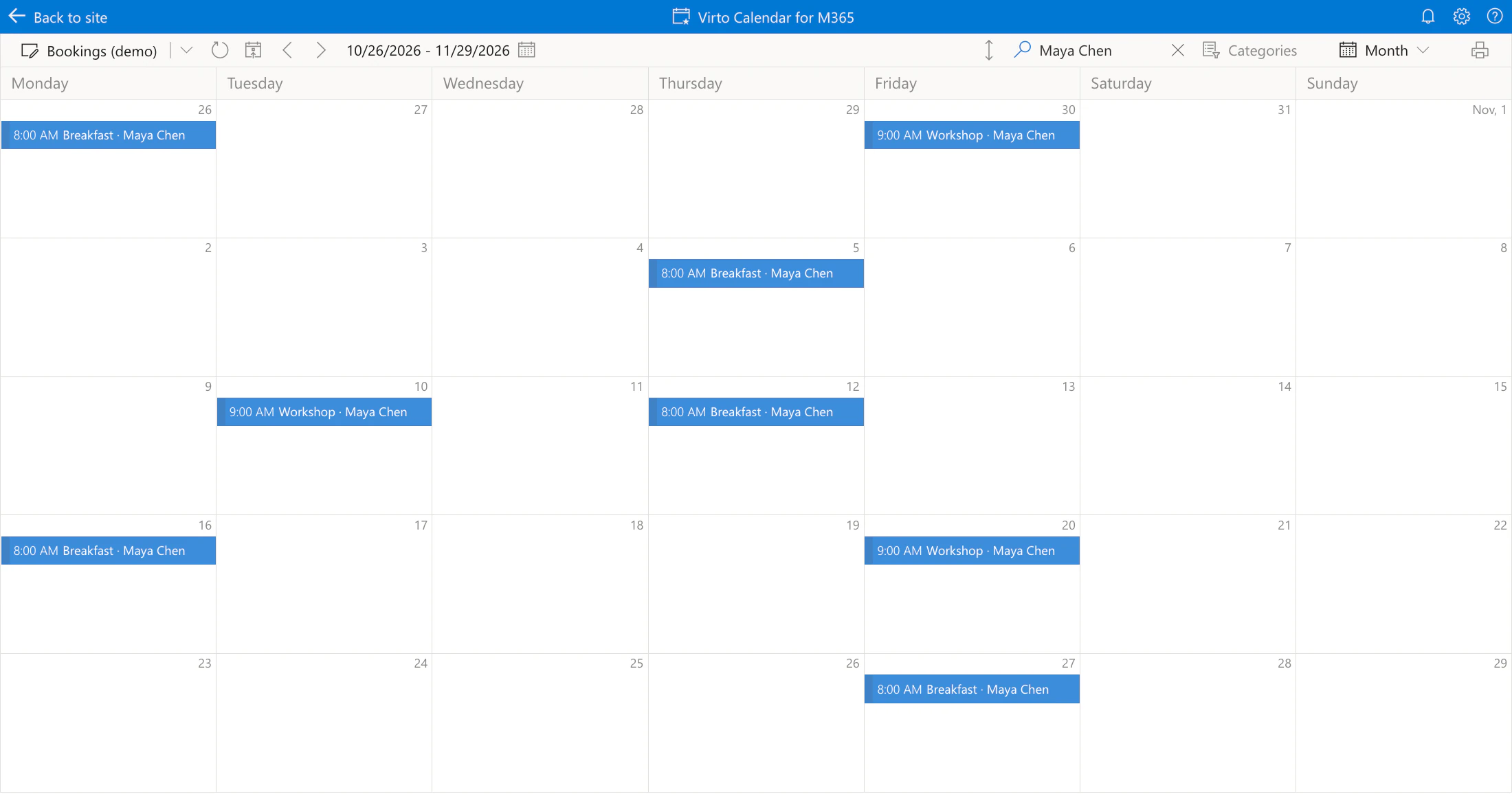
Every host finds their own bookings
Search instead of a category per host
With hundreds of hosts, the host's name goes into the booking title and search finds it, so nobody maintains a category for every host.
Confirmations by email
A confirmation email for each new booking can come from Virto Alerts & Reminder App with a template, or from a Power Automate flow the company already runs.
Calls through Outlook
A booking that needs a call can be an Outlook event with the Teams meeting option. It appears on the same calendar, and the meeting chat is the one Teams provides.
Runs on your Azure, approved by your security team
Your subscription, your sign-in
The application runs on an Azure App Service in the company's subscription, under the company's domain. People sign in through the company's own single-tenant app registration, so federated domains and Conditional Access policies apply as they do to any internal app.
Delegated permissions, approved first
The app acts as the signed-in person. The security team approves the permission set before the packages are built. A reduced set drops SharePoint list calendars, which the booking calendar is built on, so the full set is agreed up front.
VirtoSoftware is not in the data path
Bookings and their files stay in the company's SharePoint and Exchange. The company's administrators enter the client secret and storage connection string themselves; we only receive a publish profile to deploy the code.
Key benefits

A different security review
When only approved vendor apps are allowed, a private app built for the company's own tenant is reviewed like any internal application: its permissions, its sign-in and where it runs are all the company's.
Built for one large tenant
Brands, offices and hundreds of hosts that share one Microsoft 365 tenant share one deployment, and each person sees what their SharePoint and Exchange permissions allow.
A written guide for each administrator
Azure, Entra ID, SharePoint and Teams administrators work from a step-by-step document with screenshots, and name their owners up front. No remote session is required.
Short engineering work
Our part — publishing to the company's App Service and building the packages — takes a few business days. The elapsed time depends on the company's own approvals.
Updates on your schedule
New versions are deployed the same way as the first one, on an update schedule aligned with the company's IT operations.
Support during the licence term
Updates and support are part of the Enterprise package, along with knowledge transfer for the company's IT team.
The right setup for your hosts
Hosts want one booking calendar, but a multi-tenant store app is not an approved vendor app.

Deployed as the company's private app in its own Azure subscription and tenant, assigned only to the hosts' security groups.
Confirmations, files and questions are spread across channels, and nobody sees the week as a whole.
Each booking becomes one list item with its files attached, and all of them sit on one calendar the hosts can search.
Virto Calendar App shows every booking and its details in one place. It does not keep a chat for each booking or stop two bookings of the same room; a Teams chat or a booking system does that.
Virto Calendar App
Run the booking calendar inside your own tenant
Related products

Related use cases
Discover our range of use cases to take your planning and coordination to another level
Accounting Firm Events Calendar in Your Own Tenant
Client seminars, webinars, CPE courses and internal events in one calendar, filtered by practice — with Virto Calendar App deployed inside the firm's own Azure and Microsoft 365 tenant.
Learn more about Accounting Firm Events Calendar in Your Own Tenant
Rooms & Equipment Calendar
Combine rooms, offices, vehicles and equipment in one Microsoft 365 calendar, with the maintenance jobs and blackout periods that make them unavailable.
Learn more about Rooms & Equipment Calendar
Event Reminders for a Team Calendar
The team gets an email two days before each event, a weekly table of what is coming up, and the old and the new date when an event moves — from the SharePoint list behind your calendar.
Learn more about Event Reminders for a Team Calendar