


Every Change, Release and Freeze Window on One Year
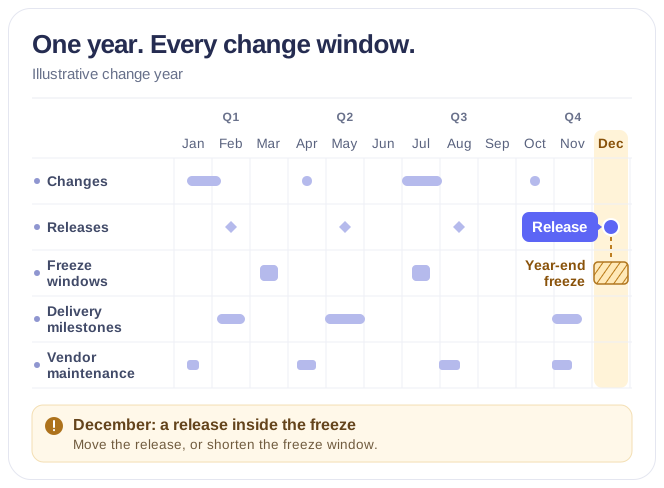
Overlay approved change records, release milestones, freeze windows and vendor maintenance feeds in one Microsoft 365 year view, so the CIO sees a release inside a freeze before it is approved.



Trusted by Industry Leaders


and over 8,000 businesses worldwide
Launch Interactive Demo
A Year of Technical Change Against the Business Plan
Overlay the change records, release milestones and freeze windows your teams already keep — in SharePoint, Planner, Microsoft 365 Groups and vendor feeds — without a second change register.
Year
Every change and release of the year, by domain
Changes by risk tier and domain
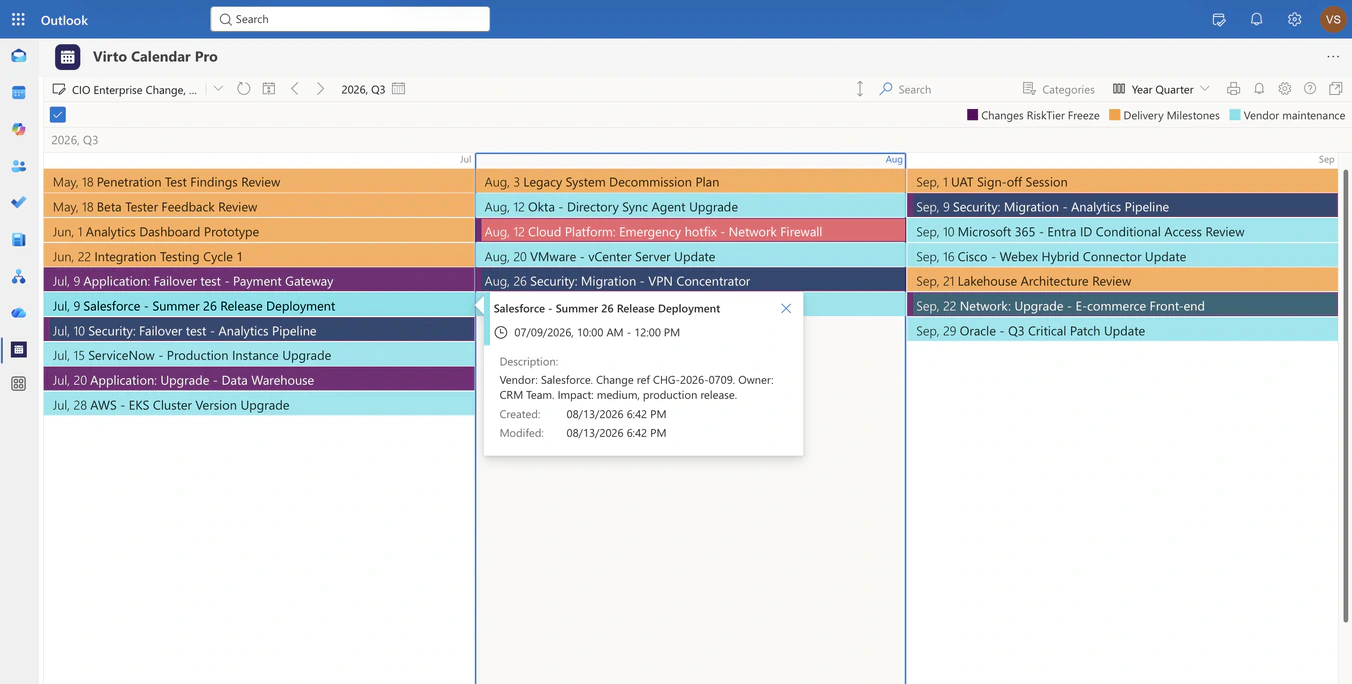
Approved change records from the SharePoint change list carry their domain — application, cloud platform, database, infrastructure, network, security — as a category, so a year of technical activity is read by what it touches, not by who filed it.
Three sources, three colours
The change list, the delivery milestones from Planner and the vendor maintenance feed each keep their own colour, so the CIO sees at a glance whether a crowded month is internal change, delivery pressure or a vendor's schedule.
Vendor maintenance where a feed exists
Where a vendor publishes an authoritative maintenance calendar, it can be added as a read-only feed and drawn next to internal changes. The calendar shows the window; it does not confirm the vendor's plan.
Quarter
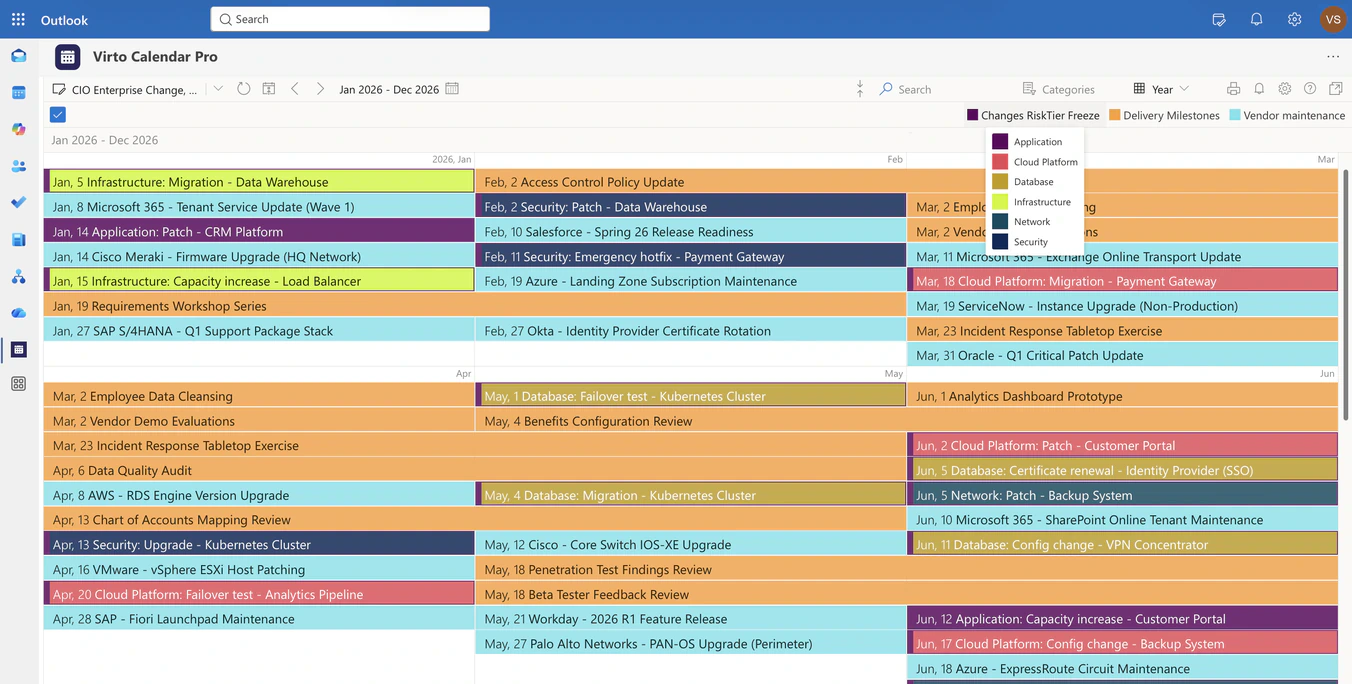
A quarter of change, with a vendor's own entry open
What the feed says, unchanged
A vendor's maintenance entry keeps the description it was published with — the change reference, the owning team, the expected impact — because the calendar reads the feed rather than re-entering it.
Emergency changes next to planned ones
An emergency hotfix on the network firewall is drawn in the same August as the planned migrations around it, so the quarter shows what was planned and what was not.
Quarter for the review, Year for the plan
Year Quarter is the scale for a quarterly risk review; Year and Flat Year hold the whole plan. The sources, colours and permissions stay the same at every scale.
Week
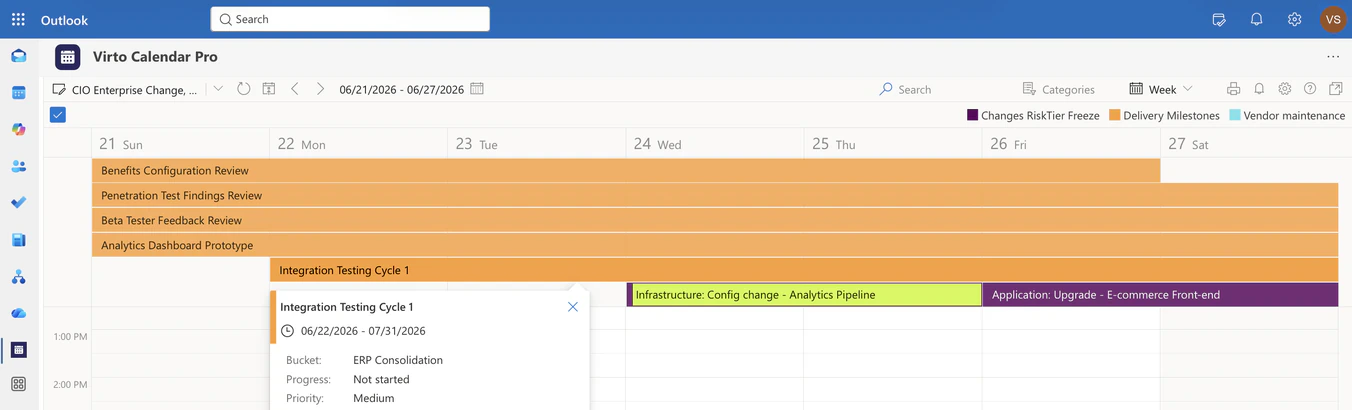
Delivery milestones over the week's changes
Milestones from Planner, not re-typed
Selected Planner tasks — the delivery milestones a programme reports on — appear as all-day bars in the week they are due, read directly from the plan.
Freeze windows as bars, not footnotes
A freeze declared for a peak period or a year-end close is drawn across the days it covers, so a change scheduled into it is read against the freeze, not discovered afterwards.
Read-only, by design
Change records stay in the SharePoint list, milestones in Planner, vendor windows in the feed. The calendar reads them through the permissions each reader already has and becomes nobody's second change register.
Key benefits

The year of change on one screen
Changes, releases, freeze windows and vendor maintenance from every source in one Microsoft 365 view — Year for the plan, Year Quarter for the review.
Collisions before approval
A release inside a freeze, or two migrations on the same system in the same month, is visible while the change board can still move one of them.
Domain and risk tier as categories
Application, infrastructure, security, database, network and cloud platform changes keep their category, so a leader reads the year by what is being touched.
Vendor windows, conditionally
An authoritative vendor maintenance feed can be overlaid read-only. Where no such feed exists, nothing is invented.
No second change register
Records, approvals and the CAB workflow stay in the ITSM tool or the SharePoint list that owns them. The calendar only shows when.
Permissions from the source
Each reader sees the change lists and calendars they already have access to — the executive view is not a broadcast.
When Virto Calendar App fits — and when it does not
You approve the annual plan, but change and close calendars live in different systems.

Changes, releases and freeze periods are drawn on the same year as close cycles and board dates, so the collision is visible while the date can still move. Use the same app in Microsoft 365 or Microsoft Teams.
The change list, Planner and the vendor's calendar each show one of them.
All three are drawn in the same month with their own colours, so the CIO sees the crowded window before the change board approves the last one.
Virto Calendar App shows when a change happens. Records, risk assessment, approvals and the CAB workflow stay in the ITSM tool or the SharePoint list that owns them.
Virto Calendar App
Put the year's changes and freezes on one screen


Related use cases
Discover our range of use cases to take your planning and coordination to another level
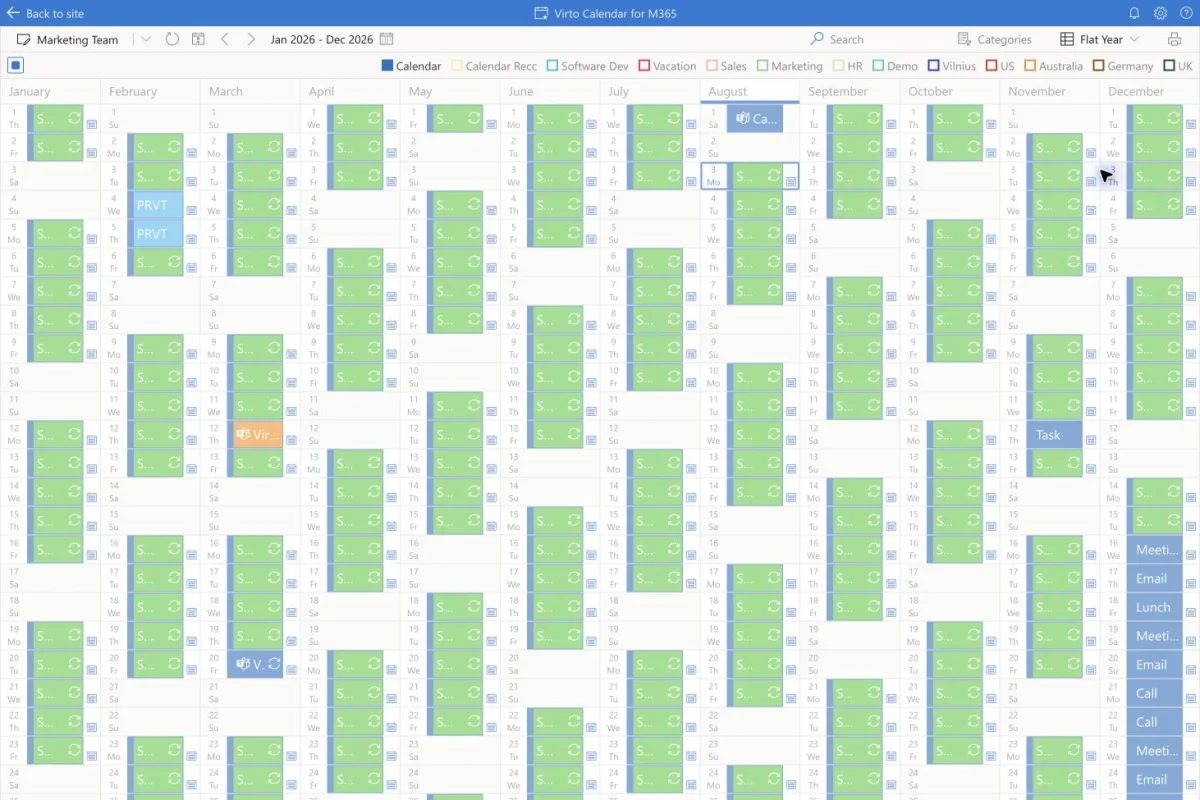
Executive Annual Calendar
Overlay approved strategic milestones, launches, board and QBR dates and annual targets by theme in one live annual calendar for the CEO and COO.
Learn more about Executive Annual Calendar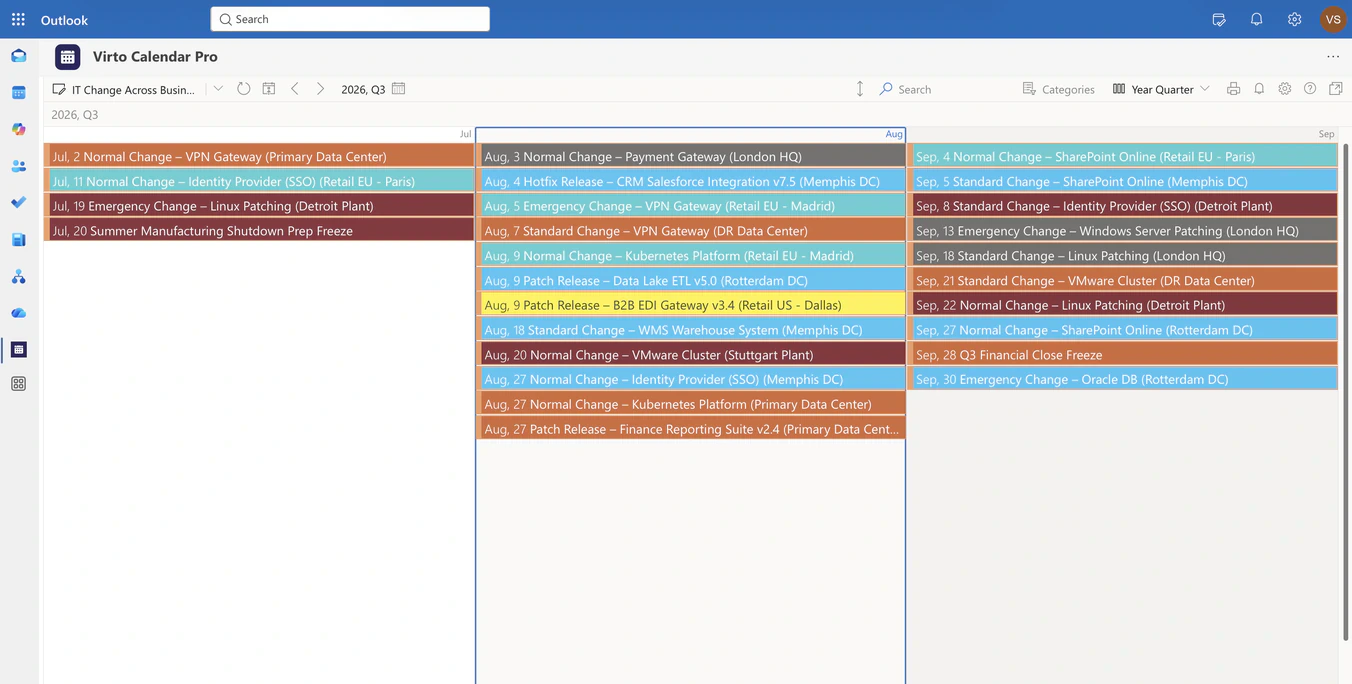
IT Change & Release Calendar
Overlay change, release and maintenance lists from every business unit in one Microsoft 365 calendar, so IT sees colliding windows before they open.
Learn more about IT Change & Release Calendar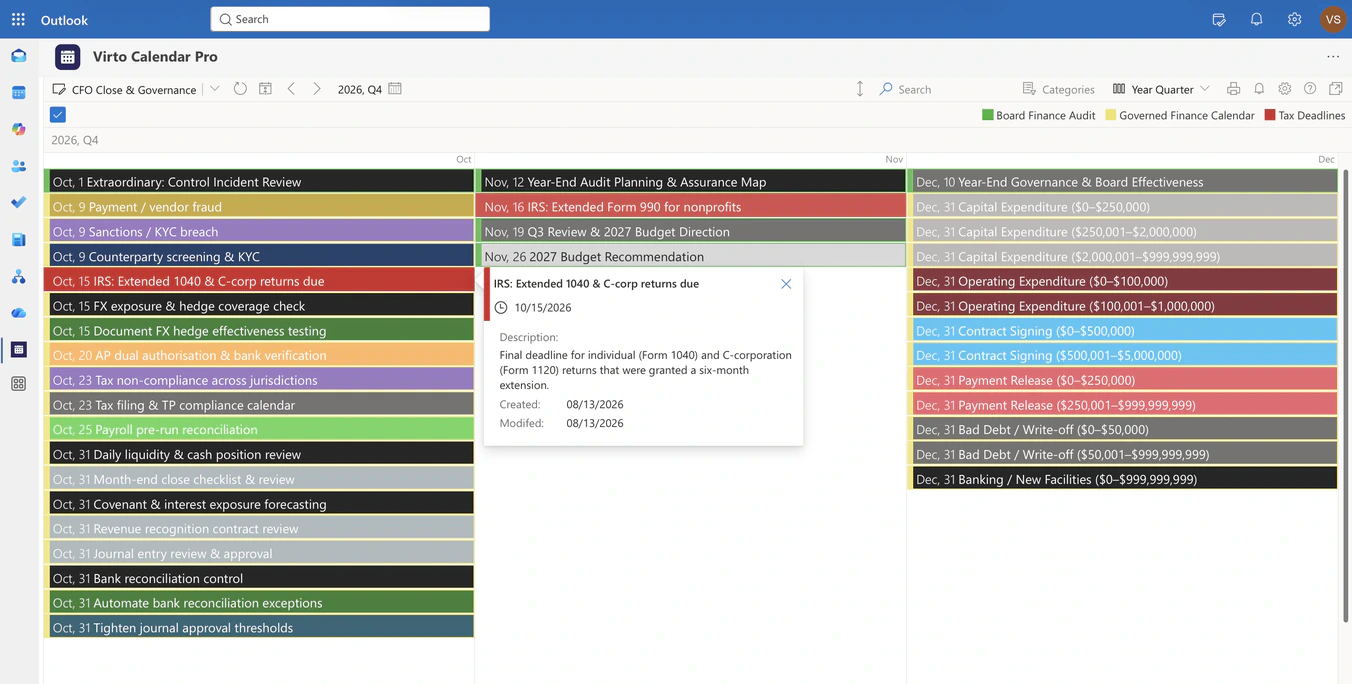
CFO Close, Reporting & Governance Calendar
Overlay finance registers, board and audit calendars and statutory feeds in one Microsoft 365 year view, so the CFO sees close windows, filing deadlines and board dates in sequence.
Learn more about CFO Close, Reporting & Governance Calendar