


Reviews, Learning and Absence Load on One Year
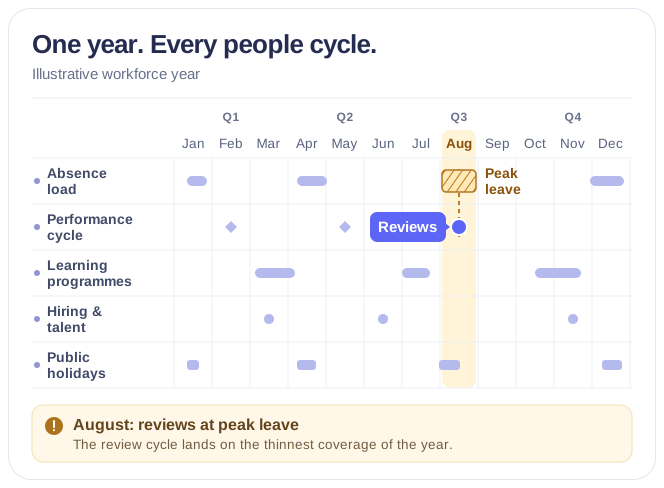
Overlay team-level absence load, learning and talent programmes, company closures and country holidays in one Microsoft 365 year view, so the CHRO plans reviews around thin coverage without opening anyone's record.



Trusted by Industry Leaders


and over 8,000 businesses worldwide
Launch Interactive Demo
A Privacy-Safe Workforce Year for the CHRO
Overlay the aggregated absence load, learning and talent programmes, company closures and country holidays your teams already keep — as pressure on a team, never as anyone's record.
Flat Year
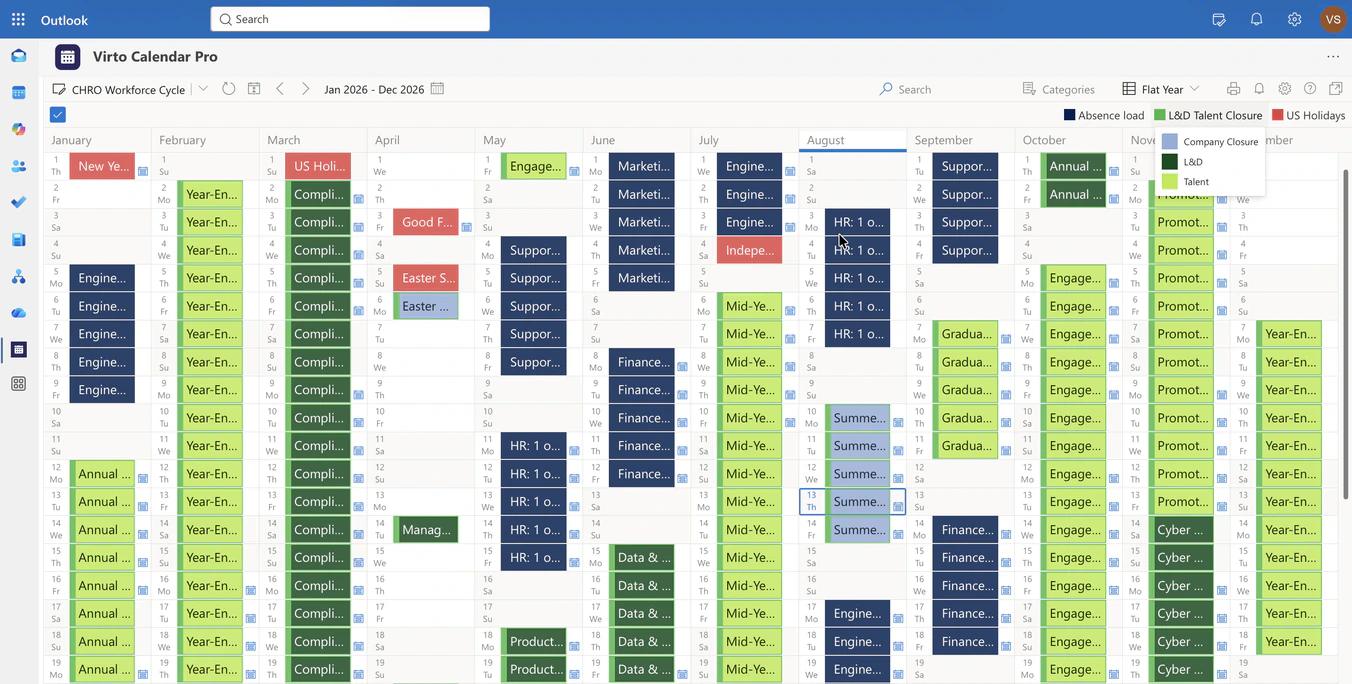
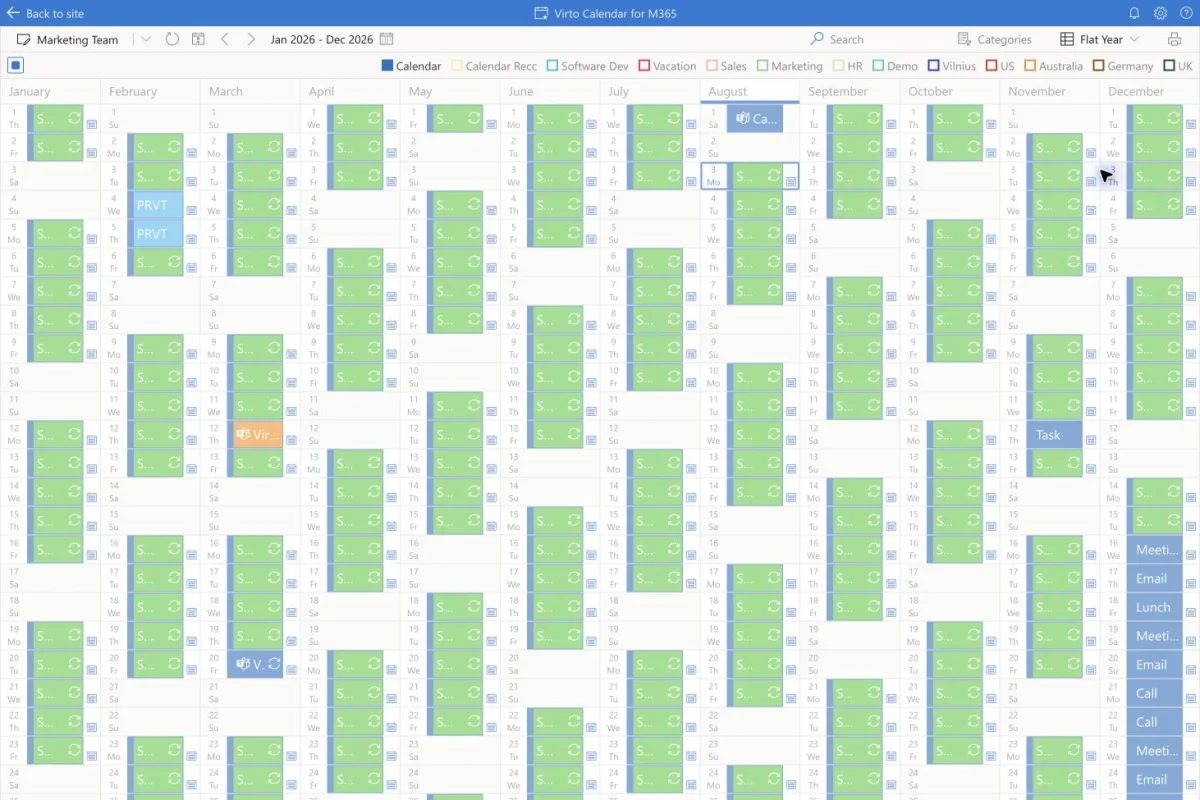
Twelve months of people cycles side by side
Absence load, not individual records
Leave shows up as pressure on a team — how many are away in a given week — so a people leader plans reviews and training around thin coverage without opening anyone's record.
Talent events kept distinct
Company closures, learning programmes and talent milestones carry their own categories, so a training week is not read as a holiday.
Holidays by country from a feed
Country holiday calendars come in as read-only feeds and sit in the same column as the programmes planned around them.
Week
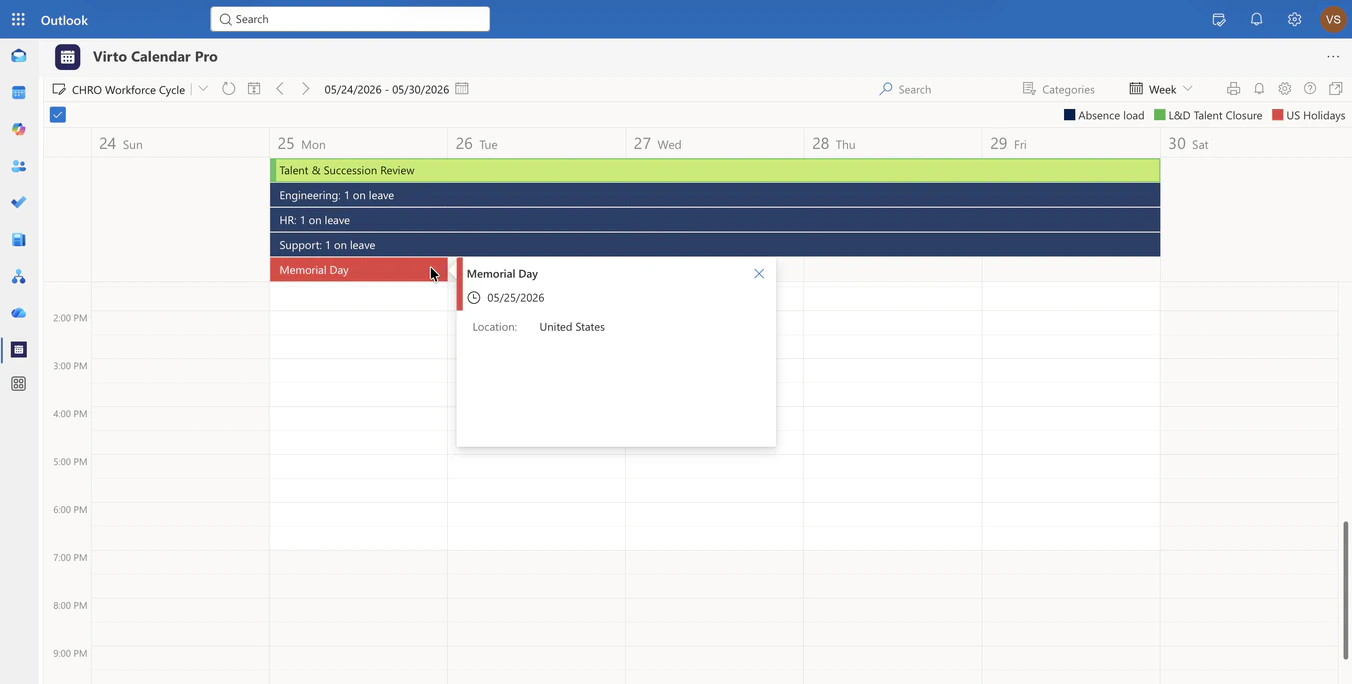
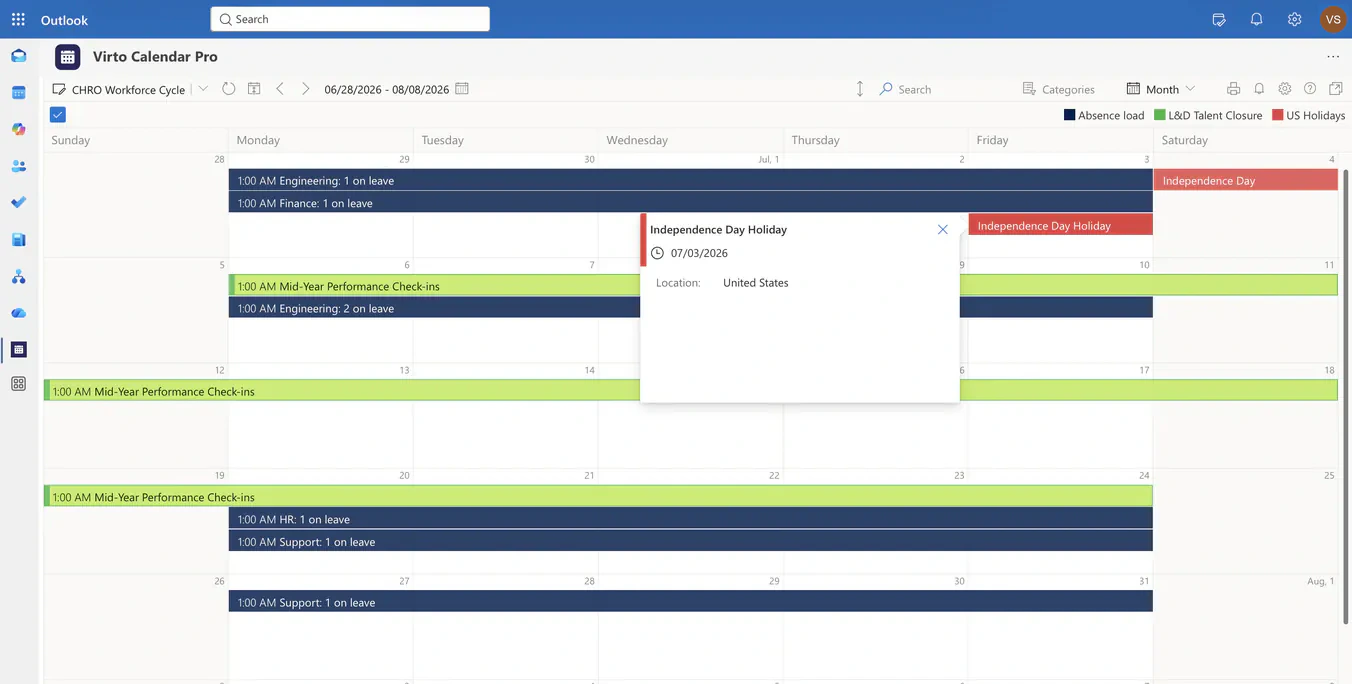
The week a talent review meets three teams on leave
Load per team, as a bar
Each team's absence shows as one all-day bar with a count — Engineering: 1 on leave — so the week's coverage is read without a name.
The collision that Flat Year predicted
The review that looked crowded on the year is confirmed in the week, while the meeting can still move.
Holidays on the same rows
A public holiday from the country feed sits directly under the review and the leave bars, so the one-day gap is not a surprise on the day.
Month
A month of mid-year check-ins over summer leave
Month for the people team's planning
Month is the scale for placing check-ins, onboarding weeks and training sessions into the weeks that still have cover.
Aggregated at the source
The absence list publishes counts per team, not who is away or why. The calendar reads that list as it is; the individual request stays in the HR system.
The same permissions as the source
Managers see the teams their Microsoft 365 permissions already allow; nobody gains access to a record through the calendar.
Key benefits

People cycles on one year
Performance, learning, hiring and closure cycles from their own calendars in one Microsoft 365 view, next to the absence load they compete with.
Absence as team load
Leave is drawn as a count per team per week, so coverage is read at a glance and nobody's absence becomes a data point on an executive screen.
Talent, learning and closures kept distinct
Each programme keeps its own category and colour, so a training week, a company closure and a public holiday are never read as the same thing.
Holidays from a country feed
Public holidays per country come in read-only from the feed that publishes them and sit in the same columns as the plan.
No employee record exposed
The absence list publishes aggregates; requests, reasons and balances stay in the HR system. The calendar cannot show what the source does not.
Scales for the year and for the week
Flat Year for the annual cycle, Month for placing check-ins and sessions, Week for the collision itself — same sources, same permissions.
When Virto Calendar App fits — and when it does not
Absence sits in one system, the talent calendar in another, and holidays in a third.

Absence load, learning events and public holidays are drawn on the same year, so a collision between a talent milestone and peak leave is visible while the date can still move. Use the same app in Microsoft 365 or Microsoft Teams.
L&D keeps its calendar, facilities keeps the closures, and the country holidays come from a feed.
All three are drawn on one year with their own categories, so a training week, a closure and a holiday are never read as the same thing.
Virto Calendar App shows how many are away per team. Requests, approvals, balances and reasons stay in the HR or absence system that owns them.
Virto Calendar App
Put every people cycle on one screen


Related use cases
Discover our range of use cases to take your planning and coordination to another level
Executive Annual Calendar
Overlay approved strategic milestones, launches, board and QBR dates and annual targets by theme in one live annual calendar for the CEO and COO.
Learn more about Executive Annual Calendar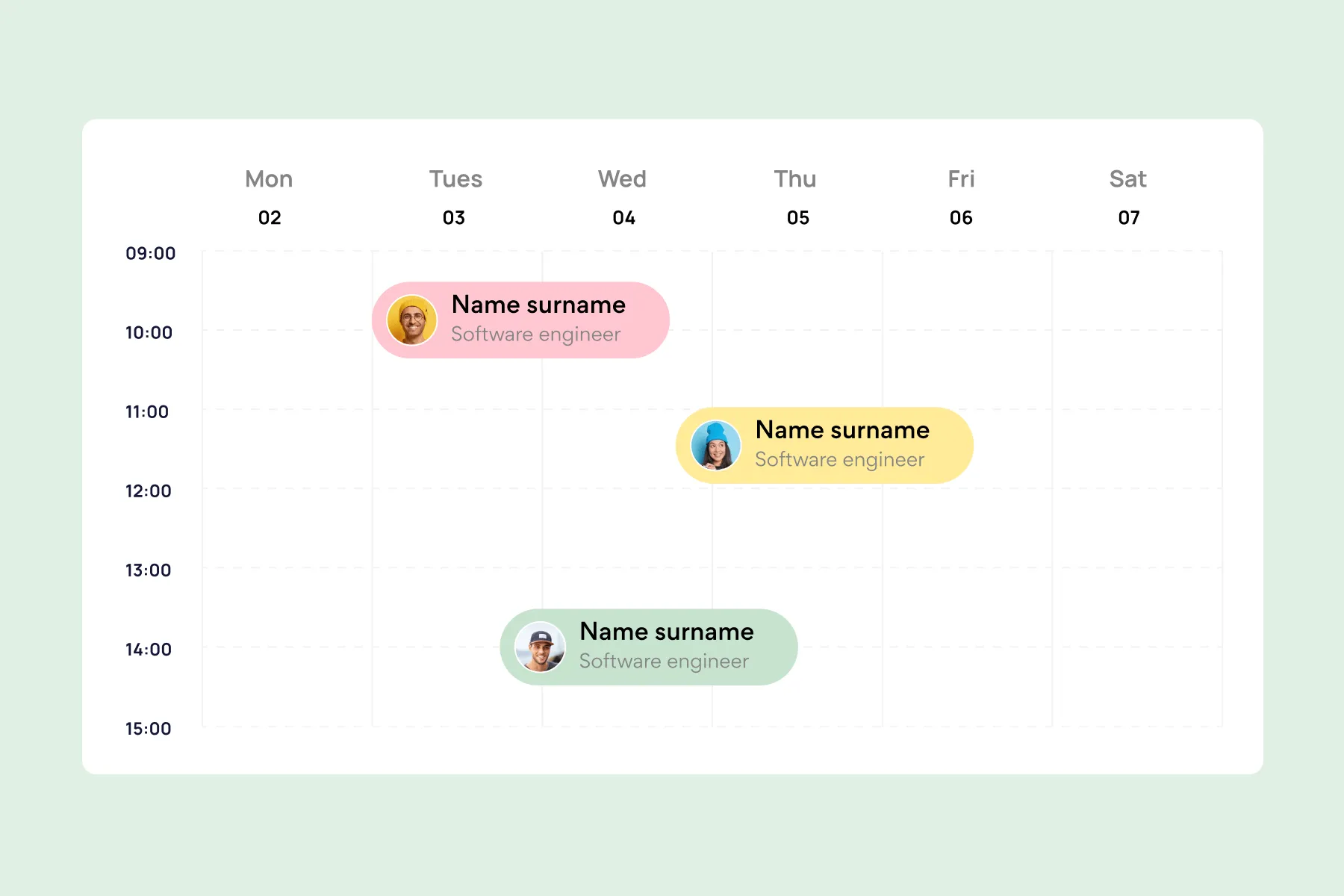
Employee Vacation Tracker
Virto Calendar App shows approved leave next to the public holidays of every country your team works in — who is away, and which offices are closed.
Learn more about Employee Vacation Tracker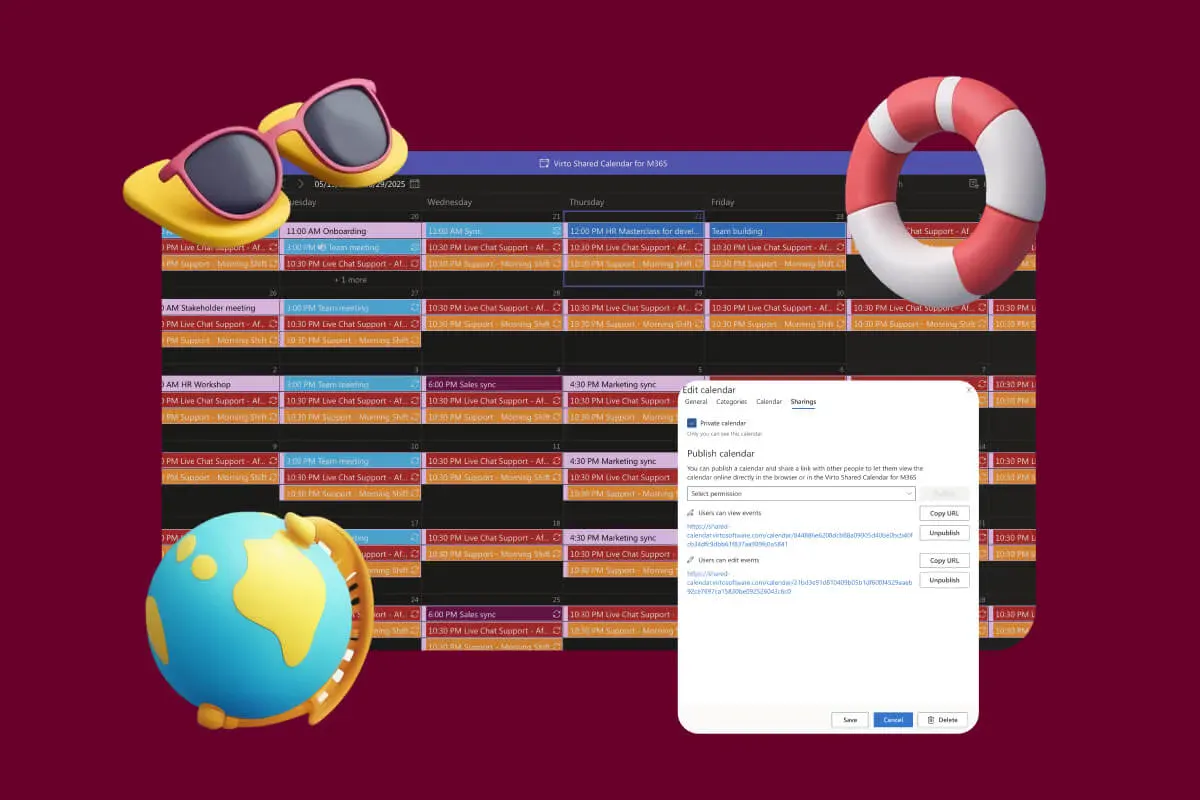
Company Holiday Calendar
One company holiday calendar for a small team: public holidays from an iCal feed, office closures and time off, shared with employees, contractors and vendors by link. Opens in a browser or Teams.
Learn more about Company Holiday Calendar