


SharePoint Calendar Web Part: The Ultimate Appfor SharePoint On-Premises
Overlay Outlook, SharePoint lists, Google Calendar, SQL tables and XML feeds in one color-coded SharePoint calendar.
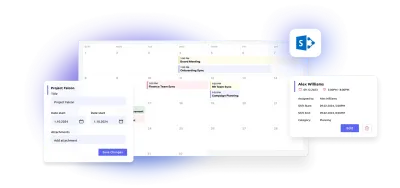
Key features:

Multi-Source Calendar Overlay
Combine SharePoint lists, Outlook, Exchange, SQL, XML, and iCal sources into one unified calendar view.

Real-Time Outlook Sync
Two-way synchronization with Outlook — edit an event anywhere and see it reflected instantly everywhere.

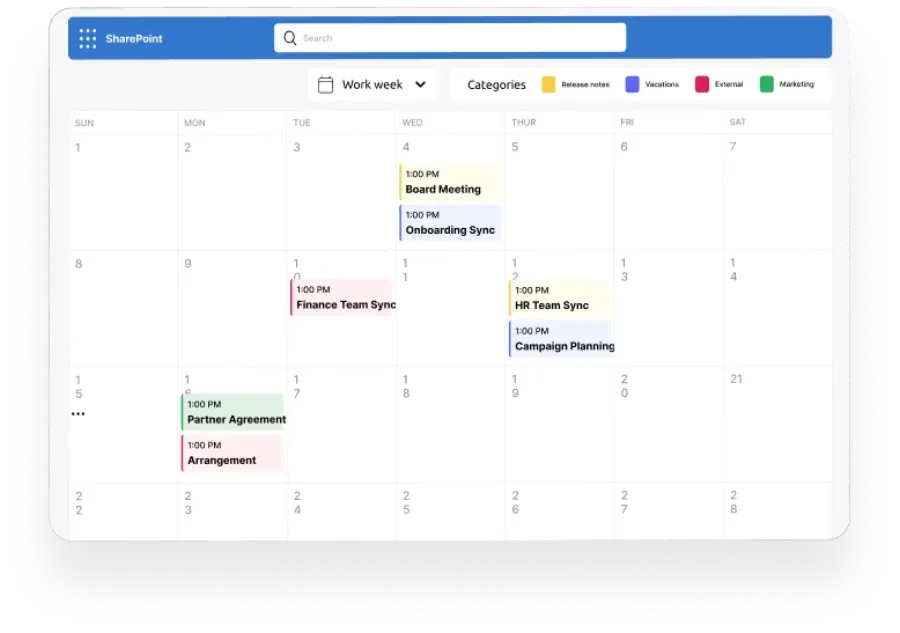
Flexible Views & Color Coding
Switch between daily, weekly, monthly, and Gantt views. Color-code categories for instant visual clarity.
Trusted by Industry Leaders


and over 8,000 businesses worldwide
What is Virto Calendar Web Part?
Virto Calendar Web Part is an enterprise-grade SharePoint calendar app that consolidates multiple data sources — including SharePoint lists, Outlook, any internet calendar, SQL Tables, and XML — into a single view. Unlike native SharePoint calendars, Virto allows users to view, edit, and overlay events from different sources in real time.
Why Enterprises Choose the Virto Calendar Web Part
Overlay All Calendars in One View
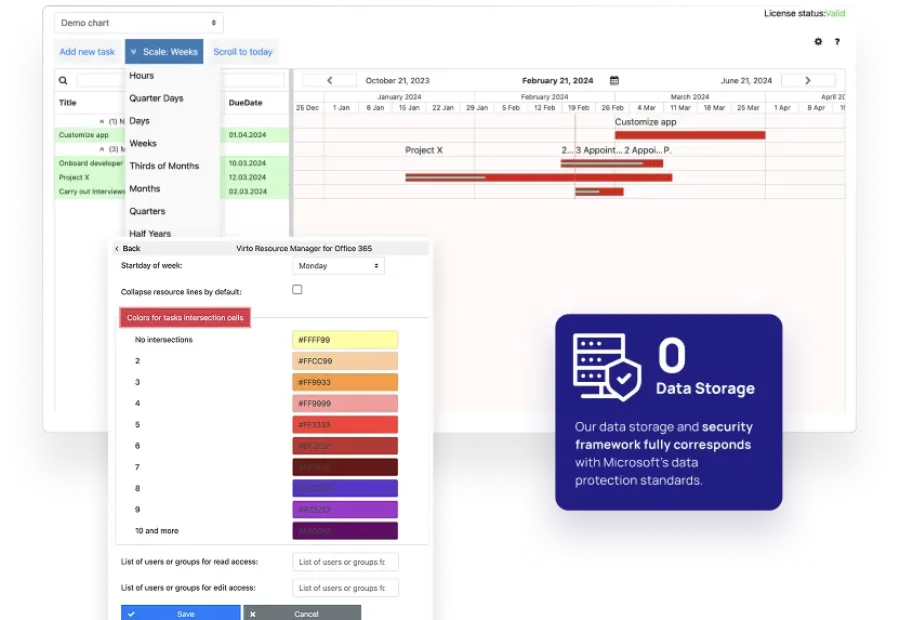
Unify team vacation plans, project milestones, and shared resources with one click. Combines all event data in a single synchronized interface.
Sync Directly with Outlook
Keep productivity flowing. Manage tasks and meetings without context switching — when you edit an event in Outlook, it's instantly reflected in Virto Calendar.
Customize Views and Color Codes
Quickly identify overlaps and dependencies by color-coding categories. Configure calendar types, filters, and display options to fit your workflow.
Comparison: Virto Calendar Web Part vs Native SharePoint Calendars
 Native SharePoint Calendar
 Virto Calendar Web Part
Upgrade your scheduling from visibility gaps to total calendar harmony.
Try Virto Calendar Web Part TodayUse cases
Explore the versatility of SharePoint Calendar Web Part: The Ultimate App through these real-world scenarios:
Team and Project Calendar
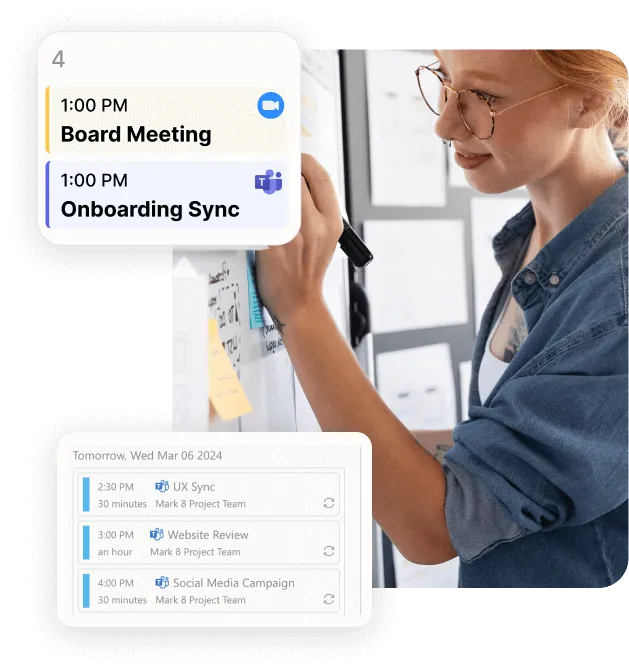
Maximize project visibility and coordination across teams with Virto Calendar, streamlining workflow and simplifying stakeholder communication.
Learn more about Team and Project Calendar
Employee Vacation Tracker
Virto Calendar App shows approved leave next to the public holidays of every country your team works in — who is away, and which offices are closed.
Learn more about Employee Vacation Tracker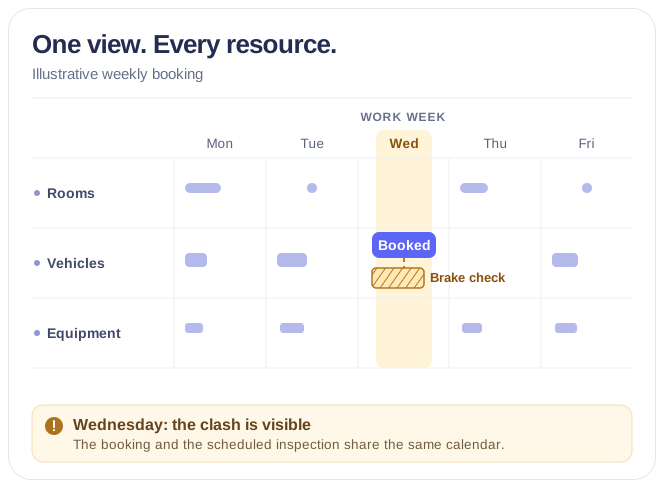
Rooms & Equipment Calendar
Combine rooms, offices, vehicles and equipment in one Microsoft 365 calendar, with the maintenance jobs and blackout periods that make them unavailable.
Learn more about Rooms & Equipment CalendarTechnical & Enterprise Readiness
Virto Calendar Web Part is built for enterprise-grade reliability and seamless integration into existing SharePoint farm solutions.
Compatibility: SharePoint 2013 / 2016 / 2019 / SE
Architecture
- Three-tier architecture
- High-availability SQL clustering
- Full-trust code and local deployment
- Service application and zone configuration support
Deployment: On-premises only (no external dependencies)
Sized to fit your business
Choose the perfect plan to match your business needs.
Pro
50% discount from the second year
RequestFor mid-size businesses that need a unified calendar overlay across SharePoint, Outlook, and external data sources.
- Help & learning content
- Global web ticketing support
- Up to 72 hours of response time
- One support contact
Enterprise

For large organizations needing advanced features and enterprise-grade security and controls.
- All Pro plan features
- Priority support
- Microsoft Teams support sessions
- Technical account manager
- Up to 24 hours of response time
- Unlimited number of support contacts
- Customer success manager
- Consulting sessions
Good to know
Installation and documentation
Setup steps, video guides, FAQs and troubleshooting articles in our documentation.
Documentation →Perpetual licence
Yours to keep. The first year of updates and support is included, then renews at 50% of the price.
Your data
The web part runs inside your SharePoint farm; your content stays on your servers.
Trust & Security Center →Discounts and quotes
15% off for education, healthcare and charities; custom quotes for larger organisations.
Talk to sales →
The pricing outlined herein is valid only as to new purchases occurring on or after June 1, 2024. VirtoSoftware reserves the right to adjust its packaging and pricing at any time.
Mastering SharePoint Calendars
Improve your SharePoint calendar skills with tutorials and guides from VirtoSoftware's knowledge hub.
FAQ
SharePoint Server Calendar Management
Yes. Unlike the native SharePoint calendar, Virto supports multiple data overlays, real-time Outlook sync, and customizable color-coded views — all designed for enterprise scalability.
Absolutely. You can connect unlimited SharePoint lists, Outlook and Exchange calendars, SQL tables, XML and iCal feeds on one screen.
Yes. Virto Calendar Web Part fully supports both Classic and Modern experiences across SharePoint 2019 and SharePoint Server Subscription Edition.
Virto Calendar operates entirely within your SharePoint farm, ensuring data never leaves your infrastructure.
Talk to our team
Need clarity on our app's suitability for you? Set up a quick call with us or chat via Microsoft Teams chat to explore its potential for your needs.



Try SharePoint Calendar Web Part Free
Download and extract the zip file to a folder on your SharePoint server.
Run Setup.exe under SharePoint administrator account and follow the simple wizard.
Step-by-step installation guide
Download the Latest Version
Choose your SharePoint product version:
Need any help? — email us at support@virtosoftware.com