


Updated June 2026. Looking for the best way to run a Kanban board inside SharePoint Online? This guide compares the strongest SharePoint-native and SharePoint-friendly options for 2026 — weighing integration, customizability, scalability, security, and pricing — so Microsoft-ecosystem teams can pick the right fit with confidence.
Quick answer: the best Kanban board for SharePoint Online
For Microsoft-ecosystem teams, Virto Kanban Board App is the top pick — it’s SharePoint-native, works across SharePoint, Teams and Azure on a single license, and starts at $2/user/mo. If you want a free, native baseline with no add-ins, the Microsoft Lists Board view is the simplest place to start.
Why integrate Kanban with SharePoint Online
Pairing a visual Kanban workflow with SharePoint Online combines an at-a-glance view of work with a secure, collaborative Microsoft 365 environment. The practical benefits:
- Improved visibility — real-time status across every task and stage.
- Enhanced collaboration — teams track and discuss work where they already store documents.
- Streamlined workflow — bottlenecks and overloaded stages become obvious fast.
- Enterprise-grade security — data inherits Microsoft 365’s security and compliance posture.
- Scalability — boards expand as projects grow, without re-platforming.
- Microsoft 365 integration — ties into Teams, Planner and Power Automate for automation and notifications.
New to the concept itself? Start with our digital Kanban board guide for the fundamentals, then come back here to choose a tool.
How to choose a SharePoint Kanban board
Five factors separate a tool that fits from one your team abandons:
Ease of integration
It should drop into your existing SharePoint Online environment with minimal setup — and ideally surface inside Microsoft Teams so the board is reachable from chat.
Customizability and flexibility
Look for adjustable columns, card fields, swimlanes, and workflow stages so the board matches how your team actually works.
Scalability and adaptability
The tool should handle more boards, more users, and more complex workflows as you grow, including running several projects at once.
Security and compliance
Check for encryption, authentication and permission management, plus any regulatory needs (e.g. GDPR or HIPAA). Apps listed on Microsoft AppSource must meet Microsoft’s security standards, which adds a baseline of assurance.
Pricing and support
Confirm pricing fits your budget and that the vendor offers documentation, training and responsive support.
Best Kanban boards for SharePoint Online [2026]
Applying those factors, here are the standout options in the Microsoft ecosystem this year.
1. Virto Kanban Board App for SharePoint Online & Microsoft Teams
Virto Kanban Board integrates natively with both SharePoint Online and Microsoft Teams. It turns any SharePoint list into a board, supports swimlanes, color-coding, sub-tasks, templates, comments and attachments, and scales smoothly as projects evolve. As an AppSource app it meets Microsoft’s security standards.
Pricing: from $2/user/mo (Starter, up to 30 users), $3/user/mo (Pro, 31–200 users), Enterprise on request — billed yearly. A single license spans SharePoint, Teams and Azure. There’s a 30-day free trial, plus a 15% discount for education and non-profits.
Try Virto Kanban Board for free — and for the singular how-to of building one board, see our SharePoint Kanban board guide.
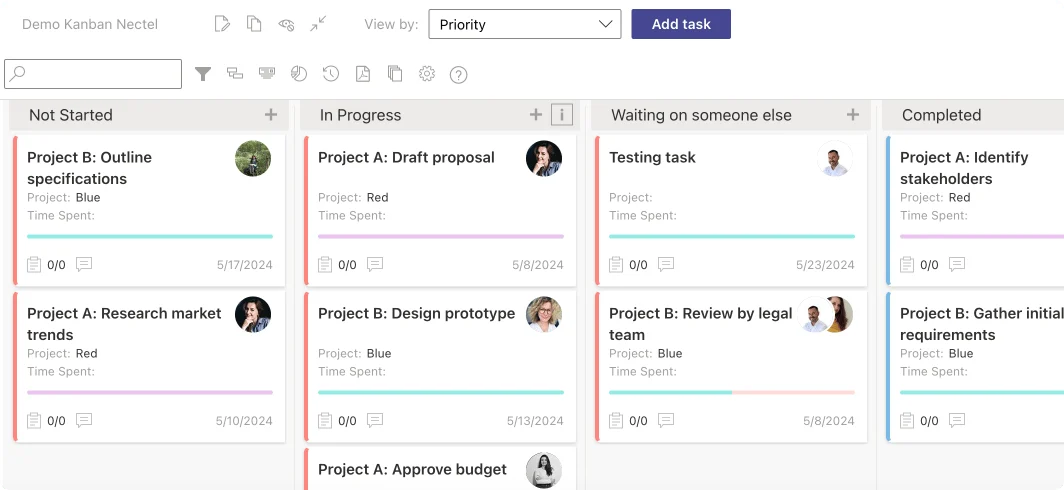
Virto Kanban Board App
2. Saketa Kanban Board
Saketa integrates easily with SharePoint Online and offers strong customizability with a real-time dashboard for task and timeline visibility. It scales well to growing requirements and, as an AppSource product, follows Microsoft’s security standards. Notable limitations: it doesn’t add as a separate Microsoft Teams tab, and pricing isn’t published — you’ll need to contact Saketa for a quote.
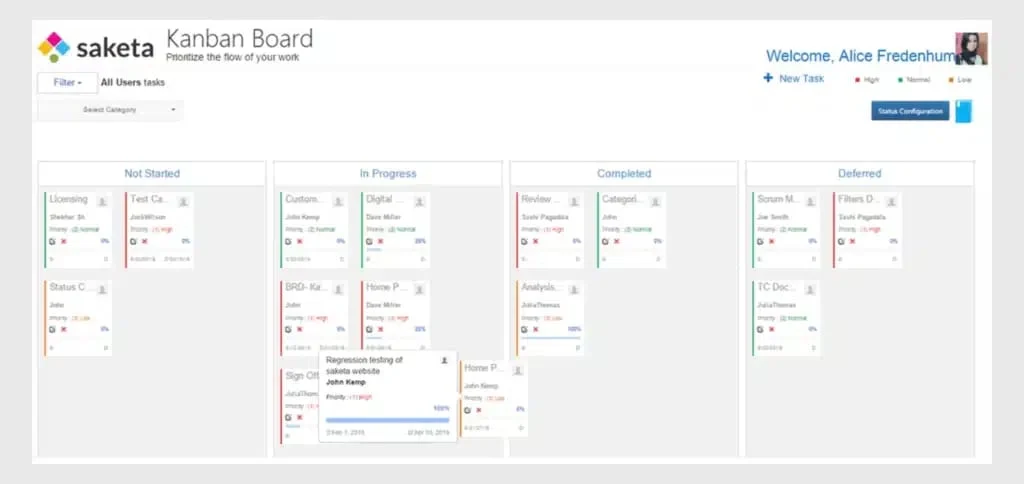
Saketa Kanban Board
3. Microsoft Planner (Tasks) Board view
Microsoft Planner (now unified with To Do and Project under the Planner/Tasks experience) is Microsoft’s own actively-maintained board. It plugs straight into SharePoint Online and Teams, supports buckets, labels and assignments, and is covered by your Microsoft 365 licensing. Customization is lighter than dedicated third-party apps, but for teams that want a native, continually-updated option with zero extra vendor, it’s a credible pick.
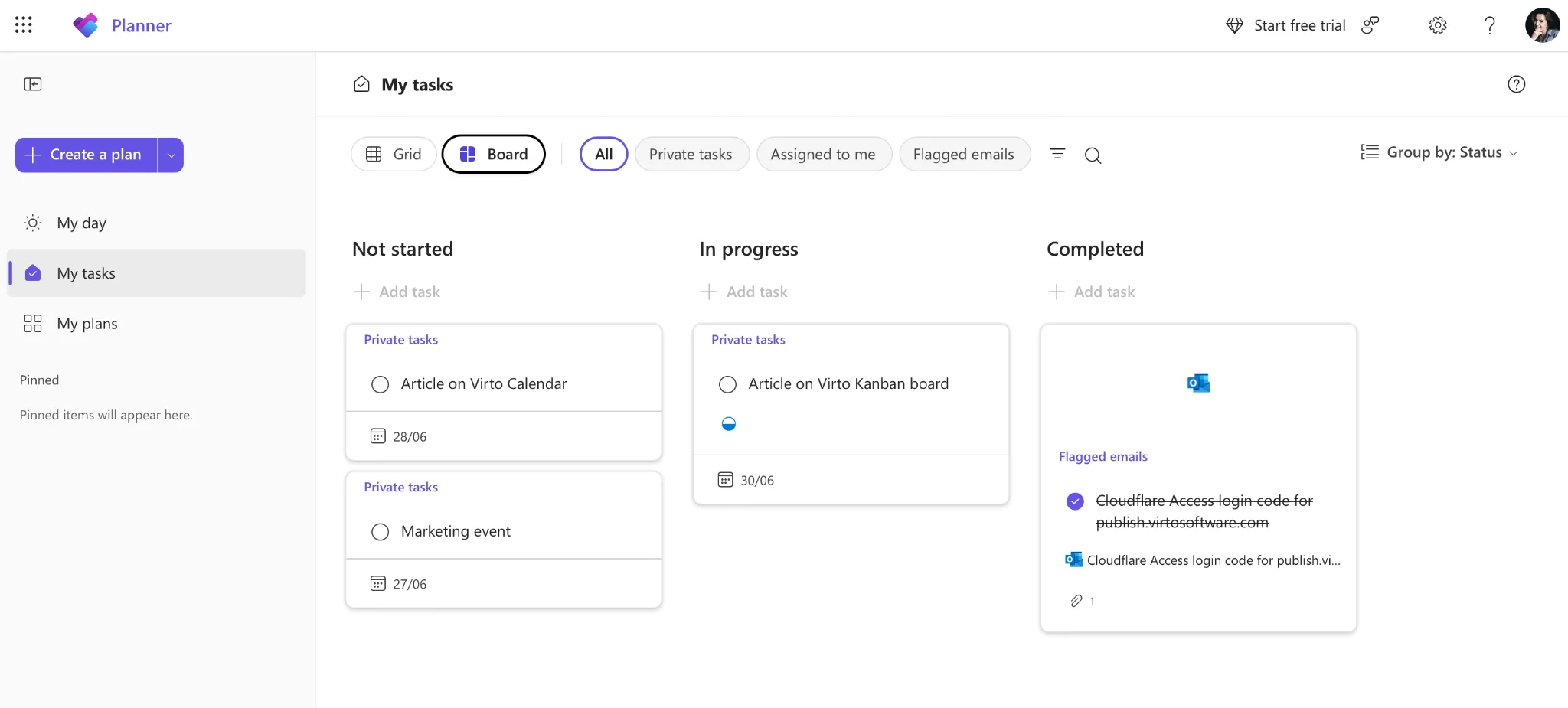
Microsoft Planner board view
4. BrightWork Kanban for SharePoint
BrightWork pairs a simple board with project-management depth and scales with project growth. It’s an AppSource offering, so it adheres to Microsoft’s security protocols. Like Saketa, it doesn’t integrate as a Teams tab, and pricing sits around the market average — request a quote for current figures.
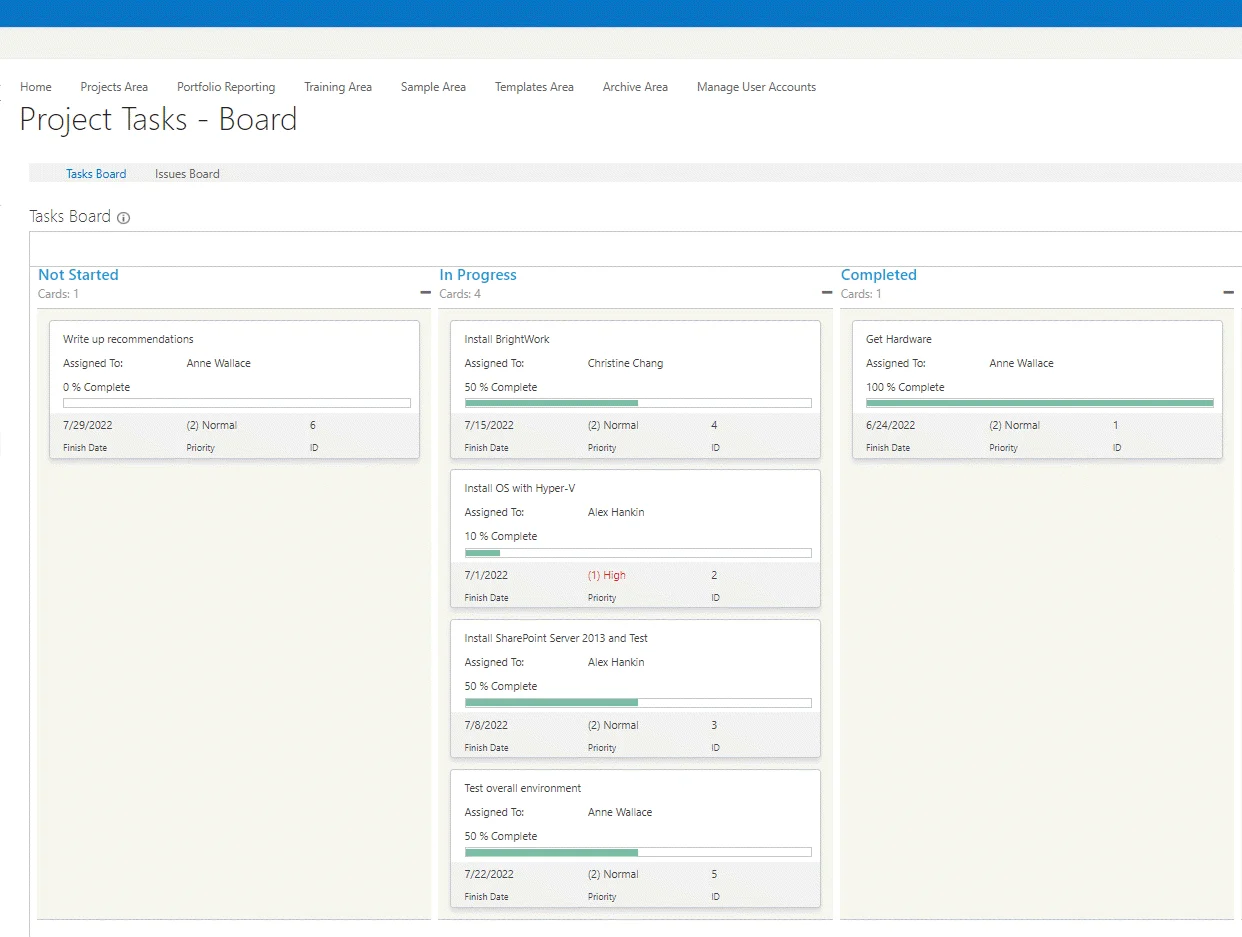
BrightWork Kanban for SharePoint
5. Microsoft Lists Board view
As a native Microsoft feature, Microsoft Lists Board view integrates effortlessly with SharePoint Online and Microsoft Teams. Customization is basic compared with dedicated apps, but the interface is clean, it’s highly scalable, inherently secure, and included with your Microsoft 365 subscription — making it the obvious free starting point.
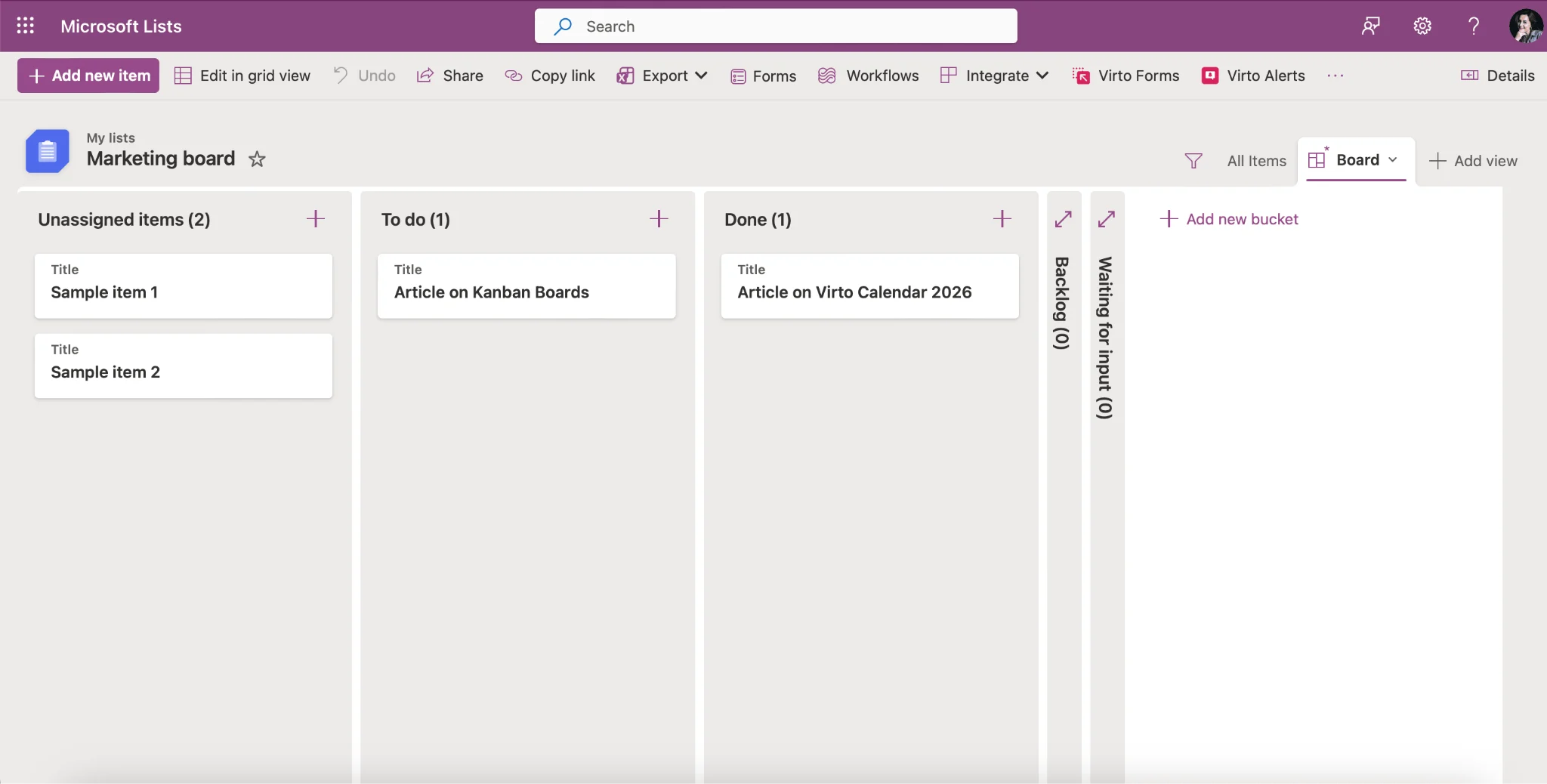
Microsoft Lists Board view
Need Teams specifically? Several tools here are SharePoint-first. For a roundup qualified to Microsoft Teams, see our best Kanban board apps for Microsoft Teams. For platform-agnostic options, see our online Kanban boards guide.
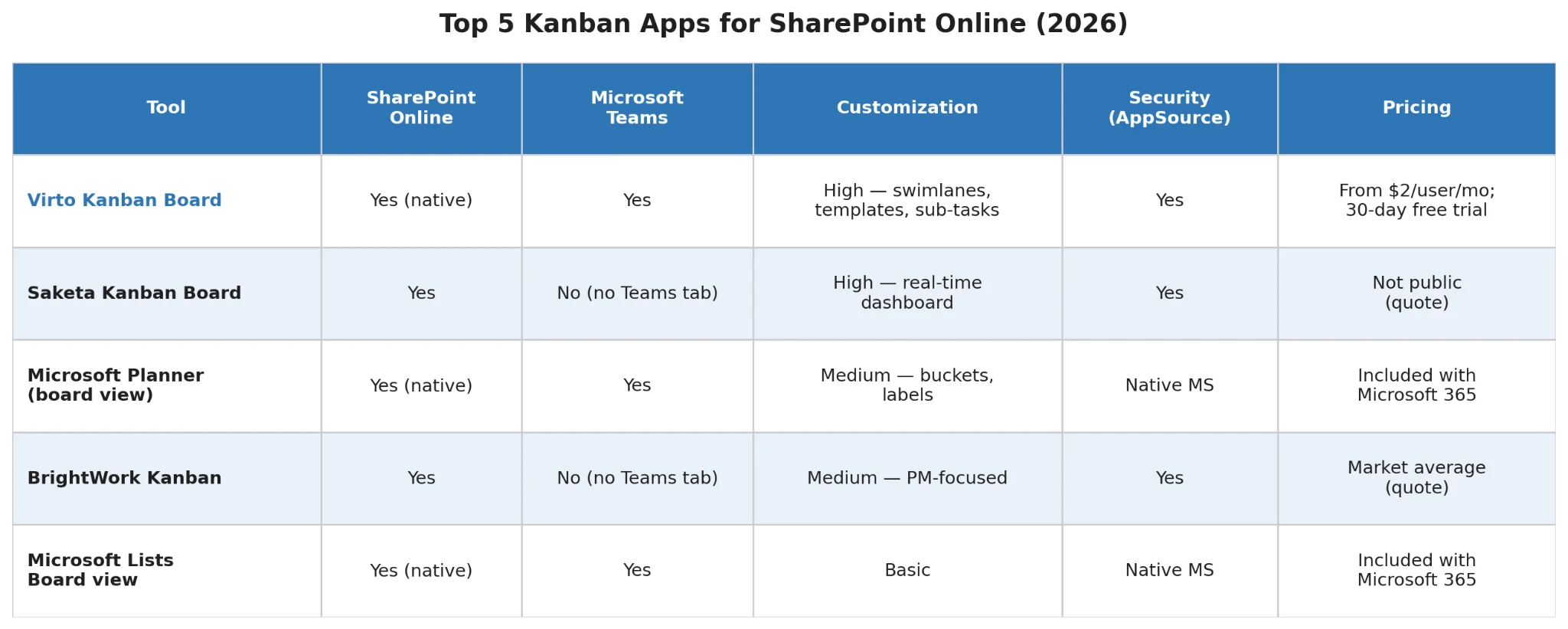
Summary comparison table — Top 5 Kanban apps for SharePoint Online
Tips & best practices
Use descriptive, concise task names
Name each card so its purpose is clear at a glance — clarity prevents duplicated and stalled work.
Set work-in-progress (WIP) limits
WIP limits how many tasks can sit in a stage at once (e.g. three in “in progress”). They balance workload, expose bottlenecks, and stop new work starting before current work finishes. Tune them to your team’s capacity and average cycle time.
Use color-coding and labels
Categorize cards by type, priority or team with color-coding and labels so critical work stands out in the SharePoint Kanban view. For a deeper measure of flow health, see our Kanban metrics guide.
Update and maintain the board regularly
Move cards as work progresses and archive completed items so the board stays an accurate, trusted source of project status.
FAQ
Does SharePoint Online have a built-in Kanban board?
Yes — a basic one via the Microsoft Lists Board view. For swimlanes, WIP limits and Teams integration, an app like Virto Kanban Board adds full functionality.
What is the best Kanban board for SharePoint Online?
For Microsoft-ecosystem teams, Virto Kanban Board (SharePoint-native, one license across SharePoint/Teams/Azure, from $2/user/mo) is the top pick. Microsoft Lists Board view is the free native baseline.
Is there a free SharePoint Kanban board?
Yes. Microsoft Lists Board view and Microsoft Planner are included with Microsoft 365 at no extra cost. Virto Kanban Board also offers a 30-day free trial if you want fuller functionality before buying.
Conclusion
A Kanban board makes SharePoint project management visual, intuitive and easier to keep on track. When choosing, weigh integration, customizability, scalability, security and cost against your team’s needs. Among the options above, Virto Kanban Board stands out for native SharePoint and Teams integration, deep customization and enterprise-grade security — a comprehensive fit across team sizes.
Start a free trial of Virto Kanban Board and see how it modernizes your SharePoint project management.