


With project volumes rising and teams spread across locations, businesses struggle to keep a unified view and ensure every initiative supports their goals. This growing complexity underscores the need for centralized portfolio management tools to speed up operations and drive success. Dive deeper into these challenges with our guide on Project Portfolio Management.
While standard project management tools excel at handling individual tasks, they frequently fall short when it comes to managing projects. What businesses truly need is a robust system that provides visibility across the full project portfolio—encompassing resource allocation, budgets, timelines, and risk factors—for effective decision-making at every level.
This article demystifies project portfolio management tools (often called PPM software or project portfolio management software), exploring what they are, who benefits most from them, key criteria for choosing the right one, and standout solutions in the market.
Whether you’re evaluating options or seeking inspiration, you’ll discover top examples of portfolio management solutions, expert selection recommendations, and an in-depth look at VirtoSoftware’s tools, perfectly integrated into the Microsoft 365 ecosystem.
What Are Portfolio Management Tools and Why Are They Needed?
In an era of multiple competing priorities, portfolio management tools are essential for orchestrating complex project landscapes effectively.
Definition and Purpose
Project Portfolio Management (PPM) refers to the centralized practice of selecting, prioritizing, and overseeing a collection of projects, programs, and initiatives to maximize business value and strategic alignment.
Portfolio management tools, or PPM software, are specialized software solutions built to handle this project portfolio—a group of interconnected or strategically aligned efforts—by focusing on interrelationships, prioritization, and linkage to organizational goals.
These project portfolio management tools empower leaders to analyze launch sequences amid resource constraints (like team capacity, timelines, and budgets), evaluate risks and dependencies across projects, make high-level decisions on initiating, pausing, or terminating efforts, and deliver unified visibility into all activities.
Typical tasks they address include project prioritization using strategic and financial metrics, tracking interproject dependencies, managing programs within a single portfolio, centralized monitoring of statuses, KPIs, deadlines, and risks, plus automated generation of portfolio-wide management reports.
What is a Portfolio Management Tool?
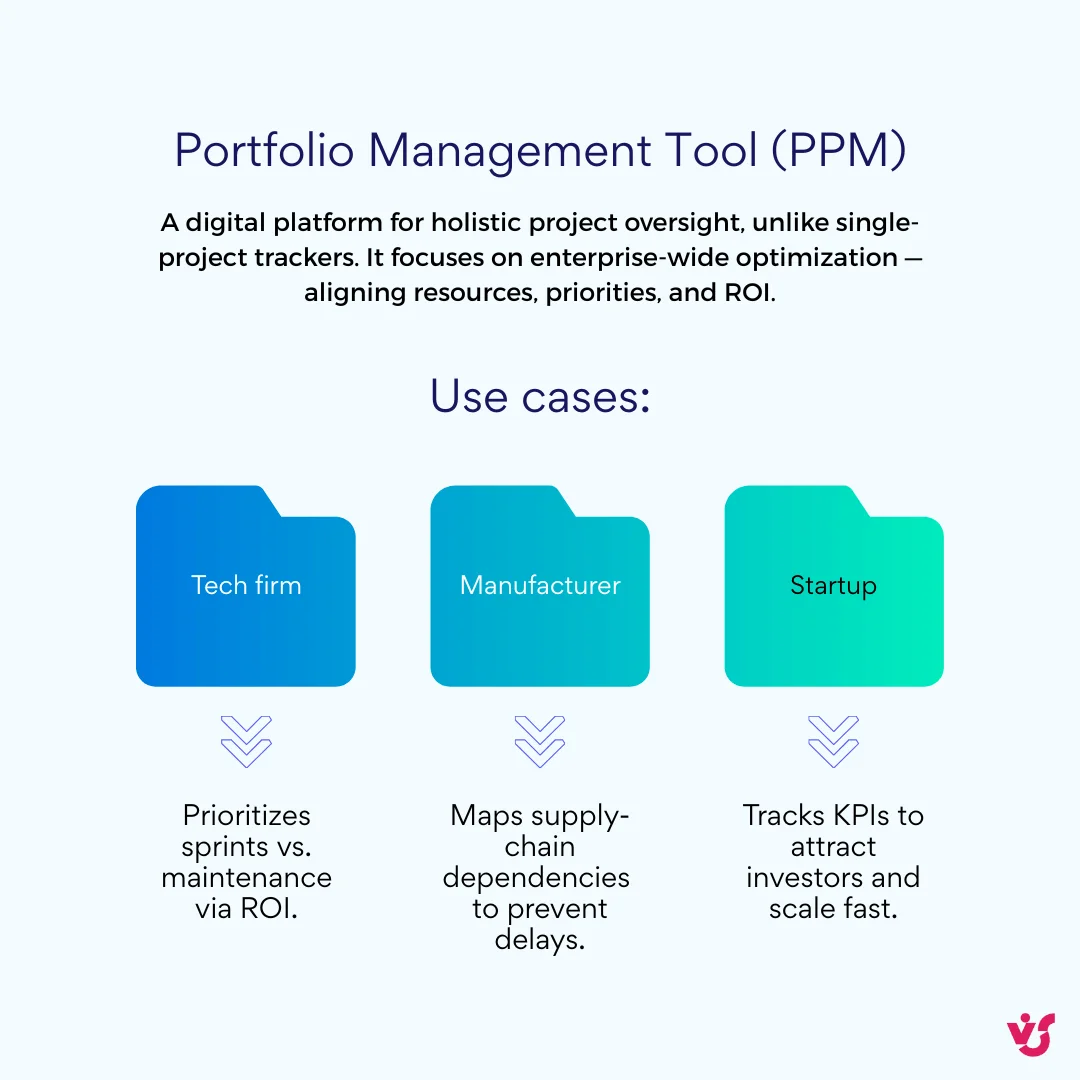
A portfolio management tool is a digital platform that consolidates project data for holistic oversight, distinct from single-project trackers by emphasizing enterprise-wide optimization.
For example, a mid-sized tech firm might use PPM tools to prioritize app development sprints over maintenance tasks based on ROI forecasts; a global manufacturer could map supply chain dependencies to avoid bottlenecks; while a startup leverages it for rapid KPI dashboards to secure investor buy-in on scaling initiatives.
How Do Portfolio Management Tools Differ from Project Management Tools?
Standard project management tools allow you to manage tasks, deadlines, resources, and communication within a single project or team.
Portfolio management tools (or PPM tools) tackle an entire collection of projects instead, with the core focus on linking each one to business goals, setting cross-project priorities, ensuring resource balance across initiatives, and monitoring overall portfolio performance.
Above all, they allow you to manage projects not in isolation, but as an interconnected system—eliminating duplication, avoiding resource conflicts, and analyzing vital interactions between projects for truly strategic oversight.
Target Audience
Portfolio management tools prove indispensable for organizations navigating multiple high-stakes initiatives at once.
Medium and large businesses juggling several strategically vital projects simultaneously stand to gain the most—think scenarios like developing a new product line, rolling out marketing campaigns, and upgrading IT infrastructure all in parallel.
These tools also suit companies managing investment programs across regions or striking a balance between day-to-day operational tasks and bold innovation efforts.
Firms with distributed or matrix structures rely on PPM software for centralized coordination of priorities, budgets, and deadlines spanning teams, offices, and departments.
Ultimately, any organization aiming to boost portfolio transparency, efficiency, and strategic value will benefit: project portfolio management tools enable routine evaluations of project impact, strategy reviews, and waste reduction through data-driven insights.
Key Functions of Portfolio Management Tools
Modern portfolio management tools pack a suite of powerful features to handle complex, multi-project environments with precision and foresight.
Project Portfolio Management and Visualization
These PPM tools consolidate all active and planned projects into a unified dashboard, offering an at-a-glance view of statuses, progress, interrelations, and priorities.
Visual elements like roadmaps, Gantt charts, and Kanban boards include filters for project type, team, budget, or business unit, streamlining C-suite and program-level decisions.
Priority Assessment and Project Alignment with Company Goals
Project portfolio management software excels at tying individual projects to overarching corporate strategy through weighted scoring on criteria like ROI, strategic fit, urgency, and risks.
Leaders can pause or terminate underperforming initiatives, ensuring resources flow to high-value efforts.
What is the Best Tool for Portfolio Management?
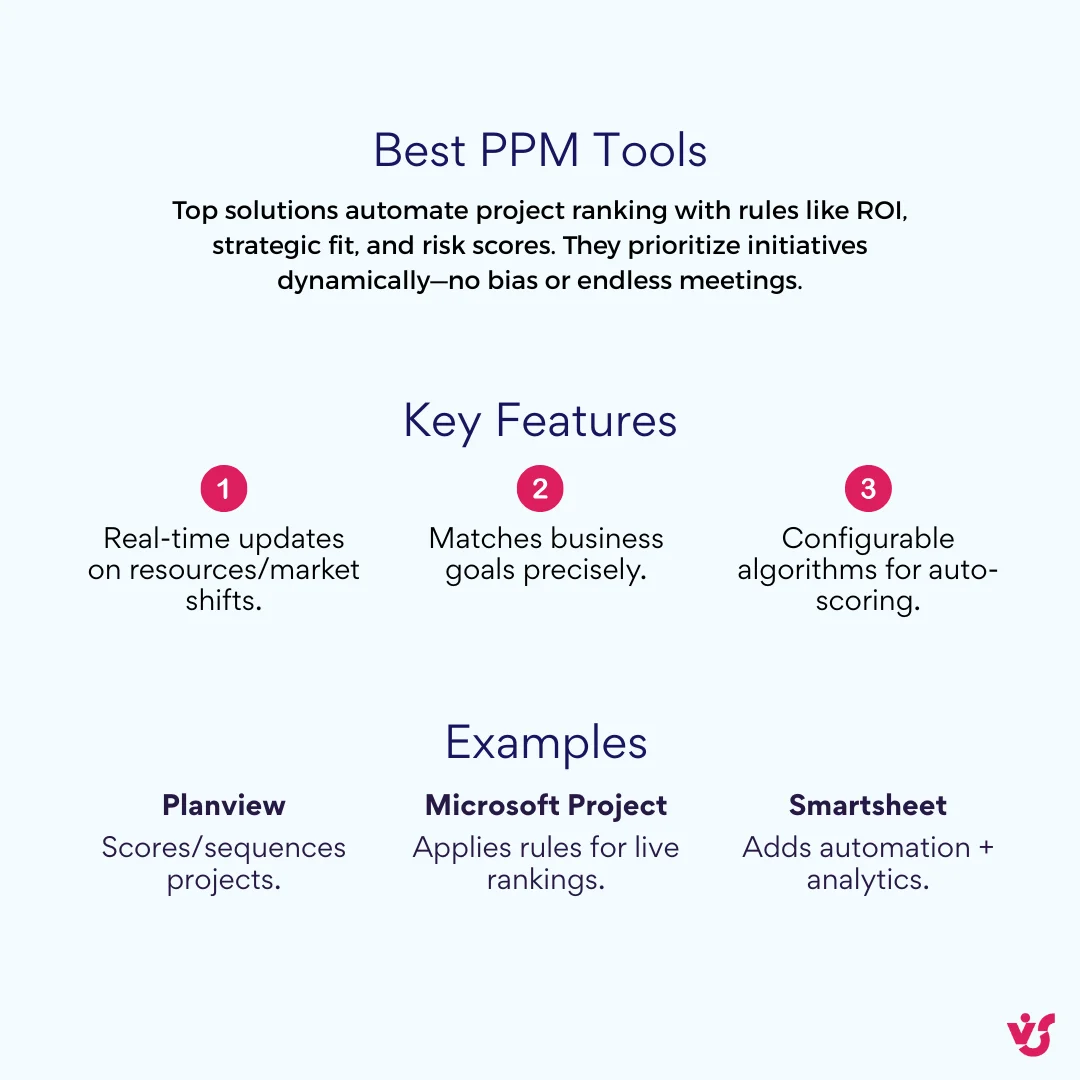
The top portfolio management solutions automate ranking via predefined rules, such as ROI thresholds, strategic alignment scores, or risk-adjusted value. They dynamically prioritize initiatives to match business objectives without manual bias or endless meetings.
For instance, leading PPM tools like Planview or Microsoft Project apply configurable algorithms to score and sequence projects automatically, updating rankings in real-time as data like resource availability or market shifts evolves.
Portfolio-Level Resource Planning and Allocation
PPM software distributes employees, budgets, and equipment across projects based on workloads and priorities, flagging conflicts like overbooking key experts.
Scenario modeling lets you simulate reallocations or new launches, forecasting impacts on capacity and timelines.
Budget Management and Expense Tracking Across the Portfolio
Financial oversight unites metrics from every project, enabling real-time planning, forecasting, and control.
Integration with ERP systems ensures precise cost accounting, while plan-vs-actual comparisons highlight variances portfolio-wide.
Integration with Corporate Systems
Seamless connectivity powers project portfolio management tools: ERP for live financials and resources, CRM for client-linked initiatives, BI for deep analytics, and calendars like Microsoft Outlook or Teams for deadlines and events.
KPI Monitoring and Risk Management
Track portfolio-wide and project-specific KPIs via customizable dashboards with alerts for thresholds.
Risk tools cover identification, assessment, mitigation planning, and escalation, visualized per project or holistically.
Automation of Approvals, Reports, and Notifications
Workflow automation handles initiative approvals, generates scheduled reports (weekly/monthly), and sends tailored alerts on risks, delays, or overruns to keep teams aligned.
Review of the Best Project Portfolio Management Tools
Modern project portfolio management tools differ significantly in functionality depth, customization options, and ideal team fit, allowing organizations to select based on scale and workflow needs.
Tool Types
Today’s PPM tools span a spectrum from heavyweight enterprise suites to nimble cloud apps, each excelling in specific scenarios to match your organization’s maturity and project demands.
Comprehensive PPM Platforms
Enterprise-grade PPM software adapts to complex corporate processes, offering deep customization, advanced workflows, analytics, and multi-portfolio oversight.
Examples include Planview for strategic alignment, Clarity PPM for IT governance, and Sciforma for robust financial modeling.
👉 *Read more about *Enterprise Project Management >>**>
Cloud Services for Agile Teams
These lightweight portfolio management solutions suit dynamic Agile setups, creative agencies, and startups with intuitive interfaces, rapid onboarding, and versatile visualizations like Kanban or roadmaps.
Popular choices: monday.com for customizable boards, Asana for task flows, Jira Align for scaled Agile, and Wrike for collaborative planning.
Integrated Solutions within Microsoft 365
Tailored for Microsoft-centric environments using Teams, SharePoint, and Outlook, these embed project portfolio management without standalone deployments.
Microsoft provides premium plans in Microsoft Planner (the successor to Project for the web, which retired on 1 August 2025 together with its Roadmap app) and Power Platform for custom PPM builds.
Does Microsoft Have a Portfolio Management Tool?
Yes—Microsoft’s offerings like Project for Enterprise handle portfolio roadmaps and resource optimization, while Power Platform allows tailored solutions.
Third-party enhancements like VirtoSoftware’s apps integrate natively into Teams and SharePoint, adding flexible visualization, scheduling, and notifications to supercharge your PPM tool ecosystem.
Popular Solutions
Leading project portfolio management software options cater to diverse needs, from enterprise-scale analytics to agile team workflows. Here’s a structured breakdown of standout solutions.
Microsoft Project for Enterprise
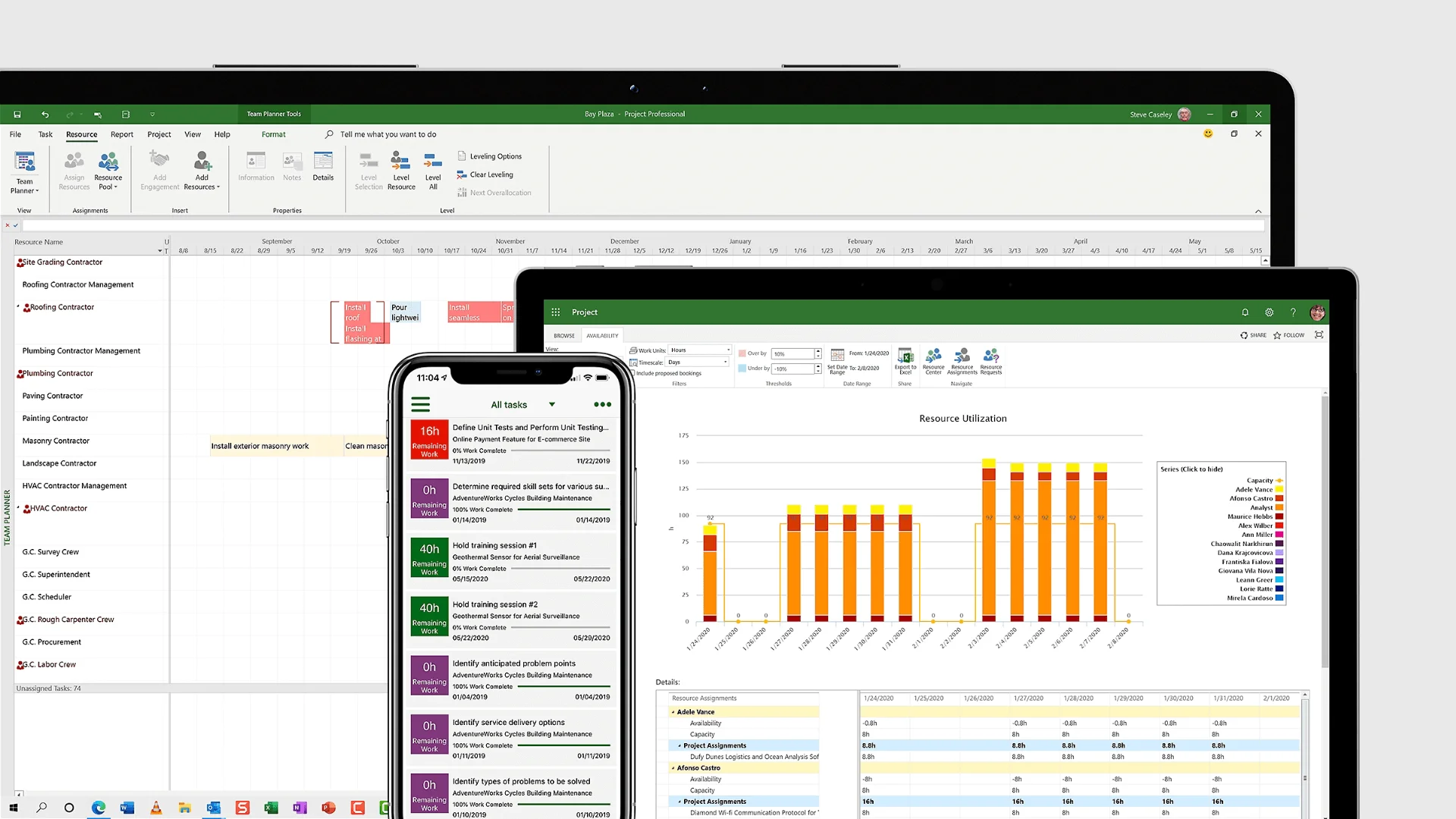
- Core Features: Dynamic roadmaps for portfolio visualization, detailed Gantt charts with task dependencies and critical path analysis, multi-project resource heatmaps, budget baselining, and earned value management for performance tracking.
- Strengths: Seamless Power BI integration for custom executive dashboards, full support for PMBOK standards or hybrid methodologies, robust scalability from mid-market to global enterprises.
- Best For: Organizations deeply embedded in the Microsoft 365 ecosystem running structured project delivery.
- Considerations: Subscription pricing tied to Microsoft licensing; ideal for teams comfortable with its interface.
Source: https://www.microsoft.com/en-us/microsoft-365/project/enterprise-project-server
VirtoSoftware Apps for Microsoft 365
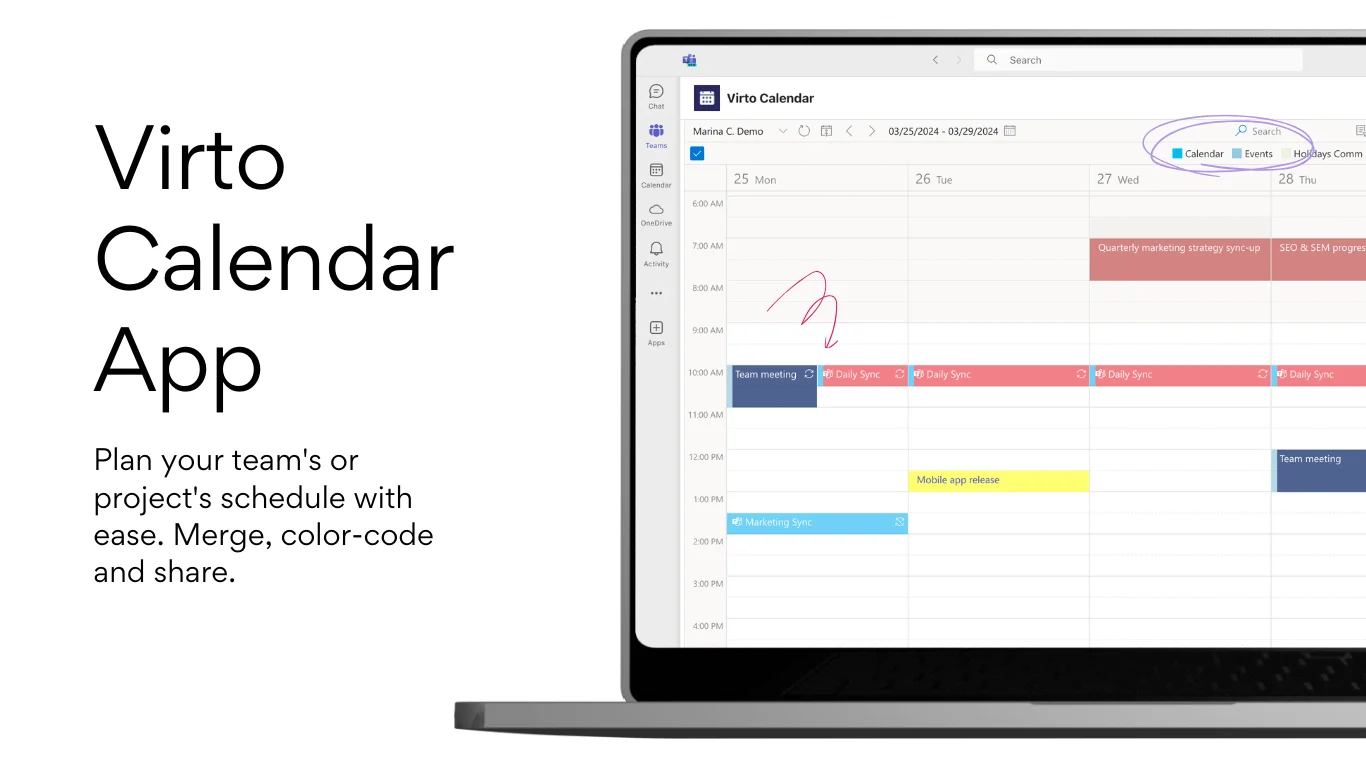
Core Features:
Virto Calendar App: Unified overlays for milestones, meetings, deadlines; syncs with Outlook/Teams calendars for complete scheduling visibility.
Virto Kanban App: Drag-and-drop boards with WIP limits, swimlanes, and workflow automation for team or departmental task visualization.
Virto Charts & Data Visualization App (Free): Creates custom charts, graphs, and KPI dashboards from SharePoint lists without coding—perfect for portfolio analytics.
Virto Alerts & Reminder App: Configurable notifications and escalations for deadlines, risks, status changes, and portfolio events.
Strengths: Native integration preserves Microsoft standards, lightweight and rapid deployment, cost-effective way to build or extend PPM without new platforms.
Best For: Microsoft 365 users seeking flexible, visual PPM enhancements—pairs perfectly with Microsoft Project or functions as a standalone lightweight framework.
Considerations: Per-app licensing keeps costs low; free visualization app lowers entry barrier.
Jira Align
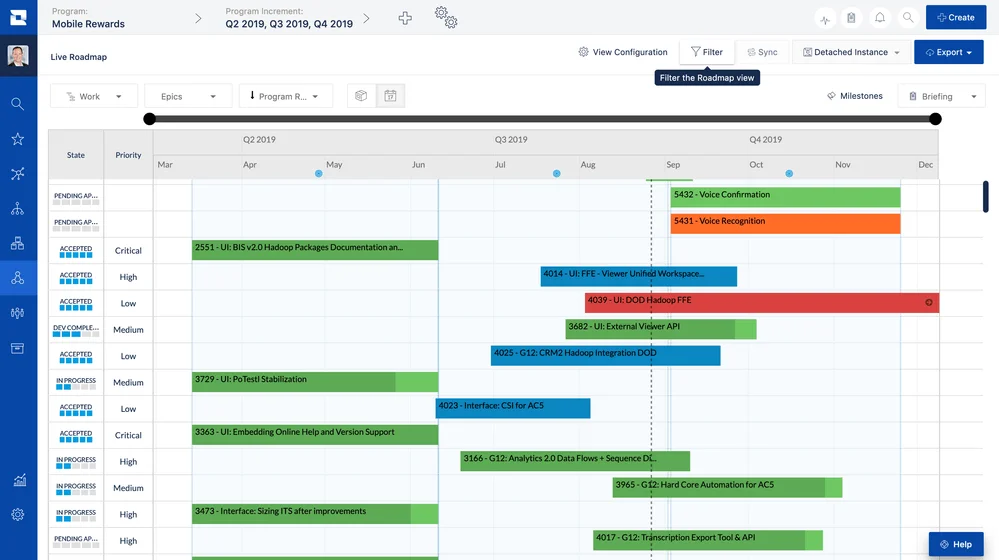
- Core Features: Full traceability from epics and sprints to strategic initiatives, SAFe/LeSS framework support, real-time dependency mapping, OKR alignment dashboards, and solution train planning.
- Strengths: Bridges tactical Agile execution to enterprise strategy, automatic bottleneck detection, scales seamlessly for large dev organizations.
- Best For: Software development and IT firms with 50+ teams already using Jira as their core system.
- Considerations: Requires Jira expertise; premium pricing for enterprise-scale use.
Smartsheet
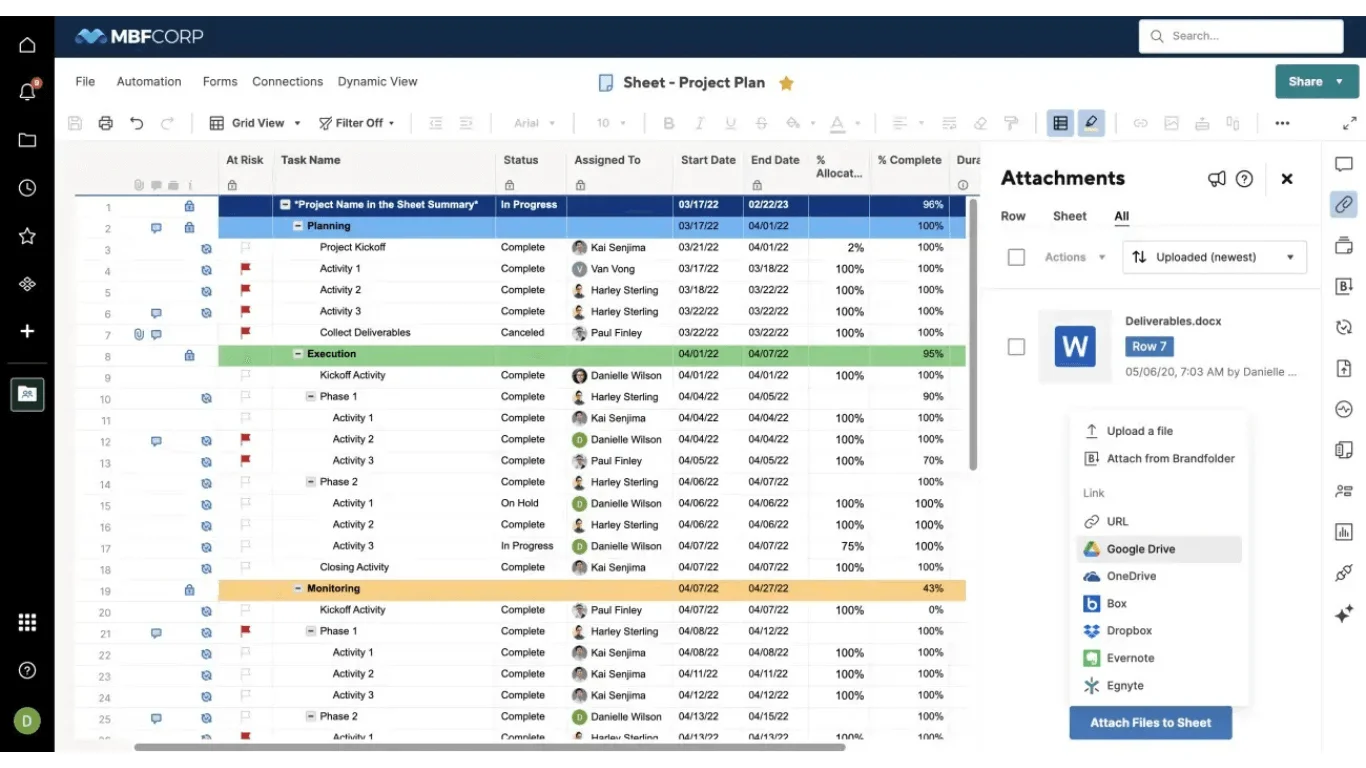
- Core Features: Spreadsheet-style grids enhanced with Gantt timelines, Kanban cards, automated workflows, portfolio-level rollups for resources and finances, plus 100+ pre-built templates.
- Strengths: Intuitive no-code customization, fast onboarding even for non-technical users, flexible views for diverse project types.
- Best For: Operations, HR, and marketing teams in SMBs to mid-market firms prioritizing ease over complexity.
- Considerations: Affordable per-user pricing starting low; excels in hybrid spreadsheet-project environments.
Source: https://www.smartsheet.com/marketplace/apps/google-drive
Planview
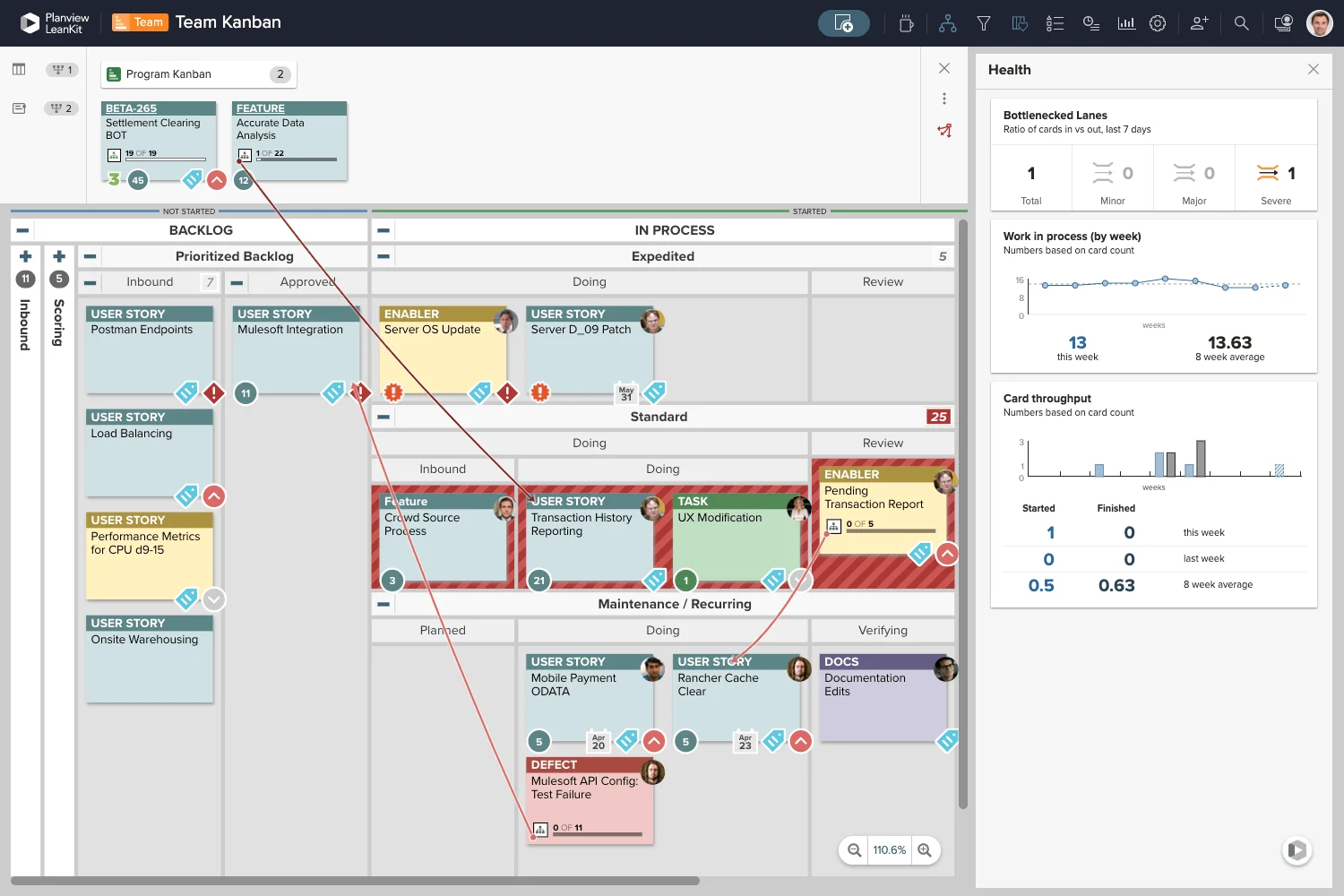
- Core Features: AI-driven scenario planning and what-if analysis, strategic demand intake pipelines, capacity heatmaps across portfolios, advanced financial optimization, and multi-portfolio governance.
- Strengths: Unmatched for enterprise strategic alignment, handles hybrid methodologies, strong compliance for public sector.
- Best For: Fortune 500 companies and government agencies managing high-stakes, multi-year initiatives.
- Considerations: Custom enterprise pricing and longer implementation; best with dedicated admins.
Source: https://www.planview.com/products-solutions/products/ppm-pro/
Clarity PPM (formerly CA PPM)
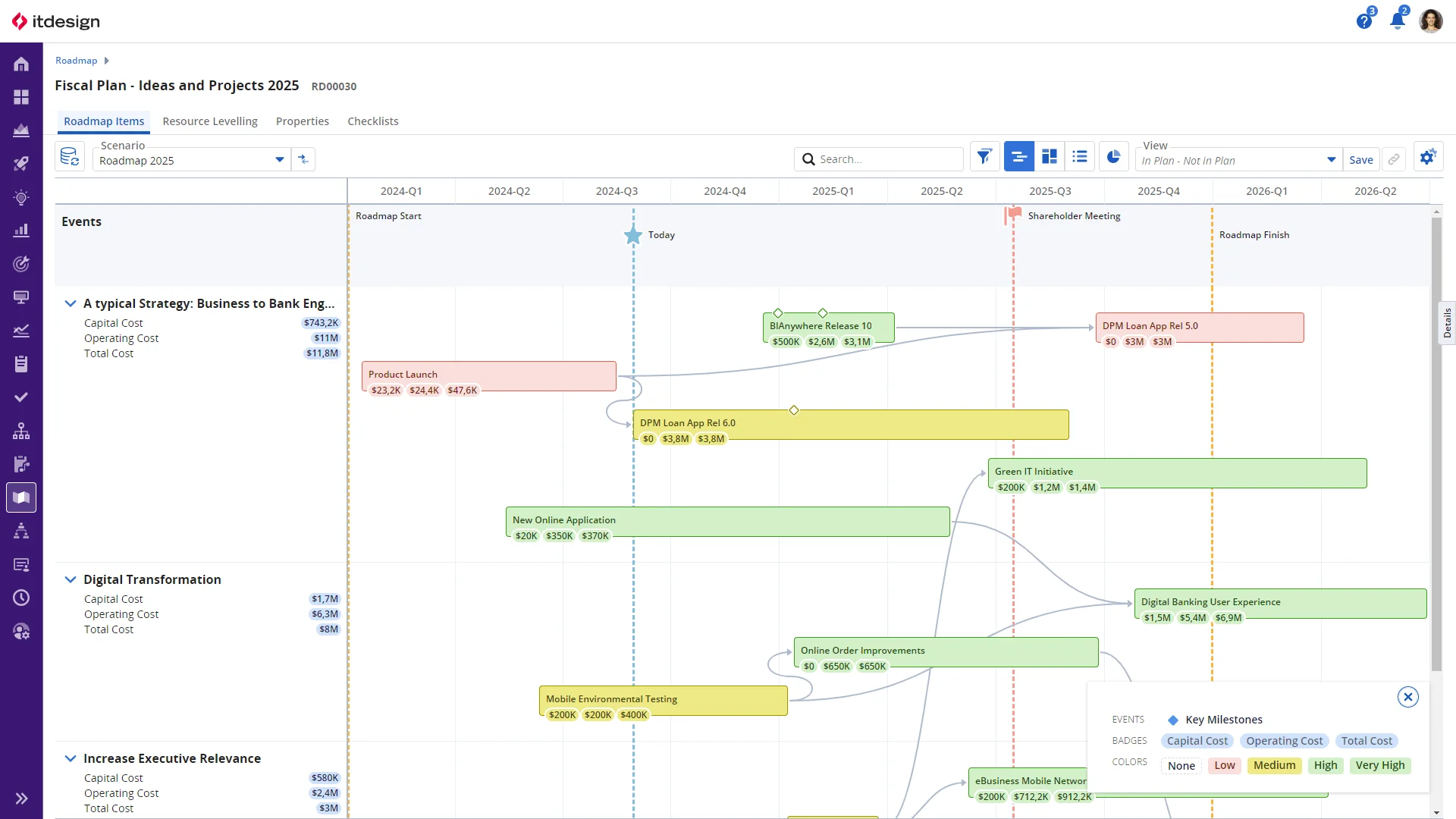
- Core Features: Investment-based funding models, long-range (3-5 year) roadmaps, granular cost and resource planning, process automation, labor analytics, and full audit trails.
- Strengths: Financial precision and configurability, excels in IT portfolio governance and regulated environments.
- Best For: Professional services firms and industries like finance or healthcare needing rigorous controls.
- Considerations: Enterprise licensing; interface improving but still enterprise-focused.
Source: https://clarity.itdesign.de/en/
Wrike
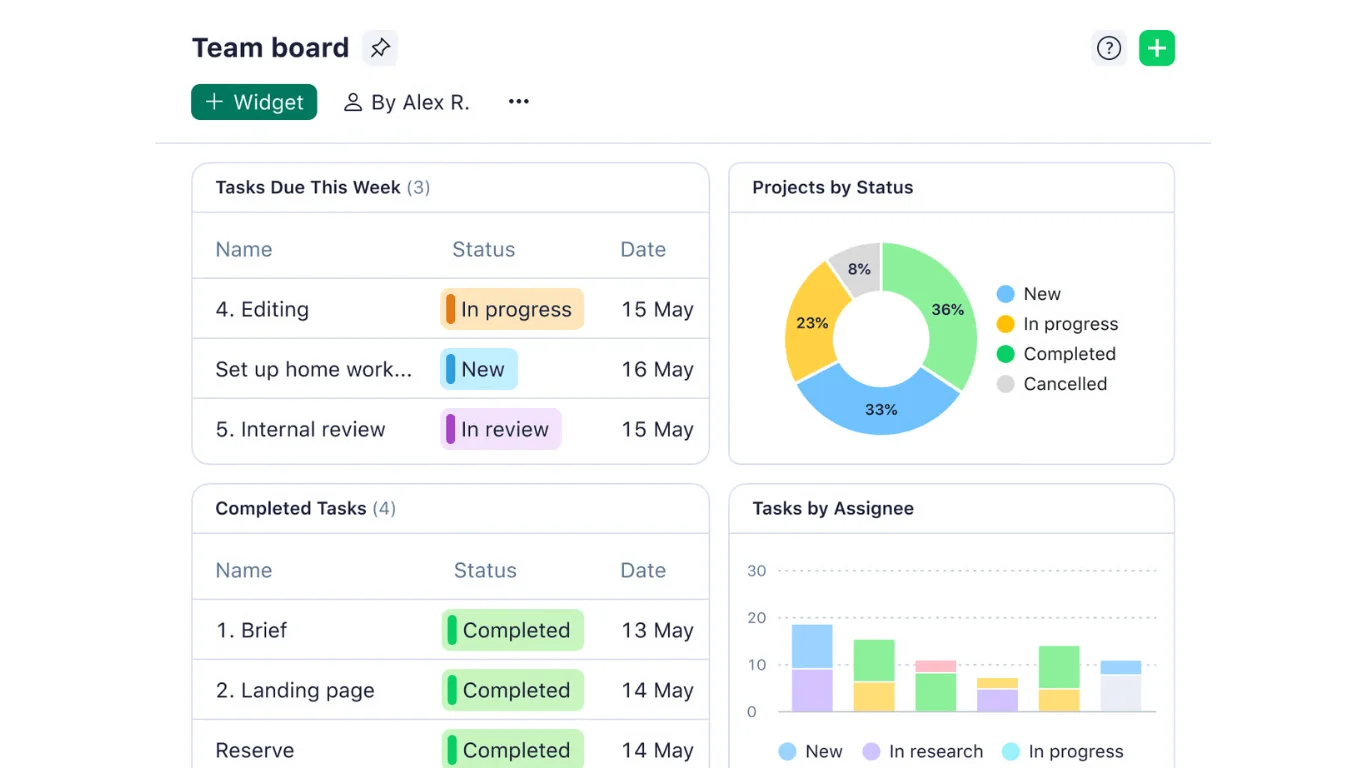
- Core Features: Advanced proofing/approval cycles, AI risk prediction, custom fields/forms, 400+ integrations for agency workflows.
- Strengths: Balances depth with usability; ideal for cross-functional creative delivery.
- Best For: Marketing and agencies; from $9.80/user/month.
Source: https://www.wrike.com/teams/business-operations/
Asana
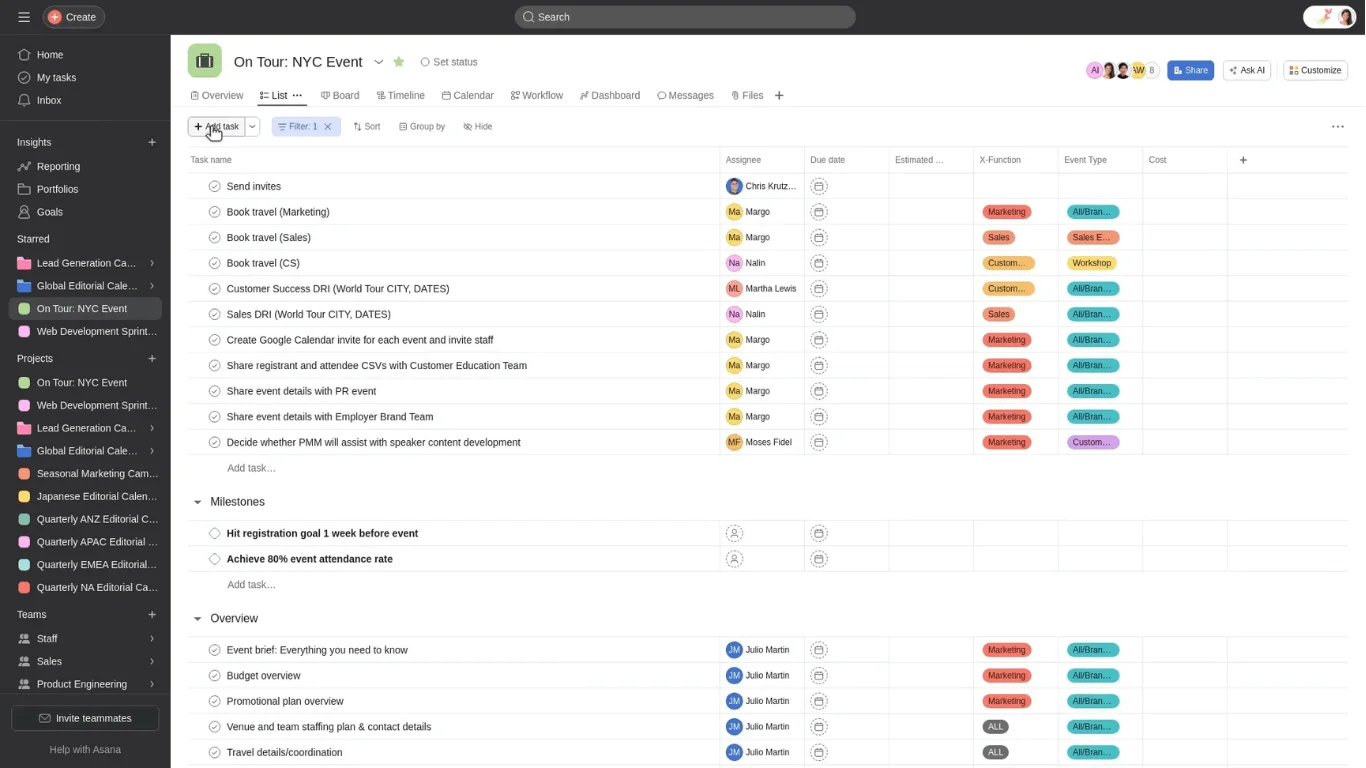
- Core Features: Portfolio progress bars, workload views, goal/timeline tracking, simple dependency lines.
- Strengths: Clean interface for quick adoption, strong for outcome-focused teams.
- Best For: Product and marketing squads; from $10.99/user/month.
Source: https://help.asana.com/s/article/create-tasks-in-asana?language=en_US
monday.com
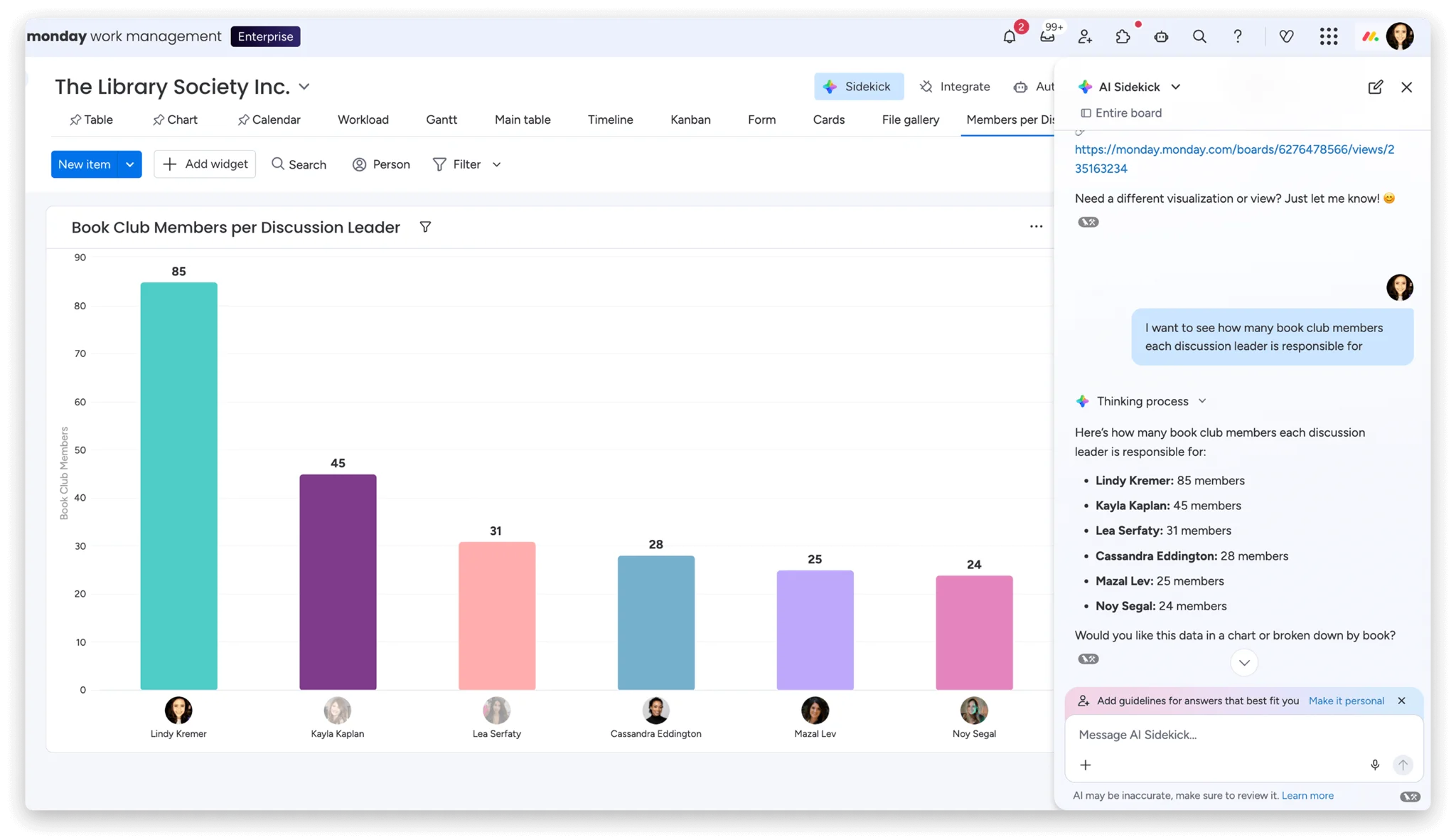
- Core Features: No-code automations, whiteboards, highly visual dashboards and forms.
- Strengths: Ultimate flexibility for visual thinkers and rapid iteration.
- Best For: Digital/creative teams; from $9/user/month.
Source: https://support.monday.com/hc/en-us/articles/360001267945-The-board-views
Workfront (Adobe)
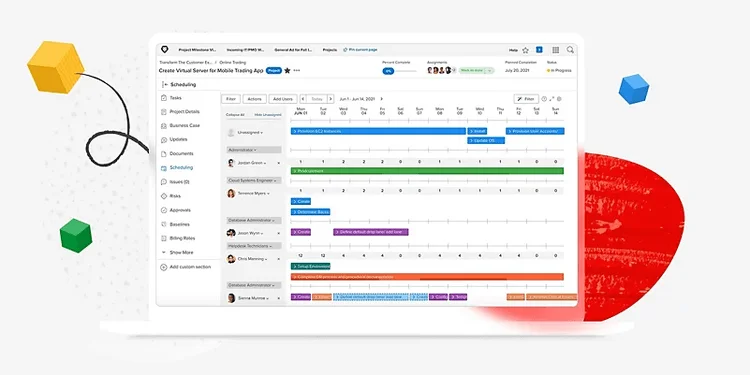
- Core Features: Creative asset/proof management, campaign capacity planning, client intake portals, tight Adobe Creative Cloud synchronization for file reviews.
- Strengths: End-to-end governance for high-volume digital production, built-in creative workflows.
- Best For: Marketing agencies and brands with heavy Adobe tool usage.
- Considerations: Enterprise-oriented pricing.
Source: https://business.adobe.com/products/workfront/services-support.html
Sciforma
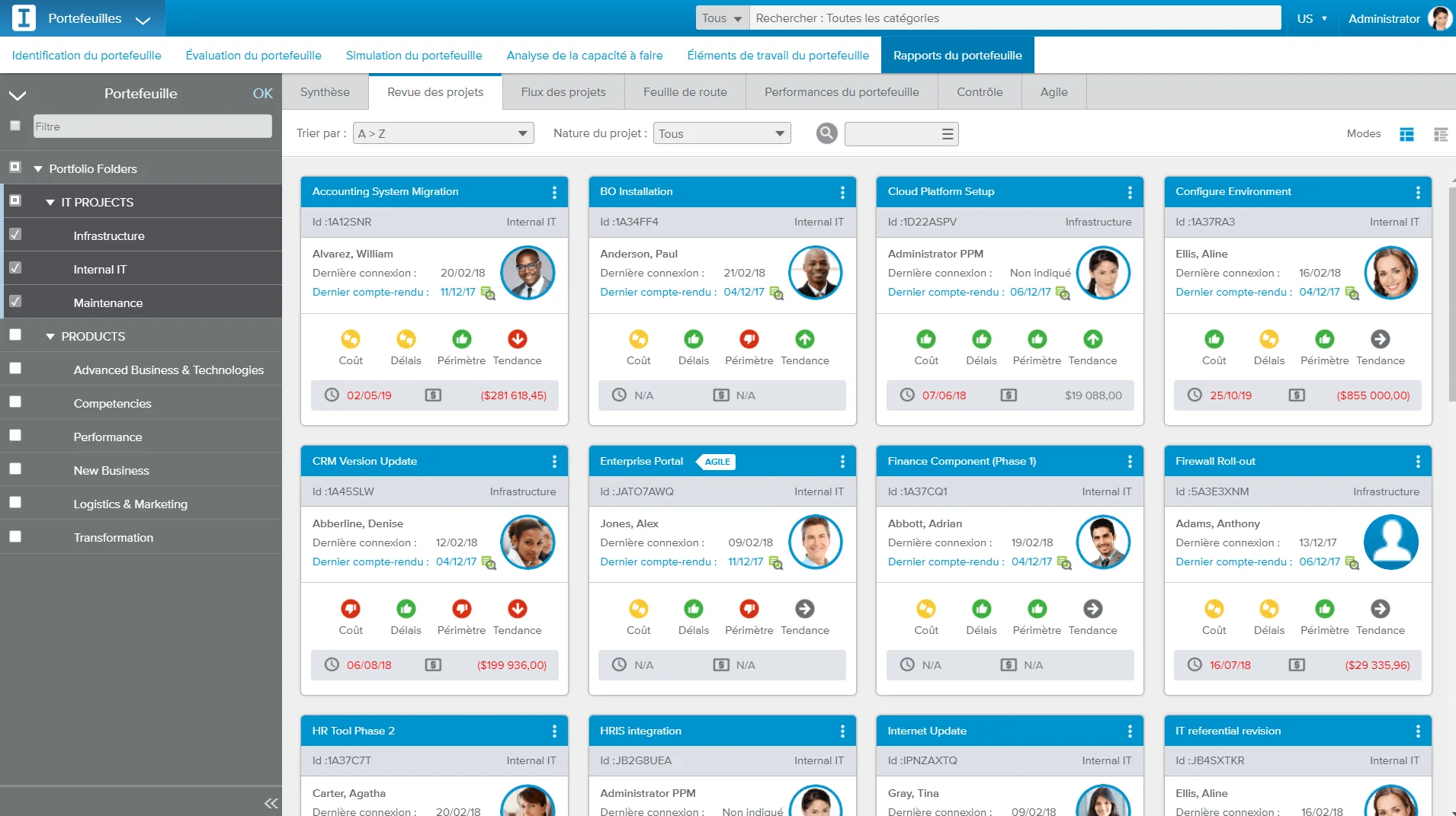
- Core Features: Modular setup for strategic planning, change management controls, earned value performance tracking, portfolio impact simulators.
- Strengths: Compliance-focused with phase-gate support, long-term platform stability.
- Best For: Pharma, government, and mid-large enterprises in regulated spaces.
- Considerations: Custom quotes; balances config with ready-to-use modules.
Source: https://www.appvizer.es/organizacion-planificacion/ppm/sciforma
Review of the Best Project Portfolio Management Tools
Choosing among today’s portfolio management tools means weighing functionality against your team’s workflow, scale, and existing tech stack. This section breaks down popular options before diving into a side-by-side analysis.
Tool Comparison
To help you evaluate portfolio management tools, here’s a comparison across key criteria: ease of use, integrations, visualization quality, Agile flexibility, analytics depth, approximate cost, and ideal scale.
| Tool | Ease of Use | Integrations | Visualization | Agile Flexibility | Analytics | Cost (per user/month) | Best For |
|---|---|---|---|---|---|---|---|
| Microsoft Project | Medium | Excellent (M365 native) | Gantt, roadmaps | Medium (hybrid) | Advanced (Power BI) | $10+ (licensed) | Large corps |
| VirtoSoftware Apps (M365) | High | Native M365/Teams | Calendars, Charts, Kanban, Alerts | High | Good (FREE charts app) | Low ($5-15/app) | M365 enterprises & high-security needs |
| Jira Align | Medium | Jira ecosystem | Dependency maps | Excellent (SAFe) | Good | $50+ (enterprise) | Agile enterprises |
| Smartsheet | High | 100+ apps | Grids, Gantt, cards | High | Medium | $7+ | Mid-market |
| Planview | Low | ERP/BI | Roadmaps, heatmaps | Medium | Excellent (AI) | Custom (high) | Large corps |
| Clarity PPM | Low | ERP/CRM | Roadmaps | Medium | Advanced | Custom (high) | Large corps |
| Wrike | High | 400+ | Dashboards, proofs | High | Good (AI risks) | $9.80+ | Agile agencies |
| Asana | High | Good | Timelines, workloads | High | Basic | $10.99+ | Agile teams |
| monday.com | High | Extensive | Whiteboards, charts | High | Good | $9+ | Agile teams |
| Workfront | Medium | Adobe focus | Proofs, capacity | Medium | Good | Custom | Agencies |
| Sciforma | Medium | ERP/BI | Modules, simulators | Medium | Advanced | Custom | Regulated firms |
Enterprise-heavy tools like Planview, Clarity, and Microsoft Project excel for large corporations needing governance and scale, while Jira Align, monday.com, Asana, and Wrike dominate for agile teams prioritizing speed and iteration. VirtoSoftware Apps shine for enterprises and security-focused organizations, leveraging Microsoft 365’s robust compliance features.
What is the Best Tool for Portfolio Management?
No single PPM tool crowns all scenarios—the “best” hinges on your company’s size, processes, and tech stack. Corporations and public sector favor Microsoft Project, Planview, or Clarity for robust controls. Agile teams thrive with Jira Align, monday.com, or Asana. Microsoft 365 enterprises seeking highest security and safety find Virto Apps perfect as a native, compliant complement or lightweight alternative to Project.
Selection Criteria
Selecting the right project portfolio management tool requires aligning the software with your organization’s unique needs, avoiding one-size-fits-all pitfalls.
Process Maturity Level
Match the tool to your workflow maturity: standardized processes favor control-heavy platforms like Microsoft Project for Enterprise with rigid governance, while agile environments thrive on flexible options such as Jira Align or Smartsheet for iterative adaptation.
Hybrid Methodology Support
Top PPM tools accommodate both Agile sprints and Waterfall phases, enabling diverse teams to collaborate seamlessly across project types without forcing methodology shifts.
IT Infrastructure Integration
Prioritize native compatibility—Microsoft 365 users gain efficiency from Microsoft Project or VirtoSoftware Apps, which embed directly into Teams, Outlook, and Power BI, eliminating data silos and shadow systems.
Scalability and Security
Evaluate growth potential and compliance: enterprise-grade solutions must handle expanding teams, role-based access, and standards like GDPR or FedRAMP, crucial for public sector, healthcare, and finance operations.
User-Friendly Interface
Opt for intuitive designs with minimal learning curves—tools like monday.com or VirtoSoftware Apps are top choice for rapid adoption, slashing training time and boosting ROI from day one.
How to Choose the Right Portfolio Management Tool: A Step-by-Step Guide
Picking the perfect portfolio management tool transforms chaos into strategy—follow this roadmap to ensure your choice delivers real value.
Assessment of Goals and Processes
Start by pinpointing your PPM needs: Do you aim to prioritize projects under tight budgets, visualize dependencies and statuses, automate stakeholder reports, orchestrate cross-functional teams, or balance workloads?
Gauge scale—tens or hundreds of concurrent projects? Single teams or distributed global squads?
Define analytics: Will built-in reports suffice, or do you require BI integrations like Power BI or Tableau for bespoke dashboards?
Defining Essential Features
Build a must-have list from your goals:
- Visualization: Kanban for Agile flows, Gantt charts for timelines, calendars for milestones.
- Templates: Pre-built by type (marketing, IT) with customization to launch repeats fast.
- Integrations: Microsoft 365 (Teams/SharePoint/Outlook), Google Workspace, ERP (SAP), CRM (Salesforce), BI tools, plus open APIs.
- Security/Access: Role-based permissions; compliance with GDPR, SOC2, ISO for enterprises.
- Automation: Reports, reminders, escalations, approval workflows.
- Hybrid Support: Agile epics/sprints alongside Waterfall tasks in one portfolio.
Comparison and Testing
Narrow candidates through hands-on validation:
- Demo Trials: Test 2-3 tools—evaluate interface intuitiveness, speed, navigation, project setup, visualizations, and reporting.
- Case Studies/Reviews: Study similar-industry successes; check G2, Capterra for integration, migration, and training insights.
- Scalability Check: Confirm performance with growing projects/users; verify portfolio/task limits.
- Support Quality: Review onboarding docs, knowledge bases, response times, and dedicated support options.
Final Evaluation
Weigh finalists on total cost, rollout timeline, and fit: Present top 1-2 to PMO/IT teams for buy-in.
Confirm vendor viability—active roadmap, regular updates, and long-term support—to avoid obsolescence risks.
The Role of VirtoSoftware Apps in Project Portfolio Management
VirtoSoftware delivers a powerful suite of Microsoft 365 apps that supercharge project portfolio management tools right within your familiar Teams and SharePoint environment—no need for disruptive new platforms.
Virto Calendar App
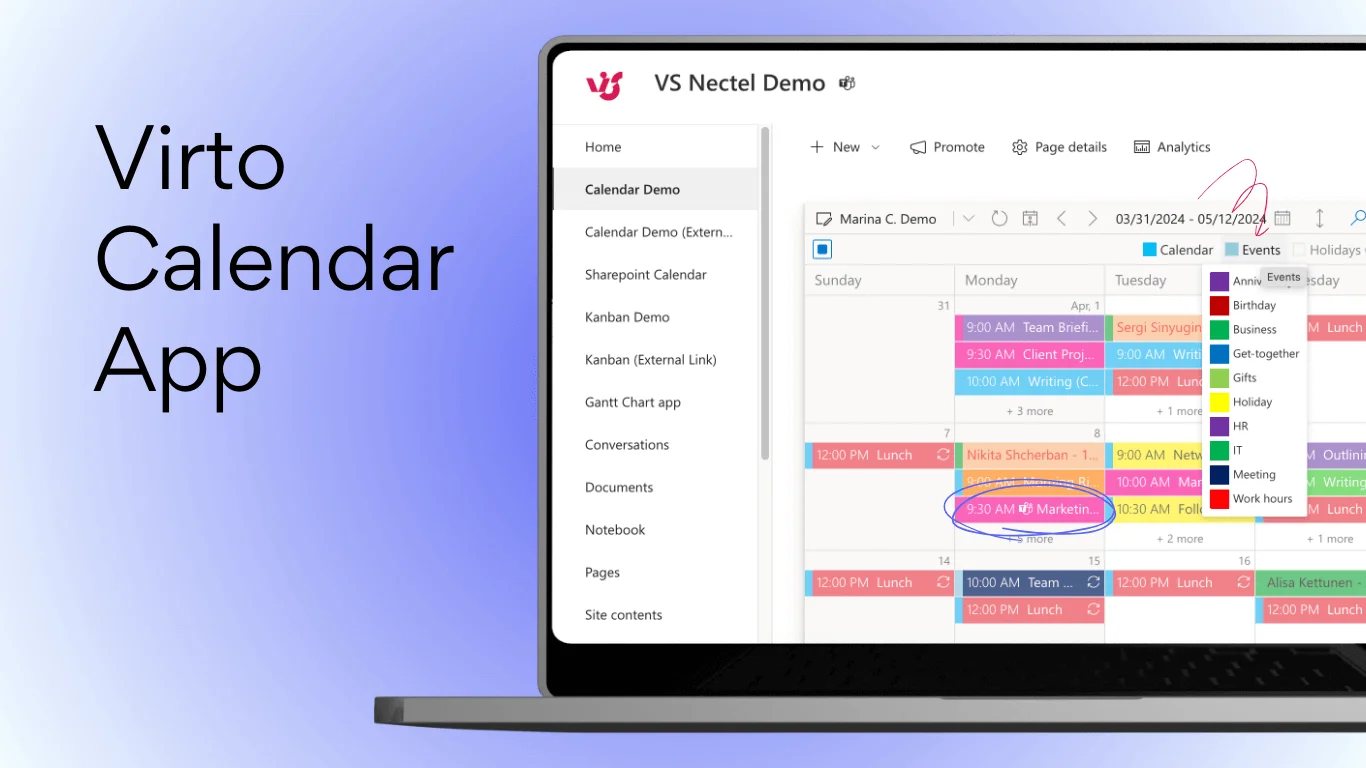
This app centralizes all project deadlines, milestones, and events into one corporate calendar for instant portfolio oversight.
Sync tasks across departments and teams while filtering by project, status, or category to spot conflicts early.
Ideal for visual planning that keeps distributed portfolios on track and deadlines met without constant check-ins.
Virto Kanban App
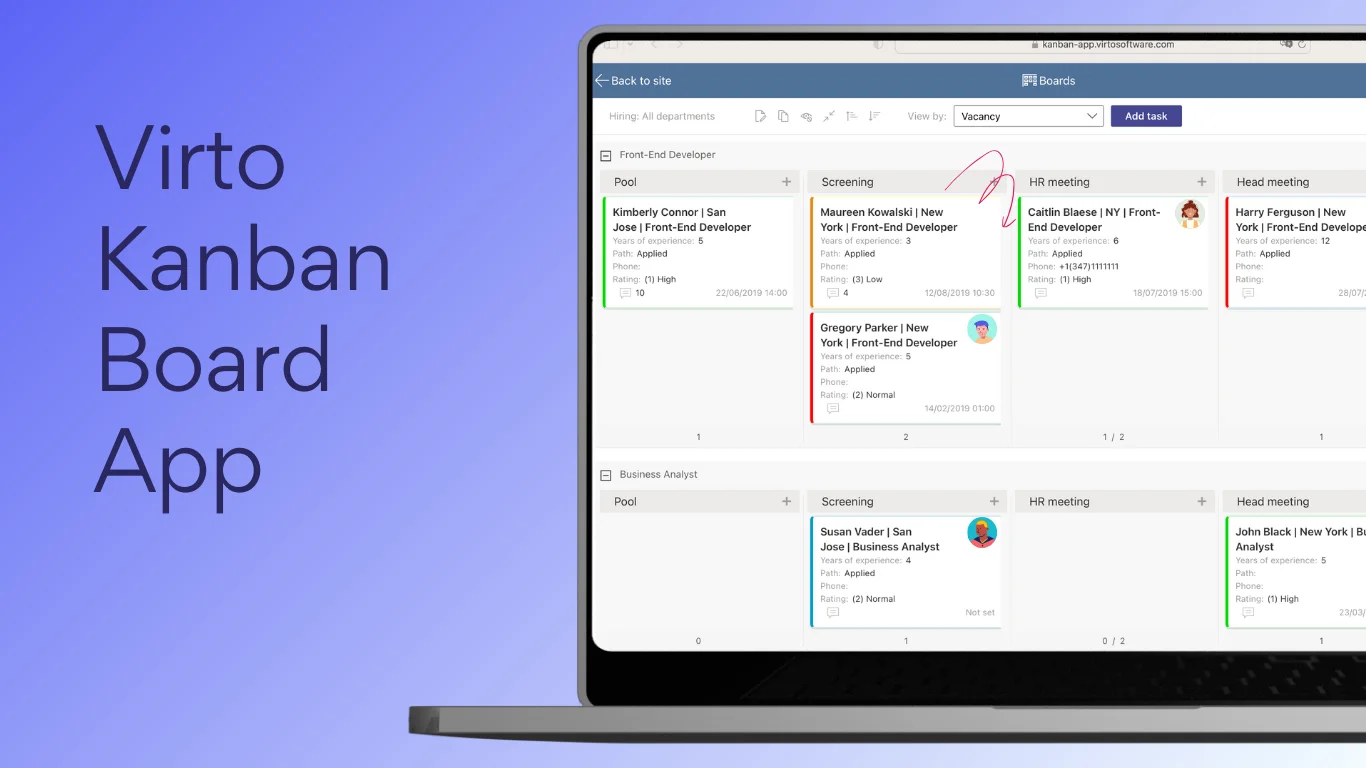
Virto Kanban App transforms task chaos into clarity with visual boards for projects and portfolios, featuring multiple views, custom stages, and assignee/project filters.
It enables daily control, real-time status tracking, and seamless collaboration for remote teams managing interconnected initiatives.
Virto Alerts & Reminder App
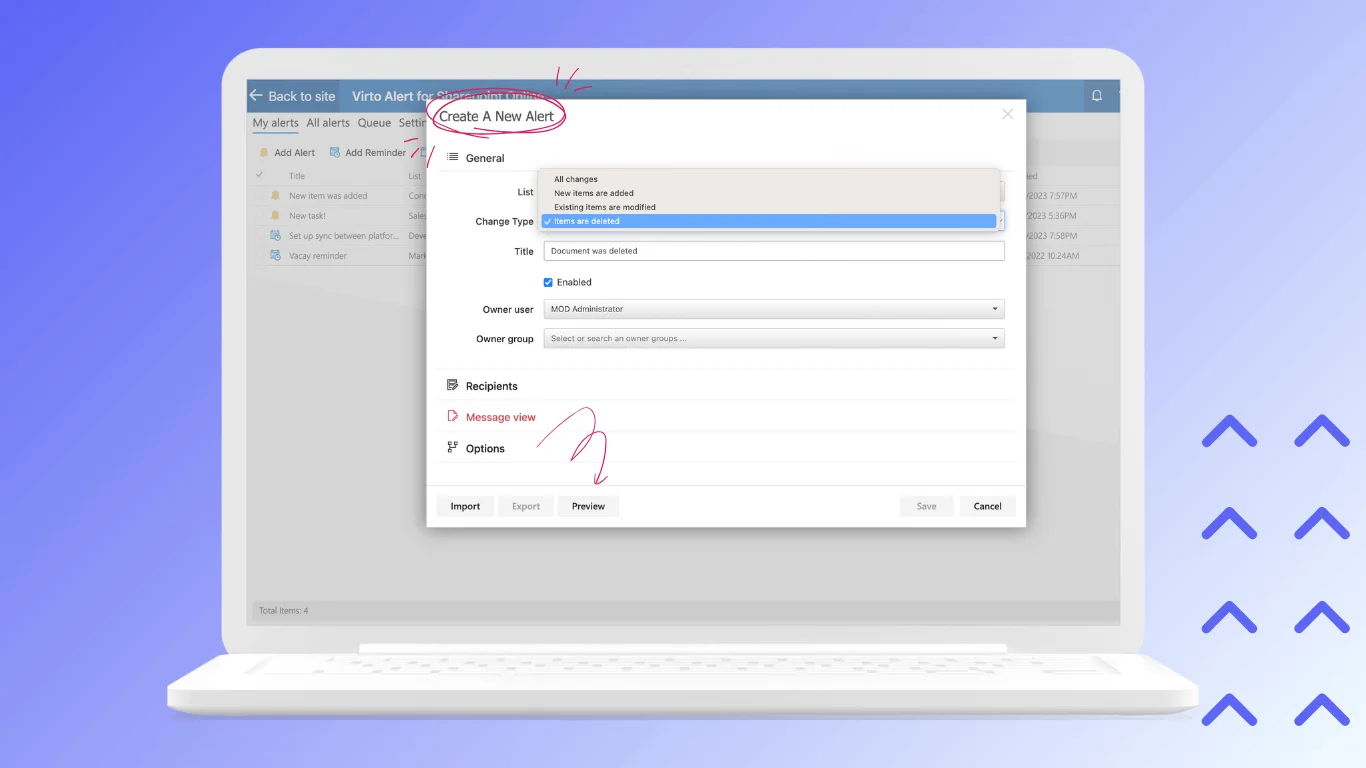
This app automates critical notifications for risks, delays, milestones, and status changes across your entire portfolio.
Configure escalations and reminders to keep stakeholders informed and proactive without manual follow-ups.
Essential for maintaining governance and timely responses in complex, multi-project environments.
Virto Charts & Data Visualization App (FREE!)
Build stunning KPI dashboards, graphs, charts, and analytics directly from SharePoint lists—no coding or extra costs required.
Visualize portfolio performance, resource utilization, and trends at a glance for data-driven executive decisions.
This free app unlocks powerful insights, making it a no-brainer addition to any PPM toolstack.
Virto Polls App
Collect rapid stakeholder feedback on project priorities, risks, approvals, or resource needs through intuitive polls in Teams.
Aggregate responses in real-time to refine portfolio strategies and gain consensus without lengthy meetings.
Perfect for agile decision-making in dynamic enterprise settings.
All VirtoSoftware apps integrate natively within Microsoft 365, forming a secure, scalable PPM solution tailored for enterprises prioritizing safety, compliance, and efficiency.
Conclusion
Project portfolio management tools stand as a cornerstone of strategic business management, transforming scattered initiatives into a cohesive engine that drives organizational success and competitive advantage.
Selecting the ideal PPM software demands careful alignment with your company’s scale—whether managing dozens or hundreds of projects—specific goals like resource optimization or risk mitigation, and existing infrastructure such as Microsoft 365 or ERP systems.
VirtoSoftware’s suite, including the Virto Calendar App for unified deadline visualization, Virto Kanban App for intuitive task tracking, Virto Alerts & Reminder App for proactive notifications, free Virto Charts & Data Visualization App for instant analytics, and Virto Polls for swift stakeholder input, delivers comprehensive portfolio management solutions entirely within Microsoft 365.
These native, secure apps eliminate the need for costly external implementations, reduce training overhead, and ensure enterprise-grade compliance—perfect for distributed teams seeking efficiency without compromise.
We recommend piloting VirtoSoftware solutions today: their flexibility, reliability, and seamless integration make them a standout choice for modern corporate project portfolio management.