


Microsoft Project is still the reference point for serious project scheduling, but for a growing number of teams it is no longer the right fit. It is expensive, sold separately from most Microsoft 365 plans, and steep to learn — and a bigger change has arrived: Microsoft is retiring its cloud project tools. Project for the Web has already been folded into the new Microsoft Planner, and Microsoft Project Online will officially retire on September 30, 2026. If your team relies on either, now is the moment to choose where you go next. This guide compares the best Microsoft Project alternatives in 2026 on features, price and fit — including the options that matter most for Project Online users planning their move.
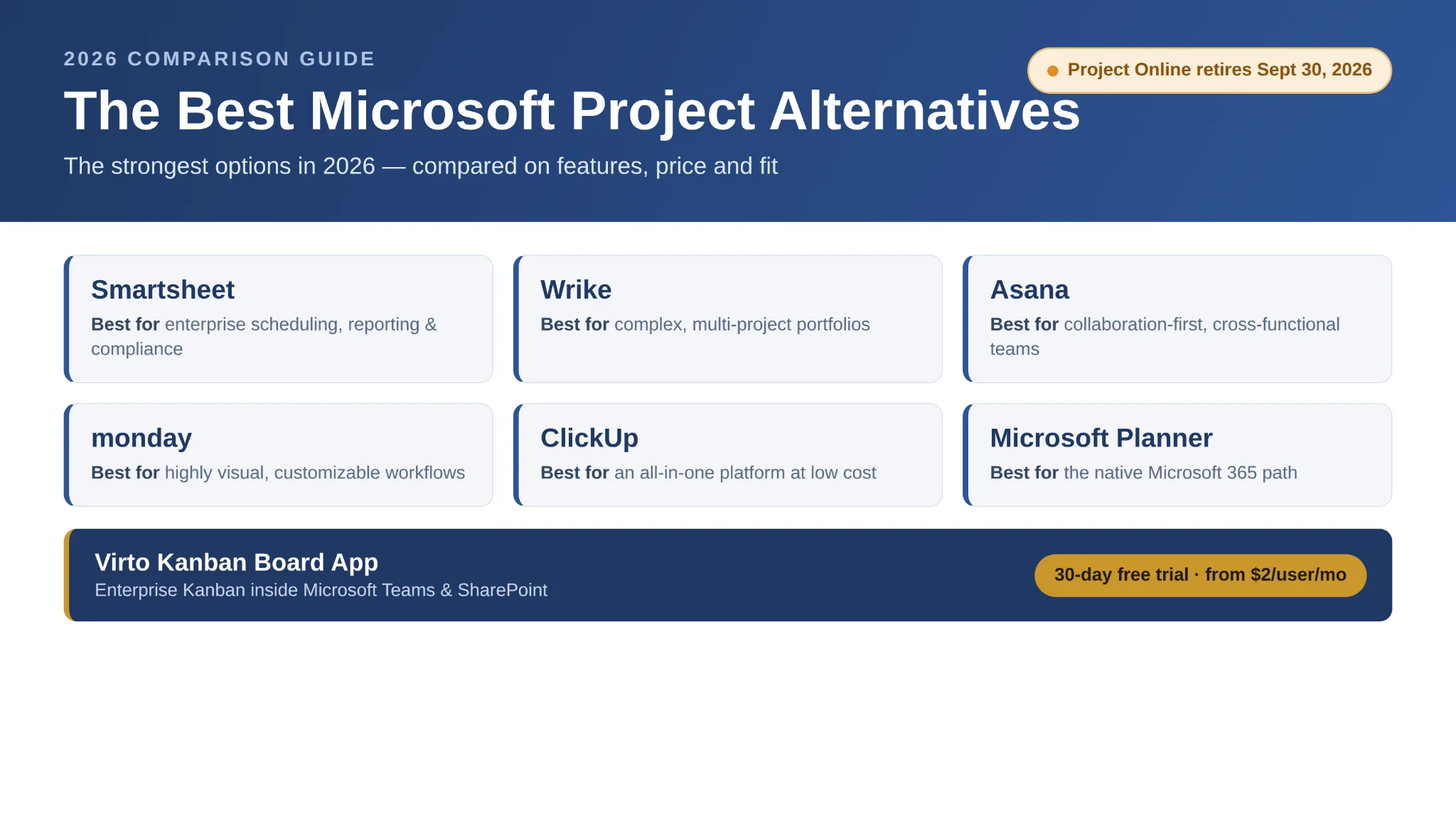
Pic.1. Microsoft Project alternatives compared at a glance (hero image / comparison overview).
Quick answer: the best Microsoft Project alternatives
If you just want the short list, here are the strongest Microsoft Project alternatives in 2026 and who each one is best for:
- Smartsheet — best for enterprise scheduling, reporting and compliance at scale.
- Wrike — best for agencies and enterprises managing complex project portfolios.
- Asana — best for collaboration-first, cross-functional and marketing teams.
- monday work management — best for highly visual, customizable workflows.
- ClickUp — best all-in-one platform at a low price point.
- Microsoft Planner (which now includes Project for the Web) — best native Microsoft 365 option and the default successor for Project for the Web users.
- Virto Kanban Board App — best for teams that want enterprise task and project management without leaving Microsoft Teams and SharePoint.
At a glance: the two questions everyone is asking
What is the best Microsoft Project alternative? It depends on need: Smartsheet or Wrike for enterprise scheduling, Asana or monday for lighter work management, and Microsoft’s own Planner (which now includes Project for the Web) for a native Microsoft 365 option.
Is Microsoft Project Online being retired? Yes. Microsoft is winding down Project Online and Project for the Web in favour of the new Microsoft Planner, prompting many teams to evaluate alternatives. Project Online’s official retirement date is September 30, 2026.
Why look for a Microsoft Project alternative now
Two familiar frustrations and one brand-new deadline are pushing teams to reconsider Microsoft Project in 2026.
Cost and complexity
Microsoft Project desktop remains a standalone purchase or subscription, separate from most Microsoft 365 plans, which is hard for smaller companies to justify. It is also powerful but intimidating: the interface prioritizes detailed scheduling and resource management, and without formal training, creating dependencies, setting baselines and tracking progress becomes a barrier rather than an advantage. It is rooted in waterfall planning, offers minimal built-in collaboration (no comments, no real-time editing, no native notifications), and stays siloed from CRMs, finance and BI systems unless you add middleware.
The Project Online and Project for the Web retirement
The timely reason is the platform shift. Microsoft has retired Project for the Web and moved its capabilities into the new Microsoft Planner, and Project Online will retire on September 30, 2026. The desktop app stays available for complex waterfall projects, but cloud users are being guided to Planner — so anyone still running on Project Online or Project for the Web has a concrete migration to plan before the deadline. For many teams that is the natural trigger to compare alternatives rather than simply accept the default.
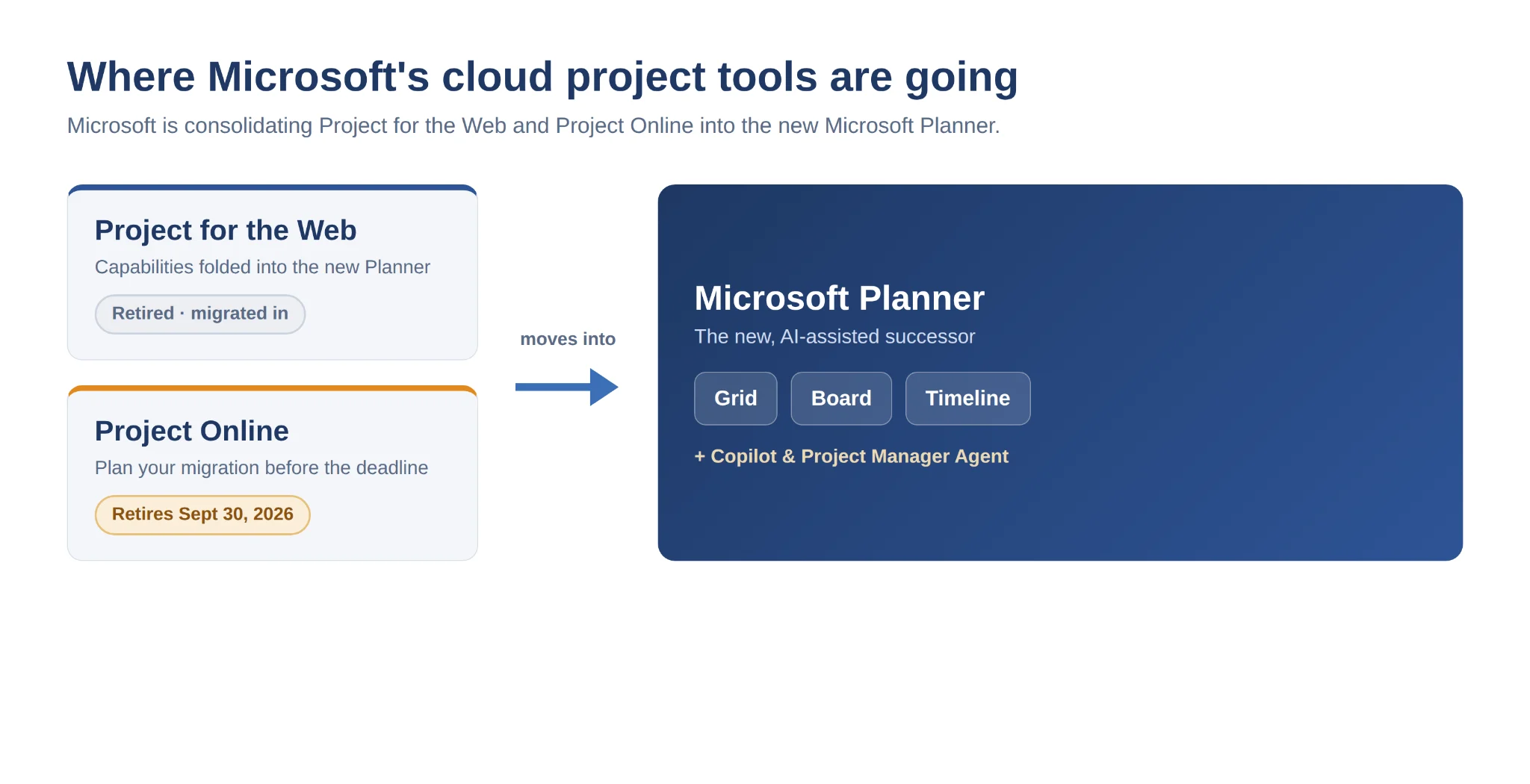
Pic.2. Microsoft’s transition path: Project for the Web and Project Online moving into the new Microsoft Planner.
Comparison table: the best Microsoft Project alternatives
The table below compares the leading Microsoft Project alternatives in 2026 on what they are best for, their standout features, entry pricing and our verdict. Prices are the lowest paid tier per user per month on annual billing and were re-verified for this guide; always confirm on the vendor’s site, as pricing changes.
| Tool | Best for | Key features | Starting price* (per user/mo, billed annually) | Verdict |
|---|---|---|---|---|
| Smartsheet | Enterprise teams coordinating work across departments with heavy reporting and compliance needs | Spreadsheet-style grid, Gantt, dashboards, workflow automation, Power BI / Teams / Outlook integration | Pro $9 · Business $19 (Enterprise: custom) | Closest enterprise stand-in for MS Project’s structure and control |
| Wrike | Agencies and enterprises running complex, multi-project portfolios on tight timelines | Gantt, Kanban, workload & resource views, proofing, AI Work Intelligence for risk/reporting | Team $9.80 · Business $24.80 (Enterprise: custom) | Best for portfolio-level visibility and control |
| Asana | Marketing, design and cross-functional teams needing clear ownership and fast collaboration | Timeline (Gantt), Kanban, workload, goals/portfolios, AI status summaries | Starter $10.99 · Advanced $24.99 | Best collaboration-first work management |
| monday work management | Visual teams that want a flexible, highly configurable workspace | Multiple views (incl. Gantt on Standard+), automations, dashboards, integrations | Basic $9 · Standard $12 · Pro $19 (3-seat min.) | Best for highly visual, customizable workflows |
| ClickUp | Startups, agencies and product teams whose processes change quickly | List, Board, Gantt, Timeline, docs, whiteboards, automation and AI | Unlimited $7 · Business $12 (Enterprise: custom) | Best all-in-one at a low price point |
| Microsoft Planner (now includes Project for the Web) | Microsoft 365 organizations wanting a native, AI-assisted successor to Project for the Web | Grid, Board and Timeline views, goals/sprints, Copilot and Project Manager Agent, deep Teams/Outlook integration | Included with many M365 plans; Premium features require licensing | Best native Microsoft path after Project for the Web |
| Virto Kanban Board App | Agile, marketing and delivery teams that want enterprise Kanban inside Teams & SharePoint | Customizable boards, swimlanes, subtasks, WIP limits, analytics; one license for SharePoint, Teams & Azure | Starter $2 (≤30) · Pro $3 (31–200) · 30-day free trial | Best Microsoft 365-native Kanban |
* Pricing verified August 2026 on annual billing. Vendor list prices change frequently — treat these as a starting point, not a quote.
Alternatives by category
Enterprise project management
For organizations that need Microsoft Project’s depth — dependencies, critical path, resource management and portfolio reporting — the strongest replacements are Smartsheet, Wrike and, for teams standardizing on the Microsoft cloud, Microsoft Planner. Smartsheet suits spreadsheet-driven cultures with heavy reporting and compliance needs; Wrike is built for agencies and enterprises juggling many concurrent projects with strict timelines.
Lightweight and task-focused tools
Teams that found Project too heavy usually want faster collaboration and simpler visuals. Asana and monday work management lead here, with ClickUp as a flexible all-in-one and Trello or Notion for the lightest task tracking. For deadline-first visual scheduling without heavy automation, TeamGantt keeps the learning curve very low.
Open-source and low-cost options
Budget-conscious teams can look at ProjectLibre (free, desktop, reads and writes .mpp Microsoft Project files), plus web-based OpenProject and LibrePlan for self-hosted control. These remove licensing cost but ask more of your team in setup, hosting and support.
Microsoft-native alternatives
If leaving the Microsoft ecosystem is not an option, the native path is the new Microsoft Planner — now with Grid, Board and Timeline views, goals and sprints, and AI through Copilot and the Project Manager Agent. Where Planner is too basic, the Virto Kanban Board App adds enterprise-grade task and project management directly inside Teams and SharePoint. Still deciding between Microsoft’s own tools? See our guides on Microsoft Planner vs Project and the best Microsoft Planner alternatives.
Migrating off Project Online and Project for the Web
If you are on Project for the Web, your plans and roadmaps now live in the new Microsoft Planner — Microsoft has consolidated the two, so the first step is often simply learning where familiar features moved. If you are on Project Online, the clock is firmer: it retires on September 30, 2026, so you need a target platform and a plan to move projects, schedules and reporting before then.
A practical migration checklist:
- Inventory what you actually use — active projects, custom fields, resource pools, reports and any Power BI dashboards tied to Project data.
- Pick a destination: Microsoft Planner for a native path, an enterprise tool such as Smartsheet or Wrike for heavier portfolio needs, or Microsoft 365-native apps if you want to keep everything inside Teams and SharePoint.
- Export and map data — export schedules and task lists, then map fields and dependencies into the new tool before cut-over.
- Run a pilot with one team, validate reporting and permissions, then roll out and decommission the old workspace before the retirement date.
For Microsoft-centric teams, our guides to Office 365 project management, Microsoft Teams project management, SharePoint project management and project portfolio management walk through building a durable setup after the move.
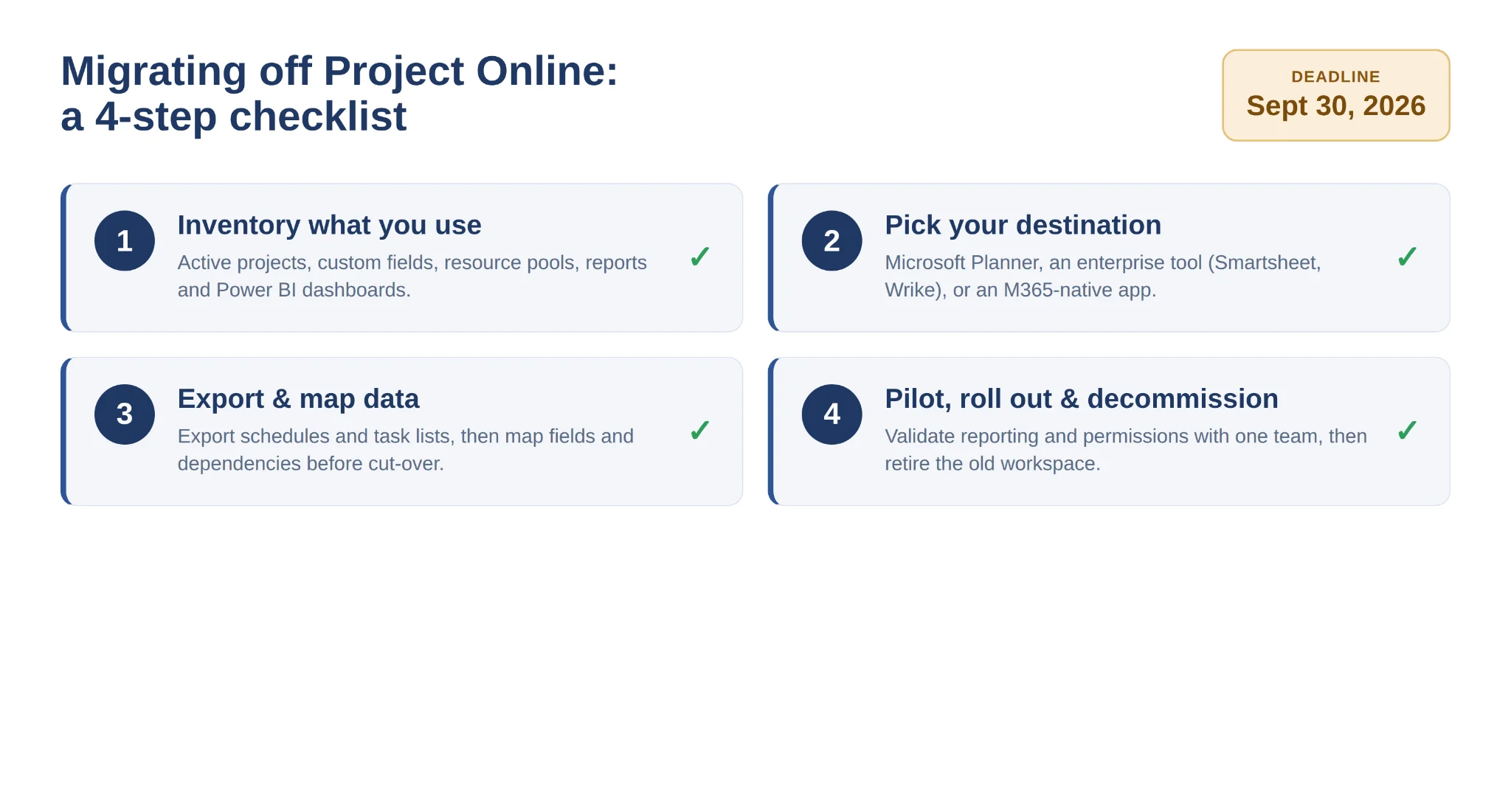
Pic.3. Migration checklist: from Project Online / Project for the Web to your chosen alternative.
What to look for when choosing a Microsoft Project alternative
Whatever shortlist you build, weigh candidates against the same criteria and, ideally, pilot two or three before committing:
- Ease of use and onboarding — how quickly a non-specialist can build and maintain a plan.
- Scheduling depth — dependencies, critical path, baselines and milestones if you run complex projects.
- Views and flexibility — Gantt, Kanban, grid and timeline, so teams work the way they prefer.
- Collaboration — comments, real-time editing, notifications and clear task ownership.
- Microsoft 365 integration depth — how natively it works with Teams, Outlook, SharePoint and Power BI.
- Scalability, reporting and security — portfolio reporting, admin controls and compliance for larger rollouts.
- Pricing flexibility — per-user tiers and minimums that match your team size.
How Virto fits into Microsoft 365
For teams that find Planner too basic and Project too complex — and don’t want to leave Microsoft 365 — the Virto Kanban Board App is the middle ground. It extends Microsoft Teams and SharePoint with enterprise-grade task and project management without asking users to leave their day-to-day environment. It runs natively inside your tenant, inherits your Microsoft 365 security, and scales from a single project team to a large organization.
The Virto Kanban Board App brings enterprise-grade agile boards with swimlanes, subtasks, WIP limits and built-in analytics, with a single license covering SharePoint, Teams and Azure. Pricing starts at $2/user/month (Starter, up to 30 users) and $3/user/month (Pro, 31–200 users), with Enterprise on request — and it includes a 30-day free trial.
You can start a 30-day free trial from virtosoftware.com or schedule a demo to see how the apps fit your workflow.
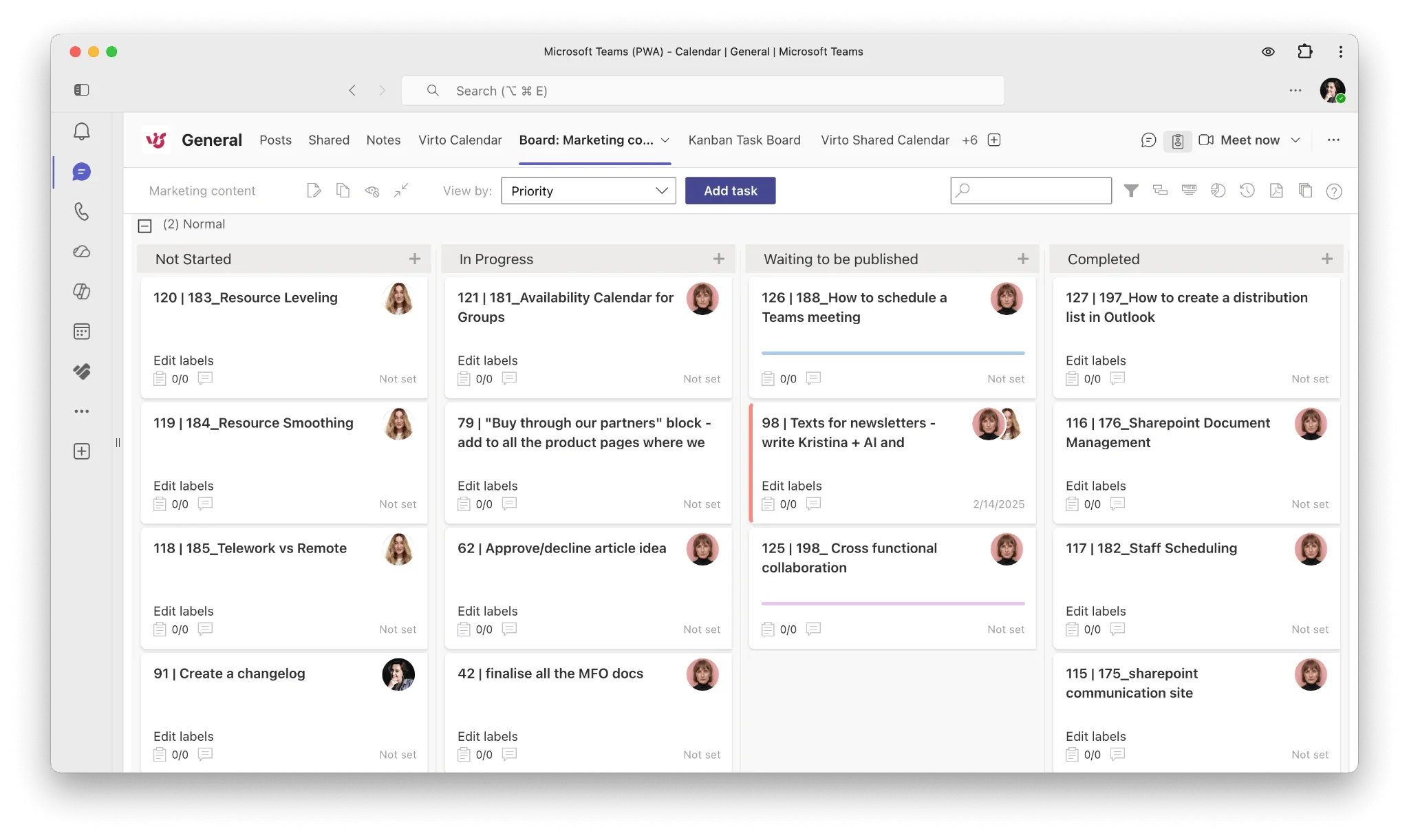
Pic.4. The Virto Kanban Board App running inside Microsoft Teams.
FAQ
What is the best Microsoft Project alternative?
It depends on need: Smartsheet or Wrike for enterprise scheduling, Asana or monday for lighter work management, and Microsoft’s own Planner (which now includes Project for the Web) for a native Microsoft 365 option. Teams that want enterprise task and project management inside Teams and SharePoint can add the Virto Kanban Board App.
Is Microsoft Project Online being retired?
Yes. Microsoft is winding down Project Online and Project for the Web in favour of the new Microsoft Planner. Project for the Web’s capabilities have already moved into Planner, and Project Online will officially retire on September 30, 2026 — so affected teams should plan their migration well ahead of that date.
Are there free Microsoft Project alternatives?
Yes. ProjectLibre is free and open-source and reads .mpp files, while OpenProject and LibrePlan are free, web-based and self-hostable. Most commercial tools (Asana, monday, ClickUp, Wrike, Smartsheet) also offer free tiers or trials, and the Virto Kanban Board App includes a 30-day free trial.
What replaces Microsoft Project for the Web?
The new Microsoft Planner. Microsoft folded Project for the Web into Planner, which now offers Grid, Board and Timeline views along with Copilot and the Project Manager Agent for AI-assisted planning.