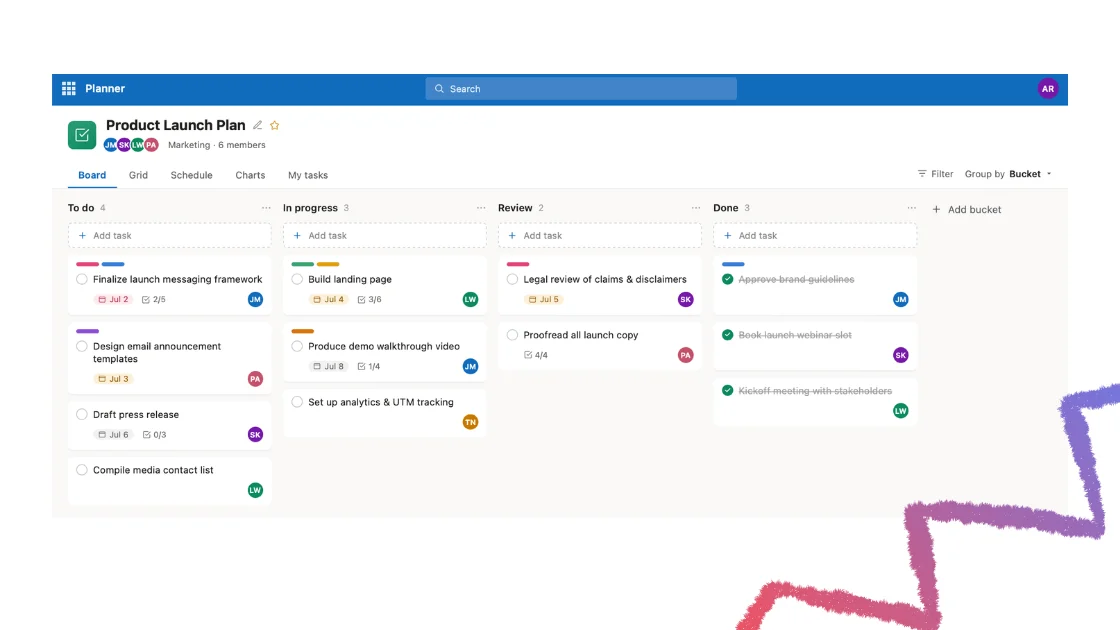
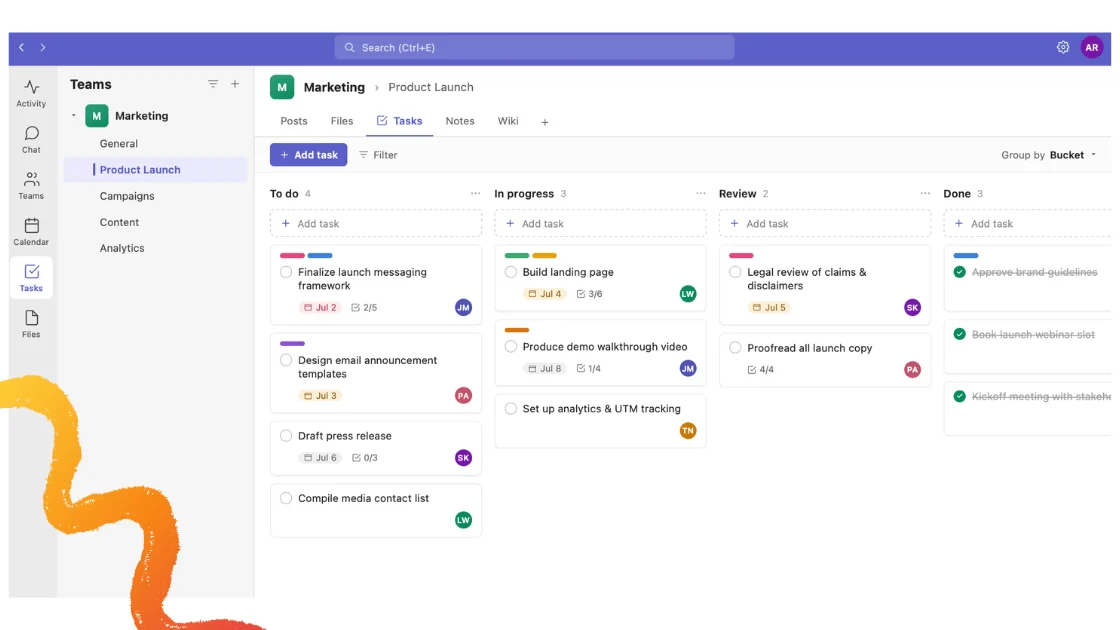
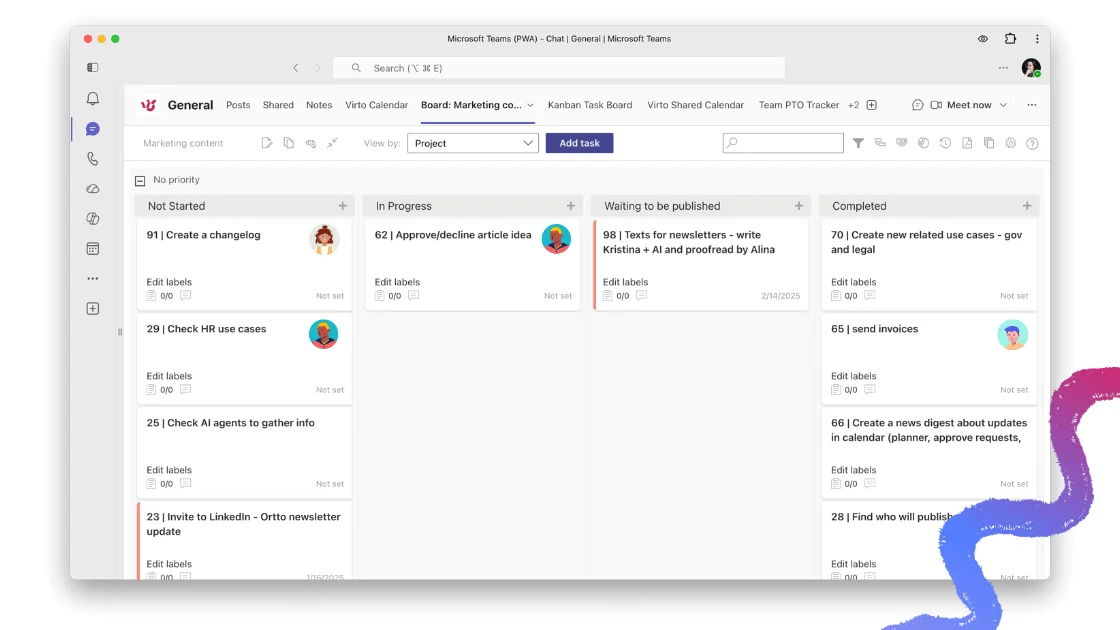
Quick answer: Planner vs Project — which should you use?
Use Microsoft Planner for simple, collaborative team tasks — it’s a lightweight task-board app included with Microsoft 365. Use Microsoft Project (or Planner Premium / Project for the web, now unified inside the new Planner) when you need advanced scheduling, task dependencies, resource management and portfolio-level control for complex projects. In short: Planner = simple team tasks; Project = complex scheduling, dependencies and resourcing.
When it comes to work management and project planning, Microsoft offers two headline tools: Microsoft Planner and Microsoft Project. They’re often confused because their capabilities overlap, but they’re built for very different levels of complexity. And the lines have blurred further in 2026: Project for the web has been folded into the new Microsoft Planner, and Project Online retired on September 30, 2026 — a major shift we cover in detail below.
This guide compares Planner and Project head-to-head — features, pros and cons, key differences and use cases — so you can decide which fits your team. We’ll also point to VirtoSoftware apps as a flexible alternative for teams that need more than Microsoft’s native tools offer.
New to Planner itself? Start with our hub guide, Microsoft Planner: organize and manage tasks easily, for a full ‘what is Planner’ walkthrough — this article focuses on the comparison.
Microsoft Planner vs Project: comparison table
Here’s the side-by-side at a glance. Use it as a fast reference, then read the sections below for the reasoning behind each row.
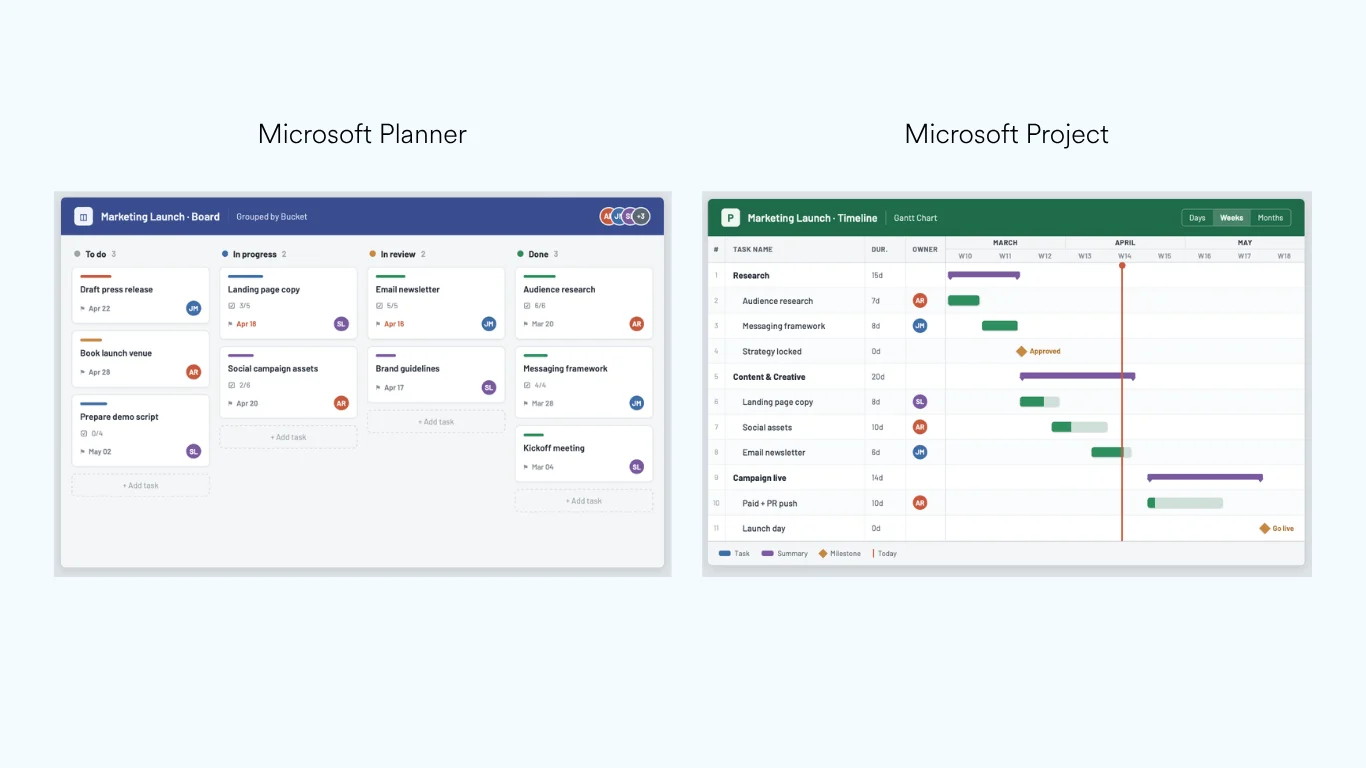
Microsoft Planner board vs. Microsoft Project timeline view
| Feature | Microsoft Planner | Microsoft Project |
|---|---|---|
| Target users | Team members, task owners, small project teams | Professional PMs, enterprise PMOs |
| Ease of use | ✅ Very easy, beginner-friendly | ❌ Requires training |
| Learning curve | ✅ Minimal, intuitive | ❌ Steep |
| Collaboration | ✅ Built for team collaboration | ❌ Limited real-time collaboration |
| AI & automation | ✅ Copilot in Planner | ✅ Copilot / Planner agent (advanced) |
| Project complexity | ❌ Basic to mid-level | ✅ Advanced project management |
| Cost | ✅ Basic included with Microsoft 365 | ❌ Premium licensing required |
| Task views | ✅ Grid, Board, Timeline, People, Goals | ✅ Grid, Board, Gantt (advanced) |
| Dependencies | ⚠️ Basic (advanced in Premium) | ✅ Complex, with lead/lag time |
| Integration | ✅ Seamless with Teams & To Do | ✅ Power Platform, SharePoint |
| Resource management | ❌ Limited | ✅ Full enterprise resource allocation |
| Reporting | ❌ Basic dashboards & charts | ✅ Advanced reporting & analytics |
| Portfolio management | ❌ Premium tiers only | ✅ Available in Plan 5 |
Fig. 1. Microsoft Planner vs Microsoft Project — feature differences (2026).
Key differences explained
Microsoft Project, introduced in the 1980s, was built as a professional project-management tool for complex, resource-heavy work. Microsoft Planner, launched in 2016 inside Microsoft 365, focuses on collaborative, team-level task management. The practical differences come down to a few core areas:
- Boards vs Gantt. Planner is board-first — drag-and-drop Kanban columns for lightweight task tracking. Project (and Planner Premium) is timeline-first, built around Gantt charts for scheduling work across weeks and months.
- Dependencies. Planner Basic handles simple ordering; Project supports complex dependencies with lead and lag times, critical-path analysis and baselines. Planner Premium narrows this gap but doesn’t fully close it.
- Resourcing. Project offers full enterprise resource allocation and workload optimization. Planner’s resourcing is limited to team-level assignment.
- Cost. Planner Basic is included with most Microsoft 365 subscriptions. Project-grade capability lives behind premium licensing — Planner and Project Plan 3 or Plan 5.
For a deeper look at where Planner falls short and which tools fill the gap, see our roundup of the best Microsoft Planner alternatives, or compare Planner directly against Trello in Microsoft Planner vs Trello.
Pros and cons of Microsoft Planner vs Project
With the new Planner experience, Microsoft has closed much of the gap between the two tools — but each still has clear strengths and trade-offs.
Microsoft Project: pros and cons
A well-established project-management tool for professional project managers, with advanced scheduling, resourcing and portfolio features.
Pros
- Advanced features: Gantt charts, dependencies, resource allocation, baselines and critical-path analysis.
- Portfolio and enterprise resource management (Plan 5).
- Scales to large, structured projects with multiple views.
- Highly customizable — custom fields, advanced dependencies, budgeting and costing.
- On-premises option via Project Server Subscription Edition.
Cons
- Higher learning curve; requires training.
- Costlier for small businesses — advanced features sit behind premium plans.
- Real-time collaboration isn’t as seamless as Planner.
- No free tier — trials only.
Microsoft Planner (new Planner experience): pros and cons
A simplified, collaborative work-management tool that unifies Microsoft To Do, Project for the web and Microsoft 365 Copilot into one experience.
Pros
- User-friendly, drag-and-drop task organization.
- Seamless collaboration inside Microsoft Teams — real-time comments, files and notifications.
- Copilot in Planner for task automation, plan generation and insights.
- Tiered scaling: Planner Basic for tracking; Plan 1 adds dependencies and Gantt; Plan 3 & 5 add full project-management capability.
- Newer features: baseline tracking, Spotlight for critical-path delays, improved My Tasks / My Day.
- Cost-effective — Basic is included with Microsoft 365.
Cons
- Lacks portfolio management, enterprise resourcing and detailed cost tracking below premium tiers.
- Cloud-only — no offline editing.
- May not satisfy very large enterprises needing advanced analytics and custom reporting.
Project Online has retired — what to use now
Key date: Microsoft Project Online officially retired on September 30, 2026. Since that date, Project Online and its data are no longer accessible. Project desktop, Project Server Subscription Edition and Planner are not affected.
This is the single biggest change to the Microsoft project-management landscape in 2026, and it directly affects the Planner-vs-Project decision. Here’s what’s happening and what to move to.
- Project Online retired September 30, 2026. Sales of Project Online-only SKUs ended October 1, 2025, new Project Web App (PWA) site creation is blocked from April 1, 2026, and the SharePoint 2013 workflows behind Project Online governance stop working in early April 2026 — so features broke well before the final date.
- Project for the web has already moved into Planner. Its premium scheduling capabilities — Timeline/Gantt view, dependencies, milestones, custom fields, People view — now live inside the new Planner and Planner in Teams.
- Planner Premium is Microsoft’s recommended successor. Premium features in Planner (included with Planner and Project Plan 3 and Plan 5) deliver portfolios, baselines, dependencies and Gantt charts. Many Project Online customers already hold a Plan 3 or Plan 5 licence, so they already have access.
- Project desktop and Project Server SE continue. Neither is affected by the retirement. Project Server Subscription Edition remains the option for organizations needing on-premises, near like-for-like control.
A word of caution for larger PMOs: Planner Premium is not a like-for-like replacement for Project Online. It’s built for collaborative, cloud-native execution rather than deep portfolio governance, resource leveling or financial tracking, and native migration tools have known limits. If you run dozens of concurrent projects with cross-project dependencies and portfolio reporting, plan the migration carefully — and consider complementary tools for the gaps.
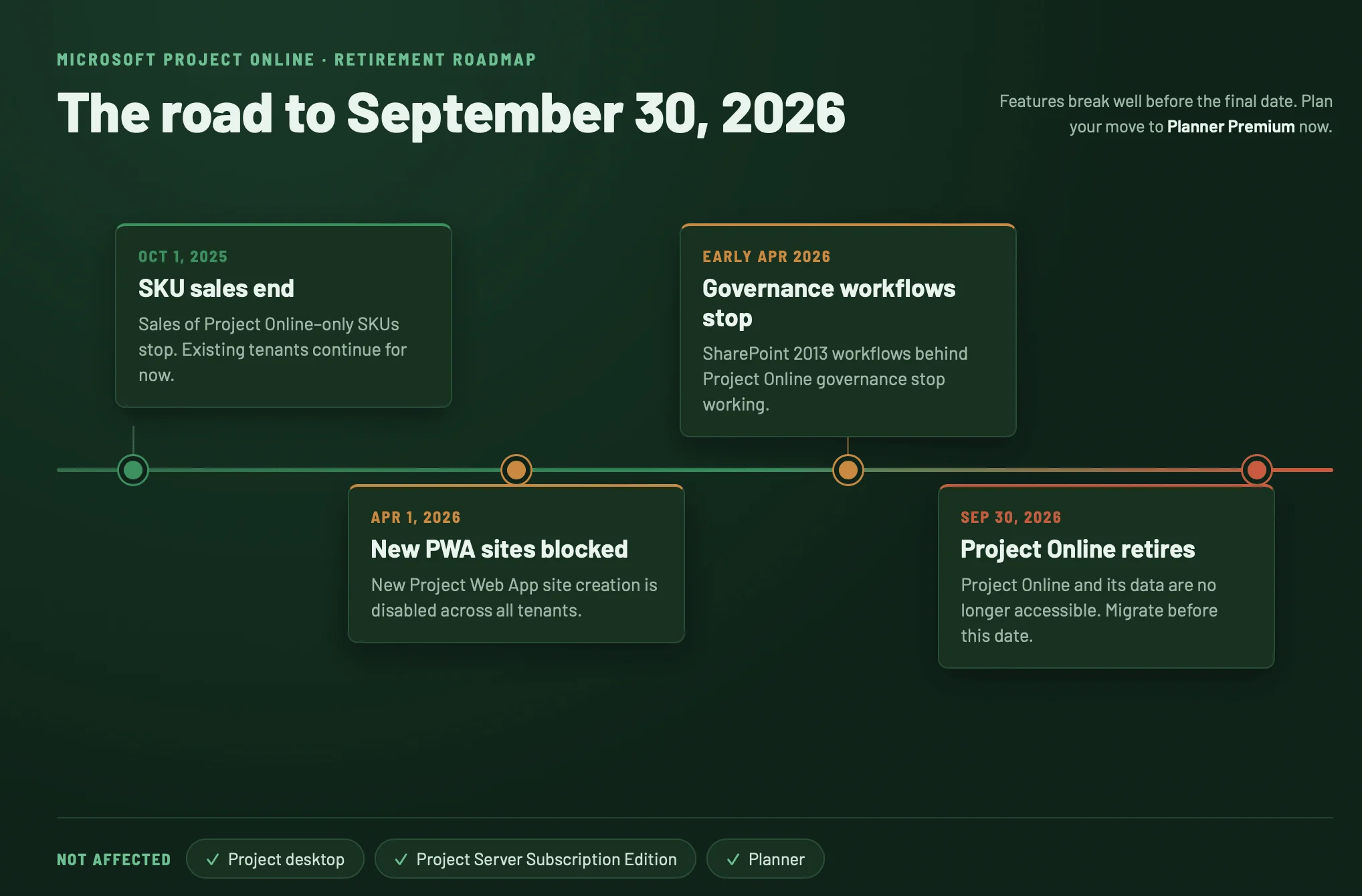
Microsoft Project Online retirement milestones
Which should you choose? (use cases)
Your choice comes down to project complexity, level of detail and team size.
Choose Microsoft Planner if…
- You have a small-to-medium team needing lightweight task management.
- Your work is collaborative — marketing campaigns, product development, event planning, sales follow-ups, HR onboarding.
- You want minimal training and tight Microsoft Teams integration.
- You don’t need multiple hard dependencies, resource constraints or financial tracking.
Choose Microsoft Project (or Planner Premium) if…
- You’re a professional PM handling large-scale, structured projects.
- You need detailed scheduling, cost management and resource allocation.
- You rely on advanced Gantt charts, dependencies and portfolio management.
- You work in construction, IT, engineering, manufacturing, public sector or enterprise planning.
Or use them together
Many organizations run both: Project (or Planner Premium) for high-level planning, resourcing, budgeting and dependencies, and Planner for agile, day-to-day task execution. That keeps a clear line between strategic planning and daily delivery while giving each person the right tool for their role.
For a walkthrough of running Planner inside Teams, see how to use Microsoft Planner in Teams.
Alternatives: Virto Kanban Board and Virto Charts
If you need more flexibility than Microsoft’s native tools offer — richer Kanban, WIP control, better reporting — two VirtoSoftware apps sit neatly on top of Microsoft 365, SharePoint and Teams. One upgrades your board; the other fills Planner’s biggest gap: reporting.
Virto Kanban Board App (a Planner-style upgrade)
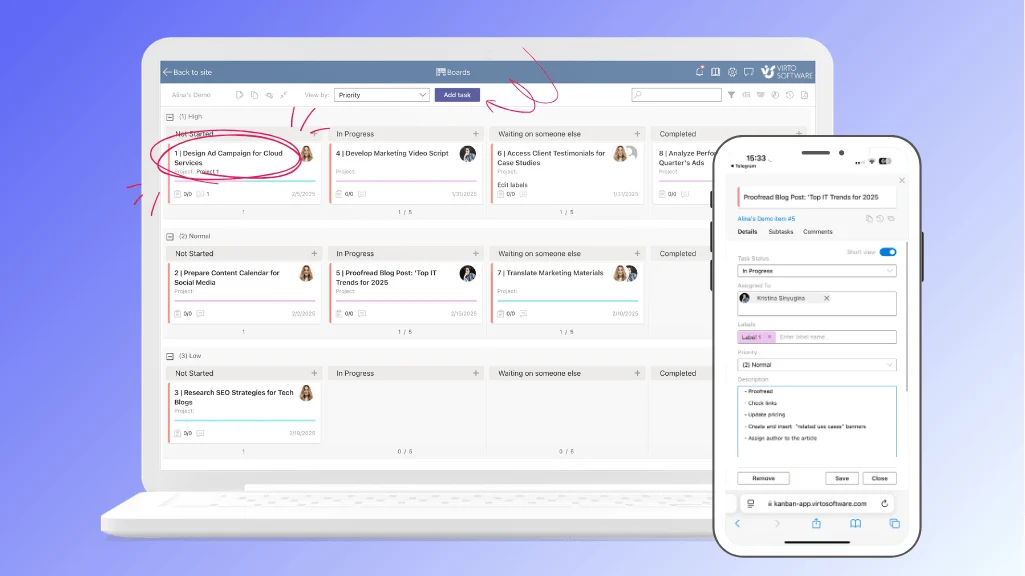
Virto Kanban Board App
A highly customizable Kanban board for visual task management, with more control than Planner’s native board:
- Drag-and-drop boards with swimlanes, color coding and subtasks.
- Work-in-progress (WIP) limits to prevent bottlenecks.
- Native Microsoft Teams integration.
- Advanced analytics and reporting for workflow optimization.
Virto Charts App (free data visualization for Teams)
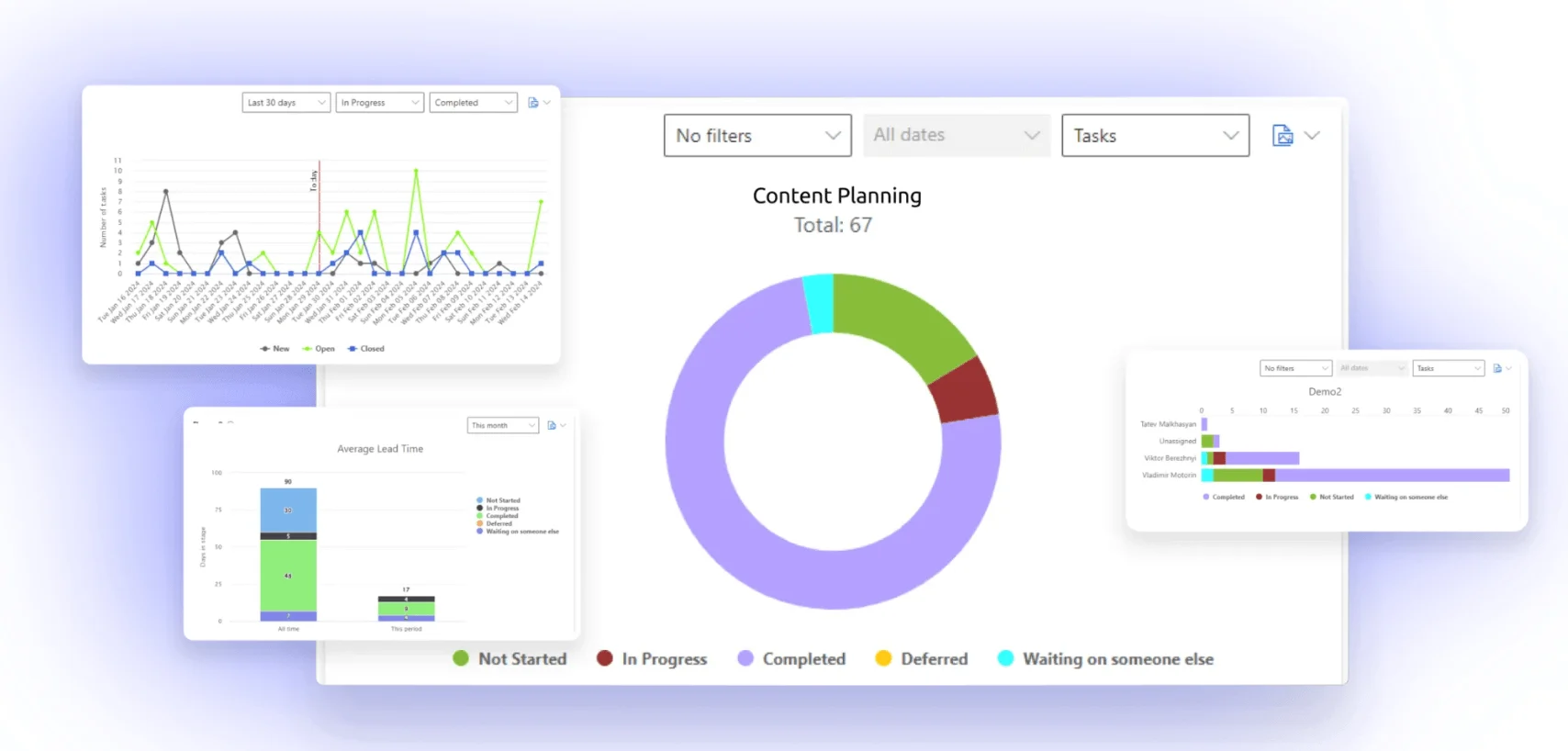
Virto Charts App
Planner’s biggest weakness is reporting. The free Virto Charts & Data Visualization App turns SharePoint list data into dynamic dashboards right inside Microsoft Teams — no premium licence required:
- Free to install for Microsoft Teams.
- Customizable dashboards: status, team-member, completion, lead-time and burndown charts.
- Built on SharePoint list data — works alongside Planner or the Virto Kanban Board.
- Track progress, spot bottlenecks and measure team efficiency and workload.
How Virto apps compare to Planner and Project
| Feature | Virto Kanban + Charts | Microsoft Planner | Microsoft Project |
|---|---|---|---|
| Kanban boards | ✅ Advanced (WIP, swimlanes, subtasks) | ⚠️ Basic | ❌ No Kanban |
| Board customization | ✅ High | ⚠️ Limited | ❌ Not board-focused |
| Reports & analytics | ✅ Charts App (burndown, lead time) | ❌ Basic | ✅ Advanced |
| Teams & SharePoint | ✅ Seamless | ✅ Limited | ⚠️ Needs config |
| Ease of use | ✅ Easy | ✅ Easy | ❌ Requires training |
| Cost | 💲 Kanban paid · Charts free | 💲 With M365 | 💲💲 Premium |
Fig. 2. Virto Kanban Board & Charts App vs Microsoft Planner vs Microsoft Project.
Virto Kanban Board App starts from $2/user/mo (Starter, up to 30 users), $3/user/mo (Pro, 31–200 users), with Enterprise pricing on request and a 30-day free trial. Explore the apps or book a demo.
FAQ
What’s the difference between Microsoft Planner and Project?
Microsoft Planner is a lightweight team task-board app in Microsoft 365. Microsoft Project is a full project-management tool with Gantt charts, task dependencies and resource management for complex projects.
Is Planner the same as Project?
No. Planner has absorbed Project for the web, so its premium tiers now include Gantt charts, dependencies and portfolios — but full Microsoft Project (Project desktop) remains a separate, more powerful product for complex and enterprise scenarios. Project Online retired on September 30, 2026.
What replaces Project Online?
Project Online retired on September 30, 2026. Microsoft’s recommended successor is Planner Premium (Planner and Project Plan 3 or Plan 5), which adds portfolios, baselines, dependencies and Gantt charts. Project Server Subscription Edition remains available for on-premises needs, and Project desktop is unaffected.
Conclusion
Microsoft Planner is the right choice for small teams managing straightforward tasks — intuitive, collaborative and included with Microsoft 365. Microsoft Project (and Planner Premium) is built for large, intricate projects that demand detailed scheduling, dependencies, resourcing and budgeting. With Project Online retired in September 2026 and Project for the web now inside Planner, the practical decision for most teams is Planner Basic for everyday work versus Planner Premium / Project for serious project management.
If you need a balance of simplicity and power — richer boards and proper reporting without enterprise complexity — the Virto Kanban Board App and the free Virto Charts App are worth a look. Install the free Virto Charts App, try the Kanban Board, or schedule a demo.
Further reading
Official Microsoft resources
- When to use Microsoft Project, Planner, To Do, or the Tasks app in Teams
- Microsoft Project Online is retiring: what you need to know