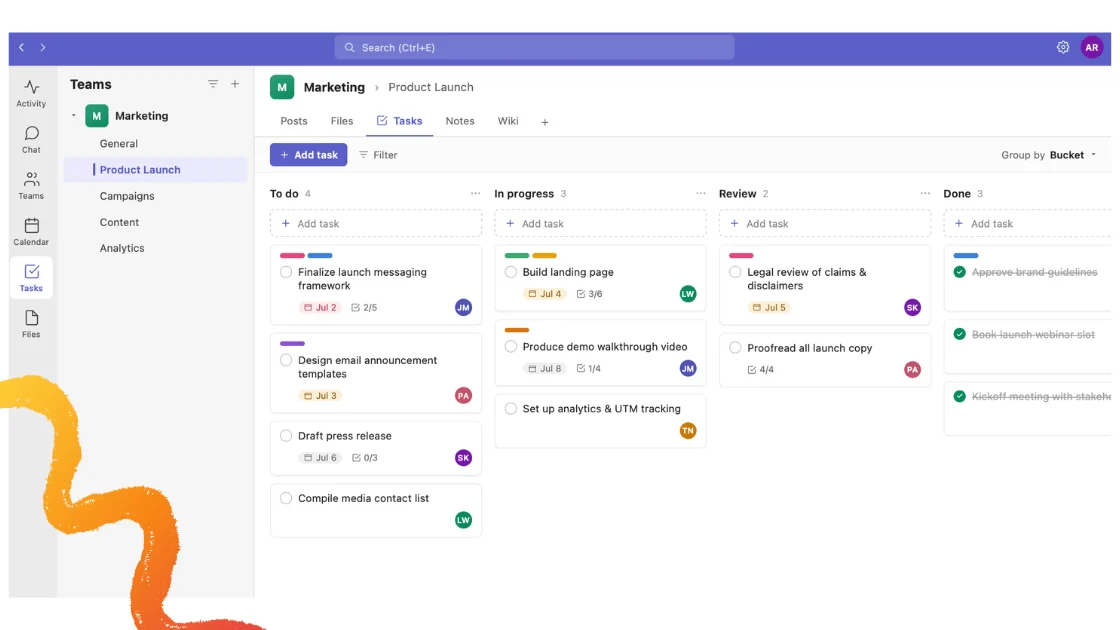
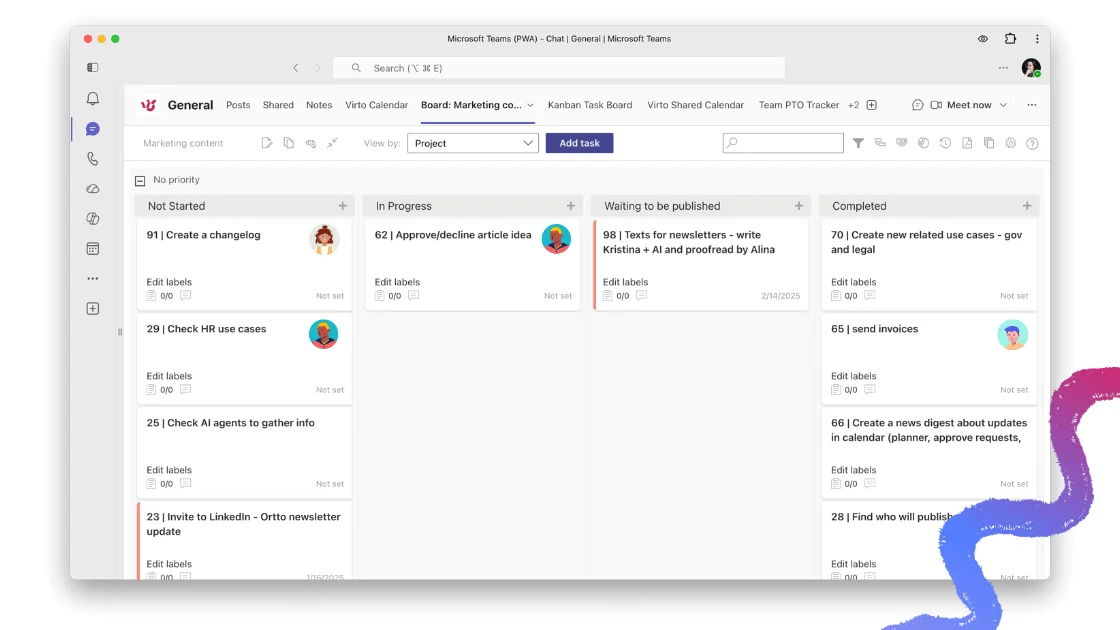
Is Microsoft Planner falling short of your team’s project management needs? If you need advanced tracking, deeper reporting or real workflow automation, you are not alone — and there are strong alternatives. In this 2026 guide we compare the best Microsoft Planner alternatives side by side, from lightweight Kanban tools to full work platforms, and show you how to pick the right fit. For teams already living in Microsoft 365, we highlight the Virto Kanban Board App as the most native upgrade path.
Quick answer: the best Microsoft Planner alternative
Short version: the best Microsoft Planner alternative depends on your stack. For Microsoft 365 and Teams users, Virto Kanban Board is the strongest fit — it adds swimlanes, WIP limits, dependencies and reporting on top of your existing SharePoint data, with no migration. Looking more broadly, Trello is best for simple visual boards, Asana and ClickUp for structured project management, monday.com for visual cross-team workflows, and Jira for Agile software teams. The full comparison and picks are below.
Why look for a Microsoft Planner alternative
Microsoft Planner is a solid, simple task-management tool inside Microsoft 365. It organizes work with boards, lists and schedules, and it integrates tightly with Microsoft Teams. The recent consolidation of Microsoft To Do, Planner and Project for the web into a single Planner experience — plus a Timeline (Gantt) view and dependencies — closed some gaps. But for teams with more demanding workflows, several limits still push them to look elsewhere. We cover Planner in depth in our Microsoft Planner guide and in Microsoft Planner in Teams.
Main limitations of Microsoft Planner
- Limited customization and analytics — restricted control over fields, labels and dashboards; reporting stays basic with no in-depth analytics.
- No complex workflows — even with the new Timeline view and dependencies, Planner lacks sprint planning, advanced automation and deep task hierarchies.
- Requires a Microsoft 365 subscription — a barrier for teams outside the Microsoft ecosystem, who may prefer a standalone tool.
- Broad focus over specialization — Planner spreads across many use cases and rarely goes deep on any single one.
- Simplicity by design — Microsoft keeps improving Planner, but its core is deliberately lightweight, so it will not match dedicated PM platforms on complexity.
Teams that outgrow Planner typically want three things: better customization, more powerful workflows, and — for some — standalone access without a full Microsoft 365 subscription.
Best Microsoft Planner alternatives compared [2026]
Here is a quick side-by-side of the leading Microsoft Planner alternatives in 2026, scored on the criteria that matter most: functionality, integrations, customization, analytics, ecosystem fit and price. Detailed write-ups of each tool follow the table.
| Criteria | MS Planner | Trello | Asana | ClickUp | monday.com | Virto Kanban |
|---|---|---|---|---|---|---|
| Best for | Basic tasks in M365 | Simple Kanban, small teams | Structured PM, mid–large teams | All-in-one, customization | Visual cross-team workflows | Advanced Kanban in M365 / SharePoint |
| Kanban board | Basic | Core strength | Yes (Board view) | Yes | Yes | Advanced (swimlanes, WIP limits) |
| Gantt / timeline | Timeline view | Premium only | Timeline (paid) | Yes | Yes | No |
| Dependencies | Basic | Power-Up only | Yes | Yes | Yes | Yes |
| Automation | Power Automate | Butler | Rules (paid) | Native, strong | Native, strong | Alerts & Reminders app |
| Analytics / reporting | Basic | Limited | Advanced (paid) | Advanced | Dashboards | Advanced + Power BI |
| M365 / SharePoint fit | Native | Integration | Integration | Integration | Integration | Native, data stays in M365 |
| Standalone use | No (needs M365) | Yes | Yes | Yes | Yes | No (needs M365) |
| Starting paid price* | In M365 sub | ~$5/user/mo | ~$11/user/mo | ~$7/user/mo | ~$9/user/mo | from $2/user/mo |
| Free tier | In M365 | Yes | Yes (limited) | Yes | Limited | 30-day trial |
Fig. 1. Microsoft Planner vs. leading alternatives (2026).
* Starting paid prices are per user / month on annual billing and are indicative as of 2026 — verify current pricing on each vendor’s site before publishing. Virto Kanban pricing is canonical (see below).
Trello
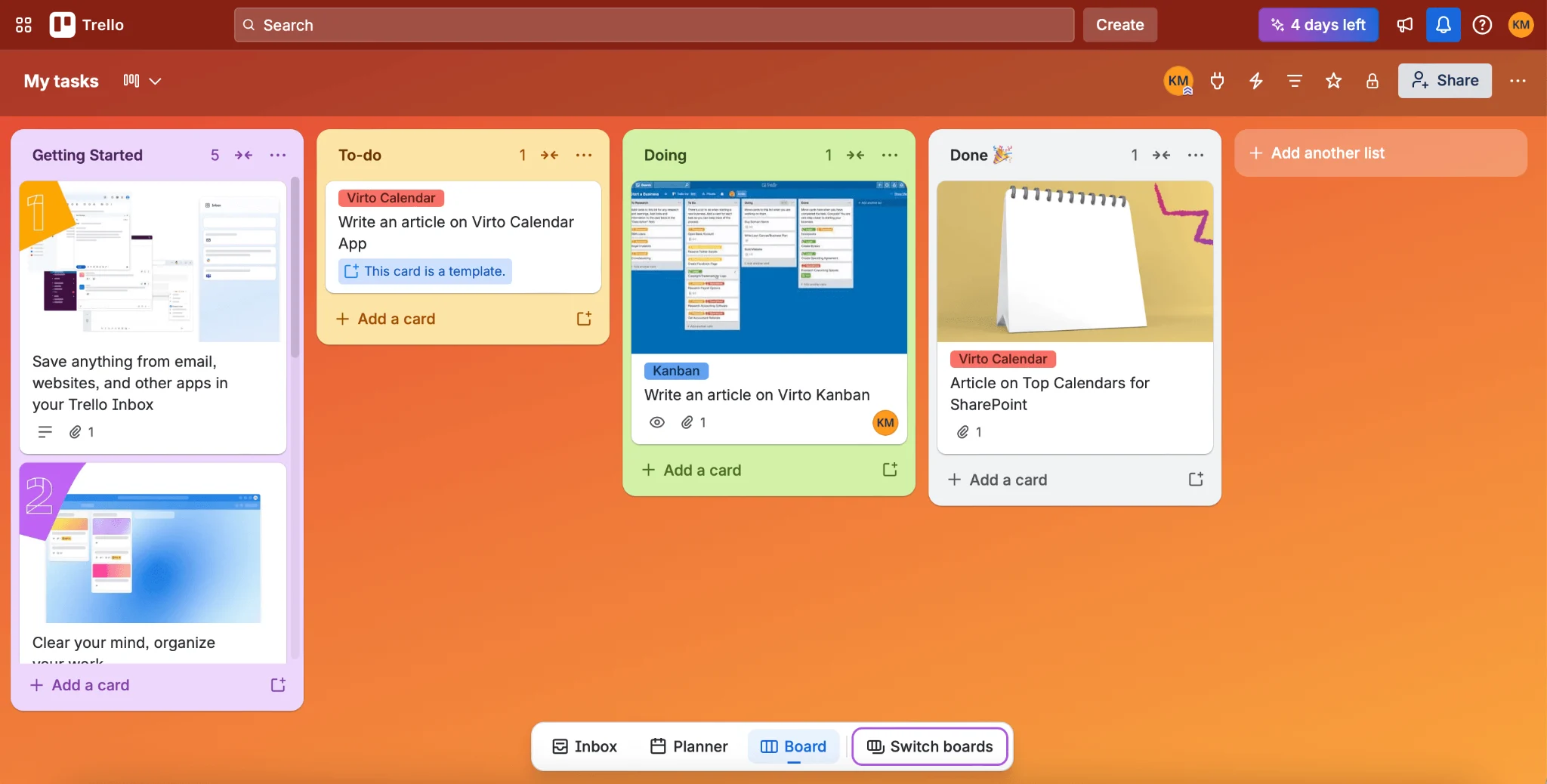
Pic. 1. Trello.
Trello, by Atlassian, is a visual Kanban tool built around boards, lists and cards. It is fast to learn and ideal for small-to-medium teams that want to see work move across columns without any setup overhead.
Key features
- Board, list and card Kanban system with drag-and-drop.
- Board, Timeline, Calendar, Table and Dashboard views (higher tiers).
- No-code automation with Butler (rules, triggers, scheduled actions).
- Power-Ups and integrations: Slack, Google Drive, Microsoft Teams, Jira and more.
Trello — pros & cons
Strengths
✔ User-friendly with a fast learning curve.
✔ Great for small teams and non-technical users.
✔ Strong, visual Kanban system.
✔ Generous free tier; Standard from about $5/user/mo.
Limitations
✘ No built-in task dependencies without Power-Ups.
✘ Not ideal for complex project management.
✘ Gantt/Timeline and advanced views are locked behind Premium (~$10/user/mo).
Who should use it: small to medium teams, marketing teams, freelancers and startups wanting a simple, visual workflow. Teams needing dependencies or heavy reporting should look at Asana, ClickUp or Jira.
Asana
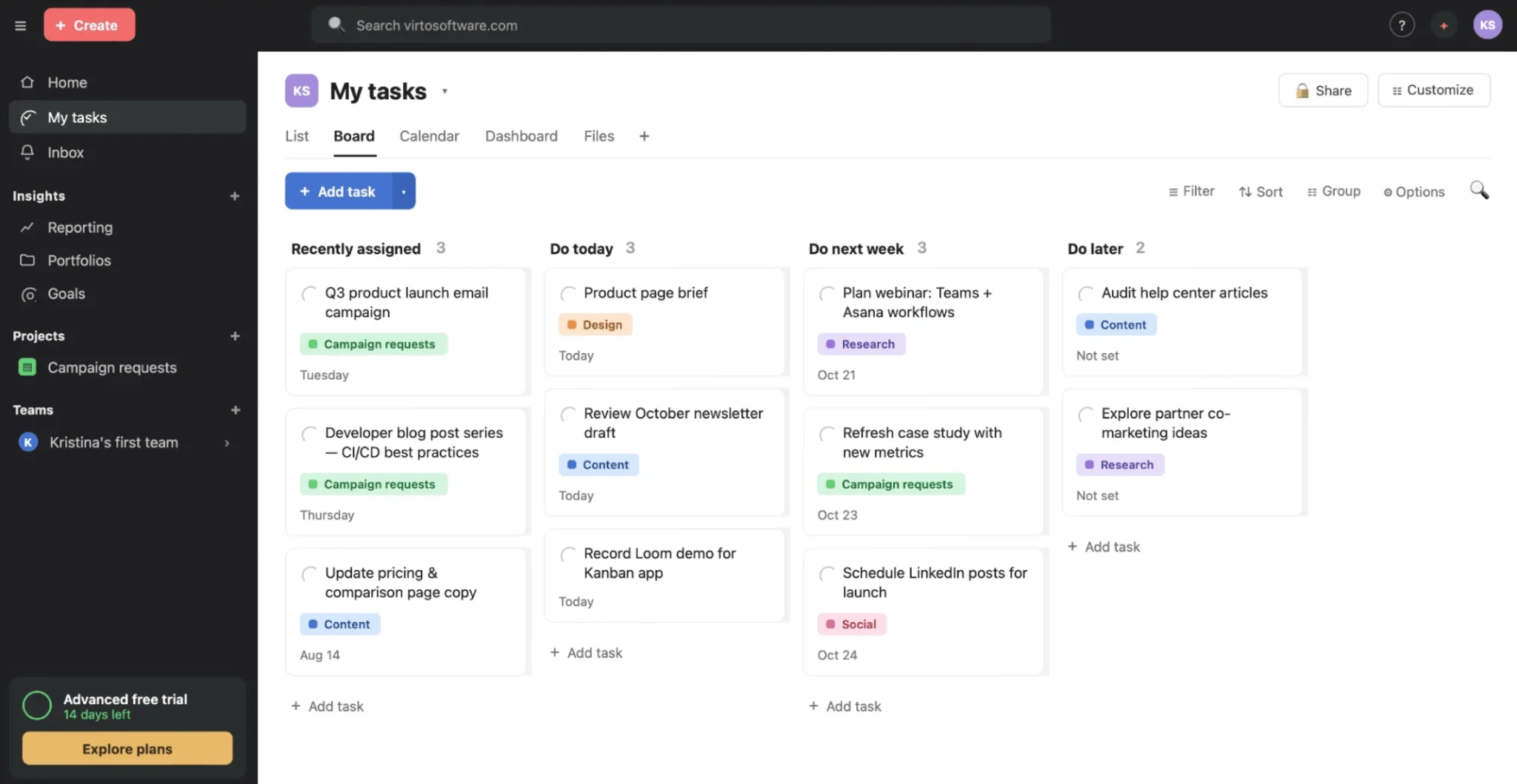
Pic. 2. Asana.
Asana is a structured project-management platform with strong task dependencies, milestones and reporting. It suits medium-to-large teams running cross-functional projects that need more rigor than Planner or Trello provide.
Key features
- Tasks, subtasks, dependencies and milestones for structured workflows.
- List, Board (Kanban), Timeline (Gantt) and Calendar views.
- Automation rules and AI-assisted workflow suggestions.
- Advanced reporting and goal tracking; 300+ integrations including Microsoft Teams and Slack.
Asana — pros & cons
Strengths
✔ Advanced task management with dependencies and milestones.
✔ Multiple flexible project views.
✔ Robust reporting and goal alignment.
✔ Scales to enterprise with security and compliance.
Limitations
✘ Steeper learning curve than Trello or Planner.
✘ Timeline, automation and reporting require a paid plan (Starter from ~$11/user/mo).
✘ No native sprint planning — Jira fits Agile dev better.
Who should use it: medium-to-large teams needing structured workflows, dependencies and goal tracking. Small teams wanting basic task management may prefer Trello or Planner.
Jira
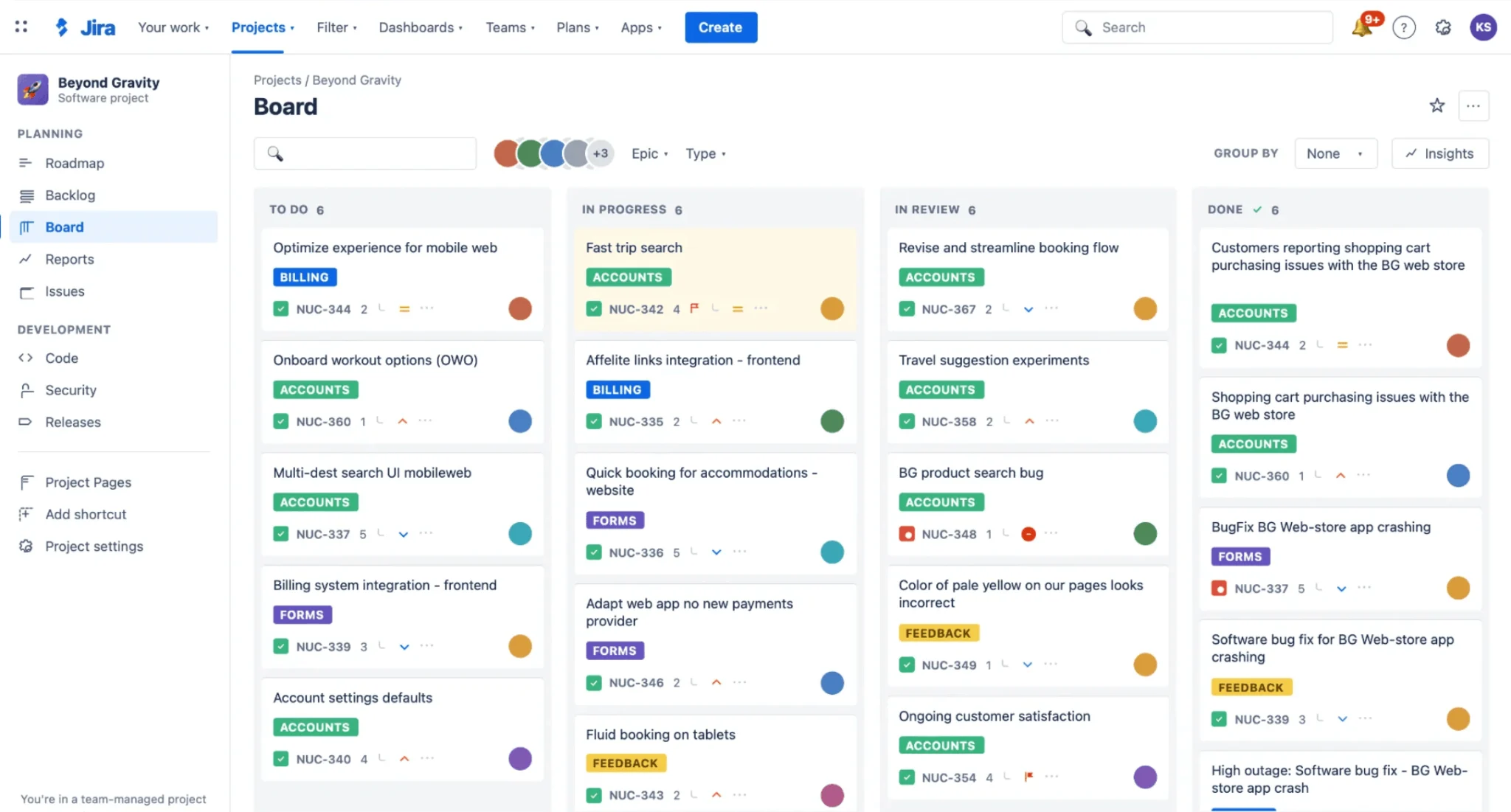
Pic. 3. Jira.
Jira, also by Atlassian, is the go-to tool for Agile software teams. It combines Scrum and Kanban boards, sprint planning, backlog management and deep issue/bug tracking with powerful, customizable workflows.
Key features
- Scrum, Kanban and hybrid Agile with sprints, backlogs, burndown and velocity charts.
- Highly customizable, automatable workflows.
- Detailed issue and bug tracking with priorities and links.
- Deep integration with GitHub, Bitbucket, GitLab, Confluence and CI/CD tools.
Jira — pros & cons
Strengths
✔ Purpose-built for Agile teams with best-in-class sprint tooling.
✔ Detailed issue and bug tracking.
✔ Comprehensive reporting (velocity, sprint reports).
✔ Enterprise-grade security and scalability.
Limitations
✘ Steep learning curve versus simpler tools.
✘ Complex setup often needs a dedicated admin.
✘ Advanced automation and analytics are paid-tier only.
Who should use it: software, engineering and DevOps teams working in Scrum, Kanban or SAFe. Non-technical or general PM teams usually prefer Asana or monday.com.
monday.com
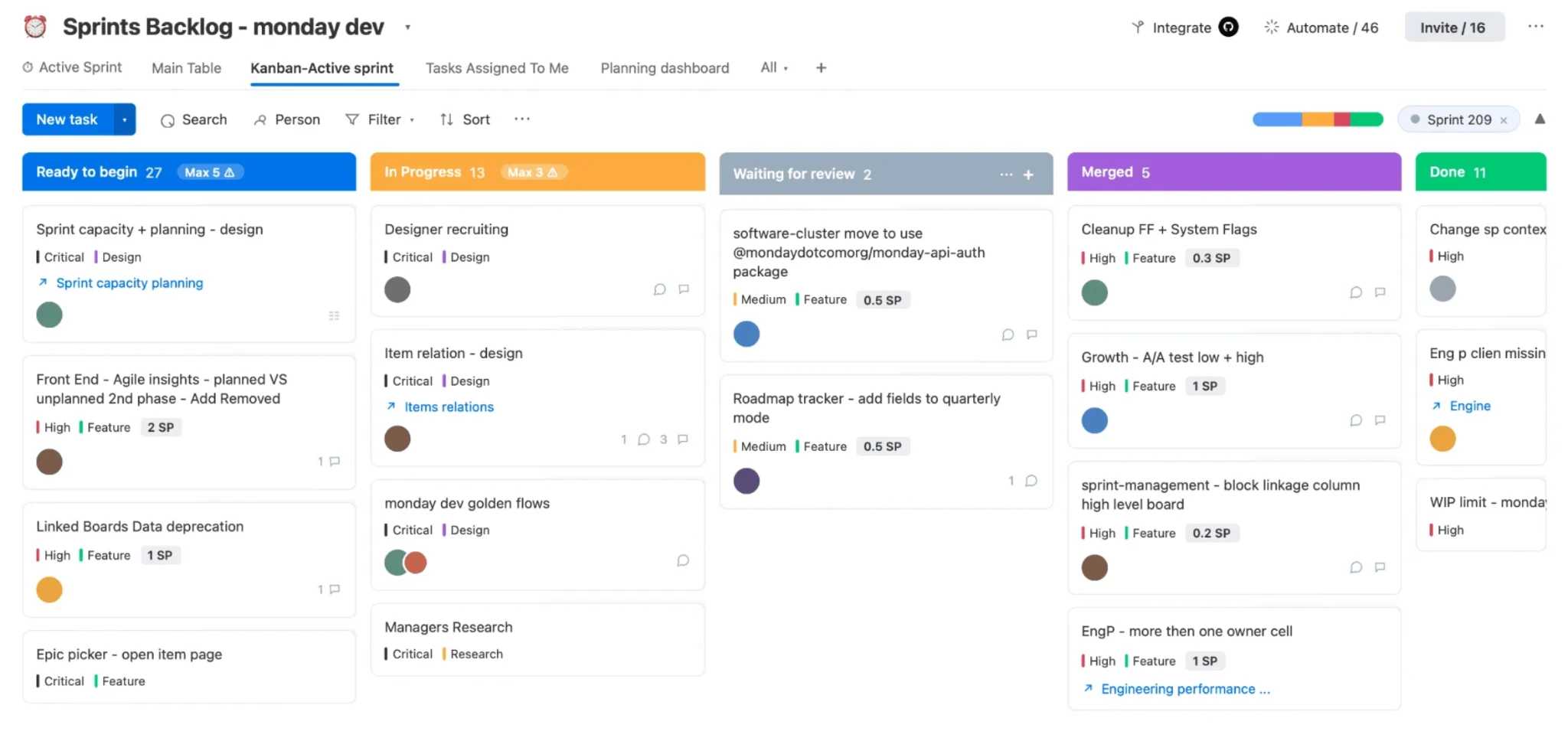
Pic. 4. monday.com.
monday.com is a highly visual, customizable Work OS. Color-coded, drag-and-drop boards and dashboards make it a strong choice for teams coordinating multi-level projects across marketing, sales, operations and IT.
Key features
- Drag-and-drop custom workflows with color coding and dashboards.
- List, Kanban, Gantt and Calendar views.
- Native automation and AI-assisted optimization.
- 300+ integrations: Slack, Microsoft Teams, Google Drive, Salesforce, Jira and more.
monday.com — pros & cons
Strengths
✔ Visual, intuitive interface with color-coded workflows.
✔ High-level dashboards for cross-team visibility.
✔ Built-in automation and multiple views.
✔ Scales for enterprise coordination.
Limitations
✘ Higher learning curve due to extensive customization.
✘ Automation, Gantt and advanced reporting need a paid plan (from ~$9/user/mo, 3-seat minimum).
✘ No native sprint planning — Jira fits Agile better.
Who should use it: teams managing complex, multi-department projects who want visual dashboards and workflow customization. Small teams wanting a simple task manager may prefer Trello or Planner.
ClickUp
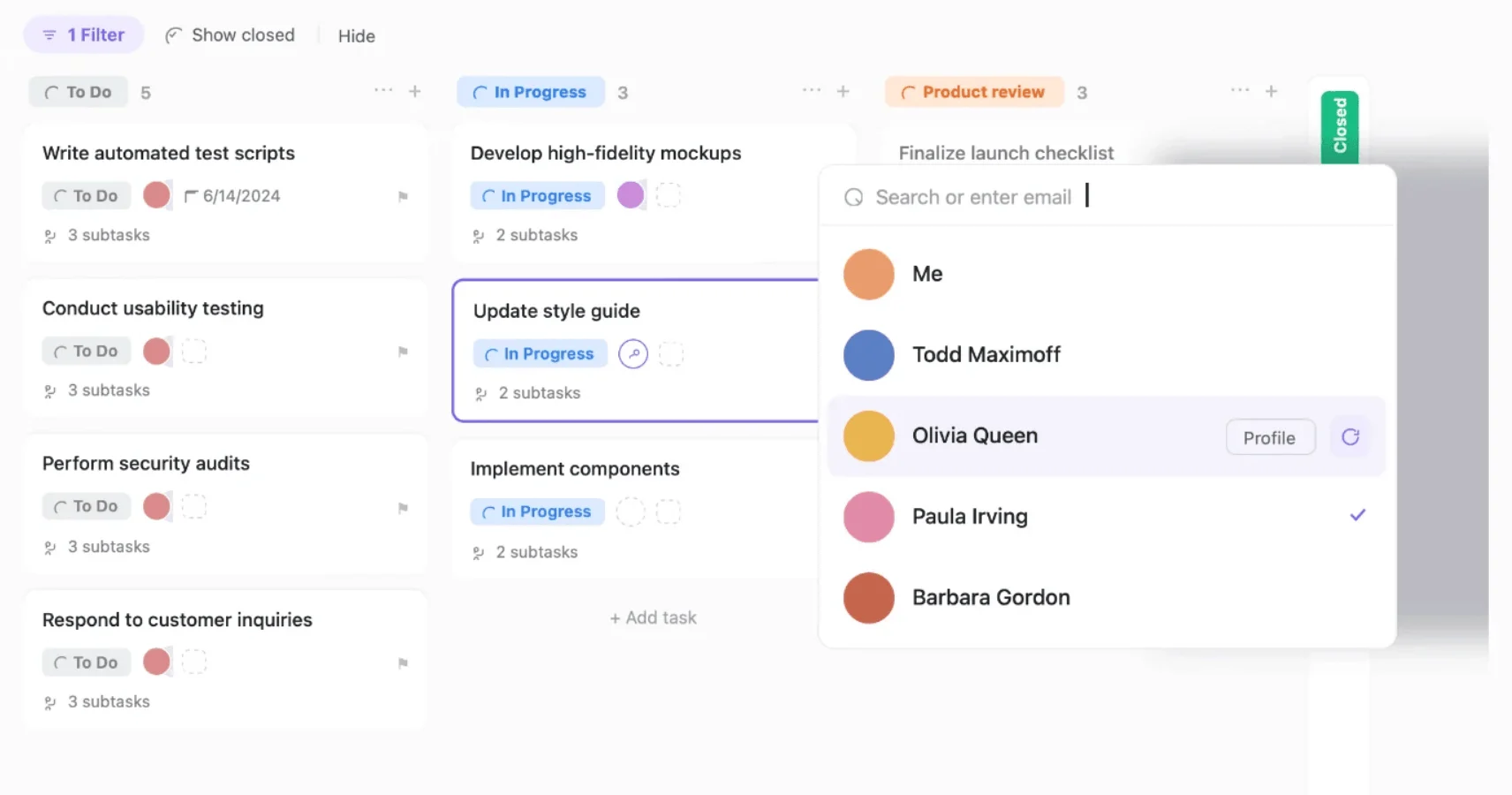
Pic. 5. ClickUp.
ClickUp is one of the most feature-dense platforms on the market, bundling task management, docs, whiteboards, automation and reporting into a single, highly configurable workspace — at an aggressive price point.
Key features
- Customizable workspace with priorities, dependencies and templates.
- List, Board, Timeline (Gantt), Calendar and Dashboard views.
- ClickUp AI plus no-code automations.
- Built-in Docs, Whiteboards and chat; integrations with Slack, Google Drive, Microsoft Teams, Jira and more.
ClickUp — pros & cons
Strengths
✔ Highly customizable dashboards, views and automation.
✔ Advanced task management with priorities and dependencies.
✔ Built-in Docs, Whiteboards and chat reduce app-switching.
✔ Strong value — Unlimited from ~$7/user/mo.
Limitations
✘ Steep learning curve from the sheer feature set.
✘ Performance can lag in very large workspaces.
✘ AI, advanced reporting and automation require a paid plan.
Who should use it: teams wanting one highly customizable, all-in-one platform for tasks, docs and reporting. Users who prefer a lighter tool may find monday.com or Trello easier.
Wrike
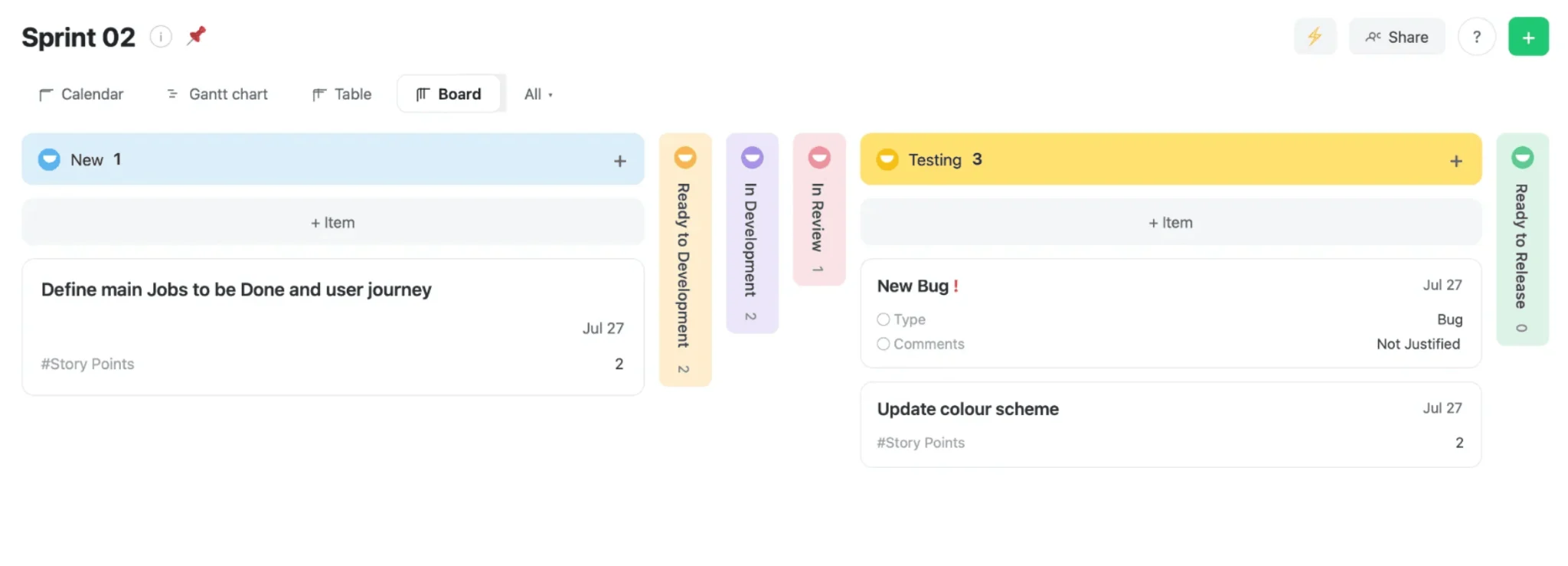
Pic. 6. Wrike.
Wrike is a collaboration-and-analytics-focused platform with strong dashboards, time tracking and resource management. It suits project-driven organizations that need deep visibility and workload balancing.
Key features
- Customizable real-time dashboards with 360° project visibility.
- Workflow automation, approvals and reusable templates.
- Gantt, Kanban, List and Table views.
- Built-in time tracking and resource management; integrations with Microsoft Teams, Slack, Google Drive, Jira and Salesforce.
Wrike — pros & cons
Strengths
✔ Advanced real-time reporting and dashboards.
✔ Workload balancing and performance tracking.
✔ Built-in time tracking, unlike Planner.
✔ Enterprise-grade security and scalability.
Limitations
✘ Steep learning curve from advanced features.
✘ Time tracking, automation and advanced reporting are paid-tier.
✘ Overkill for small teams with basic needs.
Who should use it: organizations needing strong collaboration, analytics, time tracking and workload balancing across multiple departments. Small teams may find Planner or Trello simpler.
Smartsheet
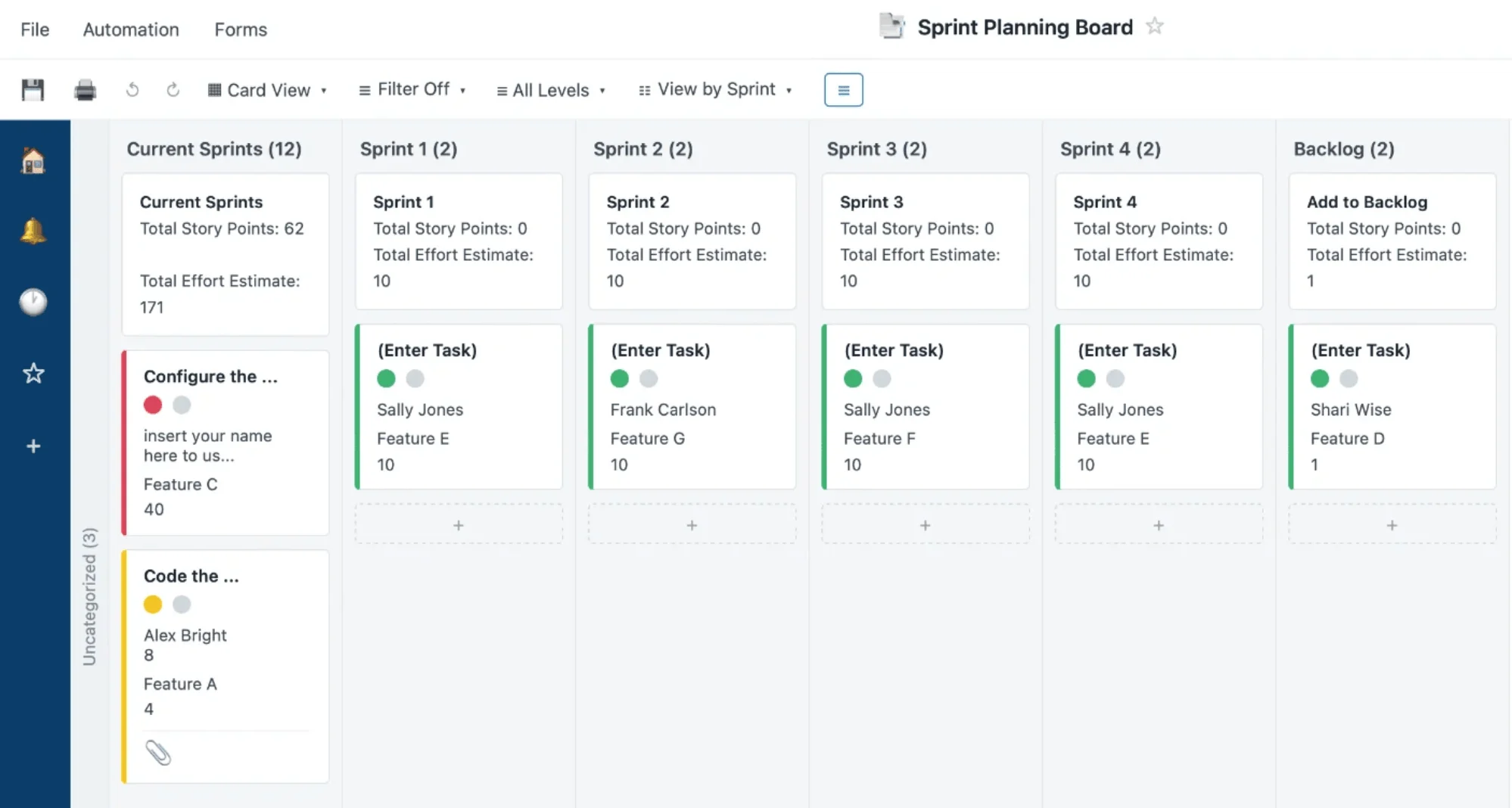
Pic. 7. Smartsheet.
Smartsheet pairs a familiar spreadsheet interface with real project-management features — Gantt charts, automation and reporting — making it ideal for data-driven teams transitioning from spreadsheets to structured PM.
Key features
- Excel-like grid with formulas, conditional formatting and linked sheets.
- Gantt, Grid, Card (Kanban) and Calendar views.
- Custom dashboards, automation and reporting.
- Integrations with Microsoft 365, Google Workspace, Slack, Salesforce and Jira.
Smartsheet — pros & cons
Strengths
✔ Spreadsheet-based interface enables detailed tracking and calculations.
✔ More structured than Planner for data-heavy work.
✔ Built-in reporting for progress, budgets and performance.
✔ Strong integrations across M365, Google and Salesforce.
Limitations
✘ Steeper learning curve from formulas and automation.
✘ More complex than simple task tools.
✘ Limited Agile/sprint features (Jira fits better).
✘ Advanced features are paid-tier.
Who should use it: teams managing complex, data-heavy projects who like spreadsheets but need real PM capabilities. Small teams may prefer Planner or Trello.
Basecamp
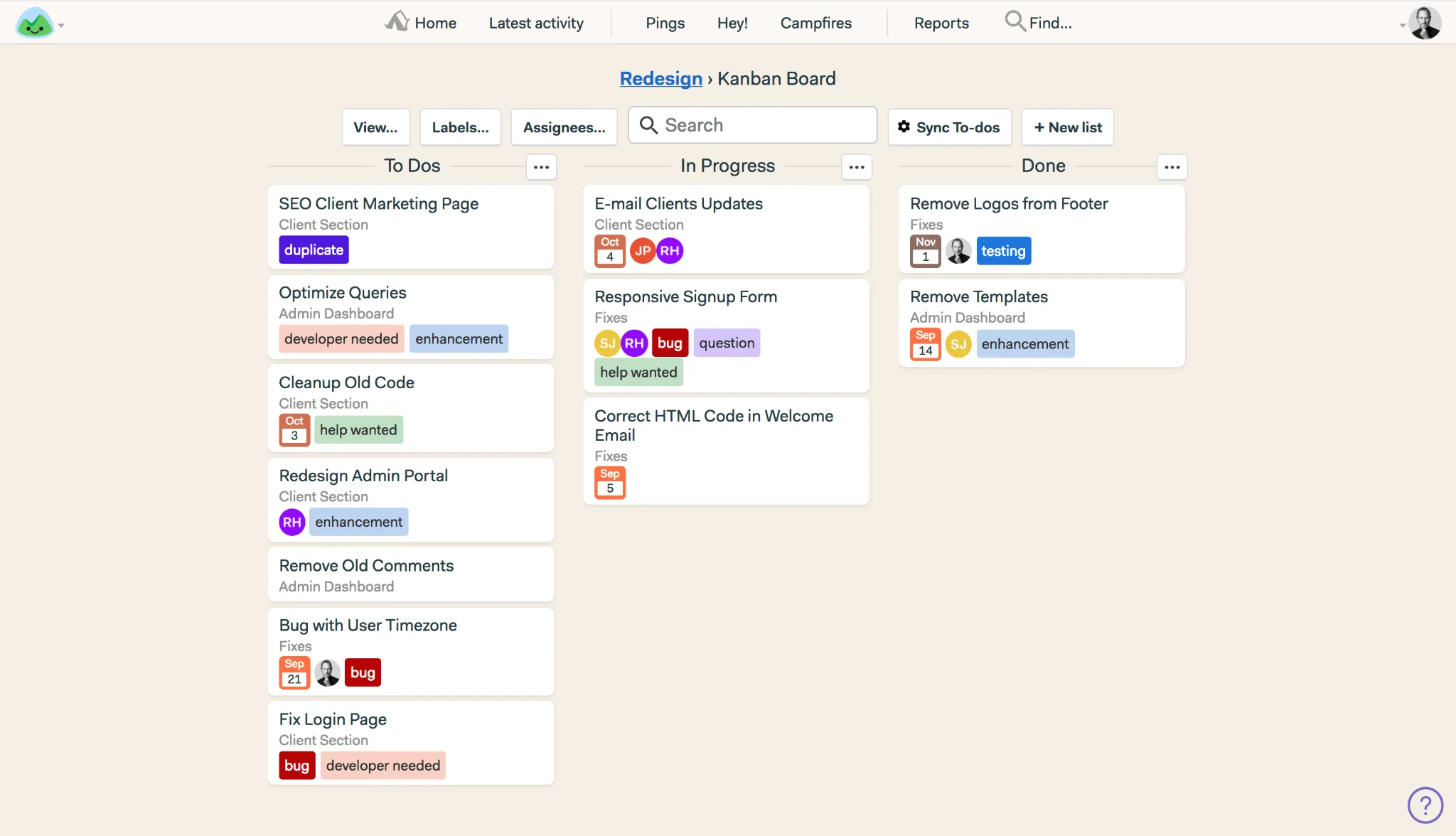
Pic. 8. Basecamp.
Basecamp is a simple, all-in-one collaboration tool combining to-do lists, message boards, chat and file sharing under a flat, per-account price — a good fit for small teams and agencies that value simplicity.
Key features
- Simple, minimal-setup interface organizing projects in one place.
- Message boards, Campfire chat, Pings and automatic check-ins.
- To-do lists, centralized file storage and Hill Charts.
- Client collaboration with controlled visibility; flat pricing with no per-user fees.
Basecamp — pros & cons
Strengths
✔ Built-in chat, message boards and check-ins reduce external tools.
✔ Everything centralized, less app-switching.
✔ Very easy to use with minimal setup.
✔ Flat pricing with no per-user fees.
Limitations
✘ Lacks Kanban, Gantt and sprint planning.
✘ Limited reporting and analytics.
✘ Less suited to large enterprises.
✘ Limited task automation and integrations.
Who should use it: small businesses, freelancers and agencies wanting a simple communication-and-tasks hub with flat pricing. Teams needing Kanban, Gantt or Agile tools should look at ClickUp or Jira.
Notion
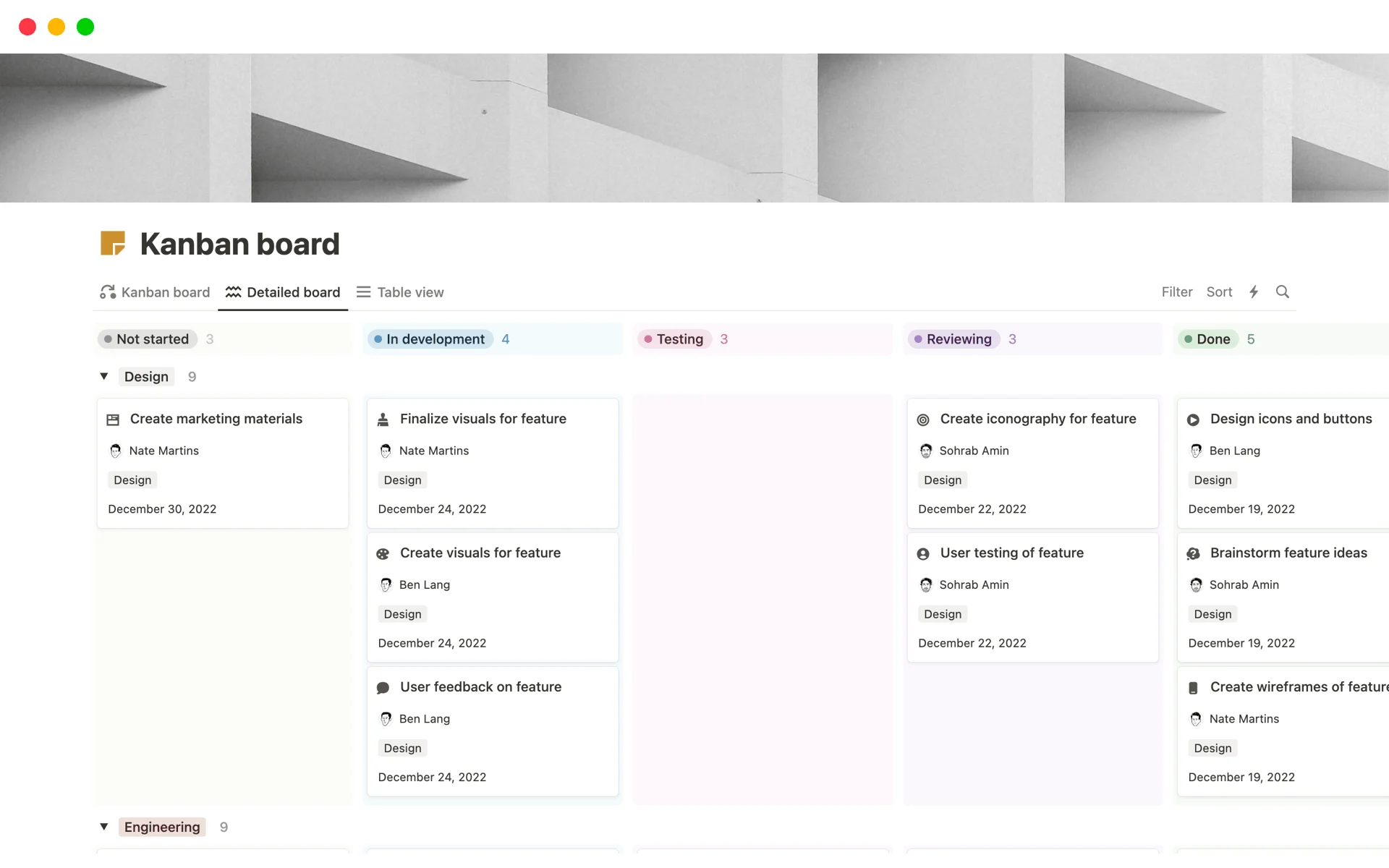
Pic. 9. Notion.
Notion is a flexible workspace that blends notes, docs, databases and task management. With Kanban boards, wikis, AI search and templates, it suits teams that want documentation and tasks in one adaptable tool.
Key features
- Customizable dashboards, task lists and knowledge hubs with 100+ content types.
- Kanban, database, list and calendar views with automations.
- Wiki and documentation with AI-powered search.
- Integrations with Slack, Google Drive and Microsoft Teams.
Notion — pros & cons
Strengths
✔ Highly customizable workspace with databases and templates.
✔ Combines PM, docs and knowledge sharing.
✔ Great for both personal and team productivity.
✔ AI search and content assistance.
Limitations
✘ Steeper learning curve from databases and relations.
✘ Limited native workflow automation.
✘ Not built for complex Agile PM (no sprints/backlog).
Who should use it: individuals and teams wanting a flexible, all-in-one workspace for docs, wikis and lightweight task management. Agile dev teams should prefer Jira; automation-heavy teams, ClickUp.
Is there a Google alternative to Microsoft Planner?
Google does not offer a single tool that mirrors Microsoft Planner, but several Google Workspace apps and add-ons cover comparable ground depending on your needs.
Google Workspace tools for task management
- Google Tasks — simple to-do lists tied to Gmail and Calendar; great for individuals and small teams, but no Kanban, automation or project tracking.
- Google Keep — lightweight notes, checklists and reminders; good for informal tasks, not structured project management.
- Google Sheets — adaptable for project tracking via templates and formulas, but needs manual setup and lacks dependencies and visual progress tracking.
Third-party option: Kanbanchi
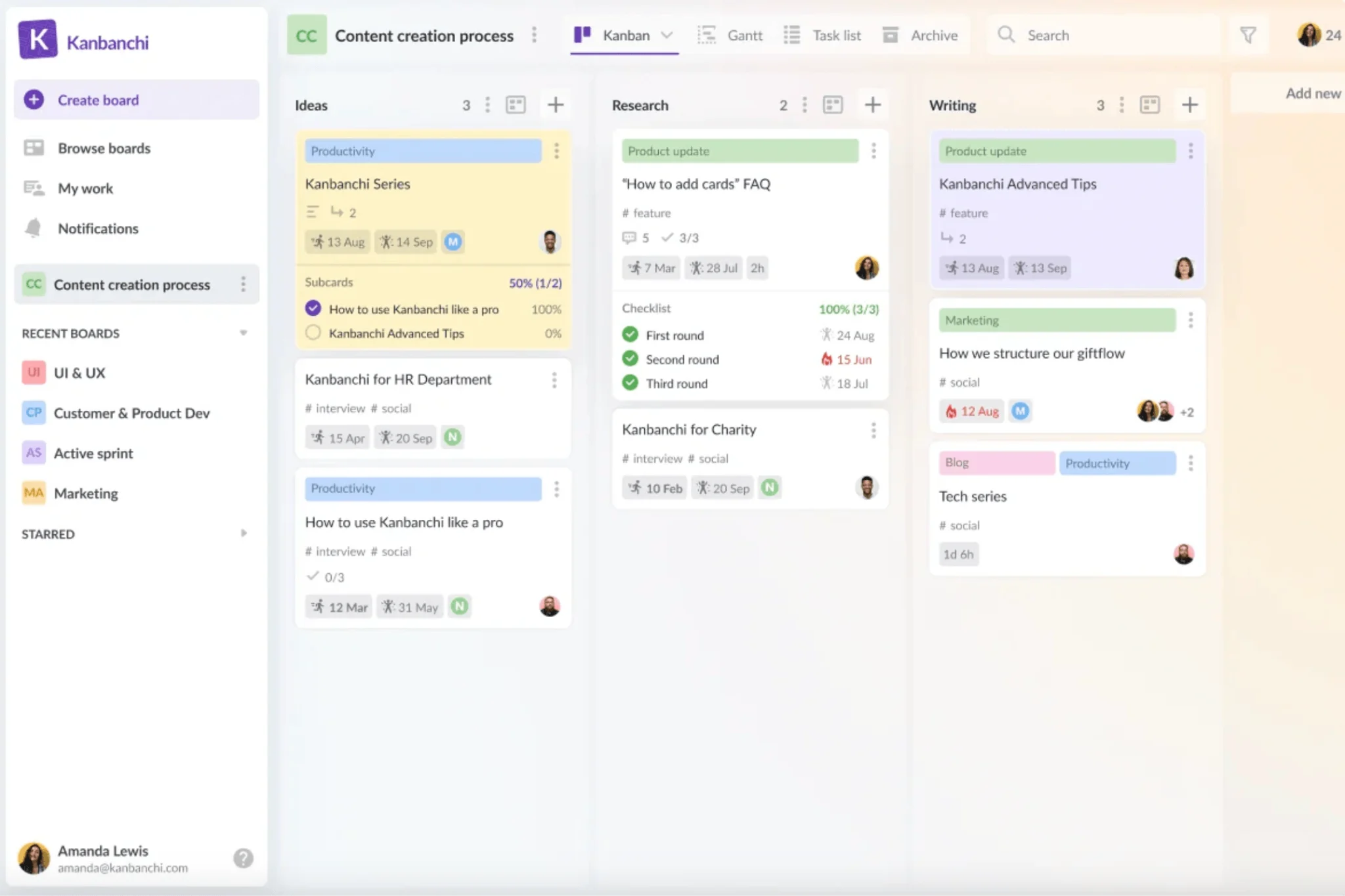
Pic. 10. Kanbanchi.
For Google-first teams wanting real Kanban, Kanbanchi adds visual boards, Gantt charts and collaboration with deep Google Drive and Calendar integration. It is a step up from Google Tasks and Keep, though not a full Planner replacement — Planner still offers deeper Teams integration and built-in reporting.
Bottom line: in the Google ecosystem, Google Tasks plus Keep and Sheets cover basic needs; Kanbanchi, Trello or Asana handle structured work. Teams anchored in Microsoft, however, get a more native path with the Virto Kanban Board App, covered next.
Virto Kanban — the optimal Microsoft-ecosystem alternative
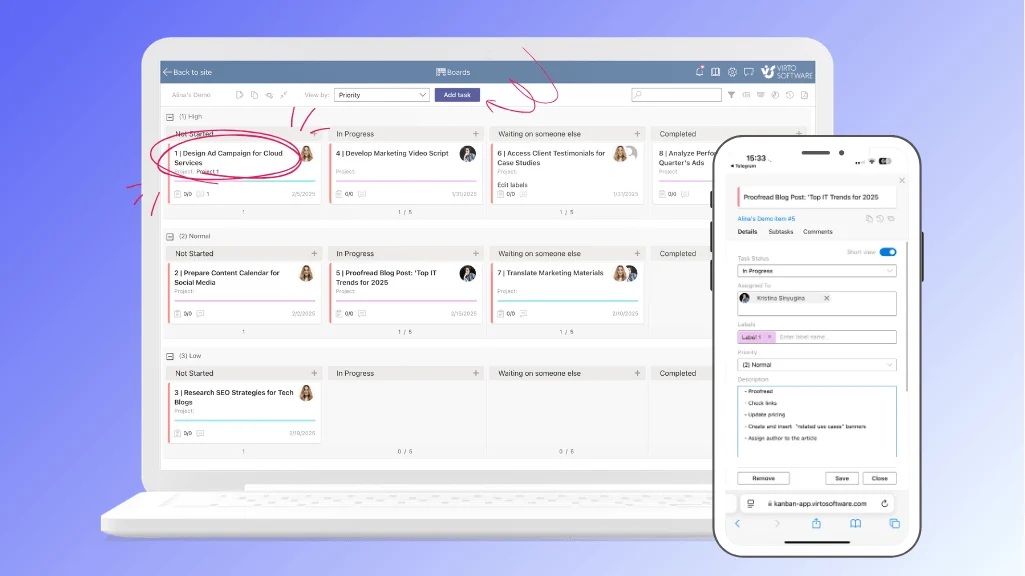
Pic. 11. Virto Kanban Board App.
If your team already runs on Microsoft 365 and SharePoint, the Virto Kanban Board App is the most natural Planner upgrade. It turns your existing SharePoint lists into dynamic, visual Kanban boards inside SharePoint Online and Microsoft Teams — no data migration, no separate platform to learn. Because it works on the data you already have, your project management stays inside the Microsoft ecosystem you already trust.
Why Virto Kanban is more powerful than Planner
- Deeper customization — custom columns, swimlanes, color coding and card detail let you tailor boards to any workflow, well beyond Planner’s fixed buckets.
- Advanced analytics — charts for task status, assignments, completion rates, burndown and lead time, plus granular filtering and Power BI reporting.
- WIP limits and dependencies — enforce work-in-progress limits, subtasks and dependencies for genuine flow control Planner cannot match.
- Native Teams + SharePoint integration — a cohesive experience across both, not just Teams, with automation via the Virto Alerts & Reminders app.
- Data stays in your tenant — data resides in your Microsoft 365 environment, not third-party servers, with role-based access and Microsoft 365 App Certification.
Virto Kanban pricing
Virto Kanban Board is priced from $2/user/month (Starter, up to 30 users), $3/user/month (Pro, 31–200 users), with Enterprise on request. All plans are billed yearly and include a 30-day free trial. You can start the free trial on Microsoft Marketplace or book a personalized demo.
How to choose a Microsoft Planner alternative
The right tool comes down to team size, workflow complexity, ecosystem and budget. Use these quick criteria:
By team size and complexity
- Small teams (1–10): Trello for simple Kanban, or Basecamp for collaboration.
- Medium teams (10–50): Asana or ClickUp for structured tasks, dependencies and reporting.
- Large teams (50+): Jira for Agile dev, monday.com for multi-level projects, or Virto Kanban for M365/SharePoint enterprises.
By ecosystem and budget
- Microsoft 365 users: Virto Kanban integrates natively with SharePoint, Teams and Outlook.
- Google Workspace users: Trello, Asana or Kanbanchi with Google Drive integration.
- Tight budgets: Trello, Notion or ClickUp offer capable free tiers.
- Agile teams: Jira for sprints, backlogs and dev-tool integration.
Three tips before you commit
- Test with a free trial. Try the features you’ll use most, with real team members involved.
- List your must-haves. Weigh integration, analytics, mobility and automation against your workflow.
- Plan for growth. Pick a tool that scales in team size and complexity without a costly future migration.
Conclusion
Microsoft Planner is great for basic tasks inside Microsoft 365, but its limits show on complex projects that need customization, analytics and workflow control. Every alternative here fills that gap differently — Trello for simplicity, Asana and ClickUp for structure, monday.com for visual coordination, Jira for Agile, Smartsheet for data-heavy work, and Basecamp or Notion for collaboration and docs. For teams that want to stay inside Microsoft 365, the Virto Kanban Board App delivers the most native upgrade — swimlanes, WIP limits, dependencies and reporting on top of SharePoint. Book a demo or start a free trial to see it in action.
Related reading: Microsoft Planner guide · Planner vs Project · Planner vs Trello · Best Kanban board for teams · Online Kanban board guide.
FAQ
What is the best alternative to Microsoft Planner?
It depends on your stack. For Microsoft 365 and Teams, Virto Kanban Board adds swimlanes, WIP limits and reporting on top of SharePoint. Trello, Asana, ClickUp and monday.com are strong general-purpose alternatives.
Is there a free Microsoft Planner alternative?
Yes. Trello, Asana, ClickUp and Notion all offer free tiers with limits. Virto Kanban offers a 30-day free trial rather than a permanent free plan.
Is there a Google alternative to Microsoft Planner?
Google has no single equivalent. Google Tasks plus Keep and Sheets cover basic needs, and Kanbanchi adds a dedicated Kanban board inside Google Workspace — but none matches Planner’s Teams integration and reporting.