


A practical 2026 guide to online Kanban boards — how they work, the best free and paid tools compared, and how to choose the right one for your team.
An online Kanban board turns the classic visualize-your-work method into a flexible digital workspace your whole team can use from anywhere. Cards representing tasks move across columns such as “To Do,” “In Progress,” and “Done,” giving everyone an at-a-glance view of status, priorities, and bottlenecks.
This guide leads with the part that matters most when you’re choosing software: a curated, up-to-date comparison of the best online Kanban tools — Trello, Asana, monday.com, ClickUp, Jira, Virto Kanban Board and more — with current pricing and key features. We’ll also cover how to set a board up, how to pick the right one, and whether Google and Microsoft 365 offer Kanban boards of their own.
New to the concept itself? Start with our pillar guide, what is a digital Kanban board, then come back here to compare tools.
Quick answer: what is an online Kanban board?
An online Kanban board is a web-based visual board where tasks appear as cards that move across columns representing stages of work (To Do → In Progress → Done). Unlike a physical board, an online board adds WIP limits, swimlanes, search and filtering, automation, and analytics — and it can be accessed and updated by distributed teams in real time. For the full definition and the physical-vs-digital comparison, see the digital Kanban board guide.
How to create an online Kanban board
Setting up an effective board is less about drawing columns and more about modeling a workflow your team will actually follow. Four condensed steps:
- Determine your needs. Clarify the project goal, who’s involved, and how complex the tasks are. This drives your column structure, swimlanes, and color-coding.
- Choose the right platform. Weigh integrations, ease of use, scalability, and your existing stack. Use the comparison below — and free trials — to shortlist two or three.
- Set up your board. Start with To Do / In Progress / Done, then add columns like Backlog, Review, or Testing as your process needs. Make each card self-explanatory: description, acceptance criteria, assignee, due date.
- Customize and personalize. Add custom fields, labels and tags, WIP limits, and integrations (e.g. Microsoft Teams notifications) so the board fits how your team works.
Customize your workflow with Virto Kanban Board
Step up your project management game today.
Best online Kanban boards [2026]
Below is a curated shortlist of the strongest online Kanban tools in 2026, with current pricing, standout features, and who each one suits best. Pricing reflects annual billing where applicable and was reverified for this update — always confirm on the vendor’s pricing page before buying, as plans change.
1. Trello
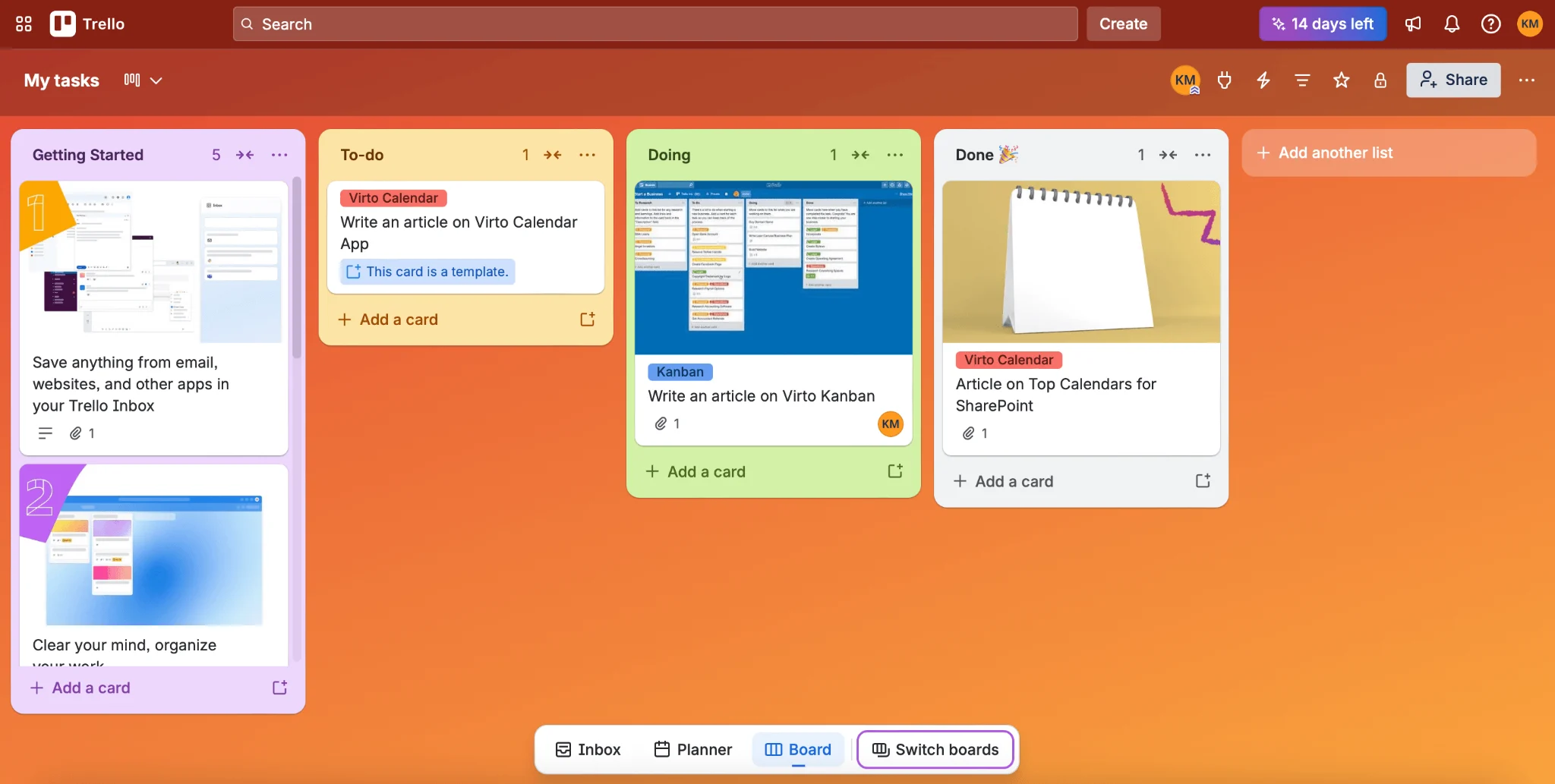
Trello is the go-to simple online Kanban board, loved for its frictionless card-and-board interface and gentle learning curve.
- Best features: Signature drag-and-drop boards, Power-Ups (third-party add-ons), strong mobile apps, and broad integrations.
- Best for: Content creation, small-to-mid teams, personal productivity, and anyone wanting Kanban with zero setup overhead.
- Pricing: Free (up to 10 boards, unlimited cards). Standard from $5/user/mo; Premium from $10/user/mo; Enterprise from $17.50/user/mo (billed annually).
Source: https://trello.com/
2. Asana
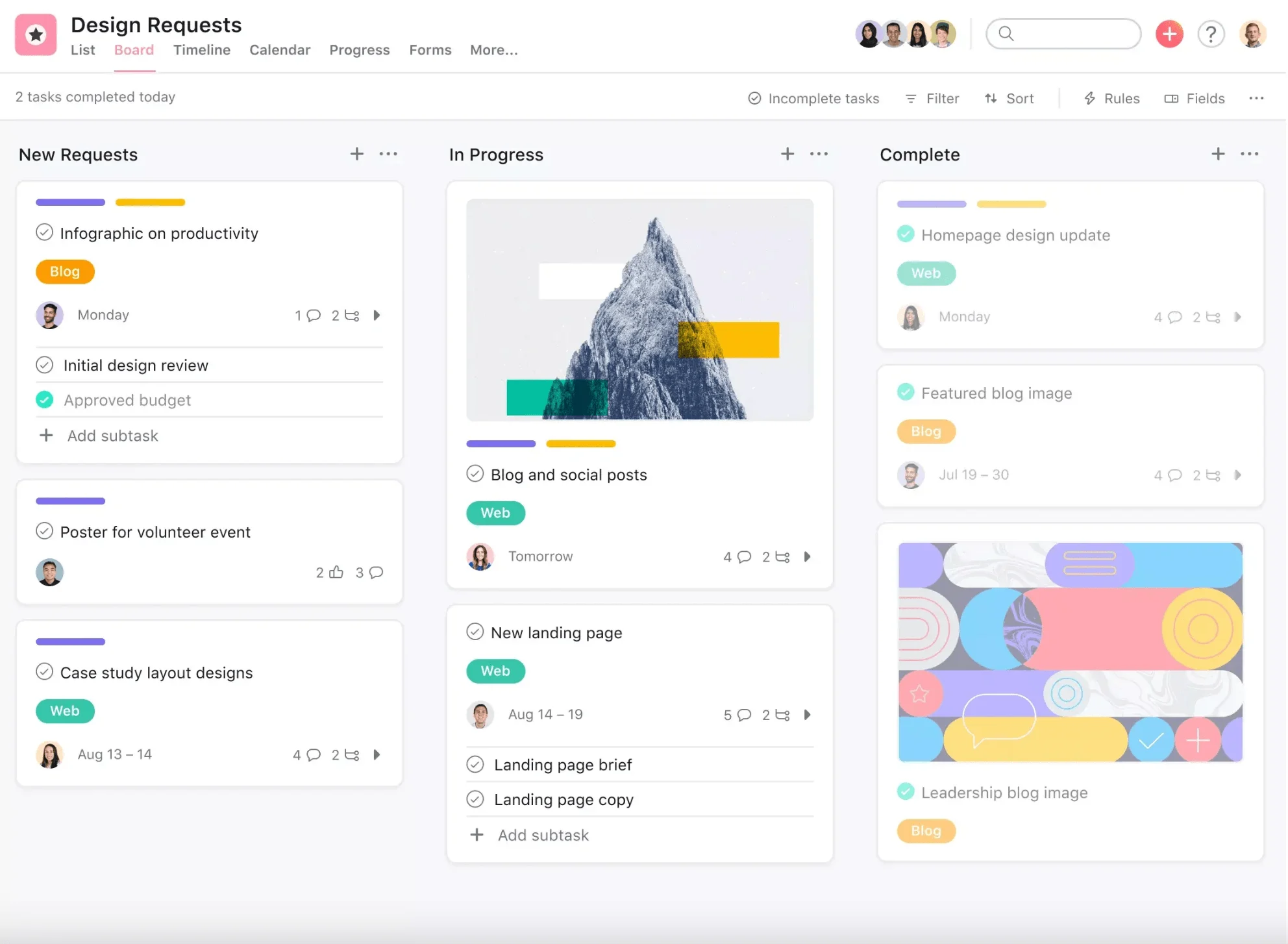
Asana pairs a clean board view with robust project- and task-tracking, scaling from startups to large enterprises.
- Best features: Board, timeline and calendar views, 200+ integrations, AI features on paid tiers, and strong workflow rules.
- Best for: Marketing campaigns, product launches, cross-departmental work, and editorial calendars.
- Pricing: Free for small teams. Starter from $10.99/user/mo; Advanced from $24.99/user/mo (billed annually).
Source: https://asana.com/uses/kanban-boards
3. monday.com
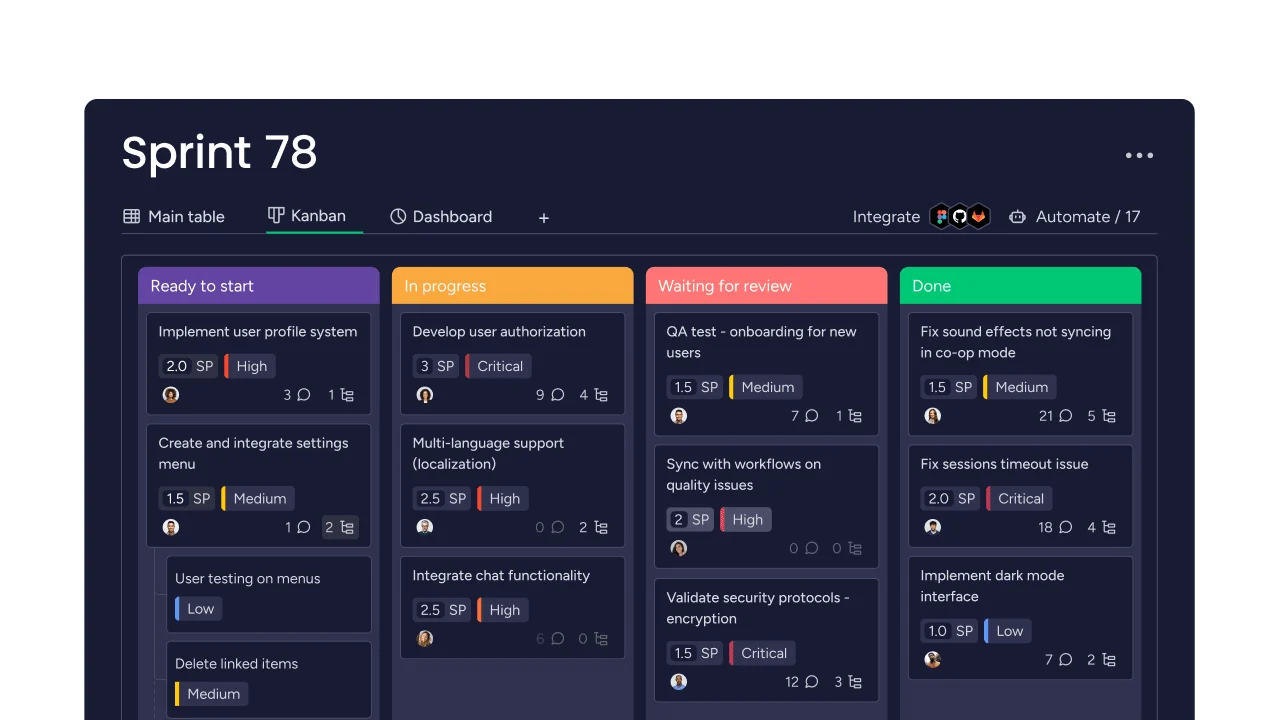
monday.com is a visual Work OS whose intuitive, color-coded boards make Kanban approachable for non-technical teams.
- Best features: Customizable Kanban view with “divide by” grouping, subitems, 200+ integrations, dashboards, and AES-256 encryption.
- Best for: Cross-functional teams, marketing, operations, and anyone who thinks in spreadsheets and dashboards.
- Pricing: Free for up to 2 users. Basic from $9/seat/mo; Standard from $12/seat/mo; Pro from $19/seat/mo (billed annually, 3-seat minimum).
Source: https://monday.com/blog/project-management/kanban-flow/
4. ClickUp
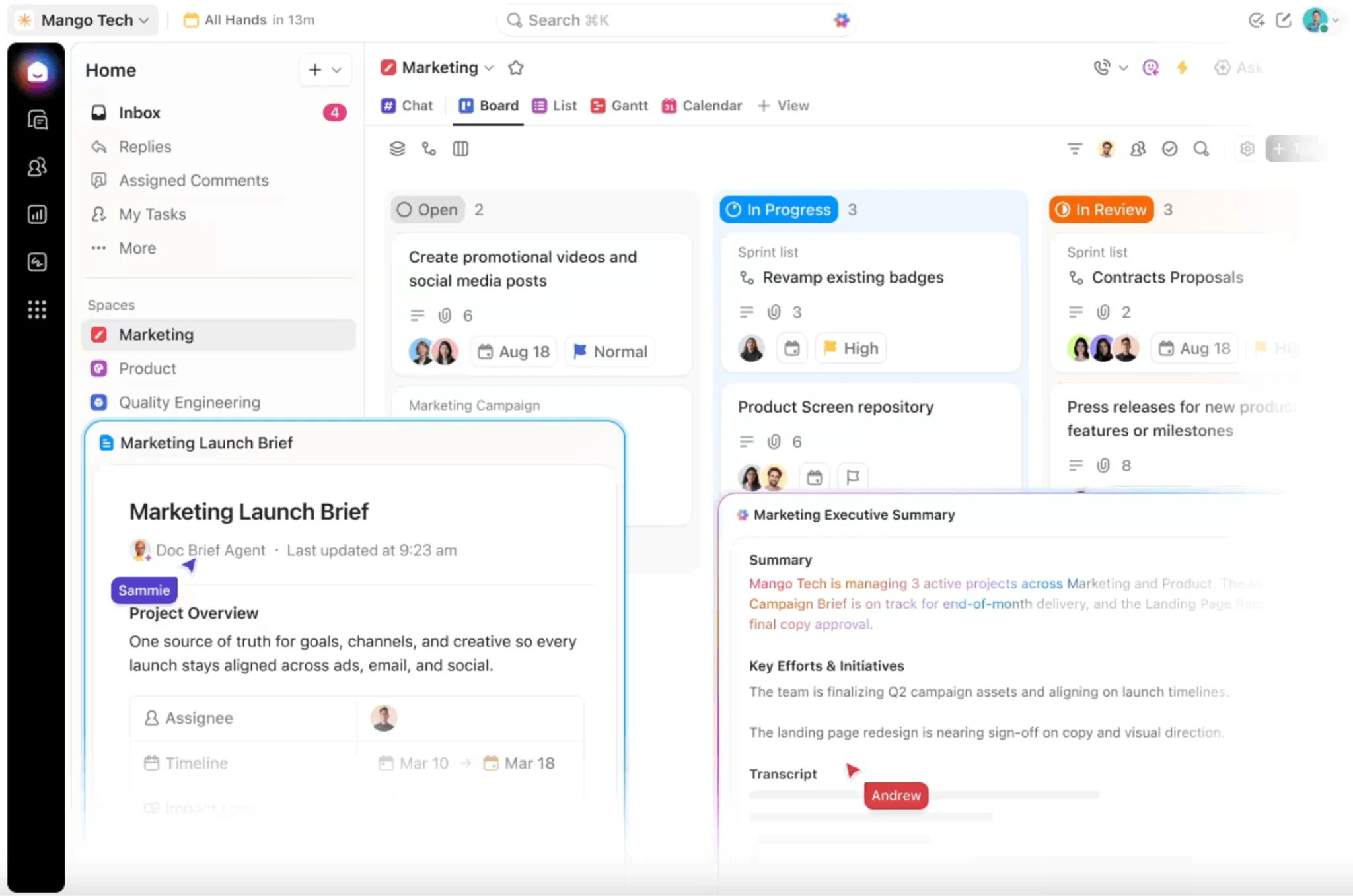
ClickUp is a feature-dense, highly customizable platform with a powerful board view and one of the most generous free tiers in the category.
- Best features: Drag-and-drop board with filtering/sorting, the “Everything” view, custom statuses, bulk actions, 1,000+ integrations, and native time tracking.
- Best for: Software development, agencies, remote teams, and power users who want every view in one place.
- Pricing: Free Forever (unlimited members). Unlimited from $7/user/mo; Business from $12/user/mo (billed annually). Brain AI is a separate add-on.
Source: https://clickup.com/features/kanban-board
5. Jira
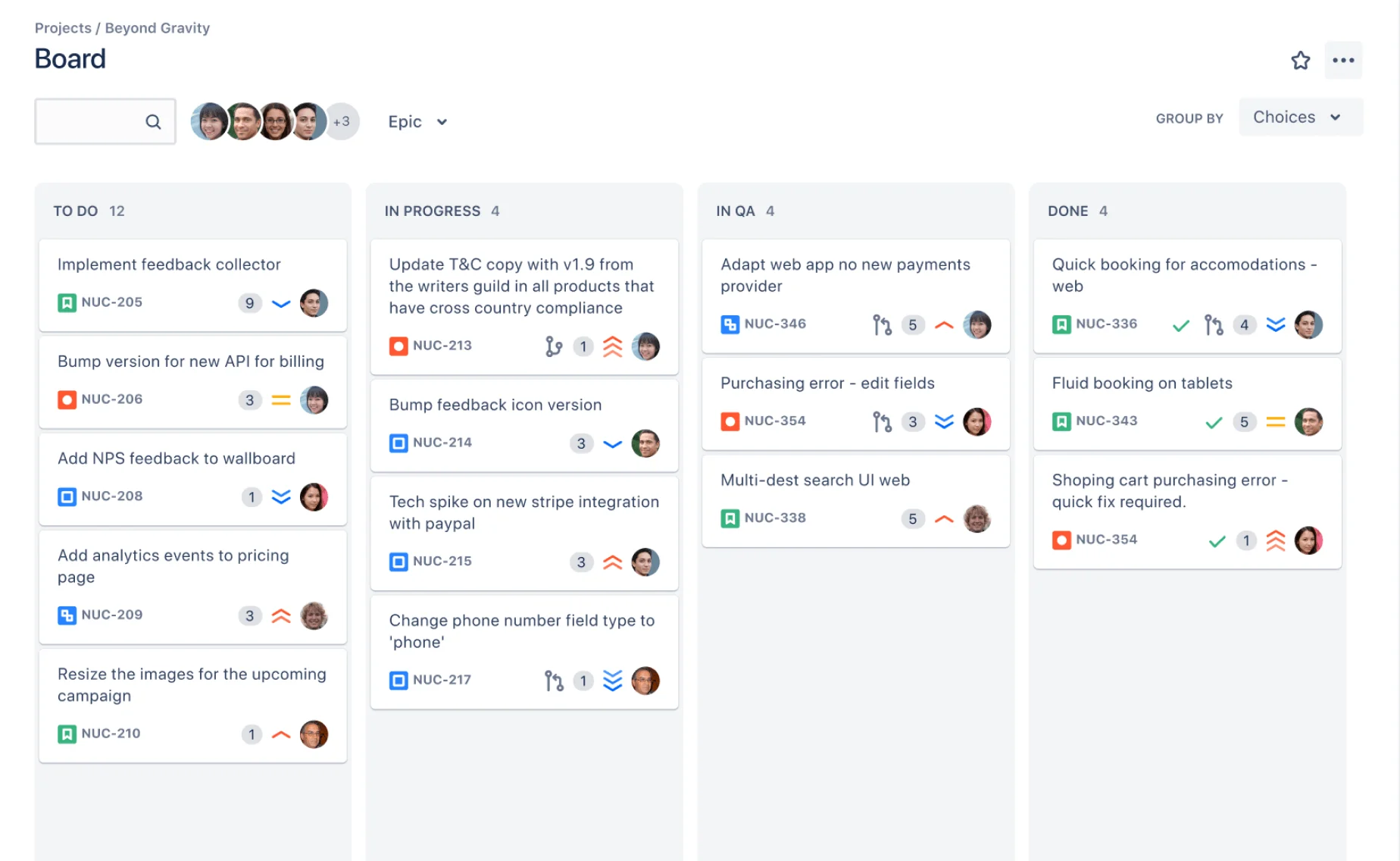
Jira is the agile/DevOps standard, with Kanban boards built for engineering workflows, WIP limits, and cumulative flow reporting.
- Best features: Configurable agile boards, WIP limits, cumulative flow diagram, 3,000+ integrations, and AES-256 encryption in the Atlassian Cloud.
- Best for: Software development, DevOps, and structured agile teams.
- Pricing: Free for up to 10 users. Standard from ~$8.15/user/mo, scaling with team size and features (billed monthly/annually).
Source: https://www.atlassian.com/software/jira/features/kanban-boards
6. Kanban Tool
A focused, visual-first Kanban platform with strong analytics and the option of on-premises hosting.
- Best features: Real-time collaboration, cumulative flow diagram and cycle-time reports, AI suggestions, SSO/2FA, and on-site hosting for enterprise.
- Best for: Agile/Lean teams, multi-project management, and teams with strict data-security or self-hosting needs.
- Pricing: Free (2 boards, 2 users, no attachments). Paid from $6/user/mo; Enterprise adds time tracking and process automation.
7. Wrike
Wrike blends rich project-management depth with a clean, approachable board view.
- Best features: Kanban boards plus Gantt charts and timelines (paid), 400+ prebuilt connectors, and TLS 1.2 / AES-256 security.
- Best for: Product development, creative and marketing teams, and cross-departmental coordination.
- Pricing: Free for small teams with basic needs. Paid plans from $9.80/user/mo, escalating in features and storage.
8. Smartsheet
Smartsheet brings a spreadsheet-grade work platform to Kanban, with strong reporting, automation, and compliance.
- Best features: Card view alongside grid, Gantt and calendar; customizable dashboards/reports; built-in automation; HIPAA, SOC 2 and GDPR compliance.
- Best for: Regulated industries, government, education, and large professional-services teams.
- Pricing: Free for one user / up to two editors. Pro, Business and Enterprise plans from $7/user/mo (billed yearly).
9. MeisterTask
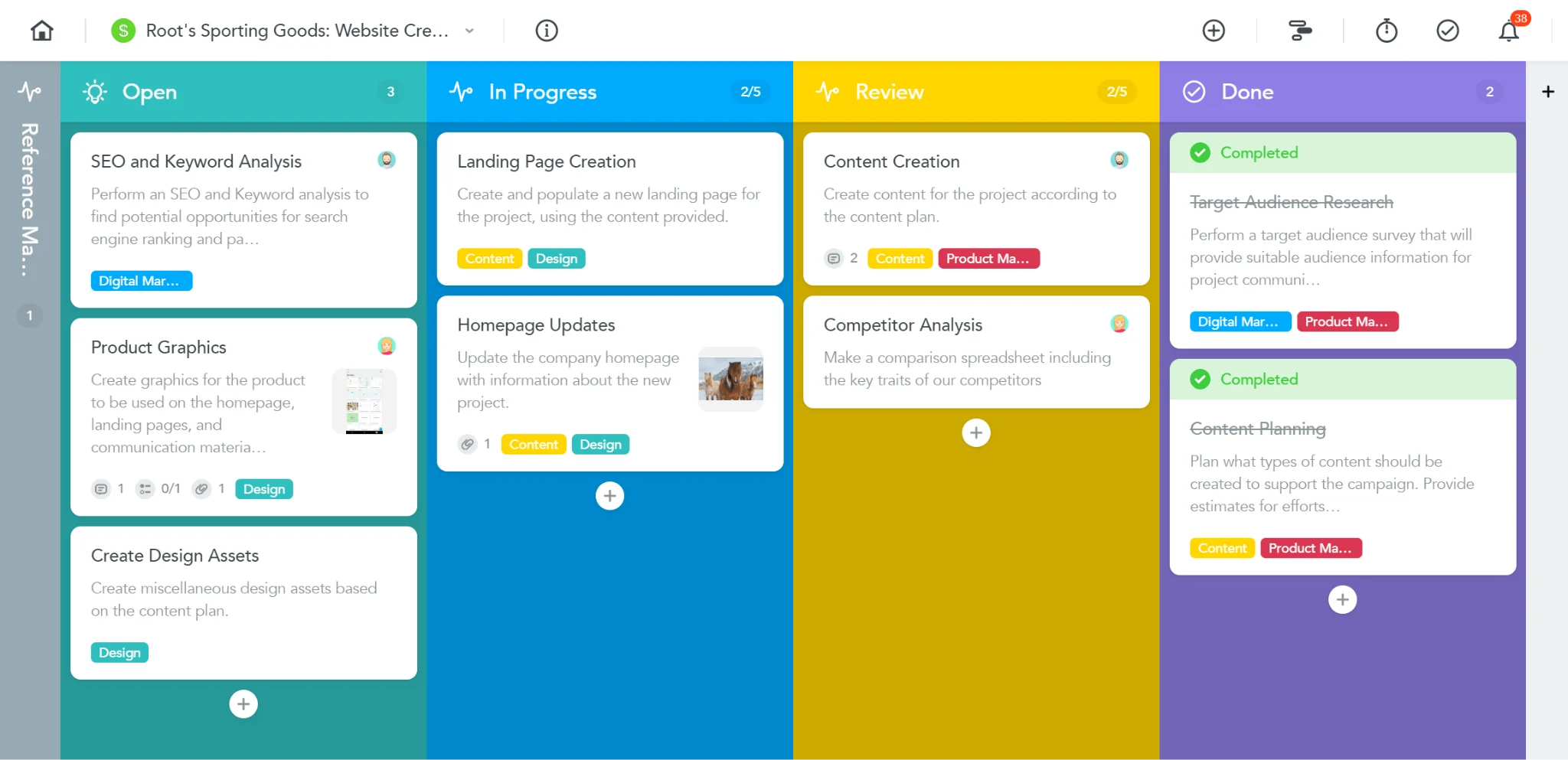
MeisterTask is a clean, agile-friendly task manager with intuitive Kanban boards and quick onboarding.
- Best features: Unlimited sections, WIP limits, automation, easy migration from Trello/Asana, and ISO 27001 / GDPR / CCPA compliance.
- Best for: Education, event management, healthcare admin, nonprofits, IT and creative agencies.
- Pricing: Free for single users (up to 3 projects). Pro, Business and Enterprise plans from $11/user/mo.
Source: https://www.meistertask.com/blog/using-meistertask-for-task-management
10. Zoho Projects
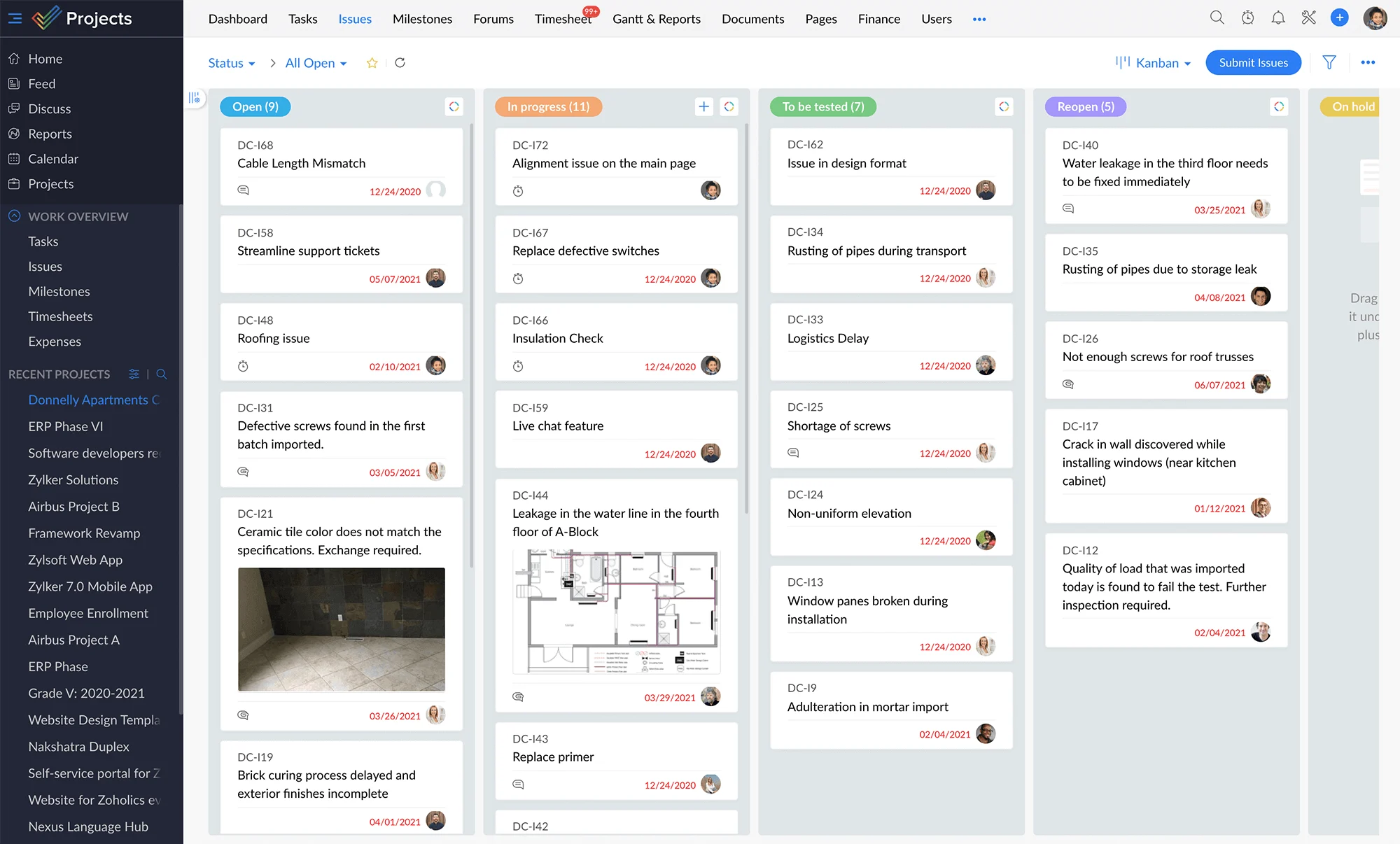
Zoho Projects offers intuitive Kanban boards inside a full-featured, budget-friendly project-management suite.
- Best features: Card-based issue tracking with custom columns, in-card comments/timers, 300+ cloud-app integrations, and strong physical/network security.
- Best for: Construction, IT, marketing, QA, consulting, and real-estate project management.
- Pricing: Free for up to 3 members (2 projects). Paid from $4/user/mo (billed annually) with unlimited projects and advanced reporting.
Source: https://www.zoho.com/projects/kanban-issue-tracking.html
11. Virto Kanban Board App
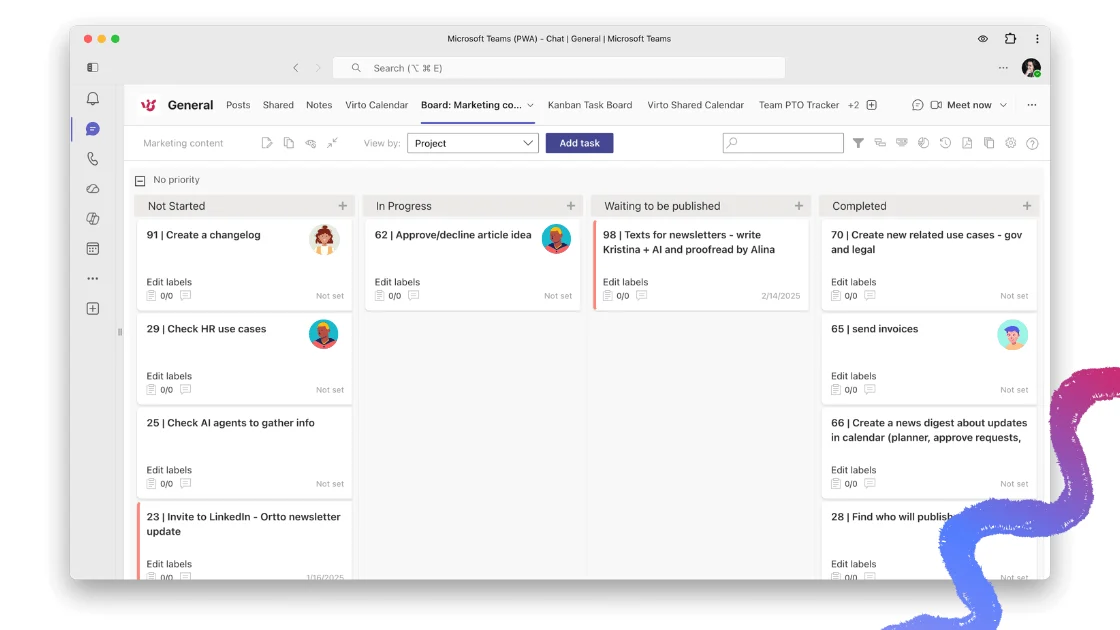
Virto Kanban Board delivers agile task management built specifically for SharePoint, Microsoft Teams and Microsoft 365, turning SharePoint lists into dynamic Kanban or Scrum boards under a single license.
- Best features: Quick boards from preconfigured SharePoint lists, swimlanes and conditional color-coding, subtasks, chart-view analytics, role-based permissions, and alerts/reminders. One license spans browser, SharePoint, Teams desktop and Teams mobile.
- Best for: IT and software development, HR, product management, and any Microsoft-365 team needing collaborative, multi-step task visualization.
- Security: Hosted on Microsoft Azure with data kept in the client’s domain, Microsoft 365 app certification, end-to-end HTTPS, and SSO.
- Pricing: From $2/user/mo (Starter, up to 30 users) and $3/user/mo (Pro, 31–200 users), billed yearly; Enterprise on request. One license covers SharePoint, Teams and Azure, with a 30-day free trial. Also included in the Virto ONE Cloud plan.
For Microsoft-centric teams, Virto is the most natural fit on this list — start a free trial of the Virto Kanban Board for Microsoft Teams.
Virto Kanban Board App for Microsoft Teams screenshot
12. Microsoft Project
Microsoft Project brings Kanban and Scrum into a heavyweight planning tool with deep Microsoft 365 integration.
- Best features: Task-board views with sprint support and agile reports, native integration with Teams, Excel and Power BI, and the Power Platform.
- Best for: Project managers needing all-in-one planning, resourcing, and reporting.
- Pricing: Cloud-based plans from $10/user/mo (plus tax).
Looking specifically for a team or platform fit? See our dedicated roundups of the best Kanban board for Microsoft Teams and the top Kanban boards for SharePoint Online.
Best free online Kanban boards
Several tools above offer genuinely useful free tiers. Here’s how the strongest free online Kanban boards compare in 2026:
| Tool | Free plan highlights | Best for | Paid plans from |
|---|---|---|---|
| Trello | Up to 10 boards, unlimited cards, drag-and-drop | Content creation, personal productivity, small teams | $5/user/mo (Standard) |
| Asana | Core task & project tools, board/list/calendar views | Marketing, HR onboarding, goal tracking | $10.99/user/mo (Starter) |
| ClickUp | Unlimited members & tasks, board view, 100 MB storage | Software dev, remote work, content management | $7/user/mo (Unlimited) |
| Jira | Up to 10 users, unlimited boards, basic reporting, 2 GB | Software development, agile teams | ~$8.15/user/mo (Standard) |
| Zoho Projects | Up to 3 members, 2 projects, custom statuses, 5 GB | Consulting, IT, marketing, real estate | $4/user/mo |
Free online Kanban board comparison — 2026. Verify current limits and prices on each vendor’s pricing page.
How to choose the right online Kanban board
With the shortlist above, narrow your choice against a few practical criteria:
- Integrations & stack fit. Does it connect to the tools you already use — Microsoft 365, Google Workspace, Slack, GitHub?
- Scalability. Will pricing and features still work as your team and project count grow?
- Views beyond Kanban. Need Gantt, timeline, or calendar too? Tools like ClickUp, Wrike and Smartsheet bundle them.
- Free tier & trial. Test drag-and-drop feel and onboarding before committing.
- Platform alignment. If your team lives in Microsoft Teams or SharePoint, see the Teams Kanban roundup and the SharePoint Kanban roundup.
Is there a Google Kanban board?
Google doesn’t offer a native Kanban board, but you can approximate one or add a dedicated app:
- Google Sheets: With some formatting, build columns for workflow stages and rows for tasks.
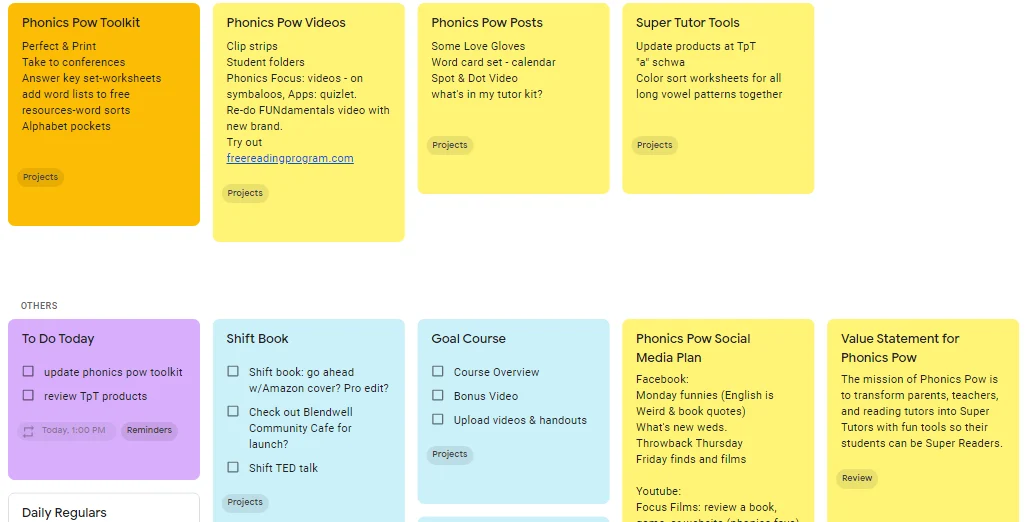
- Google Keep: Use color-coded, labeled notes for a lightweight personal Kanban.
- Kanbanchi: A dedicated Kanban app built on Google infrastructure, integrating with Drive and Calendar (subscription).
- Zenkit: Kanban boards that sync with Google Calendar and other services.
Google Keep used as a Kanban board
Does Microsoft 365 have a Kanban board?
Yes — lightly. Microsoft Planner (formerly Tasks by Planner and To Do in Teams) provides a Kanban-style layout where tasks sit in buckets (columns) and can be dragged across stages, integrated with Teams, Outlook and To Do.
For richer Kanban inside Microsoft 365 — swimlanes, conditional color-coding, subtasks, chart-view analytics, and SharePoint-list-backed data — teams extend Planner with the Virto Kanban Board App, which works across browser, SharePoint and Teams under a single license. See also our guide to project management in Microsoft Teams.
Customize your workflow with Virto Kanban Board
Step up your project management game today.
FAQ
What is an online Kanban board?
A web-based visual board where tasks are cards moving across columns (To Do → In Progress → Done), with WIP limits, swimlanes, search/filter, automation and analytics that physical boards can’t offer.
What is the best free online Kanban board?
For most people it’s Trello (up to 10 boards, unlimited cards) or ClickUp (unlimited members and tasks). Trello wins on simplicity; ClickUp offers more features and no user cap, at the cost of a steeper learning curve.
Does Google or Microsoft 365 have a Kanban board?
Google has no native Kanban board — use Sheets/Keep or an app like Kanbanchi. Microsoft 365 includes Microsoft Planner (Kanban-style), which can be extended with the Virto Kanban Board App for advanced features.
Conclusion
Online Kanban boards have reshaped how individuals and teams organize tasks and manage projects — their visual clarity and flexibility scale from a personal to-do list to complex, multi-team workflows. The right tool depends on your team size, stack, and how much beyond Kanban you need.
If your team lives in the Microsoft ecosystem, the Virto Kanban Board App delivers a first-class, feature-rich Kanban experience inside Microsoft 365, SharePoint and Teams — with a single license and a 30-day free trial to start.