If your organization collaborates with partners, subsidiaries, or recently acquired companies that have their own Microsoft 365 tenants, sharing calendars across tenants is surprisingly difficult. Microsoft 365 doesn’t offer a simple native path for cross-tenant calendar sharing. Your options are configuring Azure AD cross-tenant access, provisioning guest user accounts, or publishing calendars as ICS feeds — and all three have serious trade-offs that scale poorly the moment more than a handful of people need access.
For IT admins running multi-tenant environments — a holding company with several subsidiaries, an organization mid-acquisition, or a federal agency working alongside another department — these limitations turn what should be a one-minute task into a multi-week federation project.
This guide breaks down how cross-tenant calendar sharing works inside Microsoft 365 today, where the native methods fall short, and how Virto Shared Calendar removes the federation requirement entirely with link-based sharing that any user can initiate in seconds.
How Cross-Tenant Calendar Sharing Works Natively
Microsoft 365 offers three native paths for sharing calendars between tenants. Each addresses a slightly different scenario, and none of them is straightforward.
Method 1: Azure AD Cross-Tenant Access (Organization Relationships)
This is the canonical Microsoft answer. Both tenants configure an “organization relationship” through the Exchange admin center, defining what calendar information is exposed to the partner tenant. By default, only free/busy availability crosses the boundary — recipients can see whether someone is busy at 2pm but not what the meeting is about.
The relationship can be configured to share full calendar details (subject, location, attendees), but it’s a tenant-wide policy. Every user in your tenant exposes that level of detail to every user in the partner tenant. There is no per-calendar or per-user granularity.
Critically, an organization relationship requires admin cooperation on both sides. Both Exchange admins must agree on the policy, configure the relationship, and verify the connection. Free/busy data syncs on a roughly three-hour interval, so it isn’t real-time. Setup is involved, troubleshooting is painful, and the result is still less than what most teams actually need.
Method 2: Guest User Accounts
The second option is to add external users as Azure AD guests in the host tenant. Once provisioned, guests can be granted access to specific calendars (and other resources) using normal sharing permissions. This gives you full calendar visibility and limited editing capability, with real-time sync.
The downsides are significant. Guest accounts create a security surface that extends well beyond calendar sharing — guests can potentially access SharePoint sites, Teams channels, and other resources unless they’re tightly controlled by conditional access policies. They require admin approval workflows, B2B collaboration policies, and ongoing license management. And they don’t scale: provisioning fifty guest accounts to share a calendar with a fifty-person partner organization is administratively painful and a governance liability.
Method 3: Publish & Subscribe (ICS)
The simplest native option is to publish a calendar as an ICS feed and have the partner subscribe to the URL in their Outlook client. No admin setup, no federation, no guest accounts.
The catch: ICS subscriptions are read-only and sync on a long interval (Outlook typically refreshes them every three hours or longer). There’s no editing, no interactive features, no permission control beyond “the link works or it doesn’t.” It’s fine for one-way visibility into a static schedule but useless for collaborative work.
Native Cross-Tenant Methods Compared
| Method | Admin setup | Both sides? | Full details | Editing | Sync | Scalability |
|---|---|---|---|---|---|---|
| Organization Relationship | Complex | Yes, both | Optional | No | ~3 hours | Good |
| Guest Accounts | Medium | Host only | Yes | Limited | Real-time | Poor |
| ICS Publish/Subscribe | Easy | Each independently | Optional | No | ~3+ hours | Good |
How Virto Shared Calendar Enables Cross-Tenant Sharing
Virto Shared Calendar takes a different approach. Instead of routing calendar data through Azure AD, it stores the shared calendar in its own infrastructure and exposes it through a sharing link. Any user — not just an admin — can create a calendar, generate a link, and share it with anyone, in any tenant, in any organization.
Here’s the end-to-end flow:
- In Tenant A: Create a Virto Shared Calendar from the Teams app, the Outlook add-in, or the web app. Name it, color it, choose a default time zone.
- Add events: Project milestones, joint deadlines, recurring sync meetings, board sessions — anything the two organizations need shared visibility into.
- Generate a sharing link: Click “Sharings” and choose the permission level — view-only or edit. You can generate multiple links with different permissions for different audiences.
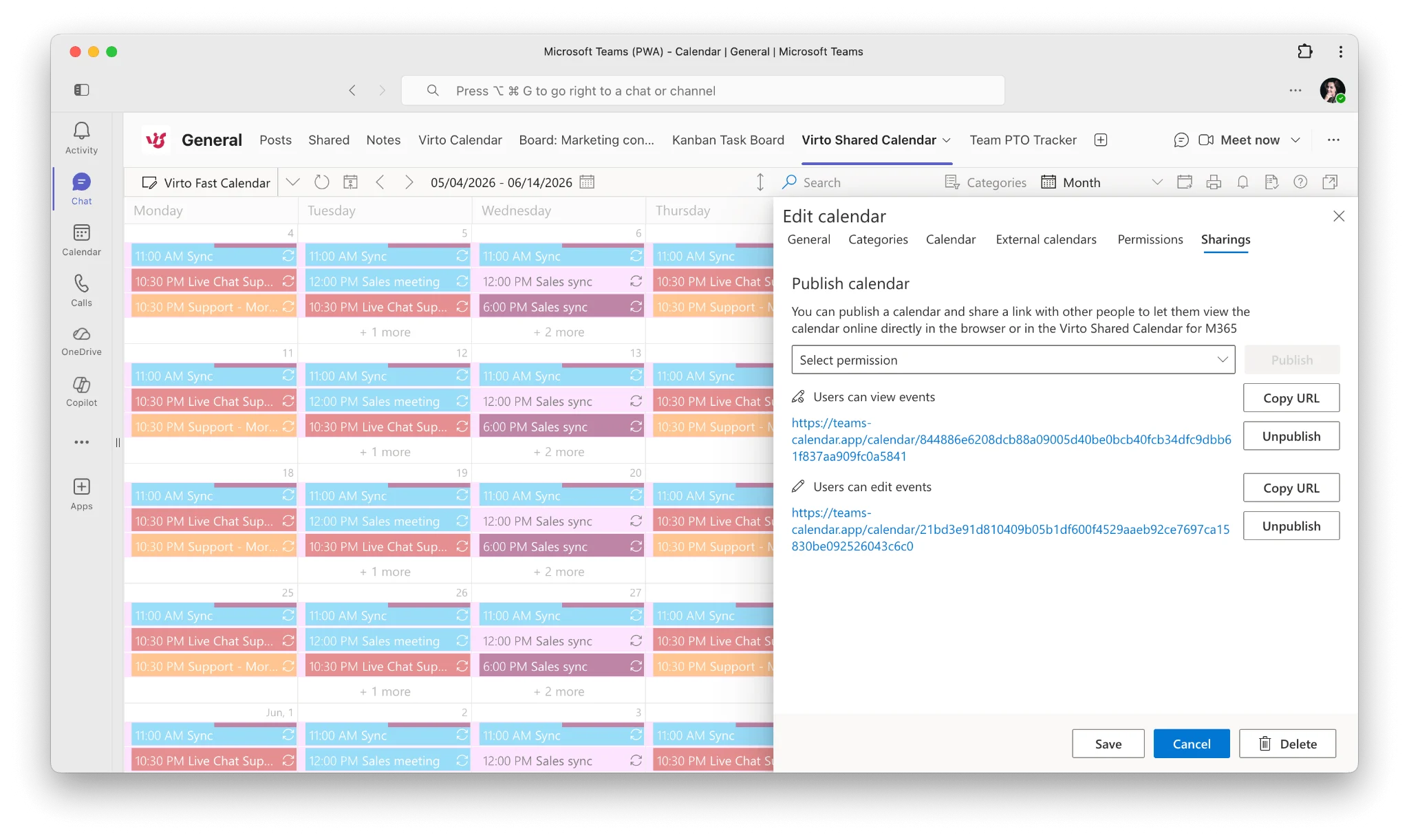
- Send the link: Email, Teams chat, project doc — however you’d normally share a URL.
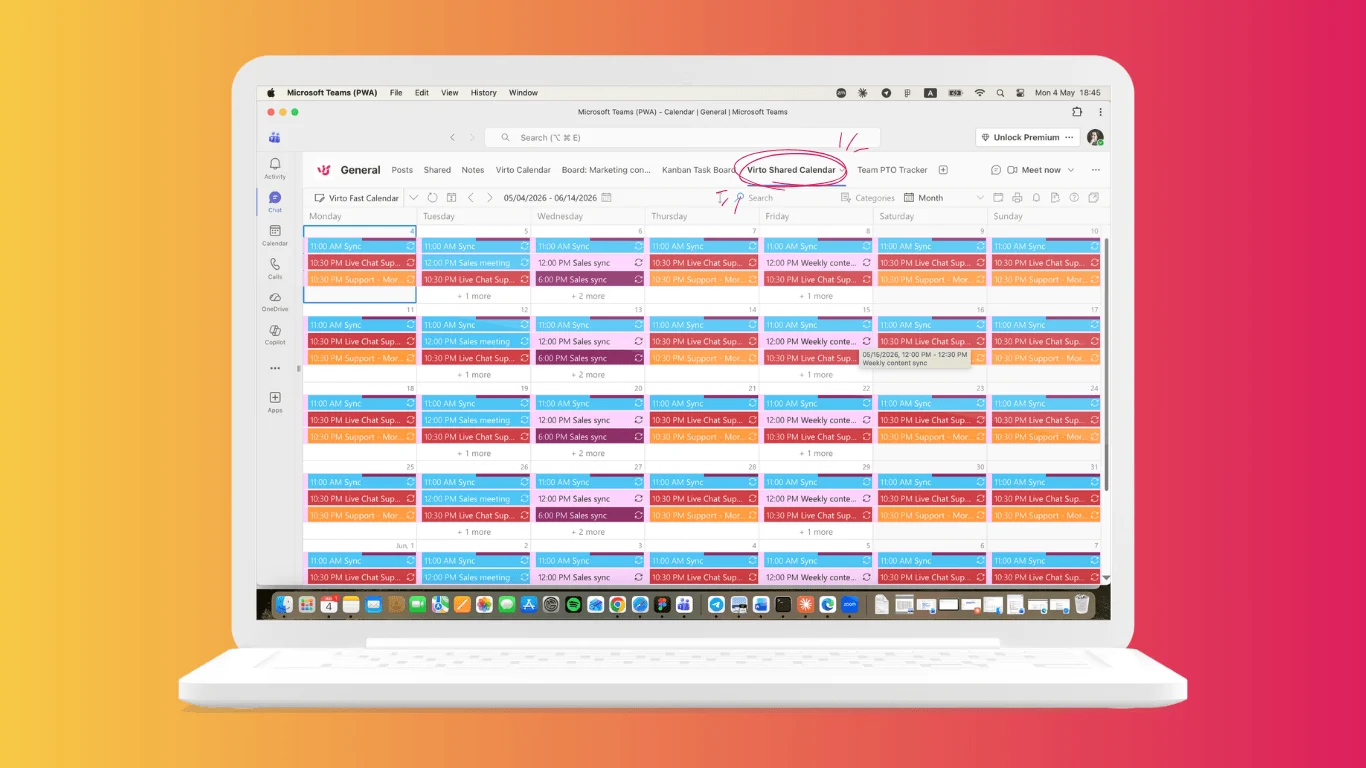
- In Tenant B: The recipient opens the link in a browser or, more commonly, adds it as a tab in one of their own Teams channels. The calendar lives inside their tenant’s Teams workspace, but it’s the same calendar Tenant A is editing.
- Real-time sync: Both sides see the same data. An event added in Tenant A appears immediately in Tenant B.
There’s no Azure AD federation to configure, no guest accounts to provision, no Exchange admin involvement on either side. The sharing happens above the tenant boundary, not through it.
Key advantages over native methods
- No admin involvement on either side. Any end user can initiate cross-tenant sharing. This is the most important practical difference — you don’t need to file a ticket, wait for an Exchange admin, or coordinate with the partner’s IT team.
- No Azure AD configuration. No guest accounts, no federation policies, no conditional access exceptions. The calendar is shared at the application layer, not the directory layer.
- Granular permissions. Each shared link has its own permission level, and the calendar owner controls who can view and who can edit.
- Cross-platform recipients. Because sharing is link-based, the recipient doesn’t need to be on Microsoft 365. Gmail users, Google Workspace users, partners on other platforms — they all open the same link and see the same calendar.
- Real-time sync. Updates propagate immediately. No three-hour delays, no waiting for a refresh cycle.
- Native Teams experience. Recipients in the other tenant can pin the shared calendar as a Teams tab, so it shows up alongside their normal channels and project tools.
Real-World Scenarios
Post-M&A Calendar Integration
Company A acquires Company B. Both run separate Microsoft 365 tenants and will continue to do so for the six-to-twelve-month integration period before consolidation. Joint integration milestones, shared all-hands meetings, and cross-company project deadlines need to be visible to both sides immediately. Federation is being deferred until tenant consolidation. Virto Shared Calendar gives both sides the same view of integration commitments without committing to a directory project that will be undone in a year.
Multi-Subsidiary Coordination
A holding company has three operating subsidiaries, each with its own Microsoft 365 tenant for compliance and operational reasons. Board meetings, regulatory filing deadlines, group-level events, and cross-subsidiary projects need shared visibility across all three. Configuring a three-way federation mesh is impractical; one shared calendar per shared event series is straightforward.
Agency–Client Collaboration
A marketing agency on Microsoft 365 manages a campaign calendar for a client running Google Workspace. Native cross-tenant sharing isn’t even a possibility here — the partner isn’t on M365. A Virto Shared Calendar link works regardless of the client’s email platform, and the client can edit campaign dates directly without needing access to the agency’s tenant.
Government Inter-Agency Projects
Two federal agencies with separate Microsoft 365 tenants are collaborating on a joint initiative. Their respective security policies forbid cross-tenant federation and limit guest provisioning. A shared calendar with link-only access, no directory integration, and granular per-link permissions fits within the policy envelope where the native options don’t.
Virto Shared Calendar vs Native Cross-Tenant Methods
| Feature | Org Relationship | Guest Accounts | ICS Subscribe | Virto Shared Calendar |
|---|---|---|---|---|
| Admin setup required | Both tenants | Host tenant | None | None |
| Non-M365 recipients | No | No | Read-only | Full access |
| Edit permissions | No | Limited | No | Yes |
| Real-time sync | No (~3h) | Yes | No (~3h+) | Yes |
| Per-calendar access control | Tenant-wide | Per-user | No | Yes |
| Works in Teams tab | N/A | Yes (guest) | No | Yes |
| Free tier | N/A | N/A | N/A | Yes (15 entries) |
The pattern is clear. Native methods force you to choose between admin overhead (organization relationships, guest accounts) and functional limitations (ICS). Virto sidesteps the trade-off by handling sharing outside the directory boundary.
FAQ
Can I share a calendar between two M365 tenants without admin setup?
Yes. With Virto Shared Calendar, any end user can create a calendar and share it across tenants using a sharing link. No Exchange admin or Azure AD admin involvement is needed on either side.
What is Azure AD federation and do I need it for calendar sharing?
Azure AD federation (now Microsoft Entra cross-tenant access) is a directory-level trust between two Microsoft 365 tenants that allows users in one tenant to authenticate against and access resources in the other. It’s required for native cross-tenant calendar details sharing through organization relationships. With link-based sharing through Virto Shared Calendar, federation is not required.
Can external users edit a shared calendar across tenants?
Yes. When you generate a sharing link in Virto Shared Calendar, you choose whether recipients have view-only or edit permissions. Recipients in another tenant can add, modify, and delete events according to the permission level set on their link.
Does cross-tenant calendar sharing work with non-M365 organizations?
Yes. Because Virto Shared Calendar uses link-based sharing rather than directory-level integration, recipients can be on Google Workspace, on a different Microsoft 365 tenant, or on no enterprise platform at all. They open the link in a browser or add it to a compatible calendar client.
Is Virto Shared Calendar secure for cross-organizational use?
Each shared link carries its own permission level, and access can be revoked at any time. The calendar owner controls who can view, who can edit, and who is removed. No guest accounts are created in either tenant, so the directory-level security surface stays unchanged.
Cross-tenant calendar sharing shouldn’t require a federation project
If your goal is to give a partner, subsidiary, or acquired team visibility into a shared schedule, you shouldn’t need a multi-week federation project to get there. Native Microsoft 365 methods are built for full directory-level integration — useful when that’s the goal, overkill when it isn’t.
Virto Shared Calendar gives you cross-tenant sharing in two minutes with no admin setup, real-time sync, granular permissions, and support for any recipient regardless of platform. It’s free for up to 15 calendar entries — enough to validate the workflow with your team before scaling up.