If you’re transitioning from Skype to Microsoft Teams, you’re stepping into a powerful collaboration platform designed to bring all your chats, calls, meetings, and files into one easy-to-use hub. To help you get started with Microsoft Teams smoothly, here are some practical Microsoft Teams tips for beginners:
✅ Organize with Teams & Channels: Create teams for your projects or departments and use channels to keep conversations focused by topic. This organization method helps avoid clutter and keeps everyone aligned.
✅ Customize Notifications: Adjust your notification settings to stay informed without feeling overwhelmed. Microsoft Teams allows you to tailor alerts for each channel or chat to fit your workflow.
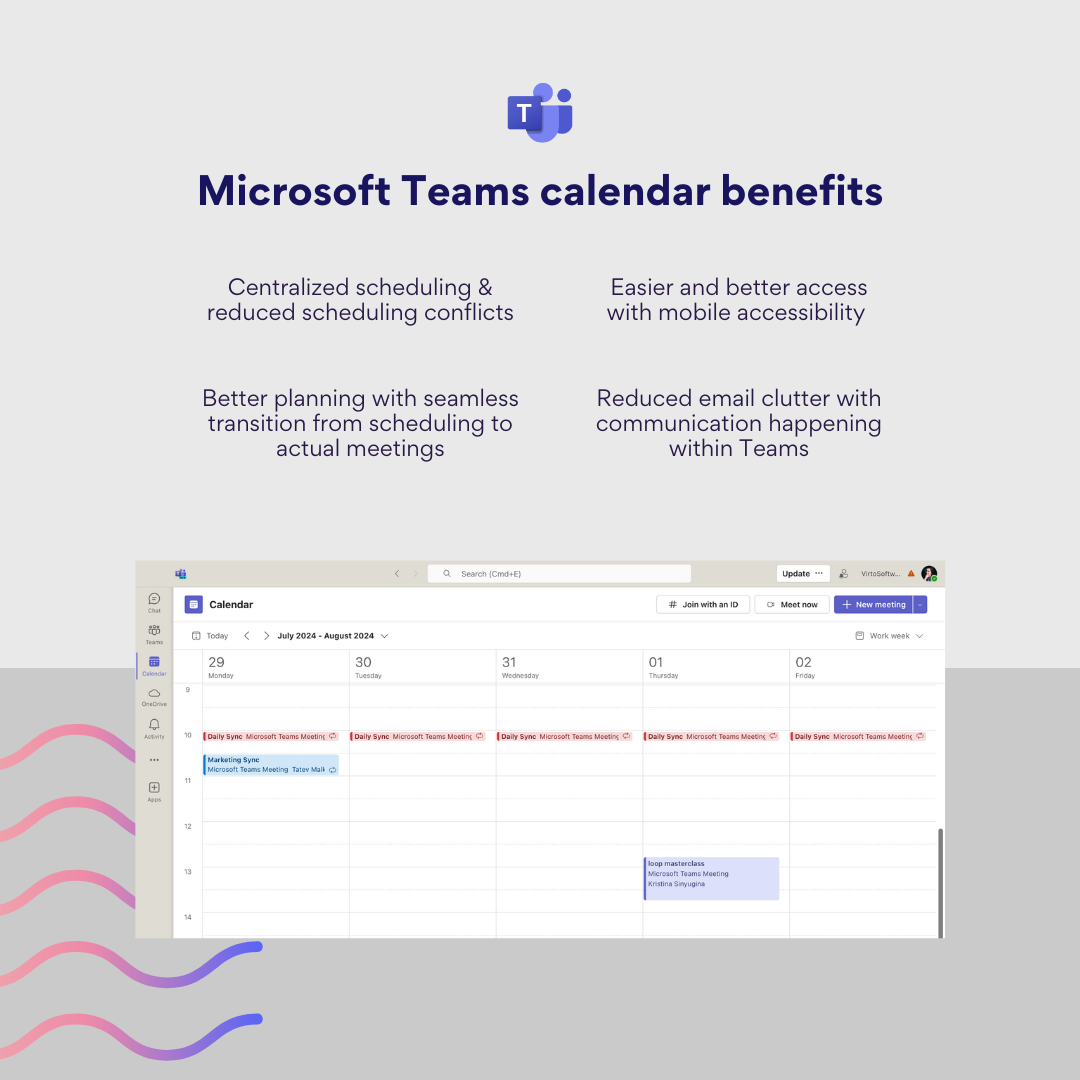
✅ Use the Teams Calendar Effectively: The Teams calendar syncs with your Outlook calendar, giving you a unified view of your schedule. You can easily schedule, join, or manage meetings directly from Teams. Don’t forget to use scheduling features like meeting reminders, recurring meetings, and calendar overlays to keep your day organized and avoid conflicts.
Benefits of Microsoft Teams Calendar
✅ Master Meetings: Use the Teams calendar to schedule meetings with clear agendas. Features like screen sharing and meeting recording make collaboration seamless. Also we recommend installing the free Virto Time Blocker App for Microsoft Teams. It analyzes your calendar to optimize scheduling, automates break times, and allows smart exclusions, all to improve your focus and time management at no cost.
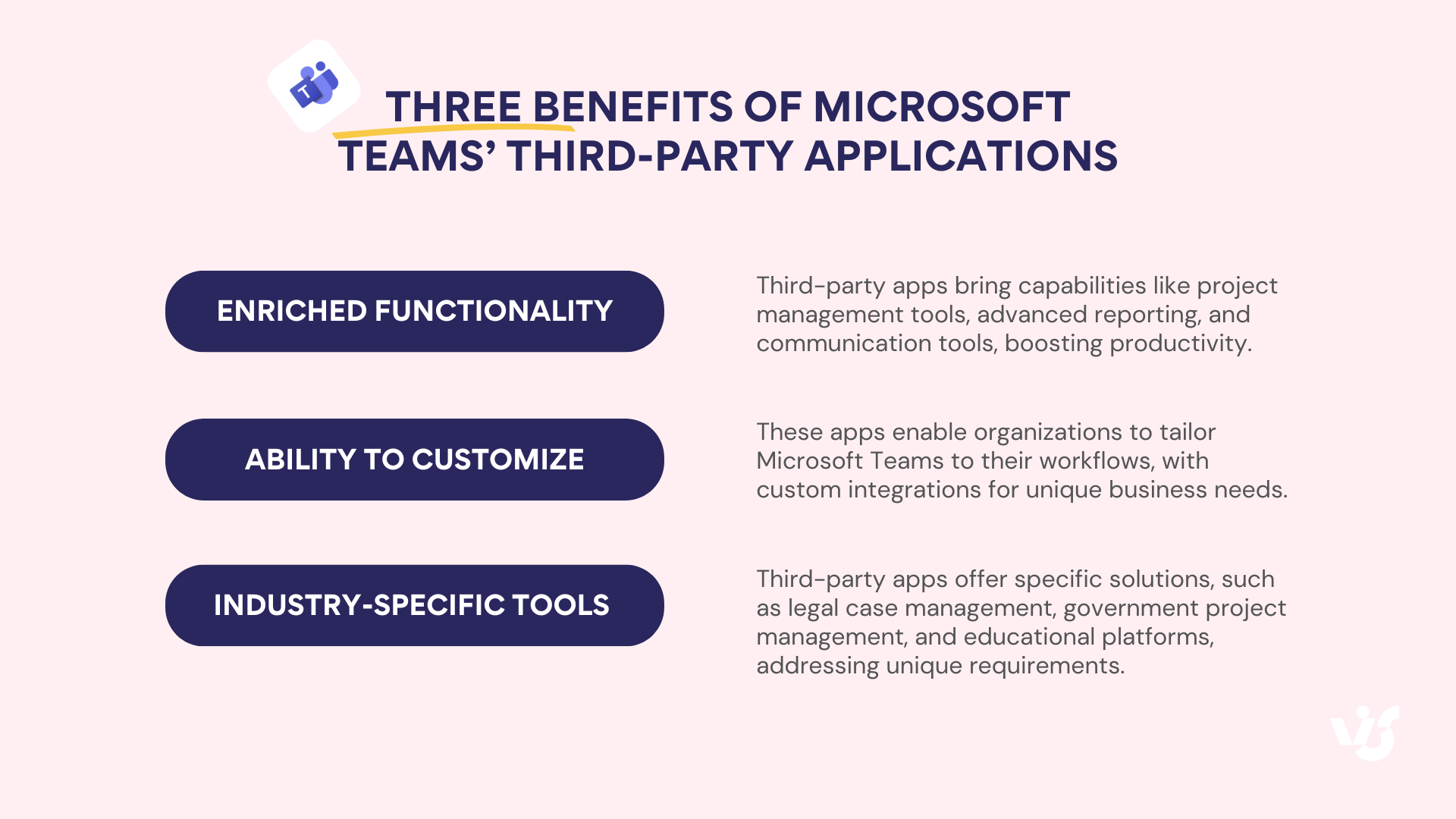
✅ Explore Third-Party Apps: Teams isn’t just about built-in features-you can add thousands of third-party apps to make your workspace even more powerful. From project management tools like Trello to enterprise solutions like Virto Calendar and Virto Kanban, these apps integrate right into Teams so you can manage tasks, events, and track projects without ever leaving the platform. Just click the “Apps” icon in the sidebar to browse and add new tools.
Benefits of Microsoft Teams' third-party apps
✅ Take Your Time: It’s okay to explore Teams at your own pace. Try creating a test team or channel to get comfortable before fully diving in.
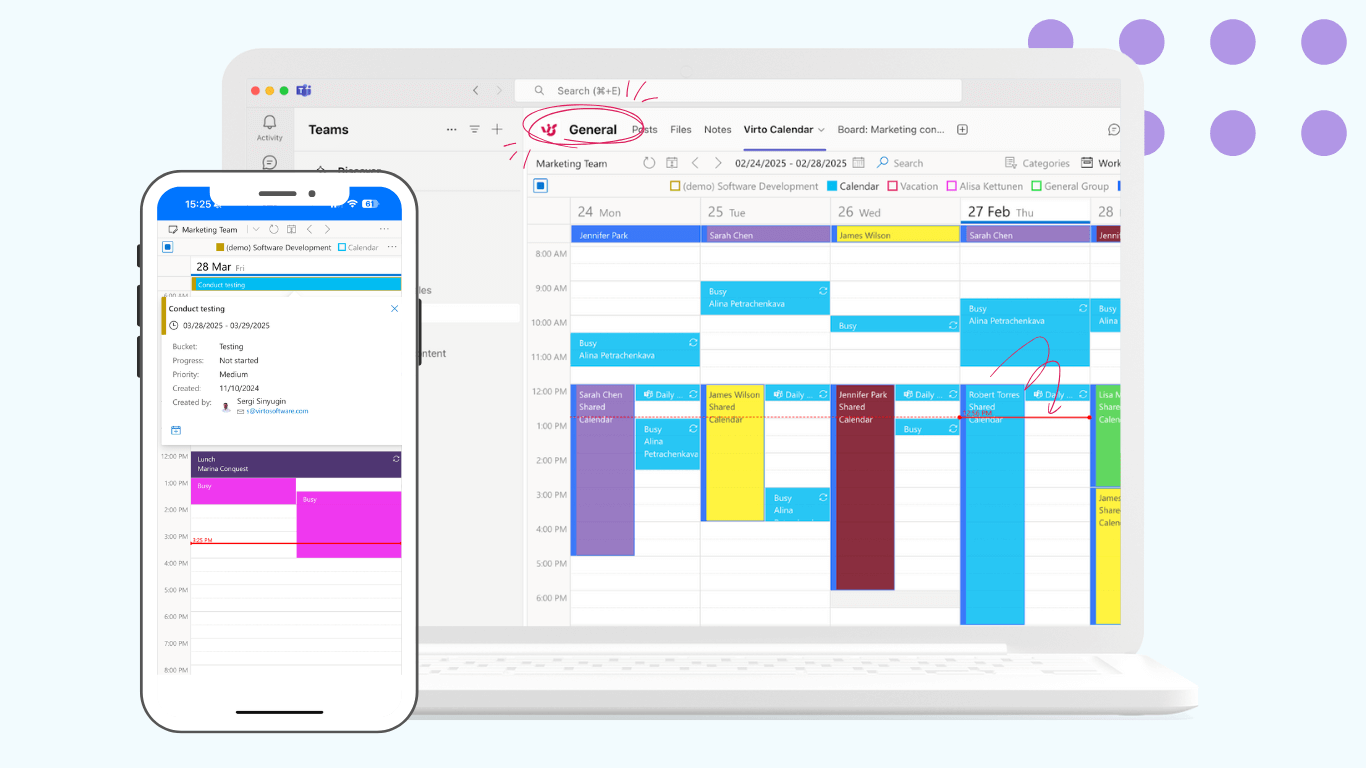
To enhance your Microsoft Teams experience, we invite you to explore VirtoSoftware apps for Teams. Our productivity tools integrate seamlessly with Teams to help you manage tasks visually and keep all your calendars in one place-without leaving the platform. Plus, Virto Notifications & Reminders automates alerts for important updates, so you never miss a deadline.
Virto Calendar App for Microsoft Teams
Ready to boost your productivity with Microsoft Teams and VirtoSoftware? Give our apps a try and simplify your daily workflows-all within the Teams environment you’re getting to know.
If you want personalized advice on which VirtoSoftware app fits your team best or tips on how to get started, just ask. Welcome aboard-here’s to making teamwork easier and more enjoyable! 🚀
[{"cat":"News","date":"July 29, 2026","image":"/images/uploads/2026/07/virto-calendar-app-teams-outlook-microsoft-365-cover.webp","title":"Virto Calendar App now opens right inside Teams, Outlook, and Microsoft 365","url":"/news/virto-calendar-app-teams-outlook-microsoft-365/"},{"cat":"News","date":"June 8, 2026","image":"/images/uploads/2026/06/deploy-virtosoftware-in-own-azure-tenant-cover.webp","title":"How to Deploy VirtoSoftware Apps in Your Own Azure Tenant","url":"/news/deploy-virtosoftware-in-own-azure-tenant/"},{"cat":"News","date":"June 1, 2026","image":"/images/uploads/2026/06/ai-schedule-virto-calendar-color-coding-cover.webp","title":"Build Any Schedule with AI — and See It Color-Coded in Virto Calendar","url":"/news/ai-schedule-virto-calendar-color-coding/"},{"cat":"News","date":"April 28, 2026","image":"/images/uploads/2026/04/zero-trust-microsoft-365-deployment-cover.webp","title":"Compliance Without Compromise: Why a Zero-Trust Deployment Model Beats the SaaS Audit Trap","url":"/news/zero-trust-microsoft-365-deployment/"},{"cat":"News","date":"March 11, 2026","image":"/images/uploads/2026/03/SharePoint-Online-Add-Ins-die-April-2-2026.-2-2.png","title":"SharePoint Online Add-Ins Retire April 2, 2026 — VirtoSoftware Apps Remain Unaffected","url":"/news/sharepoint-online-add-ins-retirement-virto-apps-unaffected/"},{"cat":"News","date":"March 10, 2026","image":"/images/uploads/2026/03/virto-ad-user-manager-2.png","title":"Virto Active Directory User \u0026 Password Manager: Now 5 Tools in One Powerful Solution","url":"/news/virto-ad-user-password-manager/"},{"cat":"News","date":"March 6, 2026","image":"/images/uploads/2026/03/linkedin-post-aws-4-2.png","title":"IT Sovereignty in 2026: Why On-Premise SharePoint Beats Cloud During Geopolitical Crises","url":"/news/it-sovereignty-on-premise-sharepoint-vs-cloud/"},{"cat":"News","date":"February 23, 2026","image":"/images/uploads/2026/02/Multiple-operations-2.png","title":"Virto Multiple Operations for SharePoint Online \u0026 M365 – Now Available!","url":"/news/virto-multiple-operations-m365-launch/"},{"cat":"News","date":"February 12, 2026","image":"/images/uploads/2026/02/virto-alerts-news-3.png","title":"Virto Alerts \u0026 Reminders Gets a Major Update — New Price and Powerful Admin Feature!","url":"/news/virto-alerts-new-price-admin-updates/"},{"cat":"News","date":"February 12, 2026","image":"/images/uploads/2026/02/Multiple-File-Op-web-part-2.png","title":"Virto Multiple File Operations: Now 73% More Affordable!","url":"/news/virto-multiple-file-operations-price-drop/"},{"cat":"News","date":"February 3, 2026","image":"/images/uploads/2026/02/Virto-Shared-Calendar-permissions-3-2.png","title":"New Update: Permissions Now Available in Virto Shared Calendar","url":"/news/new-permissions-virto-shared-calendar/"},{"cat":"News","date":"January 23, 2026","image":"/images/uploads/2026/01/Virto-Calendar-App-4.png","title":"Virto Calendar App Update: Persistent Category Filters Save Your Preferences","url":"/news/virto-calendar-persistent-category-filters/"},{"cat":"News","date":"January 15, 2026","image":"/images/uploads/2026/01/Alerts-new-3-2.png","title":"SharePoint Alerts Retirement: Your Complete Migration Guide for 2026","url":"/news/sharepoint-alerts-retirement-migration-guide/"},{"cat":"News","date":"December 22, 2025","image":"/images/uploads/2025/12/2025-wrap-2.png","title":"VirtoSoftware's 2025: A Year of Game-Changing Launches and Updates in M365 and SharePoint On-Premise","url":"/news/2025-year-in-review/"},{"cat":"News","date":"December 15, 2025","image":"/images/uploads/2025/12/secure-deployment-2.jpg","title":"When Security Comes First: Deploy VirtoSoftware Apps in Your Own Microsoft 365 Environment","url":"/news/deploy-virto-in-your-m365-environment/"},{"cat":"News","date":"November 26, 2025","image":"/images/uploads/2025/11/Product-Overview-Virto-Workflow-Automation-2.png","title":"Product Overview: Virto Workflow Automation","url":"/news/virto-workflow-automation-sharepoint-onpremises/"},{"cat":"News","date":"September 22, 2025","image":"/images/uploads/2025/09/sharepoint-classic-alerts-retirement-virto-alternatives.jpeg","title":"Classic SharePoint Alerts Are Retiring—Virto Alerts Has You Covered","url":"/news/sharepoint-classic-alerts-retirement-virto-alternatives/"},{"cat":"News","date":"September 15, 2025","image":"/images/uploads/2025/09/virto-multiple-file-operations-cross-site.jpeg","title":"Virto Multiple File Operations: Copy \u0026 Move Across Site Collections","url":"/news/virto-multiple-file-operations-cross-site/"},{"cat":"News","date":"September 7, 2025","image":"/images/uploads/2025/09/Image-12.jpeg","title":"Virto Calendar: Smoother Mobile Editing Experience","url":"/news/virto-calendar-mobile-editing-update/"},{"cat":"News","date":"August 27, 2025","image":"/images/uploads/2025/09/virto-shared-calendar-ics-support.jpeg","title":"Virto Shared Calendar Update: Full .ICS \u0026 iCalendar Feed Support!","url":"/news/virto-shared-calendar-ics-support/"},{"cat":"News","date":"May 21, 2025","image":"/images/uploads/2025/05/Virto-Shared-Calendar-2.png","title":"Introducing Virto Shared Calendar: Effortless Scheduling for Teams, Clients, and Beyond","url":"/news/virto-shared-calendar-launch/"},{"cat":"News","date":"April 21, 2025","image":"/images/uploads/2025/04/News-alerts-2.jpg","title":"Virto Alerts \u0026 Reminder App Is Back and Fully Functional — Get Notified Seamlessly!","url":"/news/virto-alerts-reminder-app-is-back-and-fully-functional/"},{"cat":"News","date":"March 20, 2025","image":"/images/uploads/2025/03/News-3-2.jpg","title":"Supercharge Your SharePoint On-Premises: Introducing Virto Multiple File Operations","url":"/news/multiple-file-operations-sharepoint-on-premise/"},{"cat":"News","date":"February 14, 2025","image":"/images/uploads/2025/02/Microsoft-Teams-update-2.jpg","title":"Teams Update Causes Virto Calendar App Issues: Here's How to Fix It","url":"/news/virto-calendar-workaround-teams/"},{"cat":"News","date":"February 7, 2025","image":"/images/uploads/2025/02/News-2.jpg","title":"What's New in Virto Calendar? Optional Attendees, Agenda Printing, and More!","url":"/news/virto-calendar-forms-slideshow-updates/"},{"cat":"News","date":"January 27, 2025","image":"/images/uploads/2025/01/Virto-Cal-News-4-2.jpg","title":"What’s New in Virto Calendar? Approvals, Planner Management, and More! ","url":"/news/virto-calendar-news-approvals-ms-planner/"},{"cat":"News","date":"November 7, 2024","image":"/images/uploads/2024/11/updates.webp","title":"Virto Calendar Update: iCal Flexibility, Multisource View, Dark Mode \u0026 More!","url":"/news/virto-calendar-updates-nov-2024/"},{"cat":"News","date":"September 20, 2024","image":"/images/uploads/2024/09/new-virto-calendar-features-2.jpg","title":"Virto Calendar Just Got Smarter: Explore New Permissions and Views","url":"/news/new-views-in-virto-calendar/"},{"cat":"News","date":"July 10, 2024","image":"/images/uploads/2024/07/New-Website-1920x1080-1.png","title":"VirtoSoftware's Website Makeover: Sleek Design \u0026 Performance","url":"/news/virtosoftware-website-makeover/"},{"cat":"News","date":"May 17, 2024","image":"/images/uploads/2024/06/Virto-Calendar-App-Update_-Enhanced-Note-Functionality.jpg","title":"Virto Calendar App Update: Enhanced Note Functionality","url":"/news/enhanced-note-functionality/"},{"cat":"News","date":"April 18, 2024","image":"/images/uploads/2024/06/New-Virto-Calendar-is-out.jpg","title":"New Virto Calendar is out!","url":"/news/new-virto-calendar-is-out/"},{"cat":"News","date":"March 20, 2024","image":"/images/uploads/2024/06/First-to-Witness_-The-New-Virto-Calendar-and-Its-Fresh-Features.jpg","title":"First to Witness: The New Virto Calendar and Its Fresh Features","url":"/news/first-to-witness-the-new-virto-calendar-and-its-fresh-features/"},{"cat":"News","date":"March 14, 2023","image":"/images/uploads/2024/06/Kanban-Board-Pro_-New-Notification-System.jpg","title":"Kanban Board Pro: New Notification System","url":"/news/new-notification-system-in-kanban-board-pro/"},{"cat":"News","date":"December 31, 2022","image":"/images/uploads/2024/06/Explore-VirtoSoftwares-2022-Archive-of-News-and-Product-Updates.jpg","title":"Explore VirtoSoftware’s 2022 Archive of News and Product Updates","url":"/news/2022/"},{"cat":"News","date":"September 21, 2022","image":"/images/uploads/2022/09/Kanban-Board-Pro-by-Virto_-New-Authorization-Process.jpg","title":"Kanban Board Pro by Virto: New Authorization Process","url":"/news/kanban-app-new-authorization-process/"},{"cat":"News","date":"August 24, 2022","image":"/images/uploads/2024/06/Calendar-Overlay-Pro-Update_-New-Authorization-Process.jpg","title":"Calendar Overlay Pro Update: New Authorization Process","url":"/news/calendar-app-new-authorization-process/"},{"cat":"News","date":"August 19, 2022","image":"/images/uploads/2024/06/New-Authorization-Process-for-Calendar-App.jpg","title":"New Authorization Process for Calendar App","url":"/news/new-authorization-process-for-calendar-app/"},{"cat":"News","date":"June 7, 2022","image":"/images/uploads/2024/03/20-Off-for-All-Virto-One-Bundles.jpg","title":"20% Off for All Virto One Bundles","url":"/news/20-discount-virtoone-june/"},{"cat":"News","date":"December 31, 2021","image":"/images/uploads/2024/06/Explore-VirtoSoftwares-2021-Archive-of-News-and-Product-Updates.jpg","title":"Explore VirtoSoftware’s 2021 Archive of News and Product Updates","url":"/news/2021/"},{"cat":"News","date":"April 7, 2021","image":"/images/uploads/2024/06/Bulk-File-Copy-Move_-April-Update.jpg","title":"Bulk File Copy Move: April Update","url":"/news/bulk-file-copy-move-april-update/"},{"cat":"News","date":"March 17, 2021","image":"/images/uploads/2024/06/Calendar-Overlay-Pro-Update_-New-Views-Navigational-Options.jpg","title":"Bulk File Downloader Update","url":"/news/bulk-file-downloader-update-mar21/"},{"cat":"News","date":"December 31, 2020","image":"/images/uploads/2024/06/Explore-VirtoSoftwares-2022-Archive-of-News-and-Product-Updates.jpg","title":"Explore VirtoSoftware’s 2020 Archive of News and Product Updates","url":"/news/2020/"},{"cat":"News","date":"December 31, 2019","image":"/images/uploads/2024/06/Explore-VirtoSoftwares-2022-Archive-of-News-and-Product-Updates.jpg","title":"Explore VirtoSoftware’s 2019-2012 Archive of News and Product Updates","url":"/news/2019-2012/"},{"cat":"News","date":"March 26, 2018","image":"/images/uploads/2024/06/Office-365-Forms-Designer-has-a-new-management-feature.jpg","title":"Office 365 Forms Designer has a new management feature","url":"/news/office-365-forms-designer-has-a-new-management-feature/"}]