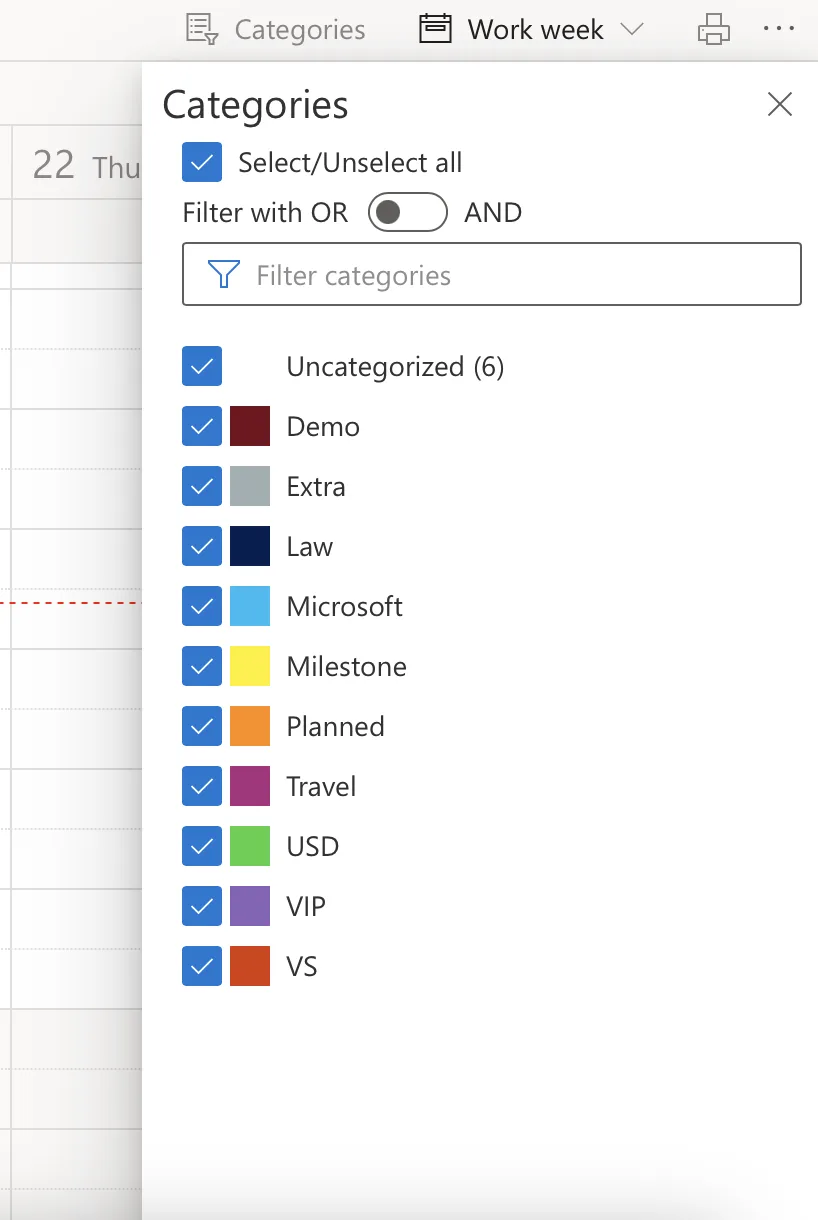
Virto Calendar App for SharePoint and Microsoft Teams now saves your selected categories automatically across sessions. This small update enhances user experience by remembering filter preferences, like those shown in the color-coded category panel. No more resetting filters every time.
Why This Matters
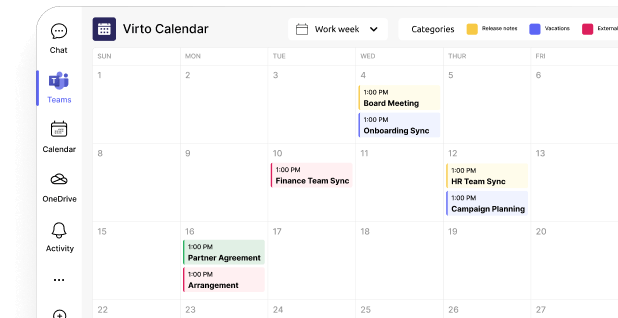
Users often switch between category views to focus on specific events, such as Blue for projects or Green for meetings. Previously, selections reset on reload; now, they persist per user, reducing clicks and boosting efficiency in busy SharePoint or Teams environments. This aligns with Virto Calendar's core strength in customizable, color-coded overlays from SharePoint lists, Outlook, and more.
The only M365 enterprise calendar
... that never leaves your cloud.
Data stays in your Azure, under your control.
How It Works
Open the "Categories" menu in Virto Calendar App and select the ones you need. Selections save instantly. Multi-select and search filters remain intuitive, supporting dynamic views (Day, Week, Month, etc.).
Benefits for Teams
- Time Savings: Jump straight to relevant events without reconfiguration.
- Personalization: Each user retains their setup, ideal for diverse teams.
- Consistency: Perfect for recurring tasks in project management or event planning.
Try it today in your Virto Calendar App and experience seamless scheduling in Microsoft 365.