
A well-organized shared calendar turns scattered meetings, deadlines, and events into a single source of truth that keeps a whole team in sync. For organizations running on Microsoft 365, the challenge is rarely a shortage of options — it’s choosing the calendar that fits how your team actually works.
In this 2026 roundup we compare the best shared calendars for SharePoint Online, weighing each on ease of use, customization, overlay support, and integration with the rest of Microsoft 365. If you’re still setting up the underlying calendar itself, start with our guide to creating a calendar in SharePoint, then come back here to pick the right app on top of it.
Quick answer: the best shared calendar for SharePoint Online
For most Microsoft-ecosystem teams, the Virto Calendar App (Overlay) is the best shared calendar for SharePoint Online: it layers unlimited calendars from SharePoint, Exchange, Planner, Google, and iCal into one color-coded view, and works as both a SharePoint web part and a Microsoft Teams tab. Teams that mainly need simple event sharing — including with external guests — are better served by the lighter Virto Shared Calendar. The full comparison is below.
What a shared calendar in SharePoint is (and your options)
A SharePoint shared calendar — sometimes called a SharePoint group calendar — is a central place for a team to manage schedules, meetings, milestones, and events. Because it lives inside Microsoft 365, it can be customized and connected to the other tools your team already uses, so everyone stays on the same page and scheduling conflicts get caught early.
Depending on the app you choose, a shared calendar in SharePoint Online typically offers:
- Centralized event management: view and manage events in one location instead of switching between apps.
- Customizable views: month, week, day, and list layouts to match how each team plans.
- Microsoft Teams integration: schedule and join meetings without leaving the calendar.
- Reminders and notifications: automatic alerts so important events aren’t missed.
- Color-coding and categorization: distinguish event types and sources at a glance.
- Permission management: control who can view or edit each calendar.
- Calendar overlays: show multiple calendars from different sources in a single unified view — one of the most requested capabilities.
The native SharePoint experience covers the basics; the apps in this roundup extend it. For the deeper mechanics of setting one up, see the SharePoint calendar hub guide.
How to choose a shared calendar for SharePoint Online
We evaluated the tools below against five criteria that matter most to modern teams. Weigh them against your own priorities before deciding:
- Ease of use — an intuitive interface any team member can navigate, regardless of technical skill.
- Microsoft 365 & Teams integration — the calendar should feel native to the tools you already use.
- Customization — color-coding, custom fields, and alerts. See why color-coding your calendar pays off.
- Multi-source overlay — support for combining calendars from several sources; the more, the better.
- Security & permissions — robust, flexible controls to keep confidential data safe.
Overlay all your calendars in one place
Try the Virto Calendar App to bring all your Microsoft 365 calendars into a unified view. Start your free trial →
Best shared calendars for SharePoint Online [2026]
To make the differences clear, we’ve looked at the strengths and weaknesses of each option. A full comparison table follows the reviews.
1. SharePoint Calendar (native)
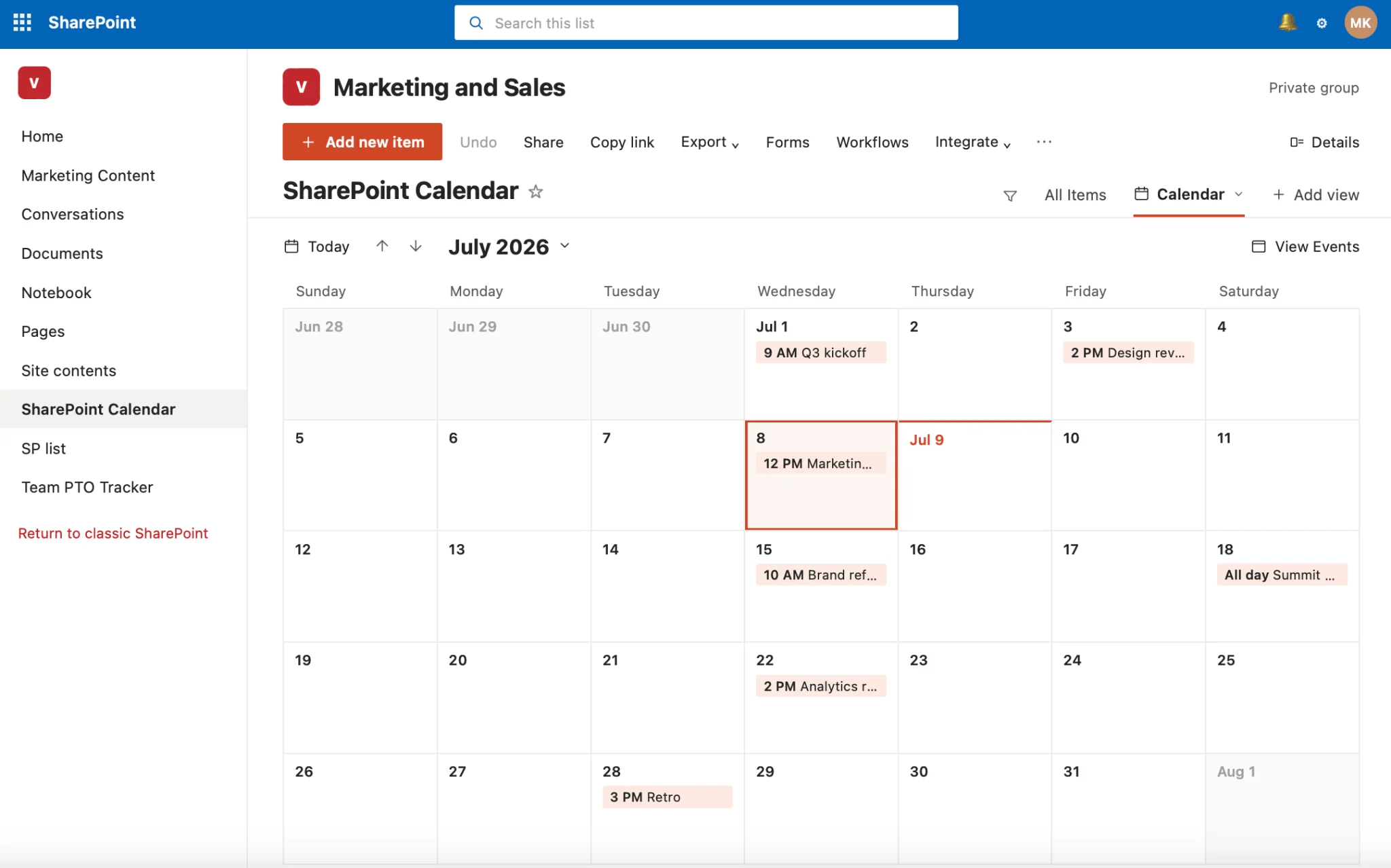
Pic.1. The native SharePoint Online calendar (list Calendar view).
The native SharePoint calendar is a simple but effective tool for essential scheduling and event management, and a solid choice for small to medium teams that want a hassle-free, no-extra-cost option.
Pros:
- Native integration with Microsoft 365
- Included with your Microsoft 365 subscription
- Simple and easy to use for everyday needs
Cons:
- Limited color-coding and overlay options
- Advanced features often require an add-in
- Classic overlay views don’t work on modern pages
2. Virto Calendar App (Overlay)
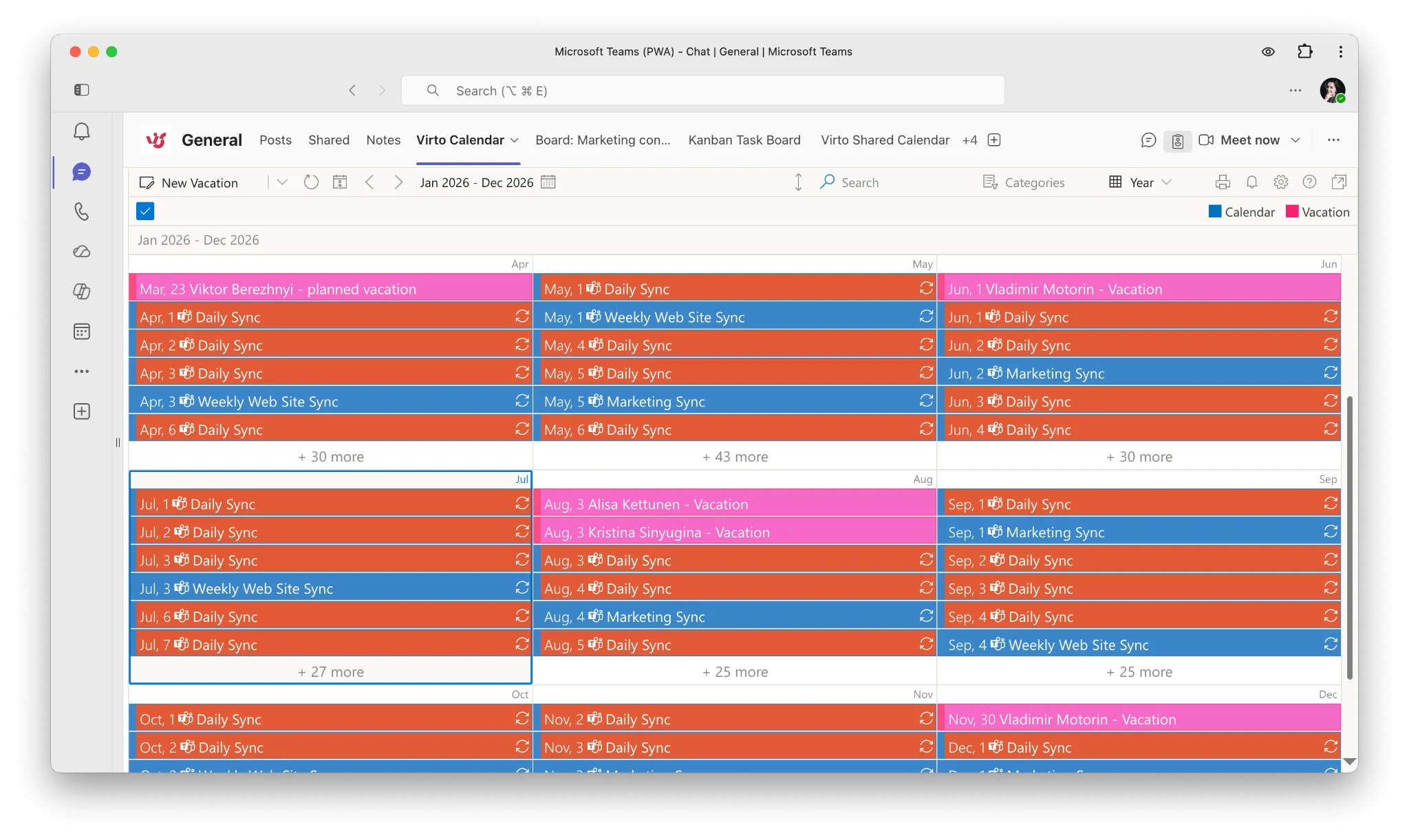
Pic.2. Virto Calendar App overlaying multiple color-coded sources in one view.
The Virto Calendar App is a robust shared calendar for SharePoint and Teams, with advanced customization and comprehensive overlay features that suit everyone from small startups to enterprises. It’s our top pick for teams that juggle many calendar sources.
Pros:
- Unlimited calendar overlays and color-coding
- Combines SharePoint, Exchange, Planner, Google, and iCal sources
- Recurring events and advanced customization
- Works as a SharePoint web part and a Teams tab
Cons:
- Slightly steeper learning curve because of the depth of features
3. Virto Shared Calendar
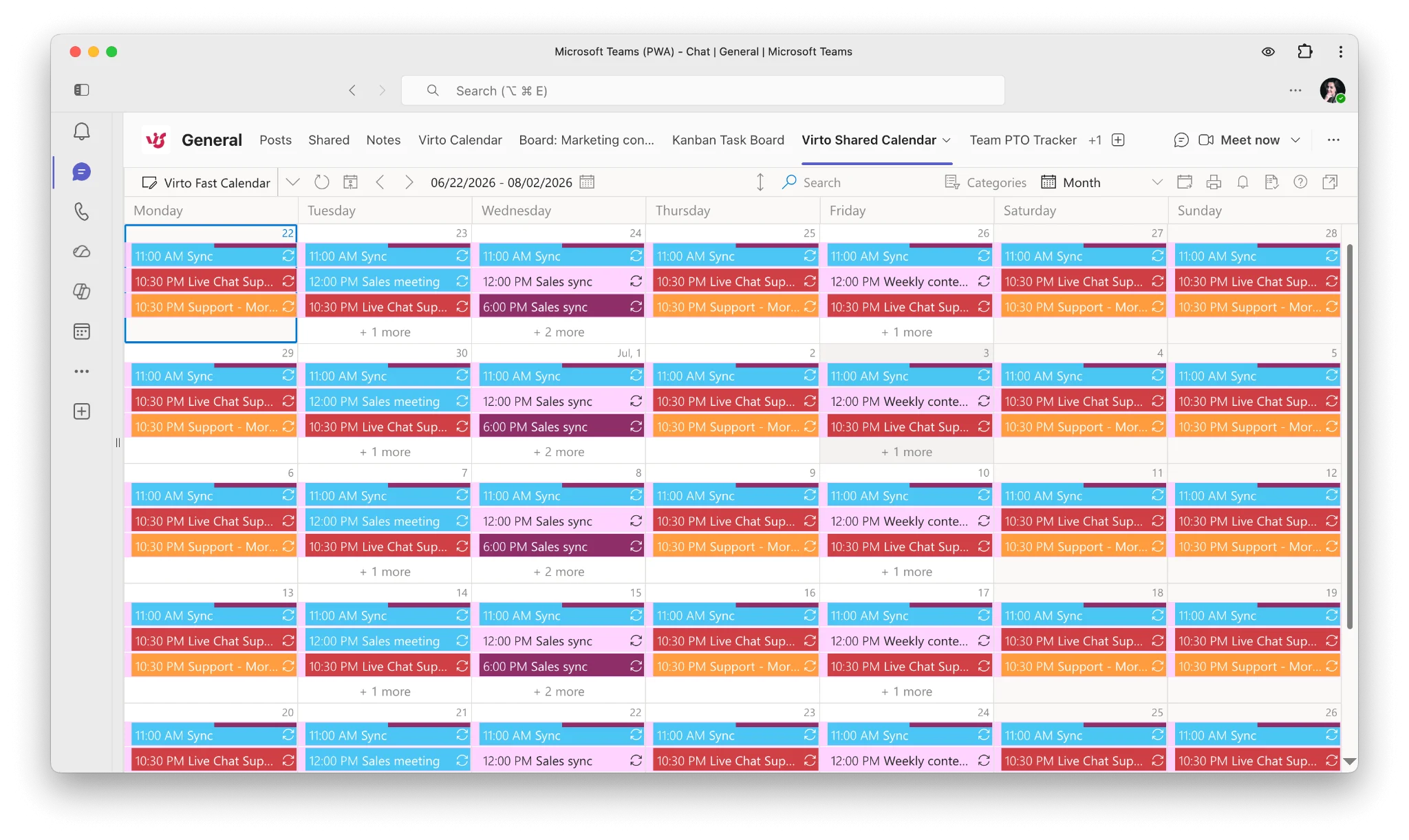
Pic.3. Virto Shared Calendar in Microsoft Teams.
Not every team needs deep overlays. For organizations that want simple, user-friendly event sharing — especially with external guests — the Virto Shared Calendar is an excellent fit.
Pros:
- Intuitive event creation and tagging
- Color-coding and event categorization
- Anonymous sharing — external users can view without a Microsoft account
- Available in Microsoft Teams and web browsers; integrates with Outlook
- Minimal setup and affordable, with a generous free tier
Cons:
- More basic feature set than full overlay solutions
- No multi-source overlay from different systems
- No direct Microsoft Planner integration
4. Calendar Plus by Bamboo
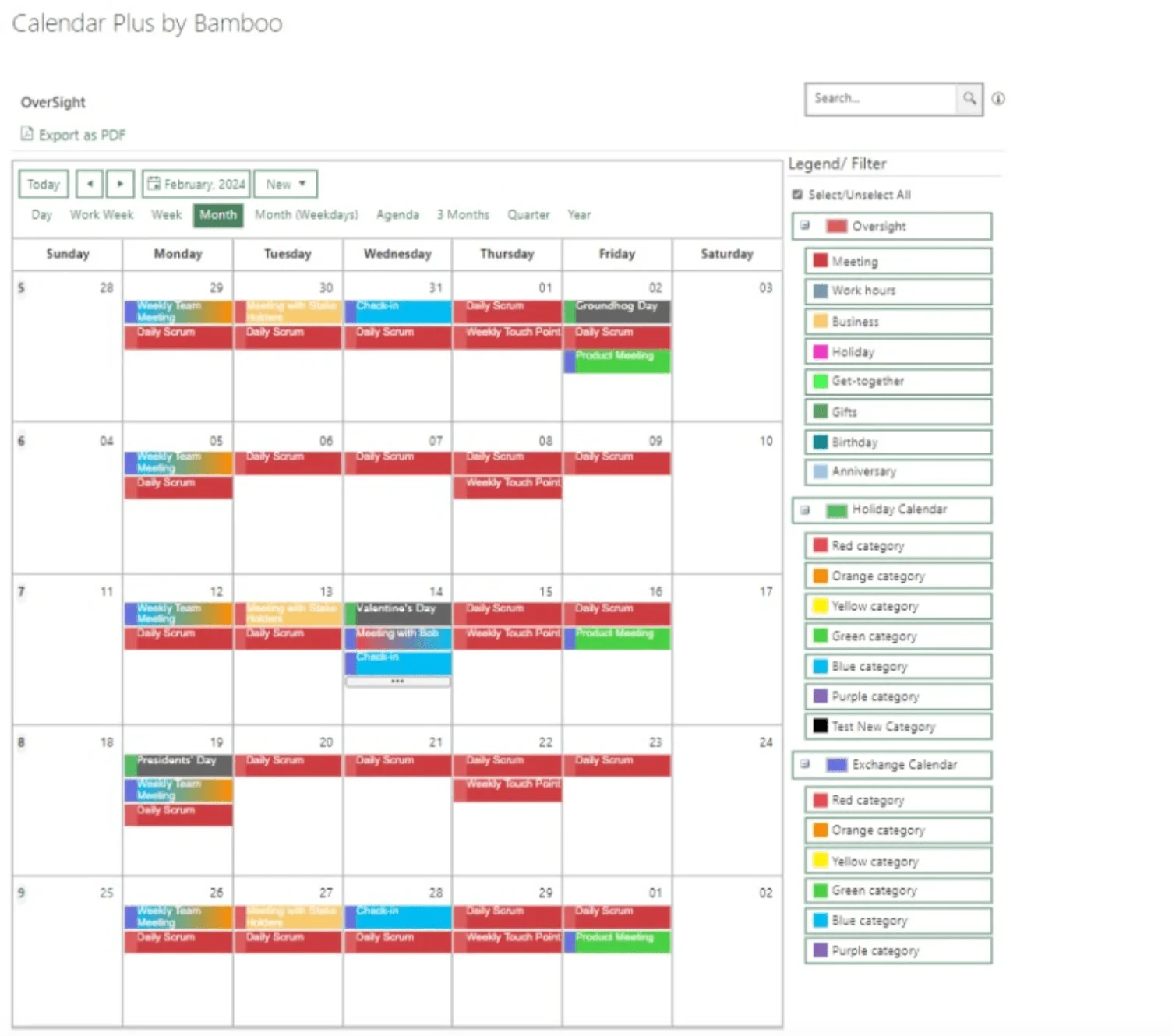
Pic.4. Calendar Plus by Bamboo. Source: bamboosolutions.com
Calendar Plus by Bamboo is a mature, versatile web part with a familiar interface that adapts to a range of requirements, aggregating multiple SharePoint lists and Exchange calendars into one view.
Pros:
- Combines multiple SharePoint lists and Exchange calendars
- Color-coding by list and by column value
- Established product with a long track record
Cons:
- Higher price point, licensed per tenant rather than per user
- Cannot be added to Microsoft Teams as a separate tab
5. Cloudwell Calendar Overlay
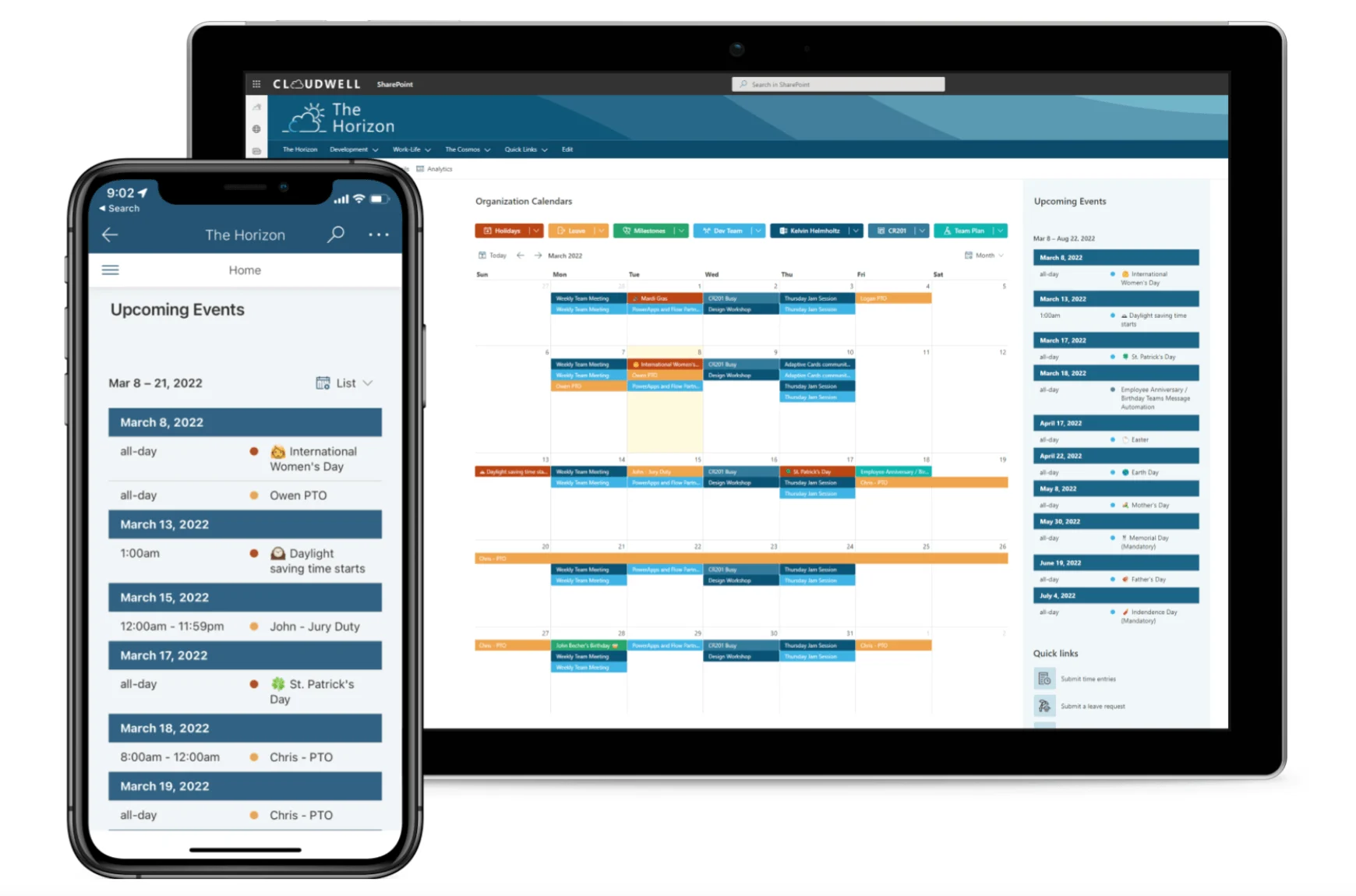
Pic.5. Cloudwell Calendar Overlay. Source: cloudwell.io
Cloudwell Calendar Overlay is a newer, Graph-API-first solution that overlays SharePoint lists and libraries, Exchange calendars, Planner plans, and iCal feeds. It runs as a SharePoint web part or a Teams tab, with a clean modern interface.
Pros:
- Modern, Graph-first overlay across several source types
- Works in SharePoint and as a Microsoft Teams tab
- Delegated permissions preserve existing access boundaries
Cons:
- Smaller install base and less community documentation as a newer product
- Fewer advanced customization options than the most established tools
6. BoostSolutions Calendar Rollup
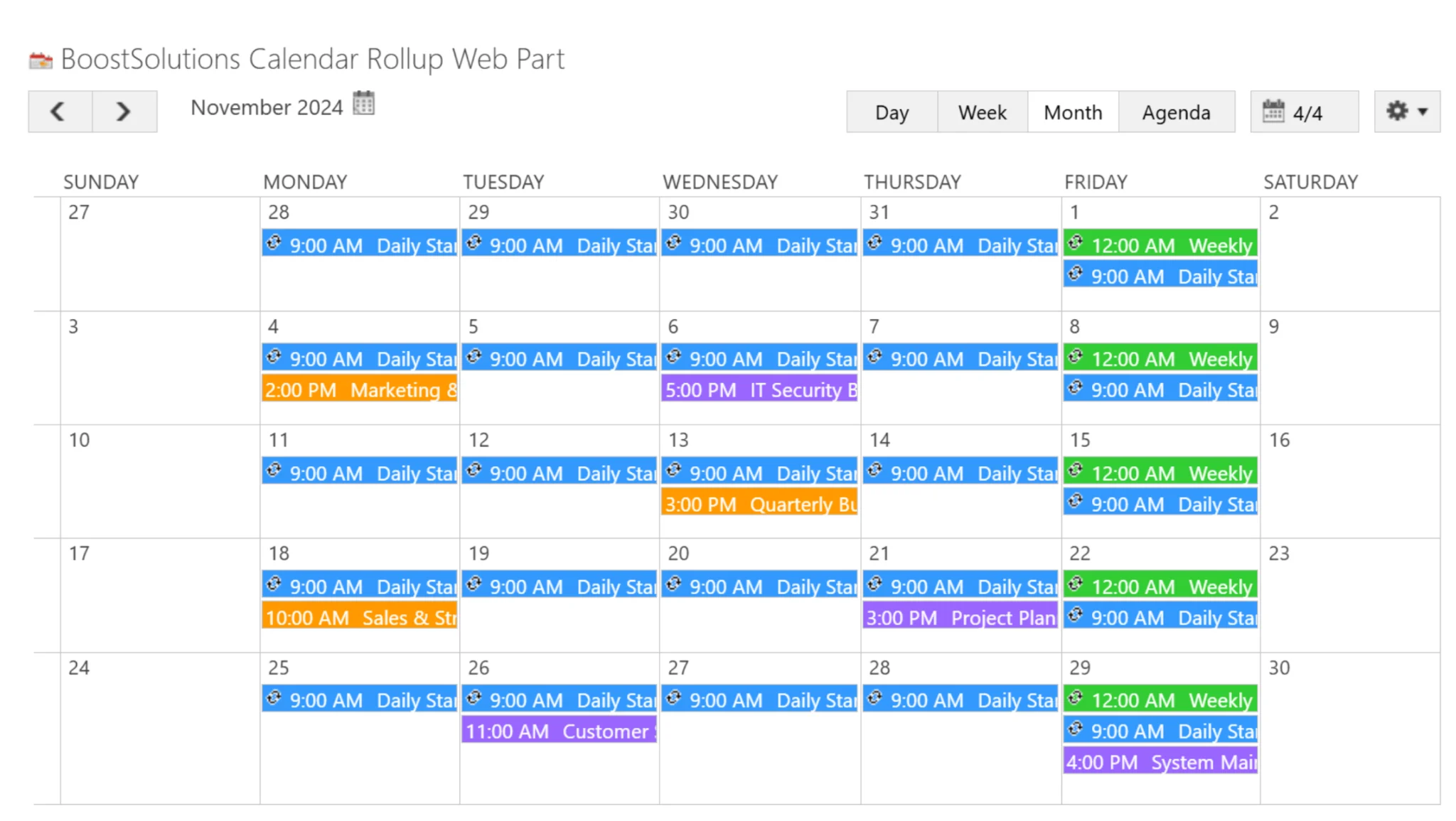
Pic. 6. BoostSolutions Calendar Rollup. Source: boostsolutions.com
BoostSolutions Calendar Rollup is a proven, established option for teams that want to aggregate calendars from multiple SharePoint sources into a single view. Available directly through Microsoft AppSource, it simplifies procurement and IT approval, and offers a 30-day free trial so you can test it in a real environment before committing. It’s a solid mid-market choice, though its focus stays firmly within SharePoint.
Pros:
- Aggregates SharePoint list calendars and Microsoft 365 Group calendars into one view
- Available directly on Microsoft AppSource for easy procurement
- Agenda and monthly view options
- 30-day free trial
Cons:
- Limited data-source variety — primarily SharePoint-centric, with no direct Exchange mailbox or external iCal support
- Cannot create Teams meetings directly from the calendar interface
Comparison table: shared calendars for SharePoint Online
A side-by-side look at the leading options. Pricing reflects publicly listed 2026 figures and can change — always confirm on the vendor’s site.
| App | Best for | Overlay / multi-source | Teams tab | Pricing (2026) |
|---|---|---|---|---|
| SharePoint Calendar (native) | Small teams needing a basic, no-cost calendar | Very limited | Manual | Included with Microsoft 365 |
| Virto Calendar App (Overlay) | Teams that need to merge many calendar sources with color-coding | Unlimited — SharePoint, Exchange, Planner, Google, iCal | Yes | $2,412 / 100 users / year, 3-year agreement; 30-day trial |
| Virto Shared Calendar | Simple event sharing, incl. external/anonymous guests | Single shared calendar (no multi-source overlay) | Yes | Free up to 15 entries; paid tiers above |
| Calendar Plus by Bamboo | Organizations wanting a mature, feature-rich web part | Yes — multiple SharePoint lists & Exchange | No | From ~$127/mo or $1,382/yr per tenant |
| Cloudwell Calendar Overlay | Modern, Graph-first overlay from a newer vendor | Yes — lists, Exchange, Planner, iCal | Yes | From ~$250/yr (5 users); 15-day trial |
| BoostSolutions Calendar Rollup | Mid-market teams needing proven SharePoint-source aggregation | SharePoint lists & M365 Group calendars (no Exchange/iCal) | No | Perpetual license from ~$3,995 (one-time); 30-day trial |
Note: third-party pricing above is drawn from each vendor’s public listings as of 2026 and is provided for orientation only.
Add a shared team calendar with Virto
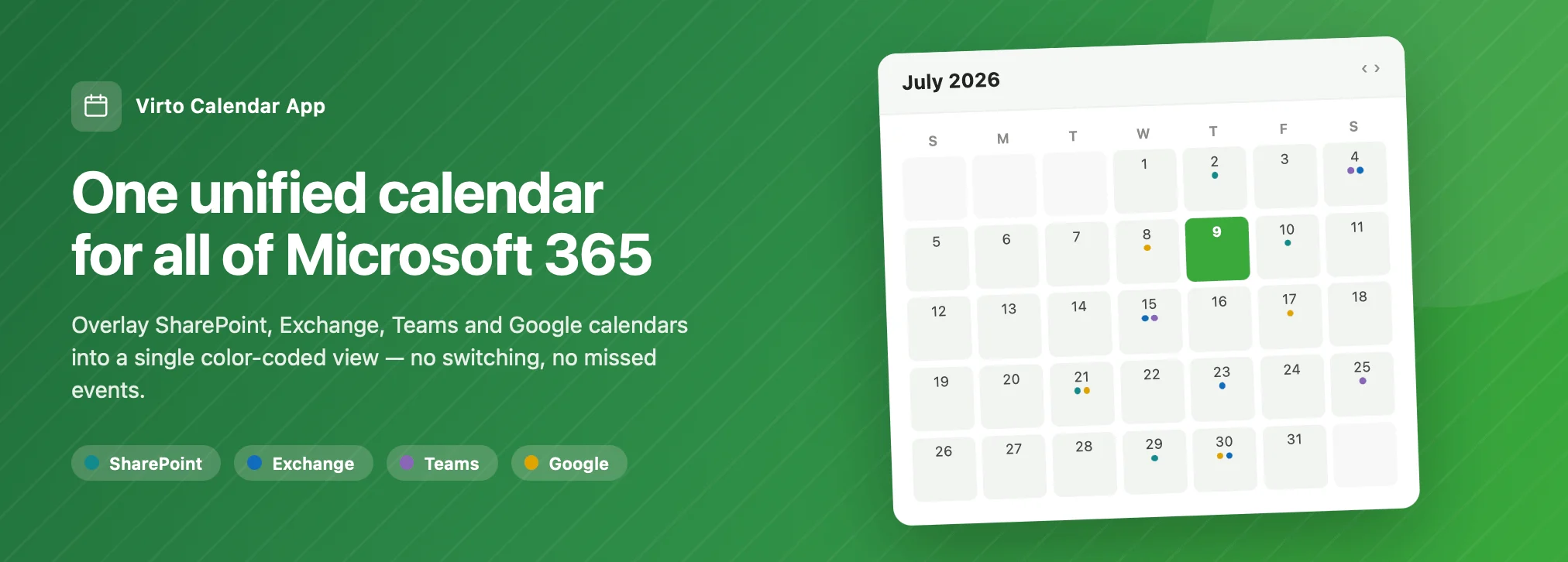
For Microsoft teams, the Virto Calendar App (Overlay) is the fastest way to turn SharePoint into a true shared team calendar: overlay unlimited sources, color-code by source or category, and surface everything in one place — inside SharePoint or as a Microsoft Teams tab. It costs $2,412 per 100 users per year with a 3-year agreement (100 users and up) and offers a full-featured 30-day free trial with no feature restrictions; smaller teams can start with the free plan of Virto Shared Calendar.
If your priority is sharing events simply, including with people outside your organization, the Virto Shared Calendar adds quick event creation, anonymous guest access, and tagging with almost no setup — and is free for up to 15 entries.
Two quick tips for new SharePoint calendar users:
- Establish shared color-coding rules so every team member reads the calendar the same way (our color-coding guide explains how).
- Add your calendar to Microsoft Teams as a tab so you don’t waste time switching apps. For Teams-first options, see our roundup of the best shared calendars for Microsoft Teams.
Have a question? Talk to our team
We’re here to help guide your journey. Book a free meeting →
FAQ
What is the best shared calendar for SharePoint Online?
For Microsoft-ecosystem teams, the Virto Calendar App (or the lighter Virto Shared Calendar for simple sharing) is the strongest choice, adding overlay, color-coding, and multi-source views on top of SharePoint. The roundup above compares the leading options so you can match one to your needs.
Does SharePoint have a shared calendar?
Yes — SharePoint offers a basic list Calendar view and group calendars. For a true shared team calendar with overlay, color-coding, and granular permissions, teams typically add an app such as Virto Calendar or one of the alternatives reviewed here.
Is there a free shared calendar for SharePoint Online?
The native SharePoint calendar is included with Microsoft 365. Among third-party apps, Virto Shared Calendar is free for up to 15 entries and the Virto Calendar App offers a full-featured free monthly trial, making them the most generous free options for long-term use.
Related reading