Introduction
Building an intranet is a strategic task for any company that wants to improve internal communication, automate workflows and make access to information easy. Nowadays, an intranet is no longer just a place to store documents—it has grown into a powerful workspace where employees can share knowledge, and stay connected no matter where they are.
Modern intranet development focuses on creating a centralized hub that reduces time spent on routine tasks, and increases employee engagement. A well-designed intranet can play a vital role in supporting teamwork, and helping adapt quickly to changes.
In this article, we will explore how to build an intranet step by step—from planning and preparation to intranet implementation and customization. We will also discuss best practices for creating a company intranet, how to design its structure, and how to involve employees for adoption and success.
Additionally, for those interested in a deeper dive, we have two articles on this topic: one on how to create a company intranet and another reviewing the best intranet platforms.
Finally, we’ll examine common mistakes that businesses should avoid and explain why Microsoft SharePoint, extended with VirtoSoftware solutions, is among the best options for intranet portal development.
Intranet Planning and Preparation
Successful intranet implementation always begins with planning. Without clear goals and requirements, even the most advanced intranet setup can quickly become a “digital graveyard of documents” that nobody uses. A well-prepared foundation makes sure that the intranet will be relevant and widely adopted.
Effective planning includes three main preparation steps: defining goals, analyzing employee needs, and choosing the deployment model.
Defining Goals
Before building an intranet, you should answer the question: Why does the company need an intranet? Clear goals will guide decisions about structure, design, and functionality. Common objectives include:

For this project to be successful, goals should be measurable. For example:
- Reduce email volume by 50% by moving team discussions to the intranet
- Cut document approval time in half by automating this process
- Achieve 80% employee adoption within the first three months
Employee Needs Analysis
An intranet is only effective if it addresses real problems that employees face every day. That is why building an intranet should involve input from users across the company.
- Run surveys or interviews to identify processes that slow people down.
- Gather insights into what employees are missing in current communication and tools.
- Prioritize features that will gain the most attention—whether it’s knowledge bases, automated workflows, or some HR solutions.
It is also important to include representatives from different departments—HR, marketing, finance, IT, and operations. It will help you to provide value to all user groups within the organization.
Choosing a Deployment Model
Selecting the right deployment model is another crucial step in building an intranet. Different organizations have their own requirements, budgets, and infrastructures.
- SaaS (cloud model): Best for companies seeking fast implementation without high infrastructure costs. The vendor manages updates, hosting, and security, allowing internal IT teams to focus on usability rather than maintenance.
- On-Premises (local deployment): Ideal for organizations with strict data security policies or an existing IT infrastructure. It offers full control but demands more resources and upfront investment.
Microsoft SharePoint is a popular solution that supports both SaaS (via SharePoint Online with Microsoft 365) and on-premises deployment. Paired with VirtoSoftware extensions, it allows companies to customize their intranet to match unique workflows.
Budget and Resource Planning
A successful intranet project requires realistic budgeting. Many companies focus on licensing fees and infrastructure, forgetting hidden costs. The expenses to consider include:
- Licenses and subscriptions
- Customization to align the intranet with company branding and workflows
- Integration costs with existing tools and platforms
- Employee adoption programs for effective usage
- Ongoing support and development for scalability and updates
A common mistake is to treat an intranet as a one-time project. In reality, an effective intranet should grow with the organization. As new needs arise, companies may need additional apps or automate new processes.
Security Requirements
From the very beginning of building an intranet, companies must take security and compliance seriously. An intranet often stores critical documents and personal information—making protection essential.
Security measures should include:
- Access control (role-based permissions so that sensitive data is only available to the right users)
- Multi-factor authentication (MFA) for secure logins
- Encryption for both data storage and transmission
- Compliance with key regulations – GDPR, HIPAA, or ISO standards
For global enterprises or industries with strict compliance rules, security requirements often drive the choice between SaaS and On-Premises intranet setup. While cloud solutions provide up-to-date built-in security, on-premises platforms give greater control over data storage and policies.
Integrations
Modern intranets are not isolated platforms—they serve as hubs that unify corporate systems into a single digital workspace. For top efficiency, building a company intranet should include seamless integrations with:
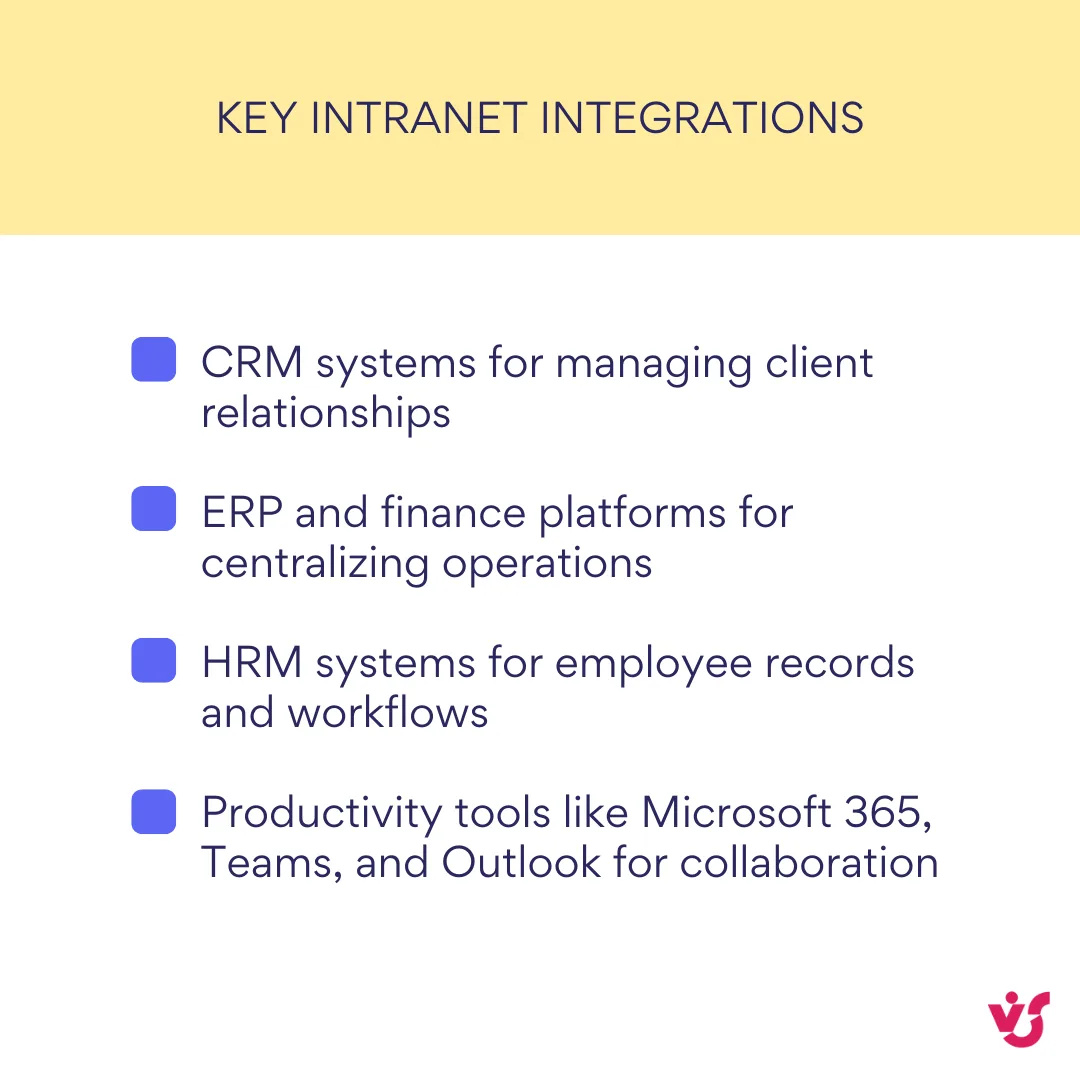
End-to-end integrations eliminate the need for employees to switch between applications, improving user experience and saving time.
SharePoint, in particular, is highly valued for its integration capabilities. Combined with VirtoSoftware add-ons, businesses can extend SharePoint’s functionality to include advanced project management and workflows features—making it a top choice for intranet portal development.
Step-by-Step Guide to Creating and Configuring an Intranet
This section outlines a step-by-step roadmap to successful intranet setup and implementation. With this approach, companies can be sure that their intranet becomes a sustainable workspace that supports communication and automation. A carefully planned intranet development process helps avoid expensive mistakes and makes sure that the platform adapts as business needs change.
Creating the Intranet
When considering how to build a company intranet, it is important to understand that implementation is an ongoing process that should grow with your organization. The basic intranet development process includes:
- Choosing the right platform.
- Designing the structure and content hierarchy.
- Deploying productivity tools.
- Configuring features and permissions.
- Integrating the intranet with other corporate systems.
Even after the intranet goes live, continuous improvement is key. User feedback and growing business requirements should guide regular updates.
- Defining Intranet Goals and KPIs
Before moving into intranet setup, start figuring out why the intranet is being created. Common reasons are:
- Improving internal collaboration.
- Centralizing document storage and improving search.
- Automating processes to reduce manual work.
- Increasing employee engagement.
Next, define measurable KPIs, such as:
- Average speed of access to documents.
- Employee engagement metrics (feedback surveys, adoption rates).
- Number of automated workflows implemented and manual tasks retired.
These metrics can help you track whether your intranet creation project achieves its results.
2. Choosing an Intranet Platform
The right platform serves as the foundation for your intranet creation efforts. Popular options include:
- SharePoint – Highly versatile, with strong integration capabilities, suitable for both SMBs and enterprise-scale organizations.
- Google Workspace – Collaborative and cloud-based, ideal for organizations already using Google tools.
- Confluence – Strong content management focus, suitable for teams with heavy documentation needs.
- Specialized SaaS intranet platforms – Quick deployment with built-in templates and cloud hosting.
Your choice should depend on several factors:
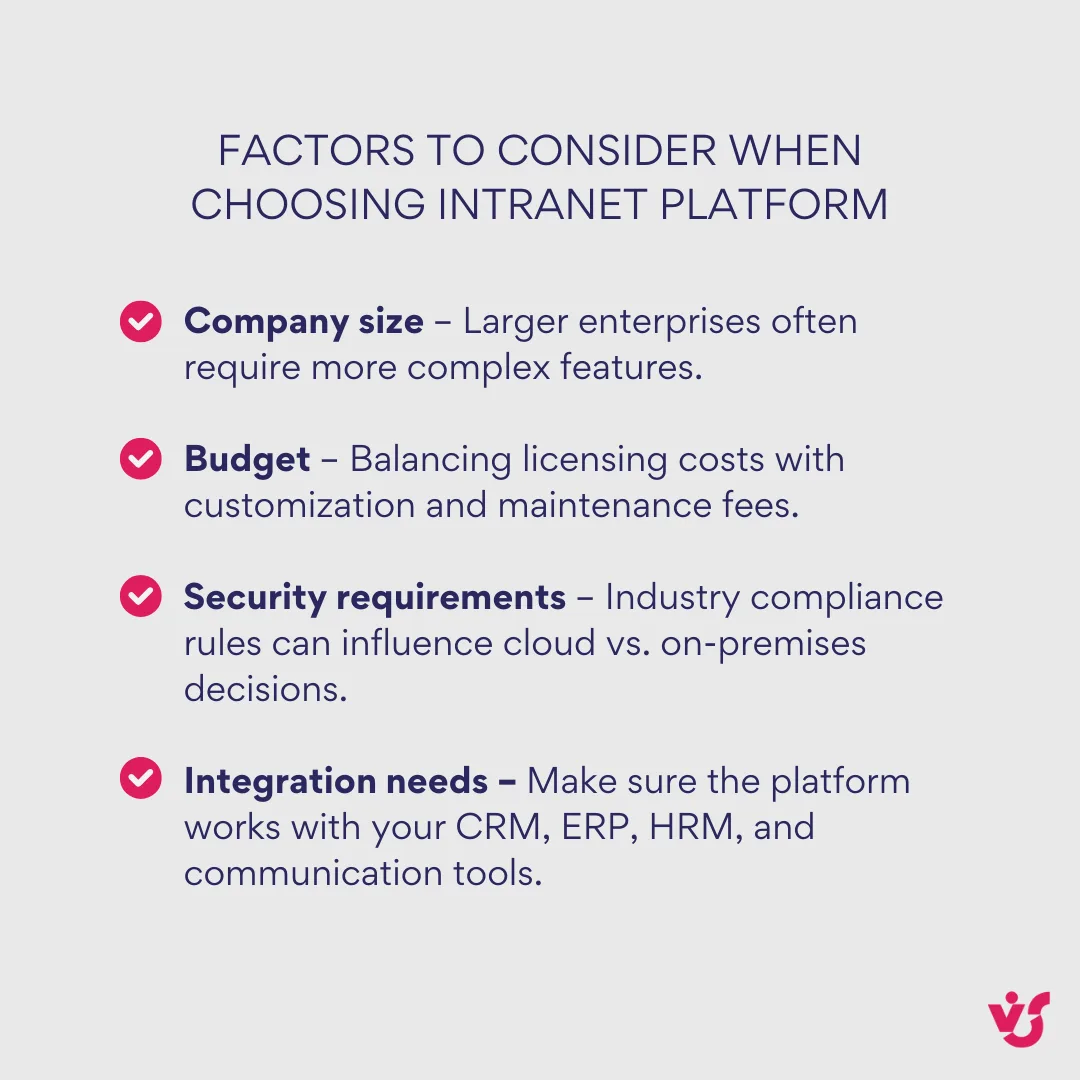
SharePoint supports both cloud and on-premises deployment models, offering unmatched flexibility and extensibility when paired with tools such as VirtoSoftware add-ons.
👉Official Microsoft resources: Planning an intelligent SharePoint Intranet >>>
3. Designing the Intranet Structure
An effective intranet starts with a logical hierarchy that makes it easy to find information. A poorly designed structure can result in low adoption rates, while a clear, user-centered design ensures the intranet becomes an effective everyday tool.
Key Blocks Every Intranet Should Include
- Homepage – company news, announcements, quick links to main sections.
- Documents and Knowledge Base – storage for files, policies, and guidelines.
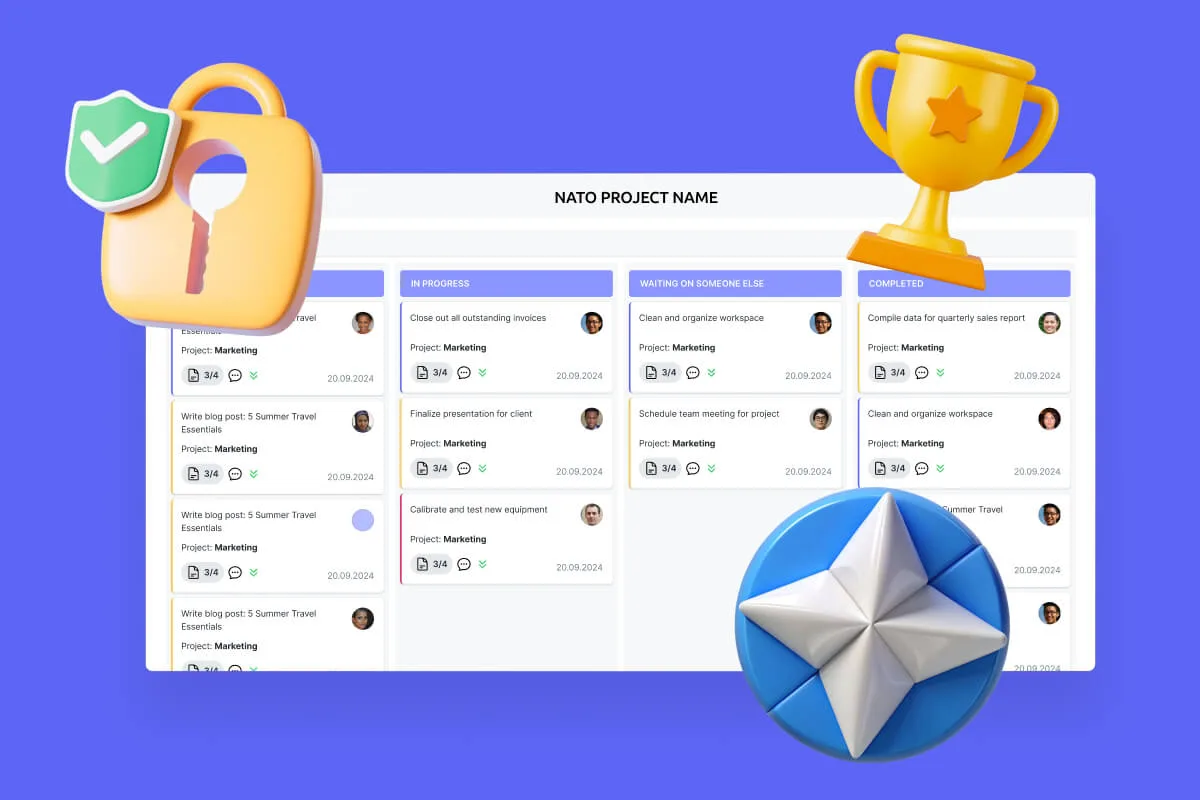
- Projects and Tasks – workspaces with tools for tracking deadlines, responsibilities, and project status.
- HR Section – policies, employee requests, internal job postings, onboarding.
- Learning – training resources, webinars, and professional development content.
- Feedback – surveys, suggestions, and forms for employee input.
How to Structure an Intranet?
The structure depends on company size and goals:
- SMB Example (3–4 main sections):
- Homepage
- Documents & Policies
- HR Center
- Projects/Tasks
This model fits smaller teams where simplicity and quick access are the top priority.
- Enterprise Example (multi-level system):
- Homepage + Communication Hub
- Knowledge Base & Document Libraries
- Departmental Portals (HR, Finance, Marketing, IT, Operations)
- Collaboration Tools (Projects, Task Management, Forums, Social Feed)
- Training & Learning Portals
- Feedback & Analytics Section
Larger organizations usually use a modular structure where each department has its own sub-portal while global resources (like company news or policies) are centralized.
4. Intranet Setup and Basic Configuration
Once the structure is defined, the next step is intranet setup with proper access management.
- Create user accounts – connect employees with single sign-on (SSO) or active directory authentication.
- Define roles – administrators (full control), editors/content creators, and standard users.
- Configure permissions – sensitive sections like payroll or HR data should be restricted to authorized staff, while general areas (news, knowledge base) remain open.
5. Integration with Other Systems
Successful intranet implementation depends heavily on integrations. A truly effective intranet should operate as a unified environment rather than a silo.
- Connect critical systems – CRM, ERP, HRM, document management, Microsoft Teams, and Outlook.
- Synchronize calendars and emails – so that deadlines and events appear in employees’ daily work tools.
- Automated workflows – intranets integrated with SharePoint and VirtoSoftware add-ons strengthen processes by automating approvals, requests, and reporting.
Integrations reduce context-switching and save time by embedding the intranet into daily workflows.
6. Testing and Pilot Launch
Before a full rollout, always test with a pilot group of employees.
- Select a team across departments.
- Collect detailed feedback on navigation, content clarity, and tools.
- Fix technical bugs and usability issues.
Only after a successful pilot can you launch the intranet company-wide. This helps to avoid large-scale adoption issues.
7. Employee Training and Engagement
Even the best intranet development project will fail without user adoption. Training and engagement should be an important part of launch planning.
- Training sessions – both live and on-demand tutorials to help employees understand the new features.
- Guides and FAQs – quick reference sheets, video walkthroughs, and visual user manuals.
- Encourage participation – introduce surveys, gamification, and rewards for active contributions.
Continuous feedback and improvement build a culture where the intranet becomes a vital part of everyday work rather than just an optional tool.
Explore VirtoSoftware Use Cases

Software for Building an Intranet
When considering what software is used to build an intranet, businesses have a wide range of platforms and tools to choose from. The best option depends on company size, complexity, existing IT infrastructure, and long-term goals. Popular solutions include SharePoint, Google Workspace, Confluence, and a variety of specialized SaaS intranet platforms for rapid deployment. For a more detailed overview, you can also refer to our dedicated article on intranet platforms.
Popular Intranet Software Options
- Microsoft SharePoint – Highly customizable, supporting both cloud (SharePoint Online) and on-premises deployment. Ideal for organizations that need scalability and strong integrations.
- Google Workspace – Cloud-native, easy to use, and cost-efficient. Popular with SMBs who already use Google services for email, calendars, and file sharing.
- Confluence (Atlassian) – Great for documentation-heavy teams, especially for software development and knowledge management.
- Specialized SaaS platforms (e.g., Happeo, Simpplr, Interact) – Provide ready-to-use intranet functionality with templates, quick launch, and lower IT maintenance needs.
Real-World Scenarios
- Small Businesses (SMBs):
Many small companies rely on Google Workspace for its simplicity and affordability. Combined with lightweight SaaS intranet solutions, this setup offers basic but effective collaboration and file-sharing tools, without requiring IT resources. - Mid-Size Companies:
A typical choice is SharePoint Online, which serves as a central hub for document management, shared calendars, and task coordination. SharePoint integrates with Microsoft Teams and Outlook, making it ideal for companies that want better control over workflows while still staying cloud-based. - Large Enterprises:
For complex organizations, SharePoint On-premises becomes the foundation of the intranet. With advanced customization, it can be deeply integrated with ERP, CRM, and HR systems. This allows the intranet to handle everything from employee onboarding to compliance workflows.
👉Read more on enterprise solutions:
Enterprise Collaboration Solutions >>>
Enterprise Document Management Software >>>
The Business Value of Choosing the Right Software
A well-chosen intranet platform can significantly increase employee engagement by providing an easy-to-use portal where staff can communicate and access tools in one place. It cuts down on email overload, and minimizes the wasted time employees spend switching between tools or systems.
Best Practices and Tips for Setting Up an Intranet
When exploring how to set up a company intranet, it’s important to remember that technology is only half the story. The real success of intranet implementation depends on usability, employee adoption, and ongoing content management. Below are best practices and common pitfalls to help ensure your intranet becomes a vital business tool rather than a forgotten portal.
Best Practices for Building an Intranet
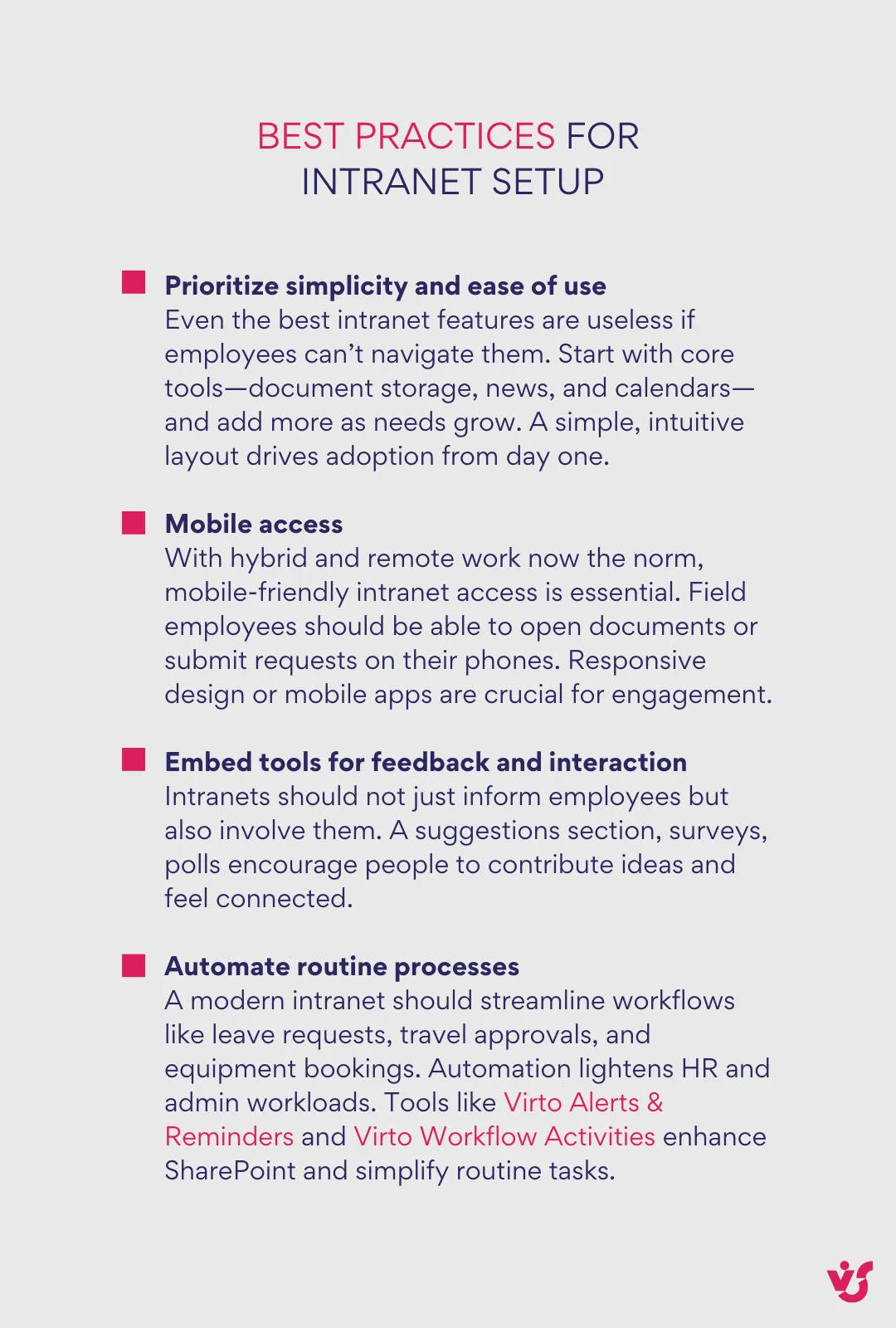
- Prioritize simplicity and ease of use
Even the most advanced intranet development features lose value if employees struggle with the interface. Start with essential functionality—such as document storage, news, and calendars—and add complexity gradually as user needs grow. An intuitive layout helps adoption from day one. - Mobile access
With hybrid and remote work now standard, mobile-friendly intranet access is a must. Employees, especially those in the field (sales, logistics, construction), should be able to open documents or submit requests via smartphones. Responsive design or mobile apps are key for engagement. - Embed tools for feedback and interaction
Intranets should not just inform employees but also involve them. A suggestions section, surveys, polls encourage people to contribute ideas and feel connected. - Automate routine processes
A modern intranet should simplify workflows such as leave requests, travel approvals, or equipment bookings. Automation also reduces the workload on HR and administrative teams. Tools like Virto Alerts & Reminders for notifications or Virto Workflow Activities for process automation extend SharePoint and simplify routine tasks.
Mistakes to Avoid
- Complex structure without search
A chaos of sections and subsections makes documents hard to find, frustrating employees. A user-friendly search engine and logical navigation are non-negotiables of effective intranet setup. - Lack of responsibility for content updates
Outdated documents or incorrect guidelines quickly lower trust in the system. Assign administrators or departmental editors responsible for keeping content fresh and relevant. - Ignoring employee training
Even simple portals require basic onboarding. Workshops, pre-recorded tutorials, or quick guides help employees learn how to use necessary features.
Engaging Employees in Intranet Development
Employee involvement is one of the most critical stages in building an intranet. Too often, companies approach intranet projects as top-down IT initiatives—only to encounter resistance once the system is launched. To succeed, businesses must remember that the intranet is a tool for employees—and employees themselves should define what makes it convenient.
Why Engagement Matters
- Employees understand their pain points – No one knows better than staff which documents are hardest to locate, which approval steps take too long, or which tools they constantly juggle.
- Ownership leads to adoption – When employees are involved in decision-making, they see the intranet as their platform, not just another system imposed by management.
- Higher engagement means higher success rates – The more feedback and ideas collected during planning, the greater the chances of long-term success and use of the intranet.
Approaches to Engaging Employees
- Surveys and Interviews
Questionnaires and one-on-one interviews are simple but highly effective ways to capture user needs. Sample questions can be:- Which documents are hardest to find in the existing system?
- Which processes do you think should be automated?
- What would you like to see on the homepage?
- Focus Groups and Pilot Teams
Form pilot teams with representatives from HR, finance, IT, marketing, and operations. These teams use early intranet prototypes and provide usability feedback before a broader rollout. - Co-Creation
Workshops give employees the chance to shape core intranet features—such as navigation menus and section priorities. Co-creation makes sure the portal mirrors real scenarios. - Training and Intranet Ambassadors
Appoint “intranet ambassadors” in each department. Their role is to guide colleagues, answer questions, and act as a feedback channel back to the intranet development team. - Gamification
Simple gamification tools—such as badges, participation ratings, or recognition for active contributors—motivate employees to share ideas, comment on posts, and use the intranet actively.
Examples of Successful Employee Involvement
- Portview Construction (UK and Europe)
Portview faced communication challenges among their remote teams. They introduced a social intranet with daily news updates, idea submissions, wellbeing resources, peer recognition, and employee Q&A videos. Their focus groups and pilot teams helped tweak the platform to real needs. This led to a 152% increase in engagement, and even won internal communications awards.
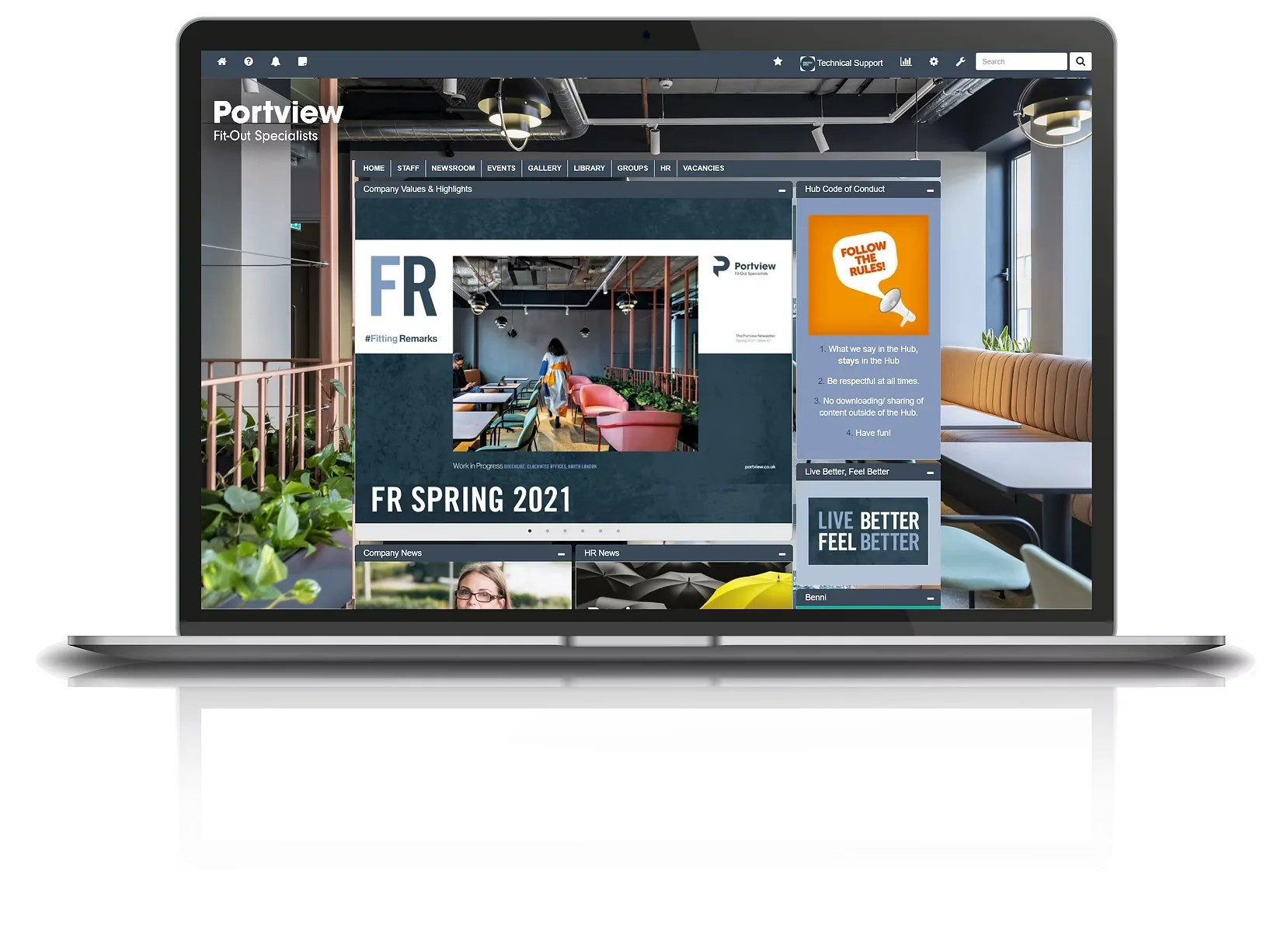
Image Source: https://www.hub-intranet.com/case-studies/portview
- dormakaba Global Merger
After merging two global brands, dormakaba launched a social intranet in just six weeks with strong employee involvement. Events where employees shared social content helped break language barriers and connect teams across locations. The intranet became a trusted platform for employee communication worldwide.
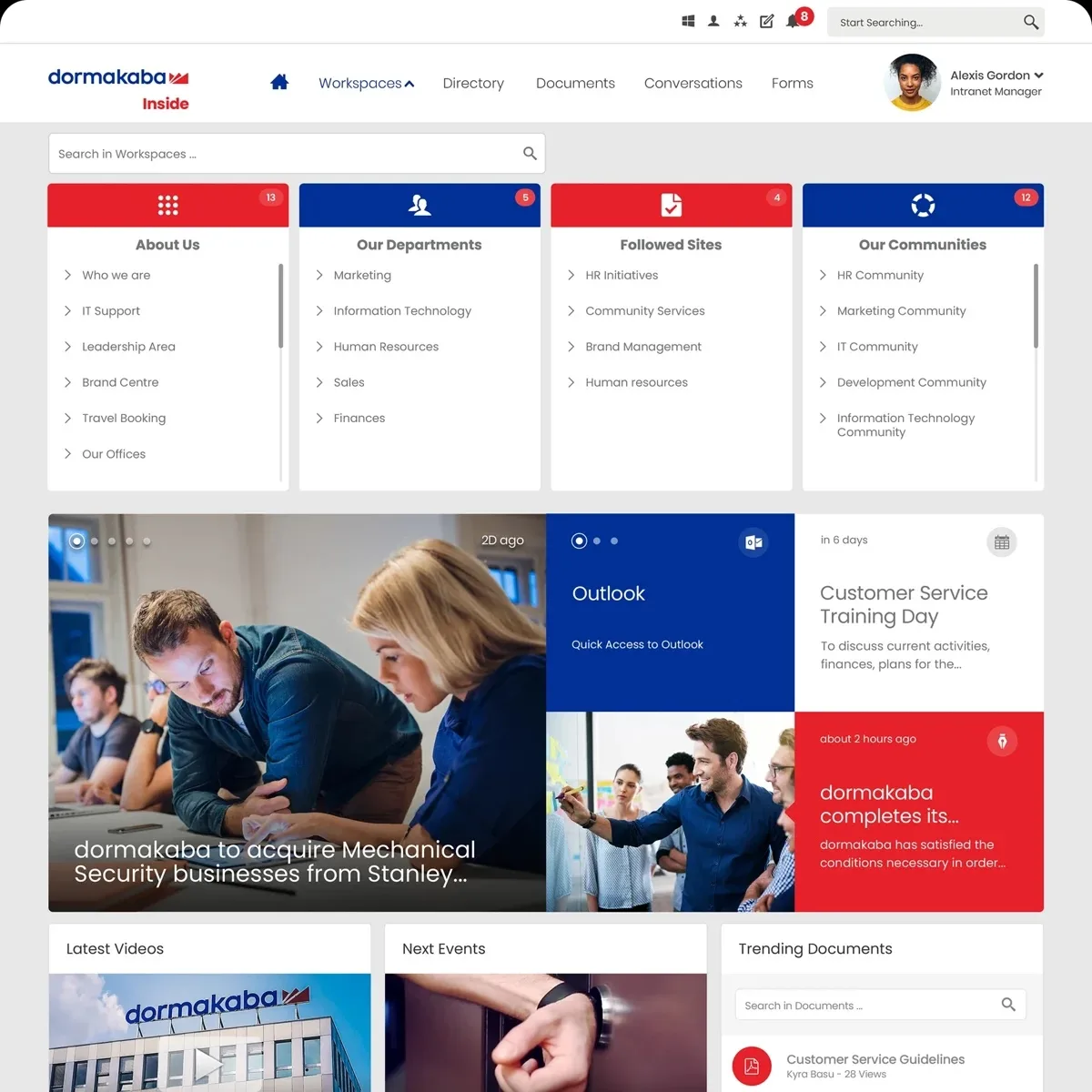
Image Source: https://www.unily.com/resources/case-studies/dorma-kaba-award-winning-intranet-story
- Furniture Village
This retailer transformed internal communications by involving employees in design decisions and appointing intranet ambassadors. Engaged user groups helped tailor content and features, resulting in better information sharing between office and workers.
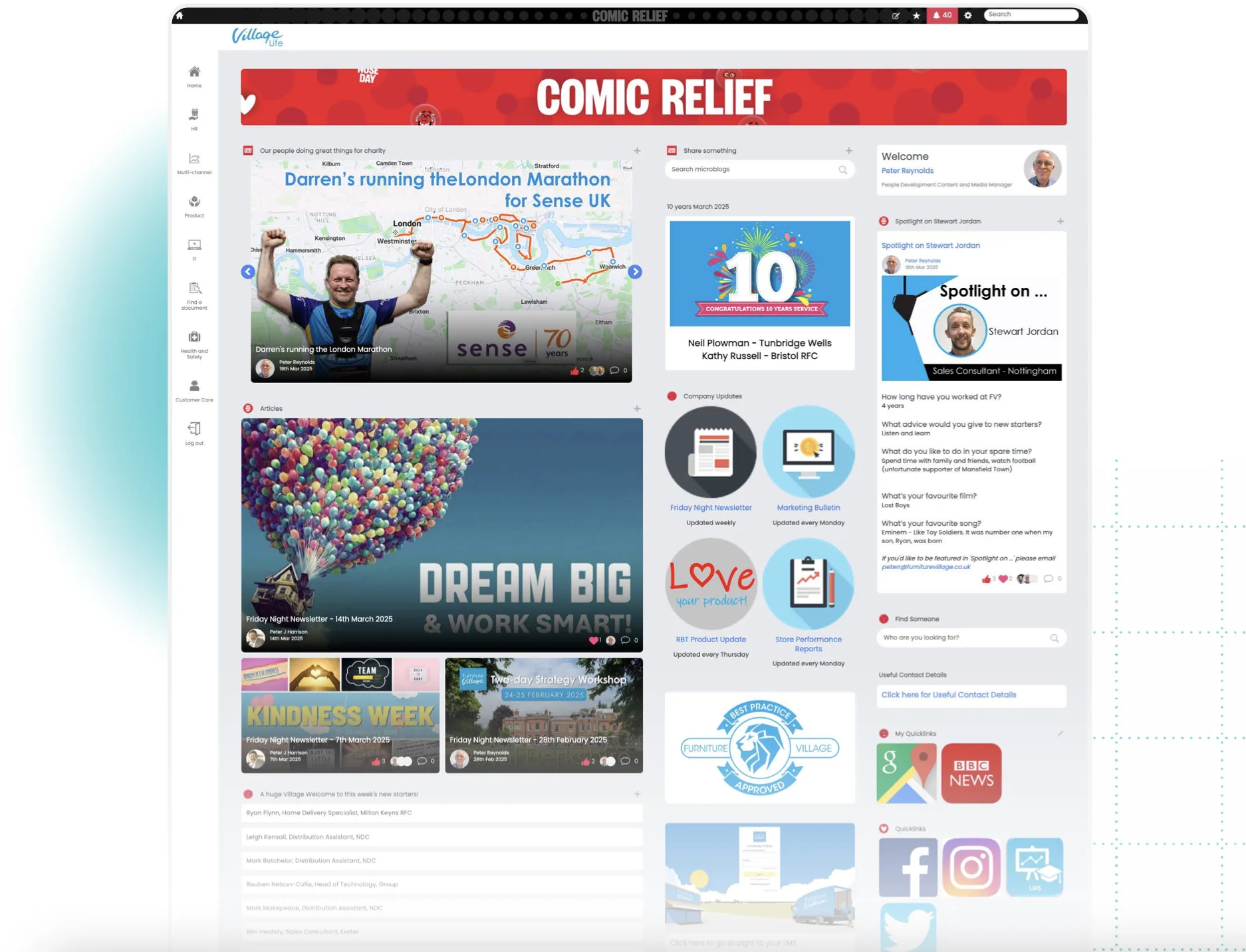
Image Source: https://sorceintranet.co.uk/furniture-village-case-study/
Building an Intranet with SharePoint
SharePoint is a top choice for creating intranets thanks to its remarkable flexibility, strong integration with the Microsoft ecosystem, and multiple deployment options.
Advantages of SharePoint
- Flexibility
SharePoint adapts to a wide range of scenarios—from simple document repositories to corporate portals. Businesses can customize navigation menus and access rights to reflect their workflows and company structure. SharePoint’s modularity means it can grow together with the company’s intranet requirements. - Integration with Microsoft 365 and Teams
SharePoint seamlessly integrates with Microsoft 365 applications like Word, Excel, Outlook, and Teams. This tight connection allows employees to work on documents directly while incorporating intranet news and task management into team chats. This experience reduces context switching and saves time. - Different Deployment Models
SharePoint offers both cloud-based (SharePoint Online via Microsoft 365) and on-premises deployment options. Companies can select the model that best fits their security policies, infrastructure, and budget.
SharePoint is widely recognized as one of the leading platforms for corporate intranets, particularly when extended with specialized solutions like VirtoSoftware. These add-ons expand SharePoint’s features with tailored alerts, automation, and task management tools, assisting in building a powerful Microsoft digital workplace.
Extending SharePoint Capabilities with Virto
VirtoSoftware significantly expands the functionality of SharePoint, transforming it from a basic file storage system into a powerful platform for managing projects and business processes. Here are some key VirtoSoftware products that improve SharePoint intranets:
- Virto Calendar Web Part
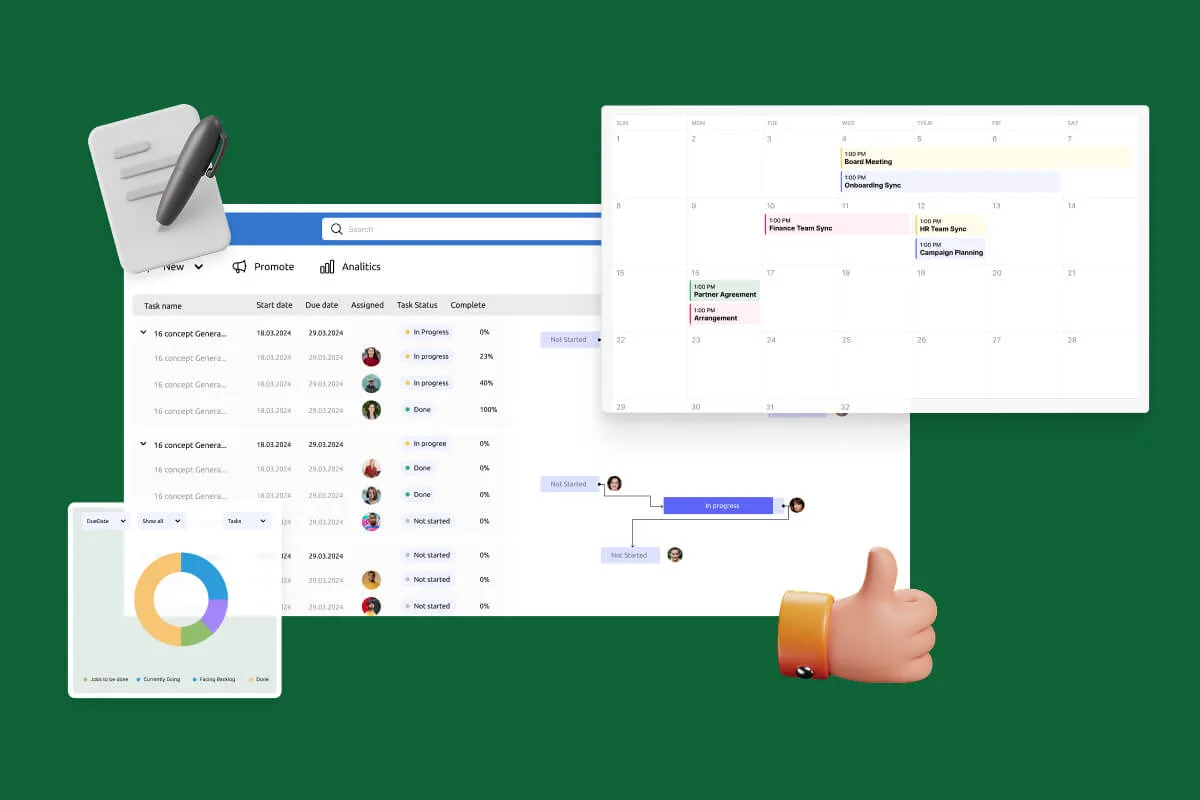
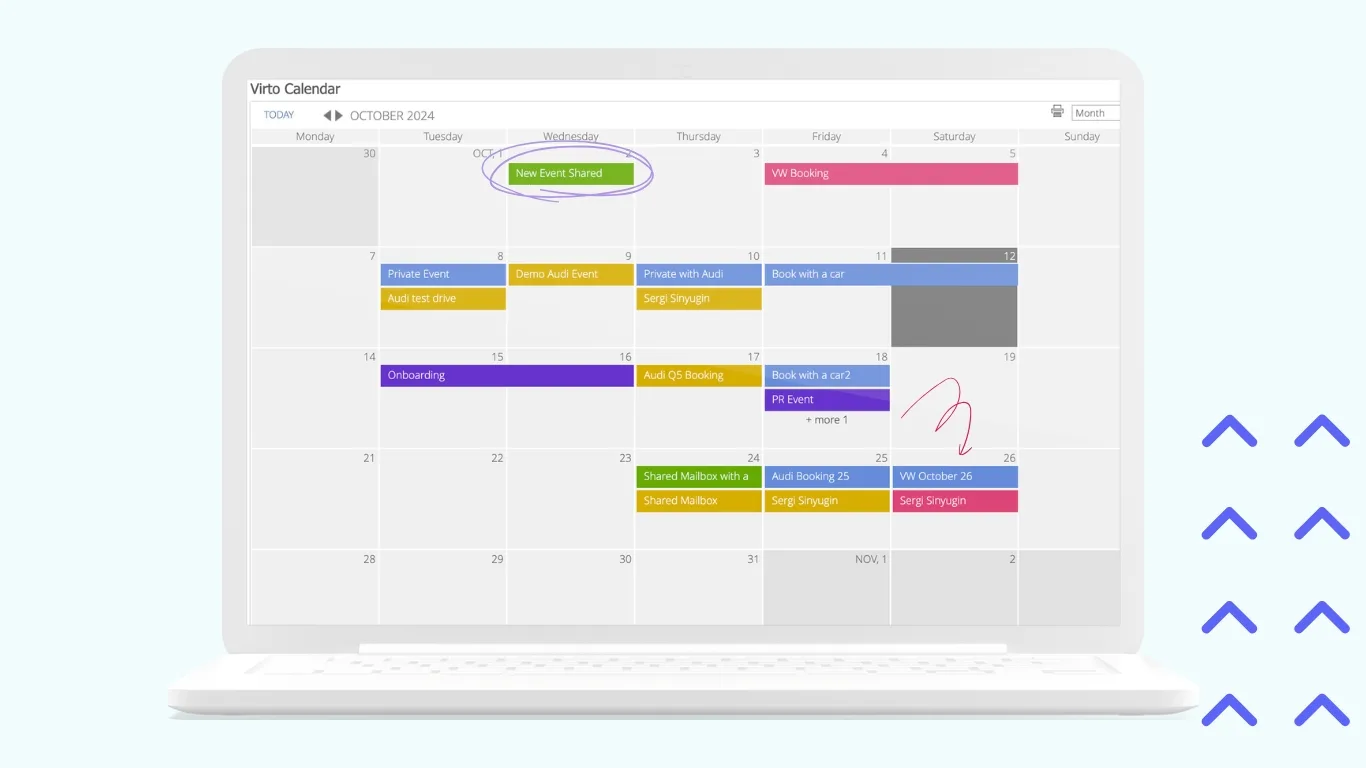
This advanced calendar overlays events from multiple sources such as SharePoint lists, Outlook calendars, Google Calendar, internet calendars, and more into a unified, color-coded calendar. Users can easily manage corporate schedules, work shifts, meetings, and vacations without toggling between apps. The calendar supports creating and editing events directly from SharePoint or Microsoft Teams with full synchronization. Features like color-coding and customizable views improve planning and visibility.
- Virto Gantt Chart Web Part
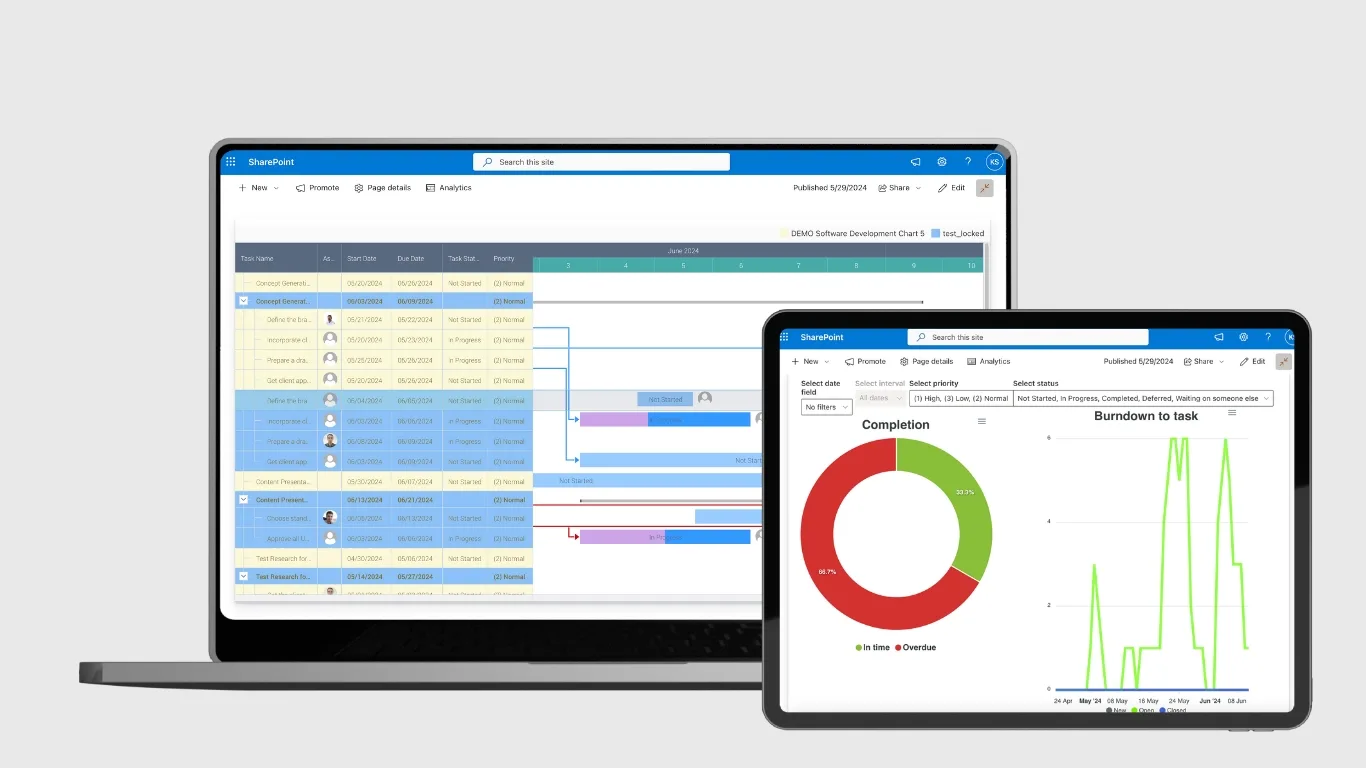
Designed for project management within SharePoint, the Gantt Chart Web Part presents projects visually with timelines, task dependencies, and milestones. It provides a clear overview of project progress, making deadlines visible. This feature effectively converts SharePoint into a lightweight project management tool accessible to all users.
- Virto Alerts & Reminders
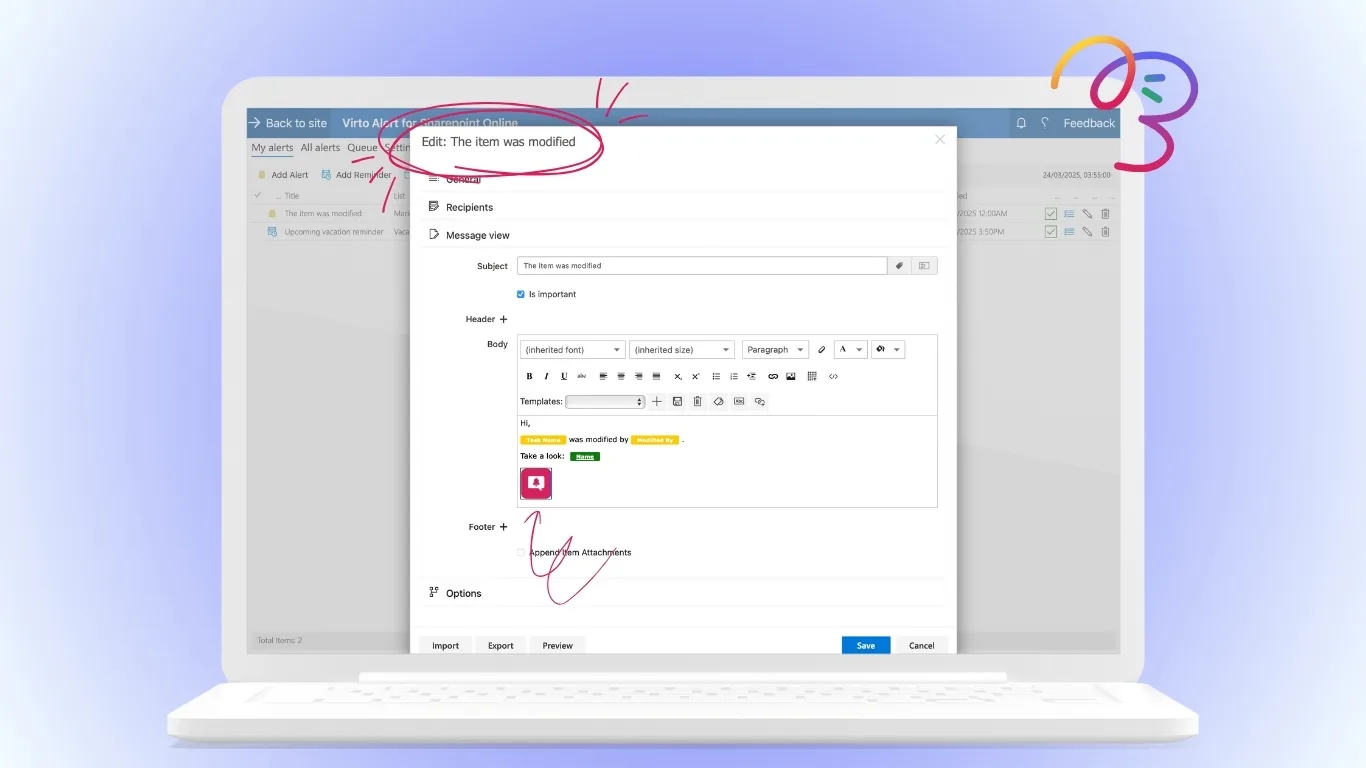
This solution automates notifications via email or Microsoft Teams to remind employees about upcoming deadlines, overdue tasks, or important dates. It is fully customizable with rules and schedules for alerts, reducing the risk of missed events.
- Virto Workflow Activities and Workflow Status Monitor
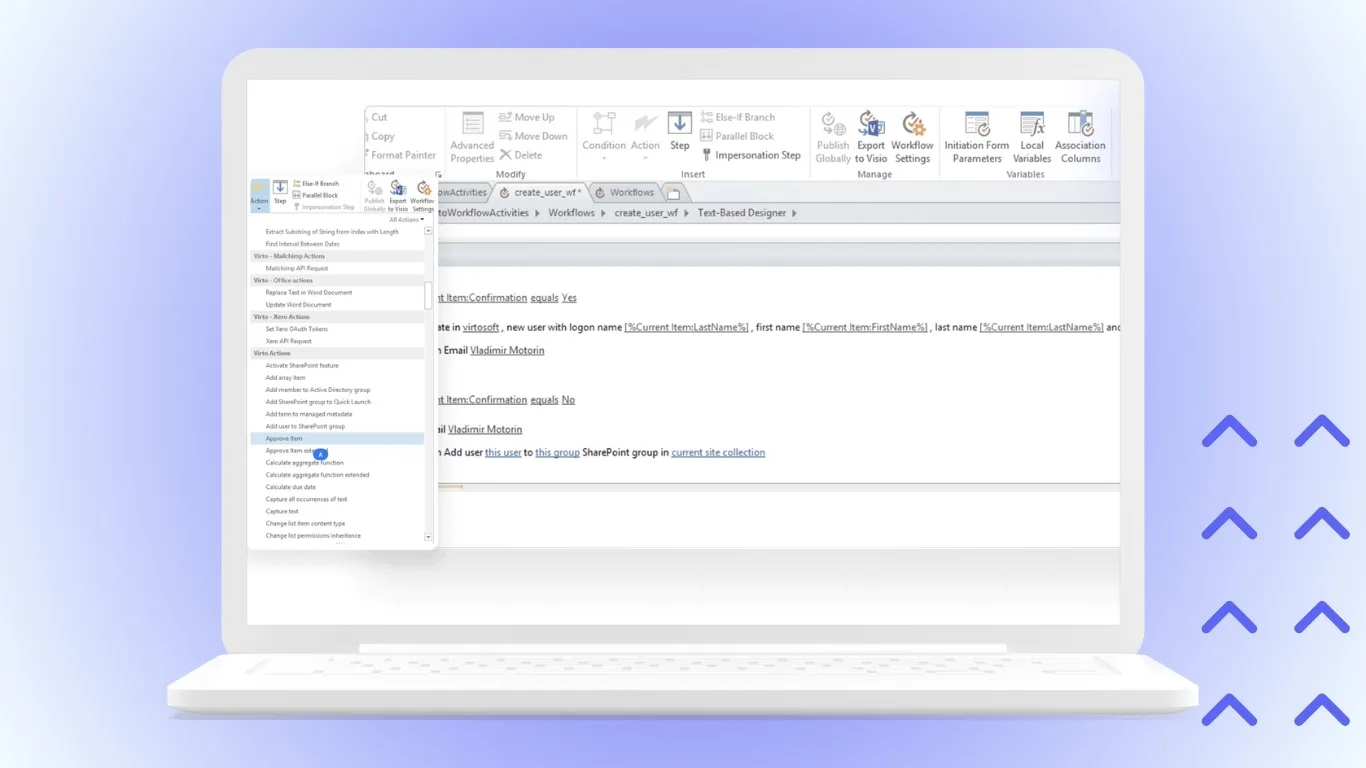
These tools offer no-code workflow creation and monitoring for business processes like document approvals and task tracking. With over 270 available activities, organizations can design sophisticated automations without coding, freeing up administrative resources. The Status Monitor provides clear visibility into workflow execution and bottlenecks.
- Virto Multiple File Operations
This web part simplifies bulk actions on documents such as moving, copying, deleting, and editing metadata for multiple files simultaneously. It saves significant time for content managers and employees handling large document libraries.
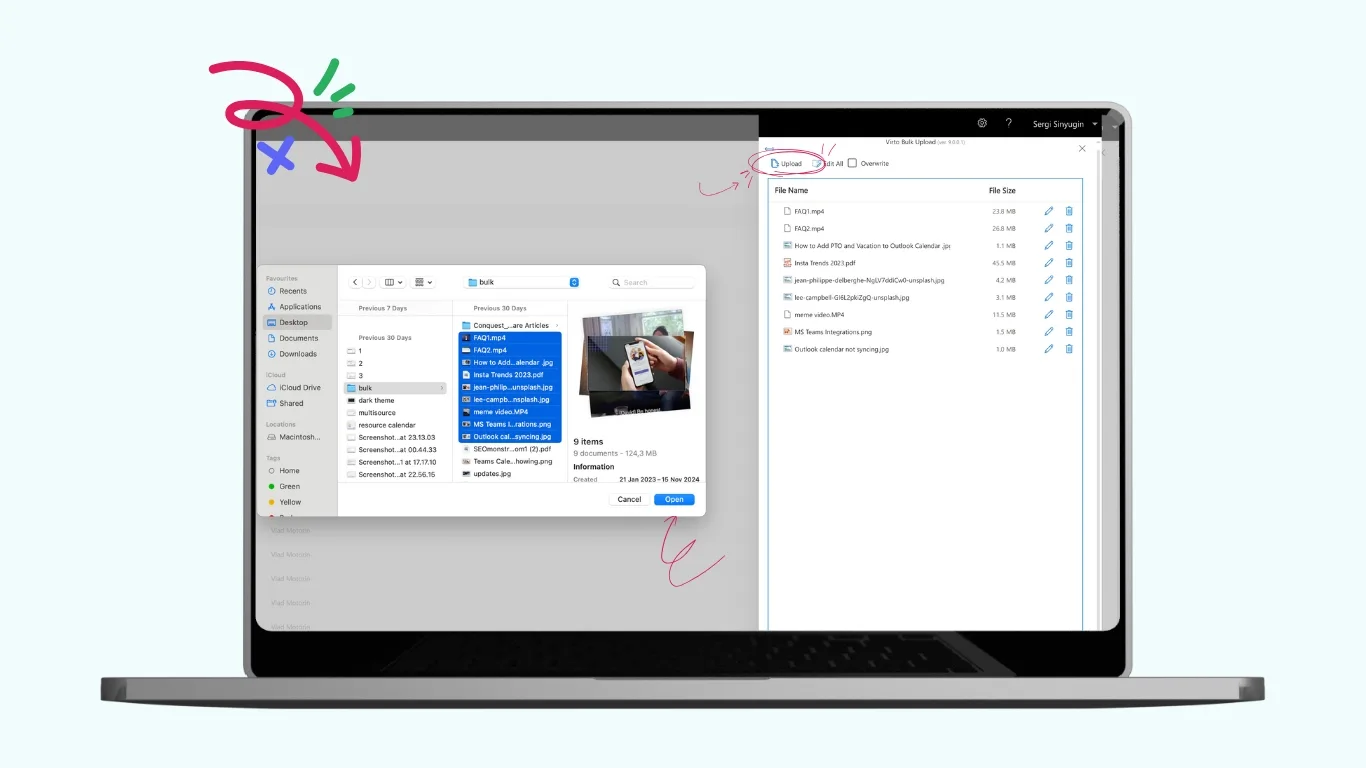
Through these add-ons, SharePoint goes beyond its basic document repository to become a dynamic workplace that supports the full spectrum of collaboration, task management, and automation needs.
Conclusion
Building an effective intranet requires careful planning, thoughtful configuration, a well-structured design, the right technological tools, and active employee involvement. An intranet is not a one-time implementation but a continuously evolving ecosystem that grows alongside the company.
The most successful intranet projects use flexible and scalable platforms. Microsoft SharePoint, combined with VirtoSoftware products, allows companies to create an intranet that is not only a document repository but a powerful tool for all kinds of business processes. This combination supports improved automation and employee engagement, making it a top choice for modern workplaces.