
A refreshed roundup of the best calendar apps for college students in 2026 — top picks, key features, current pricing, and tips to keep classes, deadlines, and study time under control.
Quick answer: the best calendar for college students
Short version: the best calendar app for most college students is Google Calendar — it’s free, works on every device, and syncs effortlessly across your classes, deadlines, and personal life. If you live in Microsoft 365, Outlook Calendar is the strongest all-rounder, and for shared or institutional academic calendars, Virto Calendar overlays everything — Outlook, SharePoint, Teams, Planner, and Google — into one unified view.
Why students need a good calendar app — and how to choose
College life means juggling stacked classes, assignment deadlines, group projects, extracurriculars, and the personal time that keeps you sane. A good calendar app turns that chaos into a clear, color-coded schedule that updates in real time and follows you across every device.
When you choose one, weigh four things:
- Simplicity — it should reduce friction, not add it.
- Mobile-first — your phone is where you’ll actually check it.
- Integrations — syncing with your class portal, email, and cloud storage is what separates a planner from a system.
- Collaboration — shared calendars make group projects far less painful.
Best calendar apps for college students [2026]
Here are twelve calendars worth considering, with current features, availability, and pricing verified for 2026. Free tiers are flagged so you can start without spending a cent.
1. Google Calendar
Overview. A user-friendly interface and broad integrations make Google Calendar a top pick. Smart scheduling finds open slots, and Google Assistant lets you add or check events by voice. It’s completely free for personal use.
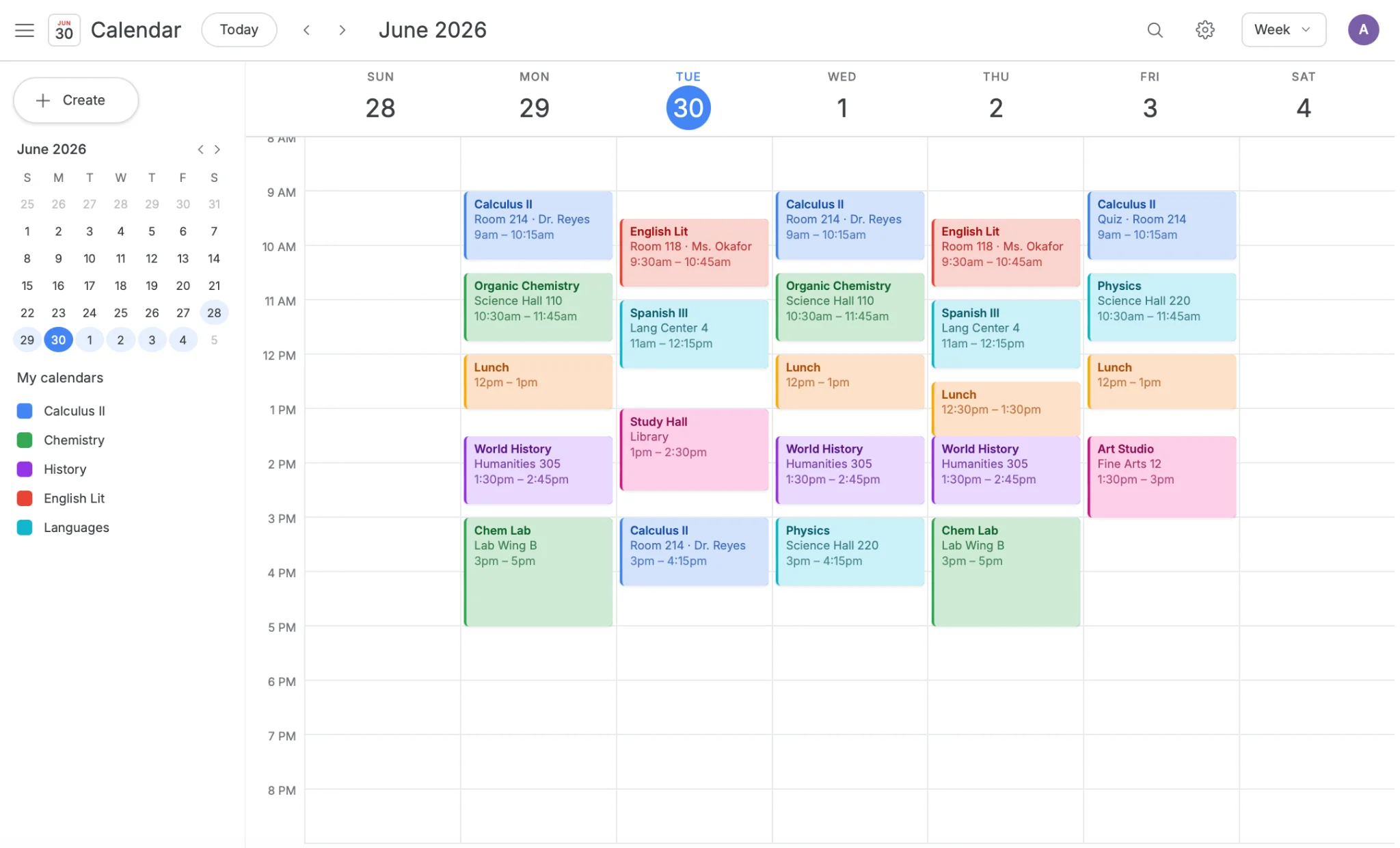
Google Calendar week view with color-coded class blocks
Availability. Native apps on Android and iOS; the web version is OS-agnostic (Windows, macOS, Linux). Free for personal use.
Google Calendar is a great tool to use in education to help set deadlines and due dates for my students.
— Karen B. (GetApp review)
Highlights:
- World clock — manage events across time zones; ideal for international students.
- Out-of-office — let classmates know when you’re unavailable.
- Multiple calendar overlay — classes, clubs, and personal plans in one view.
- Offline access — check your schedule without a connection.
- Google Meet links — spin up virtual study sessions in a click.
2. Virto Calendar App
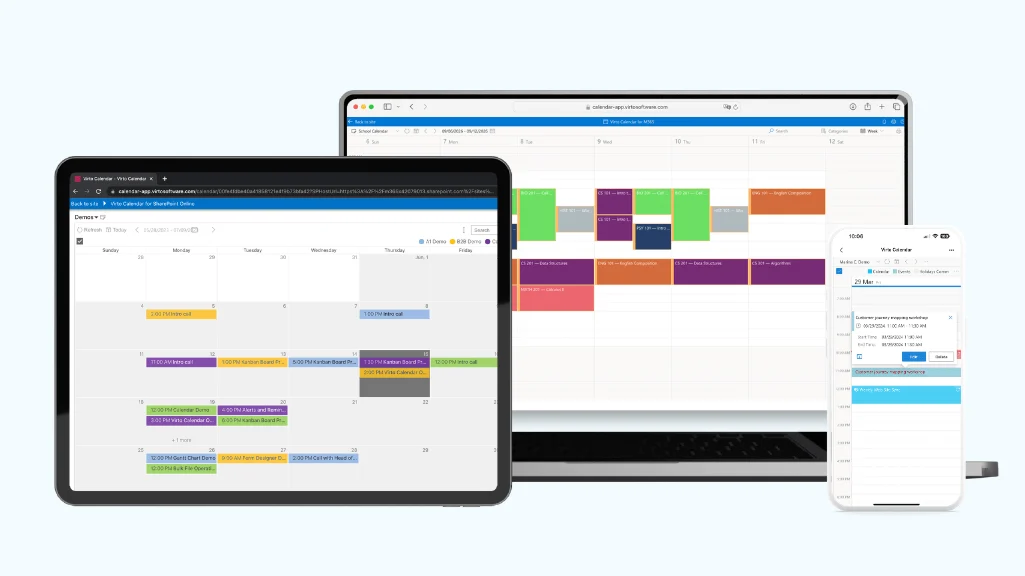
Overview. Virto Calendar consolidates Outlook, shared groups, SharePoint lists, Microsoft Planner, and external calendars into one view, with deep Microsoft Teams integration. It’s built for academic planning and shared scheduling across a faculty or student group — see the education use case for institutional setups.
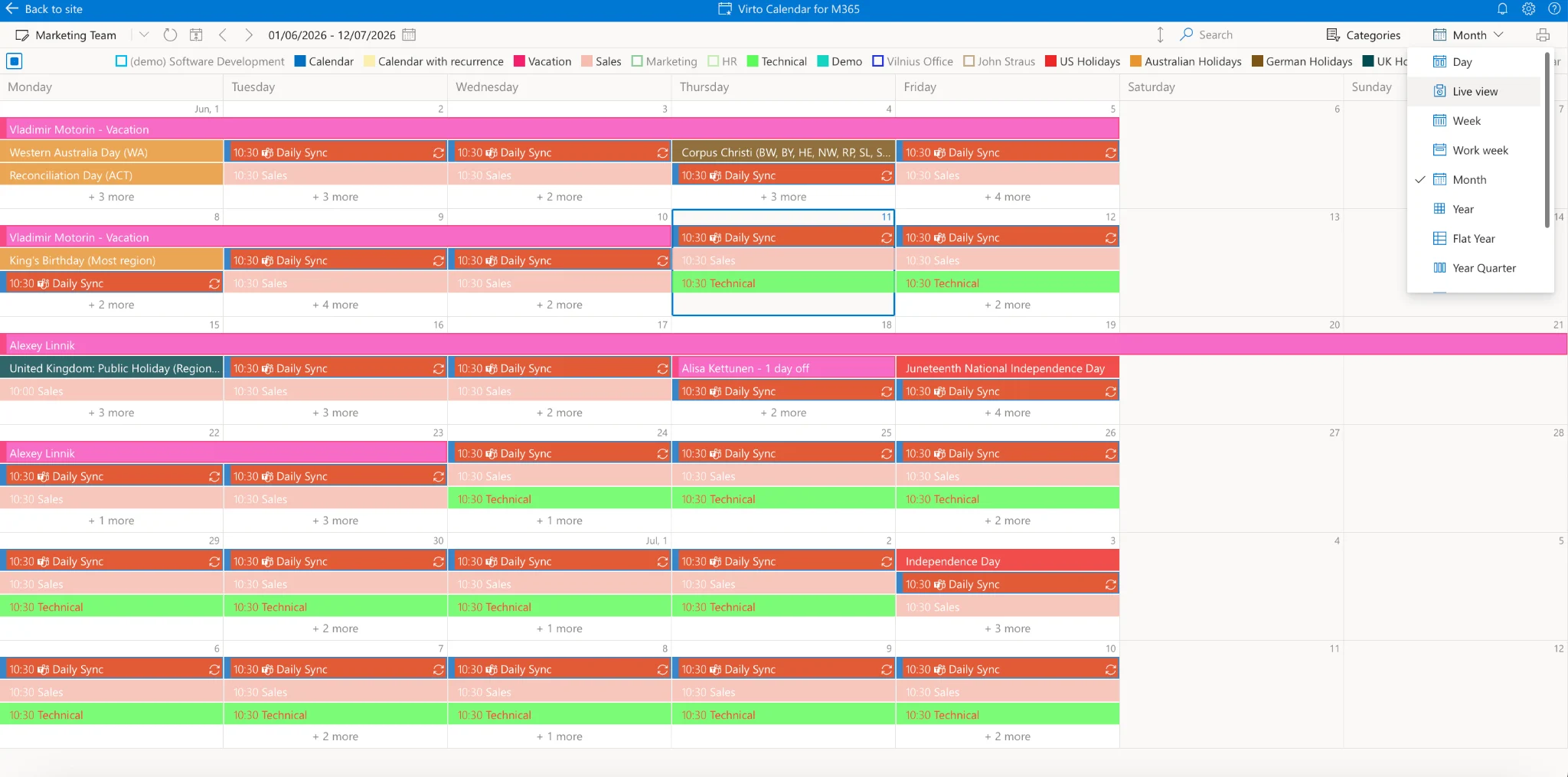
Virto Calendar
Availability. Native apps for Android and iOS plus a platform-agnostic web interface. Free trial available; paid plans for teams and institutions.
I use the calendar for keeping track of my uni schedule, scheduling Teams meetings on the go, and overlaying calendars for various projects with classmates.
— Dale Finn
Highlights:
- One license, every platform — consistent across web, phone, and Teams.
- Diverse source integration — Outlook, Gmail, SharePoint lists, and more in one unified calendar.
- Granular permissions — teammates see details; everyone else just sees “busy.”
- Timetabling — full academic-year overviews down to which room your next lecture is in.
- Recurring events — set a weekly study group once and never re-enter it.
3. Microsoft Outlook Calendar
Overview. Outlook Calendar integrates naturally with the Microsoft ecosystem — OneDrive, Teams, OneNote, and Microsoft To Do — making it a strong all-rounder for students already on Microsoft 365. The web version is free for personal use.
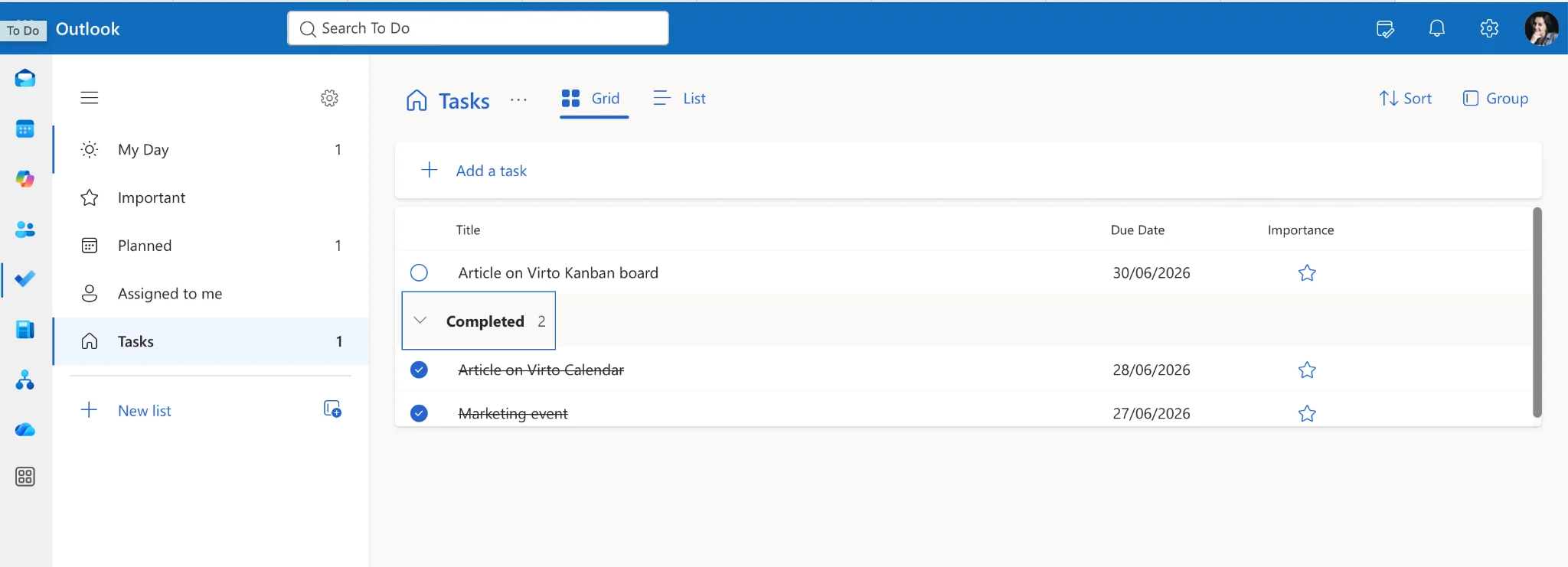
Outlook Calendar with To Do tasks
Availability. Native apps for Windows, Android, iOS, and macOS; web access via Microsoft 365. Free for personal use.
As a student, I have found Microsoft Outlook to be an indispensable tool for managing my email, calendar, and tasks. The layout is intuitive and easy to navigate.
— Abdirizak Mohamed A. (Capterra review)
Highlights:
- Microsoft ecosystem — OneDrive, Teams, and OneNote in one place.
- Rich customization — color-coding, categories, and custom reminders.
- Task integration — sync directly from Microsoft To Do.
- Time zone support — handy for global projects.
- Focused inbox — keep important reminders from getting buried.
4. Apple Calendar
Overview. Apple Calendar’s clean, minimalist design lives inside the Apple ecosystem, syncing through iCloud across iPhone, iPad, and Mac. It’s free and built in.
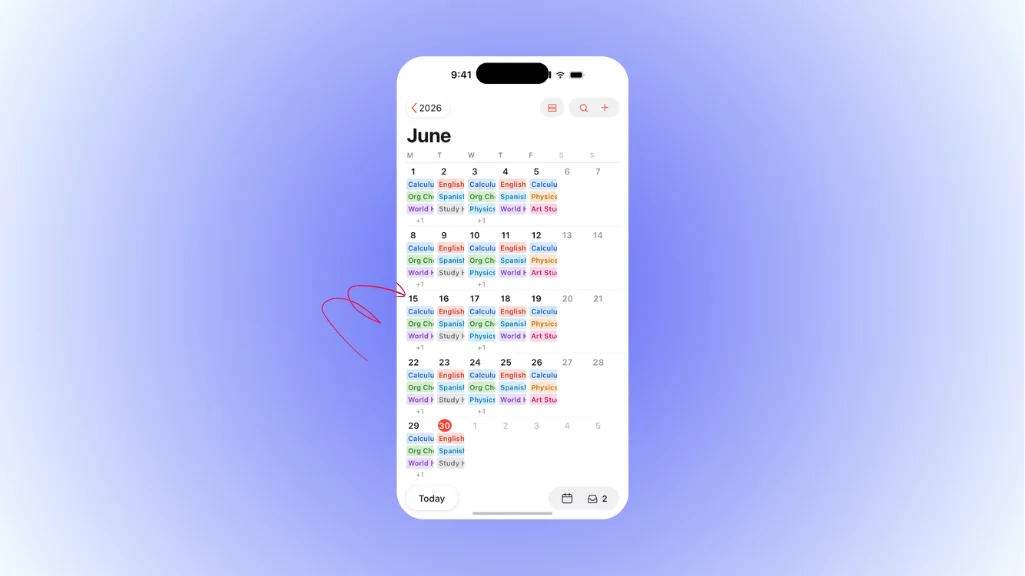
Apple Calendar month view on iPhone
Availability. Free, built-in on all Apple devices; iCloud web access for cross-platform use.
It makes it super easy to view what’s going on a particular day. It also lines up with my Apple Watch.
— Sherby Gully (Trustradius review)
Highlights:
- Natural language input — ask Siri to schedule in plain English.
- Travel time — get alerted when it’s time to leave.
- Interactive notifications — act on events without opening the app.
- Event suggestions — based on patterns and other Apple apps.
- Maps integration — directions straight to your next class or event.
5. Any.do
Overview. Any.do pairs a friendly interface with flexible planning and an integrated task manager — a solid fit for students balancing lectures, meetings, and to-dos. Free for personal use, with a paid premium tier.
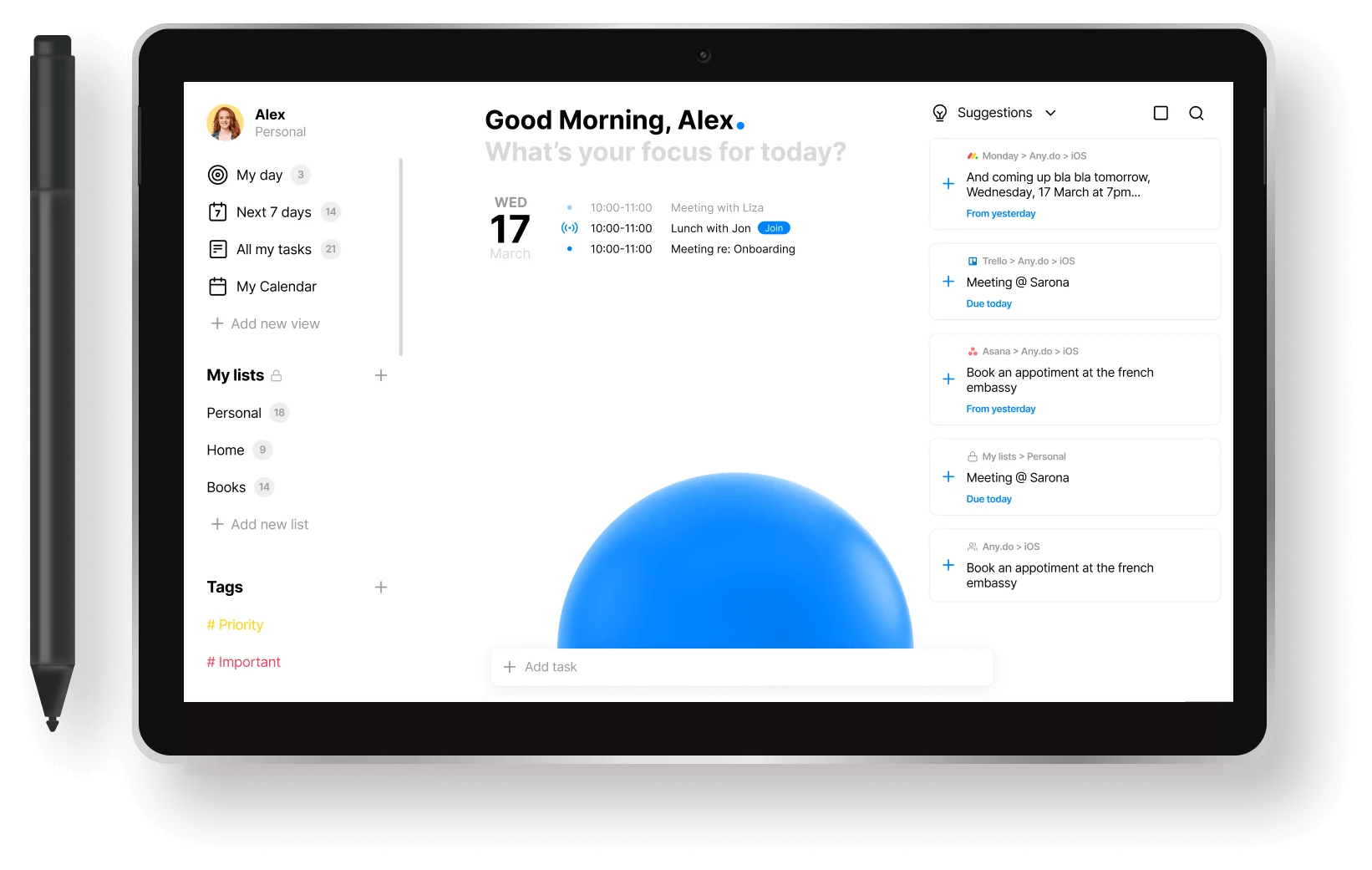
Any.do daily planner view
Availability. Android, iOS, and web. Free for personal use; premium tier adds features.
I loved its UI the most. The natural language to create tasks is its best feature.
— Binigya D. (GetApp review)
Highlights:
- Integrated task manager — more than a calendar.
- Location-based reminders (premium) — nudges tied to where you are.
- Voice entry — add events and tasks hands-free.
- Focus mode (premium) — study more productively.
6. Notion
Overview. Notion isn’t a typical calendar — it’s an all-in-one workspace that combines notes, tasks, databases, and scheduling. Flexible and collaborative, it’s free for personal use.
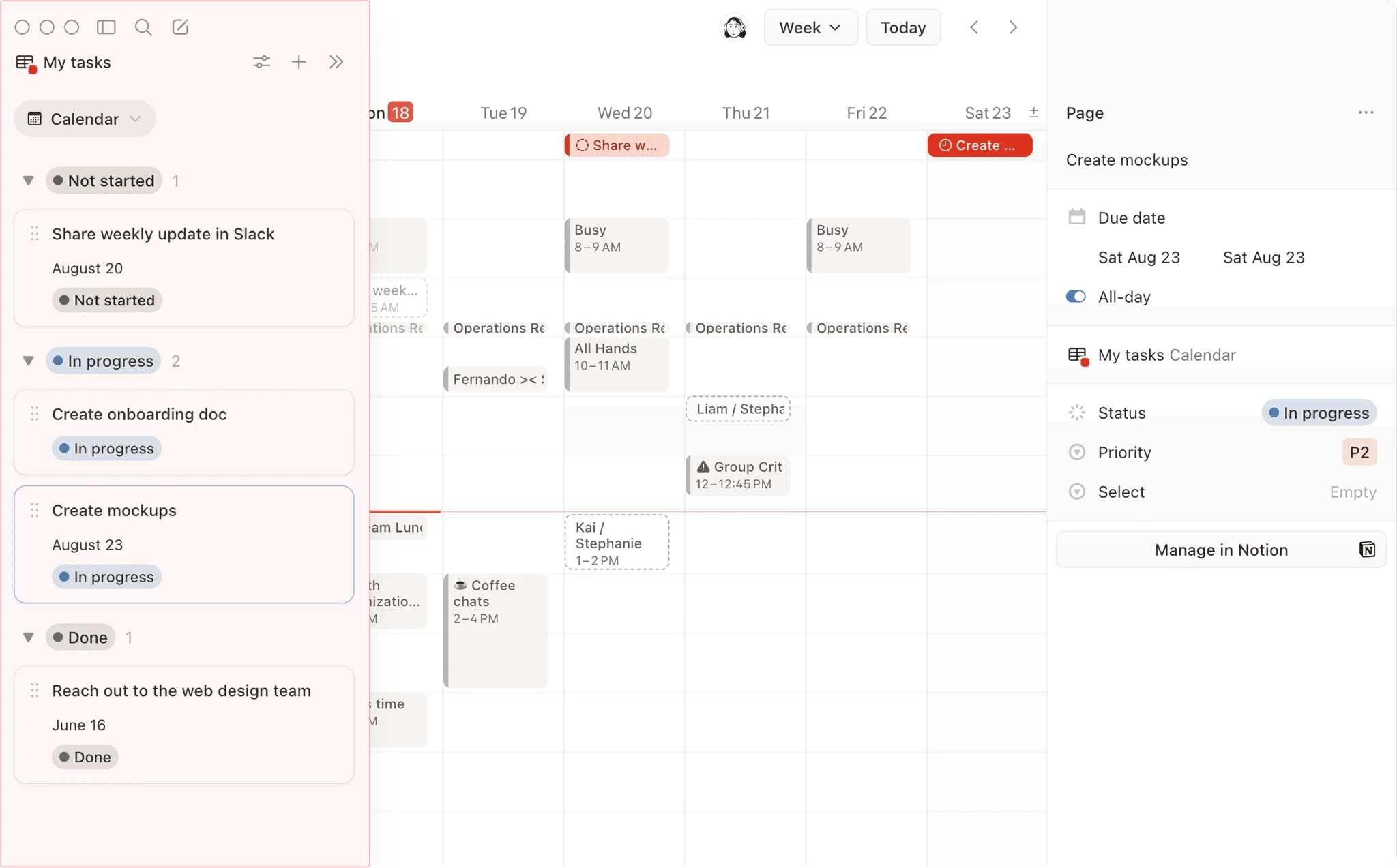
Notion calendar database with linked tasks
Availability. Dedicated apps for Android, iOS, desktop, and web. Free for personal use.
It’s the best app so far, it has made my life more organized and helped me manage my time efficiently.
— Merna S. (G2 review)
Highlights:
- Flexible workspaces — notes, tasks, and databases your way.
- Collaborative spaces — real-time editing for group projects.
- Customizable templates — build the structure your courses need.
- Hierarchical pages — nest complex academic materials.
- Databases & kanban — visualize deadlines as tables, lists, or boards.
7. Todoist
Overview. Todoist is a full-scale task manager with flexible, shareable tracking and broad integrations — including Google Calendar. Free, with a paid premium tier.
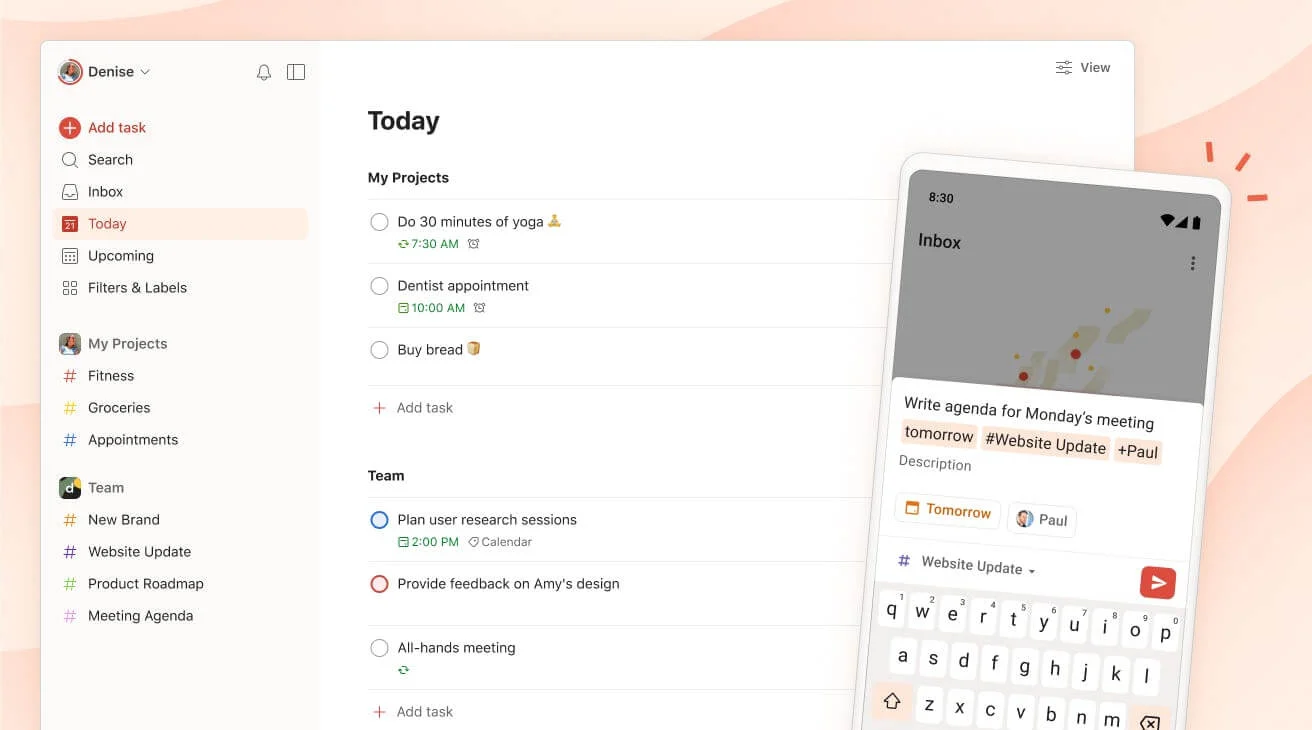
Todoist
Availability. Android, iOS, desktop, and web. Free; premium tier adds features.
Todoist has many if not the most upsides from all of the to-do list apps that I have tried.
— Ethan P. (G2 review)
Highlights:
- Task prioritization — keep key deadlines from slipping.
- Labels & filters — sort coursework, research, and meetings.
- Natural language input — type a task and it auto-schedules.
- Productivity metrics — the Karma system gamifies your progress.
- Shared projects — collaborate and delegate in real time.
8. Timetable
Overview. Timetable is a dedicated academic tool that compiles lectures and assignments into a clean list or grid. Free on Android.
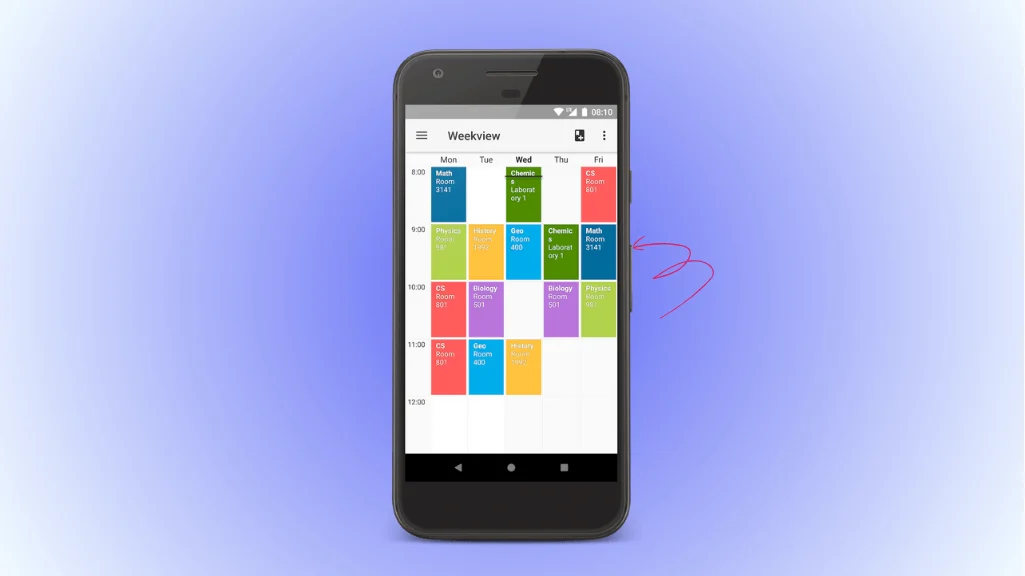
Timetable app
Availability. Free app for Android.
This got me all the way through college, and I still find the task list feature to be extremely helpful.
— Keyera Johnson (Google Play review)
Highlights:
- Class organization — track every lecture and tutorial.
- Assignment tracker — reminders for upcoming work and exams.
- Custom themes — personalize the look.
- Conflict notifications — alerts for schedule overlaps.
- Automute — silences your phone during scheduled classes.
9. My Study Life
Overview. My Study Life is purpose-built for students, with a customizable planner for classes, deadlines, exams, and study sessions, plus to-do lists and reminders. Free across platforms.
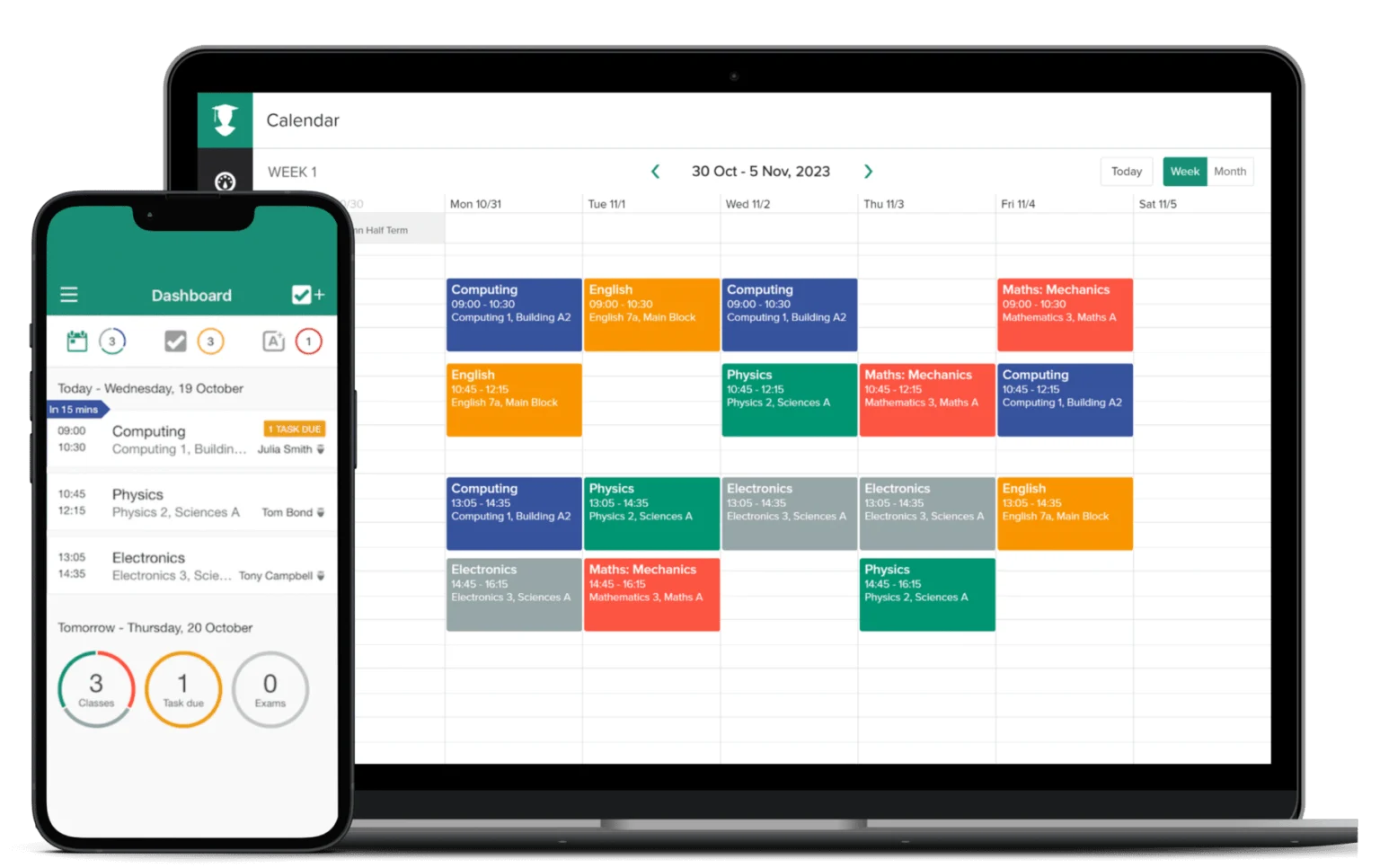
My Study Life
Availability. Free on Android, iOS, and web.
It’s completely changed the way I go about schoolwork! Because it’s online it’s always available and easily accessible.
— Rayebeth (App Store review)
Highlights:
- Assignment & exam trackers — never miss a submission or test.
- Study session planner — block dedicated study time.
- Class schedule organizer — daily, weekly, or monthly views.
- Task prioritization — rank by urgency and track completion.
10. Pocket Schedule Planner
Overview. Pocket Schedule Planner is an iOS tool built for students to track classes, assignments, and commitments, with strong customization. Free to download, with optional in-app purchases.
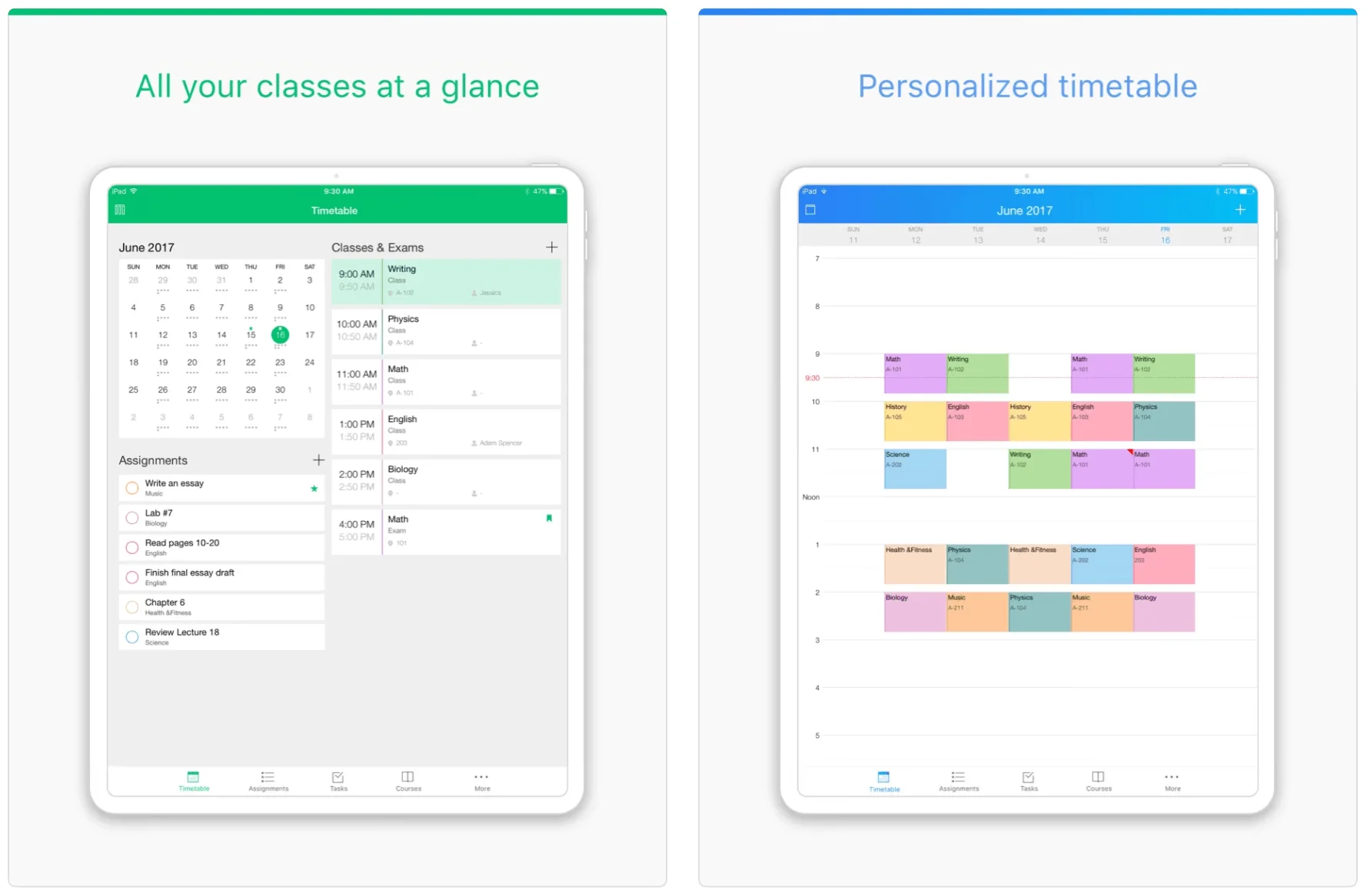
Pocket Schedule Planner
Availability. iOS (iPhone and iPad). Free download with in-app purchases; confirm current pricing on the App Store before recommending.
I love this app. It’s helped me so much in staying organized! Its features are easy and intuitive.
— Acemagmagrunt (App Store review)
Highlights:
- Assignment tracker — reminders and due-date notifications.
- Class organizer — visualize your week or semester.
- Priority setting — flag the deadlines that matter most.
11. Calendars by Readdle
Overview. Calendars by Readdle is a polished organizational app for the Apple ecosystem, blending class schedules, events, and tasks in one place. It has a free version; Pro runs $19.99/year (about $3.99/month), with a $59.99 lifetime option and a 7-day trial.
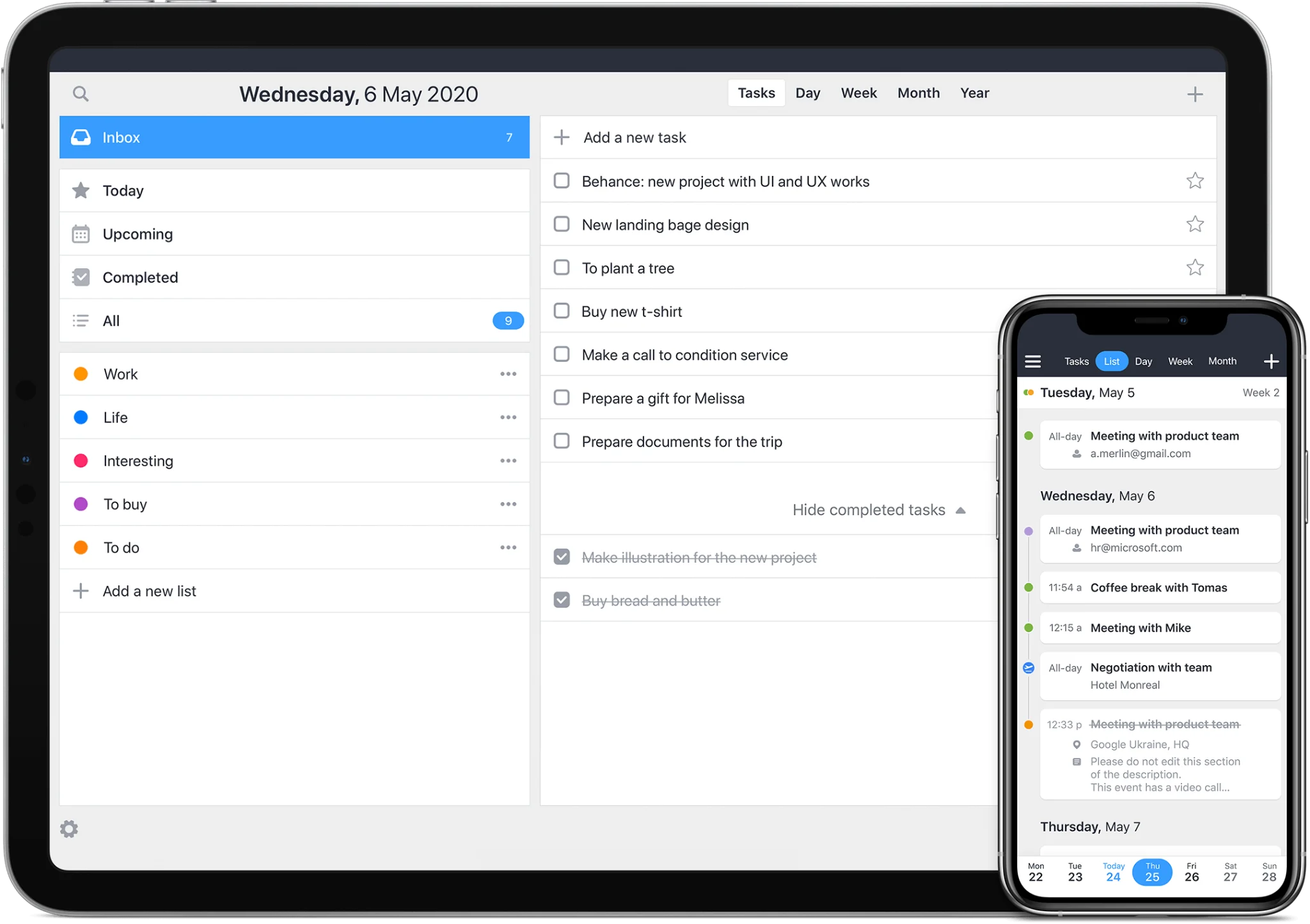
Calendars by Readdle planner
Availability. Apple only — iPhone, iPad, Mac, and Apple Watch. Free version; Pro at $19.99/year or $59.99 lifetime.
I’ve been using this for over two years and this calendar works and is reasonably easy to learn.
— Jodie001 (App Store review)
Highlights:
- Drag-and-drop scheduling — reschedule by dragging events.
- Natural language input (Pro) — type events in plain English.
- Custom recurring events (Pro) — flexible repeat patterns.
- Offline mode — manage your schedule without a connection.
12. Microsoft To Do
Overview. Microsoft To Do (the successor to Wunderlist) pairs task lists with calendar functions and integrates across the Microsoft stack. Free on every major platform.
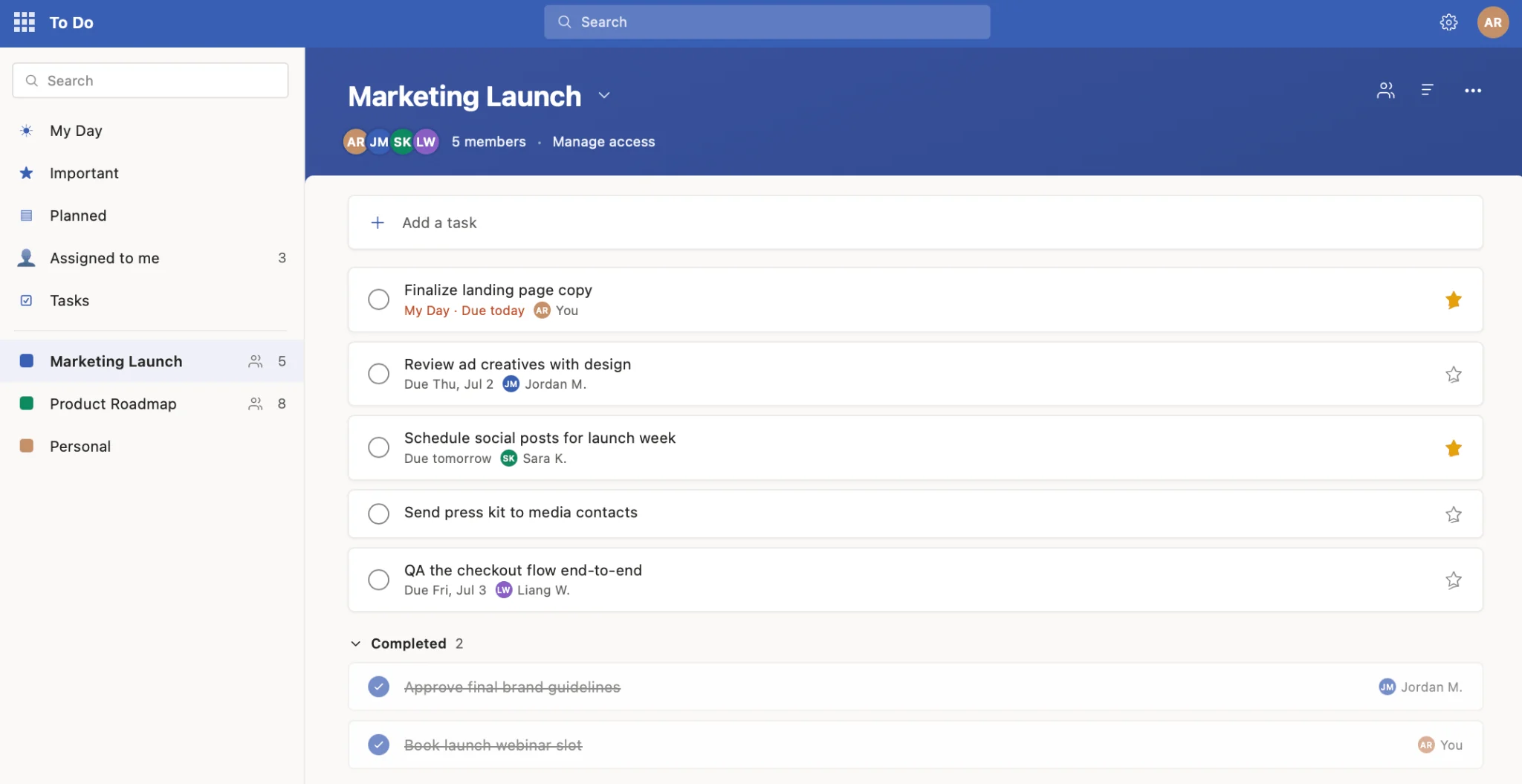
Microsoft To Do shared list view
Availability. Free on iOS, Android, Windows, and web.
I like how it keeps me organized in one place. I like that this is electronic so if I forgot a physical list, it’s not an issue.
— Alexis A. (GetApp review)
Highlights:
- List sharing — collaborate on group projects.
- Sub-tasks & notes — break big tasks into steps.
- Starred tasks — prioritize what matters.
Overlay all your college calendars in one place. Try Virto Calendar App to bring Outlook, SharePoint, Teams, Planner, and Google calendars into one unified academic view — or explore the education use case for shared faculty and campus scheduling.
Explore Virto Apps for Students and Campuses

Comparison table
A quick side-by-side of features, pricing, and the best fit for each app:
| Calendar app | Notable features | Pricing | Best suited for |
|---|---|---|---|
| Google Calendar | Shared calendars, color-coding, Google Meet links, smart scheduling | Free | General scheduling for Google users |
| Virto Calendar | Multi-source overlay, granular permissions, timetabling, Microsoft 365 integration | Free trial; paid plans | Comprehensive academic & shared planning |
| Microsoft Outlook | Microsoft 365 ecosystem, To Do tasks, focused inbox | Free for personal use | Microsoft 365 users |
| Apple Calendar | iCloud sync, Siri input, travel time, Maps | Free (built-in) | Apple device users |
| Any.do | Task manager, daily planner, voice entry | Free; paid premium tier | Juggling tasks and events |
| Notion | All-in-one workspace, databases, kanban, templates | Free for personal use | Project & academic planning |
| Todoist | Task priorities, labels, natural language, karma | Free; paid premium tier | Task-heavy users |
| Timetable | Class schedules, themes, widgets, automute | Free (Android) | Strictly academic planning |
| My Study Life | Assignment & exam trackers, study planner, cross-platform | Free | Academic-centric scheduling |
| Pocket Schedule Planner | Assignment tracker, class organizer, priorities | Free; in-app purchases | Detailed academic planning (iOS) |
| Calendars by Readdle | Natural language input, drag-and-drop, tasks + events | Free; Pro $19.99/yr (or $59.99 lifetime) | Combined task & event view (Apple) |
| Microsoft To Do | Task lists, shared tasks, cross-platform | Free | Simple task management |
Calendars for universities and campus scheduling
For institutional scheduling — coordinating events, class timetables, and campus-wide notifications — you’ll want software with event management, class-schedule handling, and broad integration. The three features that matter most are event management, class schedules, and campus notifications.
| Software | Event management | Class schedules | Additional features |
|---|---|---|---|
| Virto Calendar | Yes | Yes | Integrates with SharePoint, Outlook, Teams, Planner |
| My Study Life | Yes | Yes | Cross-device synchronization |
| Timetable | No | Yes | Offline mode, light/dark theme |
| Pocket Schedule Planner | Yes | Yes | Intuitive design, assignment tracker |
| Calendars by Readdle | Yes | Yes | Natural language input, tasks + events |
| Microsoft To Do | No | No | Task prioritization, shareable lists |
Building timetables or managing campus-wide scheduling is a distinct job from picking a personal calendar. For those, see our guides to the college schedule maker, student scheduling software, and the AI school timetable guide.
Explore Our Use Cases for Education
Class Scheduling
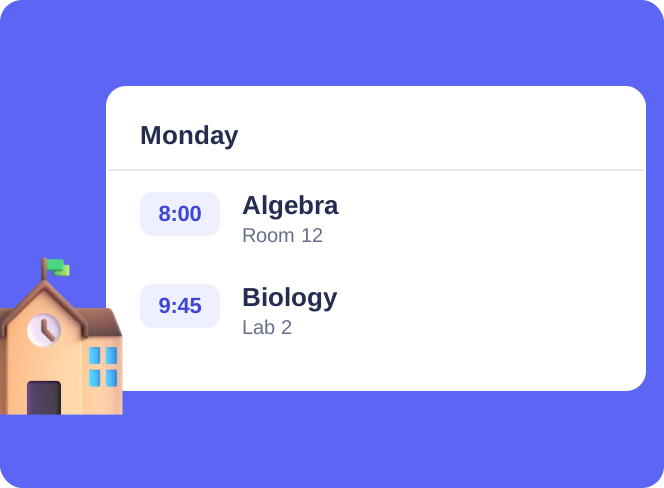
Say goodbye to scheduling conflicts, missed classes, and administrative headaches. With Virto Calendar, focus on what matters most: delivering quality education.
Learn more about Class Scheduling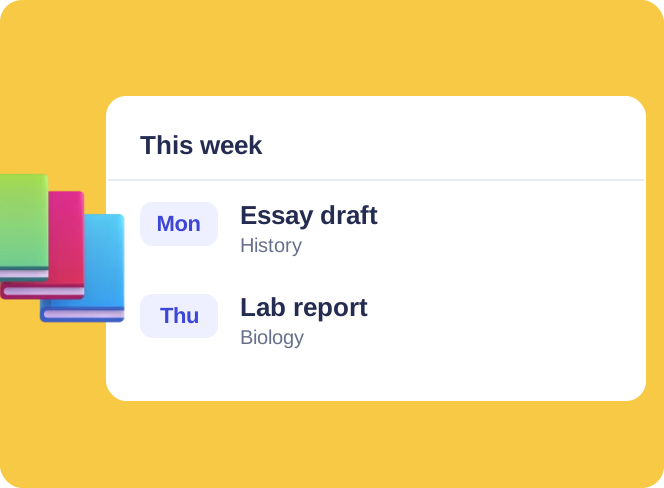
Assignment Calendar
Get a clear view of your academic workload with Virto Calendar. Track assignment deadlines, plan study sessions, and balance coursework across subjects.
Learn more about Assignment Calendar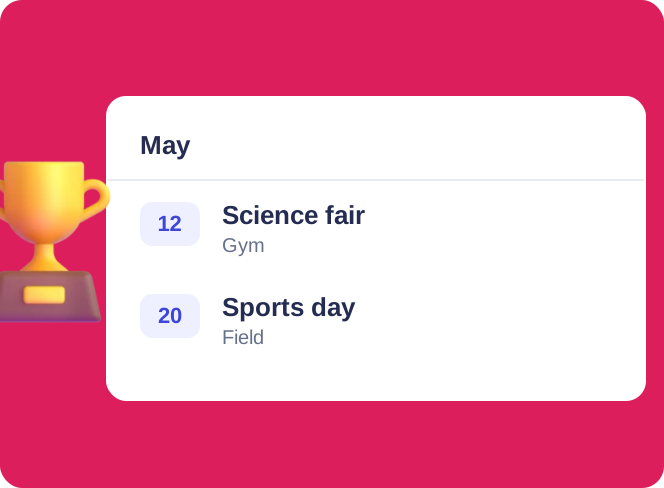
School Event Calendar
Unify school events with Virto Calendar. Coordinate assemblies, sports matches, and extracurricular activities for better communication and participation.
Learn more about School Event CalendarTips to use your calendar effectively
- Start simple — load class schedules, exam dates, and deadlines first.
- Set strategic reminders — one a few days out, one closer to the time.
- Use time blocking — color-code lectures, study, and personal time, and reserve focused blocks for deep work.
- Sync across devices — real-time updates on phone, tablet, and laptop.
- Integrate your tools — connect email, task managers, and notes.
- Review weekly — a 10-minute reset keeps everything current.
FAQ
What is the best calendar app for college students?
It depends on your ecosystem: Google Calendar (free, cross-platform) and Outlook (Microsoft 365) are the strongest all-rounders, while Notion Calendar and Apple Calendar suit specific workflows. Check the comparison table to match one to your devices and habits.
What is the best free calendar for students?
Google Calendar is the best free option for most students — it’s cross-platform, syncs everywhere, and integrates widely. Apple Calendar (built into Apple devices), My Study Life, and Microsoft To Do are also fully free.
Are there free calendar apps suitable for college students?
Yes. Google Calendar, Apple Calendar, My Study Life, Microsoft To Do, and the free tier of Any.do all work well for students at no cost.
Can I integrate my college calendar with my personal calendar?
Most apps let you overlay multiple calendars so academic and personal events sit side by side. Virto Calendar specializes in this, combining sources like Outlook, SharePoint, Teams, and Google into one view.
Do these calendars support group projects and study groups?
Yes — most support event sharing or collaboration, which makes coordinating group projects and study sessions straightforward.
Conclusion
The right calendar turns a hectic semester into a structured, low-stress routine — better deadline management, fewer missed sessions, and improved work-life balance. If you need something built for the demands of academic and shared scheduling, try the Virto Calendar App and see how a unified view transforms your academic year.
Virto Calendar across devices