


Free worksheet · Excel and PDF
Calendar inventory for your organization
A worksheet for Microsoft 365: list every calendar people rely on, see where they overlap, and decide what to keep, combine, merge or retire.
- One list of every calendar, with its owner and its audience
- The calendars that hold the same events twice
- The calendars that depend on Exchange Web Services, which Microsoft is turning off
- A decision for each calendar, and a short list of next steps
Get the worksheet
What's inside
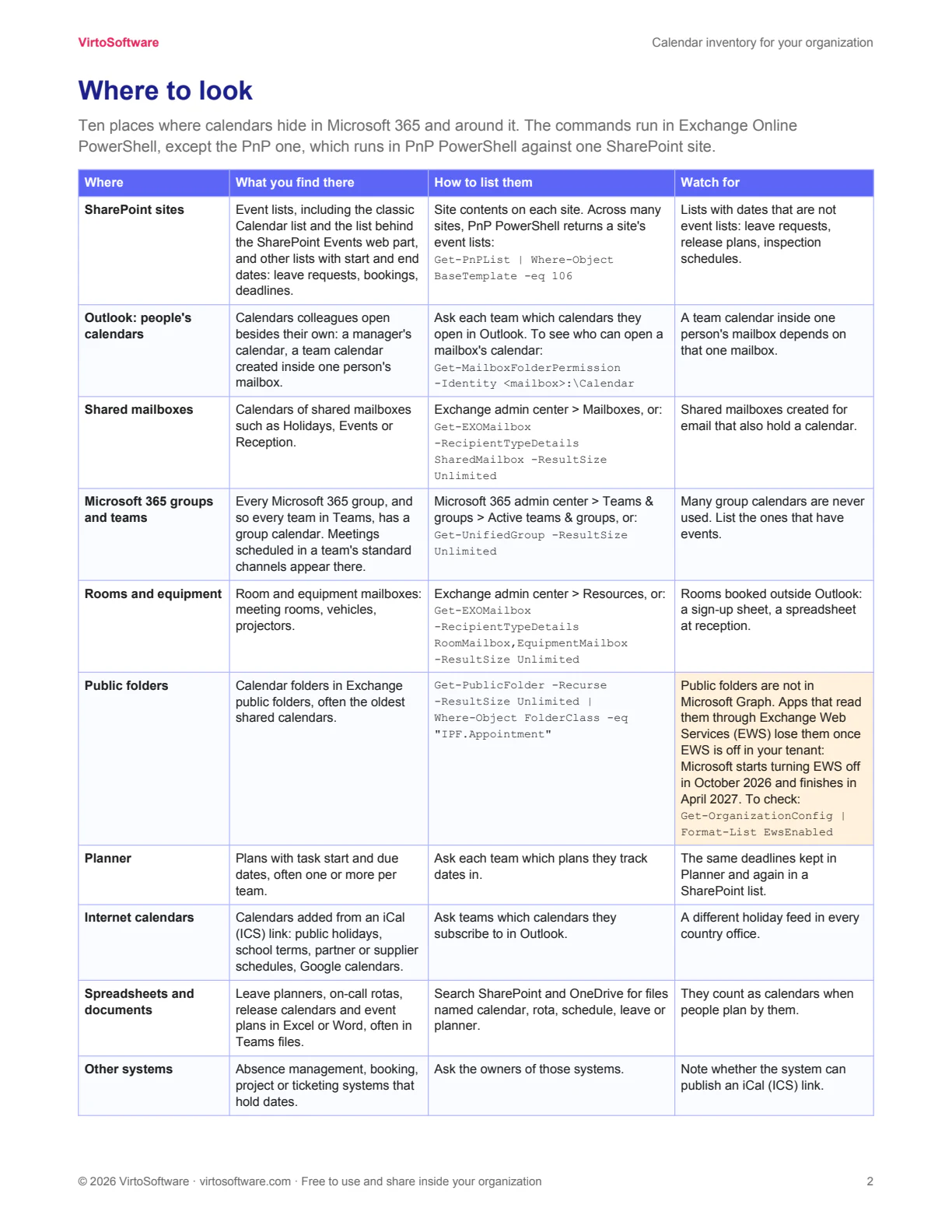
- Where to look: ten places calendars hide in Microsoft 365 and around it, with the admin command for each
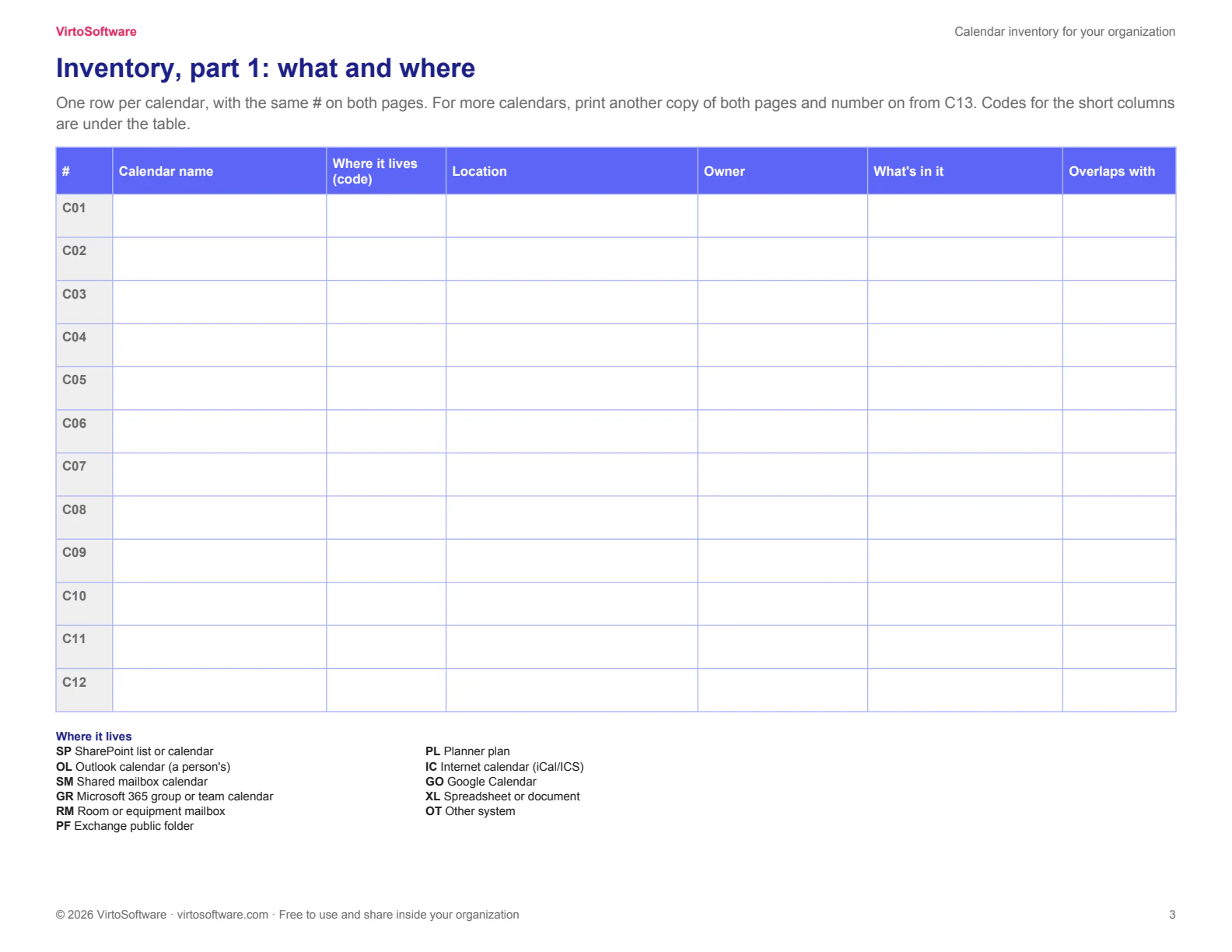
- Inventory: one row per calendar, with its owner, readers and editors, the view people need, overlaps and sensitivity
- Summary: the counts fill in themselves as you type
- What next: what to do with each decision, and where one combined calendar helps
Type into it, or print it
- Excel: drop-down lists, a Summary sheet that counts for you, and a filled-in example
- PDF: two inventory pages to print, twelve calendars each, with codes for the short columns
- It works without any product of ours; the last page shows where Virto Calendar App fits and what it does not do
Questions
Is it free?
Yes. You get the Excel workbook and the PDF as soon as you confirm your email address.
Do I need Virto Calendar App to use it?
No. The worksheet works on its own. Its last sheet shows where Virto Calendar App helps and what it does not do.
Who should fill it in?
A Microsoft 365 or SharePoint administrator, together with the people who run the calendars: office managers, HR, the project office, team leads. Start with one department, then extend.
What do you do with my email address?
We send the confirmation and the files. Other emails only if you tick the box, and every one has an unsubscribe link. See the Privacy Policy.
Get the worksheet