


Traditional insurance workflows—often packed with manual data entry and repetitive administrative tasks—can no longer keep up with modern customer expectations. Clients today expect quick responses, seamless claim handling, and personalized service. Meanwhile, insurers must ensure compliance with strict regulations and maintain data accuracy.
In this environment, speed and efficiency have become key competitive advantages. Insurance companies that continue relying on slow, manual processes risk losing clients to more agile competitors. That’s where insurance workflow automation comes into play. By adopting insurance workflow software and automation tools, insurers can reduce operational costs and deliver high-quality customer service faster than ever before.
This article explores what an insurance workflow is, how insurance workflow automation works, and why it’s essential for modern insurers. You’ll discover the best insurance workflow automation software currently available, learn how to implement these solutions effectively, and find practical tips for digital transformation in your insurance business.
What Is Insurance Workflow Automation?
Insurance workflow automation involves the use of specialized software designed to systematize and perform sequential tasks that were traditionally done manually. This includes important functions such as:
- routing applications
- sending notifications
- collecting documents
- and conducting compliance verifications.
By automating these routine and repetitive steps, insurance companies transform manual, error-prone workflows into digital processes that operate faster and more accurately. Automation allows insurers to deliver services more efficiently, reduce human error, and provide regulatory compliance. It often uses technologies like AI, robotic process automation (RPA), and advanced analytics to optimize process execution, reduce costs, and improve customer experience.
What is workflow in insurance?
A workflow in insurance is a standardized sequence of steps that must be followed to complete a recurring insurance operation. These workflows guide processes like:
- issuing new policies
- modifying existing contracts
- handling claims
- underwriting
- and managing customer inquiries.
Workflows define the logical, step-by-step progression of tasks and approvals required for insurance business functions. Typical insurance workflows include application intake and verification, claims management, policy administration, risk assessment through underwriting, and customer service engagements.
👉 Learn more about Compliance tracking software »>
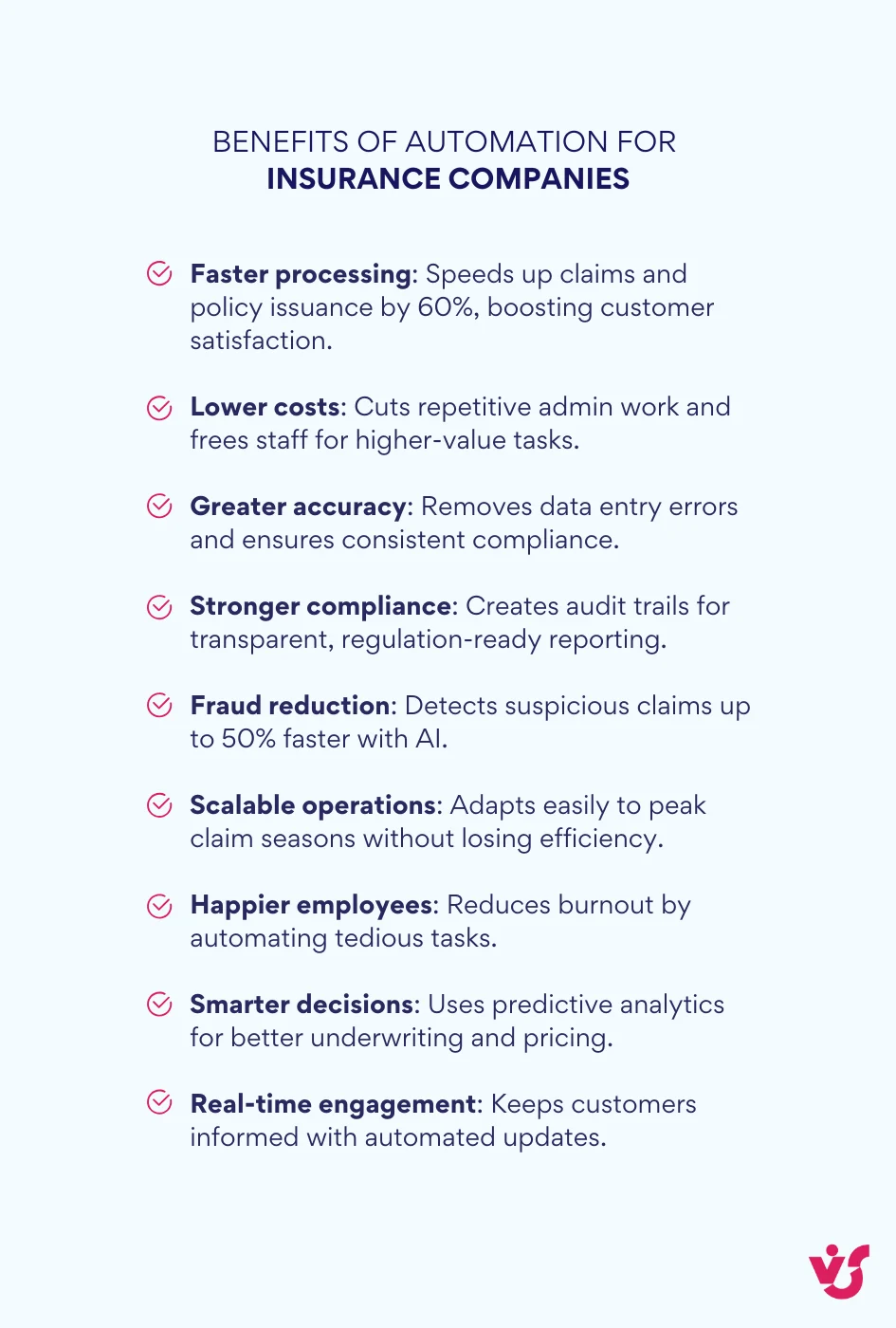
Benefits of Automation for Insurance Companies
✅ Faster processing and improved customer experience: Automation can accelerate critical processes like claims reviews and policy issuance by 50%, directly enhancing client loyalty.
✅ Reduced operational costs and increased efficiency: Automating repetitive administrative tasks frees staff to focus on higher-value activities, lowering expenses.
✅ Greater accuracy and reduced operational risks: Automated workflows eliminate manual data entry errors so that every step, such as compliance checks, is completed, minimizing risks and improving quality control.
✅ Improved compliance and auditability: Automation platforms maintain immutable audit trails, recording every action for tamper-proof documentation. This supports regulatory compliance and eases the burden of audits.
✅ Improved fraud detection and prevention: AI-powered automation identifies suspicious patterns and flags potentially fraudulent claims up to 50% faster than manual methods, reducing costly payouts.
✅ Scalability and consistency: Automation provides scalable operations capable of handling fluctuating volumes during peak claim seasons, without compromising accuracy or service levels.
✅ Better employee satisfaction: By removing mundane tasks, automation reduces employee burnout and increases job satisfaction, leading to higher retention rates.
✅ Advanced analytics and decision support: Integration of automation with predictive analytics and AI helps underwriters and claims adjusters make faster, data-driven decisions, improving risk assessments and pricing accuracy.
✅ Real-time customer engagement: Automated communication workflows provide customers with timely updates and transparency throughout their claims process, fostering stronger relationships.
What are examples of insurance workflow automation?
Here are some common insurance workflows successfully automated:
- Claims processing: Automation begins at First Notice of Loss (FNOL) with auto-populated intake forms that capture policyholder data accurately. AI-powered tools analyze photos and damage reports to estimate repair costs quickly. Rule-driven adjudication workflows auto-approve simple claims while routing complex ones to specialists. Automated fraud detection flags suspicious claims early. Clients receive real-time status updates via automated notifications.
- Underwriting and policy issuance: Automated workflows verify submitted data against underwriting criteria, calculate premiums based on risk profiles, and trigger exception workflows for non-standard cases needing manual review. Integration with electronic signature solutions speeds policy issuance.
- Application processing: End-to-end automation streamlines customer onboarding—from data validation and eligibility checks to premium calculation and contract generation. Intelligent document processing extracts and verifies information from uploaded files. Automated communication workflows keep applicants informed throughout, reducing dropout rates.
- Policy renewals and customer service: Automation handles renewal notifications, processes client responses, and updates policy records. Automated chatbots and virtual assistants respond to common inquiries and guide customers through policy modifications, reducing support costs.
- Loss adjustment: Workflow automation manages document collection, damage assessment scheduling, and payout approval processes. AI-driven analytics estimate reserving needs and optimize claim settlement strategies. Coordination among adjusters, repair vendors, and customers is centrally managed, reducing cycle times.
- Quote generation: Automated quote systems instantly provide customers with personalized insurance offers based on real-time data inputs for rapid policy comparisons and purchase decisions.
- Compliance checks and reporting: Continuous monitoring workflows automatically ensure that claims and policies meet regulatory requirements. Audit trails are digitally maintained, simplifying compliance reporting.
Discover Compliance calendar software »>
- Customer feedback management: Automated surveys and feedback collection processes help insurers monitor satisfaction and identify improvement areas to fine-tune services and products.
Overview of Popular Solutions and Tools for Insurance Workflow Automation
What Software Is Used in Insurance?
In the insurance industry, there are three main categories of software used for workflow automation:
Specialized Insurance Platforms
Specialized insurance platforms are comprehensive core systems designed specifically for the insurance industry. They manage critical functions such as policy administration, claims processing, underwriting, billing, and customer management. Two leading examples are Guidewire InsuranceSuite and Duck Creek Suite.
- Guidewire InsuranceSuite is a modular, cloud-native platform built around flagship products like PolicyCenter, ClaimCenter, and BillingCenter. It emphasizes scalability and integrates advanced analytics and AI capabilities for underwriting and claims processing. Guidewire offers a shared data model across modules and supports continuous deployment and upgrades via the Guidewire Cloud Platform. Its strengths include deep automation, robust fraud detection, and strong analytics, making it suited for medium to large insurers aiming for sophisticated operations.
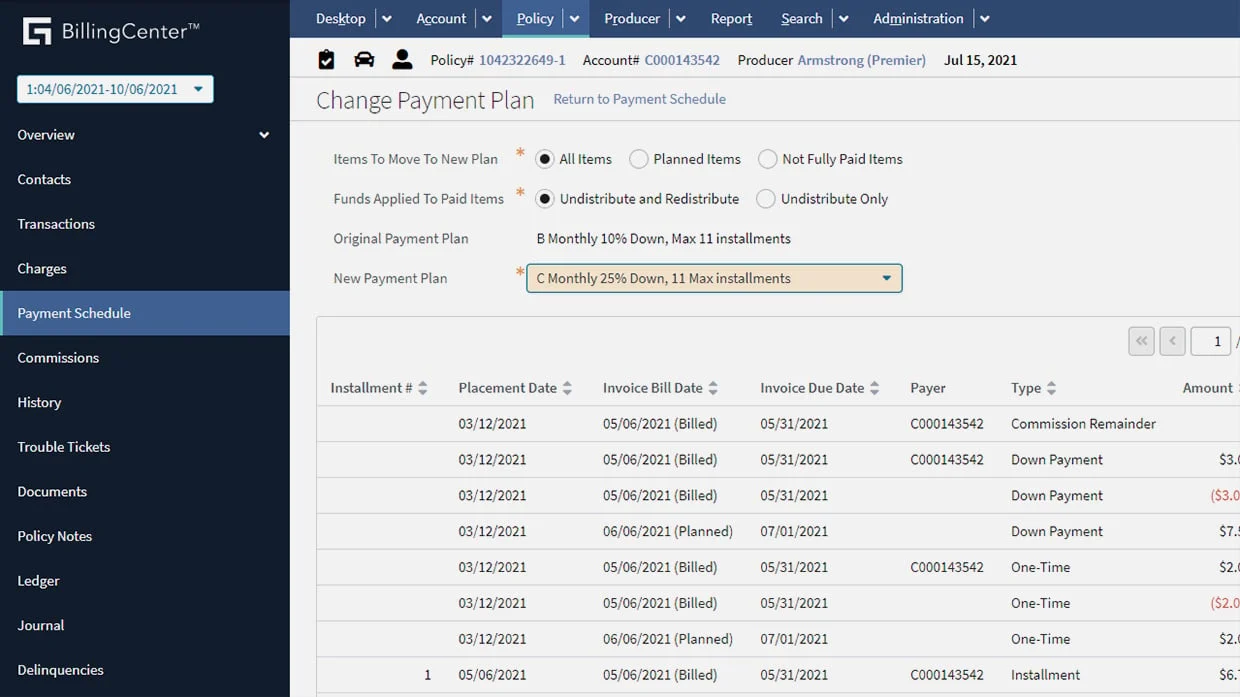
Source: Guidewire
- Duck Creek Suite provides a highly configurable, modular solution with a focus on rapid deployment and regulatory compliance. It is appreciated for its configuration-driven, low-code approach, letting insurers adapt workflows without heavy custom coding. While Duck Creek is feature-rich, it requires more operational maintenance than Guidewire but excels in usability and cost-effectiveness, making it attractive to small and mid-sized insurers.
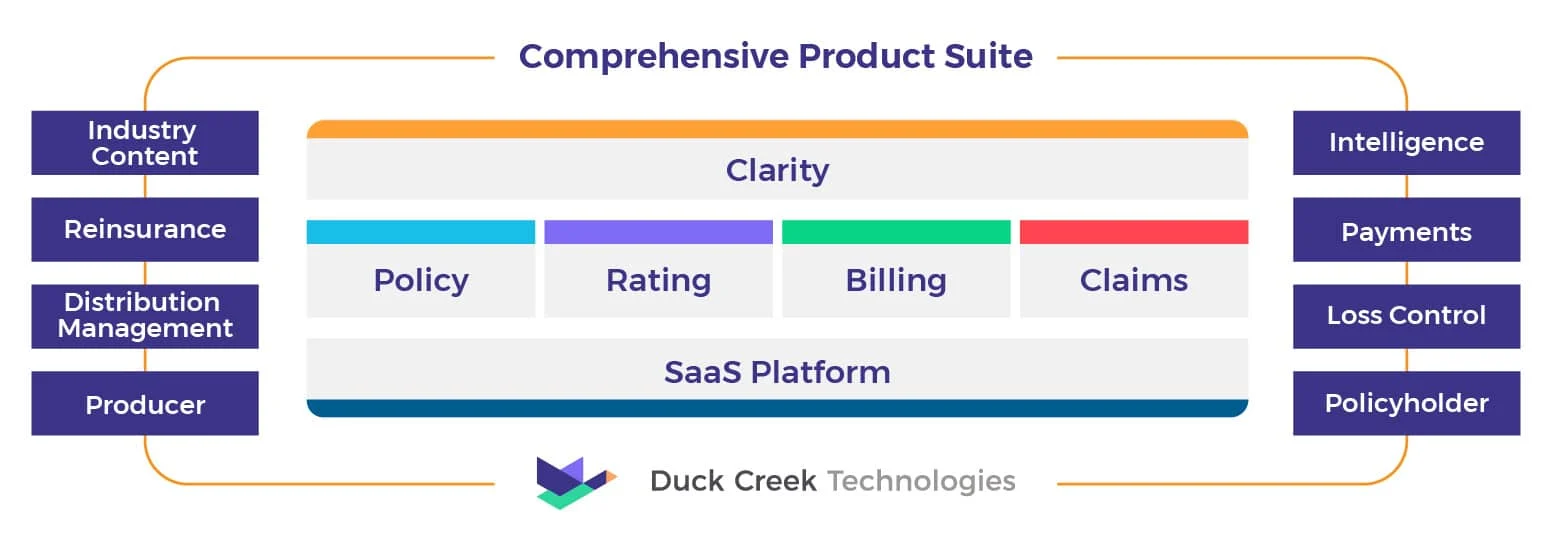
Source: Duck Creek
Both platforms come with built-in automation but demand substantial resources and expertise for successful configuration and maintenance. They form the backbone of insurance operations for many leading insurers worldwide.
Universal Low-Code/BPM Platforms
Platforms like Appian and Pega are designed to automate business processes across various industries, including insurance. They provide drag-and-drop interfaces and pre-built workflow templates that are highly customizable without extensive programming. These platforms allow both IT professionals and business analysts to develop and modify workflows, speeding up automation deployments.
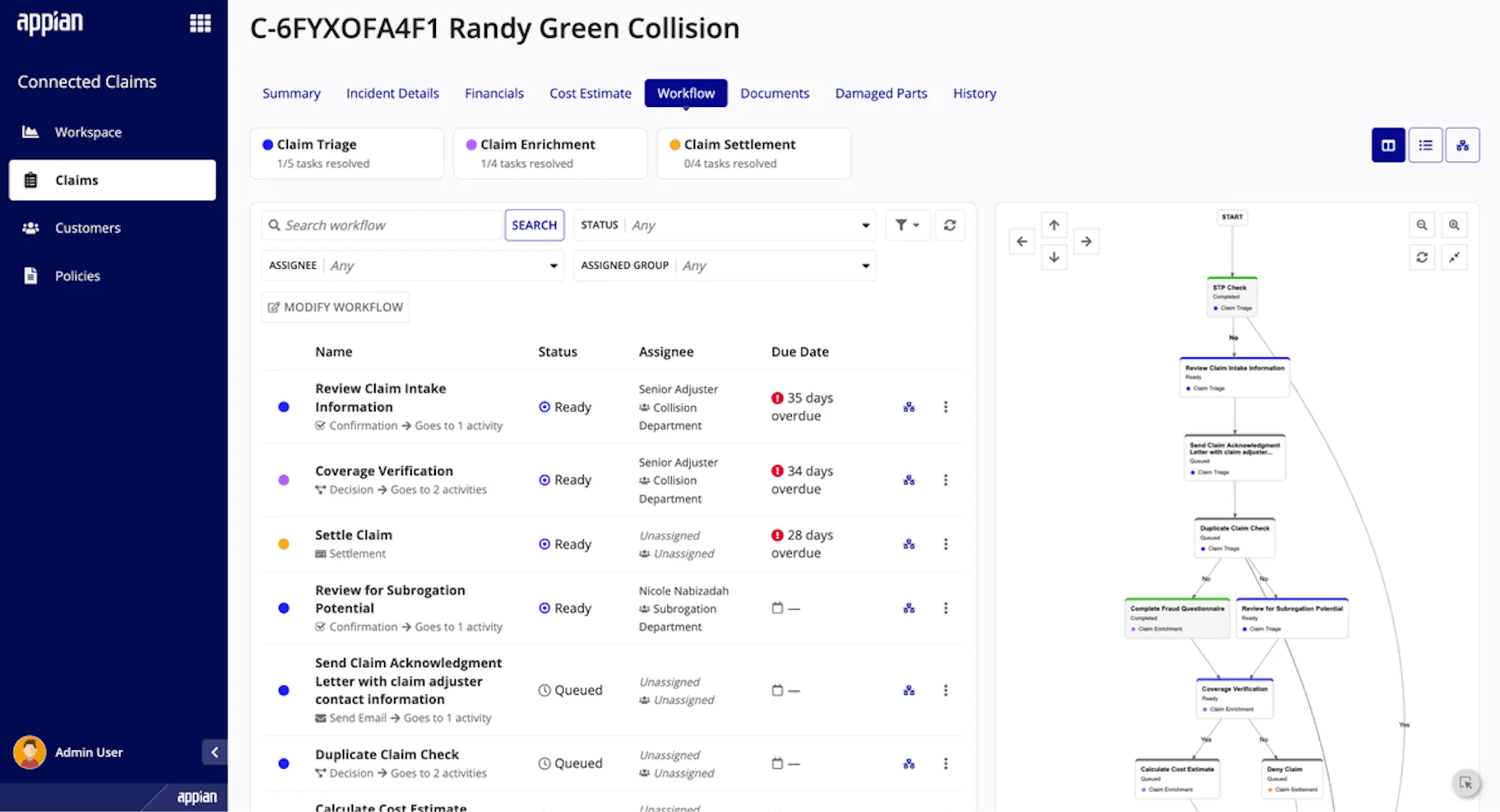
Source: Appian
Low-code/BPM tools enable insurance companies to automate specific processes without replacing their core systems. Their flexibility makes them ideal for cross-departmental workflows, such as customer onboarding, claims servicing, and compliance checks. The visual design environment, along with centralized management, enhances agility and reduces dependency on specialized development teams.
Automation Tools within Microsoft 365/SharePoint
Tools like Microsoft Power Automate, integrated with the Microsoft 365 ecosystem, offer a cost-effective and quick way for insurers to implement workflow automation. These tools work well with existing infrastructure such as SharePoint, Outlook, and Teams.
Insurance companies using Microsoft 365 benefit from native integration, enabling data flow between systems and automation of repetitive tasks like notifications, document routing, and approvals. This approach avoids the need for expensive platform replacements and supports incremental automation projects.
For example, solutions like VirtoSoftware’s Virto Workflow Automation extend SharePoint with advanced workflow capabilities tailored for the insurance industry, including visual process designers, compliance tracking, and integration with core business tools.
The VirtoSoftware Approach
VirtoSoftware enhances the capabilities of Microsoft SharePoint rather than building expensive systems from scratch. This approach allows insurance companies to rapidly and efficiently automate key workflows without drastic IT infrastructure changes.
Virto Products for Insurance Workflow Automation
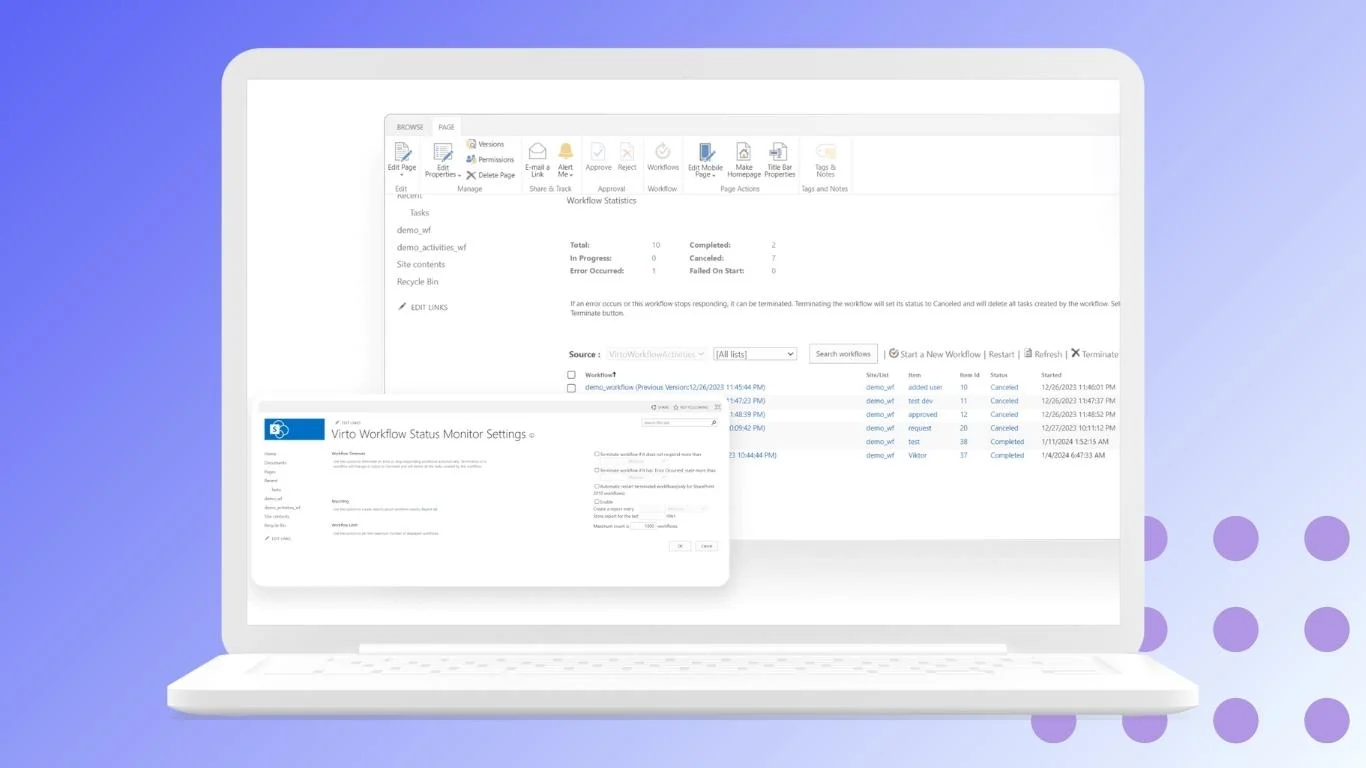
✅ Virto Workflow Automation App for SharePoint Online:
- Visual Workflow Designer: Easily configure complex document approval cycles and claims routing based on conditions like claim amount or policy type without coding, accelerating application processing.
- Pre-built Templates and Workflow Automation: Use ready-made templates for common insurance processes, automatically sending notifications and reminders to agents, underwriters, and clients about pending tasks or delays.
- Integration and Data Handling: Integrate electronic signatures for policy issuance and extract data from SharePoint lists to speed up claims decision-making.
- Compliance and Audit: Automatic audit logging guarantees adherence to regulatory standards and transparency of all operations.
✅ Virto Workflow Activities Kit for SharePoint On-Premises:
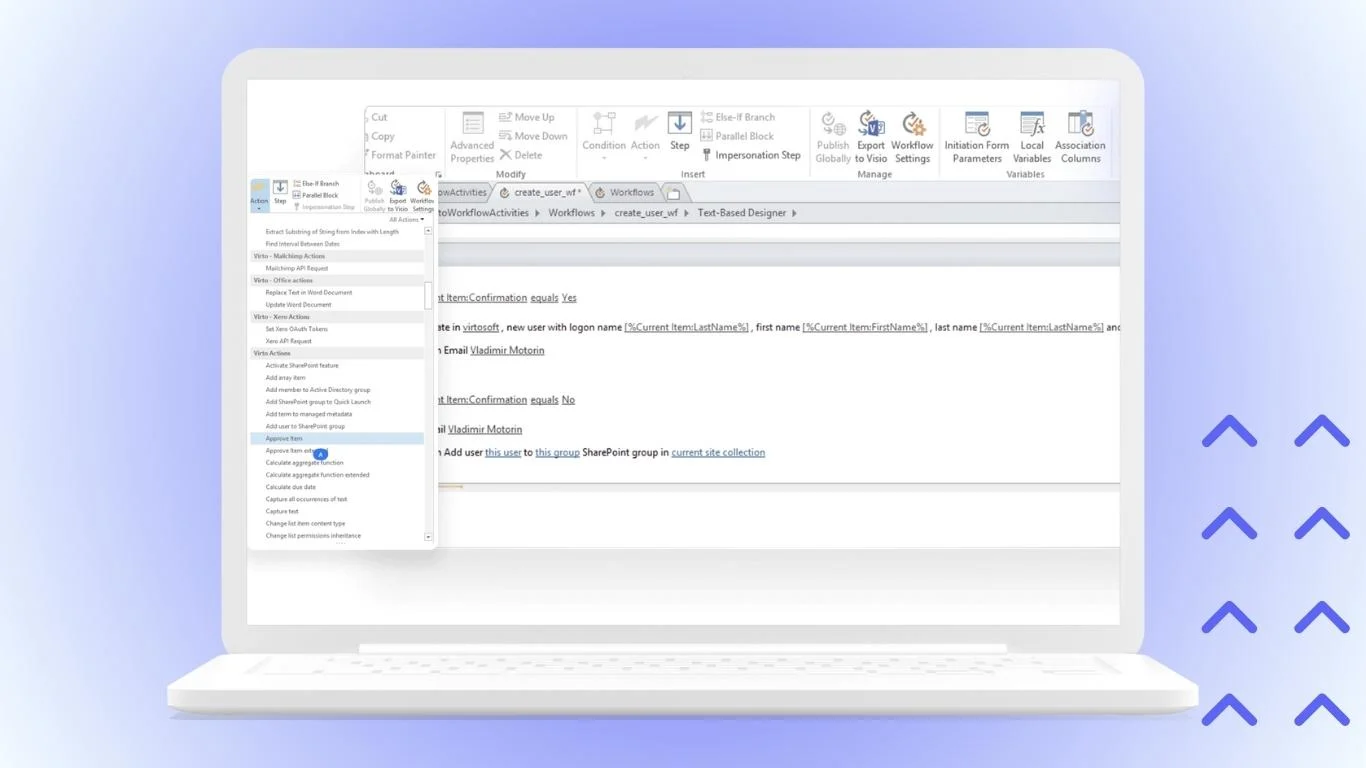
- Secure and Controlled Environment: Designed for insurers with stringent data sovereignty and regulatory requirements, this solution operates fully within the company’s IT perimeter, providing total control over data and processes.
- Advanced Features and Integration: Offers robust capabilities for complex insurance processes, including deep integration with core systems to verify policy details and update claim statuses. Custom user actions enable unique operations like automated loss reporting or reserve calculations.
This combination of specialized platforms, low-code BPM tools, and dedicated Microsoft 365/SharePoint automation solutions gives insurers a powerful toolkit to choose the right approach for their digital transformation goals.
Criteria for Choosing Software for Insurance Workflow Automation
Selecting the right software for automating insurance workflows is critical. Here are the key criteria to consider:
Alignment with Insurance Business Specifics and Regulations: The software must comply with the industry’s standards for storing and processing sensitive customer data. It should be designed or configurable to meet regulatory requirements specific to insurance.
Check out Legal workflow automation »>
Integration Flexibility and Customization: The tool should seamlessly connect with existing systems such as CRM, accounting, and office infrastructure. It should support configuring workflows tailored to the company’s unique processes. Ideally, this involves Low-Code or No-Code capabilities that empower business analysts, not just IT staff, to create and edit workflows.
Security and Access Control: Given the sensitive nature of insurance data, the system must provide security measures, including detailed access control management. This protects customer data and business information from unauthorized access.
Optimal Price-to-Functionality Ratio: The chosen solution should balance the scale of tasks it solves with the company’s budget, offering a strong return on investment. Overly complex or expensive systems may not fit all organizations.
Ease of Use and Training: An intuitive user interface is essential to minimize employee training times and provide quick onboarding. The faster staff can learn and adapt to the system, the sooner benefits from automation will arrive.
Practical Tips for Automating and Implementing Insurance Workflows
Effective Automation Implementation Strategies
Start with Process Analysis and Prioritization: Create a map of all insurance workflows in your company. Identify processes with the highest volume of manual tasks and those with the greatest potential for automation. Focus initially on workflows that most impact the customer experience to maximize benefits.
Set Clear Goals and Success Metrics: Define measurable objectives for each automated process. Establish KPIs like application processing time, error rates, and client satisfaction scores. Implement monitoring systems to track progress continuously.
Choose the Right Tools: Assess security and data storage requirements carefully. Evaluate how well automation tools integrate with existing core systems. Consider customization capabilities to align workflows with the needs of your insurance business.
Develop a Phased Implementation Plan: Begin with pilot projects involving one or two processes. Define success metrics for each phase and schedule regular reviews for adjustments. Gradually scale automation across additional departments as confidence and expertise grow.
Manage Organizational Change: Involve key employees early in the process to gain buy-in. Develop comprehensive training and support programs. Create incentives to encourage adoption and active use of new automated processes.
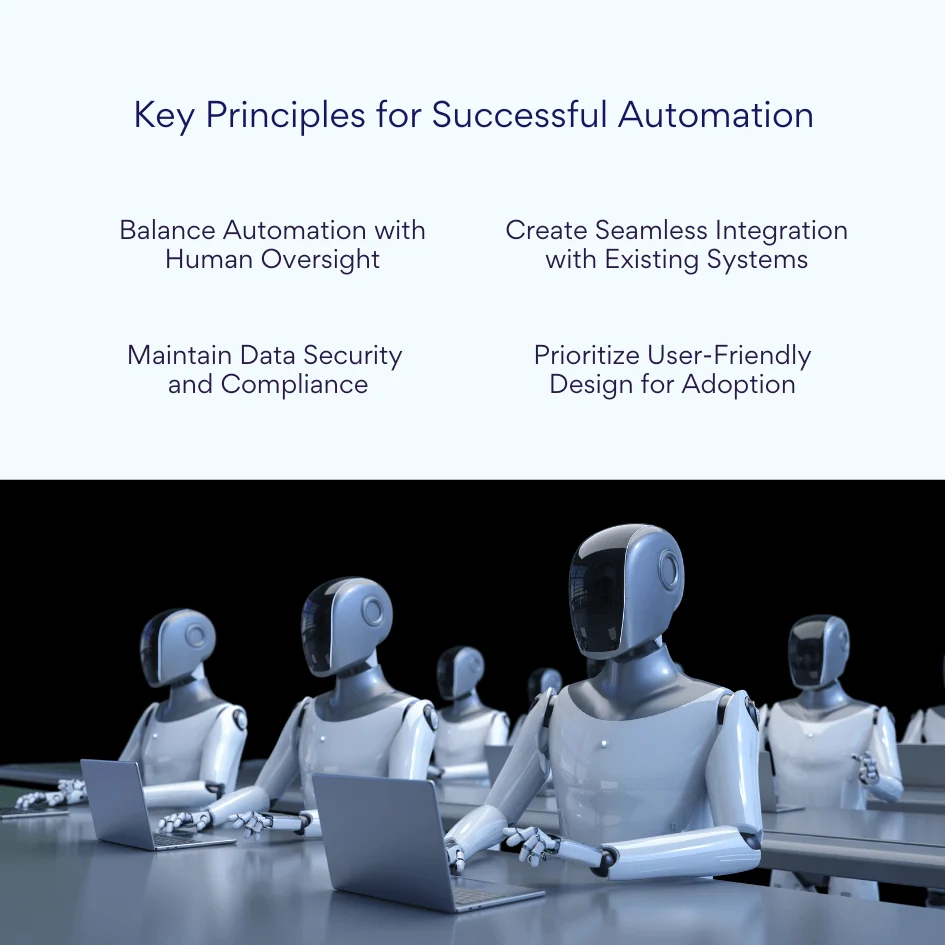
Key Principles for Successful Automation
Balance Automation with Human Oversight: While automation excels at handling repetitive and routine tasks—such as data entry, notifications, and document routing—it is critical to maintain human involvement for complex decision-making. Skilled specialists should oversee non-standard cases, bringing judgment that automation cannot replicate. Implement escalation processes within the automated workflows so that unresolved or unusual cases are flagged and routed to the appropriate human resource promptly. This approach reduces errors, preserves regulatory compliance, and makes sure that critical decisions receive scrutiny.
Create Seamless Integration with Existing Systems: Insurance companies operate a wide array of systems, including customer relationship management (CRM), policy administration, underwriting engines, and accounting platforms. Successful automation requires these tools to work harmoniously together. Leveraging APIs (Application Programming Interfaces) to connect different systems ensures data flows smoothly and accurately across platforms. Synchronizing data reduces duplication and inconsistencies, creating a single source of truth accessible to stakeholders throughout the organization.
Maintain Data Security and Compliance: Automation must uphold the highest standards for data protection, especially as insurers handle sensitive personally identifiable information (PII) and financial data. Incorporate role-based access control, encryption, and audit trails within automated workflows to safeguard data integrity and meet regulatory demands.
Prioritize User-Friendly Design for Adoption: Automation tools should feature intuitive, configurable interfaces that minimize training time and empower both technical and business users to author and modify workflows. Greater user adoption reduces resistance and drives continuous improvement.
Practical Recommendations for Workflow Optimization
Standardize Processes Before Automation: Before implementing automation, it is essential to create uniform and repeatable procedures for core insurance operations such as application intake and claims handling. By clearly defining each step and establishing standardized business rules, insurers reduce variability and simplify the automation design. Building a library of templates for documents, notifications, and approvals helps accelerate workflow adoption.
Invest in Employee Training: Successful automation requires end-user buy-in and competency. Conduct regular training sessions to familiarize employees with new tools and processes. Developing a knowledge base and detailed user manuals aids ongoing learning. Additionally, appoint workflow champions within each department who can provide support, troubleshoot issues, and advocate for continual improvements.
Implement Metrics and KPIs: Establish key performance indicators (KPIs) to continuously monitor the effectiveness of automated workflows. Important metrics include processing turnaround times, error rates, customer satisfaction scores, and frequencies of rework or complaints. Data-driven insights derived from these KPIs highlight bottlenecks and areas for enhancement, allowing the organization to make adjustments in real time.
Regularly Optimize Processes: Workflow optimization is an ongoing effort, not a one-time project. Actively collect feedback from users and stakeholders to understand pain points and opportunities. Analyze workflow data to identify bottlenecks or redundant steps. Plan and execute routine updates and refinements to keep workflows aligned with evolving business goals and regulatory changes.
These recommendations help insurance companies realize the full potential of automation by combining solid process design, skilled personnel, and ongoing refinement.
Conclusion
Automation of insurance workflows is no longer a luxury but an essential strategy for modern insurance companies aiming to improve operational efficiency and secure a competitive advantage. By automating critical processes such as claims handling, underwriting, policy issuance, and customer service, insurers achieve significantly faster processing times, drastically reduce human errors, and provide a markedly better customer experience. Automation not only accelerates workflows but also enhances process transparency, governance, and compliance adherence, which are crucial in the heavily regulated insurance industry.
Choosing the right automation tools is fundamental to unlocking these benefits. The optimal software enhances client service quality while simultaneously lowering operational expenses by reducing manual workload and speeding up complex workflows. Among solutions available, VirtoSoftware’s offerings stand out, especially for insurance companies already invested in Microsoft 365 and SharePoint environments. Rather than replacing IT infrastructure, Virtosoftware intelligently extends existing platforms, enabling insurers to quickly and cost-effectively automate essential workflows that meet the needs of the insurance sector.
Investing in tailored insurance workflow automation solutions such as those from Virtosoftware offers insurers a strategic pathway to modernization and differentiation in a rapidly evolving and competitive market. Automation not only drives operational excellence but also supports scalability and resilience, helping insurers meet growing customer expectations and regulatory demands with agility and confidence.
As insurance companies continue to embrace digital transformation, adopting advanced automation will be a defining factor in their ability to innovate and excel in 2026 and beyond.