
SharePoint’s classic “Alert me” feature is gone from SharePoint Online. Microsoft completed a phased retirement: alert expiration began rolling out from October 2025, new alert creation was blocked for all tenants from January 2026, and the feature was fully removed in July 2026. If you relied on alert emails to track files or list items, those notifications need a replacement.
What replaces alerts depends on how much control you need. For lightweight notifications tied to a single list or library, SharePoint’s built-in rules can email specific people when items change, and they work across lists and libraries. For anything more flexible, Power Automate is Microsoft’s recommended path. There’s also a turnkey option: VirtoSoftware’s Alerts & Reminders app for Microsoft 365. We’ll compare all three, highlight where Microsoft’s built-ins fall short, and show why VirtoSoftware often provides the cleaner, faster answer.
This article gives you a pragmatic plan: assess where alerts exist today, choose the right replacement, and roll out changes with clear user communication—so you can move with confidence and no surprises.
If you are past the planning stage and just need to set the replacements up, our hands-on companion guide walks through each one click by click: SharePoint alerts and notifications: how to set them up now that “Alert me” is gone. This article covers the retirement itself—what changed, what it puts at risk, and how to plan the transition.
SharePoint Alerts: Why They Were Used and What Changed
Classic SharePoint alerts gave everyday users a simple way to stay on top of changes to files and list items, and they quietly powered countless processes. Now that Microsoft has retired alerts in SharePoint Online, it’s worth pausing to recap why alerts mattered and what’s changed.
For a quick snapshot of the SharePoint Alerts retirement — what’s changing, why it matters, and which alternatives you should consider — check out this short video summary before exploring the sections below.
What are SharePoint alerts and why do they matter
Classic SharePoint alerts were a built-in way to subscribe to changes in a library, list, folder, or single item and receive automatic notifications. Out of the box they primarily sent email; in some configurations admins also enabled SMS. This made it easy for non-technical users to track activity without building workflows.
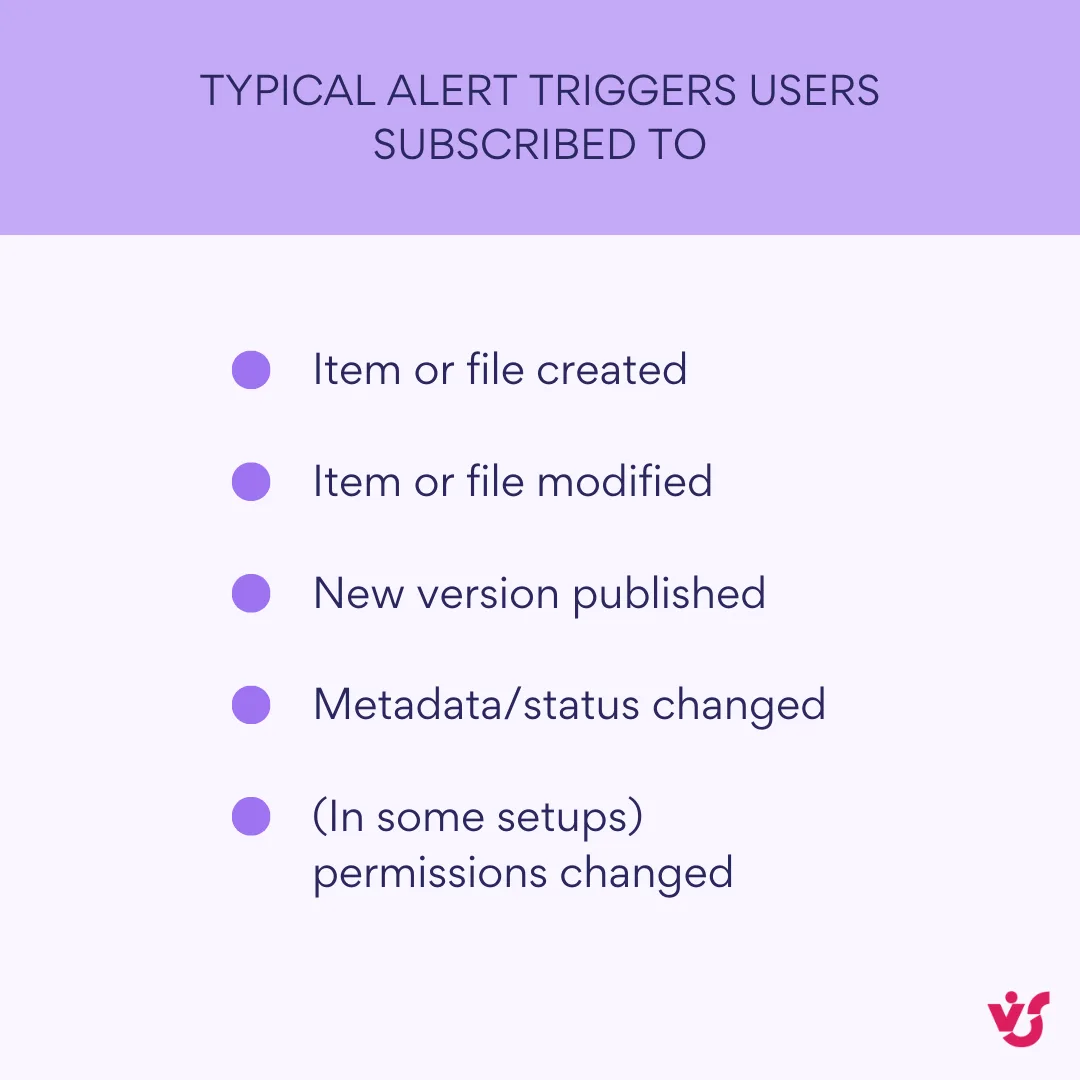
👉Can you get alerts from SharePoint? Yes—until retirement completes, classic alerts still function in SharePoint Online, and you can set up notifications today with SharePoint rules, Power Automate, and VirtoSoftware Alerts & Reminder App (more on those later). On-premises SharePoint can continue using classic alerts per farm configuration.
Why organizations relied on alerts:
- Document and task change tracking. Users learned immediately when a file or list item was added or edited, which reduced duplicates and version mix-ups.
- Version awareness. Teams in legal, finance, and engineering used alerts to know when a new version appeared so they could review and sign off promptly.
- Lightweight management signals. Managers watched key lists and libraries to see when deadlines shifted or new records landed, then acted quickly.
What has changed: have SharePoint alerts been retired?
Yes. Microsoft has officially retired SharePoint alerts in SharePoint Online. The rollout turned off new alert creation for all tenants and ended with full removal in July 2026. Microsoft’s rationale: customers are “better served by modern notification solutions” based on Power Automate or SharePoint rules—newer, (supposedly) more flexible approaches that align with the rest of Microsoft 365.
| Date | What happens | Impact | Action to take |
|---|---|---|---|
| Oct 2025 | Alert expiration begins rolling out | Existing alerts start expiring on a rolling basis | Inventory alerts; prioritize high-impact ones |
| Jan 2026 | New alert creation blocked (all tenants) | Can’t create new classic alerts | Stand up rules/flows for new needs |
| Jul 2026 | Classic alerts removed | Legacy alerts stop working | Complete migration and decommission |
Why did Microsoft remove SharePoint alerts?
- Legacy mechanism with limited customization. Classic alerts send basic emails and don’t offer the templating, branching, or integrations most teams now expect. Microsoft points administrators to Power Automate for advanced scenarios.
- Emphasis on modern tools. The retirement notice explicitly recommends Power Automate and rules as the path forward for notifications.
- Consolidation across Microsoft 365. Microsoft is standardizing event handling and notifications around common platforms rather than maintaining overlapping, legacy features.
One important scope note: the retirement announcement applies to SharePoint Online. Microsoft’s documentation for SharePoint Server (for example, 2016/2019/Subscription Edition) still describes creating and managing alerts on-premises, which are governed by your own farm configuration. In other words, on-prem environments aren’t covered by the cloud retirement notice.
Microsoft Sharepoint Alerts Retirement: Implications and Risks for Business
If you haven’t replaced alerts, users have lost a familiar way to stay on top of changes.
Key implications
Before you choose a replacement, consider how the retirement shows up in day-to-day work. These are the effects teams feel first.
- Risk of missing important updates: Without alerts, employees won’t be proactively notified when a document, task, or list item changes. Unless they check libraries manually, you invite delays, version conflicts, and stalled approvals.
- Need to redesign notification processes: Many organizations leaned on out-of-the-box alert emails. Now you’ll need to rebuild lightweight notifications with SharePoint rules or move richer scenarios to Power Automate and Teams/Outlook. That means revisiting who needs to know what, when, and via which channel.
- Increased burden on IT and admins: Standing up alternatives—whether quick rules or automated flows—lands on IT. Expect discovery work (inventory current alerts), solution design, security review (who can receive what), and change management.
- Critical for teams that use SharePoint as a workspace or tracker: If SharePoint lists power tasks, issues, or project registers, losing alerts removes a key “nudge” for status changes, new assignments, and file updates. You’ll want an immediate replacement—either rules for simple email notices or flows that post to Teams, send templated emails, or both.
What to do next
Decide in advance which tool will replace each legacy alert so you preserve visibility and team cadence:
- Use rules for straightforward, per-list or library emails to named recipients.
- Use Power Automate when you need flexible logic, Teams posts, customized emails, or cross-site triggers.
- Consider third-party solutions if you need centralized management, HTML templates, scheduling, or tenant-wide oversight with minimal build effort.
What Is the Alternative to SharePoint Alerts?
There isn’t a single drop-in replacement. As mentioned, you’ve got three practical paths—SharePoint rules for quick, per-list notifications; Power Automate for flexible workflows and cross-app routing (including Teams/Outlook); and third-party apps like VirtoSoftware’s Alerts & Reminder App if you want reliable alert features without building flows yourself.
SharePoint rules (lists and libraries)
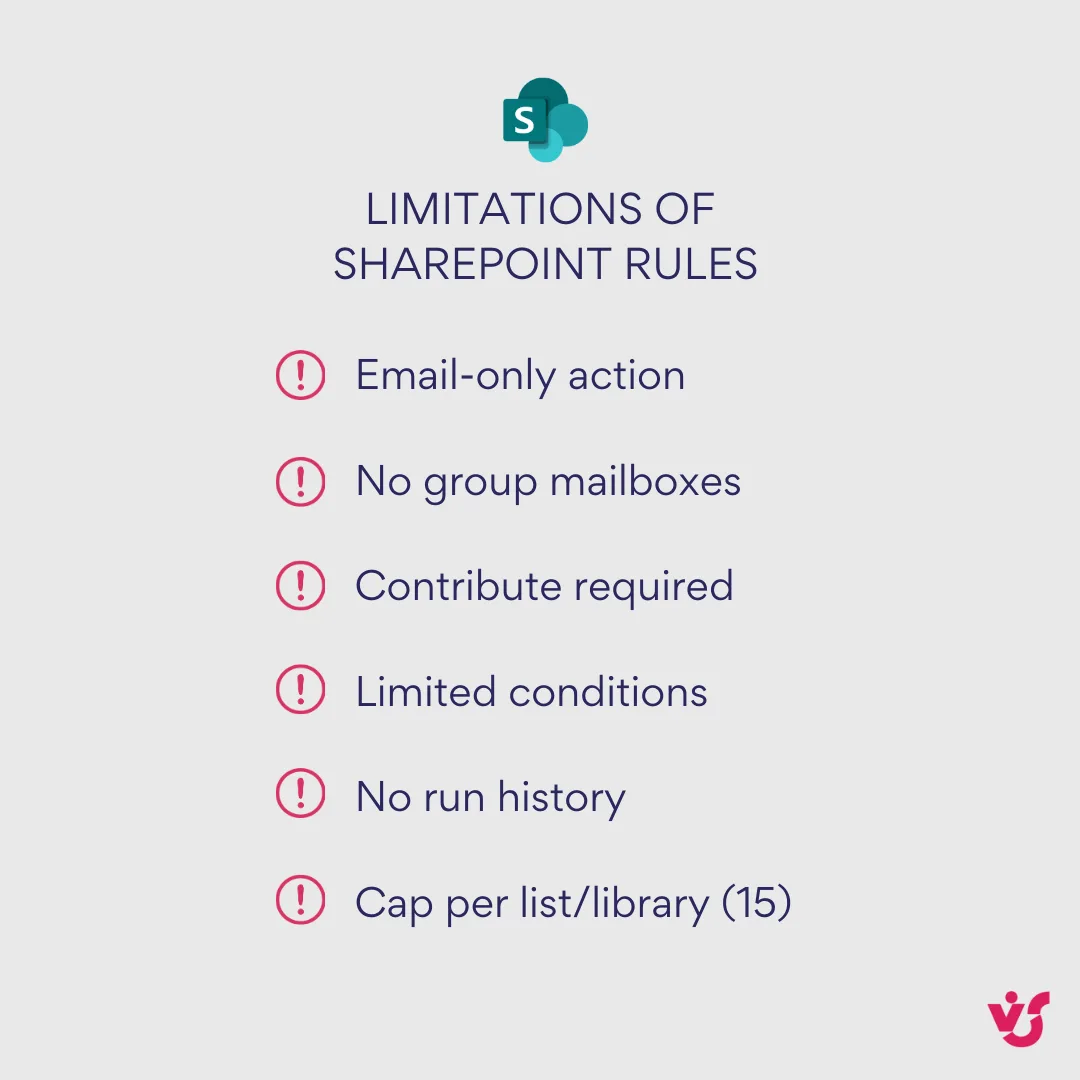
A built-in option for simple notifications. Rules watch a list or library and email selected people when a condition is met (for example, when an item is created or modified). You create them from Automate → Rules → Create a rule in Microsoft Lists, SharePoint, or Teams; choose a trigger, set the condition, and pick recipients. Rules are intentionally basic—great for quick wins, but light on filtering and customization. They send email, and the recipient picker does not support group mailboxes.
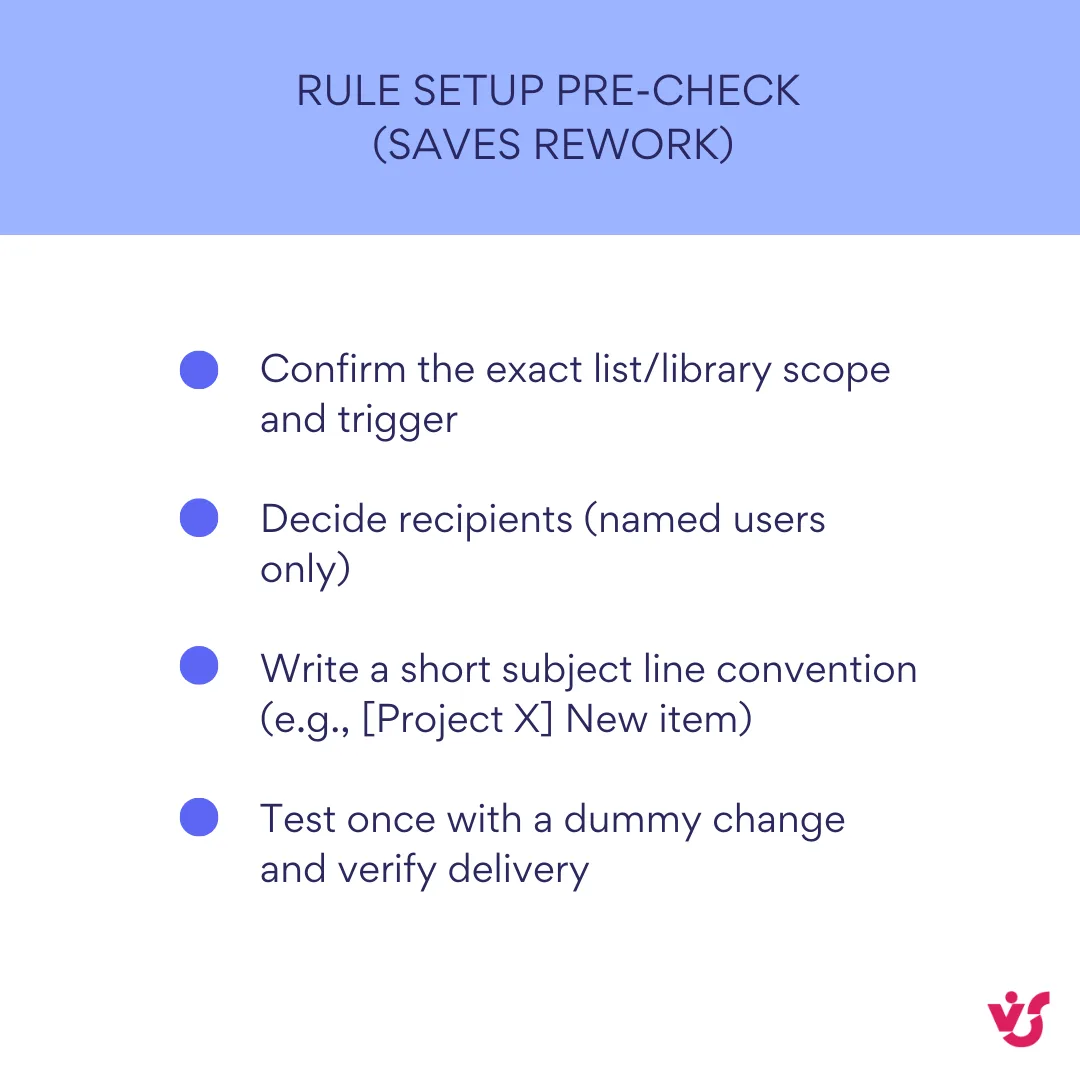
- How to use it (at a glance): Open the list or library → Automate → Rules → Create a rule → Pick a trigger (e.g., item modified) → Define condition → Choose who to notify → Create.
- When to choose it: straightforward, per-list notifications to named users with minimal setup.
- Mind the limits: max of 15 rules per list/library; basic conditions only; email-only action; no HTML templating; group mailboxes not supported.
💡 Learn more here: Create a rule to automate a list or library - Microsoft Support
Power Automate
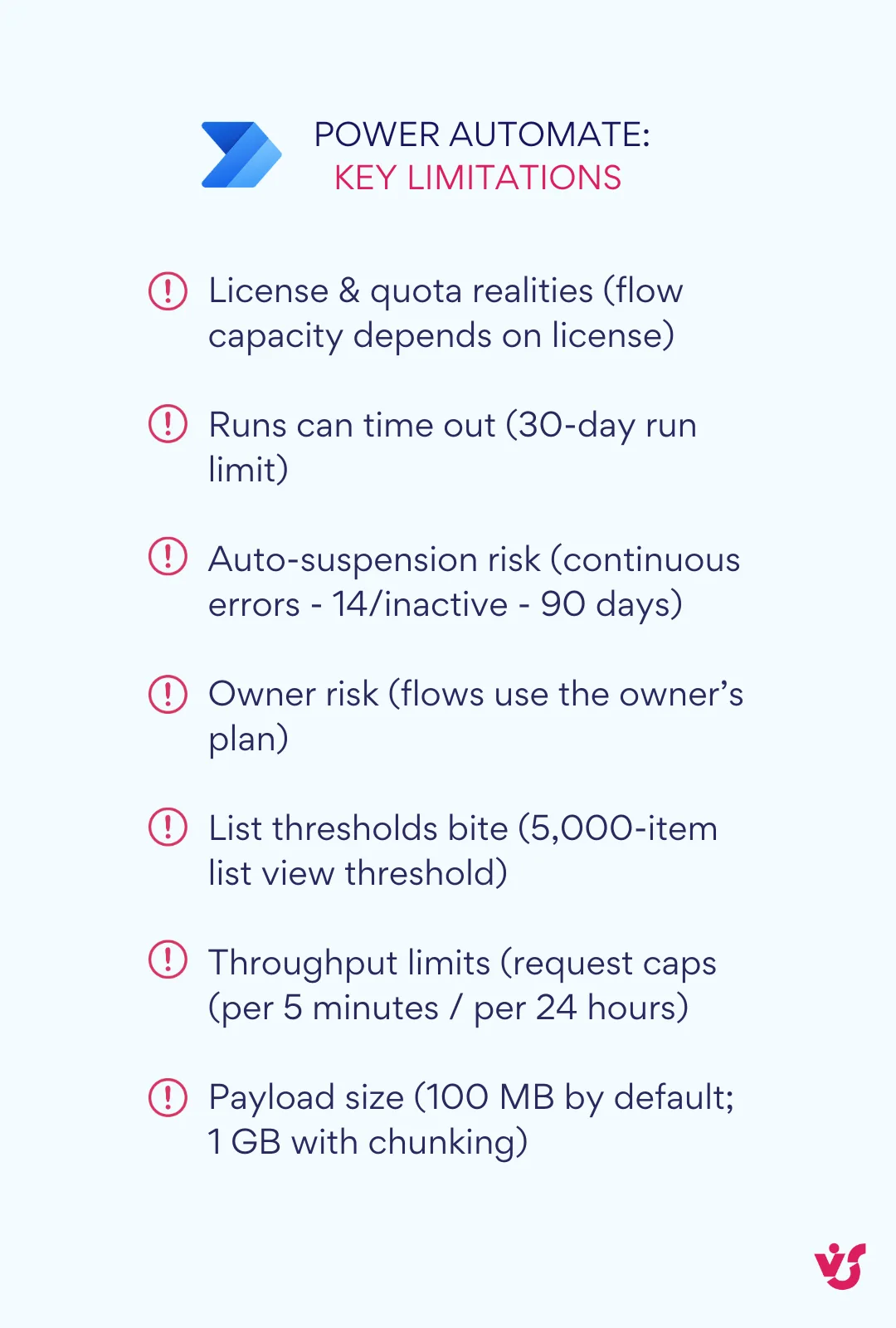
Microsoft’s primary recommendation for replacing classic alerts. With SharePoint triggers (item/file created or modified) you can send customized emails, post to Teams, branch logic, and integrate across Microsoft 365. There are ready-made templates (e.g., “send an email when a new item is added”), and you can add Teams actions to post messages or cards to channels and chats.
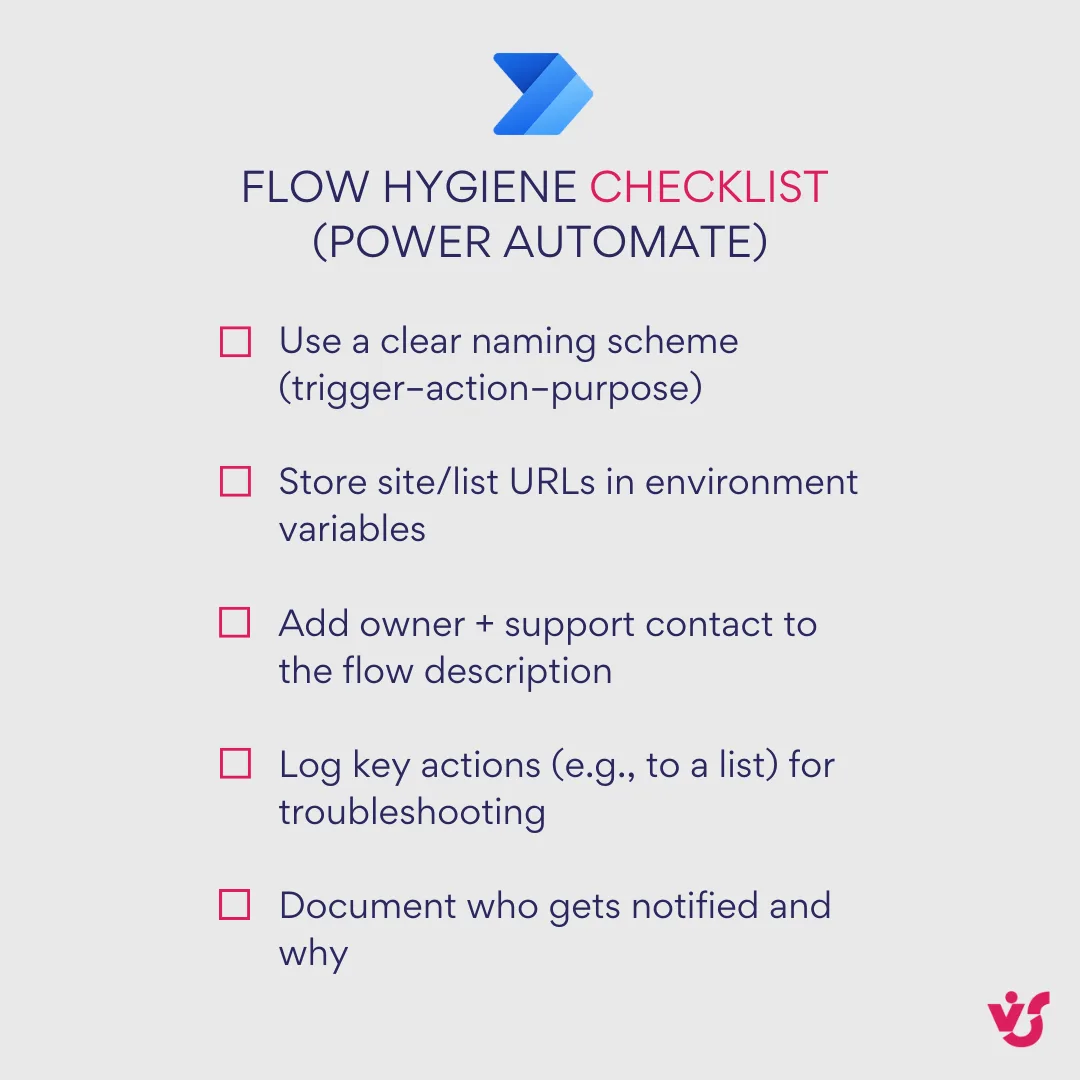
- How to use it (at a glance): Build a flow with a SharePoint trigger → Add conditions (if needed) → Add actions (send email, post to Teams) → Test and refine.
- Pros: flexible logic; Teams/Outlook integration; reusable patterns.
- Cons: setup time and some automation know-how, which can be a hurdle for small teams.
💡 Learn more here:
- Send an email when a new item is created or modified in a SharePoint list | Microsoft Learn
- Send a message in Teams using Power Automate
Notifications via Teams and Outlook
You can route SharePoint events to Teams and Outlook using Power Automate. Teams actions let a flow post messages to channels or chats; Outlook/email actions handle rich, targeted emails that land where users already work. If helpful, you can use Outlook inbox rules to organize those messages on arrival.
| Option | Teams channel/chat | Scheduling/reminders | HTML templates | |
|---|---|---|---|---|
| SharePoint rules | ✓ | — | — | — |
| Power Automate | ✓ | ✓ | ✓ (with actions) | ✓ |
| Virto Alerts & Reminder | ✓ | ✓ | ✓ (built in) | ✓ |
When to choose it: you want activity to surface in Teams conversations and users’ inboxes without asking them to check SharePoint manually.
Learn more here:
- Send a message in Teams using Power Automate
- Manage email messages by using rules in Outlook - Microsoft Support
Third-party solutions
Dedicated apps fill the gap for advanced scenarios, and VirtoSoftware’s Alerts & Reminders for Microsoft 365/SharePoint Online is a standout option. It delivers centralized alert management with HTML-templated emails, dynamic conditions, flexible schedules and date-based reminders, daily or weekly summaries, and targeted delivery to individual users or groups—including optional posting to a Teams channel—all wrapped in admin-friendly controls. If you’d rather configure than build and maintain flows, it’s a strong candidate to shortlist. We’ll examine how it works in detail later in this guide.
- Pros: rich features with minimal build time; enterprise-grade options
- Cons: vendor evaluation and security/compliance review required.
👉 So, what is replacing SharePoint alerts? Microsoft points to Rules and Power Automate. For serious notification control, use VirtoSoftware Alerts & Reminder App.
Comparison of SharePoint alerts alternatives
Here’s a quick side-by-side to help you choose.
| Criteria | SharePoint rules (lists & libraries) | Power Automate | Virto Alerts & Reminder app |
|---|---|---|---|
| What it is | Built-in, per-list/library email notifications | Cloud automation with SharePoint triggers and 365 actions | Dedicated notification/reminder app for SharePoint Online & M365 |
| Typical setup time | Minutes | Hours to days (depends on logic) | Minutes to hours (configure, not build) |
| Delivery channels | Email only | Email, Teams, more 365 apps | Email, Teams (plus scheduling) |
| Triggers | Item/file created/modified (basic) | Broad SharePoint triggers + conditions | List/library changes, date-based timers, schedules |
| Conditions & filters | Basic | Advanced branching, variables, expressions | Advanced, UI-driven filters and schedules |
| Email customization | None (plain, fixed format) | High (HTML emails, dynamic content) | High (HTML templates, branding) |
| Date reminders & summaries | Up to two date rules per list or library; no summaries | Buildable with timers/logic | Built-in date reminders and daily or weekly summaries |
| Recipients | Named users only (no group mailbox) | Users, M365 groups, dynamic targets | Users, groups, channels (plan-dependent) |
| Teams notifications | Not native | Yes (post to channels/chats) | Yes (send to channels) |
| Governance & visibility | Per list/library; minimal history | Per-flow; admin needs flow inventory | Centralized admin view, send history (plan-dependent) |
| Skills required | Site owner/contributor | Power user/admin with automation skills | Admin/power user; minimal scripting |
| Best for | Quick, lightweight alerts on a single list/library | Flexible workflows, cross-site logic, multi-app routing | Enterprise-grade alerts, reminders, and central management without custom flows |
| Key limitations | No templates, no Teams, basic logic, per-list cap | Can sprawl; maintenance overhead; learning curve | Licensed app; vendor evaluation and rollout planning |
| Cost/licensing | Included | Included (standard M365 connectors) | Additional license |
How to pick
- Choose rules when you need a fast, per-list email nudge and nothing more.
- Choose Power Automate when you need logic, templates, Teams posts, or cross-site orchestration.
- Choose Virto Alerts & Reminder when you want built-in date reminders and summaries, HTML templates, Teams delivery, and centralized oversight without building and maintaining many flows.
| Scenario | Best fit | Why | Setup effort |
|---|---|---|---|
| Single list needs simple email | Rules | Fast, no build | Minutes |
| Cross-site + Teams + logic | Power Automate | Flexible routing/branching | Hours–days |
| Reminders, summaries, admin view | Virto app | Built-in schedules, templates, oversight | Minutes–hours |
SharePoint Rules vs Power Automate vs an App: Scenarios and Licenses
All three replacements send a notification when a list changes. What separates them is what actually arrives, and who keeps it working afterwards:
- SharePoint rules send one plain email per change, from no-reply@sharepointonline.com, to the people you name. There is nothing to build and nothing to look after: the rule is part of the list.
- Power Automate sends whatever its author builds: a formatted email, a Teams message, an approval, a scheduled summary. The flow belongs to that author, and so does its upkeep.
- Virto Alerts & Reminder App sends an email per change, a daily or weekly summary table, or a reminder before a date. Each rule is filled in as a form rather than built, and every rule is listed in one place.
| Scenario | Best fit | License needed | Why |
|---|---|---|---|
| A few named people need an email when an item in one list changes | SharePoint rules | Included in Microsoft 365 | Built into the list and ready in minutes; one email per change |
| A reminder before a date in one list, such as a contract end | SharePoint rules | Included in Microsoft 365 | An “a date approaches” rule does it, up to two per list or library |
| A change starts a process: an approval, several steps, an update to another list | Power Automate | Included with the standard SharePoint, Outlook and Teams connectors | Only a flow can branch, wait for an approver and write data back |
| The notification needs data from outside Microsoft 365, such as SQL Server or Salesforce | Power Automate | Power Automate Premium, or a Process license on the flow | These are premium connectors |
| A personal message in Teams chat | Power Automate | Included with the standard Teams connector | Virto Alerts & Reminder App posts to Teams channels only |
| A daily or weekly summary of what changed in a list | Virto Alerts & Reminder App | App subscription, 30-day free trial | Rules have no summary, and in Power Automate every summary is a scheduled flow of its own |
| Reminders on date columns across many lists, or more than two per list | Virto Alerts & Reminder App | App subscription, 30-day free trial | A reminder a set number of days before or after any date column, set up from one form |
| A post in a Teams channel | Power Automate or Virto Alerts & Reminder App | Included, or the app subscription | A flow posts through the Teams connector, the app through a Workflows webhook |
What Power Automate costs in licenses
Rules and the standard connectors cost nothing extra, and that is simply true: the SharePoint, Outlook and Teams connectors come with Microsoft 365 plans, so most notification flows need no additional license. Two things change the picture:
- Premium connectors. A flow that uses SQL Server, Salesforce, HTTP requests or a custom connector needs Power Automate Premium for its owner and for anyone who edits it or starts it by hand, or a Power Automate Process license assigned to the flow.
- Daily action limits. Every action a flow runs counts as a Power Platform request, including a condition that decides not to send anything. Microsoft sets 6,000 requests per user per 24 hours for Microsoft 365 licenses and 40,000 for Power Automate Premium, and scheduled flows count against their owner’s allowance. During the current transition period Microsoft applies higher limits per flow, but advises designing for the per-user figures. A summary flow that loops over the changed items spends requests on every item, every day.
What flows take to maintain
- One flow per list and per scenario. A notification flow is tied to one site and one list. Replace alerts list by list, and a mid-sized tenant ends up with dozens of flows, each built, tested and documented on its own.
- Flows belong to people. A scheduled flow runs on its author’s connections. When the author leaves and the account is disabled, the flow stops until someone else takes it over.
- Microsoft switches flows off. A flow whose trigger or actions fail continuously is turned off after 14 days. A flow that is not triggered for 90 days may be turned off too, unless its owner has a premium license; owners get a notice 30 days before. A notification flow on a list that rarely changes is exactly that kind of flow.
Where rules stop
- No more than two “a date approaches” rules per list or library, and no rule on a multi-line text column.
- No summary: every qualifying change sends its own email.
- Recipients are people or a person column, not a group email address.
- The email comes from no-reply@sharepointonline.com in Microsoft’s fixed format.
None of this is a defect: rules were made for the simple case, and in the simple case they are the right answer. Where the table points to the app, these scenarios show it set up end to end: a daily summary of SharePoint list changes, due-date and overdue reminders for a task list, and expiration and renewal reminders.
Virto Alerts & Reminder App—Ultimate SharePoint Alerts Retirement Alternative
One practical, secure alternative is the Virto Alerts & Reminder App for SharePoint Online and Microsoft 365. It covers the classic alert use cases and goes further with date-based reminders, Teams delivery, HTML email templates, and admin-friendly controls. In short, you keep the familiar “notify me when something changes” pattern while adding modern automation options.
💡Did you know? Leaders like Disney, Sony, NATO, NASA, and FedEx rely on VirtoSoftware for enterprise-grade SharePoint apps that follow Microsoft security standards.
What the product is
Virto Alerts & Reminder is a purpose-built notification and reminder app for Microsoft 365. It listens to changes in SharePoint lists and libraries (and M365 calendar data), then delivers notifications on your schedule with customizable content. It’s designed for business users and admins who want rich alerts without hand-building flows.
What tasks it solves
Here’s how the app delivers value in day-to-day work. It gives teams precise control over what gets flagged, adds date-based reminders and scheduled summaries, and routes updates through Microsoft 365 so people see them where they already work:
- Flexible notification settings. Create alerts for list, library, or document changes with precise conditions (for example, when a task’s status changes or a new file is uploaded). Triggers and “immediate to custom” schedules are supported.
- Reminders and summaries. Configure reminders a set number of days before or after any date column, and give the manager one table of everything overdue and still open every morning. Queueing and sent-email history are available on higher tiers.
- Deep Microsoft 365 integration. Deliver alerts to Teams channels and Outlook email; target specific users or groups; optionally watch iCalendar feeds alongside SharePoint data.
- Advanced customization. Use HTML-based templates with rich formatting, images, and links so messages are clear and on-brand.
- Admin controls for scale. Browse tenant alerts and manage them centrally (plan-dependent), with enterprise-grade security noted in the plan descriptions.
| Use case | Feature |
|---|---|
| Track document/list changes | Condition-based alerts |
| Keep work moving | Date-based reminders + daily or weekly summaries |
| Notify where people work | Teams + Outlook delivery |
| On-brand messages | HTML templates |
| Operate at scale | Centralized management (plan-dependent) |
Key benefit. Because it operates independently of classic SharePoint Alerts, the app keeps working now that Microsoft has retired Alerts in SharePoint Online—so critical task, document, and notification flows stay intact.
Where it adds value
Here are the everyday scenarios where it makes the biggest difference—keeping updates visible, nudging work forward with timely reminders, and coordinating smoothly across locations:
- Document management. Teams get timely, branded notifications on check-ins, edits, and version changes—no digging through libraries to see what moved.
- Task coordination. Date-based reminders and overdue summaries keep owners and approvers accountable, helping projects close on time.
- Distributed and hybrid teams. Posting to Teams and sending targeted emails reduces the chance of missed updates and keeps everyone aligned, wherever they work.
Virto Alerts & Reminder isn’t just a like-for-like replacement—it’s a next-level tool that blends the simplicity of classic notifications with modern scheduling, formatting, routing, and administration. If you want to preserve your SharePoint-centric workflows while improving the efficiency of Microsoft 365 processes, this fits the brief.
Improve Your Project Management with Virto Apps


What Businesses Should Do Now
If your teams relied on classic SharePoint alerts and haven’t replaced them yet, don’t wait any longer.
Practical steps to prepare
Use this sequence to move methodically: take stock, test the alternatives, and choose a default approach your teams can support:
- Assess your dependency on alerts: List the processes that depend on notifications—document updates, task lists, approvals, and deadlines. Identify which alerts are business-critical, which are nice-to-have, and which can be retired. This gives you a migration backlog tied to impact.
- Test Microsoft’s built-in alternatives: Pilot SharePoint rules for simple, per-list notifications and Power Automate for anything that needs routing, formatting, or delivery to Teams/Outlook. Note who needs to be notified, the trigger conditions, and whether email, Teams, or both work best.
- Decide on a third-party option where needed: If you require HTML-templated messages, reminders and scheduled summaries, group targeting, or tenant-level oversight without building flows, shortlist a dedicated app such as Virto Alerts & Reminder for Microsoft 365. Use it where rules or basic flows fall short.
Why an early transition helps
Shifting early preserves continuity and gives you time to refine replacements. The benefits are immediate:
- Avoid missed updates. Users keep receiving timely change notices instead of checking libraries manually.
- Protect productivity and process reliability. Approvals, reviews, and handoffs continue without interruption after the alerts retirement.
Reduce IT strain. Migrating in phases lets admins replace high-impact alerts first, refine patterns, and avoid emergency fixes.
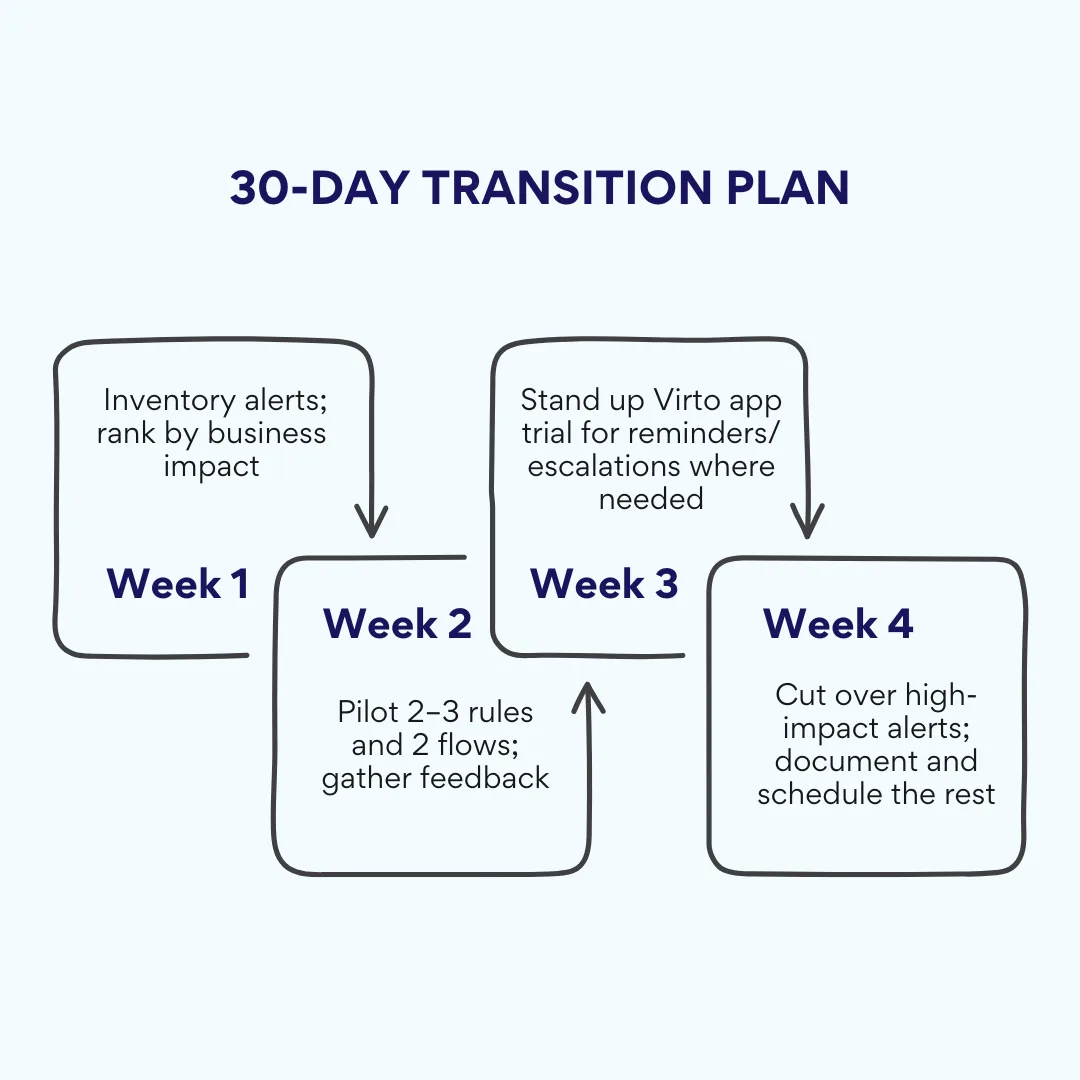
Bottom line: map what you have, match each alert to the right replacement, and start piloting now. That way your SharePoint-centric work stays visible, accountable, and on schedule now that classic alerts have switched off.
Check VirtoSoftware Use Cases

Document Library Change Notifications
When a policy in a SharePoint library is approved, its readers get an email with a link; one folder can have its own rule, and a weekly table lists what changed.
Learn more about Document Library Change Notifications
Event Reminders for a Team Calendar
The team gets an email two days before each event, a weekly table of what is coming up, and the old and the new date when an event moves — from the SharePoint list behind your calendar.
Learn more about Event Reminders for a Team Calendar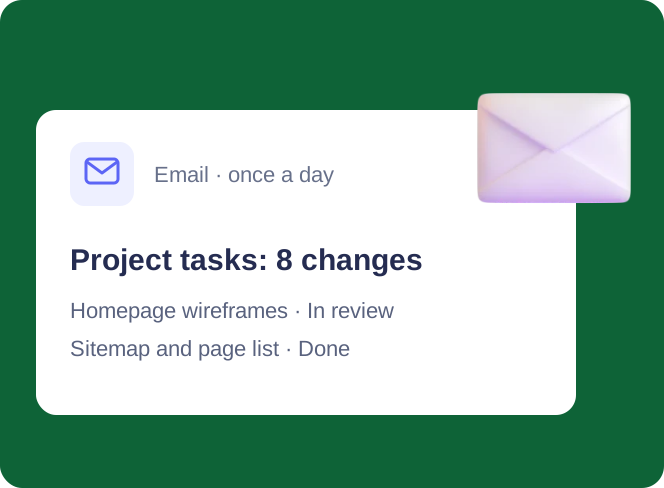
Change Digest for SharePoint Lists
Several people edit one SharePoint list; the project manager gets one email a day with every change in a table, and a separate email within minutes when a task is blocked.
Learn more about Change Digest for SharePoint ListsConclusion on SharePoint Online Alerts Retirement
SharePoint alerts are gone, but convenient notifications in SharePoint don’t have to be. Microsoft retired classic alerts in SharePoint Online, removing them fully in July 2026, and steers customers to modern options.
Microsoft’s built-in alternatives—rules for simple cases and Power Automate for richer routing—cover many needs. For most businesses, though, starting with a reliable, configurable tool saves time and avoids half-measures.
Virto Alerts & Reminder App is a proven option that fully replaces classic alerts and adds what teams actually ask for: date reminders, daily or weekly summaries, HTML-templated emails, and delivery to Outlook and Teams channels—all managed through configuration rather than building flows. It keeps your existing SharePoint work patterns intact while modernizing how notifications are sent.
Complete your transition now so you don’t lose visibility or slow down approvals. Map your current alerts, pick the right replacement for each, and pilot before cutover.
Interested in seeing it live? Schedule a demo or start a free trial of Virto Alerts & Reminder from the product page.
Official Microsoft resources:
- SharePoint Alerts retirement - Microsoft Support
- SharePoint Alerts retirement | Microsoft Community Hub
- SharePoint Alerts retirement | Microsoft Community Hub
Supplementary material:
- SharePoint Alerts & Notifications: How to Set Them Up Now That “Alert Me” Is Gone
- SharePoint Overview: Your Ultimate Guide to Collaboration and Document Management
- Building and Managing a SharePoint Extranet for Your Organization
- Best Practices for SharePoint Document Management, Library, Folder Structure and Security
- The Ultimate Guide to SharePoint Limitations in 2026: Online vs On-Premises